
Crm
Pipeline-first sales CRM for visual deal management, activity-based selling, and growing sales teams.
Business type / Remote sales teams
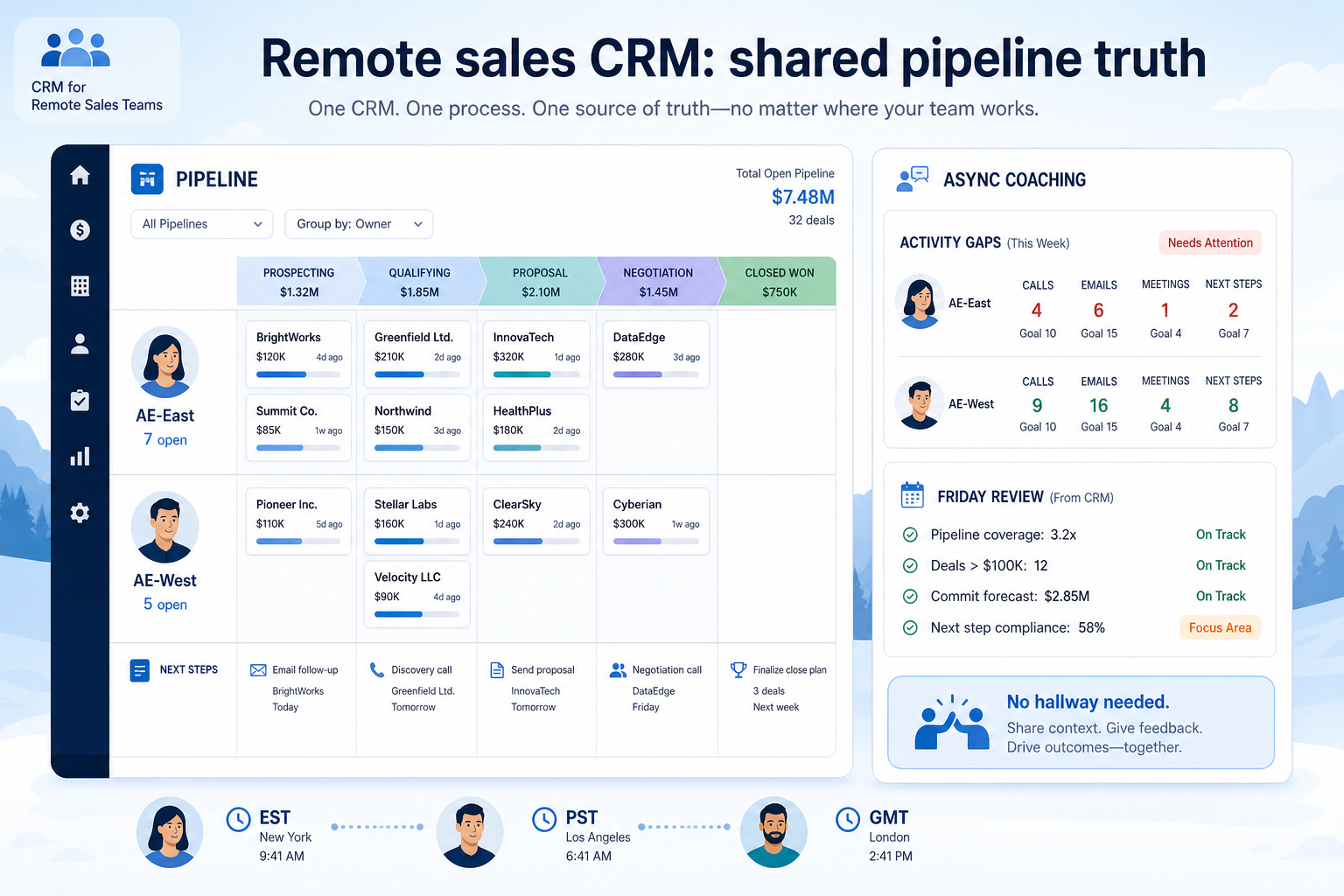
Replace hallway updates with a shared pipeline, visible activity, and async coaching.
At a glance
Shared pipeline + activity visibility
Distributed AEs, SDRs, and managers
Pipeline visibility · Activity tracking · Engagement workflows · Reporting
9 products to explore
Fit snapshot
Distributed sales teams need CRM as the system of record for deals and activity. Without it, managers coach from anecdotes and reps optimize private spreadsheets.
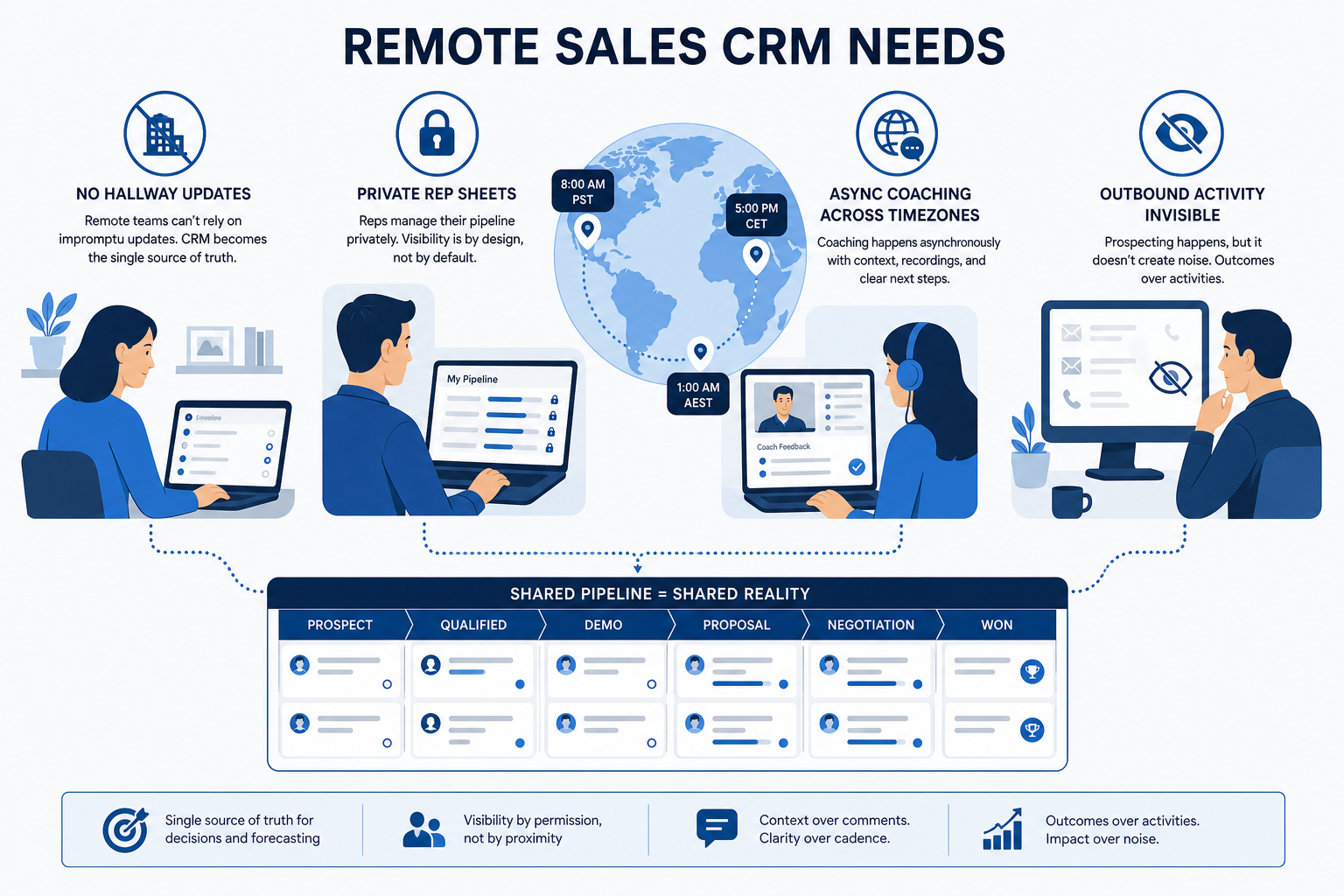
Distributed AEs, SDRs, and managers who cannot rely on hallway updates. You need shared pipeline truth, visible activity, and async coaching across time zones.
How remote sales teams put CRM to work
Example 1
a remote team across three time zones
Before CRM
Friday reviews were “any updates?” in Slack
After CRM
managers coach from stages, next steps, and activity gaps on the board
Example 2
a remote team across three time zones
Before CRM
Friday reviews were Slack status essays
After CRM
managers coach from stages, next steps, and activity gaps on the board
These are the operating problems that usually push remote sales teams toward CRM — not feature wish lists.
Without CRM discipline: Remote work removes informal visibility managers used to rely on.
Without CRM discipline: Forecasts and coaching miss reality.
Without CRM discipline: Live standups punish someone every week.
Without CRM discipline: SDR/AE outbound volume is invisible until results slip.
A CRM only helps when the team keeps owners, history, and next steps current. Here is what “good” looks like for remote sales teams.
With a maintained CRM: Pipeline and activity become the shared operating picture.
With a maintained CRM: CRM as system of record — inspected before meetings — replaces private sheets.
With a maintained CRM: Managers review deals and activity on their schedule with the same rubric.
With a maintained CRM: Engagement workflows and activity capture show effort and gaps early.
One board, many time zones.
Managers inspect CRM before asking for updates.
Follow-ups and outreach are inspectable.
Prioritize shared pipeline truth, activity visibility, and mobile/async workflows over office-centric process assumptions.
Stages and owners everyone trusts across time zones.
Explore →
See follow-ups without pinging people for status.
Explore →
Managers review deals and activity on their schedule.
Explore →
Sequences and calling where outbound volume is real.
Explore →
Logging must be easy on the go — or it will not happen.
Email, calendar, and dialer context on the record.
Start with must-haves that match day-to-day work. Nice-to-haves can wait until the basics are trusted.
Logging must be easy or it will not happen.
How a remote sales team shares pipeline truth and activity so coaching does not depend on hallway chats.
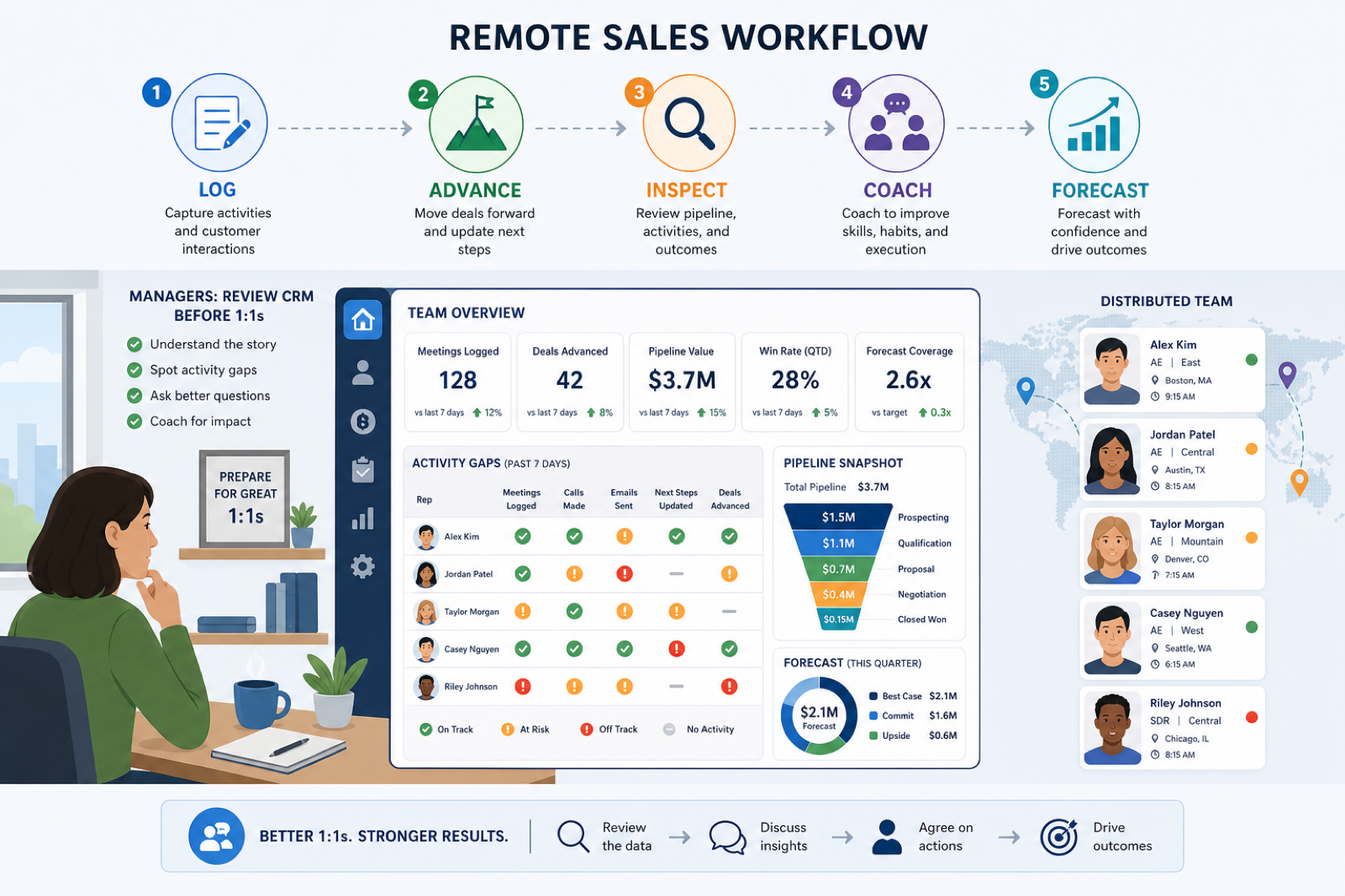
Activity lands on the deal/contact automatically when possible.
Stages update with clear exit criteria.
Managers review CRM before 1:1s.
Gaps and stuck deals drive coaching topics.
Weekly forecast from the same trusted board.
Use these as decision checks — not as product rankings.
Good fit when
Team already agrees CRM is system of record
Good fit when
Managers will inspect CRM before status meetings
Usually avoid
Slack as the unofficial CRM of record
Best when: Pipeline reviews happen without a shared office.
Best when: High activity needs sequencing and clear ownership.
Best when: Managers coach across regions with the same rubric.
These CRM products commonly fit remote sales teams. This is a starting shortlist to review — not a ranked best-of list. Affiliate relationships never change what appears here.
Crm
Pipeline-first sales CRM for visual deal management, activity-based selling, and growing sales teams.

Crm
Enterprise CRM platform for sales, service, marketing, and customer data across large and mid-market teams.

Crm
AI-powered customer platform with free forever CRM, plus paid Smart CRM seats and Sales/Marketing/Service hubs for growing teams.

Crm
Microsoft Dynamics 365 Sales CRM for pipeline management, forecasting, and Microsoft 365 / Copilot workflows.

Crm
Affordable multi-edition sales CRM with free tier, automation, and Zia AI across Standard through Ultimate.

Crm
Modern, flexible CRM for startups and GTM teams with a data-model-first workspace and AI assistance.

Crm
Google Workspace-native CRM for pipeline and relationship management inside Gmail and Google apps.
Work OS–style sales CRM from monday.com for visual pipelines, automations, and team collaboration.

Crm
Small-business CRM with pipelines, marketing add-ons, and AI assistance on a clear per-user ladder.
Lost follow-ups, unclear ownership, or forecast chaos — pick one primary pain.
Contacts, pipeline stages, email/calendar sync, reporting — skip vanity features.
Someone must own fields, users, and hygiene weekly. No owner → no CRM value.
Import a slice of live data and run a week of actual follow-ups — not a demo script.
Trial evaluation guide →CRM for teams outgrowing spreadsheets and informal ownership of follow-ups.
CRM for early-stage teams that need speed, light process, and room to grow.
CRM for complex organizations that need governance, integrations, and multi-team process.
Track deals through stages, keep ownership clear, and see where opportunities stall.
Coordinate calling, messaging, and cadence tools around CRM records.
Forecast and pipeline reporting managers can trust without spreadsheet rebuilds.
Next steps for remote sales teams evaluating CRM — decision tools and pages. Affiliate relationships never change recommendations.
Use Finder for a fit-based shortlist, compare catalogue products, or build a requirements checklist before demos. Affiliate relationships never change order.
Want clearer software shortlists? Get buying guides and comparisons by email.
Newsletter coming soon.