
Crm
Enterprise CRM platform for sales, service, marketing, and customer data across large and mid-market teams.
Business type / Enterprise
Evaluate CRM on governance, integrations, and change management — not demo polish alone.
At a glance
Governed revenue operations
Sales, RevOps, IT, and security stakeholders
Security & admin · Integrations · Reporting · Permissions
9 products to explore
Fit snapshot
Enterprise CRM buying is a program: security reviews, multi-team processes, integration maps, and adoption plans. Feature checklists without those layers create expensive shelfware.
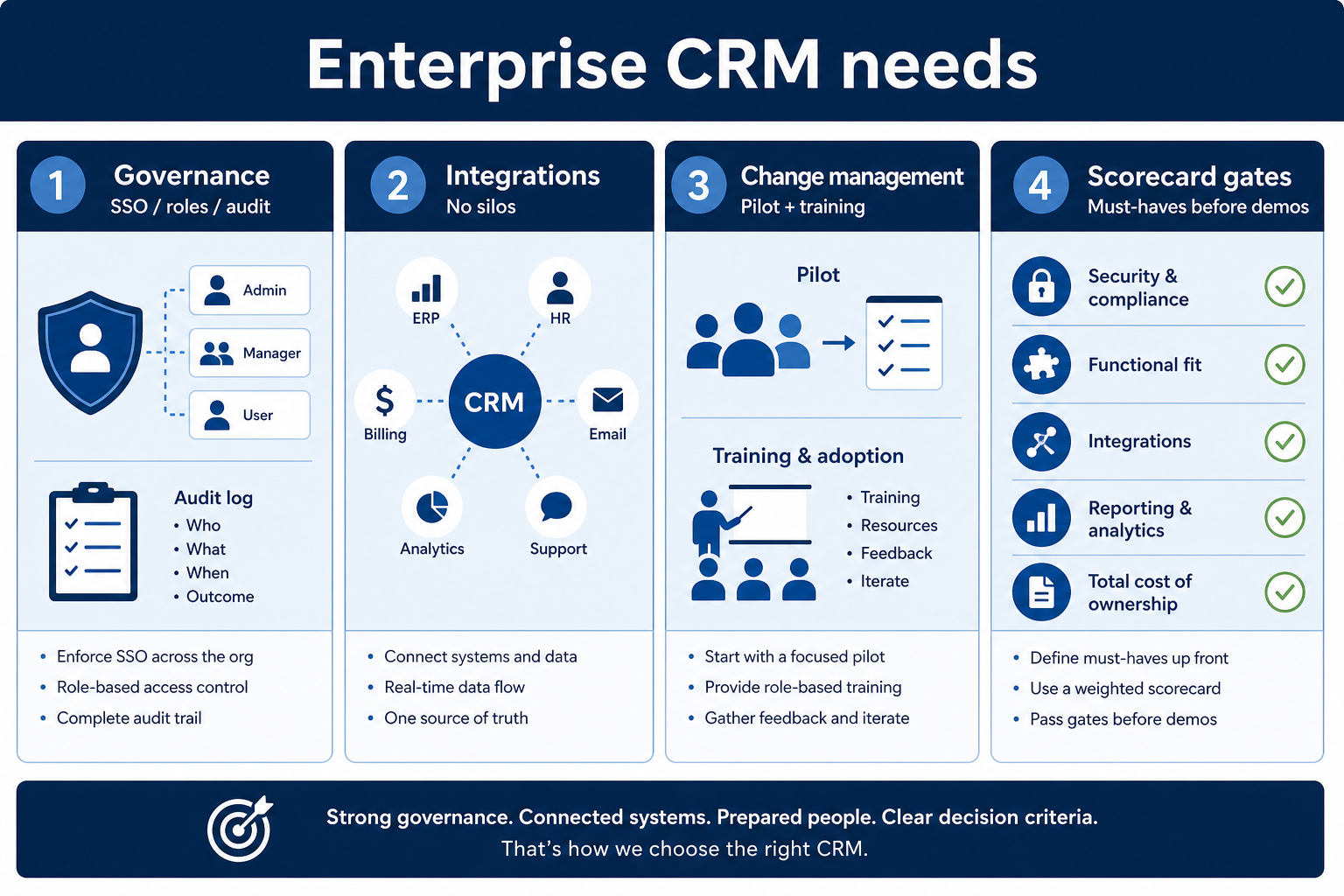
Multi-team organizations where CRM is a program — sales, RevOps, IT, security, and finance all have a say. You need governance and integrations as much as a pretty pipeline UI.
How enterprise teams put CRM to work
Example 1
a multi-region sales org
Before CRM
demos drove the vendor pick
After CRM
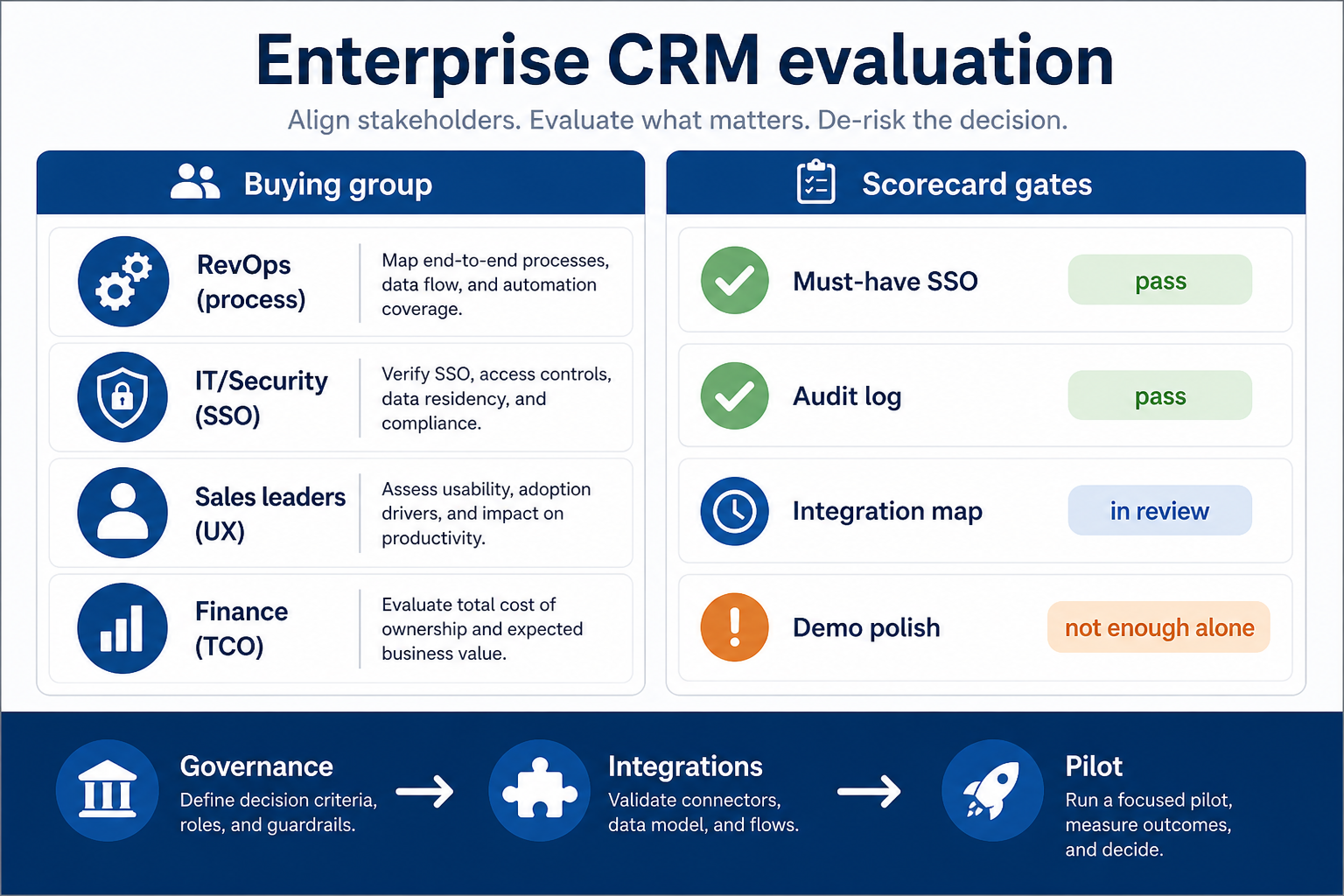
vendors only advance after SSO, territory rules, and nightly sync clear the scorecard — a demo winner that fails security is dropped before procurement
Example 2
a global sales org
Before CRM
flashy demos drove shortlists
After CRM
SSO, territory rules, and nightly ERP sync clear first — a vendor that fails security is dropped before procurement
These are the operating problems that usually push enterprise teams toward CRM — not feature wish lists.
Without CRM discipline: Shadow spreadsheets appear when people cannot get the access model right.
Without CRM discipline: Data is retyped across ERP, support, and marketing tools.
Without CRM discipline: A tool launches; adoption stalls; leaders lose trust in forecasts.
Without CRM discipline: Buying groups choose on polish, then fail security or integration gates.
A CRM only helps when the team keeps owners, history, and next steps current. Here is what “good” looks like for enterprise teams.
With a maintained CRM: Role-based access, audit logs, and clear admin ownership keep one system of record viable.
With a maintained CRM: An integration map with owned sync direction prevents duplicate truth.
With a maintained CRM: Pilots with real process, training, and hygiene metrics make rollout measurable.
With a maintained CRM: A shared scorecard with must-have gates keeps demos honest.
Stages and hygiene rules make numbers discussable.
Access, audit, and data handling meet policy.
CRM participates in the stack instead of duplicating it.
Weight administration, permissions, auditability, and integration depth as highly as pipeline UX.
SSO, roles, audit logs, and data residency requirements.
Explore →
CRM as a hub — not another isolated silo.
Forecast and activity views leadership will trust.
Explore →
Handoffs across sales, CS, and partners.
Support, roadmap clarity, and contractual fit.
Explore →
Licenses, implementation, admin, and add-ons.
Explore →
Start with must-haves that match day-to-day work. Nice-to-haves can wait until the basics are trusted.
Documented sync with systems of record.
Handoffs across sales, CS, partners.
Evaluate after core process works.
How enterprise buying connects governance, integrations, and a scored shortlist — not demo theater alone.
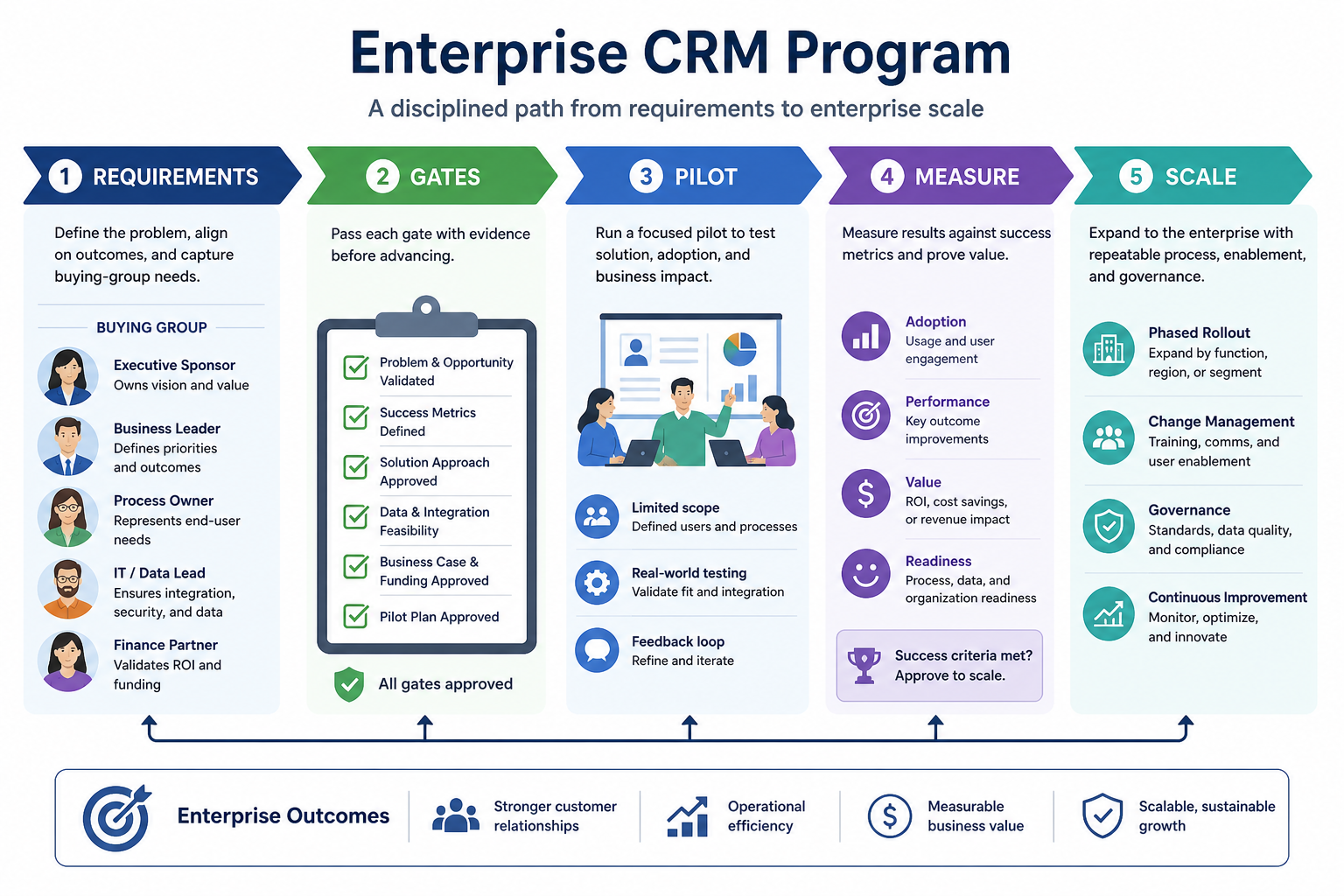
Buying group writes must-haves before demos.
Security and integration pass/fail criteria.
One region or segment on real deals.
Adoption, hygiene, and forecast quality.
Roll out with training and admin capacity.
Use these as decision checks — not as product rankings.
Good fit when
Named IT/security and RevOps owners
Good fit when
Documented integration and permission requirements
Watch out
Business buyers skipping security review
Usually avoid
Choosing solely on AE demo theater
Best when: Separate pipelines need shared account context and governance.
Best when: Security and audit requirements gate any SaaS purchase.
Best when: Replacing a legacy CRM with a structured migration plan.
These CRM products commonly fit enterprise teams. This is a starting shortlist to review — not a ranked best-of list. Affiliate relationships never change what appears here.
Crm
Enterprise CRM platform for sales, service, marketing, and customer data across large and mid-market teams.

Crm
AI-powered customer platform with free forever CRM, plus paid Smart CRM seats and Sales/Marketing/Service hubs for growing teams.

Crm
Microsoft Dynamics 365 Sales CRM for pipeline management, forecasting, and Microsoft 365 / Copilot workflows.
Crm
Oracle Fusion Cloud CX / Sales CRM for enterprise pipeline, forecasting, and Oracle stack integration.
Crm
Customer experience CRM (Sugar Sell) with Standard through Premier editions and Sugar Intelligence AI.

Crm
No-code CRM and workflow platform with Growth/Enterprise per-user plans and Unlimited organization pricing.

Crm
Private capital relationship CRM; Essential from $2000/user/year through Advanced $2700, Enterprise custom.
Crm
Zendesk Sell CRM; Team $19 through Enterprise $169/agent/mo annual.
Oracle NetSuite CRM module; custom enterprise quote only.
Sales ops, IT, security, finance, and end-user champions.
SSO, roles, retention, and audit needs before demos.
Requirements builder →Systems of record and sync direction for each critical flow.
CRM for distributed sales teams that need shared pipeline visibility and activity discipline.
CRM for teams outgrowing spreadsheets and informal ownership of follow-ups.
Track deals through stages, keep ownership clear, and see where opportunities stall.
Maintain ongoing customer context beyond the first closed deal.
Forecast and pipeline reporting managers can trust without spreadsheet rebuilds.
Next steps for enterprise teams evaluating CRM — decision tools and pages. Affiliate relationships never change recommendations.
Use Finder for a fit-based shortlist, compare catalogue products, or build a requirements checklist before demos. Affiliate relationships never change order.
Want clearer software shortlists? Get buying guides and comparisons by email.
Newsletter coming soon.