
Crm
Pipeline-first sales CRM for visual deal management, activity-based selling, and growing sales teams.
A phone or tablet app that lets field and on-the-go teams update records in real time, not after they're back at a desk.
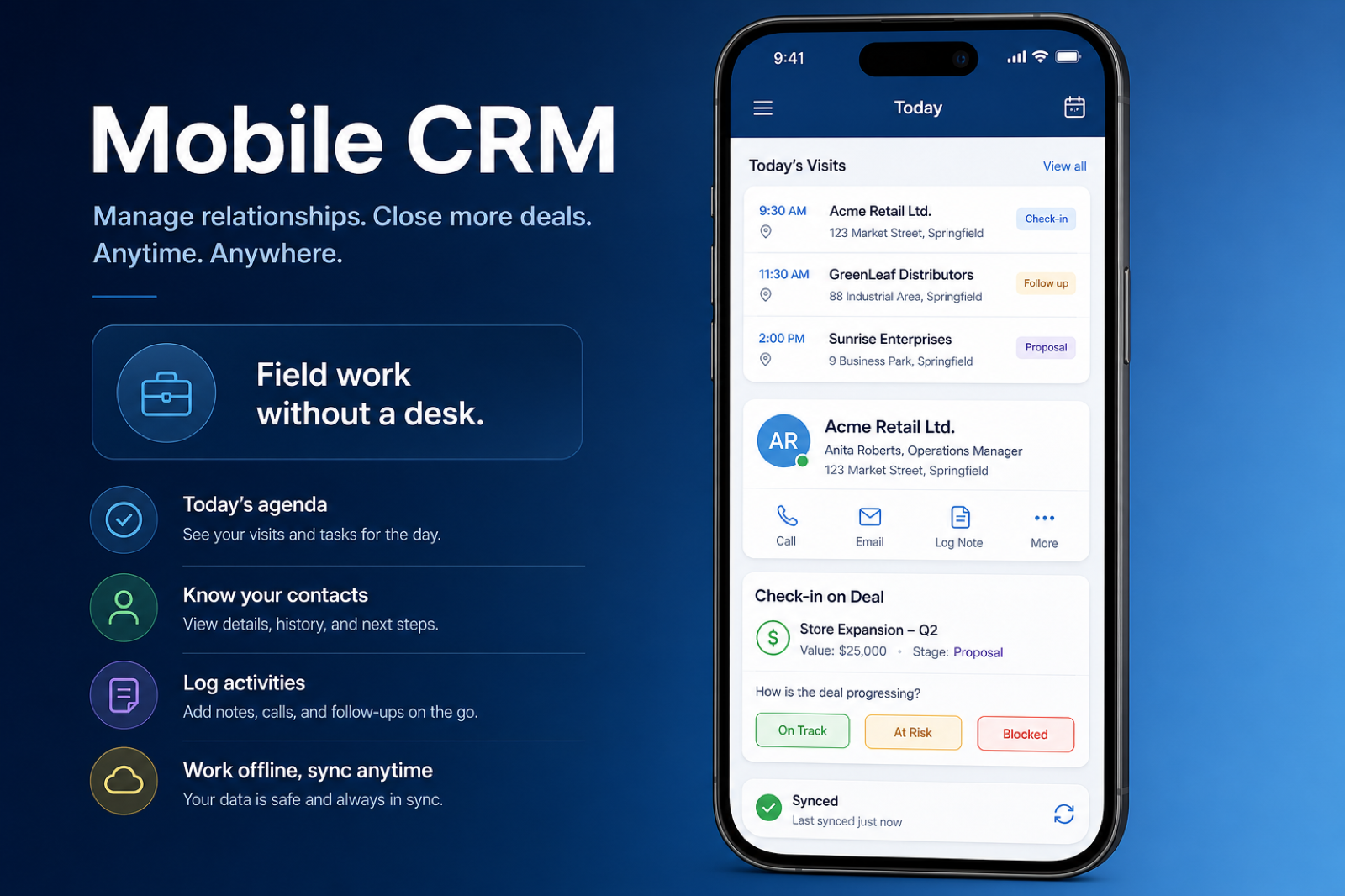
At a glance
Let field and on-the-go teams log activity and access records in real time
Field sales, service technicians, and mobile-first roles
Native app functionality (not just mobile web) · Offline support and sync · Activity logging from the field · Record access parity with desktop
9 products to explore
Fit snapshot
Mobile is the CRM capability covering native phone and tablet apps — record access, activity logging, and often offline support for people who aren't sitting at a desk. It determines whether field-based work gets logged when it happens, or reconstructed from memory hours later.
Field sales, service technicians, and any role where most of the working day happens away from a desk. It matters less for desk-based inside sales teams who are already looking at a browser all day.
How teams put CRM to work for mobile
Example 1
a field sales rep visiting customer sites with patchy connectivity. As a capability, mobile needs offline support that queues updates and syncs once a signal returns — an app that requires constant connectivity fails exactly when it's needed most.
Example 2
a service technician who used to write up visit notes on paper and enter them into the CRM at day's end. Mobile as a capability needs to support real-time note and activity logging from the app, not just read access, so the record reflects the visit immediately.
These are the operating problems that usually push teams toward CRM for mobile — not feature wish lists.
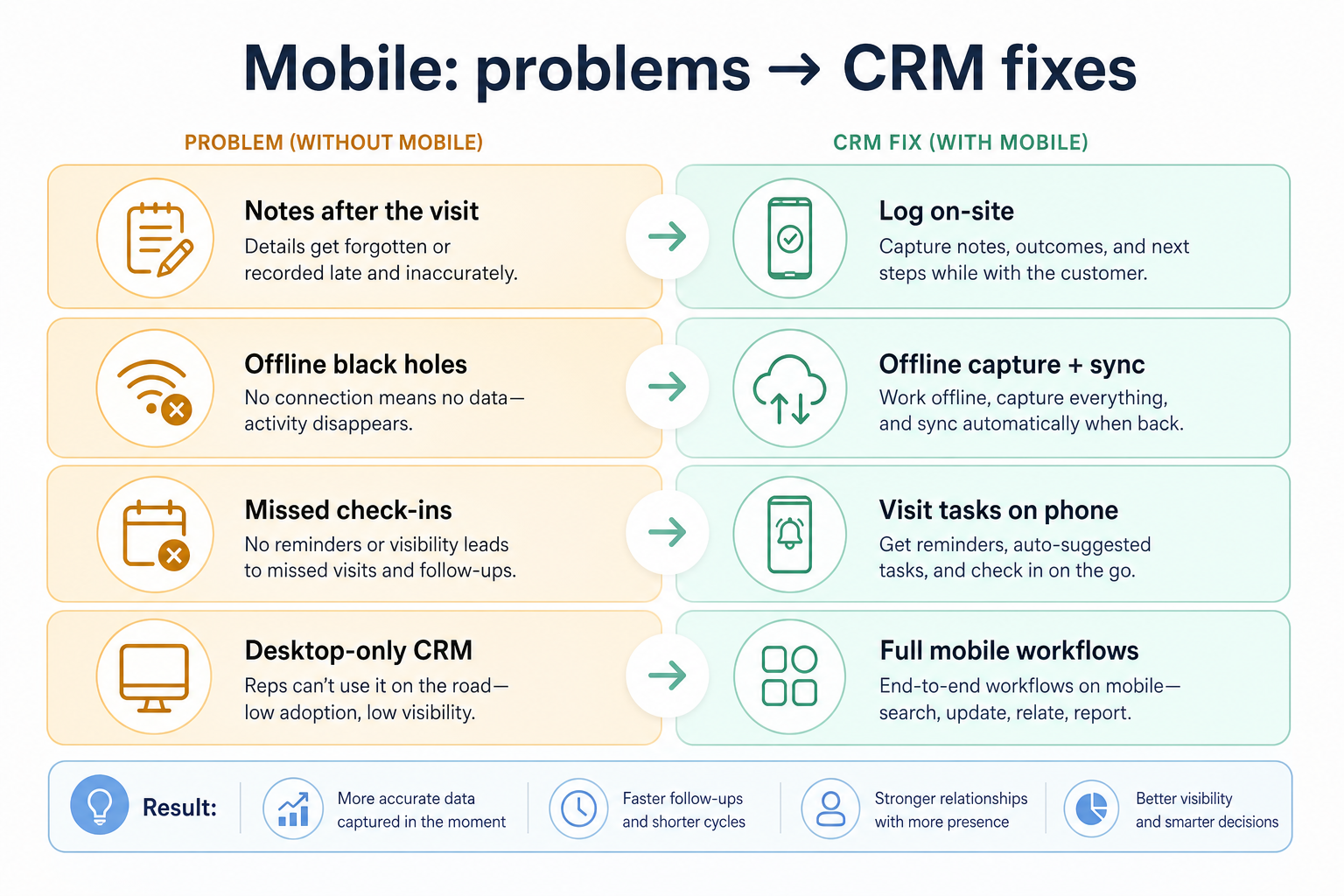
Without CRM discipline: Field visits still get written up later from memory, defeating the point of having an app.
Without CRM discipline: It fails exactly where it's needed most — remote sites and patchy signal areas.
Without CRM discipline: Field reps have to switch to a laptop for tasks the phone app can't do.
Without CRM discipline: Reps stop using a tool that's more frustrating than useful in the field.
A CRM only helps when the team keeps owners, history, and next steps current. Here is what “good” looks like for mobile.
With CRM discipline: A capable mobile app supports real activity logging, not just record browsing.
With CRM discipline: Offline support queues updates locally and syncs once connectivity returns.
With CRM discipline: Checking real feature parity in a trial avoids discovering gaps after rollout.
With CRM discipline: Testing on your actual devices and locations reveals real-world performance, not demo conditions.
Activity logged when it happens, not hours later
Field visits get recorded on the spot instead of reconstructed from memory.
The app keeps working without a signal
Updates queue locally and sync automatically once connectivity returns.
Mobile parity where it matters
Field reps aren't forced back to a laptop for routine tasks.
An app people actually use
Reliable performance in real conditions drives real adoption.
Evaluate what the mobile app can actually do — not just view — and whether it works offline, since field connectivity is often unreliable. A mobile app that only lets you view records, not log activity, doesn't solve the real problem.
The app should let you do field work, not just look at it.
Field connectivity is often patchy — the app needs to handle that gracefully.
Demo conditions rarely reflect actual field performance.
Not every desktop feature needs a mobile equivalent — the essential ones do.
Start with must-haves your team will use weekly. Treat nice-to-haves as later upgrades — not day-one blockers.
Must-have
Log calls, notes, and visits directly from the field.
See the same contact, deal, and account data as on desktop.
Nice-to-have
Keep working without a connection and sync automatically once back online.
Check-ins or route planning for teams that visit multiple sites daily.
Learn more →A simple operating loop beats a complex board nobody updates.
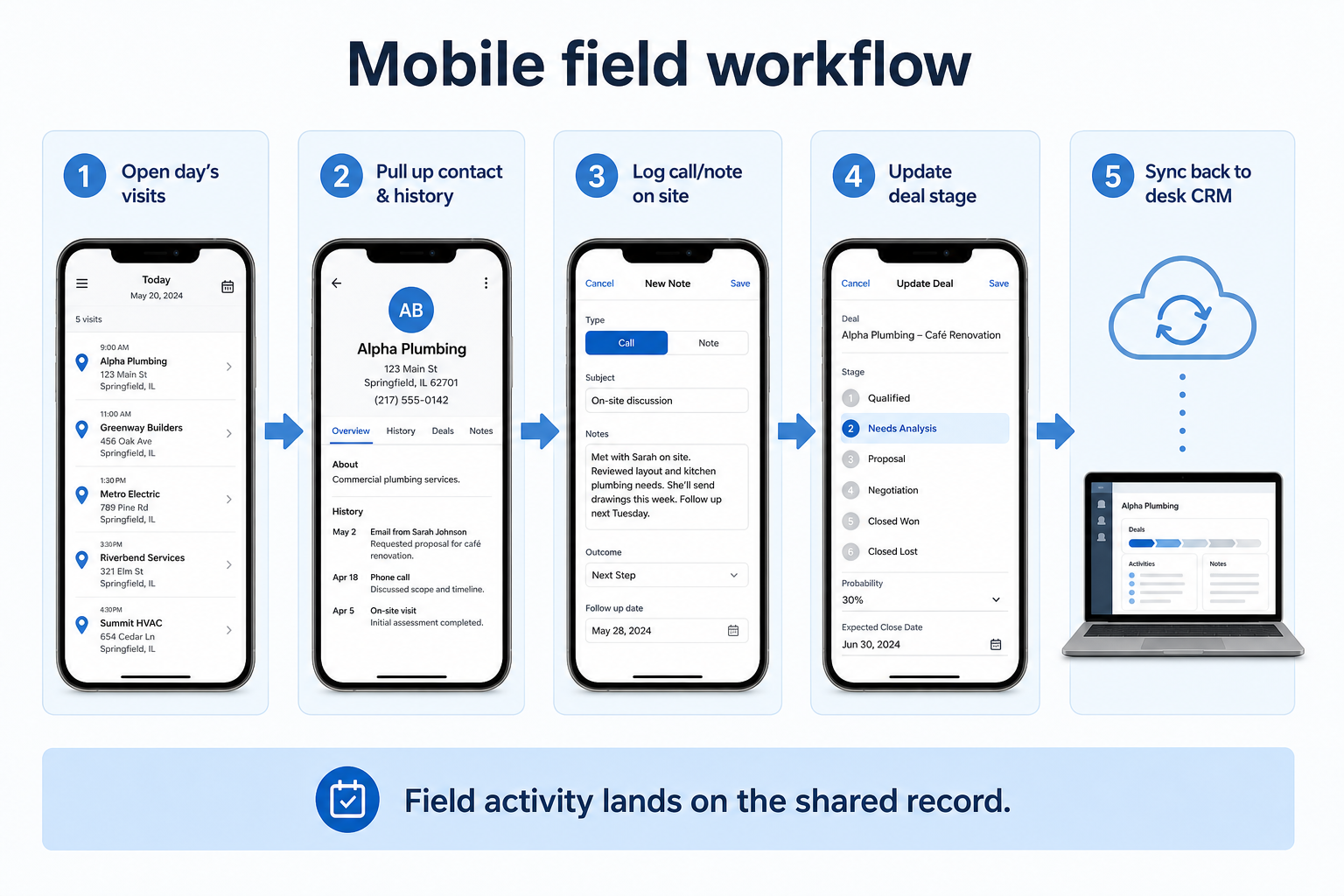
A rep opens the app before or during a field visit.
Relevant records are pulled up, even with limited connectivity.
Notes, activity, and outcomes are recorded directly from the visit.
Updates sync to the main record once a connection is available.
Managers see field activity reflected in the CRM without a lag.
Best when
Field sales, service, or delivery roles need real-time record access and logging.
Related page →Best when
Offline support isn't optional — it's a basic requirement.
Best when
Mobile depth matters less than for field-first roles — treat it as a lower priority.
A demo on office wifi won't reveal how the app behaves in the field.
Write down specific field activities, not just "mobile access".
Requirements guide →Test what happens to an update made with no signal, and whether it syncs correctly later.
Trial evaluation →Confirm what's missing on mobile compared to desktop before committing.
Catalogue products tagged to related use cases for mobile. Inclusion here is not a ranking.
Crm
Pipeline-first sales CRM for visual deal management, activity-based selling, and growing sales teams.

Crm
Freshworks sales CRM for lead management and pipeline workflows.

Crm
Sales-focused CRM for pipeline management and sales engagement workflows.

Crm
Relationship-focused CRM for small sales teams and founders.

Crm
Simple relationship CRM for organizing contacts and collaborative outreach.

Crm

Voip Business Phone
AI-powered sales dialer and business phone platform for CRM-connected outbound calling, SMS, and coaching.

Crm
Enterprise CRM platform for sales, service, marketing, and customer data across large and mid-market teams.

Crm
AI-powered customer platform with free forever CRM, plus paid Smart CRM seats and Sales/Marketing/Service hubs for growing teams.
Let field-based users access records and log real activity — calls, notes, visits — not just browse a read-only version of the desktop app.
No. Native apps generally offer better offline support and device integration. Confirm exactly what you're getting rather than assuming.
Mostly relevant if field connectivity is unreliable. Less critical for teams that are always near reliable wifi.
Test it yourself, on real devices, in real field conditions — not just a vendor demo.
No. Fit depends on how your team works, which requirements are must-haves, and what the CRM has to integrate with. Use the requirement matrix and CRM Finder to build a shortlist rather than starting from a ranking.
Keep one reliable record of people, accounts, and interaction history.
Track opportunities through defined stages with owners and next steps.
Coordinate calling, sequences, and multi-channel outreach cadences.
Next steps after evaluating mobile — decision tools and pages. Affiliate relationships never change recommendations.
Use Finder for a fit-based shortlist, compare products, or build a requirements checklist before demos.
Part of CRM capabilities · CRM Software hub
Want clearer software shortlists? Get buying guides and comparisons by email.
Newsletter coming soon.