


SoftwareGlimpse
Buying guide

Best Project Management Software

We evaluated project management and productivity products on ease of use, work planning depth, automations, collaboration, integrations, reporting, scalability, value, and AI assistance — so you can shortlist by job: work OS, engineering trackers, docs-first workspaces, spreadsheet PMO, lightweight boards, AI calendar, or adjacent productivity.

  • 19 Project Management & Productivity platforms evaluated
  • Updated 2026-08-17
  • Independent methodology
  • Evidence-backed recommendations

SoftwareGlimpse may earn a commission when you buy through some links. This does not affect our recommendations. How we make money

  • Best work OS / work management platform

    Work OS / work management platform with boards, timelines, automations and AI credits — Basic from $9/seat/mo annual (3-seat minimum).

  • Best project management for cross-functional teams

    Cross-functional work management with goals, workflows and AI Studio — Starter from $10.99/user/mo annual.

  • Best all-in-one configurable Work OS

    All-in-one configurable Work OS (tasks, docs, dashboards, ClickUp Brain) — Unlimited from $7/user/mo annual.

Our top Project Management & Productivity picks

  • 1monday.com logo
    monday.comBest work OS / work management platform
    8.6/10

    Work OS / work management platform with boards, timelines, automations and AI credits — Basic from $9/seat/mo annual (3-seat minimum).

    From $9.00/user/mo

    Read review →
  • 2Asana logo
    AsanaBest project management for cross-functional teams
    8.3/10

    Cross-functional work management with goals, workflows and AI Studio — Starter from $10.99/user/mo annual.

    From $10.99/user/mo

    Read review →
  • 3ClickUp logo
    ClickUpBest all-in-one configurable Work OS
    8.3/10

    All-in-one configurable Work OS (tasks, docs, dashboards, ClickUp Brain) — Unlimited from $7/user/mo annual.

    From $7.00/user/mo

    Read review →
View full rankings

The best Project Management & Productivity at a glance

The best project management software depends on whether you need a full work OS, an engineering tracker, a docs-first workspace, spreadsheet PMO, or lightweight boards. This shortlist focuses on work OS platforms. Engineering trackers, docs tools, and specialist products are covered separately — compare within the job you are actually buying for.

View full comparison →
  • 1monday.com logo

    monday.com

    Best work OS / work management platform

    Work OS / work management platform with boards, timelines, automations and AI credits — Basic from $9/seat/mo annual (3-seat minimum).

    • Strong multi-view Work OS (boards, timeline, workload, dashboards)
    • Deep automations and integrations narrative
    • Mainstream ecosystem and template library

    From $9.00/user/mo

  • 2Asana logo

    Asana

    Best project management for cross-functional teams

    Cross-functional work management with goals, workflows and AI Studio — Starter from $10.99/user/mo annual.

    • Fast adoption for non-technical teams
    • Goals + portfolio narrative
    • Strong templates and workflow clarity

    From $10.99/user/mo

  • 3ClickUp logo

    ClickUp

    Best all-in-one configurable Work OS

    All-in-one configurable Work OS (tasks, docs, dashboards, ClickUp Brain) — Unlimited from $7/user/mo annual.

    • Best-in-class published Unlimited seat floor
    • Tasks + Docs + Whiteboards + dashboards
    • Strong automation and Brain AI narrative

    From $7.00/user/mo

  • 4Wrike logo

    Wrike

    Best work management for agencies & enterprise delivery

    Enterprise/agency work management with proofing, intake and resourcing — Team from $10/user/mo annual.

    • Agency proofing and intake forms
    • Strong reporting / Work Intelligence
    • Free + Team $10 entry

    From $10.00/user/mo

  • 5Hive logo

    Hive

    Best project management for fast-moving SMB teams

    Work management platform with free plan (≤10 members) and Teams from $12/user/mo annual — strong monday.com peer.

    • Free plan for up to 10 workspace members
    • Starter $5/user/mo annual entry
    • Gantt, calendar, AI assistant, and native chat/notes

    From $5.00/user/mo

Best Project Management & Productivity at a glance

Select up to four CRMs to compare. Unknown free-plan cells mean coverage is incomplete — not “No”.

Compare Project Management & Productivity software
CRMOur scoreBest for / fitStarting priceFree planKey strengthKey limitationReviewCompare
monday.com logomonday.com
8.6/10
/10
Cross-functional teams standardising on one Work OS$9.00/user/moYesStrong multi-view Work OS (boards, timeline, workload, dashboards)Paid plans enforce a 3-seat minimumReview
Asana logoAsana
8.3/10
/10
Cross-functional marketing/ops rollouts$10.99/user/moYesFast adoption for non-technical teamsStarter floor above ClickUp UnlimitedReview
ClickUp logoClickUp
8.3/10
/10
Teams replacing multiple point tools$7.00/user/moYesBest-in-class published Unlimited seat floorSteeper learning curve / over-configuration riskReview
Wrike logoWrike
8.1/10
/10
Creative agencies with proofing$10.00/user/moYesAgency proofing and intake formsBusiness tier pricing jump to $25Review
Hive logoHive
7.6/10
/10
SMB teams starting Free before committing to Teams$5.00/user/moYesFree plan for up to 10 workspace membersStarter caps members/projects before TeamsReview

Our top Project Management & Productivity picks

Evidence-backed write-ups for the ranked shortlist. Scores come from approved assessments; fit badges reflect approved editorial awards.

#1monday.com logo

#1 monday.com

Best work OS / work management platform

8.6/10

Work OS / work management platform with boards, timelines, automations and AI credits — Basic from $9/seat/mo annual (3-seat minimum).

Why monday.com scored highly

  • Ease Of Use9.0
  • Work Planning9.0
  • Automation Workflows9.0
  • Collaboration9.0
  • Integrations9.0
  • Reporting8.0
  • Scalability9.0
  • Value For Money7.0
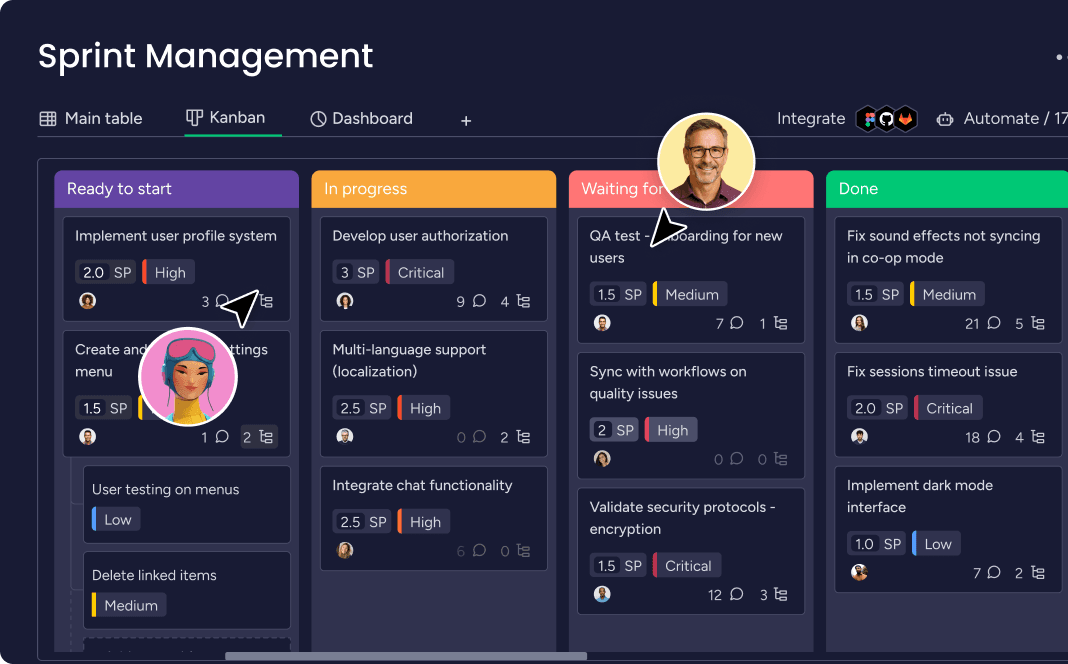
monday.com work board
Work board UI from the official monday.com homepage. Source

Best for

  • Growing SMB and mid-market work-management buyers
  • Teams that need boards + timeline + automations together
  • Buyers who want a mainstream Work OS default

Not ideal for

  • You only need PowerPoint executive Gantt slides — Office Timeline fits better
  • You refuse a 3-seat paid minimum
  • Your primary job is PDF editing or remote desktop alone
Starting price
$9.00/user/mo
Best for
Work OS / work management
Primary job
Boards, timelines, automations, reporting
#2Asana logo

#2 Asana

Best project management for cross-functional teams

8.3/10

Asana suits marketing, ops and cross-functional teams that want clear ownership, goals and workflows without an engineering-tracker learning curve. Research floors (2026-08-17): Free limited; Starter $10.99 and Advanced $24.99 per user/mo annual; Enterprise custom. AI Studio packaging rides paid tiers — confirm live.

Asana is the credibility peer most buyers expect beside monday.com on a serious PM shortlist.

Why Asana scored highly

  • Ease Of Use9.0
  • Work Planning9.0
  • Automation Workflows8.0
  • Collaboration9.0
  • Integrations8.0
  • Reporting8.0
  • Scalability8.0
  • Value For Money7.0
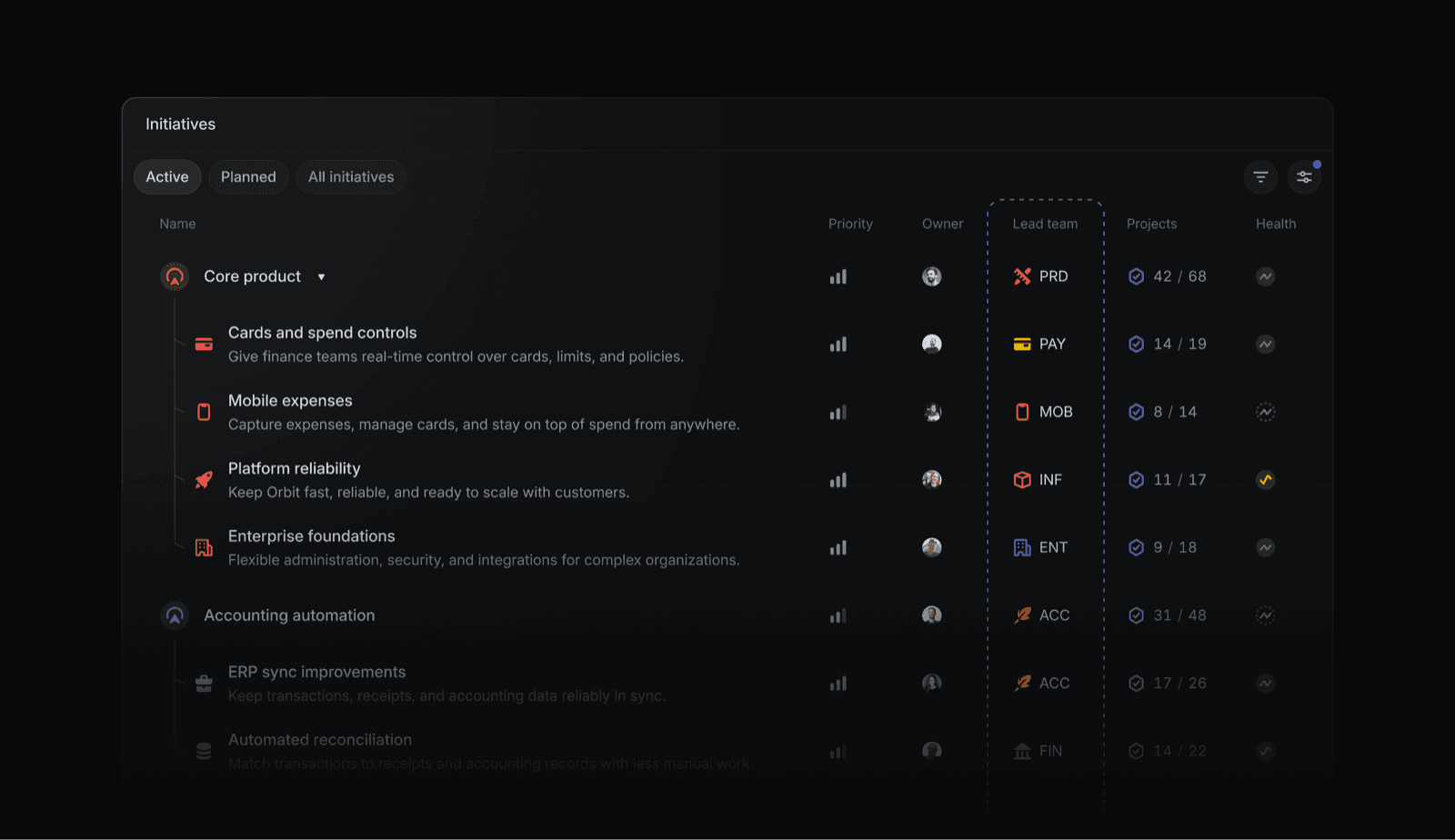
Asana homepage product interface
Product UI frame from the official Asana homepage. Source

Best for

  • Marketing and operations teams
  • Buyers who want Asana-class UX
  • Mid-market work management shortlists

Not ideal for

  • You need the cheapest all-in-one seat — ClickUp
  • Engineering sprints are the job — Jira/Linear
  • Docs-first knowledge work — Notion
Starting price
$10.99/user/mo
Best for
Cross-functional work management
Primary job
Tasks, projects, goals, workflows
#3ClickUp logo

#3 ClickUp

Best all-in-one configurable Work OS

8.3/10

ClickUp suits teams consolidating tasks, Docs, Whiteboards and dashboards into one configurable Work OS. Research floors (2026-08-17): Free unlimited members (capped features); Unlimited $7, Business $12, Business Plus ~$19 per user/mo annual. ClickUp Brain packaging must be confirmed for TCO.

Ties Asana on overall score with a different trade-off profile: more power, more setup discipline required.

Why ClickUp scored highly

  • Ease Of Use7.0
  • Work Planning9.0
  • Automation Workflows9.0
  • Collaboration8.0
  • Integrations8.0
  • Reporting8.0
  • Scalability8.0
  • Value For Money9.0
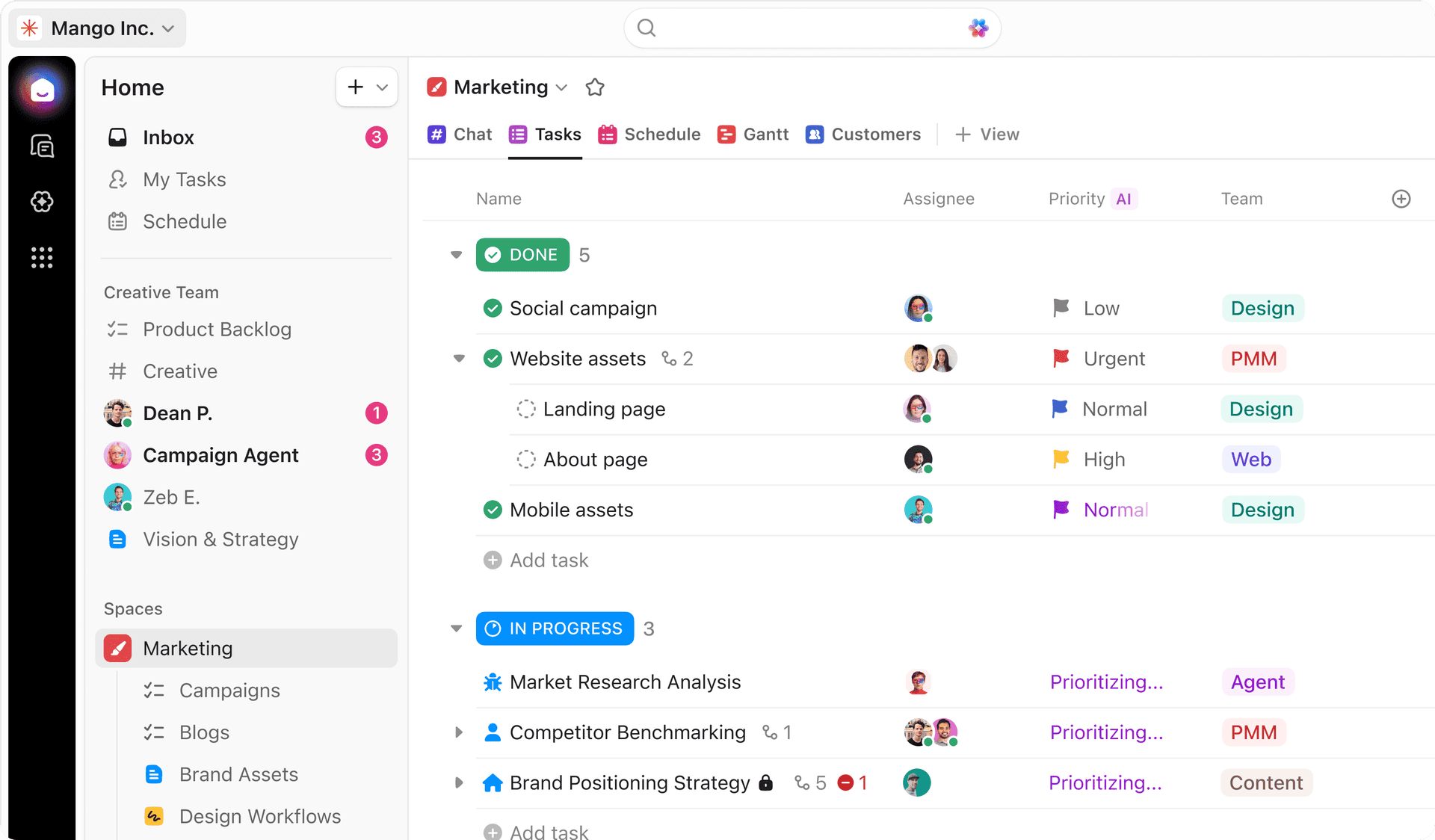
ClickUp projects workspace
Projects workspace hero UI from clickup.com. Source

Best for

  • SMB and mid-market consolidators
  • Buyers comparing Asana/monday on value
  • Highly configurable ops teams

Not ideal for

  • You want minimal setup — Asana
  • Engineering delivery is primary — Jira/Linear
  • You refuse admin discipline for sprawl
Starting price
$7.00/user/mo
Best for
All-in-one configurable Work OS
Primary job
Tasks, docs, dashboards, automations
#4Wrike logo

#4 Wrike

Best work management for agencies & enterprise delivery

8.1/10

Wrike suits agencies and structured delivery organisations that need proofing, request intake, custom workflows and reporting depth. Research floors (2026-08-17): Free; Team $10 and Business $25 per user/mo annual; Enterprise/Pinnacle custom.

Business $25 is a steeper jump than ClickUp/Asana mid tiers — justified when proofing and governance matter.

Why Wrike scored highly

  • Ease Of Use7.0
  • Work Planning9.0
  • Automation Workflows8.0
  • Collaboration8.0
  • Integrations8.0
  • Reporting9.0
  • Scalability9.0
  • Value For Money7.0
Wrike project management workspace
Project management product frame from wrike.com. Source

Best for

  • Agencies and creative ops
  • Mid-market/enterprise delivery teams
  • Buyers needing resource visibility

Not ideal for

  • You want the simplest UX — Asana/Trello
  • Lowest-cost Work OS — ClickUp
  • Engineering sprints only — Jira/Linear
Starting price
$10.00/user/mo
Best for
Agency / enterprise work management
Primary job
Projects, proofing, intake, reporting
#5Hive logo

#5 Hive

Best project management for fast-moving SMB teams

7.6/10

Work management platform with free plan (≤10 members) and Teams from $12/user/mo annual — strong monday.com peer.

Why Hive scored highly

  • Ease Of Use8.0
  • Work Planning8.0
  • Automation Workflows8.0
  • Collaboration8.0
  • Integrations7.0
  • Reporting7.0
  • Scalability7.0
  • Value For Money8.0
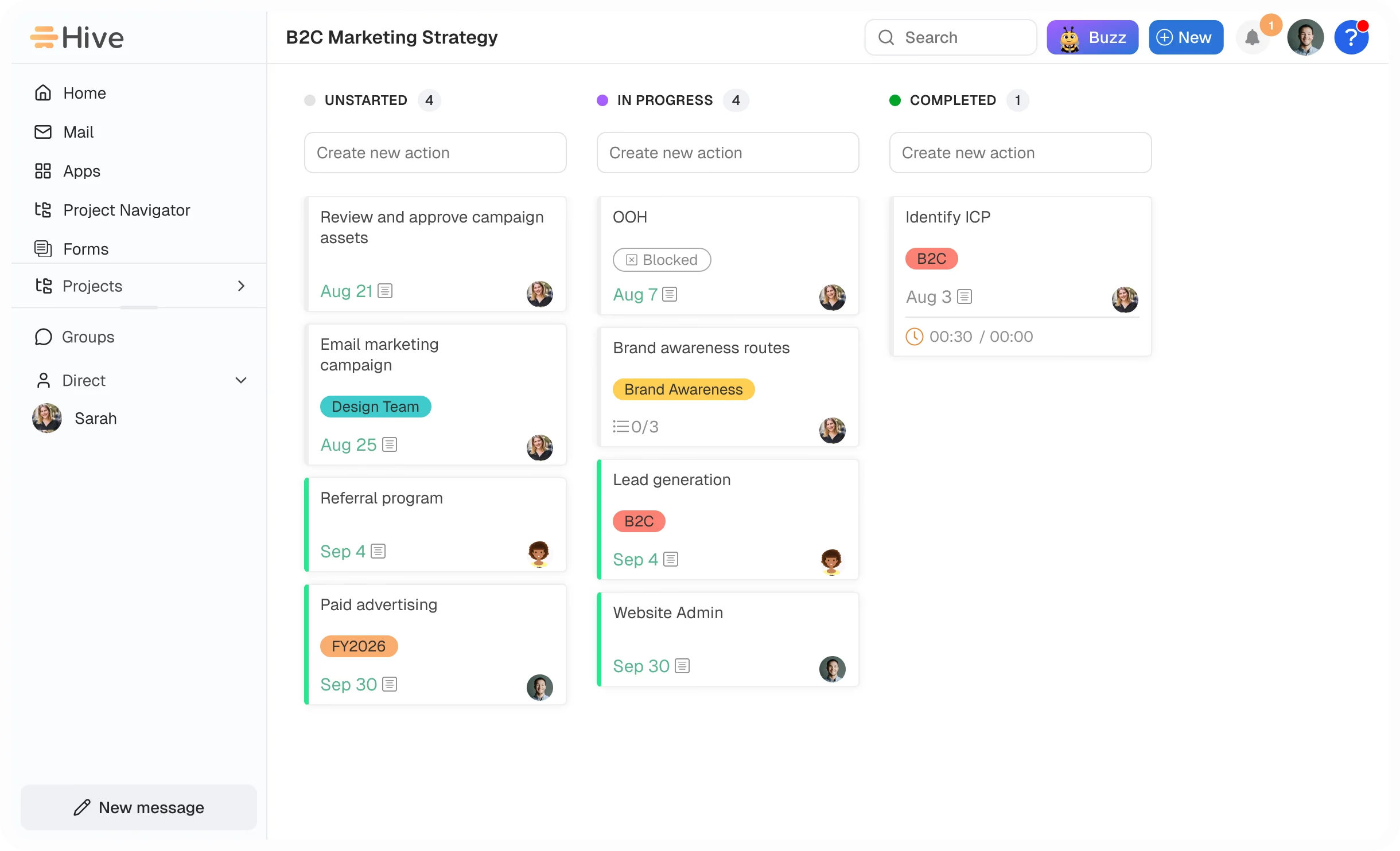
Hive workspace overview
Workspace overview from the official Hive homepage. Source

Best for

  • SMB and agency project teams
  • Buyers who want Free ≤10 before paid
  • Teams comparing monday.com on value

Not ideal for

  • You need the broadest mainstream Work OS ecosystem by default
  • You only need PowerPoint Gantt slides
  • Your primary job is PDF, remote desktop, or desktop wrappers
Starting price
$5.00/user/mo
Best for
Fast-moving SMB project management
Primary job
Projects, Gantt, chat, optional add-ons
Jira logo

Jira

7.7/10

Atlassian Agile issue tracker for software teams — Free ≤10; Standard from ~$8.15/user/mo annual.

Why Jira scored highly

  • Ease Of Use5.0
  • Work Planning9.0
  • Automation Workflows8.0
  • Collaboration6.0
  • Integrations9.0
  • Reporting8.0
  • Scalability10.0
  • Value For Money8.0
Jira product interface
Jira product UI from the official Atlassian Jira page. Source
Starting price
$8.15/user/mo
Linear logo

Linear

7.9/10

Modern issue tracker for product/engineering teams — Free limited; Basic from ~$8/user/mo annual.

Why Linear scored highly

  • Ease Of Use9.0
  • Work Planning9.0
  • Automation Workflows7.0
  • Collaboration7.0
  • Integrations8.0
  • Reporting7.0
  • Scalability8.0
  • Value For Money8.0
Linear issue tracker workspace
Issue workspace from Linear changelog / product marketing. Source
Starting price
$8.00/user/mo
Notion logo

Notion

7/10

Docs-first workspace with databases and light project tracking — Plus from $10/user/mo annual; AI on Business.

Why Notion scored highly

  • Ease Of Use8.0
  • Work Planning6.0
  • Automation Workflows6.0
  • Collaboration9.0
  • Integrations7.0
  • Reporting5.0
  • Scalability7.0
  • Value For Money8.0
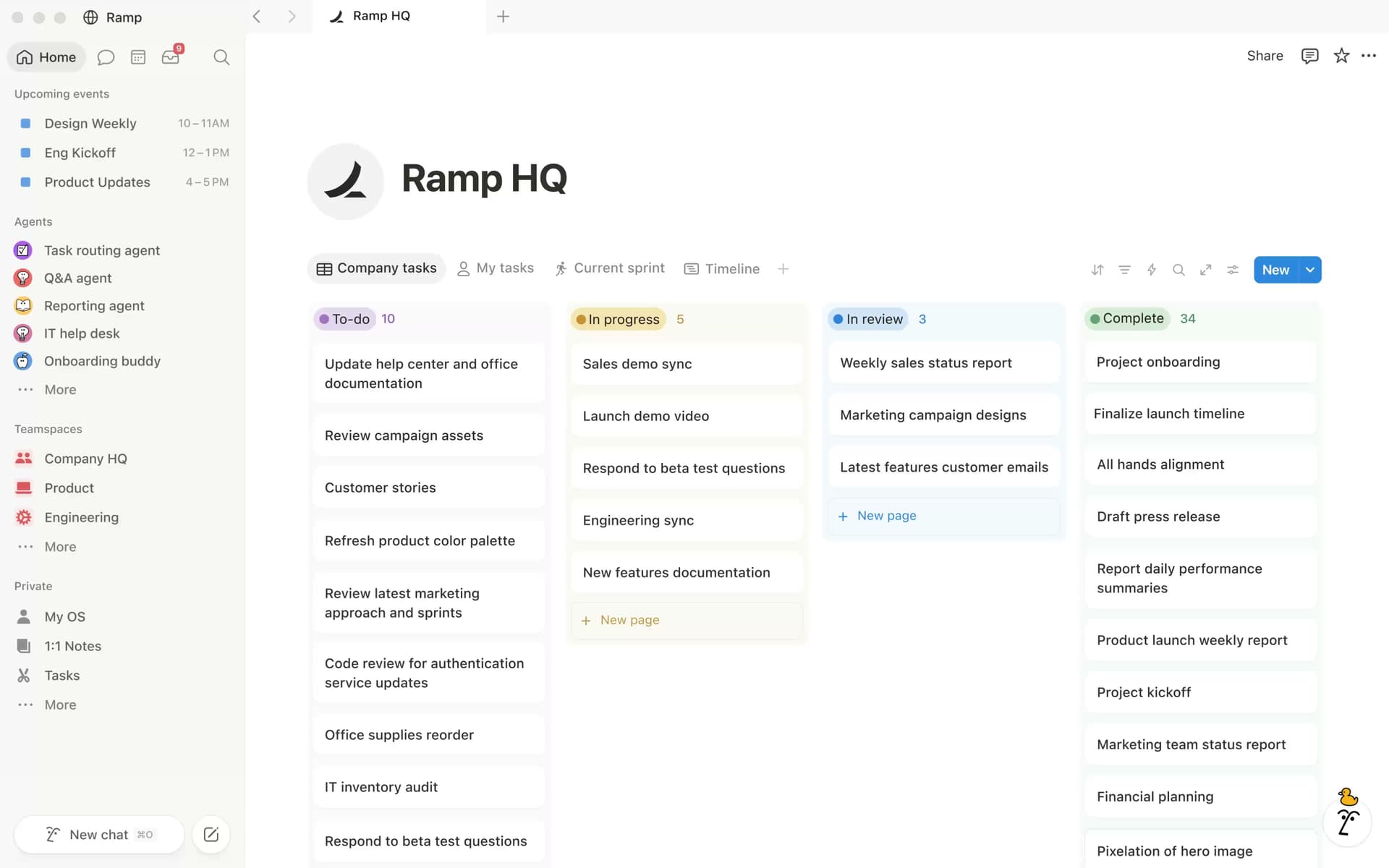
Notion homepage workspace
Workspace hero UI from the official Notion homepage. Source
Starting price
$10.00/user/mo

Best CRM by need

Scenario awards use product fit from approved CRM recommendations and use-case mappings.

  • Work OS / project management

    monday.com appears in researched work os / project management options.

    View picks →
  • Docs-first & database hybrids

    Notion appears in researched docs-first & database hybrids options.

    View picks →
  • Spreadsheet / PMO grids

    Smartsheet appears in researched spreadsheet / pmo grids options.

    View picks →
  • Lightweight boards & simple hubs

    Trello appears in researched lightweight boards & simple hubs options.

    View picks →
  • AI calendar / auto-scheduling

    Motion appears in researched ai calendar / auto-scheduling options.

    View picks →
  • Timeline / Gantt presentation

    Office Timeline appears in researched timeline / gantt presentation options.

    View picks →
  • Adjacent productivity

    Foxit appears in researched adjacent productivity options.

    View picks →

Project Management & Productivity pricing compared

Project Management & Productivity pricing is often per user and plan tier. Figures below use verified list prices when available — not invented market averages.

Last pricing check: 2026-08-17

CRMEntry / listFree planFree trialEst. for 10 users
monday.com logomonday.com$9.00/user/moYes14-day trialPricing unavailable
Asana logoAsana$10.99/user/moYesTrial availablePricing unavailable
ClickUp logoClickUp$7.00/user/moYesTrial availablePricing unavailable
Wrike logoWrike$10.00/user/moYes14-day trialPricing unavailable
Hive logoHive$5.00/user/moYes14-day trialPricing unavailable
Jira logoJira$8.15/user/moYesTrial availablePricing unavailable

Estimates use verified list prices and the shared cost engine. Flat plans stay flat (not multiplied by team size); seat plans scale with the slider. Custom-quote and incomplete pricing stay explicit.

How the top Project Management & Productivity platforms compare

Cells reflect feature support. Incomplete evidence stays marked as incomplete — never converted into “No”.

Capabilitymonday.com logomonday.comAsana logoAsanaClickUp logoClickUpWrike logoWrikeHive logoHive
Task boards & work viewsStrongStrongStrongStrongStrong
Timeline / GanttStrongStrongStrongStrongStrong
Automations & workflowsStrongStrongStrongStrongStrong
Integrations ecosystemStrongStrongStrongStrongStrong
Reporting & dashboardsStrongStrongStrongStrongStrong
AI assistanceLimitedLimitedLimitedLimitedStrong
  • ✓ Strong / supported
  • ~ Limited / depends
  • $ Higher plan
  • × Not supported
  • ? Evidence incomplete

The trade-offs that matter

Every CRM choice involves trade-offs. These strengths and limitations come from product assessments — not marketing copy.

    • Strong multi-view Work OS (boards, timeline, workload, dashboards)
    • Deep automations and integrations narrative
    • Mainstream ecosystem and template library
    • Paid plans enforce a 3-seat minimum
    • AI credit bundles add line items beyond seat dollars
    • Can feel heavy for tiny teams that only need a simple task list
    • Fast adoption for non-technical teams
    • Goals + portfolio narrative
    • Strong templates and workflow clarity
    • Starter floor above ClickUp Unlimited
    • Deep reporting/automation often Advanced-gated
    • Not an engineering sprint tracker
    • Best-in-class published Unlimited seat floor
    • Tasks + Docs + Whiteboards + dashboards
    • Strong automation and Brain AI narrative
    • Steeper learning curve / over-configuration risk
    • UI density can overwhelm
    • Brain packaging adds TCO uncertainty
    • Agency proofing and intake forms
    • Strong reporting / Work Intelligence
    • Free + Team $10 entry
    • Business tier pricing jump to $25
    • Heavier than Asana for simple SMB teams
    • Implementation effort for custom workflows
    • Free plan for up to 10 workspace members
    • Starter $5/user/mo annual entry
    • Gantt, calendar, AI assistant, and native chat/notes
    • Starter caps members/projects before Teams
    • Add-ons can raise TCO once proofing/resourcing/analytics stack up
    • Ecosystem depth trails monday.com / Asana mainstream narratives

Which Project Management & Productivity is right for you?

What matters most?

  • Work OS for cross-functional team projects

    Mainstream Work OS

    monday.com logomonday.com
  • Cross-functional adoption and goals-driven work management

    Best for cross-functional teams

    Asana logoAsana
  • All-in-one configurable Work OS at a competitive seat floor

    Best configurable all-in-one Work OS

    ClickUp logoClickUp
  • Agency proofing, intake and enterprise delivery control

    Best for agencies & enterprise delivery

    Wrike logoWrike
  • Project management with Free ≤10 and lower paid floor

    Approachable SMB work OS peer

    Hive logoHive
  • Engineering / Agile issue tracking

    Best engineering Agile tracker

    Jira logoJira
  • Modern product/engineering issue tracker UX

    Best modern eng issue tracker

    Linear logoLinear
  • Docs-first knowledge workspace with light project tracking

    Best docs-first workspace

    Notion logoNotion
  • Spreadsheet-style PMO grids, Gantt and portfolios

    Best spreadsheet-style PMO

    Smartsheet logoSmartsheet
  • Lightweight Kanban boards only

    Best lightweight Kanban board

    Trello logoTrello
  • AI calendar auto-scheduling and AI task planning

    Best AI calendar + task planner

    Motion logoMotion
  • Flexible database / interface apps for operational trackers

    Best flexible database apps

    Airtable logoAirtable
  • PowerPoint-native executive timelines / Gantt slides

    Best PowerPoint timeline / Gantt presenter

    Office Timeline logoOffice Timeline
  • PDF edit, convert, sign, and redact for productivity stacks

    Best PDF editor for productivity stacks

    Foxit logoFoxit
  • Browser-based remote desktop / support access

    Best browser remote desktop

    Getscreen.me logoGetscreen.me
  • Desktop app wrappers and multi-app workspaces

    Best desktop app workspace

    WebCatalog logoWebCatalog
  • Simple opinionated project hub without Work OS complexity

    Best simple project hub

    Basecamp logoBasecamp
  • Personal or light team task lists

    Best personal / light team task manager

    Todoist logoTodoist
  • Microsoft 365 traditional PMO Gantt and resources

    Best Microsoft 365 project / Planner ladder

    Microsoft Project logoMicrosoft Project

Find the Project Management & Productivity that fits your business

Answer questions about team size, sales process, budget, must-have capabilities, and integrations for a shortlist.

Your requirements

  • Team size
  • Sales process
  • Budget
  • Must-have capabilities
  • Integration requirements

Shortlist in the Finder

  • monday.com logomonday.com
  • Asana logoAsana
  • ClickUp logoClickUp

Open the Finder for a live shortlist — we do not invent match percentages here.

How to choose Project Management & Productivity

  1. 1

    Name the job

    Work OS, eng tracker, docs-first, spreadsheet PMO, lightweight board, AI calendar, or adjacent productivity — one sentence.

  2. 2

    Map must-have views and automations

    Board, timeline, workload, dashboards — note which gates appear on paid plans.

  3. 3

    Model real TCO

    Seat minimums, AI credits, and add-ons matter as much as list prices.

  4. 4

    Shortlist inside the job cluster

    Do not rank a PDF editor, Notion wiki, or Jira sprint tool as if it were an undifferentiated Work OS peer.

  5. 5

    Pilot with real work

    Import one live project, test automations and reporting, then decide.

Popular Project Management & Productivity comparisons

Head-to-head pages use product evidence. When priorities differ, we do not invent a universal winner.

  • Hive logomonday.com logo

    monday.com vs Hive

    Compare Hive and monday.com on starting price, seat minimums, free plans, timelines, automations, integrations, and reporting. There is no universal winner — choose by job-cluster fit.

    Compare →
  • monday.com logoOffice Timeline logo

    monday.com vs Office Timeline

    Compare monday.com and Office Timeline on starting price, seat minimums, free plans, timelines, automations, integrations, and reporting. There is no universal winner — choose by job-cluster fit.

    Compare →
  • Asana logomonday.com logo

    Asana vs monday.com

    Researched side-by-side comparison of Asana and monday.com using project management comparison criteria. No universal winner — choose by job-cluster fit.

    Compare →
  • Asana logoClickUp logo

    Asana vs ClickUp

    Researched side-by-side comparison of Asana and ClickUp using project management comparison criteria. No universal winner — choose by job-cluster fit.

    Compare →
  • ClickUp logomonday.com logo

    ClickUp vs monday.com

    Compare ClickUp and monday.com on starting price, seat minimums, free plans, timelines, automations, integrations, and reporting. There is no universal winner — choose by job-cluster fit.

    Compare →
  • Asana logoWrike logo

    Asana vs Wrike

    Compare Asana and Wrike on starting price, seat minimums, free plans, timelines, automations, integrations, and reporting. There is no universal winner — choose by job-cluster fit.

    Compare →
  • Jira logoLinear logo

    Jira vs Linear

    Compare Jira and Linear on starting price, seat minimums, free plans, timelines, automations, integrations, and reporting. There is no universal winner — choose by job-cluster fit.

    Compare →
  • Basecamp logoTodoist logo

    Basecamp vs Todoist

    Compare Basecamp and Todoist on starting price, seat minimums, free plans, timelines, automations, integrations, and reporting. There is no universal winner — choose by job-cluster fit.

    Compare →
  • Microsoft Project logoSmartsheet logo

    Microsoft Project vs Smartsheet

    Compare Microsoft Project and Smartsheet on starting price, seat minimums, free plans, timelines, automations, integrations, and reporting. There is no universal winner — choose by job-cluster fit.

    Compare →

Learn about individual CRM platforms

How we evaluate Project Management & Productivity

We evaluate project management software across planning views, automation depth, collaboration, integrations, reporting, scalability, value, and AI assistance. Commercial relationships do not determine recommendations, and specialist tools are not penalised for lacking capabilities outside their job.

Research-backed recommendations using category-specific criteria. Read methodology

How we recommend

Products evaluated
19
Feature-support records
228
Products with pricing coverage
19
Products with screenshots
19
Official source IDs
39
Last recommendation refresh
2026-08-17

Methodology version 1.0.0

Popular Project Management & Productivity alternatives

Exploring alternatives is part of a healthy CRM shortlist. Open a page to see catalogue substitutes and switching considerations.

Frequently asked questions

  • Is monday sales CRM included here?

    No. monday sales CRM remains CRM-primary. This page covers monday.com Work Management / Work OS as a separate product entity.

  • Do affiliate relationships affect these rankings?

    No. Rankings follow the project-management editorial methodology. Affiliate status, commission rates, and programme terms are excluded from every criterion score and from the ordering.

  • Have you tested these products hands-on?

    No. These assessments are research-grounded editorial judgments built from vendor documentation, published pricing, and product materials — not hands-on lab testing. Confirm current figures with the vendor before purchase.