SoftwareGlimpse
ClickUp logo

ClickUp Review

PROJECT MANAGEMENT & PRODUCTIVITY SOFTWARE

Choose ClickUp when you want an all-in-one configurable Work OS at a competitive seat floor and can invest in setup discipline.

Last updated 2026-08-18Independent editorial review
  • Starting price

    $7.00/user/month

  • Free plan

    Yes

  • Free trial

    Yes

  • Best for

    Teams consolidating tasks+docs+dashboards

Some links may be affiliate links — we may earn a commission at no extra cost to you. Rankings and scores are never based on commission. Affiliate disclosure

SoftwareGlimpse review

8.3/10

Good

  • ease of use7
  • work planning9
  • automation workflows9
  • collaboration8
  • integrations8
  • reporting8
How we score →

See ClickUp in action

Official vendor demonstration of product surfaces. It supplements screenshots and editorial analysis — it is not independent SoftwareGlimpse testing.

This video is hosted on YouTube

This content is hosted by YouTube. The player loads only after you allow marketing cookies.

Official vendor video

ClickUp 4.0: World's First Converged AI Workspace

How ClickUp presents the product in an official vendor video.

What this shows

  • ClickUp product surfaces as shown in the official vendor video
  • UI/workflow layout marketed by the vendor
Pricing

Cross-checked 2026-08-17: Free unlimited members (storage/feature caps); Unlimited $7, Business $12, Business Plus ~$19 per user/mo annual; Enterprise quote. Confirm live clickup.com/pricing and Brain packaging.Full pricing details →
  • Free Forever

    $0.00

    Free plan

    Unlimited members with storage and feature caps.

  • Unlimited

    Most popular

    $7.00

    per user / mo, billed annually

    $7/user/mo annual — entry paid Work OS breadth.

  • Business

    $12.00

    per user / mo, billed annually

    $12/user/mo annual — dashboards, automation depth, advanced views.

  • Business Plus

    $19.00

    per user / mo, billed annually

    ~$19/user/mo annual — higher admin/automation ceiling before Enterprise.

  • Enterprise

    Custom

    Contact sales

    Enterprise — custom quote.

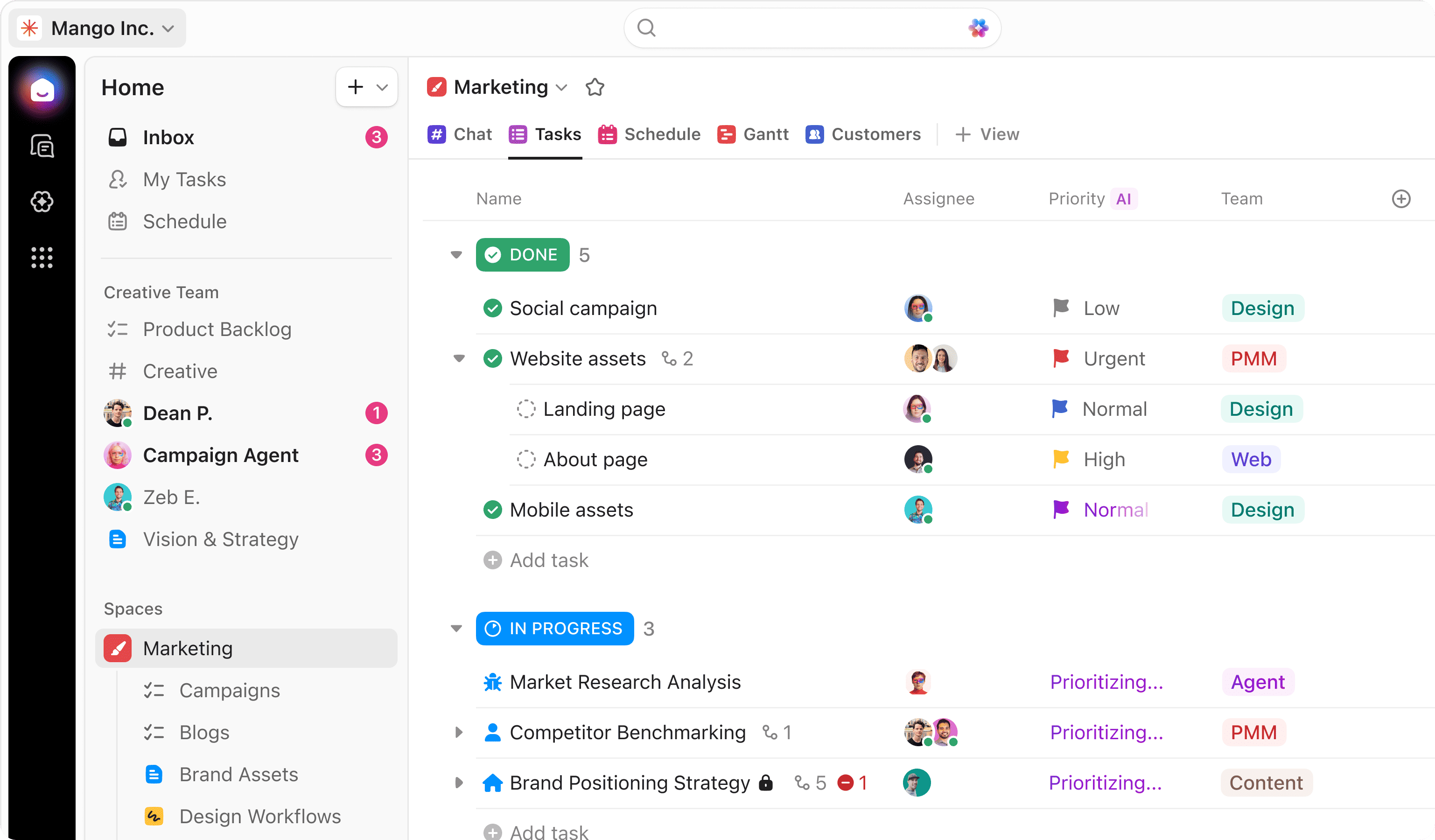
Product screenshots

Verified captures from ClickUp's product interface.

ClickUp projects workspace

Projects workspace hero UI from clickup.com.

Decision snapshot

Entity field audit 100/100

ClickUp is a highly configurable work OS spanning tasks, Docs, Whiteboards, Dashboards and ClickUp Brain AI. Free allows unlimited members with storage/feature caps. Unlimited $7/user/mo annual; Business $12; Business Plus ~$19; Enterprise custom. Feature breadth is the pitch — configuration overhead is the trade-off.

Best for

  • Teams consolidating tasks+docs+dashboards
  • Budget-conscious Work OS buyers
  • Highly configurable ops teams
  • micro / operations: ClickUp fit for micro operations teams in the work-os job cluster, from first-party positioning and Project-management Priority-1 research.

Not ideal for

  • Teams wanting minimal setup (Asana)
  • Pure eng sprint shops (Jira/Linear)
  • Buyers allergic to configuration sprawl
  • Configuration sprawl without admin standards

Key tradeoffs

  • Configuration sprawl without admin standards
  • AI Brain packaging can add cost beyond Unlimited floors
  • Steeper onboarding than Asana for non-technical teams
  • Some dashboard/automation depth is Business-gated

Pricing: 5 documented plans · 1 free · entry paid: Unlimited · trial documented on at least one plan

Evidence: Research/data-based (no completed hands-on test) · Latest verification/research signal: 2026-08-17T20:00:00.000Z · Editorial assessment: approved

Next step: Compare against peers: Asana vs ClickUp

Our verdict

Choose ClickUp when you want an all-in-one configurable Work OS at a competitive seat floor and can invest in setup discipline. Compare Asana for easier adoption, monday.com for mainstream Work OS polish, and Jira if engineering delivery is the primary job. Scores reflect first-party documentation as of 2026-08-17 — not hands-on product testing. Confirm current packaging, minimums and usage rates on the vendor site before purchase.

Best for

  • Teams consolidating tasks+docs+dashboards
  • Budget-conscious Work OS buyers
  • Highly configurable ops teams

Not ideal for

  • Teams wanting minimal setup (Asana)
  • Pure eng sprint shops (Jira/Linear)
  • Buyers allergic to configuration sprawl

Bottom line

Free unlimited members (capped). Unlimited $7, Business $12, Business Plus ~$19 annual; Enterprise custom. Confirm Brain AI live.

ClickUp pros and cons

Pros

  • Best-in-class published entry seat ($7 Unlimited)
  • Feature breadth (tasks/docs/whiteboards/AI)
  • Unlimited-member Free
  • Strong automation story
  • Business tier value

Cons

  • Steeper learning curve / over-configuration risk
  • UI density can overwhelm
  • Brain packaging must be confirmed for TCO
  • Not the simplest cross-functional default
  • Governance needs discipline at scale

Pricing comparison

Full comparison →
 ClickUp(this review)Asanamonday.comHiveNotion
Starting price$7.00/user/month$10.99/user/month$9.00/user/month$5.00/user/month$10.00/user/month
Free planYesYesYesYesYes
Free trialYesYesYesYesYes

ClickUp guides

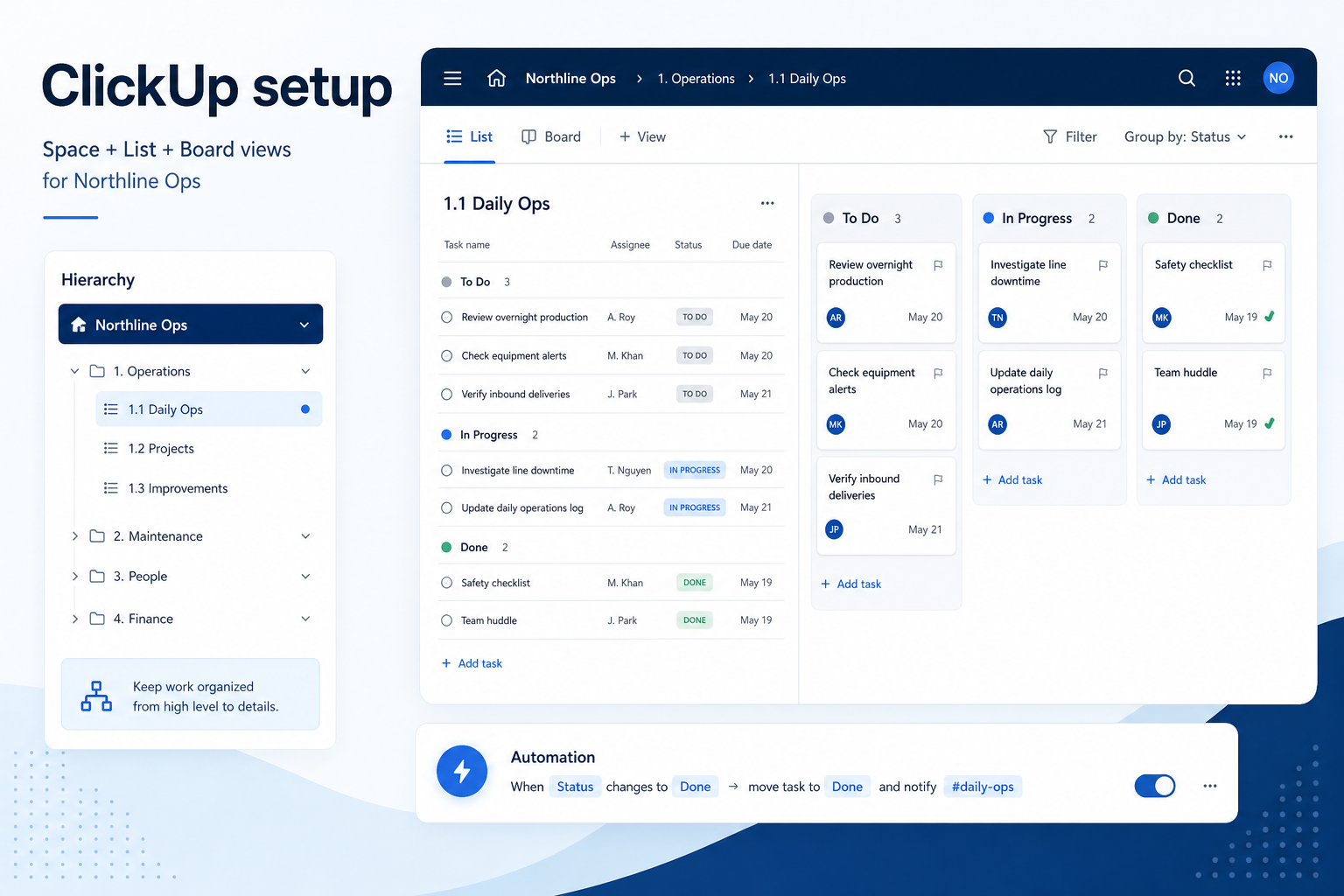
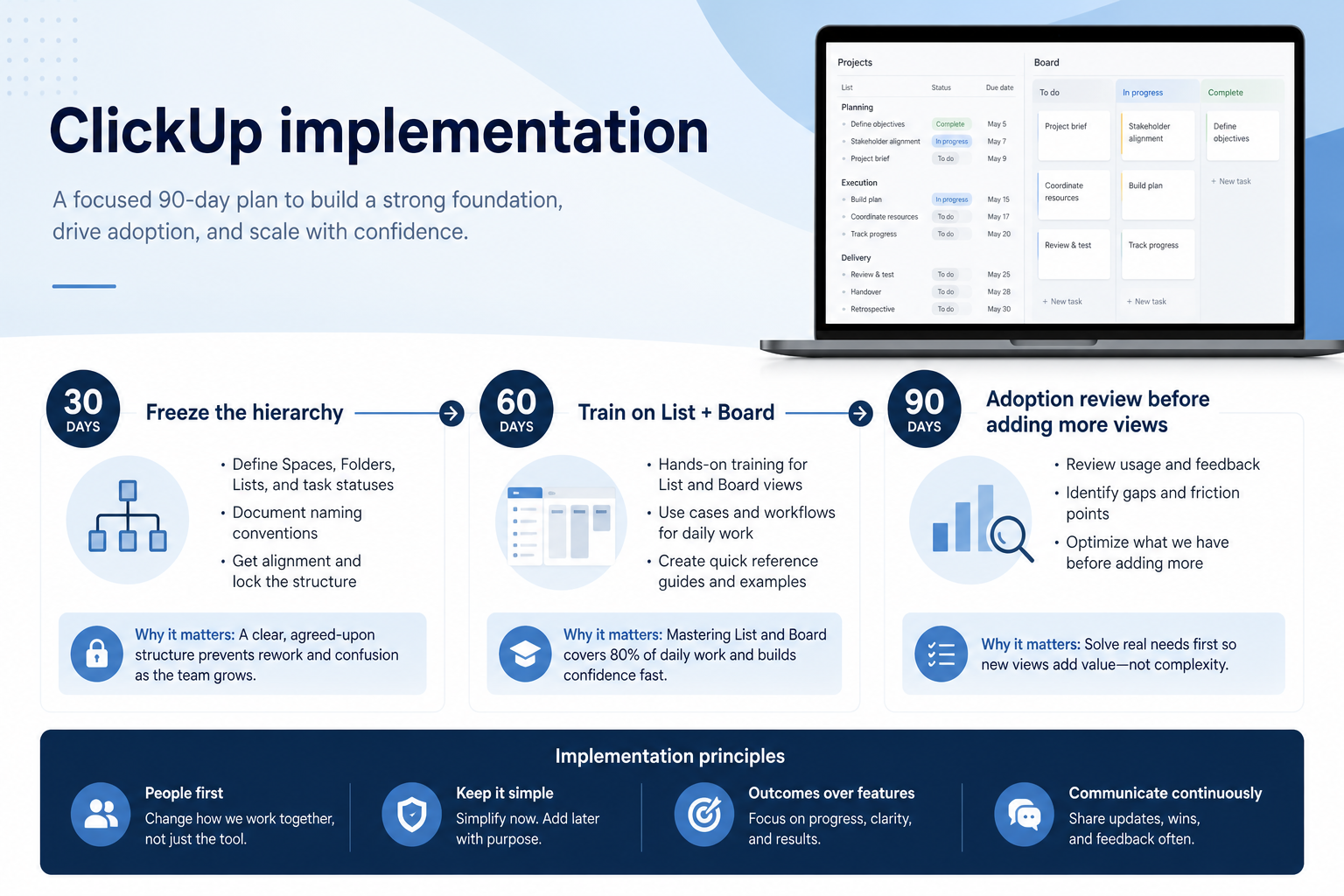
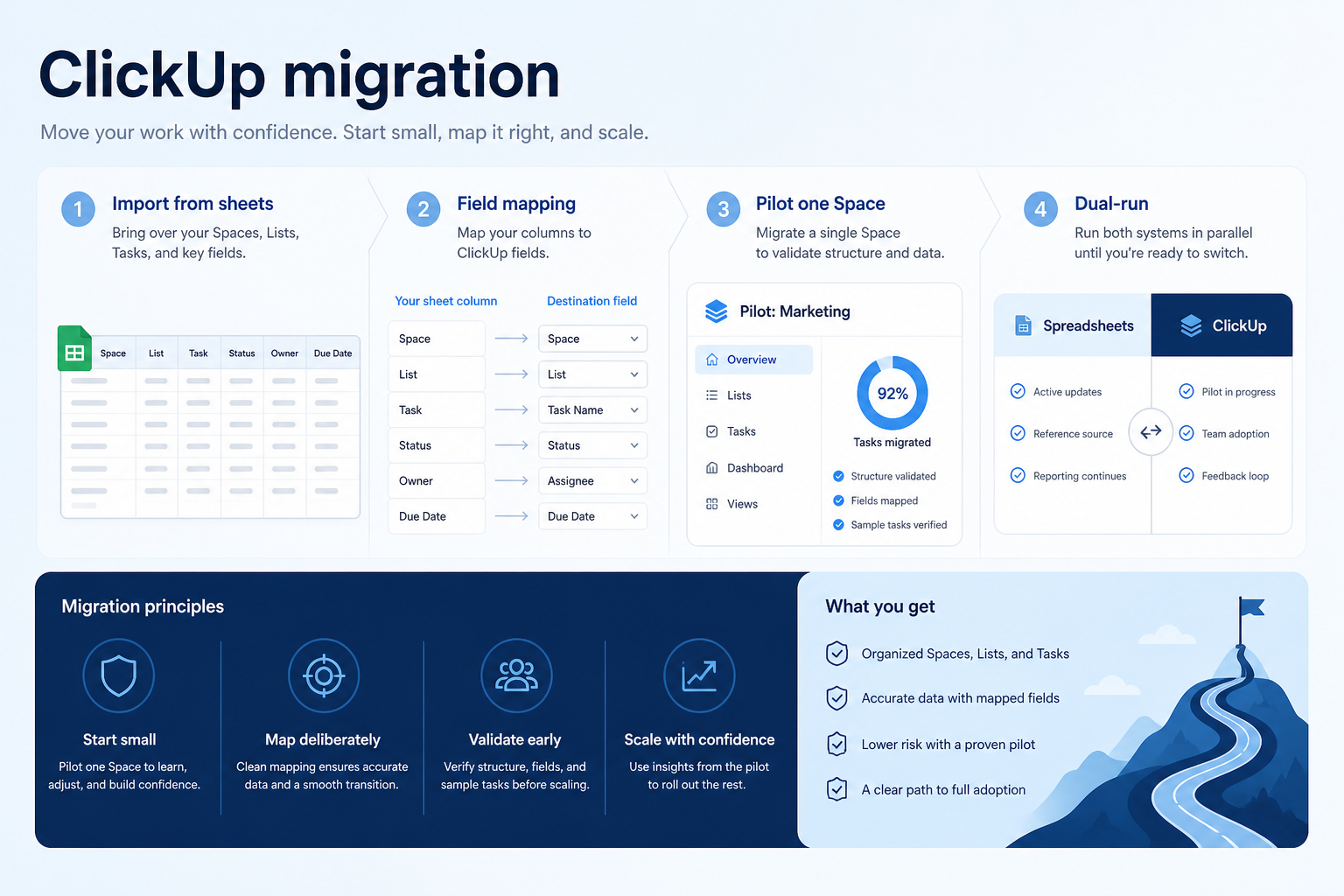
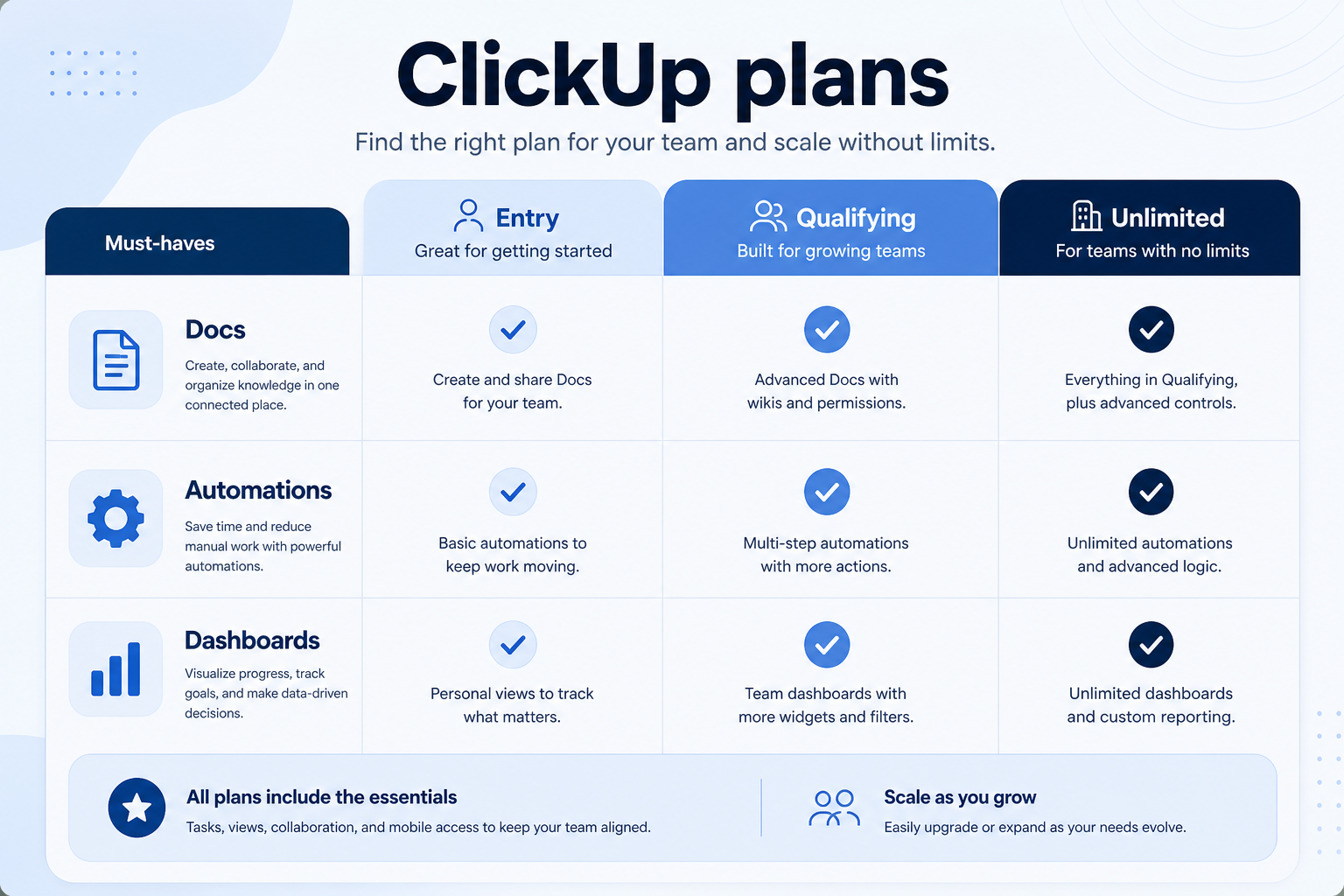
Setup, implementation, migration, plans, and worth-it walkthroughs for this product.

Affiliate disclosure: some links may be affiliate links. We may earn a commission at no extra cost to you. Rankings and scores are never based on commission. Full disclosure

Methodology disclosure: scores and recommendations follow SoftwareGlimpse evaluation criteria (version 1.0.0). Affiliate relationships do not determine rankings.

How we recommend: product claims are tied to recorded research where available.

AI-assisted disclosure: drafts may be AI-assisted from approved facts and assessments. Humans approve publishable editorial judgments. AI does not invent live prices or claim hands-on testing.

Part of Project Management & Productivity · Software reviews

Try a decision tool

Interactive helpers use recommendation criteria — affiliate status never changes outcomes.