What Is Project Management Software?
A clear definition of work OS, timelines, automations, and adjacent productivity tools — and how they differ from CRM.
Quick answer
Project management software plans, tracks, and coordinates work — work OS boards and timelines, task ownership, automations, and portfolio reporting — plus closely adjacent productivity tools such as PowerPoint Gantt presenters, PDF editors, remote desktop, and desktop app workspaces. Decision rule: if the blocking job is “our team needs shared ownership of work and status,” buy a work OS / PM platform; if the job is timeline slides, PDFs, remote support, or desktop shells, shortlist a specialist instead of forcing it into an undifferentiated ranking.
- Work OS / boards
- Timelines / Gantt
- Automations
- Collaboration & docs
- Adjacent specialists
- Not a CRM
Key takeaways
- The category holds several jobs — Work management, timeline presentation, PDF editing, remote access, and desktop workspaces fail for different reasons. Naming the job first prevents most bad shortlists.
- A work OS is not a CRM — CRMs own pipeline and customer records. A work OS owns how internal work is planned, assigned, and reported — then integrates with chat, storage, and CRM when needed.
- Views and automations usually gate by plan — Timeline, workload, and automation depth often unlock above entry tiers. Map must-haves to the qualifying plan before the demo.
- Specialists belong on landscape shortlists — PowerPoint Gantt tools, PDF editors, remote desktop, and desktop shells solve adjacent jobs — they should not be ranked as if they were work OS peers.
Project management building blocks
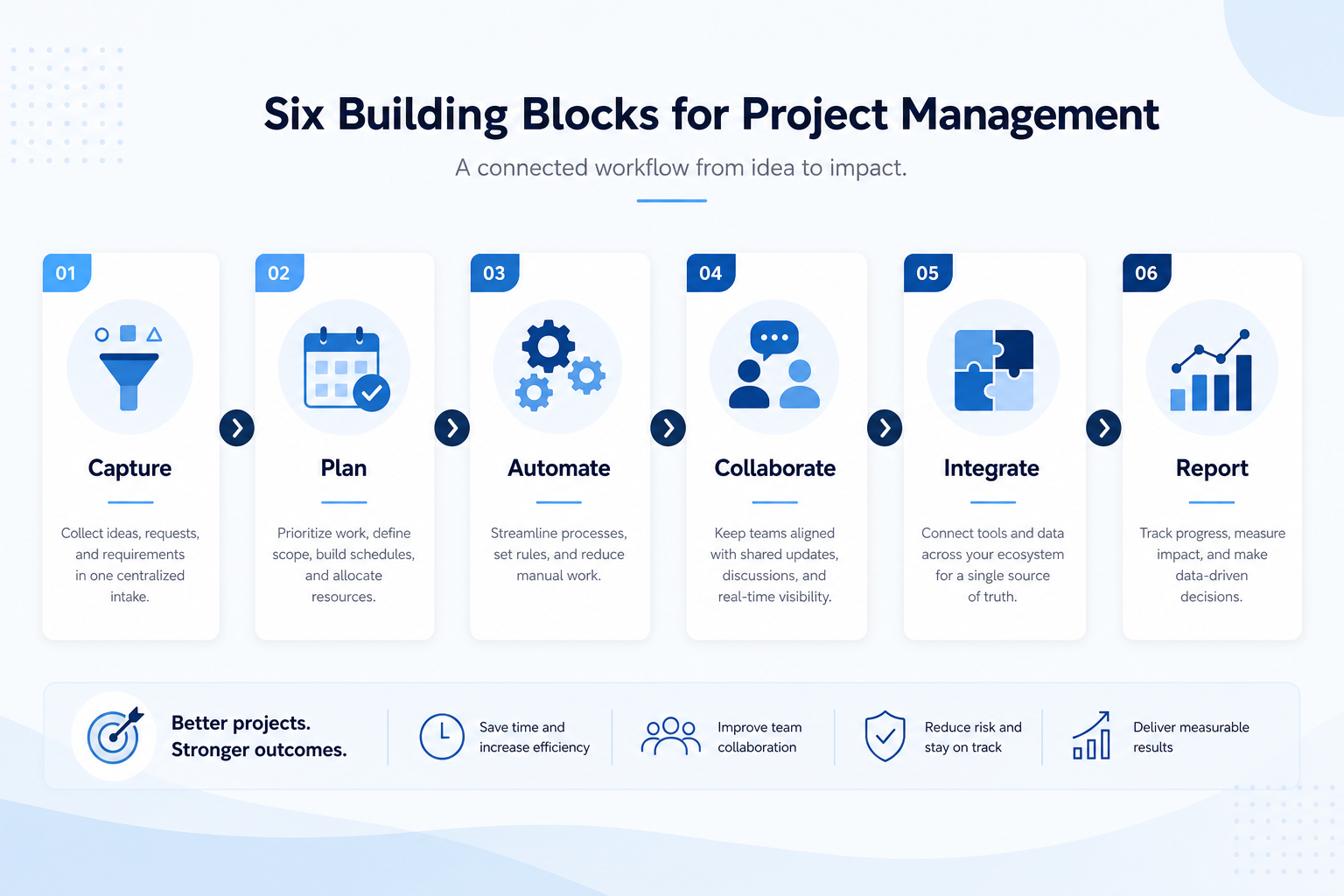
1. How does project management software work?
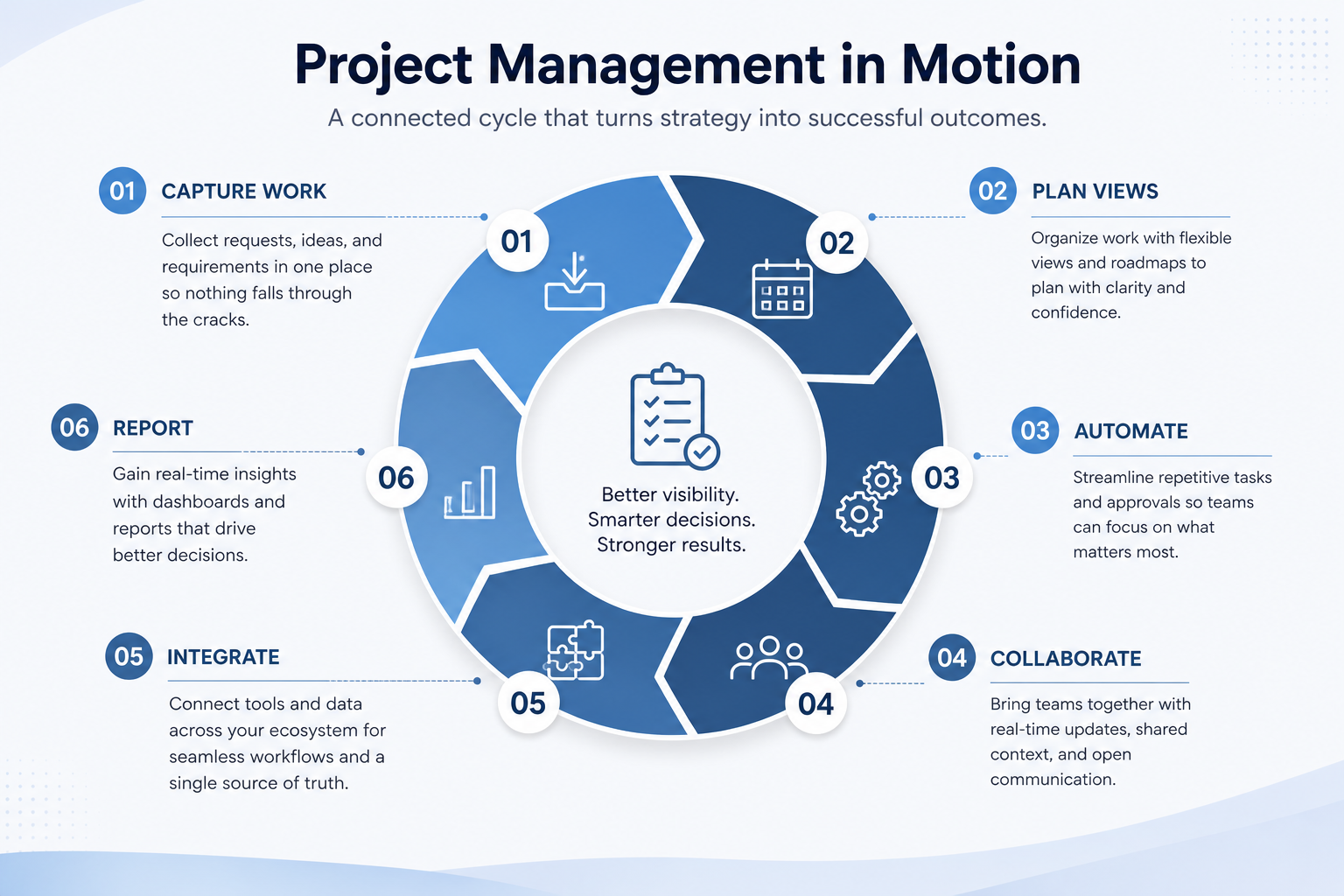
Capture
Tasks, projects, and owners land in one shared system.
Plan
Boards, lists, and timelines show sequence and load.
Automate
Rules move status, assignees, and notifications without manual updates.
Collaborate
Comments, docs, and files stay attached to the work item.
Report
Dashboards and portfolio views feed weekly reviews.
Most work platforms share a loop: capture work items with owners and due dates, plan them on boards or timelines, automate status and handoffs, collaborate in comments or docs, integrate with chat and files, then report progress for managers.
Example: Northline Agency, a twelve-person studio, moves from shared spreadsheets and Slack threads to a work OS. Every client deliverable has an owner and stage, deadlines appear on a timeline, and status changes notify the account lead — without rebuilding the plan in a Friday email.
2. What project management software typically includes
Core work OS products cover boards and lists, timelines or Gantt, automations, docs/comments, integrations, and reporting. Many add workload/resourcing, time tracking, and AI assistance for planning or updates.
Job clusters matter more than brand names: work OS peers (monday.com, Hive class), timeline presenters (Office Timeline class), PDF productivity (Foxit class), remote access (Getscreen.me class), and desktop workspaces (WebCatalog class) rarely belong on the same undifferentiated shortlist. Catalogue examples are shapes to compare by primary job — not a ranking.
Common project management shapes (not rankings)
Work OS / work management platform
Best for: Teams that need multi-view planning, ownership, and automations as the daily job.
Avoid when: You only need PowerPoint timeline slides or a PDF editor.
Timeline / Gantt presenter
Best for: PMs building executive or client-ready roadmap decks in PowerPoint.
Avoid when: Day-to-day task ownership and automations are the blocking need.
Document / PDF productivity
Best for: Teams whose bottleneck is editing, signing, or redacting PDFs.
Avoid when: Work tracking is the purchase — keep PDF tools adjacent.
Remote access / desktop workspace
Best for: Remote support sessions or organising many web apps on the desktop.
Avoid when: You need boards, Gantt, and portfolio reporting as the core system.
3. Name the job project management software should own
Work OS tools run a shared ownership loop: capture work, assign an owner, plan dates, update status in the tool, review from the board, then automate only after the loop holds.
Example: Harbor Studio (12-person agency) moved client work off a founder spreadsheet. Friday reviews now open the board, not Slack search. A PDF editor or remote-desktop tool would not have fixed ownership.
4. Next: freeze requirements and compare fairly
Move to /guides/how-to-choose-project-management-software/ once the job cluster is clear. Compare finalists with the same assumptions — not affiliate-ordered lists.
5. Use a one-page checklist before demos
For What Is Project Management Software?, list must-haves, owners, integrations, and the weekly ritual this purchase must improve. Share the sheet with finance and IT before you schedule a second demo.
- Name the primary job in one sentence.
- List must-have gates (plans, SSO, data residency, usage caps).
- Name integrations that must work on day one.
- Assign an admin owner and a weekly user champion.
- Define non-admin proof — what a sceptic completes without rescue.
Worked example: Harbor Ops refuses demos until the checklist is signed — cutting evaluation time in half.
6. Avoid the usual buying mistakes
Common failures in project-management: buying for brand familiarity, comparing entry tiles across different usage units, skipping a fair trial script, and adding scope before adoption proves out.
Run one trial script on every finalist the same week. Score on the same card. Write a one-paragraph decision memo that names what you are not buying yet.
7. Hand off to the category shortlist
When assumptions are frozen, continue on /best/project-management-software/ with the same headcount, usage band, and must-have gates on every quote.
Frequently asked questions
Is project management software the same as a CRM?
No. CRM systems track customers and revenue. Project management software tracks internal work, projects, and delivery — though the two often integrate.
Do I need a work OS or just a task list?
If one person manages a short list, a simple task tool may be enough. A work OS earns its cost when multiple people need shared ownership, timelines, automations, and manager visibility.
Where do monday.com and Hive fit?
They are work OS / collaborative work-management shapes. Compare them inside that job cluster — not against PowerPoint timeline tools or PDF editors. See our Best project management software page for methodology-based awards.
Was this article helpful?
Have more questions? Contact our support team.
Part of Software buying guides · How to Choose Project Management Software
Related guides
Supporting reading in this topic — not a generic related-posts dump.
- Project Management Pricing GuideBudget work OS and adjacent productivity tools by qualifying tier — not the advertised starter seat.
- Project Management Requirements GuideA practical requirements sheet for work OS and adjacent productivity purchases.
- Project Management Evaluation GuideA practical evaluation script for work OS peers and adjacent productivity tools.
- Is Office Timeline Worth It? Fit Scenarios Before You BuyDecide if Office Timeline is worth it for your team — job-cluster fit, trial proof, and packaging — without invented ROI percentages.
- Is WebCatalog Worth It? Fit Scenarios Before You BuyDecide if WebCatalog is worth it for your team — job-cluster fit, trial proof, and packaging — without invented ROI percentages.
- monday.com Plans: Seats, Guests, and Qualifying TiersChoose your monday.com plan by mapping must-haves to qualifying tiers — seats, guests, views, and add-ons — not homepage “from” tiles.
- ClickUp Plans: Seats, Guests, and Qualifying TiersChoose your ClickUp plan by mapping must-haves to qualifying tiers — seats, guests, views, and add-ons — not homepage “from” tiles.
- Foxit Plans: Seats, Guests, and Qualifying TiersChoose your Foxit plan by mapping must-haves to qualifying tiers — seats, guests, views, and add-ons — not homepage “from” tiles.
SoftwareGlimpse Updates
Want clearer software shortlists? Get buying guides and comparisons by email.
Newsletter coming soon.