
This video is hosted on YouTube
This content is hosted by YouTube. The player loads only after you allow marketing cookies.
Financial services CRM requirement
Compare CRM automation for financial-services lead follow-up — workflows, sequences, plan gating and evidence.
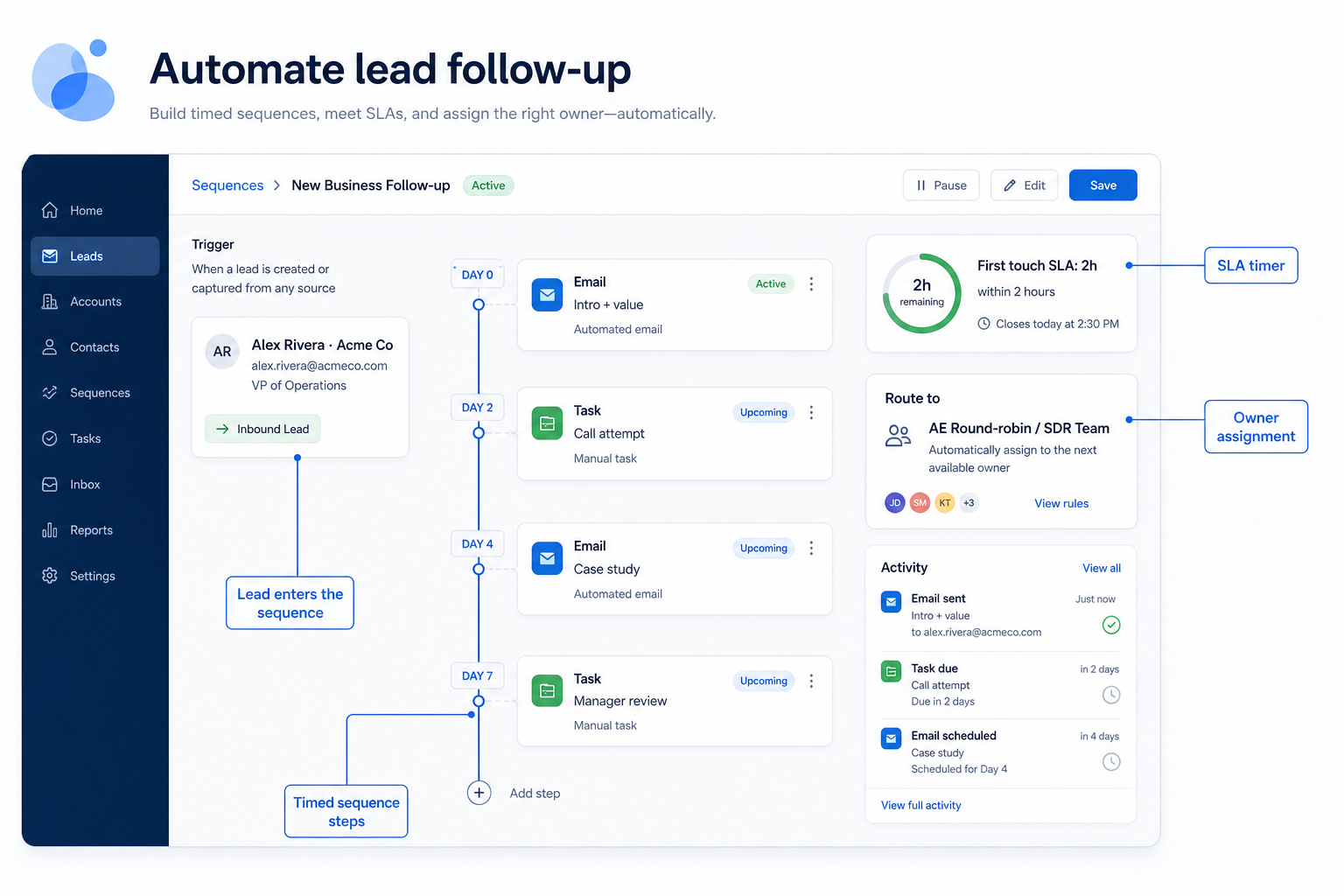
Requirement at a glance
Requirement type
Automation / process
Primary capability
Workflow Automation
Typical importance
High for inbound or high-volume teams
3
Core features
2
Supporting features
10
Products covered
Last reviewed 17 Aug 2026
Why this matters in Financial services
Financial-services teams often lose opportunities when follow-up depends only on individual discipline. Automation helps after the lead process is clear.
Requirement snapshot
Automating lead follow-up means the CRM can create tasks, reminders, notifications, or sequence steps when lead conditions occur — new inbound, inactivity, stage change — instead of relying only on personal memory. Workflow automation is usually the foundation; email sequences and sales engagement deepen multi-step outreach once ownership and SLAs are clear. This requirement is about consistent response discipline under volume, not about removing human judgment from qualification. Evaluate trigger coverage, task ownership, sequence controls, and how managers see missed SLAs.
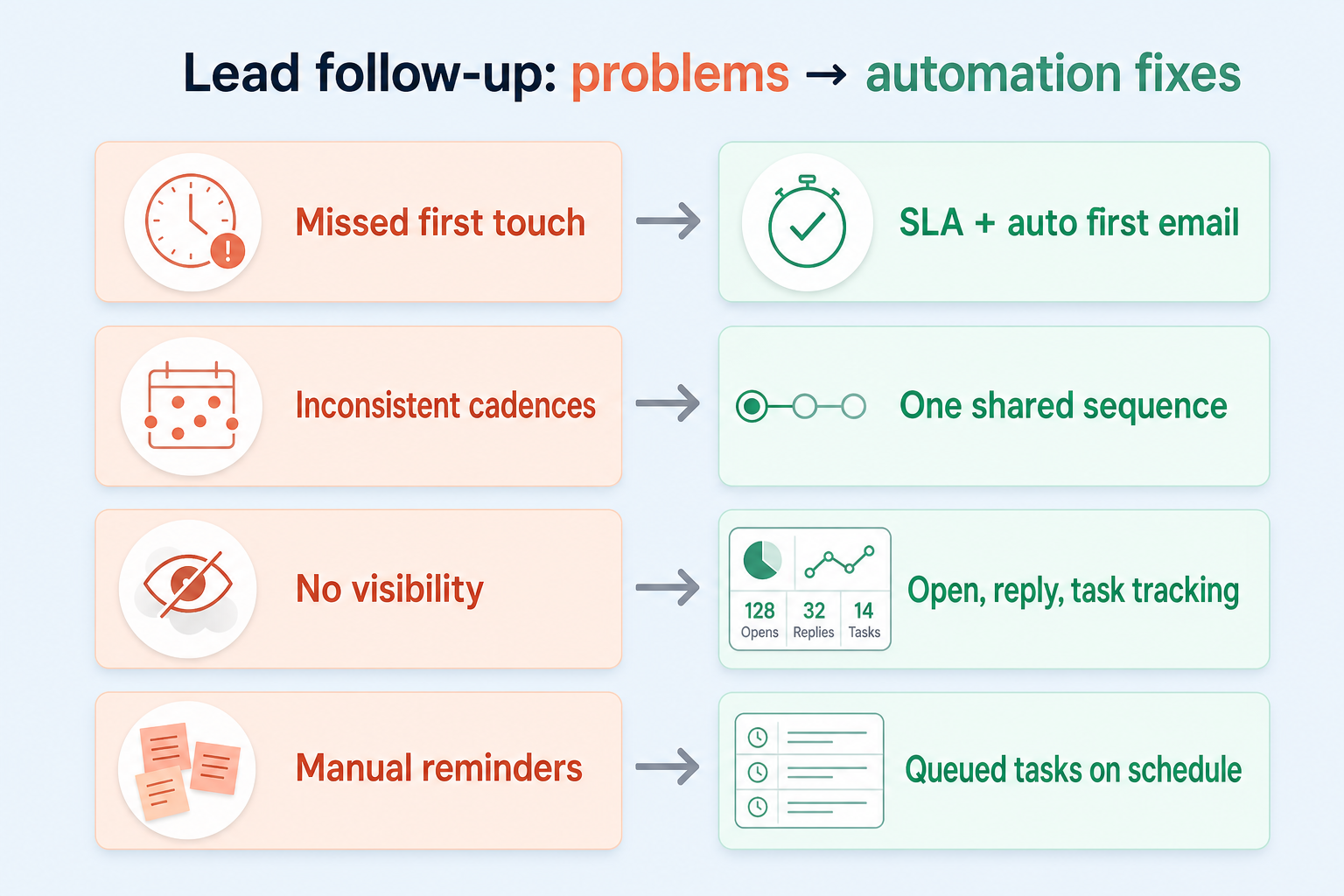
Inbound SDR pods, high-volume lead teams, and sales managers who still chase “who touched this form fill?” in Slack. Typical situations: a B2B SaaS inbound pod with same-day first-touch SLAs, a financial-services advisory desk routing web leads, or an agency BD team that drops warm intros when Friday fills up.
How teams satisfy “automate lead follow-up” in practice
Example 1
a B2B SaaS inbound SDR pod
Before CRM
form fills waited on a coordinator Slack ping and first touches slipped past the same-day SLA
After CRM
new-lead rules assign an owner and create a timed first-touch task; idle leads at 48 hours create a manager-visible reminder — coaching starts from overdue tasks, not from “any updates?”
Example 2
a financial-services advisory intake desk
Before CRM
nurture follow-ups lived in personal calendars and stalled when advisors traveled
After CRM
inactivity workflows create the next call task on the lead, and a short email sequence runs only until the advisor logs a conversation
These are the operating problems that usually push teams to require “automate lead follow-up” from a CRM — not feature wish lists.
Without this capability in CRM: Inbound leads cool while ownership waits on Slack or a shared inbox.
Without this capability in CRM: Warm prospects stall after one touch with no system reminder.
Without this capability in CRM: Reps reinvent the same three emails; coverage collapses when someone is out.
Without this capability in CRM: Over-eager automation floods queues and trains the team to ignore the CRM.
A CRM only satisfies “automate lead follow-up” when the team keeps owners, history, and next steps current. Here is what “good” looks like once the requirement is met.
When this requirement is satisfied: New-lead triggers assign owners and create timed first-touch tasks where the work lives.
When this requirement is satisfied: Inactivity rules surface overdue follow-ups before managers notice by accident.
When this requirement is satisfied: Sequences and workflow tasks standardize the cadence while keeping ownership on the lead.
When this requirement is satisfied: Scoped triggers with clear owners and review keep automation useful instead of theatrical.
More consistent first touches
New leads get owned, timed work instead of waiting on coordinator memory.
Fewer dropped nurture loops
Idle and post-call follow-ups surface as tasks before the lead goes cold.
Manager-visible SLA gaps
Overdue first touches and idle leads are reviewable without reconstructing Slack history.
Handoff-safe follow-up state
Covering SDRs inherit what is due next on the lead record.
Start with must-haves your team will use weekly to accept this requirement as met. Treat nice-to-haves as later upgrades — not day-one blockers.
Must-have
New lead, inactivity, or stage/status change can create owned tasks or notifications.
Learn more →Follow-up work lands on a named person with a reviewable deadline on the lead.
Learn more →Lifecycle status, owner, and source fields exist so rules have trustworthy inputs.
Learn more →Managers can see overdue first touches or idle leads without rebuilding a sheet.
Learn more →Nice-to-have
Cadences help when volume requires standardized steps after ownership is clear.
Learn more →Sequences and reminders pause or hand back when a real conversation starts.
Learn more →Confirm plan caps, failure logs, and who can edit rules before committing.
Learn more →A simple validation loop beats a long checklist nobody runs during a trial.
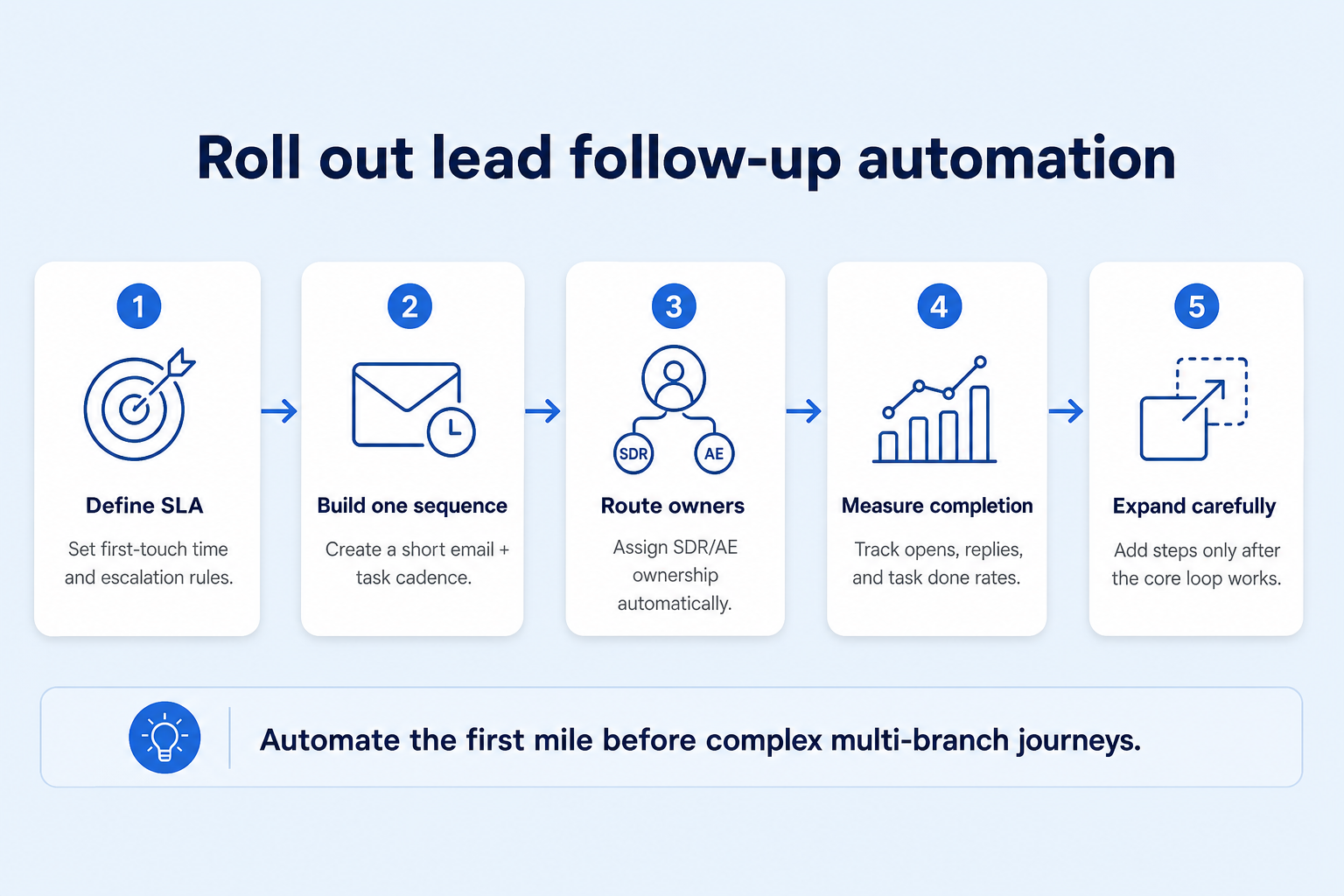
Write the first-touch and idle rules you actually enforce (times, owners, exceptions).
In trial, create rules for new lead, inactivity, and one stage handoff — keep the set small.
Inject realistic inbound and idle scenarios; complete or miss tasks on purpose.
Check whether overdue work is visible to managers and whether noise is tolerable.
Keep only rules that reduce missed follow-ups; disable anything that creates spam.
If leads stall without consistent follow-up, your CRM should trigger reminders, tasks or sequences when conditions occur. Workflow automation is usually the foundation; email sequences and sales automation determine how complete the follow-up experience is.
You probably need this if
You may not need this if
Consistency
Follow-up happens even when reps are busy or away.
Response speed
Inbound leads can get faster first touches where automation is configured.
Scale
Higher lead volume becomes manageable without proportional headcount.
Visibility
Managers can see whether follow-up commitments are being met.
Use cases
1 linkedCapability
Workflow AutomationRequirement
Automate Lead Follow-UpFeatures
5 relatedProducts
10 evaluatedFollow-up triggers
Can inactivity, stage changes or lead events start follow-up actions?
Sales automation depth
Is sales-oriented automation researched as available?
Multi-step sequences
Can multi-step email/outreach sequences support follow-up?
Lead context
Are lead records available for automation to act on?
Follow-up visibility
Can teams report on activity and follow-up outcomes?
Core features
Workflow Automation
CriticalTriggers tasks, updates and notifications when follow-up conditions occur.
Evidence across catalogue products: Docs · Screenshots · Official demos
Explore feature →Sales Automation
CriticalSupports sales-specific automation patterns around leads and opportunities.
Evidence across catalogue products: Docs · Screenshots · Official demos
Email Sequences
ImportantEnables multi-step outreach when email follow-up is part of the process.
Evidence across catalogue products: Docs · Screenshots · Official demos
Supporting features
Lead Management
SupportingProvides the lead records and lifecycle context automation acts on.
Evidence across catalogue products: Docs · Screenshots · Official demos
Activity Reporting
SupportingHelps managers see whether follow-up automation is working.
Evidence across catalogue products: Docs · Screenshots · Official demos
See how CRM products support automate lead follow-up. Official product demonstrations can help show how supporting features work in practice. SoftwareGlimpse evaluates these alongside documentation, screenshots and plan evidence — video availability does not change rankings.

Official video · HubSpot
Source: HubSpot
Official HubSpot demonstration — not industry-specific
This video is hosted on YouTube
This content is hosted by YouTube. The player loads only after you allow marketing cookies.
What this demonstrates
Requirement criteria supported
Features demonstrated
Not established by this video
Verified: 2026-08-14
Open official source ↗
Official video · Agile CRM
Source: Agile CRM
Official Agile CRM demonstration — not industry-specific

This video is hosted on YouTube
This content is hosted by YouTube. The player loads only after you allow marketing cookies.
What this demonstrates
Features demonstrated
Not established by this video
Verified: 2026-08-16
Open official source ↗Fit reflects feature support for this requirement — not affiliate status. Insufficient evidence is never treated as failure.

Keap
Strong supportVisual evidence available
Key strength: Workflow Automation: supported
Why this fit?
Close
Strong supportVisual evidence available
Key strength: Workflow Automation: supported
Why this fit?HubSpot
Strong supportVisual evidence available
Key strength: Workflow Automation: supported
Why this fit?Agile CRM
Strong supportVisual evidence available
Key strength: Workflow Automation: supported
Why this fit?
Apptivo
Strong supportKey strength: Workflow Automation: supported
Why this fit?
Attio
Strong supportVisual evidence available
Key strength: Workflow Automation: supported
Why this fit?Each cell reflects feature support for that criterion. Open Why? for documentation, screenshots, and official videos mapped to that criterion only — video counts never change the assessment.
| Criterion | Keap | Close | HubSpot | Agile CRM | Apptivo | Attio |
|---|---|---|---|---|---|---|
| Follow-up triggers | Strong 2 docs · 3 screenshots | Strong 2 docs · 2 screenshots | Strong 1 docs · 1 screenshots · 1 video | Strong 2 docs | Strong 2 docs | Strong 2 docs · 1 screenshots |
| Sales automation depth | Strong 2 docs · 3 screenshots | Strong 1 docs · 3 screenshots | Strong 1 docs · 3 screenshots · 2 videos | Strong 2 docs · 1 video | Strong 2 docs | Strong 2 docs · 2 screenshots |
| Multi-step sequences | Strong 2 docs | Strong 1 docs | Strong 1 docs | Insufficient evidence | Insufficient evidence | Insufficient evidence 1 screenshots |
| Lead context | Strong 2 docs · 2 screenshots | Strong 2 docs · 2 screenshots | Strong 1 docs · 1 screenshots · 2 videos | Strong 2 docs | Strong 2 docs | Strong 2 docs |
| Follow-up visibility | Strong 1 docs · 2 screenshots | Strong 2 docs · 2 screenshots | Strong 2 docs | Strong 2 docs | Strong 2 docs | Strong 2 docs · 2 screenshots |
| Overall / plan | StrongMax IgniteConfidence: High | StrongGrowthConfidence: High | StrongStarterConfidence: High | StrongFreeConfidence: High | StrongLiteConfidence: High | StrongFreeConfidence: High |
Structured evaluation — not media-driven. Video helps illustrate implementation; it does not determine who ranks higher.
| Criterion | Keap | Close | HubSpot |
|---|---|---|---|
| Follow-up triggers | Strong support | Strong support | Strong support |
| Sales automation depth | Strong support | Strong support | Strong support |
| Multi-step sequences | Strong support | Strong support | Strong support |
| Lead context | Strong support | Strong support | Strong support |
| Follow-up visibility | Strong support | Strong support | Strong support |
Video evidence available for: Follow-up triggers / Sales automation depth
Compare products →Official video · HubSpot
Source: HubSpot
Official HubSpot demonstration — not industry-specific
This video is hosted on YouTube
This content is hosted by YouTube. The player loads only after you allow marketing cookies.
What this demonstrates
Requirement criteria supported
Features demonstrated
Not established by this video
Verified: 2026-08-14
Open official source ↗Official video · Agile CRM
Source: Agile CRM
Official Agile CRM demonstration — not industry-specific
This video is hosted on YouTube
This content is hosted by YouTube. The player loads only after you allow marketing cookies.
What this demonstrates
Features demonstrated
Not established by this video
Verified: 2026-08-16
Open official source ↗SoftwareGlimpse interpretation
These official demos illustrate visible product behavior for mapped criteria and features. Fit and ranking still come from structured feature assessments — not from which demo looks smoother.
Unknown / not verified is never treated as unsupported.
| Feature | |||||
|---|---|---|---|---|---|
| Workflow automation | |||||
| Sales automation | |||||
| Email sequences | |||||
| Lead management | |||||
| Reporting |
Keap for automate lead follow-up
Strong supportEvidence confidence: High
Plan required: Max Ignite
Plan availability comes from official pricing / plan documentation — not from feature demos.
Why
Trade-offs
Close for automate lead follow-up
Strong supportEvidence confidence: High
Plan required: Growth
Plan availability comes from official pricing / plan documentation — not from feature demos.
Why
Trade-offs
HubSpot for automate lead follow-up
Strong supportEvidence confidence: High
Plan required: Starter
Plan availability comes from official pricing / plan documentation — not from feature demos.
Why
Trade-offs
See it in action
View all evidence →Agile CRM for automate lead follow-up
Strong supportEvidence confidence: High
Plan required: Free
Plan availability comes from official pricing / plan documentation — not from feature demos.
Why
Trade-offs
See it in action
View all evidence →Apptivo for automate lead follow-up
Strong supportEvidence confidence: High
Plan required: Lite
Plan availability comes from official pricing / plan documentation — not from feature demos.
Why
Trade-offs
Incomplete evidence for specific criteria — not a claim that the product lacks support. Missing video is never treated as missing support.
Agile CRM
Multi-step sequences
Not sufficiently verified
Apptivo
Multi-step sequences
Not sufficiently verified
Attio
Multi-step sequences
Not sufficiently verified
Plan names come from feature entitlements on the features that support this requirement. Pricing estimates appear only when verified — otherwise use the Cost Calculator.
| Product | Minimum qualifying plan | Core coverage | Confidence |
|---|---|---|---|
| Keap | Max Ignite | 3/3 | High |
| Close | Growth | 3/3 | High |
| HubSpot | Starter | 3/3 | High |
| Agile CRM | Free | 2/2 | High |
| Apptivo | Lite | 2/2 | High |
| Attio | Free | 2/2 | High |
Verified product captures only — never stock imagery or mockups.
Take this checklist into every vendor session and ask each product to demonstrate the same scenario. Your results stay in your vendor scorecard — they do not rewrite SoftwareGlimpse recommendations.
Objective
Verify that inbound or owned leads can trigger timely, visible follow-up without manual babysitting.
Preconditions
Ask the vendor to demonstrate
What good support looks like
Failure signals
Follow-up questions
Official vendor example
An official product video can show an example of the behavior — it does not substitute for your own vendor demo.
Official video · HubSpot
Source: HubSpot
Official HubSpot demonstration — not industry-specific
This video is hosted on YouTube
This content is hosted by YouTube. The player loads only after you allow marketing cookies.
What this demonstrates
Requirement criteria supported
Features demonstrated
Not established by this video
Verified: 2026-08-14
Open official source ↗Record what happened in the live session. This is your evaluation — not SoftwareGlimpse recommendations.
Inbound lead response
Needs fast first-touch automation on new leads.
Priorities: Speed · Sequences · Simple setup
Best recommended fit: Close
High-volume follow-up
Needs durable workflows and activity visibility.
Priorities: Automation depth · Reporting · Scale
Best recommended fit: Keap
Sales-ops standardized process
Needs configurable rules and administration control.
Priorities: Customization · Administration · Automation
Best recommended fit: Attio
Plan gating
Meaningful automation and sequences are frequently limited to higher plans.
Automate after clarity
Automating an unclear lead process amplifies inconsistency.
Rules maintenance
Automations need owners and review when processes change.
Consistency vs alert noise
Over-automation can create task noise if ownership rules are unclear.
Add this requirement to CRM Finder and personalize for team size, budget, and other priorities.
Add this requirement to CRM FinderLoading evidence explorer…
SoftwareGlimpse assesses whether products satisfy a requirement by evaluating the specific criteria and features needed to meet that buyer need. Official vendor demonstrations may be used as evidence of visible product behavior, but video availability does not influence product ranking and videos are not used alone to establish pricing, plan entitlement, security or comparative superiority.
10
Products covered
5
Supporting features
560
Evidence records
44
Screenshots
6
Official videos
Buyer need
Automate Lead Follow-Up
Capability
Workflow Automation
Criteria
5 evaluation criteria
Features
3 core · 2 supporting
Products
10 researched
It means the CRM can trigger reminders, tasks, updates, or multi-step outreach when lead conditions occur — instead of relying only on manual discipline. The requirement is the buyer need; workflow automation and sequences are features that help satisfy it.
It is usually the foundation for tasks and SLA reminders. Email sequences and sales engagement often complete multi-step outreach. Evaluate whether you need reminders, cadences, or both.
No. Automating fuzzy ownership and stages scales inconsistency. Define who owns first touch and what “idle” means, then automate those events.
This requirement focuses on timely lead follow-up and first-touch discipline. Broader sales automation also covers deal-stage handoffs, routing, and other repetitive sales admin beyond the lead lifecycle.
Compare catalogue CRM products based on this requirement plus your other needs, team size and budget.
Browse documentation, screenshots, and official vendor videos by requirement criterion and feature. Video quantity does not change product fit.
SoftwareGlimpse assesses whether products satisfy a requirement by evaluating the specific criteria and features needed to meet that buyer need. Official vendor demonstrations may be used as evidence of visible product behavior, but video availability does not influence product ranking and videos are not used alone to establish pricing, plan entitlement, security or comparative superiority.
15 items
Screenshot · Attio
Source: Official Attio
Supports
Demonstrates
Does not establish
Screenshots can be strong evidence for visible UI behavior.
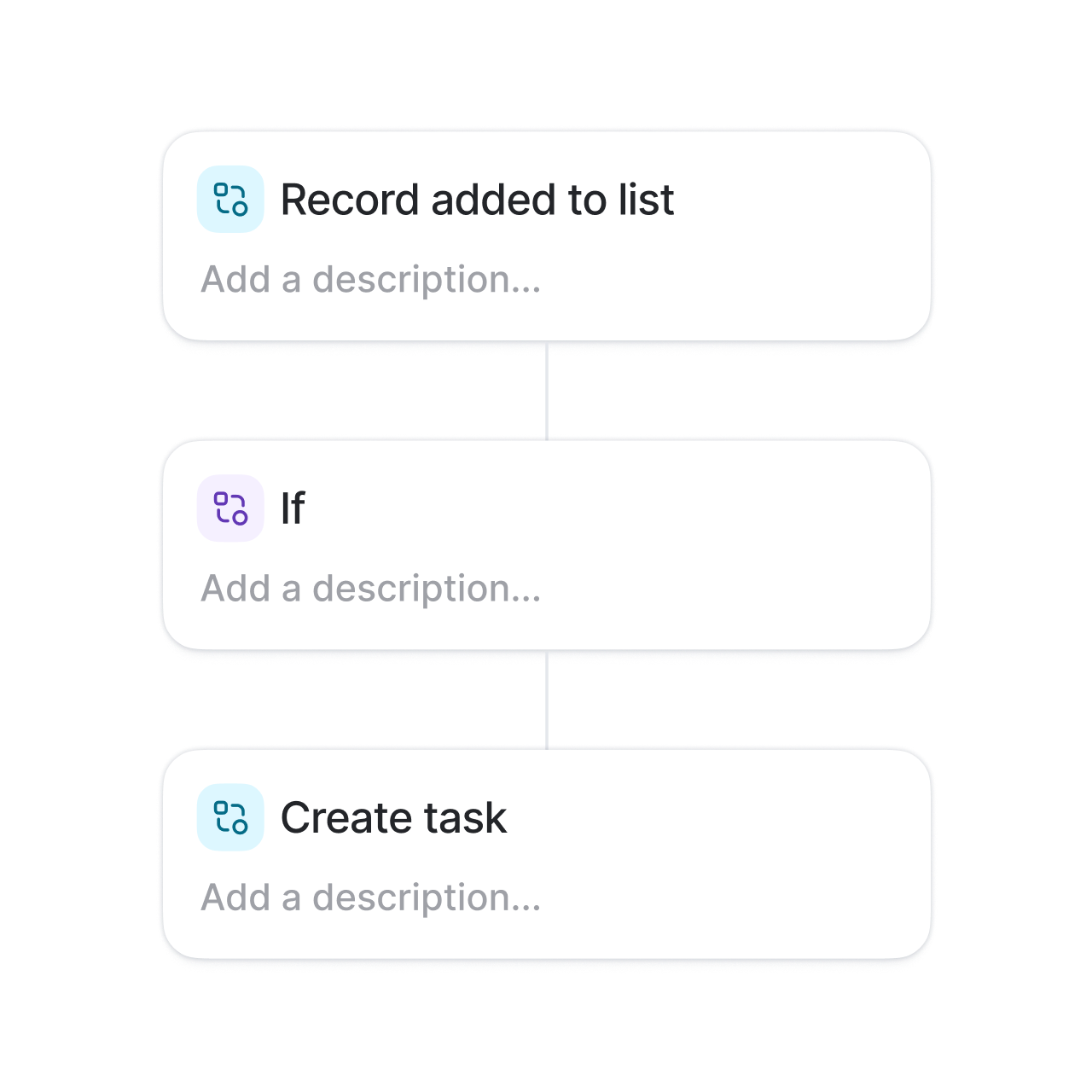
Verified: 15 Aug 2026
Open source ↗Screenshot · Attio
Source: Official Attio
Supports
Demonstrates
Does not establish
Screenshots can be strong evidence for visible UI behavior.
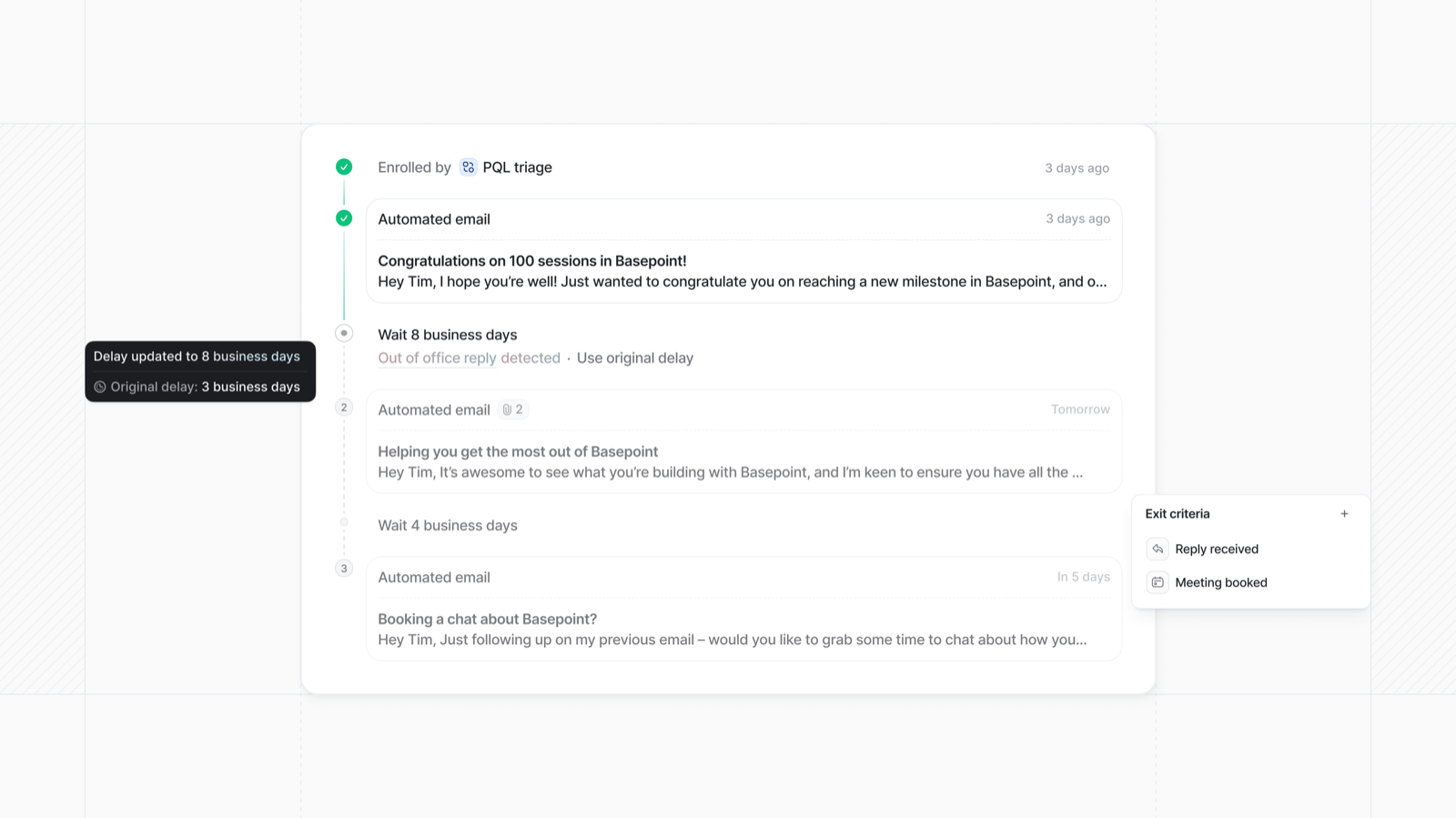
Verified: 15 Aug 2026
Open source ↗
Screenshot · Bitrix24
Source: Official Bitrix24
Supports
Demonstrates
Does not establish
Screenshots can be strong evidence for visible UI behavior.
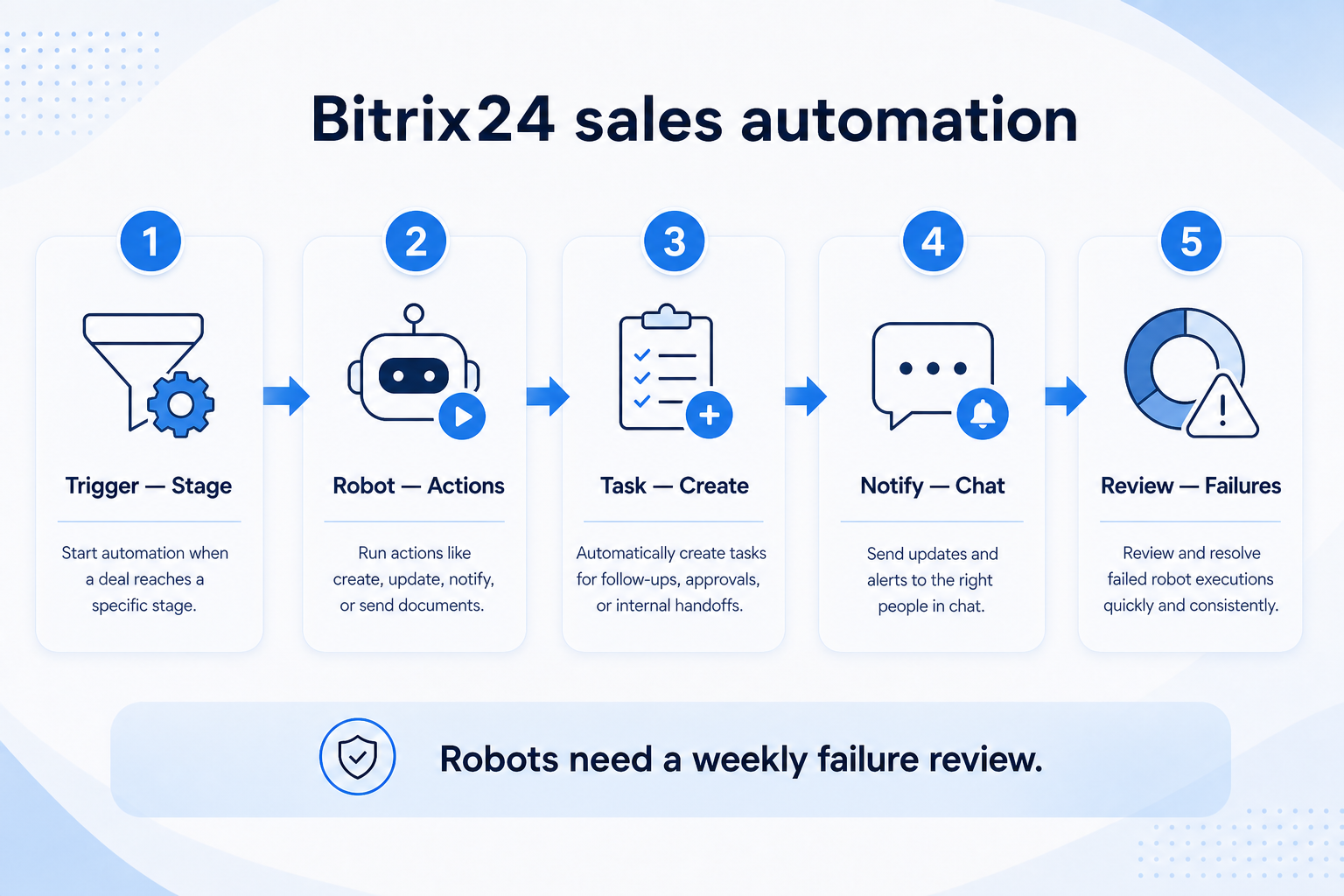
Verified: 15 Aug 2026
Open source ↗Screenshot · Bitrix24
Source: Official Bitrix24
Supports
Demonstrates
Does not establish
Screenshots can be strong evidence for visible UI behavior.
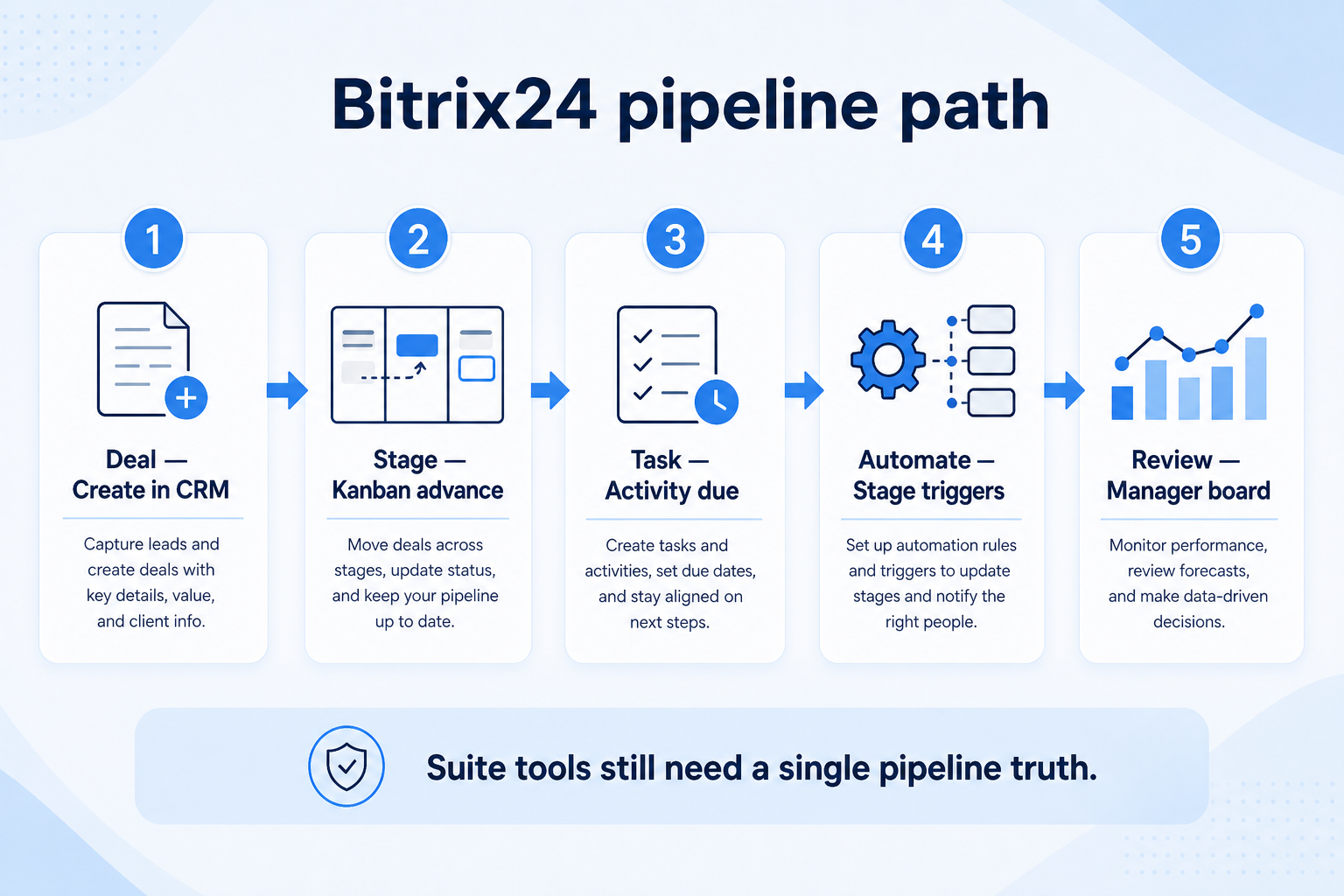
Verified: 15 Aug 2026
Open source ↗Screenshot · Capsule
Source: Official Capsule
Supports
Demonstrates
Does not establish
Screenshots can be strong evidence for visible UI behavior.
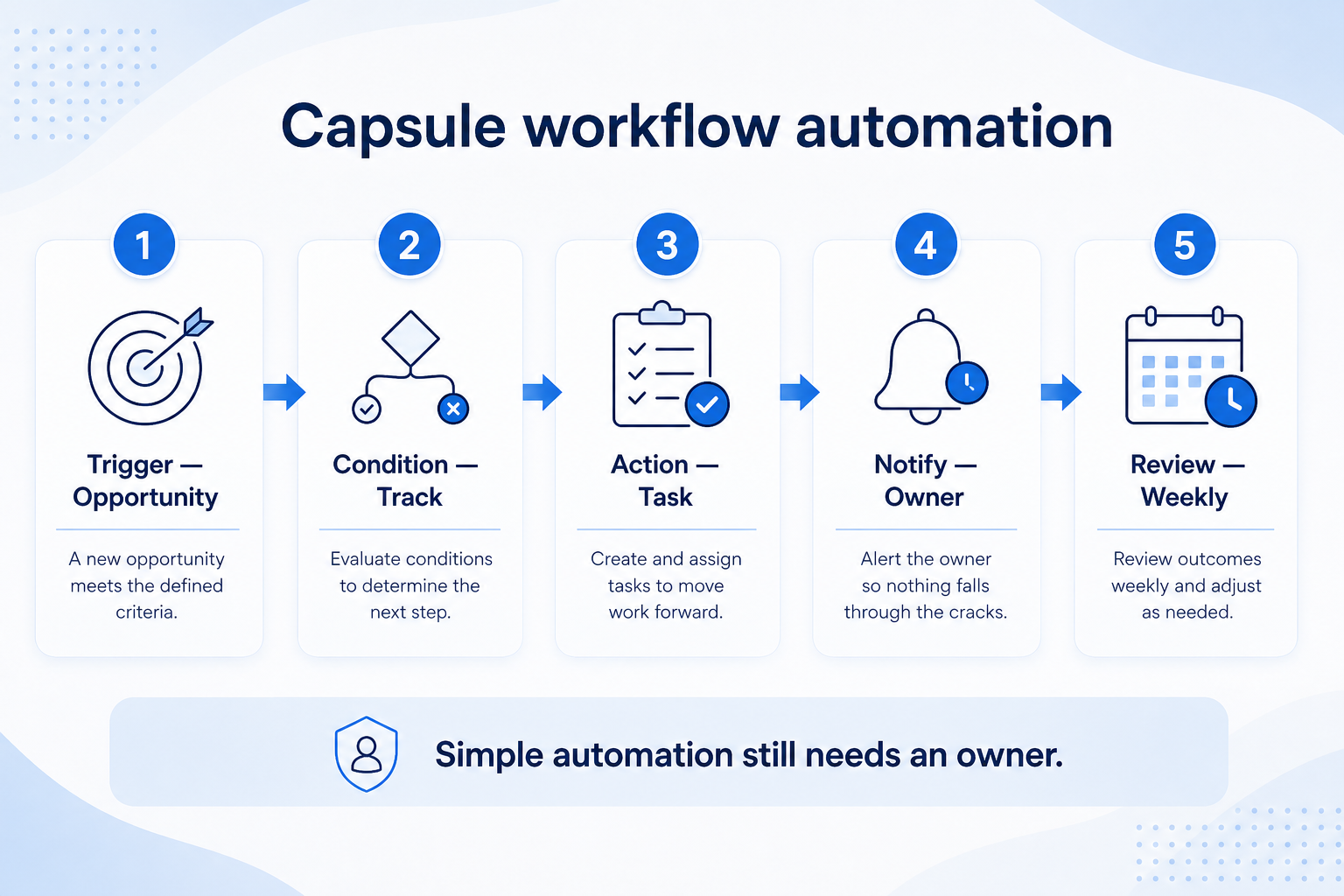
Verified: 15 Aug 2026
Open source ↗Screenshot · Capsule
Source: Official Capsule
Supports
Demonstrates
Does not establish
Screenshots can be strong evidence for visible UI behavior.
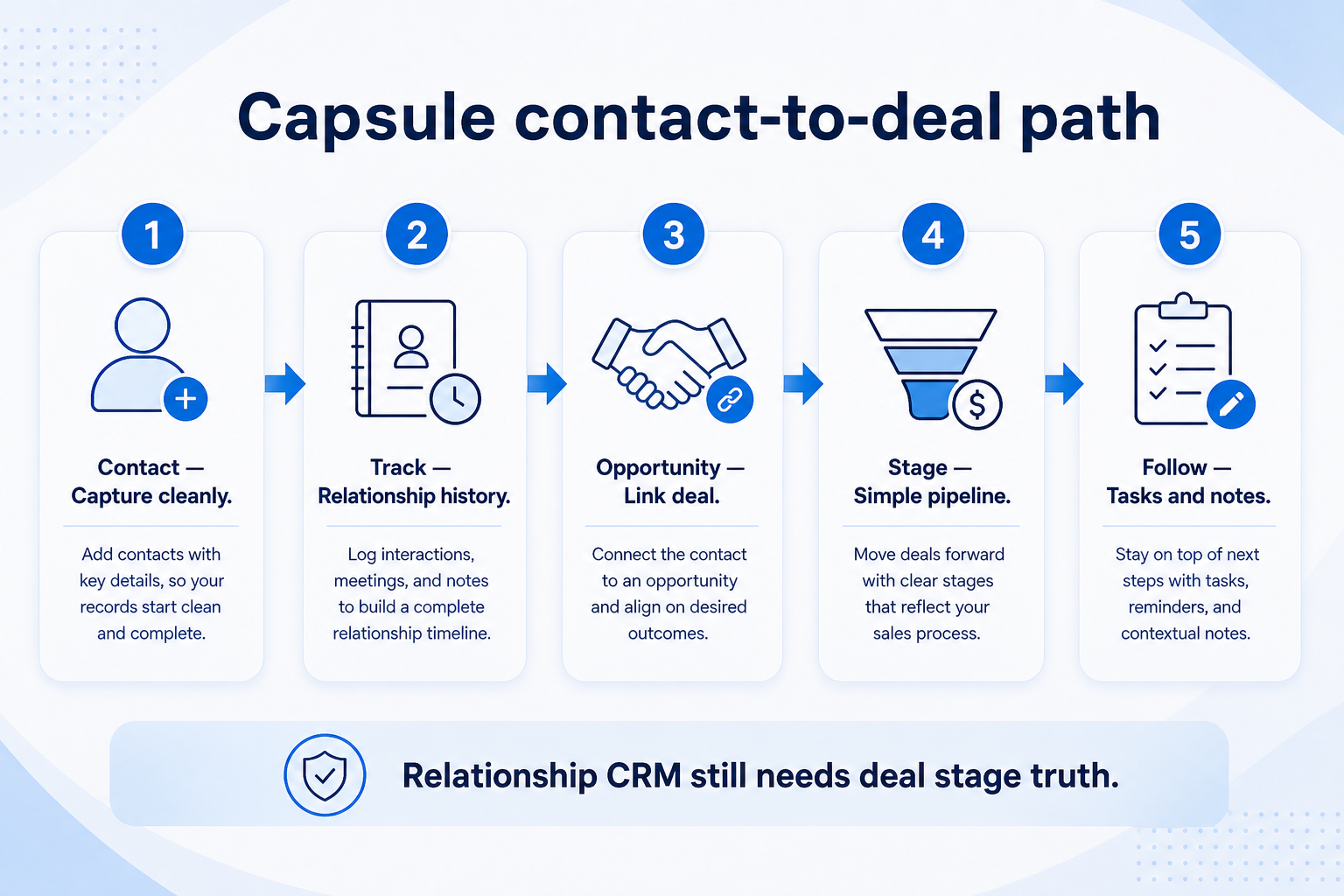
Verified: 15 Aug 2026
Open source ↗Screenshot · Close
Source: Official Close
Supports
Demonstrates
Does not establish
Screenshots can be strong evidence for visible UI behavior.
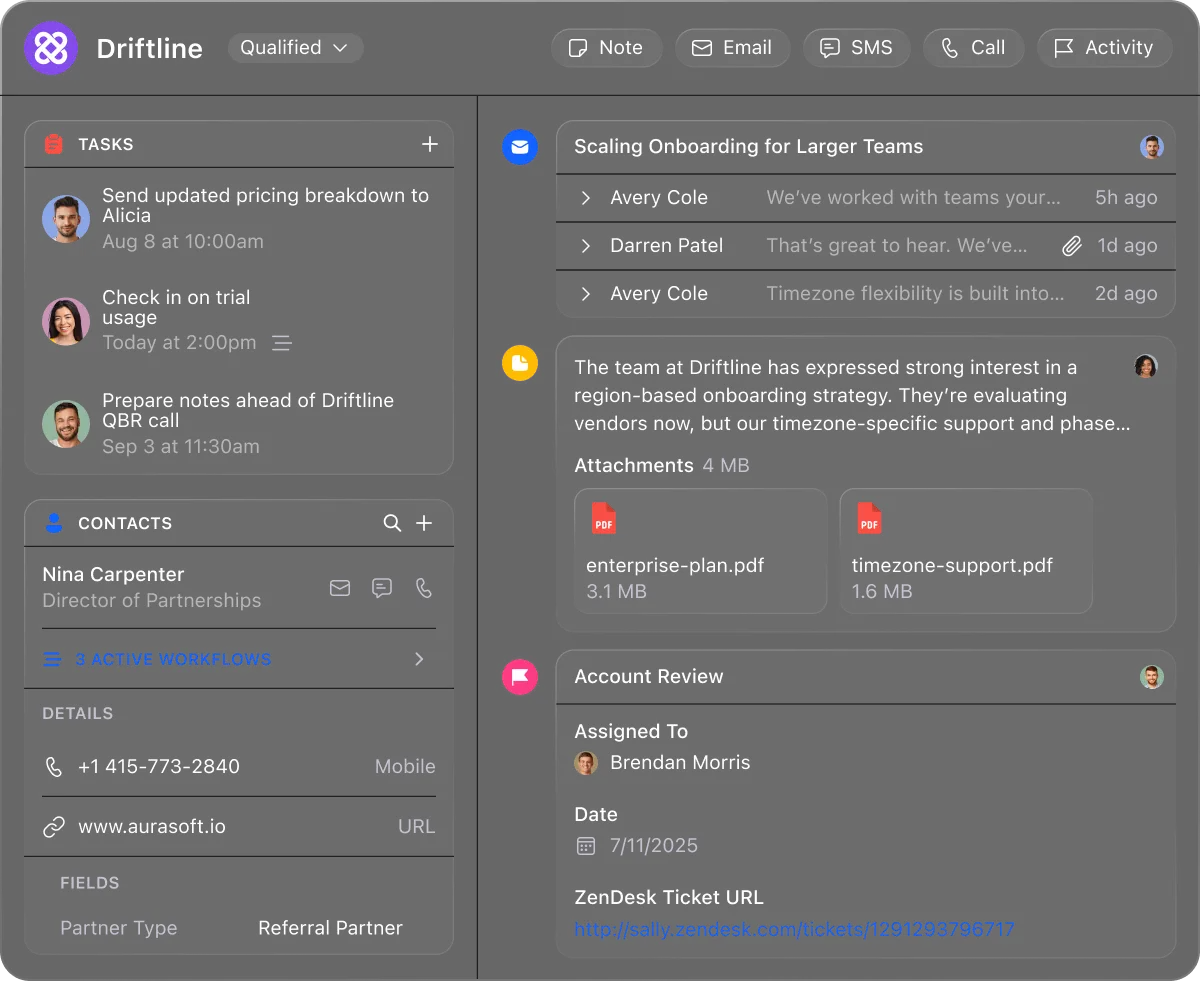
Verified: 13 Aug 2026
Open source ↗Screenshot · Close
Source: Official Close
Supports
Demonstrates
Does not establish
Screenshots can be strong evidence for visible UI behavior.
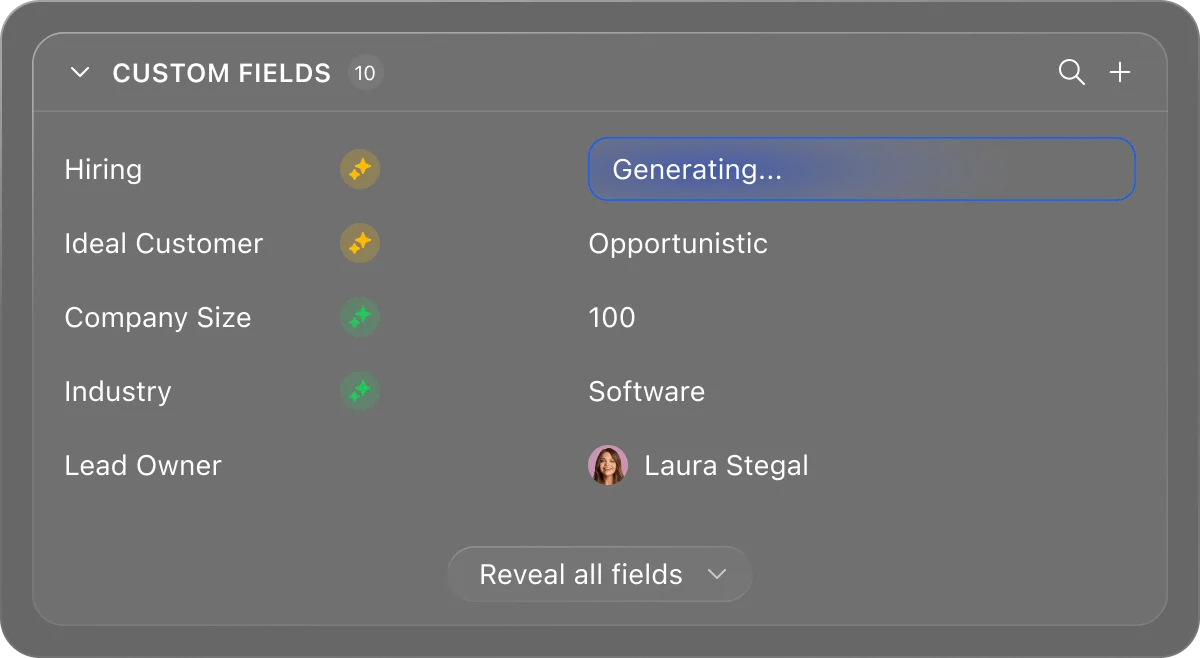
Verified: 13 Aug 2026
Open source ↗
Screenshot · Copper
Source: Official Copper
Supports
Demonstrates
Does not establish
Screenshots can be strong evidence for visible UI behavior.
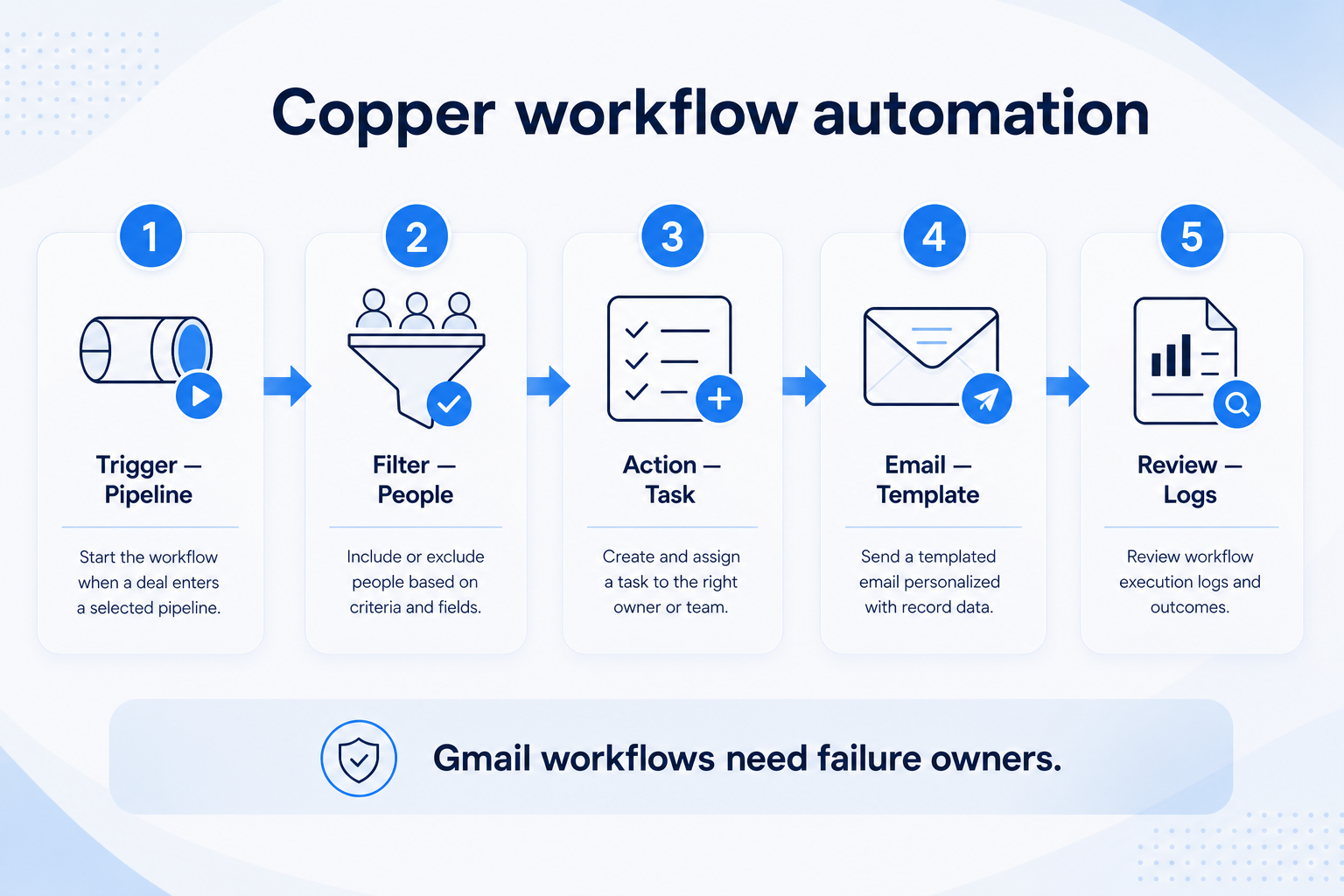
Verified: 15 Aug 2026
Open source ↗Official video · dynamics-365
Source: Microsoft Dynamics 365
Evidence chain
Automate Lead Follow-Up → dynamics-365
Supports
Demonstrates
Does not establish
Official video may support visible behavior for mapped criteria only — not pricing, plan entitlement, or full requirement support.

This video is hosted on YouTube
This content is hosted by YouTube. The player loads only after you allow marketing cookies.
Official vendor tutorial
Verified: 15 Aug 2026
Open source ↗Official video · dynamics-365
Source: Microsoft
Evidence chain
Automate Lead Follow-Up → dynamics-365
Supports
Demonstrates
Does not establish
Official video may support visible behavior for mapped criteria only — not pricing, plan entitlement, or full requirement support.

This video is hosted on YouTube
This content is hosted by YouTube. The player loads only after you allow marketing cookies.
Official vendor video
How Dynamics 365 Sales Development Agent supports pipeline and lead development workflows.
Verified: 15 Aug 2026
Open source ↗Official video · dynamics-365
Source: Microsoft Dynamics 365
Evidence chain
Automate Lead Follow-Up → dynamics-365
Supports
Demonstrates
Does not establish
Official video may support visible behavior for mapped criteria only — not pricing, plan entitlement, or full requirement support.
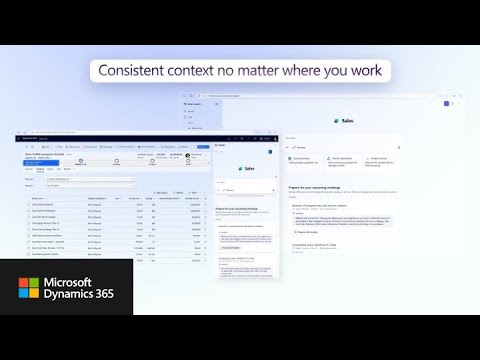
This video is hosted on YouTube
This content is hosted by YouTube. The player loads only after you allow marketing cookies.
Official vendor video
Verified: 15 Aug 2026
Open source ↗Official video · HubSpot
Source: HubSpot
Evidence chain
Automate Lead Follow-Up → Follow-up triggers → HubSpot
Supports
Demonstrates
Does not establish
Official video may support visible behavior for mapped criteria only — not pricing, plan entitlement, or full requirement support.
This video is hosted on YouTube
This content is hosted by YouTube. The player loads only after you allow marketing cookies.
Official vendor tutorial
Lead management workflow — capture through assignment and follow-up
Verified: 14 Aug 2026
Open source ↗Official video · pipedrive
Source: Pipedrive
Evidence chain
Automate Lead Follow-Up → pipedrive
Supports
Demonstrates
Does not establish
Official video may support visible behavior for mapped criteria only — not pricing, plan entitlement, or full requirement support.

This video is hosted on YouTube
This content is hosted by YouTube. The player loads only after you allow marketing cookies.
Official vendor tutorial
Verified: 15 Aug 2026
Open source ↗Official video · zoho-crm
Source: Zoho
Evidence chain
Automate Lead Follow-Up → zoho-crm
Supports
Demonstrates
Does not establish
Official video may support visible behavior for mapped criteria only — not pricing, plan entitlement, or full requirement support.

This video is hosted on YouTube
This content is hosted by YouTube. The player loads only after you allow marketing cookies.
Official vendor tutorial
How Zoho CRM workflow rules automate sales steps after setup.
Verified: 15 Aug 2026
Open source ↗