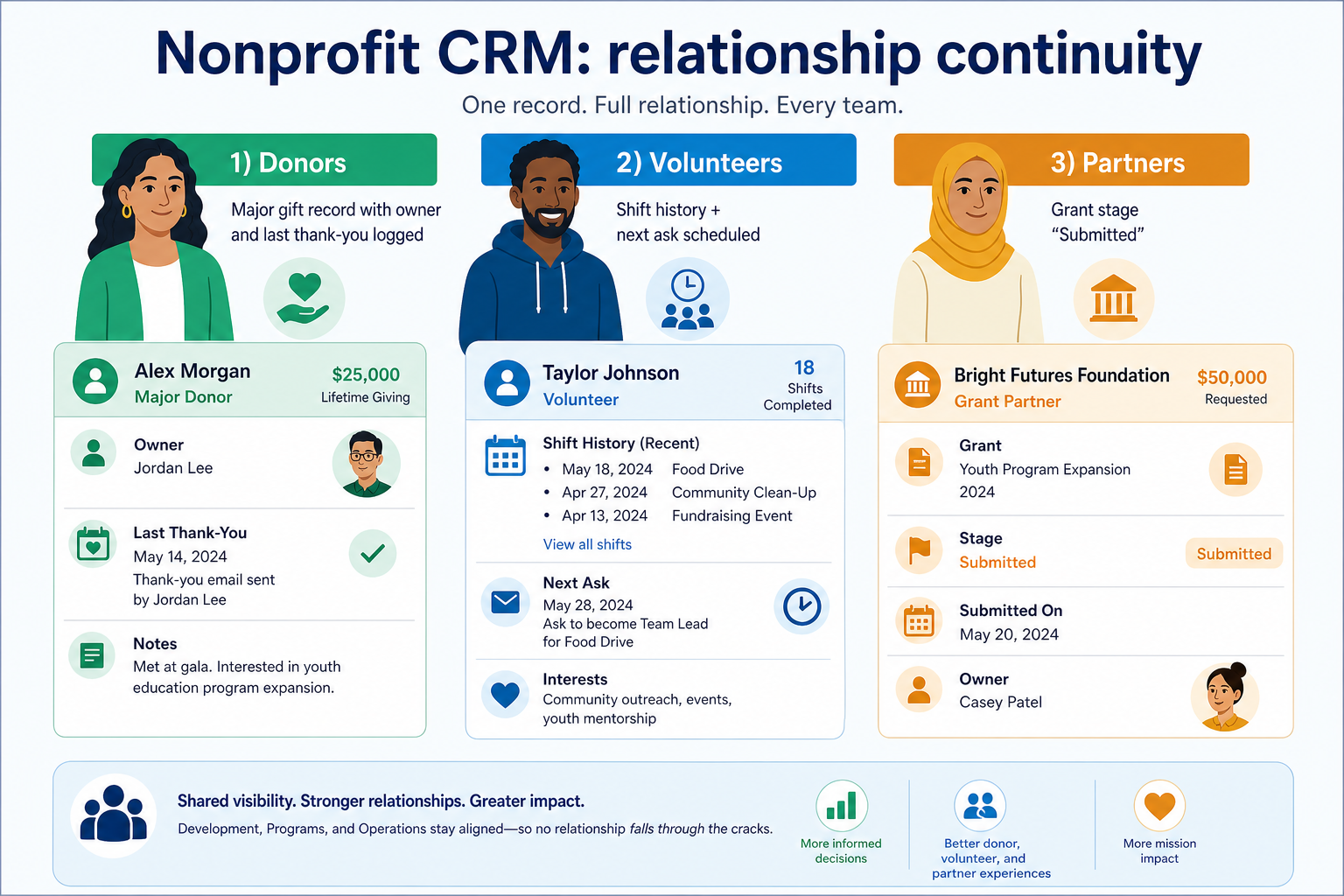

Crm
Pipeline-first sales CRM for visual deal management, activity-based selling, and growing sales teams.
Business type / Nonprofits
Track donors, volunteers, and stakeholders with relationship discipline — not a forced B2B sales process.
At a glance
Relationship continuity
Development, programs, and volunteer coordinators
Contact history · Outreach ownership · Segmentation · Reporting
9 products to explore
Fit snapshot
Nonprofit teams often need relationship history and outreach ownership more than classic deal stages. Evaluate whether a general CRM, a donor platform, or a hybrid fits the real workflow.
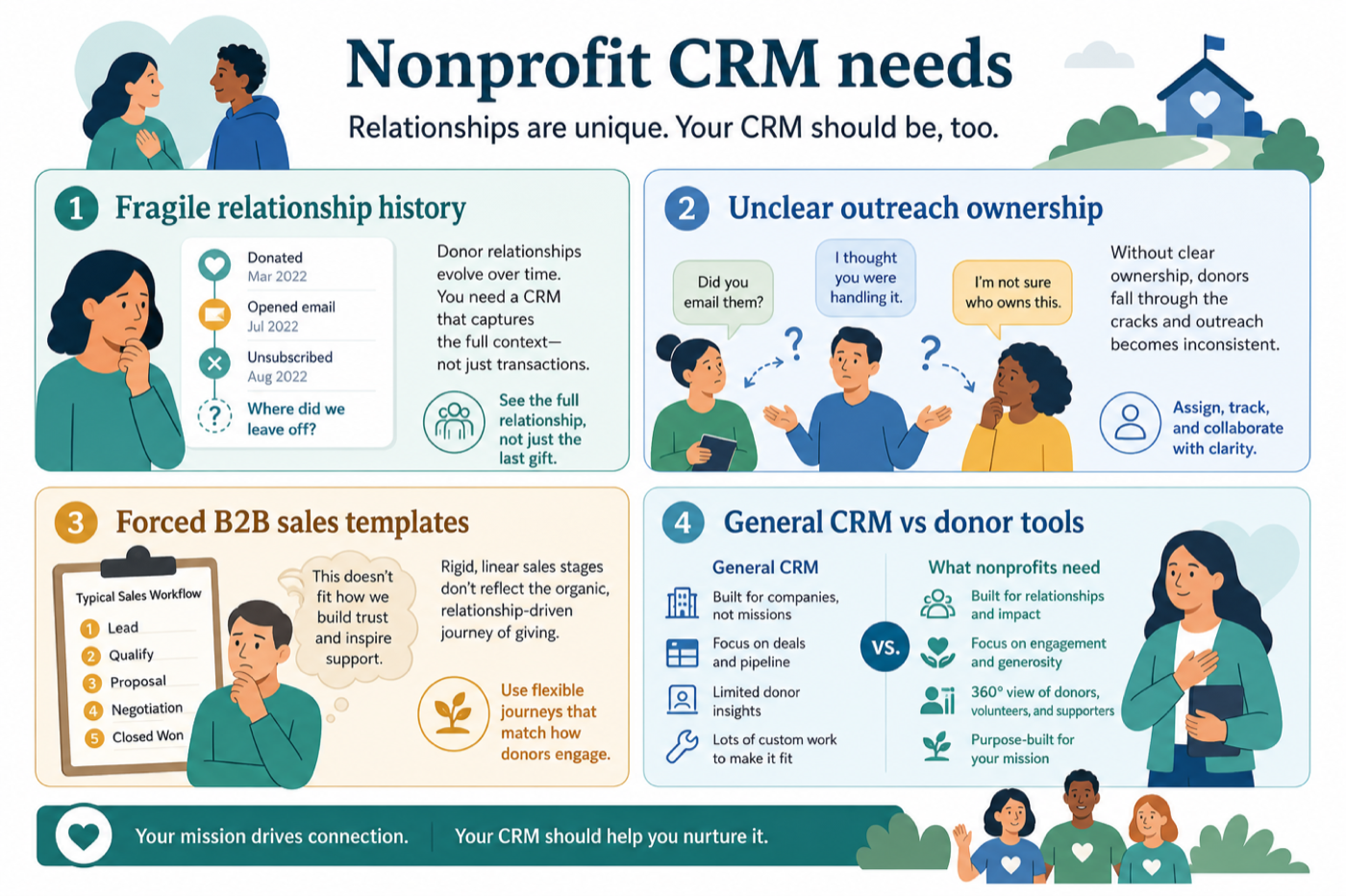
Nonprofit teams coordinating donors, volunteers, partners, and sometimes grant pipelines. You may not “sell” in a classic sense, but you still need ownership, history, and follow-through across people.
How nonprofits put CRM to work
Example 1
a regional nonprofit
Before CRM
quarterly outreach depended on whoever still had the old spreadsheet
After CRM
volunteer and major-donor interactions sit in one system with clear owners
Example 2
a regional nonprofit
Before CRM
a departing development lead left relationship history in personal spreadsheets
After CRM
major-donor touches and volunteer shifts live in one system the next hire can inherit
These are the operating problems that usually push nonprofits toward CRM — not feature wish lists.
Without CRM discipline: Staff turnover erases who was promised what.
Without CRM discipline: Two people email the same donor — or nobody does.
Without CRM discipline: Deal stages that do not match donor or volunteer journeys.
Without CRM discipline: Buying the wrong shape of tool for gift processing vs relationship ops.
A CRM only helps when the team keeps owners, history, and next steps current. Here is what “good” looks like for nonprofits.
With a maintained CRM: Every meaningful touch is logged on the person or organization record.
With a maintained CRM: Explicit owners and next dates prevent both collisions and silence.
With a maintained CRM: Model the real journey (stewardship, engagement, grants) instead of copying a software sales board.
With a maintained CRM: Separate “relationship system of record” needs from specialized fundraising operations before you buy.
Relationships survive turnover.
Owners and history reduce duplicate asks.
Grants or partnerships get stages that match reality.
Map people and journeys first (donor, volunteer, partner) before copying a sales pipeline template.
Every meaningful touch should be findable later.
Explore →
Know who follows up with each stakeholder.
Explore →
Activity and pipeline views that match your programs.
Explore →
Prefer tools you can staff and afford sustainably.
Explore →
If fundraising workflows dominate, evaluate purpose-built options alongside general CRM.
Start with must-haves that match day-to-day work. Nice-to-haves can wait until the basics are trusted.
Who follows up, by when.
Lists for campaigns without a data warehouse.
How a nonprofit keeps donor/volunteer relationship history with clear outreach ownership.
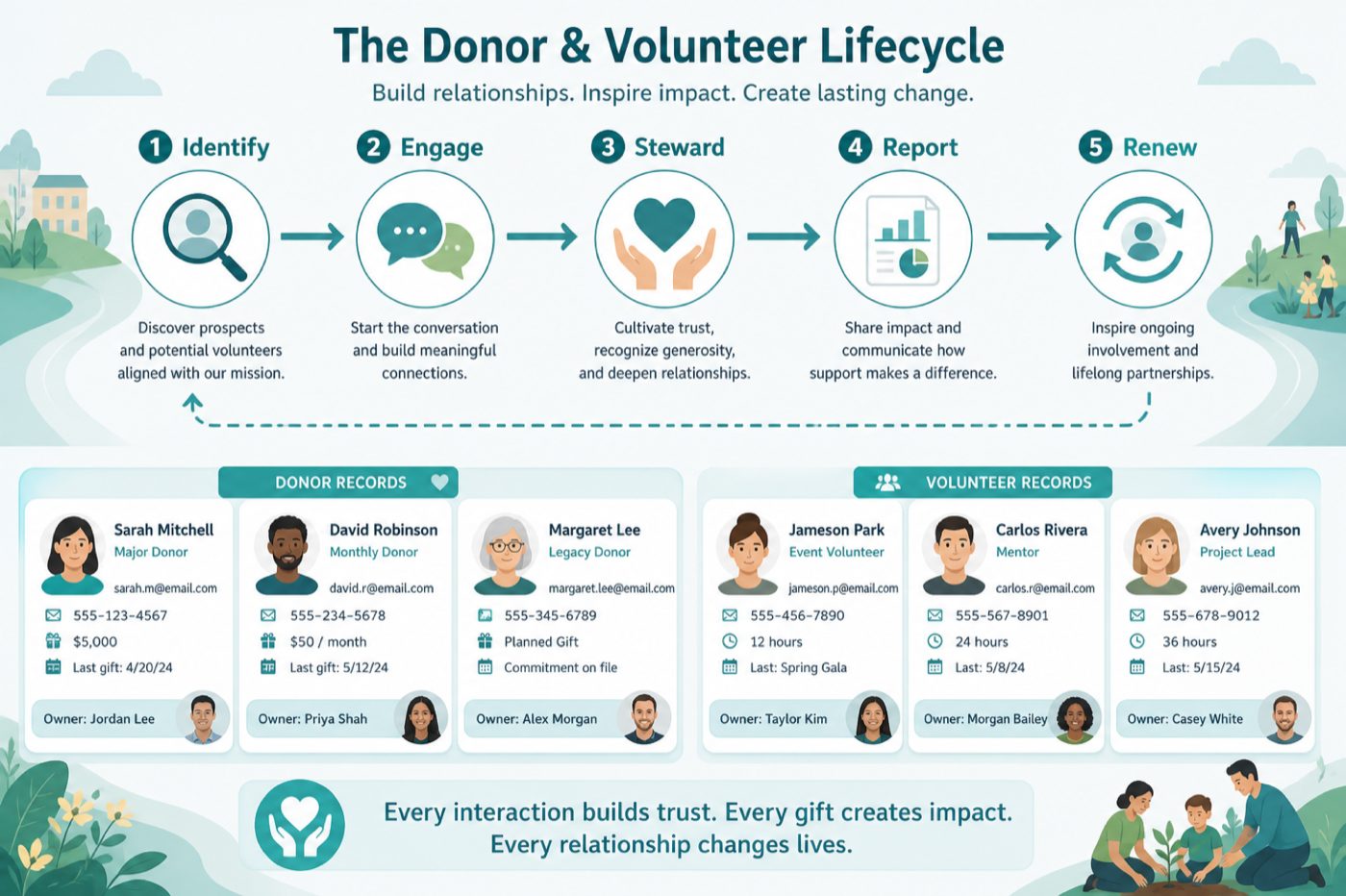
Person or org enters the system with a role (donor, volunteer…).
Touches are logged with an owner.
Next asks respect history and timing.
Activity views support board or program updates.
Renewals and re-engagement get planned tasks.
Use these as decision checks — not as product rankings.
Good fit when
Multiple people touch the same relationships
Watch out
Heavy fundraising features may need a donor CRM
Usually avoid
Forcing a B2B sales template onto donors
Best when: Major gifts and renewals need consistent follow-up.
Best when: People and engagement history matter more than deal stages.
Best when: Opportunities resemble a pipeline with stages and owners.
These CRM products commonly fit nonprofits. This is a starting shortlist to review — not a ranked best-of list. Affiliate relationships never change what appears here.
Crm
Pipeline-first sales CRM for visual deal management, activity-based selling, and growing sales teams.

Crm
Enterprise CRM platform for sales, service, marketing, and customer data across large and mid-market teams.

Crm
AI-powered customer platform with free forever CRM, plus paid Smart CRM seats and Sales/Marketing/Service hubs for growing teams.

Crm
Microsoft Dynamics 365 Sales CRM for pipeline management, forecasting, and Microsoft 365 / Copilot workflows.

Crm
Affordable multi-edition sales CRM with free tier, automation, and Zia AI across Standard through Ultimate.

Crm
Modern, flexible CRM for startups and GTM teams with a data-model-first workspace and AI assistance.

Crm
Google Workspace-native CRM for pipeline and relationship management inside Gmail and Google apps.
Work OS–style sales CRM from monday.com for visual pipelines, automations, and team collaboration.

Crm
Small-business CRM with pipelines, marketing add-ons, and AI assistance on a clear per-user ladder.
Lost follow-ups, unclear ownership, or forecast chaos — pick one primary pain.
Contacts, pipeline stages, email/calendar sync, reporting — skip vanity features.
Someone must own fields, users, and hygiene weekly. No owner → no CRM value.
Import a slice of live data and run a week of actual follow-ups — not a demo script.
Trial evaluation guide →Straightforward CRM for owners and small teams who need shared contacts and a simple pipeline.
CRM for agencies juggling clients, pitches, retainers, and handoffs across delivery teams.
Maintain ongoing customer context beyond the first closed deal.
Keep people, companies, and interaction history in one searchable system.
Forecast and pipeline reporting managers can trust without spreadsheet rebuilds.
Next steps for nonprofits evaluating CRM — decision tools and pages. Affiliate relationships never change recommendations.
Use Finder for a fit-based shortlist, compare catalogue products, or build a requirements checklist before demos. Affiliate relationships never change order.
Want clearer software shortlists? Get buying guides and comparisons by email.
Newsletter coming soon.