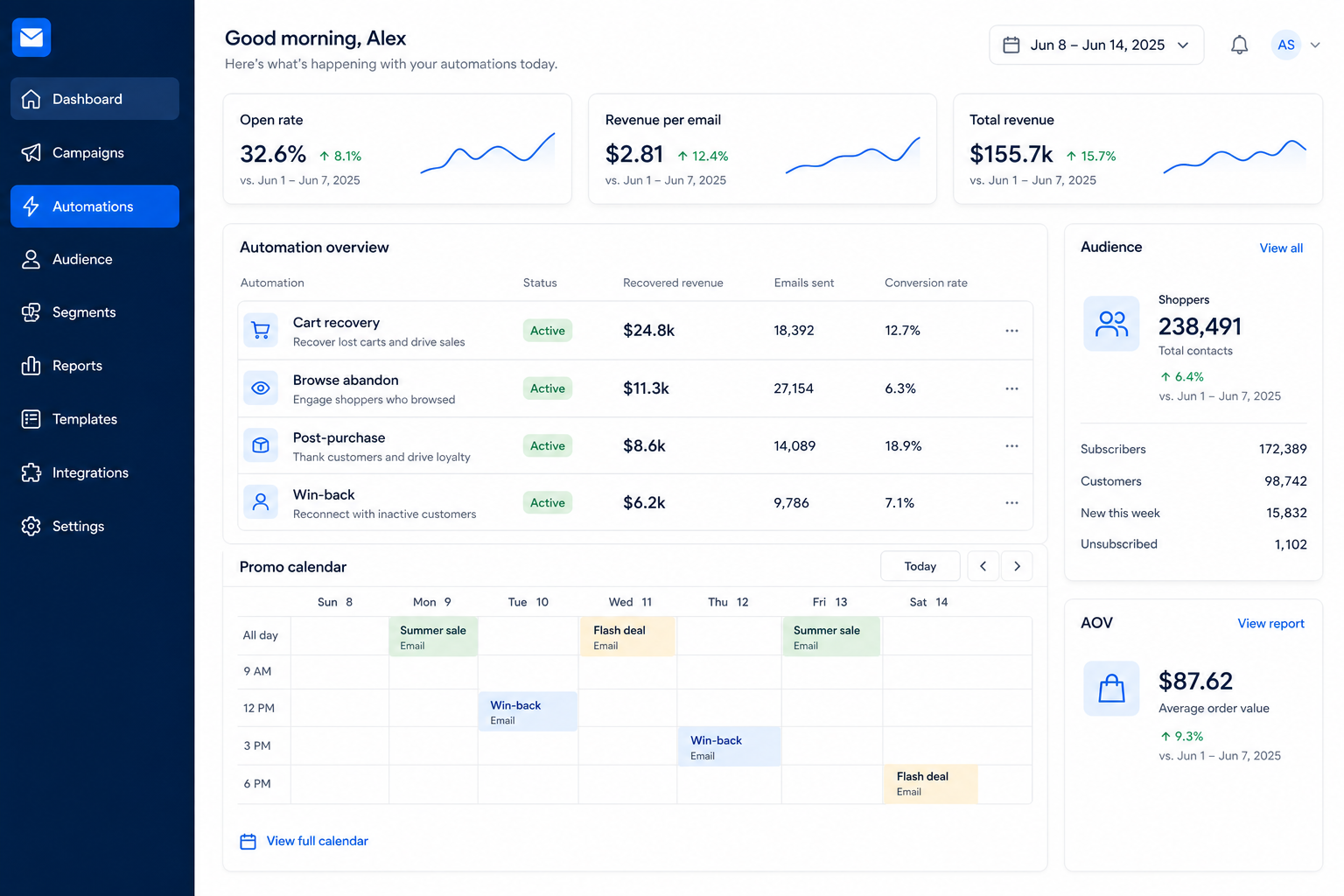
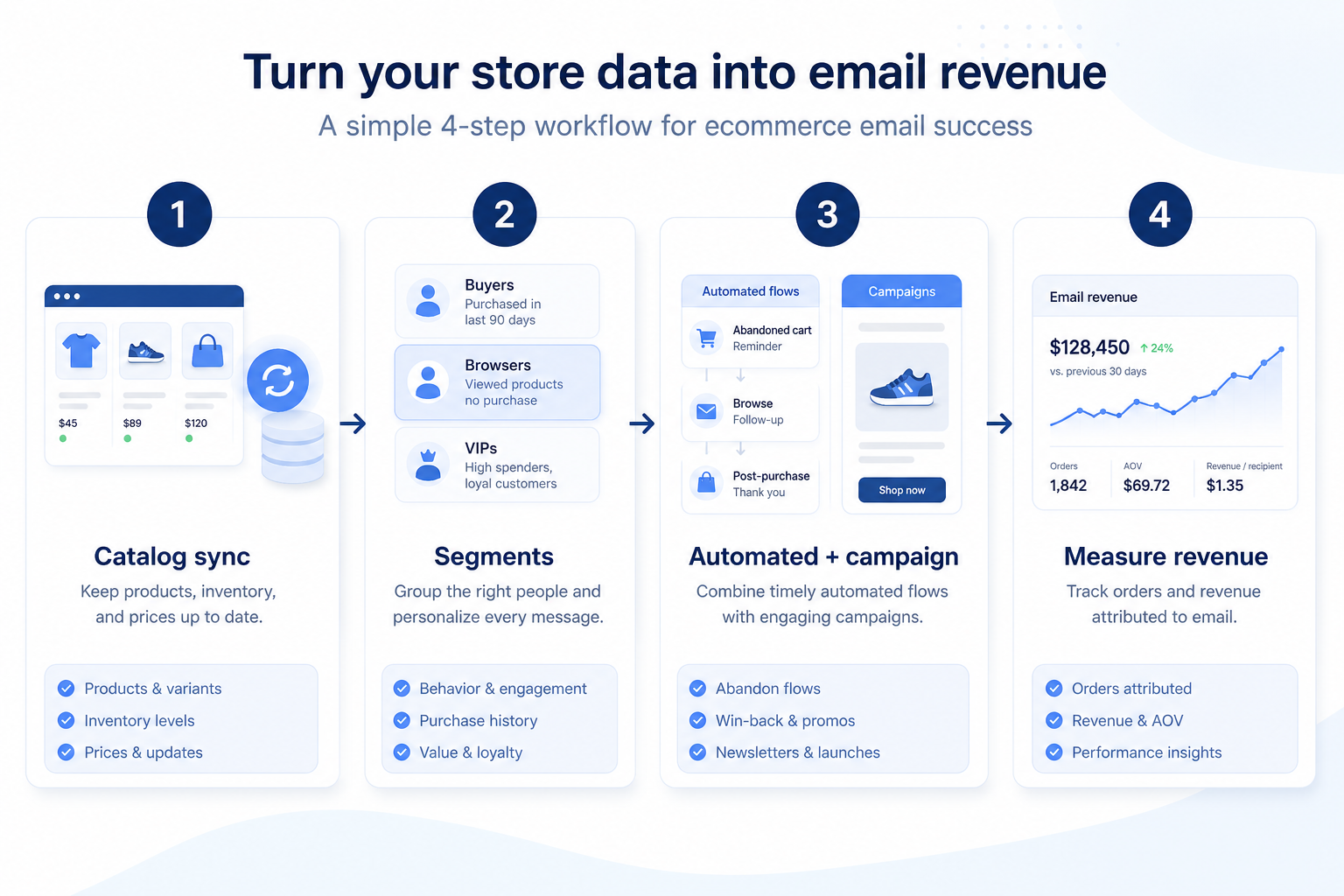
Ecommerce email is the ESP job of using store and catalog data to send relevant campaigns and automations to subscribers and customers. The commerce platform remains the order system of record; the ESP owns messaging, journeys, and campaign measurement.
Store integration
Cart / browse triggers
Product blocks
Revenue attribution signals
List hygiene at volume
What usually breaks in ecommerce email — and how to evaluate integrations first.
Who this is for
DTC brands, ecommerce marketers, and SMB stores that need revenue email beyond a generic newsletter. You have (or will have) store events and want cart, browse, and lifecycle messaging tied to permission-based contacts.
Real-world examples
How teams put email marketing software to work for ecommerce email
1
Example 1
Northline Goods on Shopify
Before ecommerce email tooling
abandoned carts got a single manual reminder
After ESP + store sync
cart and post-purchase journeys run automatically while orders stay in Shopify
2
Example 2
a wholesale-plus-DTC brand. Segmented promo campaigns target VIP buyers without blasting the full list — reducing unsubscribes during sale weeks.
Challenges in ecommerce email
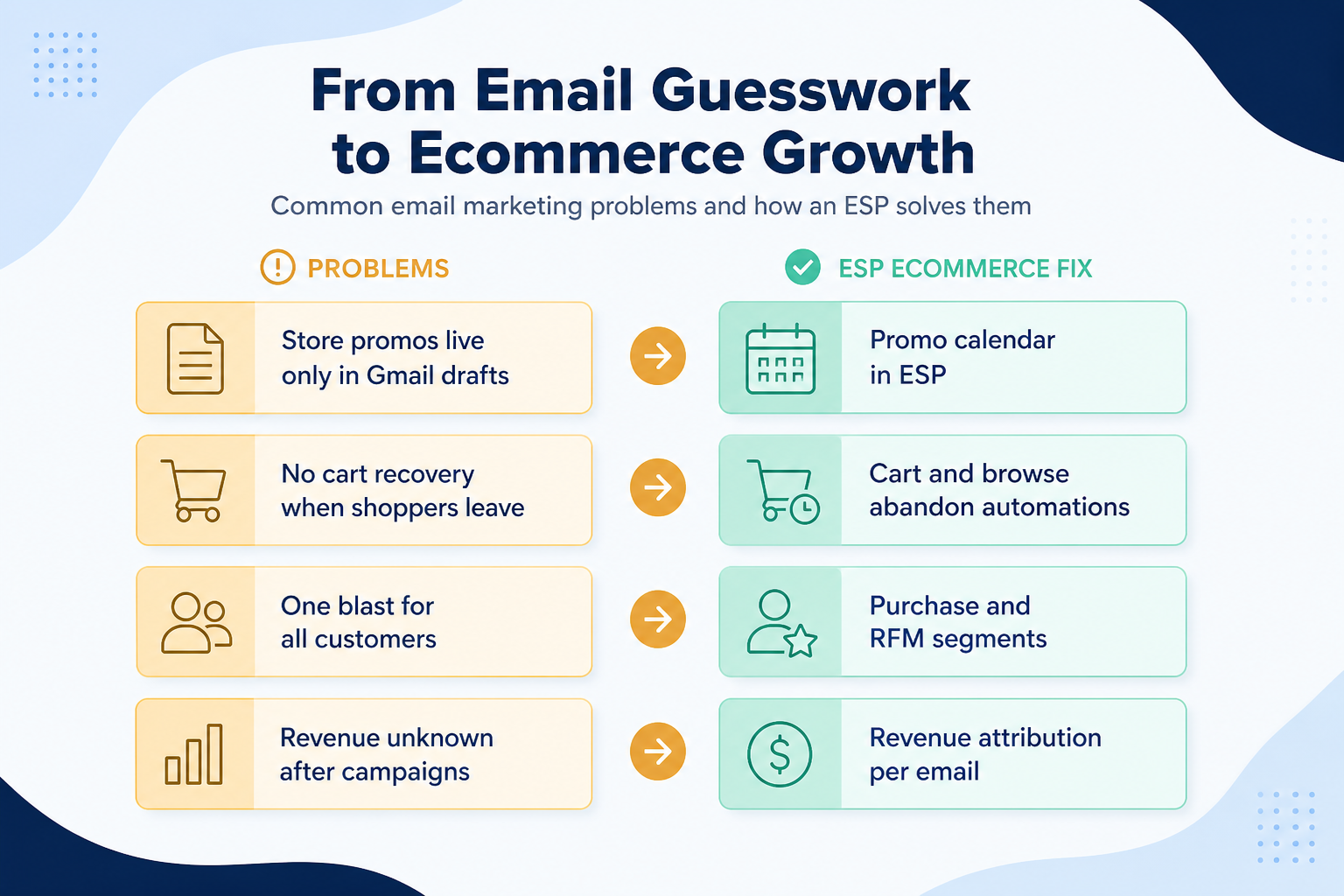
These are the operating problems that usually push teams toward email marketing software for ecommerce email — not feature wish lists.
Store events never reach email
Without list & journey discipline: Cart and purchase data stay trapped in the commerce admin.
Everyone gets the same promo
Without list & journey discipline: Sale blasts ignore purchase history and drive unsubscribes.
Revenue numbers disagree
Without list & journey discipline: ESP and store report different conversion stories.
Promo volume hurts inbox placement
Without list & journey discipline: Heavy campaigns without hygiene damage the domain.
How email marketing software helps with ecommerce email
Fit depends on operating the email marketing software with clear owners and hygiene. Here is what “good” looks like for ecommerce email.
Store events never reach email
With the right ESP setup: Native or reliable ecommerce integrations feed triggers and segments.
Everyone gets the same promo
With the right ESP setup: Segments and product blocks personalize offers responsibly.
Revenue numbers disagree
With the right ESP setup: Agree which system owns order truth; use ESP for messaging metrics.
Promo volume hurts inbox placement
With the right ESP setup: Engagement segments and auth tooling protect sending reputation.
Outcomes teams aim for
Automated recovery journeys
Cart and browse paths run without manual reminders.
More relevant promos
Segments reduce spray-and-pray blasts.
Post-purchase lifecycle coverage
Onboarding and replenishment paths become standard.
Clearer channel measurement
Teams know which journeys deserve budget and attention.
What matters for ecommerce email
Prioritize ecommerce integrations, product/cart triggers, and revenue reporting hooks — not generic template beauty alone.
1
Commerce integration quality
Events and catalog must be trustworthy.
2
Core journey coverage
Cart and post-purchase before exotic flows.
3
Volume hygiene
Engagement segments protect the domain.
What ecommerce email usually needs
Start with must-haves your team will use weekly. Treat nice-to-haves as later upgrades — not day-one blockers.
Compare two products against the same workflow using researched assessments. Official demos help you see the workflow — they do not change support status.
Turn this use case into email marketing requirements
Based on the ecommerce email workflow, buyers commonly evaluate the checklist below. Nothing is written to your decision profile until you confirm in the tool.
□Sync contacts, products, and key events securely.
□Cart, browse, welcome, post-purchase — start with few.
□Segment promos; avoid full-list blasts by default.
□Auth domains; suppress cold contacts before big sends.
□Weekly look at journey and campaign contribution.
GetResponse is an AI-driven email marketing and lifecycle automation platform with newsletters, automation workflows, landing pages, funnels, webinars (higher plans), and ecommerce tools. Paid plans use contact-list tiers with unlimited monthly email sends; a forever-free plan an
Built-in store email can be enough early on. Teams usually move to an ESP when journeys, segmentation, and deliverability tooling outgrow native mail — while keeping the store as order system of record.
Which journeys should we launch first?
Start with welcome, abandoned cart, and post-purchase. Add browse and win-back after those are stable.