
This video is hosted on YouTube
This content is hosted by YouTube. The player loads only after you allow marketing cookies.
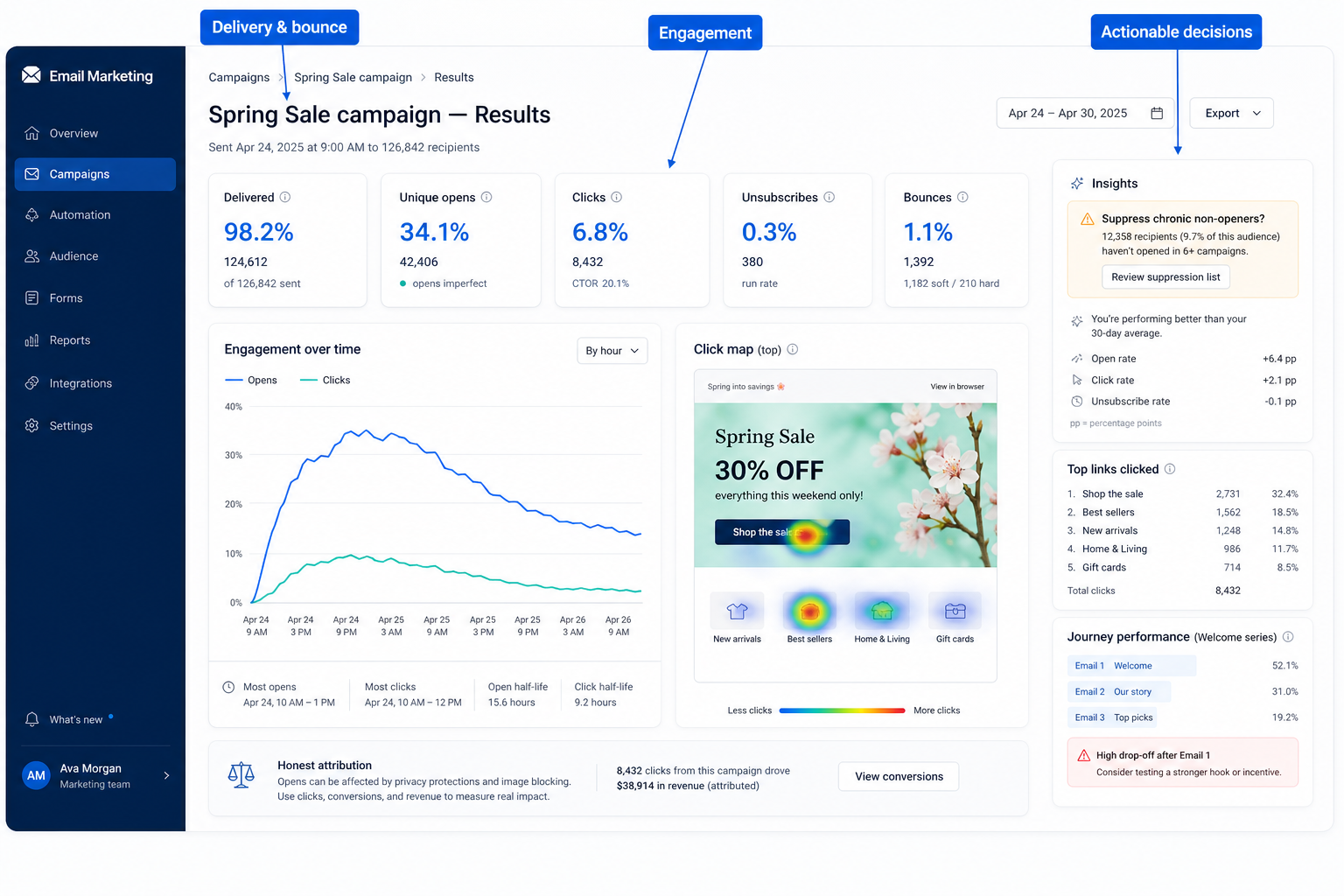
See delivery, engagement, and conversion signals so campaigns and journeys improve — not just send volume.
At a glance
Actionable campaign and journey reporting
Marketers, creators, and SMB operators running permission-based email
Delivery & bounce · Engagement · Journey funnel views · Export / share
9 products to explore
Fit snapshot
Email marketing analytics cover opens, clicks, delivery/bounce, unsubscribes, and often journey or revenue proxies. Treat privacy and attribution limits honestly — open rates are imperfect signals.
Anyone running recurring campaigns or journeys who needs a weekly review ritual.
How teams put CRM to work for analytics
Example 1
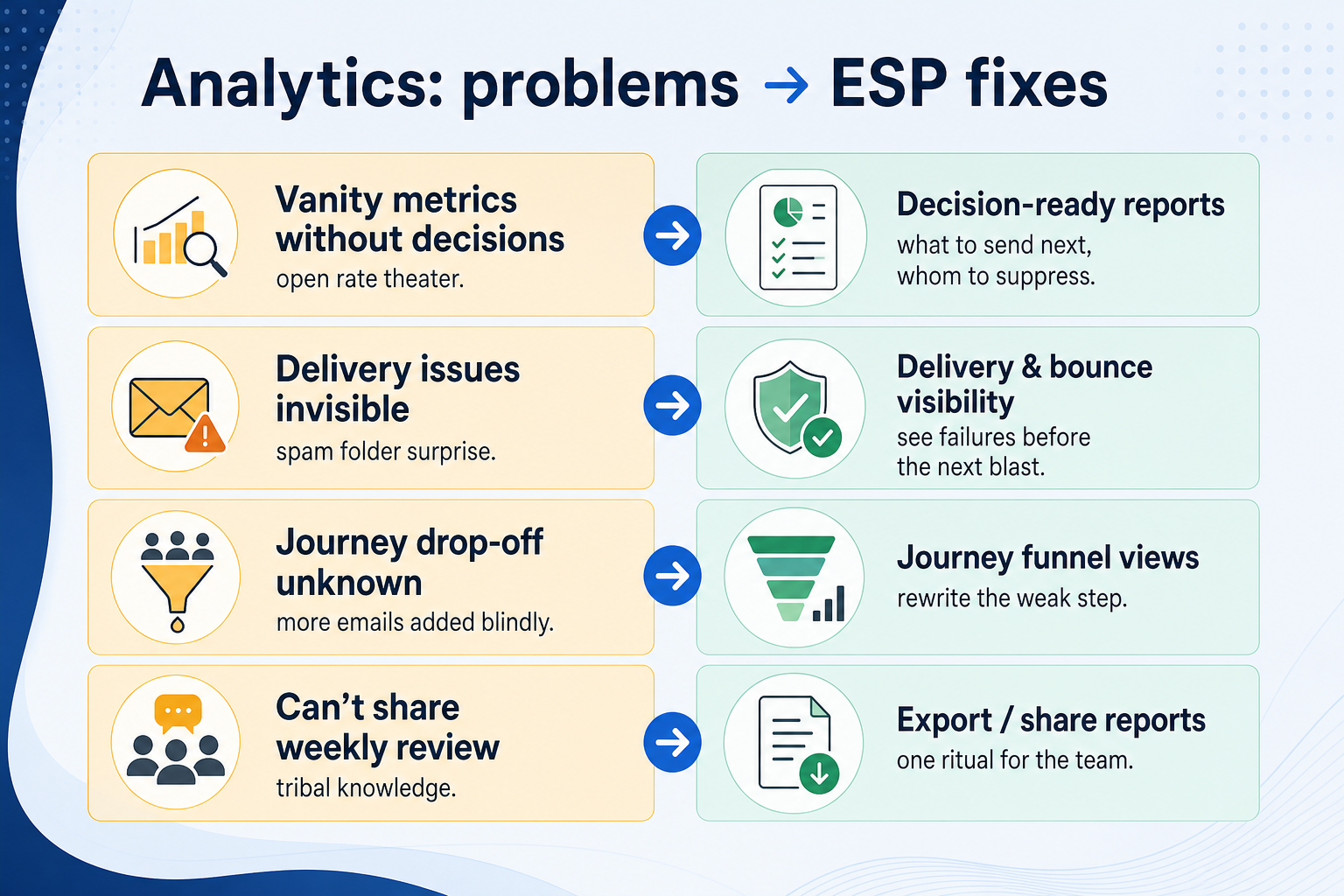
a team suppresses chronic non-openers after reviewing engagement reports, improving inbox placement on the next promo.
Example 2
journey analytics show drop-off on email three; the team rewrites that step instead of adding more emails.
These are the operating problems that usually push teams toward CRM for analytics — not feature wish lists.
Without CRM discipline: Dashboards impress; behavior does not change.
Without CRM discipline: Privacy changes make opens noisy.
Without CRM discipline: Weekly review never happens.
Without CRM discipline: Teams argue over numbers.
A CRM only helps when the team keeps owners, history, and next steps current. Here is what “good” looks like for analytics.
With CRM discipline: Tie reports to suppress, rewrite, or double-down actions.
With CRM discipline: Weight clicks, conversions, and unsub trends more heavily.
With CRM discipline: Saved reports and simple exports support a ritual.
With CRM discipline: Agree which system owns order truth; use ESP for messaging diagnostics.
A weekly review ritual
Same reports, same questions every week.
Data-informed hygiene
Suppressions based on engagement, not guesses.
Better content iteration
Rewrite steps that drop off.
Clearer stakeholder alignment
Shared numbers reduce anecdote wars.
Evaluate whether reports answer your decisions (what to send next, whom to suppress) — not dashboard prettiness alone.
Delivery & bounce as a buying lens for this capability.
Engagement as a buying lens for this capability.
Journey funnel views as a buying lens for this capability.
Start with must-haves your team will use weekly. Treat nice-to-haves as later upgrades — not day-one blockers.
Must-have
Nice-to-have
A simple operating loop beats a complex board nobody updates.
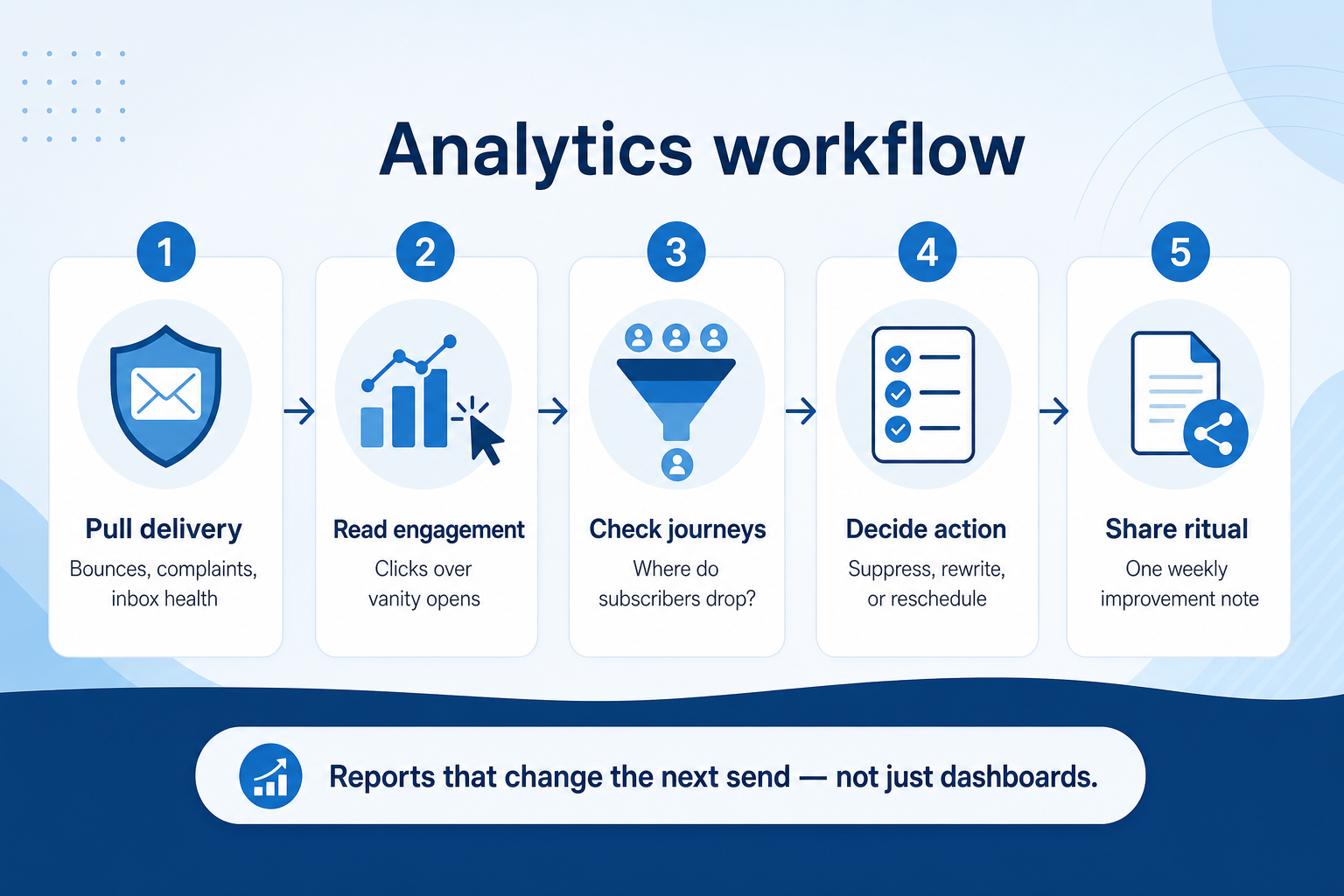
Delivery, click, unsub, bounce, one conversion proxy.
Same report every Monday.
What metric change triggers suppress/rewrite.
One link for stakeholders.
Drop unused charts.
Broader capability workflow demos for analytics — distinct from narrow feature walkthroughs.
Official vendor demonstrations help show how different CRM platforms approach the workflows, features and interactions that make up analytics. Absence of a video does not mean a product lacks the capability.

Campaign Monitor
Email Marketing Solutions | Campaign Monitor Product Overview
Focus: How Marigold (Campaign Monitor by Marigold) presents the product in an official vendor video.
This video is hosted on YouTube
This content is hosted by YouTube. The player loads only after you allow marketing cookies.
What this shows
What to notice
What this does not establish
Features visible in this demo
Particularly relevant to
Source: Marigold (Campaign Monitor by Marigold) · Verified 17 Aug 2026

AWeber
AI Sign-Up Form Builder: Personality Quiz, Postcard Flip, and a Playable Game / The Shift AI Show
Focus: How AWeber Systems, Inc. presents the product in an official vendor video.

This video is hosted on YouTube
This content is hosted by YouTube. The player loads only after you allow marketing cookies.
What this shows
What to notice
What this does not establish
Features visible in this demo
Particularly relevant to
Source: AWeber Systems, Inc. · Verified 17 Aug 2026
Evidence-backed workflow comparison using official vendor demos and screenshots — not a ranking or entertainment gallery. Absence of media does not mean a product lacks the capability.
Campaign Monitor
Campaign Monitor emphasizes
AWeber
AI Sign-Up Form Builder: Personality Quiz, Postcard Flip, and a Playable Game / The Shift AI Show
Open source ↗AWeber emphasizes
SoftwareGlimpse take
Campaign Monitor evidence emphasizes Official product walkthrough: lists/segments; AWeber evidence emphasizes Product demo of AWeber AI signup-form builder. These are observations from official sources, not inferred brand philosophy.
Best when
You need this capability without enterprise complexity.
Best when
Volume and journey depth make this capability blocking.
Catalogue products tagged to related use cases for analytics. Inclusion here is not a ranking.

Email Marketing
Email marketing automation ESP with multi-step journeys; CRM pipelines strongest on Plus+; contact-based pricing.

Marketing
Enterprise B2B marketing automation platform (Adobe Marketo Engage) — custom quote; CRM secondary.

Email Marketing
GetResponse is an AI-driven email marketing and lifecycle automation platform with newsletters, automation workflows, landing pages, funnels, webinars (higher plans), and ecommerce tools. Paid plans use contact-list tiers with unlimited monthly email sends; a forever-free plan an
Email Marketing
Creator- and SMB-focused email marketing with free forever, Lite/Plus tiers, and landing pages.
Email Marketing
Design-led email marketing by Marigold with contact-tier Lite, Essentials, Premier, and Enterprise.

Email Marketing
Email verification and list hygiene platform for cleaner sends and stronger sender reputation.

Email Marketing
Email deliverability and reputation repair via seed engagement and inbox placement tooling.

Email Marketing
Ecommerce email + SMS platform with Shopify-native flows, revenue attribution, and active-profile billing.

Email Marketing
Multi-channel email marketing with send-based pricing, a generous free plan, and CRM-lite tools — formerly Sendinblue.
Loading evidence explorer…
No. Fit depends on your primary email job, list size, and which requirements are must-haves. Use the Best Email Marketing shortlist and requirements guide rather than starting from a single ranking.
CRM capabilities often log sales activity on records. Email marketing capabilities support permission-based campaigns and journeys at list scale. Many teams use both connected.
Create, schedule, and measure permission-based marketing email campaigns.
Multi-step permission-based email journeys triggered by subscriber events.
Build audiences from attributes, behavior, and lists for targeted email.
Domain authentication guidance and sending-health aids for marketing email.
Part of CRM capabilities · CRM Software hub
Want clearer software shortlists? Get buying guides and comparisons by email.
Newsletter coming soon.
Explore the official documentation, screenshots and product demonstrations used to understand how each CRM implements analytics.
2 items
Official video · AWeber
Supports
Demonstrates
This video is hosted on YouTube
This content is hosted by YouTube. The player loads only after you allow marketing cookies.
Official vendor video
How AWeber Systems, Inc. presents the product in an official vendor video.
Verified: 17 Aug 2026
Open source ↗Official video · Campaign Monitor
Supports
Demonstrates
This video is hosted on YouTube
This content is hosted by YouTube. The player loads only after you allow marketing cookies.
Official vendor video
How Marigold (Campaign Monitor by Marigold) presents the product in an official vendor video.
Verified: 17 Aug 2026
Open source ↗