
Email Marketing
Email marketing automation ESP with multi-step journeys; CRM pipelines strongest on Plus+; contact-based pricing.
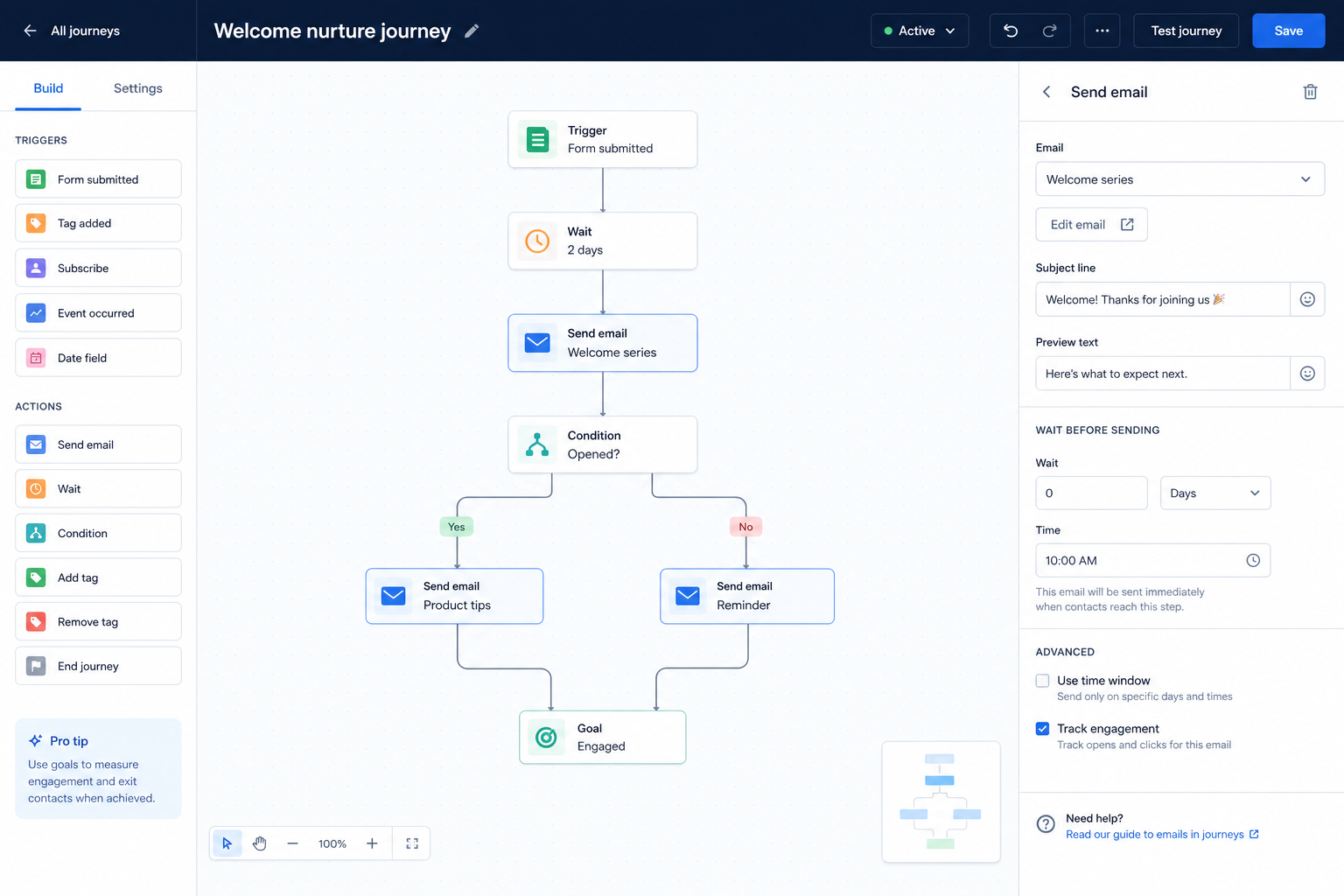
Run multi-step permission-based journeys triggered by subscriber behavior — not one-off blasts.
At a glance
Reliable multi-step email journeys on opted-in contacts
Marketing-led SMBs and growth marketers
Triggers & branching · Plan workflow limits · Segmentation · CRM / shop sync
9 products to explore
Fit snapshot
Marketing automation in the email marketing sense means multi-step workflows centered on email: welcome series, nurture paths, and behavioral triggers for opted-in subscribers. This hub scopes the ESP automation job — not a full multi-channel MAP or CRM sales sequencing.
Marketing-led SMBs and growth teams that need journeys beyond a newsletter calendar. You already have (or can grow) a permission-based list and need triggers, branching, and follow-ups that do not depend on someone remembering to send.
How teams put email marketing software to work for marketing automation
Example 1
a B2B SaaS trial team
Before automation
trial users got a manual email sequence from a spreadsheet
After ESP automation
signup triggers a welcome path with branching on product usage tags — marketers review the journey weekly instead of chasing individual sends
Example 2
an ecommerce brand recovering abandoned carts. Event triggers and timing rules live in the ESP; store order data remains the commerce system of record.
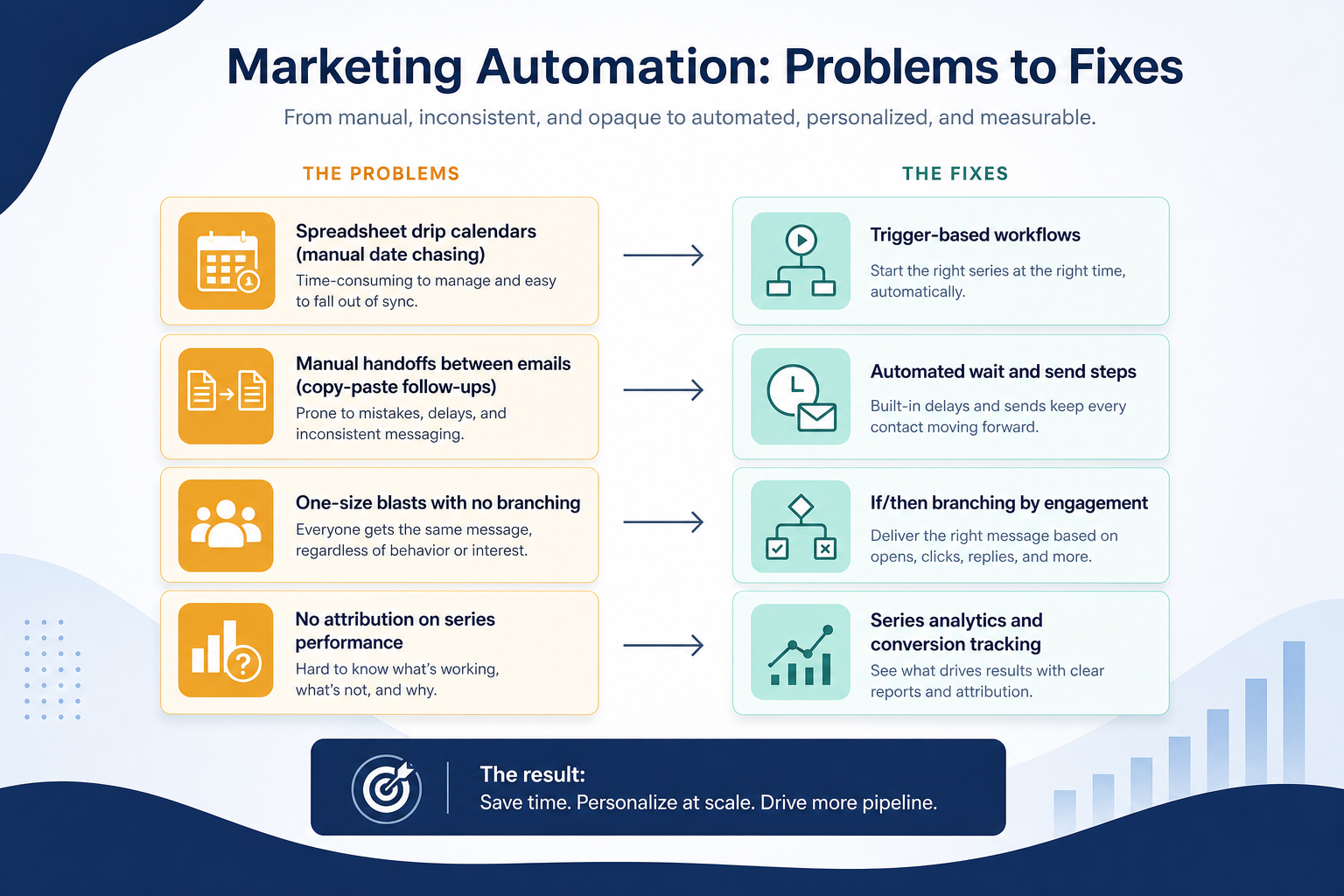
These are the operating problems that usually push teams toward email marketing software for marketing automation — not feature wish lists.
Without list & journey discipline: Leads go cold because follow-ups are manual.
Without list & journey discipline: The journey that sold you is locked behind an upgrade.
Without list & journey discipline: Irrelevant messages drive unsubscribes.
Without list & journey discipline: Tags and stages drift between systems.
Fit depends on operating the email marketing software with clear owners and hygiene. Here is what “good” looks like for marketing automation.
With the right ESP setup: Event-triggered workflows send the next step without inbox babysitting.
With the right ESP setup: Test must-have workflows on the plan you will buy.
With the right ESP setup: Segmentation and branching keep journeys relevant.
With the right ESP setup: Written sync rules and owners keep lifecycle fields consistent.
Always-on nurture paths
Triggered journeys replace spreadsheet follow-ups.
More relevant messaging
Branching and segments reduce one-size-fits-all sends.
Journey-level measurement
See where paths convert or drop off.
Scale without headcount
Volume grows without proportional manual sends.
Evaluate trigger types, branching, plan-tier workflow limits, and how automations interact with your CRM or store — not the total number of recipe templates on a marketing site.
Events you actually generate must be supported.
Active workflows and branching on your tier.
CRM/shop fields stay trustworthy.
Start with must-haves your team will use weekly. Treat nice-to-haves as later upgrades — not day-one blockers.
Must-have
Nice-to-have
Understand what needs to happen before comparing how products implement each step. Support overlays use structured research — never video inference.
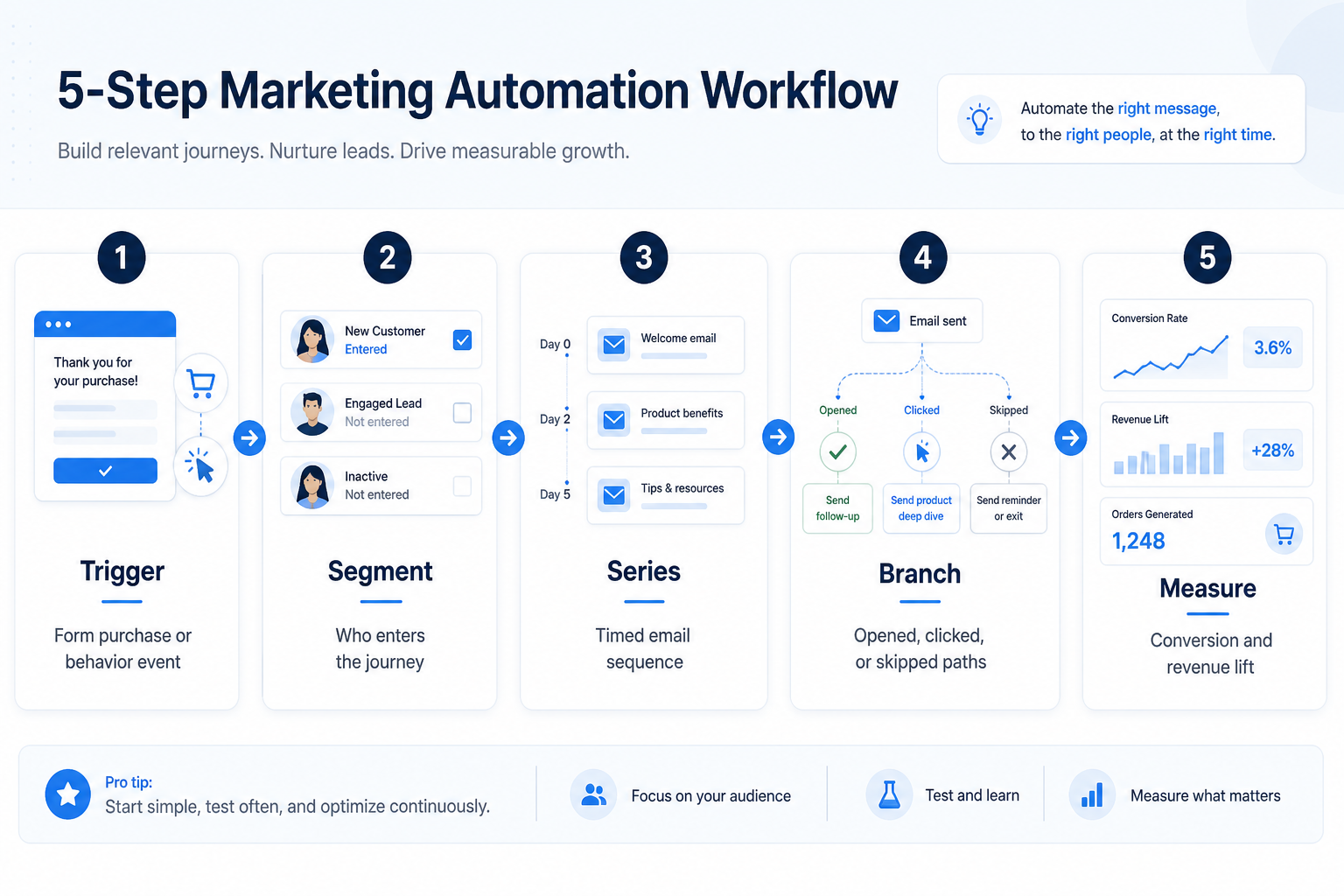
Support labels come from structured feature research — not from videos.
Objective
One clear path tied to a business outcome.
Next step
Next step
Next step
Next step
Compare two products against the same workflow using researched assessments. Official demos help you see the workflow — they do not change support status.

HubSpot
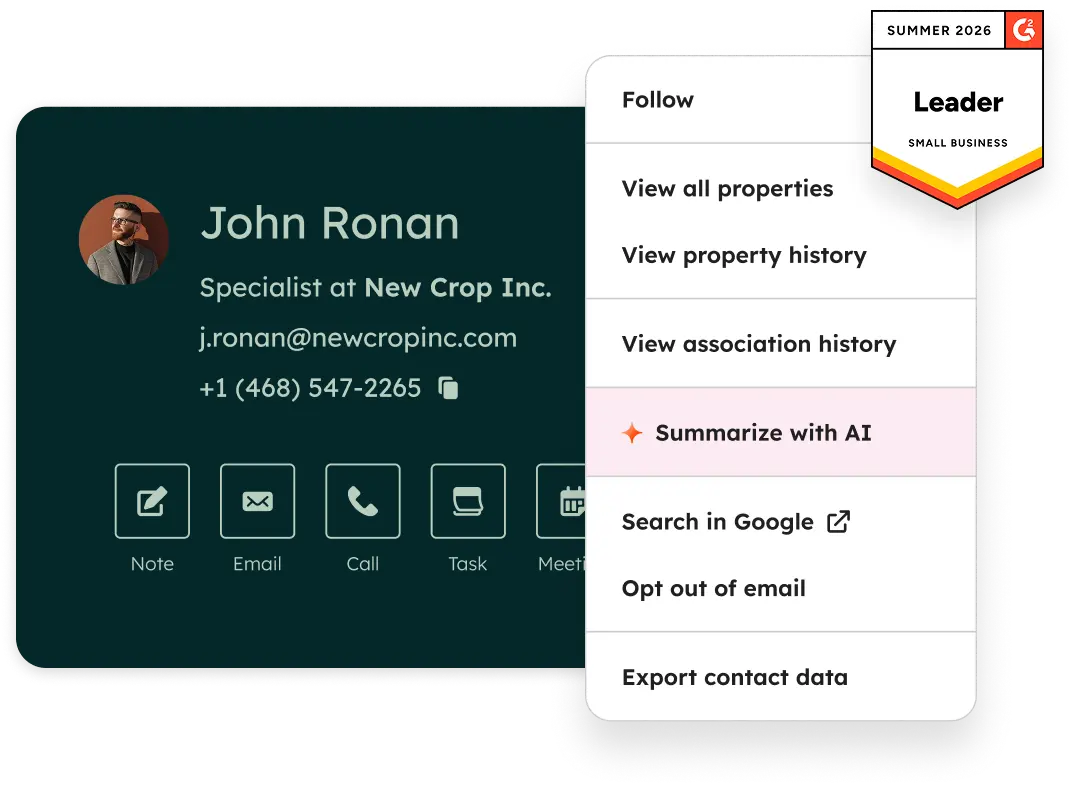
Official Free CRM hero product visualization.
What to notice
Not shown in this demo

Pipedrive

Pipedrive’s sales CRM product view as shown on the official site.
What to notice
Not shown in this demo
Canonical feature assessments for this workflow — not inferred from demos.
| Step | HubSpot | Pipedrive |
|---|---|---|
| Map the journey | Unknown | Unknown |
| Connect data | Unknown | Unknown |
| Build on target plan | Unknown | Unknown |
| Test | Unknown | Unknown |
| Operate | Unknown | Unknown |
Based on the marketing automation workflow, buyers commonly evaluate the checklist below. Nothing is written to your decision profile until you confirm in the tool.
Context: useCase=marketing-automation — tools apply this only after your confirmation.
Best when
New subscribers need a defined first-week path.
Best when
Longer consideration cycles need drip + branching.
Best when
Cart, browse, and post-purchase events drive revenue email.
Catalogue products that list marketing automation as a supported use case. Inclusion here is not a ranking. Official demo counts never change ranking.
Email Marketing
Email marketing automation ESP with multi-step journeys; CRM pipelines strongest on Plus+; contact-based pricing.
Marketing
Enterprise B2B marketing automation platform (Adobe Marketo Engage) — custom quote; CRM secondary.

Email Marketing
GetResponse is an AI-driven email marketing and lifecycle automation platform with newsletters, automation workflows, landing pages, funnels, webinars (higher plans), and ecommerce tools. Paid plans use contact-list tiers with unlimited monthly email sends; a forever-free plan an

Email Marketing
Design-led email marketing by Marigold with contact-tier Lite, Essentials, Premier, and Enterprise.

Email Marketing
Ecommerce email + SMS platform with Shopify-native flows, revenue attribution, and active-profile billing.

Email Marketing
Multi-channel email marketing with send-based pricing, a generous free plan, and CRM-lite tools — formerly Sendinblue.

Email Marketing
Simple email marketing for SMBs and creators with a free tier and approachable Comfort/Power subscriber plans.

Email Marketing
Ecommerce multichannel email, SMS, and web push with Shopify-centric automation — a common Klaviyo alternative.

Email Marketing
Creator and newsletter ESP (formerly ConvertKit) with landing pages, automations, and digital product selling.
Related but not identical. This hub covers email-centered journeys in an ESP. Full CRM/MAP suites may add ads, multi-channel orchestration, and deeper CRM objects — evaluate those only if that is your primary job.
Not necessarily. Start with campaigns and templates; add automation when welcome or nurture paths become the blocking job.
Educate and qualify opted-in leads with drips and journeys before sales or purchase handoff.
Connect store events to cart recovery, post-purchase, and segmented promo campaigns.
Compose, schedule, and measure recurring permission-based newsletters on a clean subscriber list.
Ship straightforward promo and update campaigns a small team can run without enterprise complexity.
Use Finder for a fit-based shortlist, compare products, or build a requirements checklist before demos.
How we review
Evaluation, verification, and refresh — no fake testing claims.
Editorial methodology
Category criteria and scores grounded in evidence.
Editorial policy
Authorship, evidence levels, scoring, and disclosures.
Corrections
Spot something outdated? Tell us.
Want clearer software shortlists? Get buying guides and comparisons by email.
Newsletter coming soon.