
This video is hosted on YouTube
This content is hosted by YouTube. The player loads only after you allow marketing cookies.
Ship recurring editorial and promo newsletters on a clean list — without redesigning every send from scratch.
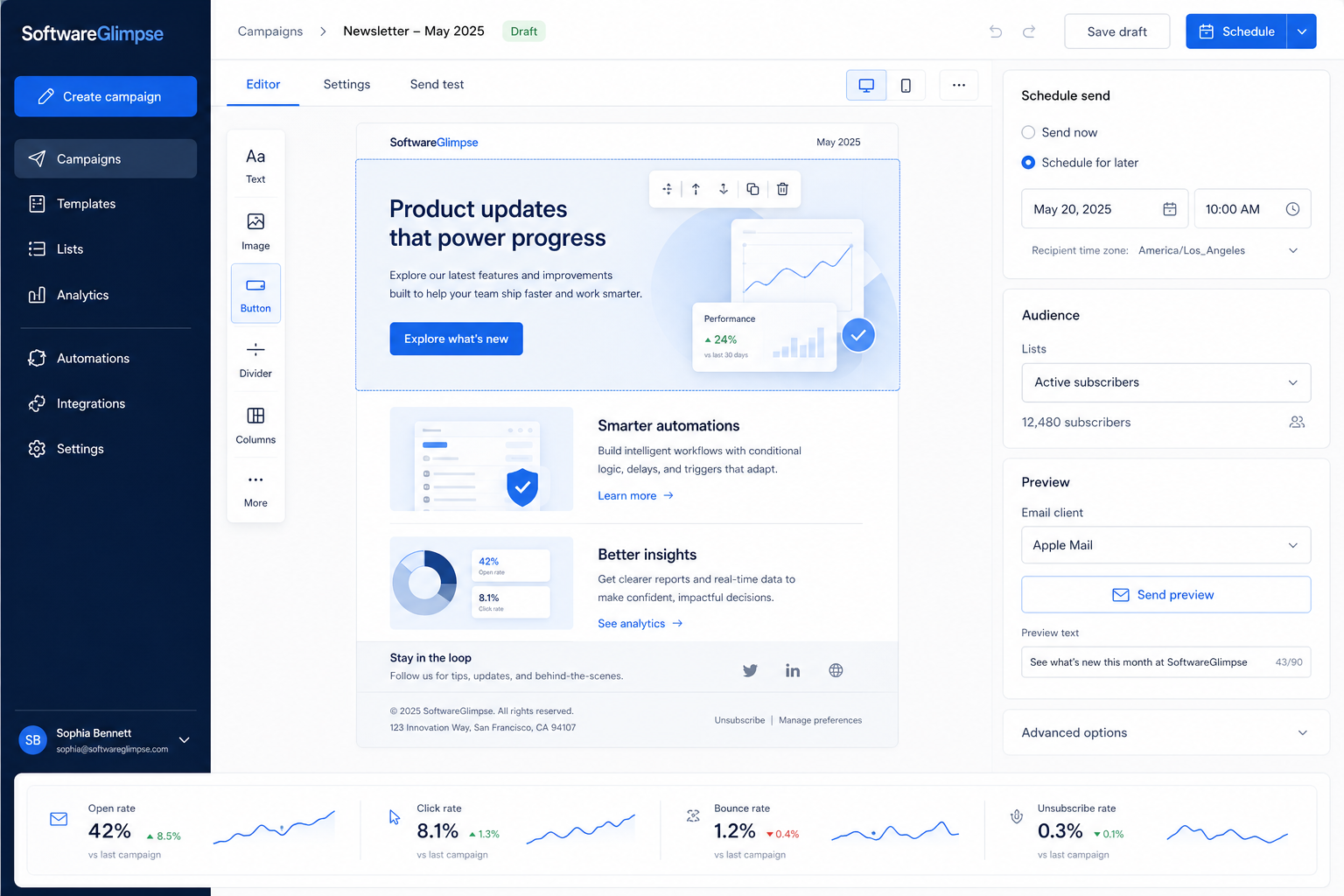
At a glance
Reliable recurring newsletter sends with clean list hygiene
Creators, content marketers, SMB marketing pairs
Reusable templates · Scheduling · List hygiene · Unsubscribe handling
9 products to explore
Fit snapshot
Newsletters are the email marketing job of composing, scheduling, and measuring recurring permission-based sends to a subscriber list. Teams use an ESP so templates, unsubscribes, and reporting stay in one place — not scattered across personal inboxes and design files.
Creators, content marketers, and small businesses whose primary cadence is a weekly or monthly newsletter. You are past one-off blasts and need reusable templates, list hygiene, and send analytics the whole team can trust.
How teams put email marketing software to work for newsletters
Example 1
a solo creator publishing a weekly industry roundup
Before an ESP
drafts lived in Google Docs and sends went from a personal Gmail
After an ESP
one template, a scheduled send, and unsubscribe handling sit in one workspace — so the newsletter survives vacation weeks
Example 2
a three-person SMB marketing pair
Before an ESP
each promo was redesigned from scratch and list removals were manual
After an ESP
shared templates and suppression keep Friday sends consistent
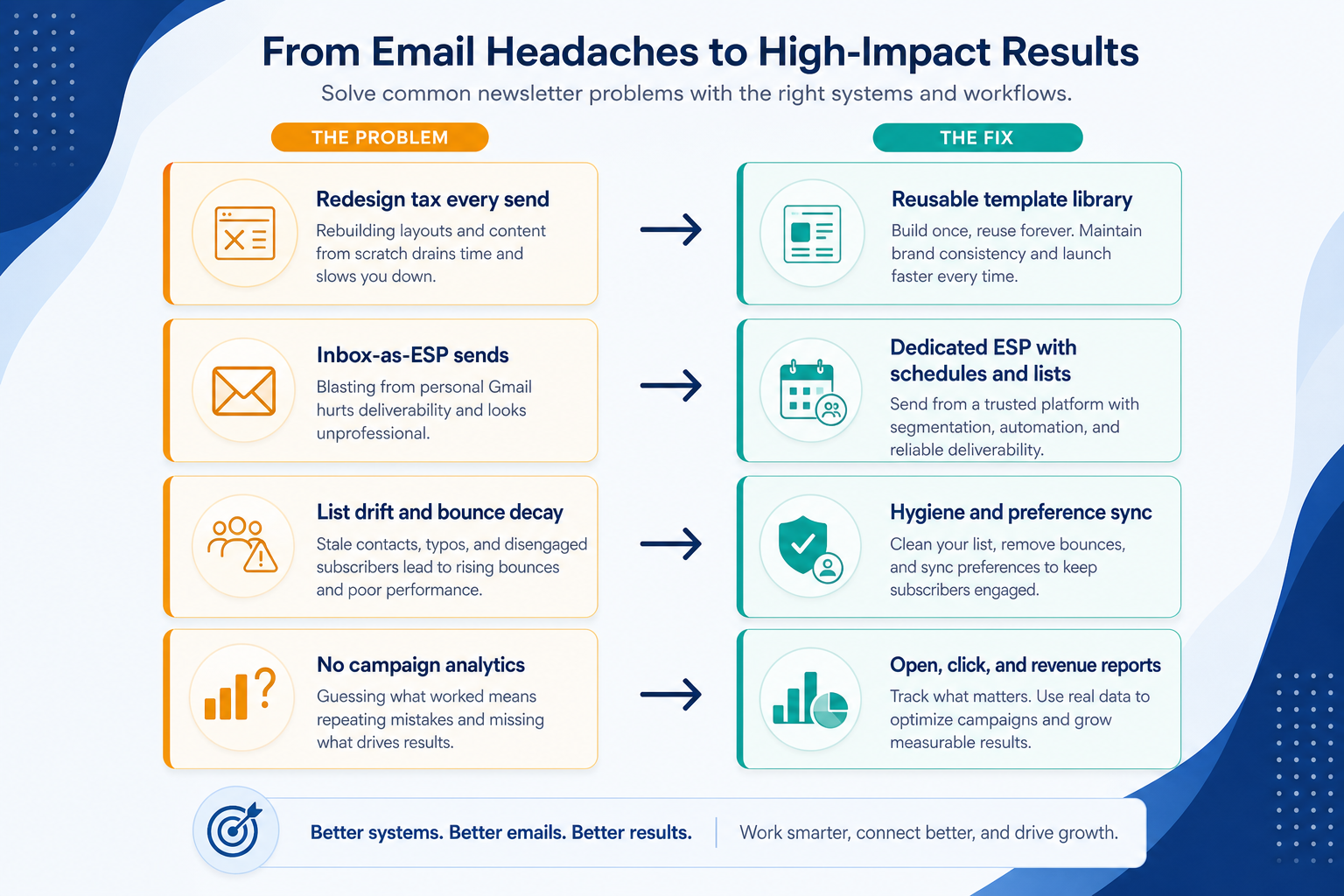
These are the operating problems that usually push teams toward email marketing software for newsletters — not feature wish lists.
Without list & journey discipline: Design time eats the publishing cadence.
Without list & journey discipline: No shared analytics, no proper unsubscribe, and reputation risk.
Without list & journey discipline: Bounces and disengaged contacts hurt deliverability.
Without list & journey discipline: Opens and clicks are guessed from anecdotes.
Fit depends on operating the email marketing software with clear owners and hygiene. Here is what “good” looks like for newsletters.
With the right ESP setup: Shared templates and brand kits make weekly composition repeatable.
With the right ESP setup: An ESP centralizes sending domain, suppression, and campaign reports.
With the right ESP setup: Subscriber management and engagement segments keep sends healthy.
With the right ESP setup: Campaign analytics give a weekly review starting point.
A sustainable send cadence
Templates and scheduling remove redesign tax.
Cleaner list operations
Unsubscribes and bounces are handled in-product.
Shared performance visibility
The team reviews the same campaign numbers.
More consistent brand presentation
Reusable layouts keep design within guardrails.
Prioritize editor and template quality, list/unsubscribe handling, and scheduling reliability — not the deepest automation suite if journeys are not the job.
Reusable layouts beat one-off designs.
Suppression and bounce handling protect reputation.
Scheduling the team can keep every week.
Start with must-haves your team will use weekly. Treat nice-to-haves as later upgrades — not day-one blockers.
Must-have
Lists, profiles, and suppression controls.
Nice-to-have
Understand what needs to happen before comparing how products implement each step. Support overlays use structured research — never video inference.
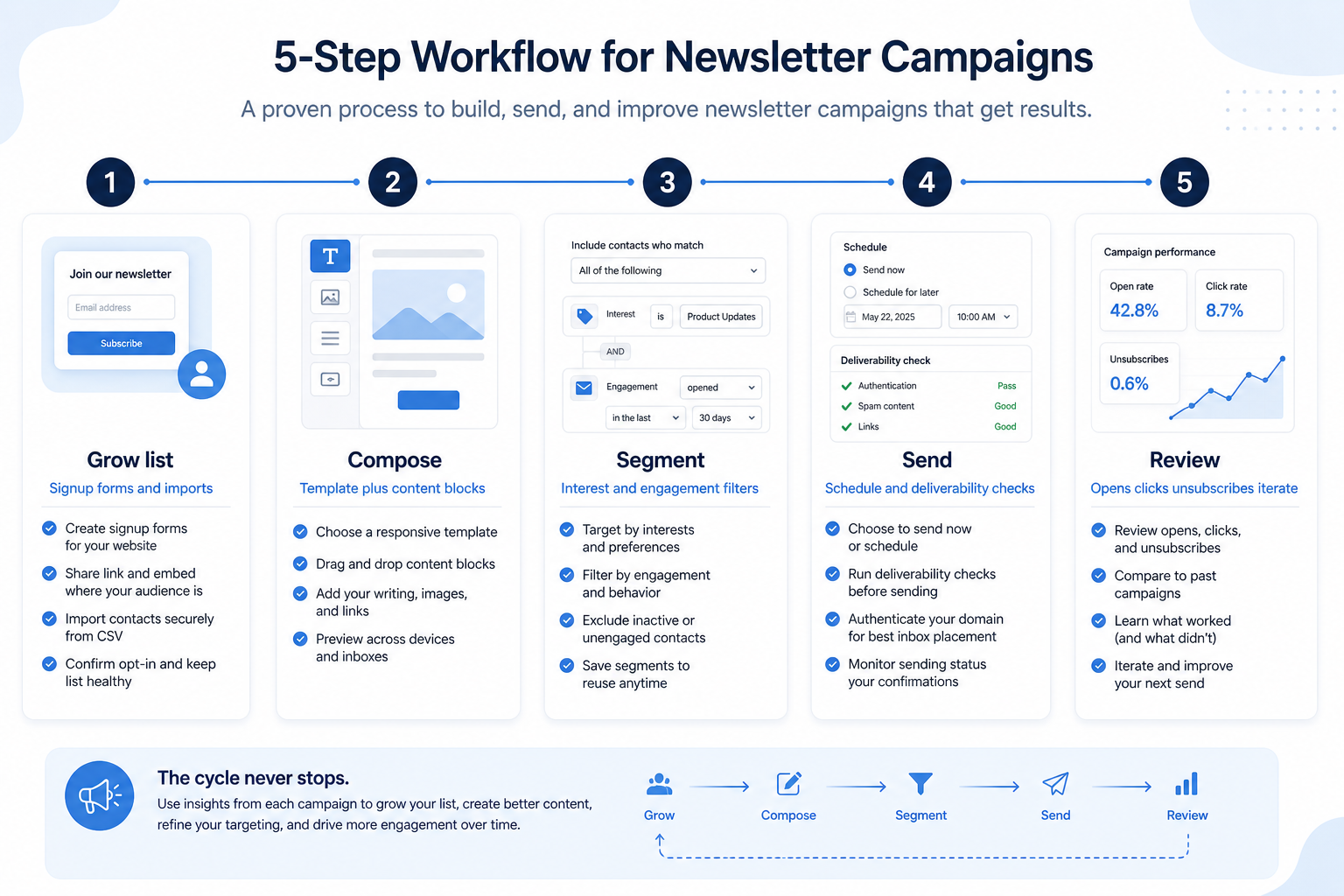
Support labels come from structured feature research — not from videos.
Objective
A permission-based list you can send to safely.
See product examples
Next step
Next step
Next step
Next step
Official product demonstrations can help show how different email marketing platforms handle the newsletters workflow. Absence of a video does not mean a product lacks support for this use case.

AWeber
AI Sign-Up Form Builder: Personality Quiz, Postcard Flip, and a Playable Game / The Shift AI Show
How AWeber Systems, Inc. presents the product in an official vendor video.
This video is hosted on YouTube
This content is hosted by YouTube. The player loads only after you allow marketing cookies.
What this demonstrates
Workflow coverage
Coverage describes what the demo shows — not product support status.
What to notice
This demonstration does not establish
Features visible in this demo
Source: AWeber Systems, Inc. · Verified 17 Aug 2026

Campaign Monitor
Email Marketing Solutions | Campaign Monitor Product Overview
How Marigold (Campaign Monitor by Marigold) presents the product in an official vendor video.

This video is hosted on YouTube
This content is hosted by YouTube. The player loads only after you allow marketing cookies.
What this demonstrates
Workflow coverage
Coverage describes what the demo shows — not product support status.
What to notice
This demonstration does not establish
Features visible in this demo
Source: Marigold (Campaign Monitor by Marigold) · Verified 17 Aug 2026
Compare two products against the same workflow using researched assessments. Official demos help you see the workflow — they do not change support status.

HubSpot
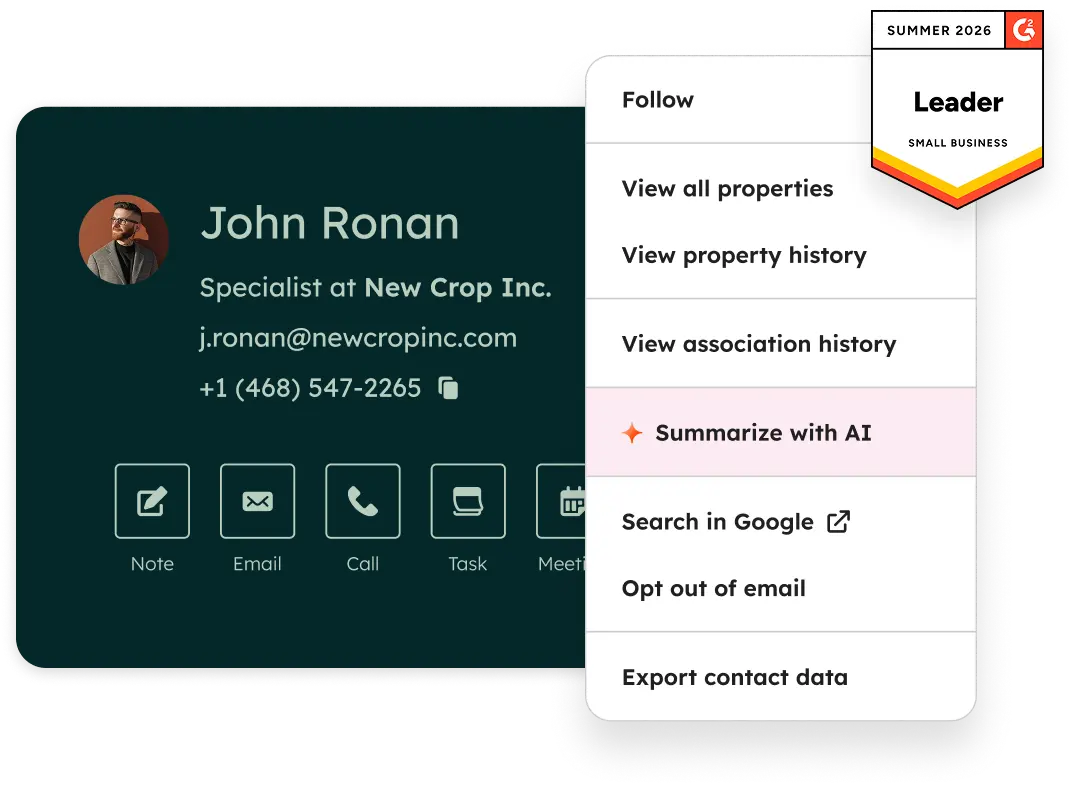
Official Free CRM hero product visualization.
What to notice
Not shown in this demo

Pipedrive

Pipedrive’s sales CRM product view as shown on the official site.
What to notice
Not shown in this demo
Canonical feature assessments for this workflow — not inferred from demos.
| Step | HubSpot | Pipedrive |
|---|---|---|
| Grow & clean list | Unknown | Unknown |
| Compose | Unknown | Unknown |
| Segment | Unknown | Unknown |
| Schedule & send | Unknown | Unknown |
| Review | Unknown | Unknown |
Based on the newsletters workflow, buyers commonly evaluate the checklist below. Nothing is written to your decision profile until you confirm in the tool.
Context: useCase=newsletters — tools apply this only after your confirmation.
Best when
One editorial voice, weekly cadence, simple monetization links.
Best when
Offers and updates to an existing customer/subscriber list.
Best when
Multiple clients need template systems and clear send ownership.
If journeys dominate, evaluate automation-led ESPs instead.
Learn more →Catalogue products that list newsletters as a supported use case. Inclusion here is not a ranking. Official demo counts never change ranking.

Email Marketing
Email marketing automation ESP with multi-step journeys; CRM pipelines strongest on Plus+; contact-based pricing.

Email Marketing
GetResponse is an AI-driven email marketing and lifecycle automation platform with newsletters, automation workflows, landing pages, funnels, webinars (higher plans), and ecommerce tools. Paid plans use contact-list tiers with unlimited monthly email sends; a forever-free plan an
Email Marketing
Creator- and SMB-focused email marketing with free forever, Lite/Plus tiers, and landing pages.
Email Marketing
Design-led email marketing by Marigold with contact-tier Lite, Essentials, Premier, and Enterprise.

Email Marketing
Ecommerce email + SMS platform with Shopify-native flows, revenue attribution, and active-profile billing.

Email Marketing
Multi-channel email marketing with send-based pricing, a generous free plan, and CRM-lite tools — formerly Sendinblue.

Email Marketing
Simple email marketing for SMBs and creators with a free tier and approachable Comfort/Power subscriber plans.

Email Marketing
Ecommerce multichannel email, SMS, and web push with Shopify-centric automation — a common Klaviyo alternative.

Email Marketing
Creator and newsletter ESP (formerly ConvertKit) with landing pages, automations, and digital product selling.
Loading evidence explorer…
If your primary job is recurring editorial or promo sends, prioritize templates and list hygiene. Add automation when welcome series or nurture paths become blocking — not because the homepage lists journeys.
CRM email usually logs sales conversations on records. Newsletter ESPs are built for permission-based broadcasts, templates, and campaign analytics at list scale.
Ship straightforward promo and update campaigns a small team can run without enterprise complexity.
Educate and qualify opted-in leads with drips and journeys before sales or purchase handoff.
Run multi-step permission-based email journeys triggered by subscriber behavior.
Connect store events to cart recovery, post-purchase, and segmented promo campaigns.
Use Finder for a fit-based shortlist, compare products, or build a requirements checklist before demos.
How we review
Evaluation, verification, and refresh — no fake testing claims.
Editorial methodology
Category criteria and scores grounded in evidence.
Editorial policy
Authorship, evidence levels, scoring, and disclosures.
Corrections
Spot something outdated? Tell us.
Want clearer software shortlists? Get buying guides and comparisons by email.
Newsletter coming soon.
Trace workflow assessments to documentation, screenshots, and official vendor videos. Evidence strength depends on claim type — video quantity does not change product fit or ranking.
SoftwareGlimpse evaluates how products support the requirements and features that make up each workflow. Official vendor demonstrations may be used to verify visible product behavior, but video availability does not influence product rankings.
1 item
Official video · Campaign Monitor
Source: Marigold (Campaign Monitor by Marigold)
Evidence chain
Newsletters → Segment → Segment requirements → Campaign Monitor
Supports
Demonstrates
Does not establish
Official video or screenshots can be strong evidence for visible UI/workflow behavior.
This video is hosted on YouTube
This content is hosted by YouTube. The player loads only after you allow marketing cookies.
Official vendor video
How Marigold (Campaign Monitor by Marigold) presents the product in an official vendor video.
Verified: 17 Aug 2026
Open source ↗