See how marketing automation (nurture and campaigns) differs from CRM (sales system of record) — and how MQL handoffs, suites, and lifecycle ownership should work together.
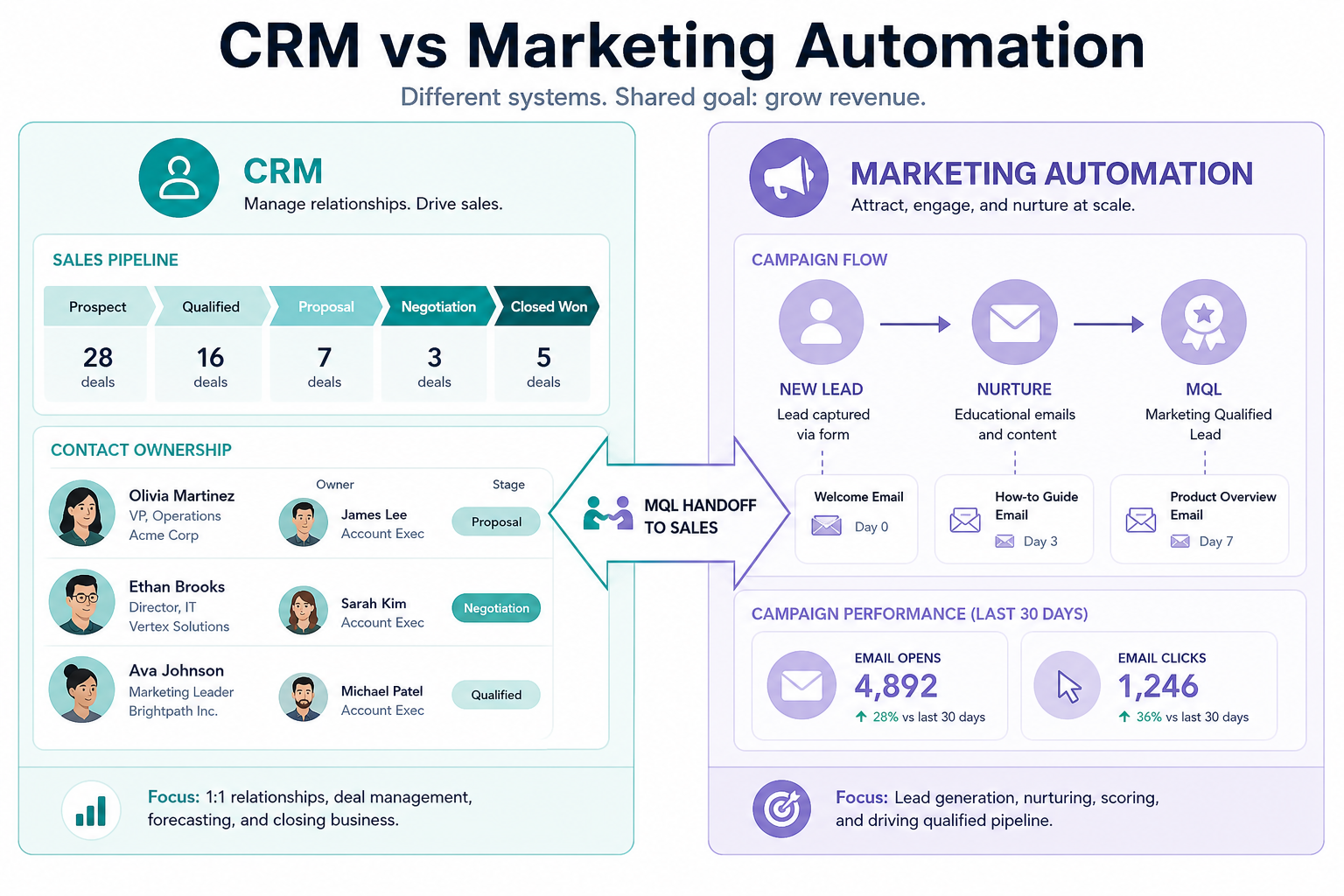
Marketing automation owns nurture, campaigns, and lead scoring. CRM owns the sales system of record — contacts, deals, owners, stages, and activity after handoff. Decision rule: if the work is programs and engagement at scale, you need MA; if the work is closing and coaching deals, you need CRM — with an agreed sales-ready handoff between them.
MA = nurture & campaigns
CRM = sales system of record
MQL handoff is the bridge
Suites blur, jobs differ
Shared lifecycle data
Buy for the primary job
Key takeaways
Different owners, different rhythms — Marketing automation optimizes for programs and engagement at scale; CRM optimizes for deal ownership and sales execution.
Handoff quality decides blame games — Without agreed status definitions and ownership rules, marketing says “black hole” and sales says “junk leads.”
A suite is not automatically better — Bundled CRM + MA helps when one lifecycle and one admin model are real requirements — not when you only need one job.
CRM is not a full campaign engine — Light email features inside CRM are not the same job as marketing automation journeys, scoring, and program analytics.
Same buyer journey — different systems by job. Write the handoff before arguing logos.
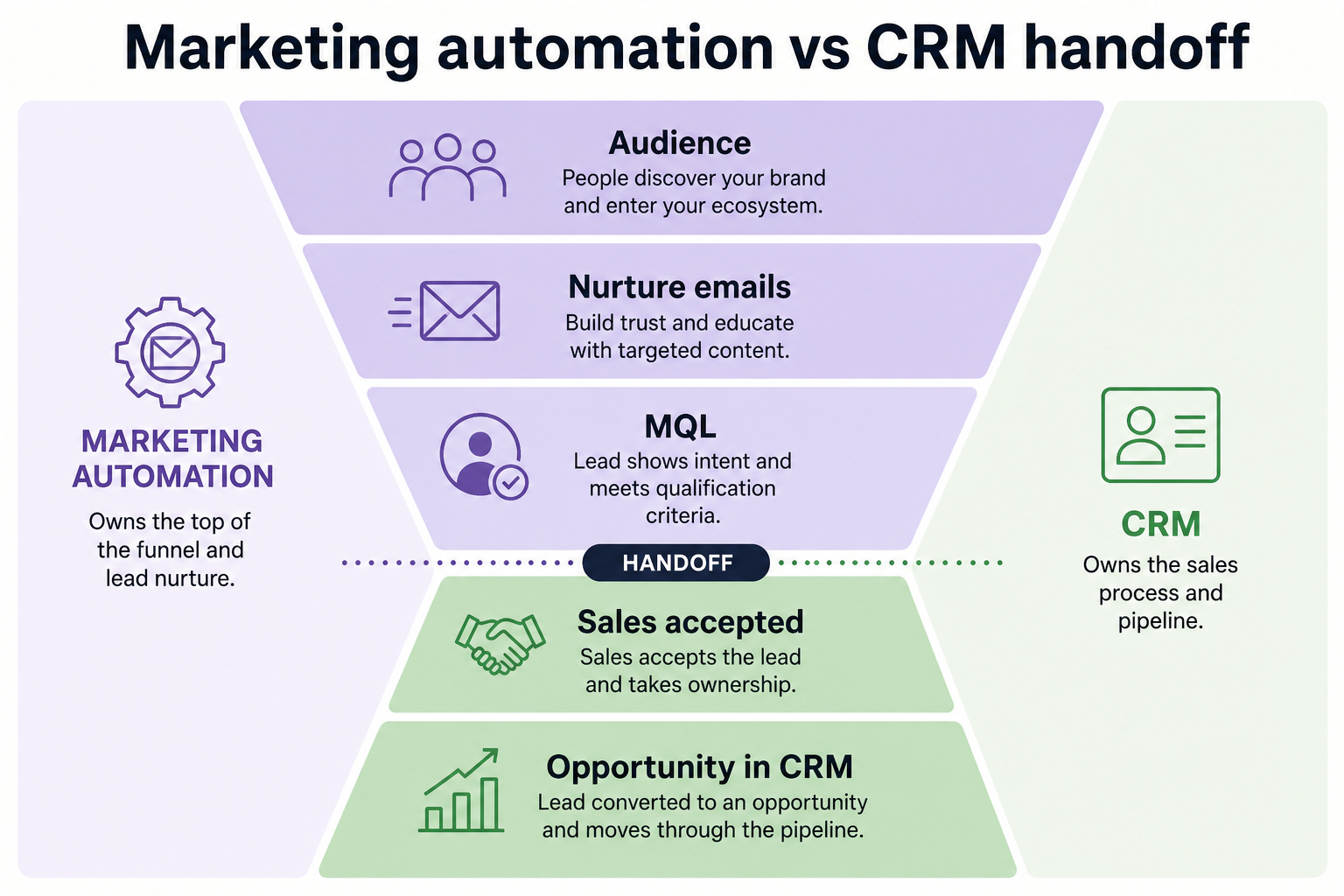
Marketing automation and CRM in the funnel
Same buyer journey — different systems by job.
1. The MQL handoff (or your equivalent)
Status definitions matter more than vendor logos.
Marketing automation side
Runs campaigns, scoring, nurture tracks, and engagement history before sales ownership.
CRM side
Assigns owners, advances stages, logs sales activity, and reports pipeline after acceptance.
Shared lifecycle fields
Lead status, source, consent, and recycle reasons must mean the same thing in both systems.
Boundary clarity fails most often at handoff. Agree what “sales-ready” means, who owns the person after that status, and what happens on reject or recycle — before arguing about tools.
Example: a SaaS demand-gen team scores webinar attendees in marketing automation. When score + title + company size match their MQL rule, the record is created/updated in CRM, assigned to the round-robin AE within one business day, and marketing pauses active nurture unless sales recycles with a reason. Without that sentence, marketing calls CRM a “black hole” and sales calls MQLs “junk.”
Stack shapes (educational, not rankings)
CRM with light outreach
Best for: Small teams where sales owns most pipeline creation and marketing programs are simple or manual.
Avoid when: You need multi-step nurture, scoring programs, and campaign analytics at volume.
Separate MA + CRM
Best for: Teams that want best-fit tools per job and can maintain integration and lifecycle definitions.
Avoid when: No one owns sync rules, status mapping, or duplicate cleanup.
CRM + marketing suite
Best for: Orgs that will use both modules daily and prefer one vendor admin model for the shared lifecycle.
Avoid when: You only need sales CRM and would ignore marketing modules after purchase.
Marketing automation first
Best for: Demand-gen–heavy teams with clear sales acceptance later — still plan the CRM handoff early.
Avoid when: Deals already stall from missing owners and stages; MA will not create a sales system of record.
Job matrix: MA vs CRM
Must-have
✓Multi-step nurture and campaign programs
✓Deal stages, owners, sales forecasts
✓Agreed MQL / sales-ready handoff
✓Sales activity history on the account
Nice-to-have
•Program-level engagement analytics
•Buying a suite “to grow into later”
Fit by team shape
01
Founder-led sales
CRM first; add MA when inbound volume and nurture load exceed manual follow-up.
Pipeline SoR
Light campaigns
02
Small marketing + sales
Separate tools or a suite can work — only if handoff statuses are written down.
Shared lifecycle
Clear admin
03
Demand-gen heavy
MA capability becomes critical; CRM must still accept and work qualified leads cleanly.
Scoring rules
Reject/recycle
04
Multi-region / complex
Governance, consent, and permissions dominate — suites help only with real shared administration.
Data governance
IT involvement
Common boundary mistakes
Using MA as the sales pipeline
Campaign tools are poor systems of record for deal stages, coaching, and forecast reviews.
Dumping MQLs without ownership SLAs
Volume without acceptance rules creates mistrust, not revenue process.
Assuming suite modules replace process design
Shared software still needs shared definitions for status, recycle, and attribution.
Chasing attribution theater
Perfect multi-touch models matter less than a trustworthy handoff and worked pipeline.
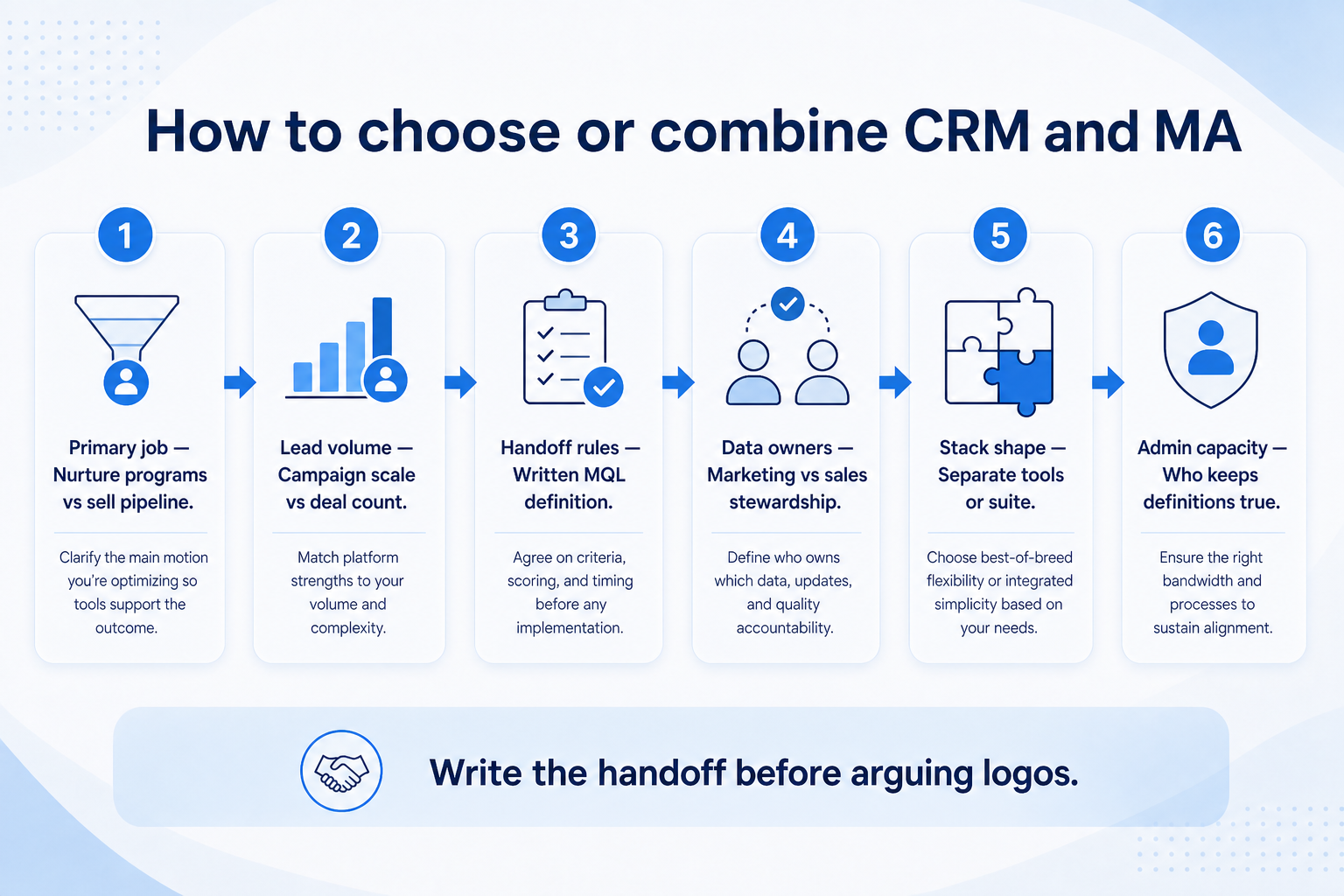
2. Use a when-this / when-other decision rule
Write one sentence for when each product category is the primary purchase.
3. Worked example: same company, two purchases
Harbor Ops buys customer-service software for ticket SLAs and a separate CRM for pipeline — they integrate, but neither replaces the other's core job.
4. Use a one-page checklist before demos
For CRM vs Marketing Automation: Jobs & Handoff, list must-haves, owners, integrations, and the weekly ritual this purchase must improve. Share the sheet with finance and IT before you schedule a second demo.
Name the primary job in one sentence.
List must-have gates (plans, SSO, data residency, usage caps).
Name integrations that must work on day one.
Assign an admin owner and a weekly user champion.
Define non-admin proof — what a sceptic completes without rescue.
Worked example: Harbor Ops refuses demos until the checklist is signed — cutting evaluation time in half.
5. Avoid the usual buying mistakes
Common failures in crm: buying for brand familiarity, comparing entry tiles across different usage units, skipping a fair trial script, and adding scope before adoption proves out.
Run one trial script on every finalist the same week. Score on the same card. Write a one-paragraph decision memo that names what you are not buying yet.
6. Hand off to the category shortlist
When assumptions are frozen, continue on /best/crm-software/ with the same headcount, usage band, and must-have gates on every quote.
7. Use a one-page checklist before demos
For CRM vs Marketing Automation: Jobs & Handoff, list must-haves, owners, integrations, and the weekly ritual this purchase must improve. Share the sheet with finance and IT before you schedule a second demo.
Name the primary job in one sentence.
List must-have gates (plans, SSO, data residency, usage caps).
Name integrations that must work on day one.
Assign an admin owner and a weekly user champion.
Define non-admin proof — what a sceptic completes without rescue.
Worked example: Harbor Ops refuses demos until the checklist is signed — cutting evaluation time in half.
8. Avoid the usual buying mistakes
Common failures in crm: buying for brand familiarity, comparing entry tiles across different usage units, skipping a fair trial script, and adding scope before adoption proves out.
Run one trial script on every finalist the same week. Score on the same card. Write a one-paragraph decision memo that names what you are not buying yet.
9. Hand off to the category shortlist
When assumptions are frozen, continue on /best/crm-software/ with the same headcount, usage band, and must-have gates on every quote.
Example official CRM product videos
Optional · 2 examples · collapse if you don’t need them
Verified vendor product videos from the CRM catalogue for context while you read. They are examples only — not a ranked shortlist — and they do not replace SoftwareGlimpse recommendations on this page.
Official vendor video · example
Attio — Attio | How to build your sales pipelines
This video is hosted on YouTube
This content is hosted by YouTube. The player loads only after you allow marketing cookies.
No. Marketing automation focuses on campaigns, nurture, and lead engagement workflows. CRM focuses on sales relationships, deal progression, and activity as the system of record. Decision rule: campaigns vs closing — with an agreed sales-ready handoff in between.
Do we need both?
Only if both jobs are real. Many small teams start with CRM and light outbound; add marketing automation when program volume and scoring justify another system (or suite module).
What is an MQL handoff?
A agreed moment when a lead meets sales-ready criteria and ownership moves into CRM for follow-up — including what happens if sales rejects or recycles the lead.
Should we buy a CRM + marketing suite?
Consider a suite when you will use both sides and want one lifecycle admin model. If you only need sales CRM, a simpler shape usually reduces cost and complexity.
What should I read next?
Review Types of CRM for suite vs simple shapes, then How to Choose a CRM — or shortlist with CRM Finder.