
Business Communications
Official WhatsApp Business API platform with a shared team inbox, broadcasts, chatbots and AI co-pilot — platform subscription (Growth/Pro/Business) plus Meta per-message charges.
Answer customer messages as a team, with ownership and history — not from one person's phone.
At a glance
Shared, owned customer conversations with full history
Support teams, local services, retail, clinics
Shared inbox · Assignment & ownership · Conversation history · Templates
9 products to explore
Fit snapshot
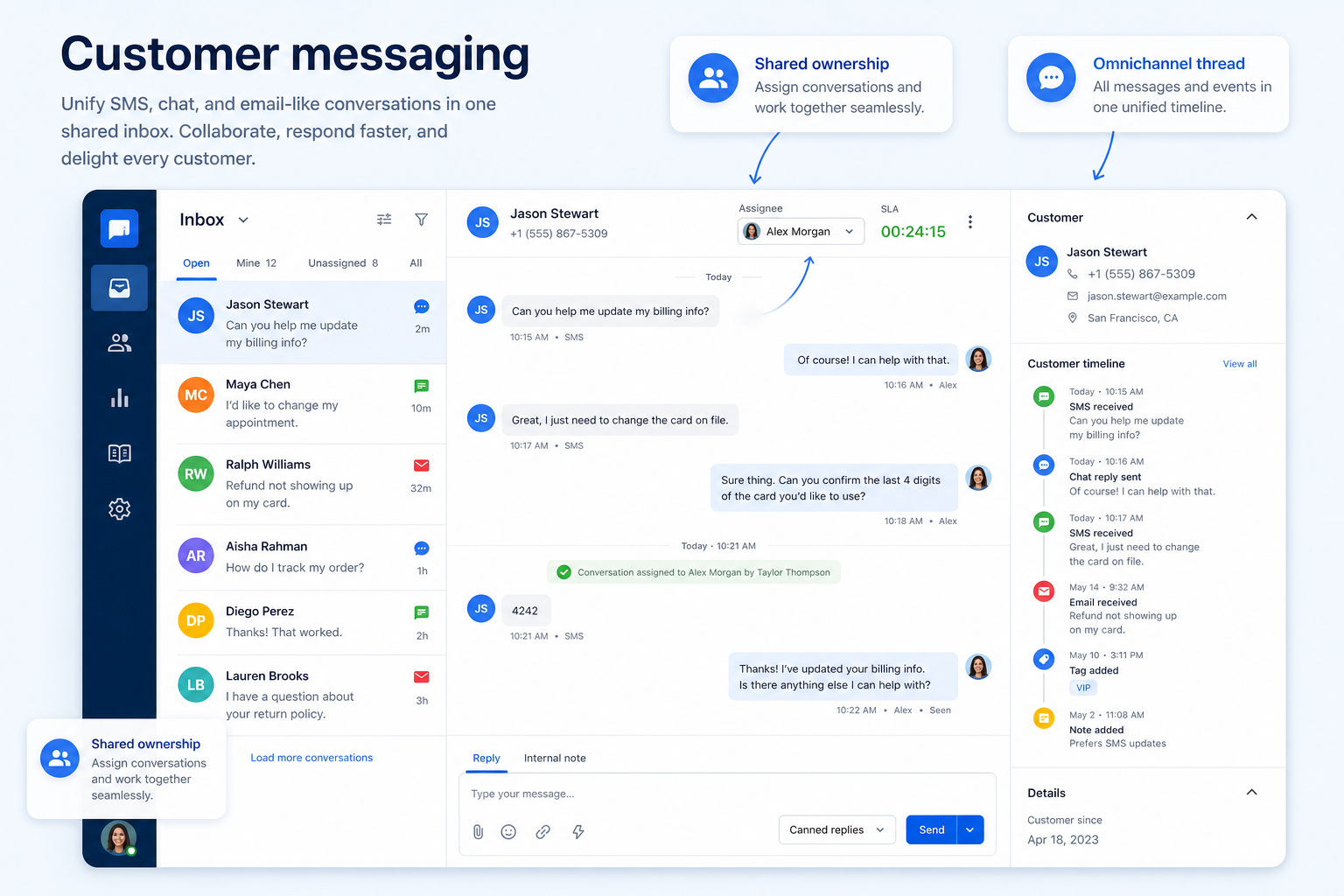
Customer messaging is the job of handling inbound SMS and chat conversations as a business rather than as individuals. The core capability is a shared inbox with assignment, tags, and internal notes, so a conversation can be picked up by whoever is available and the history stays with the customer.
Businesses whose customers already text or message them: local services, retail, clinics, and support teams that have discovered messages arriving faster than one inbox can handle.
How teams put business communications software to work for customer messaging
Example 1
Northline Retail's three stores each fielded texts on a store handset. Messages were answered twice or not at all. After moving to a shared inbox, each conversation has an assignee and a status, colleagues can leave internal notes, and the manager can see what is unanswered at 4pm.
Example 2
a services business that sends appointment reminders by SMS from the same number customers reply to. Two-way texting on the business number keeps the reply in the same thread rather than in a no-reply void.
These are the operating problems that usually push teams toward business communications software for customer messaging — not feature wish lists.
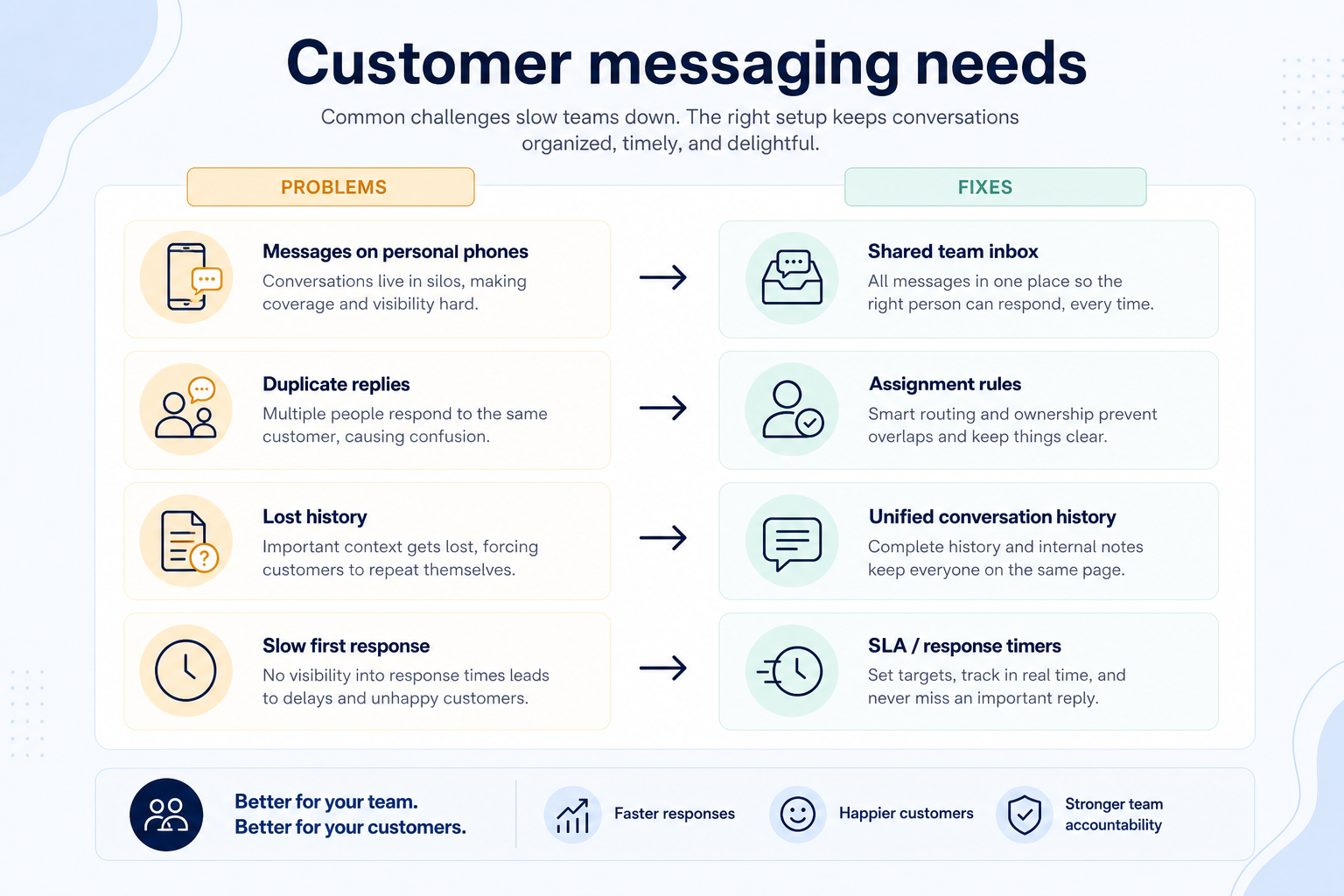
Without communications discipline: Cover disappears when that person is away.
Without communications discipline: Customers get contradictory answers.
Without communications discipline: Every conversation restarts from zero.
Without communications discipline: Response times suffer and wording drifts.
Fit depends on operating the business communications software with clear owners and hygiene. Here is what “good” looks like for customer messaging.
With the right communications setup: A shared inbox makes the queue a team asset.
With the right communications setup: Assignment and status make ownership explicit.
With the right communications setup: Threaded history keeps context with the contact.
With the right communications setup: Templates and saved replies keep answers fast and consistent.
Every conversation has an owner
Nothing sits unanswered because it belonged to nobody.
History survives staff changes
Context stays with the business, not the handset.
Faster consistent replies
Templates cover the repeated questions.
Visible backlog
Managers can see what is open before customers complain.
Focus on assignment and ownership rules, whether history follows the customer across channels, template handling for repeated answers, and how messaging is billed — per seat, per conversation, or both.
Assignment is what turns an inbox into a queue.
Context that follows the customer, not the device.
Per seat and per conversation behave very differently at volume.
Start with must-haves your team will use weekly. Treat nice-to-haves as later upgrades — not day-one blockers.
Must-have
Nice-to-have
Understand what needs to happen before comparing how products implement each step. Support overlays use structured research — never video inference.
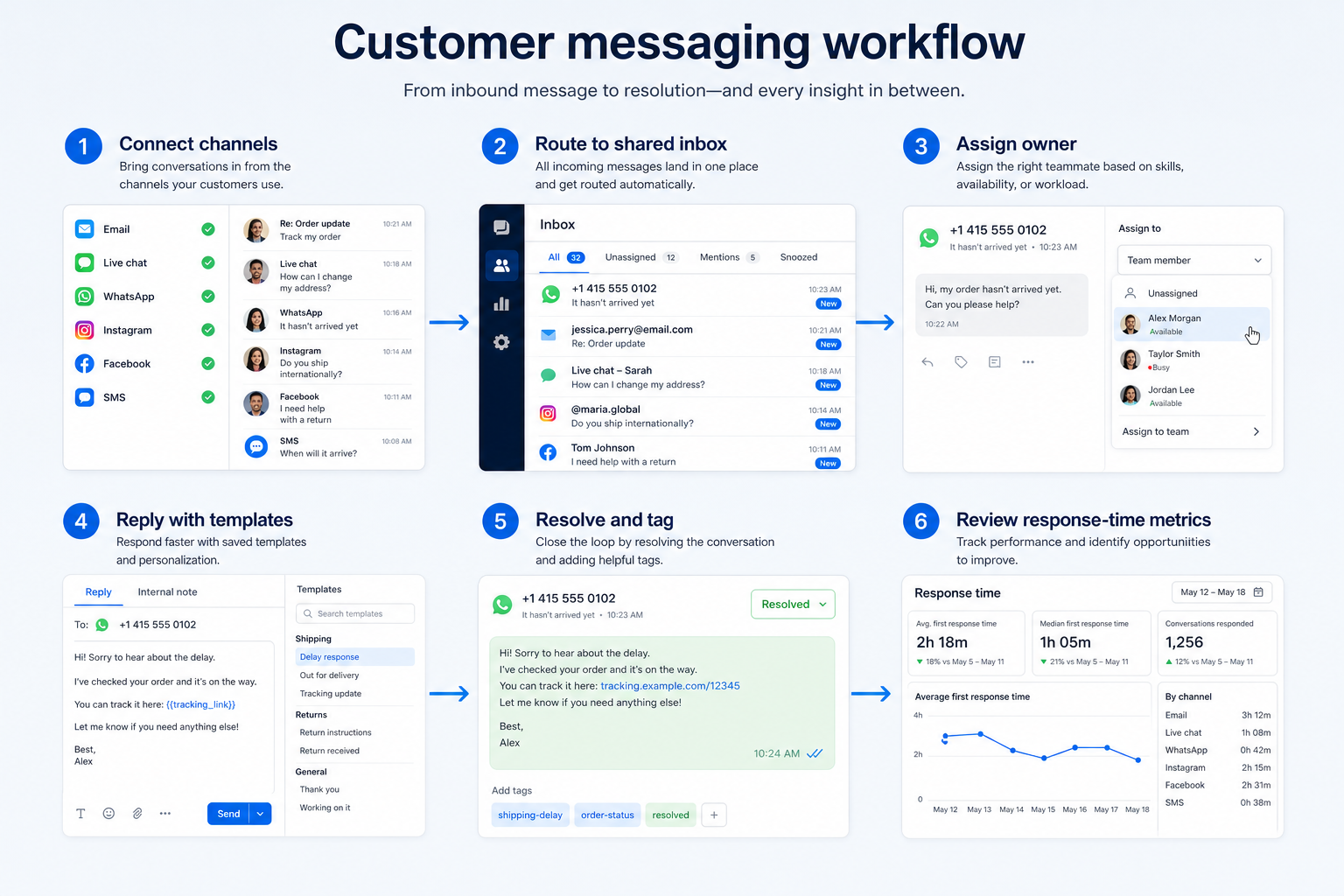
Support labels come from structured feature research — not from videos.
Objective
Messages arrive in one place.
Next step
Next step
Next step
Next step
Compare two products against the same workflow using researched assessments. Official demos help you see the workflow — they do not change support status.

HubSpot
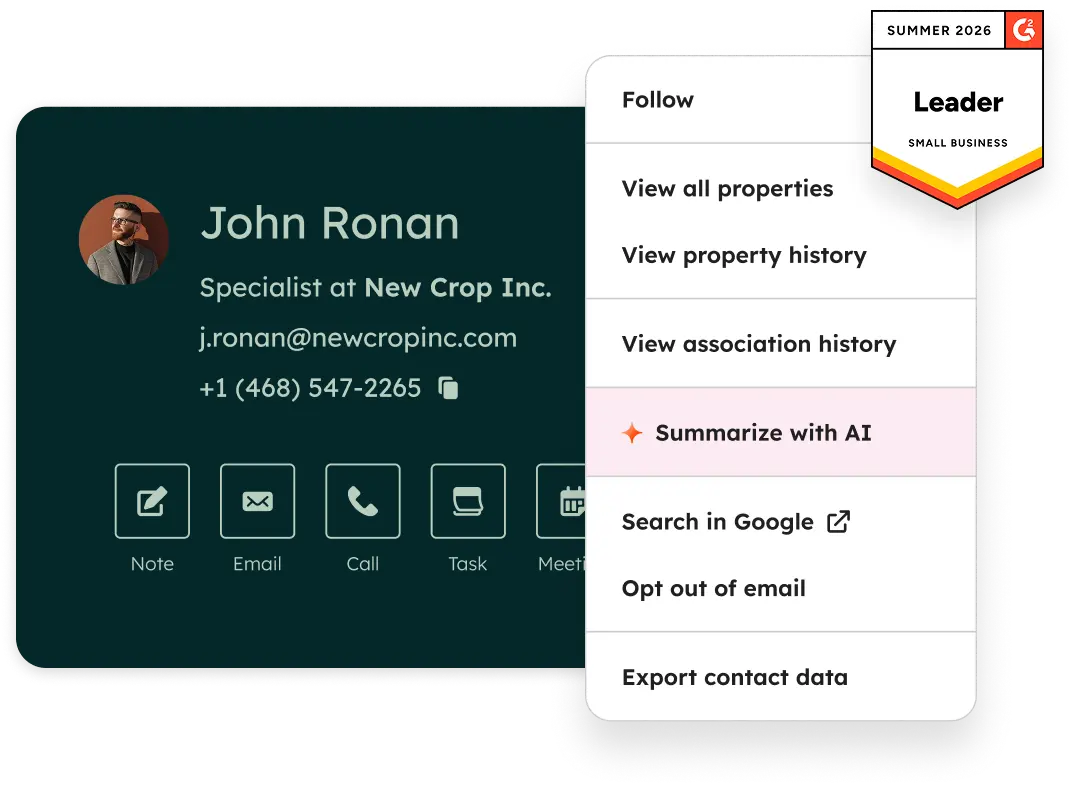
Official Free CRM hero product visualization.
What to notice
Not shown in this demo

Pipedrive

Pipedrive’s sales CRM product view as shown on the official site.
What to notice
Not shown in this demo
Canonical feature assessments for this workflow — not inferred from demos.
| Step | HubSpot | Pipedrive |
|---|---|---|
| Connect channels | Unknown | Unknown |
| Set assignment rules | Unknown | Unknown |
| Respond with templates | Unknown | Unknown |
| Leave internal notes | Unknown | Unknown |
| Review the backlog | Unknown | Unknown |
Based on the customer messaging workflow, buyers commonly evaluate the checklist below. Nothing is written to your decision profile until you confirm in the tool.
Context: useCase=customer-messaging — tools apply this only after your confirmation.
Best when
Customers text to book, reschedule, or ask quick questions.
Best when
Message volume exceeds what one inbox owner can handle.
Best when
Several locations need one visible queue.
Evidence, not assumption — SMS and WhatsApp are different purchases.
Learn more →Catalogue products that list customer messaging as a supported use case. Inclusion here is not a ranking. Official demo counts never change ranking.
Business Communications
Official WhatsApp Business API platform with a shared team inbox, broadcasts, chatbots and AI co-pilot — platform subscription (Growth/Pro/Business) plus Meta per-message charges.

Business Communications
SMB-friendly unified business communications — Core $15, Engage $25, Scale $75 per user/month annual, with messaging apps including WhatsApp and a Contact Center ladder from $75/agent.

Business Communications
Omnichannel customer messaging platform (WhatsApp + other channels) with shared inbox and AI — Starter from $79/month annual-equivalent.

Business Communications
Cloud contact center (CCaaS) — Digital Essentials from $85/user/mo; Voice $105; Elite $165; Industry Clouds from $225.

Business Communications
Enterprise CCaaS (Genesys Cloud CX) — CX 1 from $75/user/mo annual; CX 2 $115; CX 3 $155; CX 4 $240.

Business Communications
Cloud contact center (CCaaS) — Digital from $119/concurrent seat/mo; Core $159; Plus/Pro/Enterprise quote — 50-seat minimum.

Business Communications
Programmable voice/SMS/WhatsApp platform (CPaaS) — pay-as-you-go usage; Flex contact center from $150/named user/mo or $1/active user hour.

Business Communications
Messenger / Instagram / WhatsApp marketing chatbot — Free 25 Active Contacts; Essential from $14/mo annual; Pro $29/mo annual.
Live Chat
Customer messaging / shared inbox with Fin AI — Essential from $29/seat/mo + Fin from $0.99/outcome. Primary live-chat; BC + CS secondary.
They overlap. A helpdesk is built around tickets, SLAs, and knowledge bases; a messaging platform is built around live conversations on channels customers already use. If your work is ticket-shaped, look at customer service software; if it is conversation-shaped, this is the right category.
Often yes, if the number type supports SMS and the vendor operates in your country. Business texting also carries registration requirements in some regions — verify both before promising customers they can text you.
Only if customers actually message you there. WhatsApp requires the official Business API through a provider, with template approval and separate per-conversation fees, so treat it as its own decision rather than a checkbox.
Run WhatsApp as a business channel with a shared inbox, approved templates, and broadcast rules.
Give the business real phone numbers, shared answering, and call logging instead of personal mobiles.
Route inbound volume through IVR menus and queues with reporting managers can act on.
Move internal coordination out of personal messaging apps into channels the business controls.
Use Finder for a fit-based shortlist, compare products, or build a requirements checklist before demos.
How we review
Evaluation, verification, and refresh — no fake testing claims.
Editorial methodology
Category criteria and scores grounded in evidence.
Editorial policy
Authorship, evidence levels, scoring, and disclosures.
Corrections
Spot something outdated? Tell us.
Want clearer software shortlists? Get buying guides and comparisons by email.
Newsletter coming soon.