
Voip Business Phone
AI-powered sales dialer and business phone platform for CRM-connected outbound calling, SMS, and coaching.
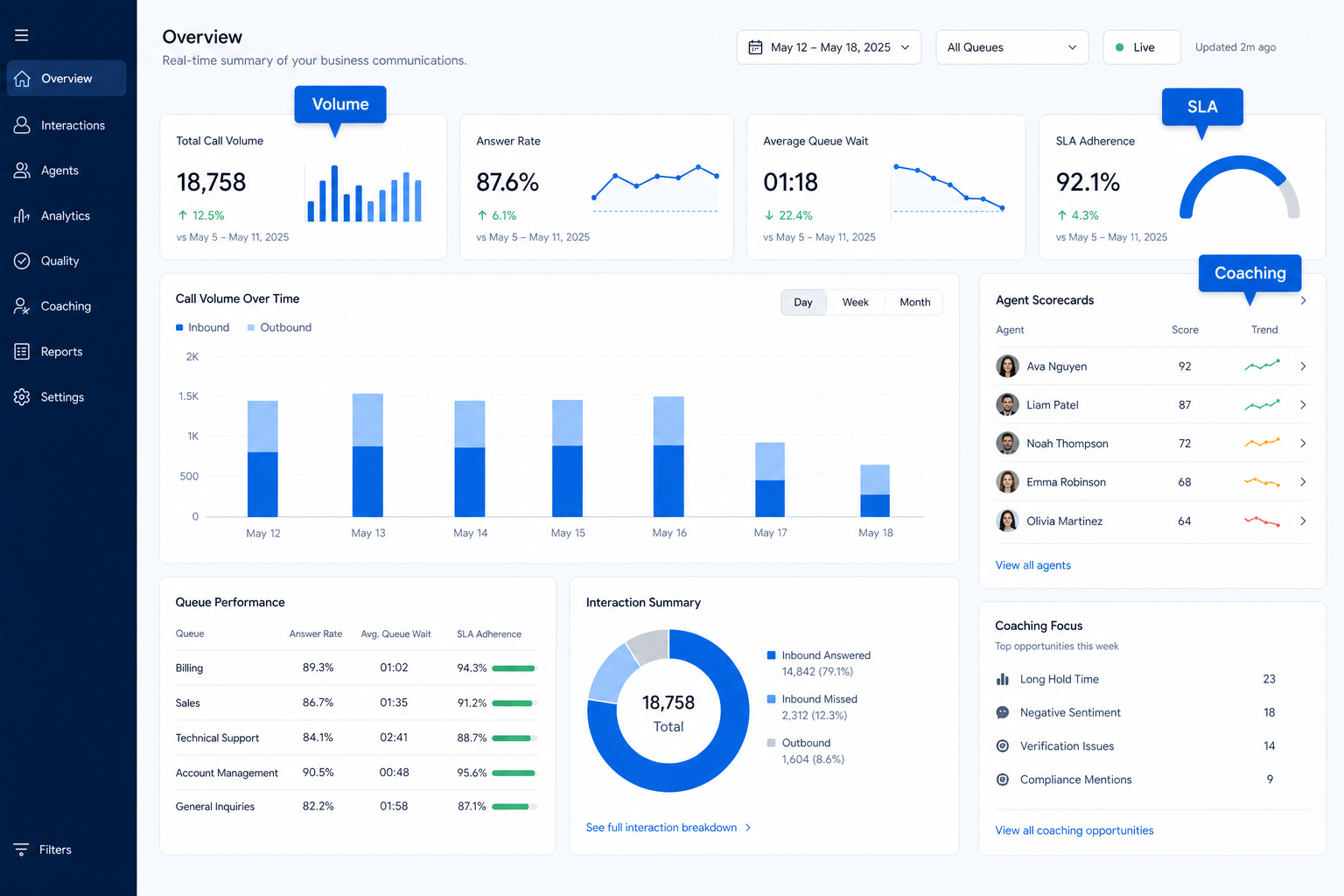
Call and message volume, wait times, and agent activity in reports managers actually review.
At a glance
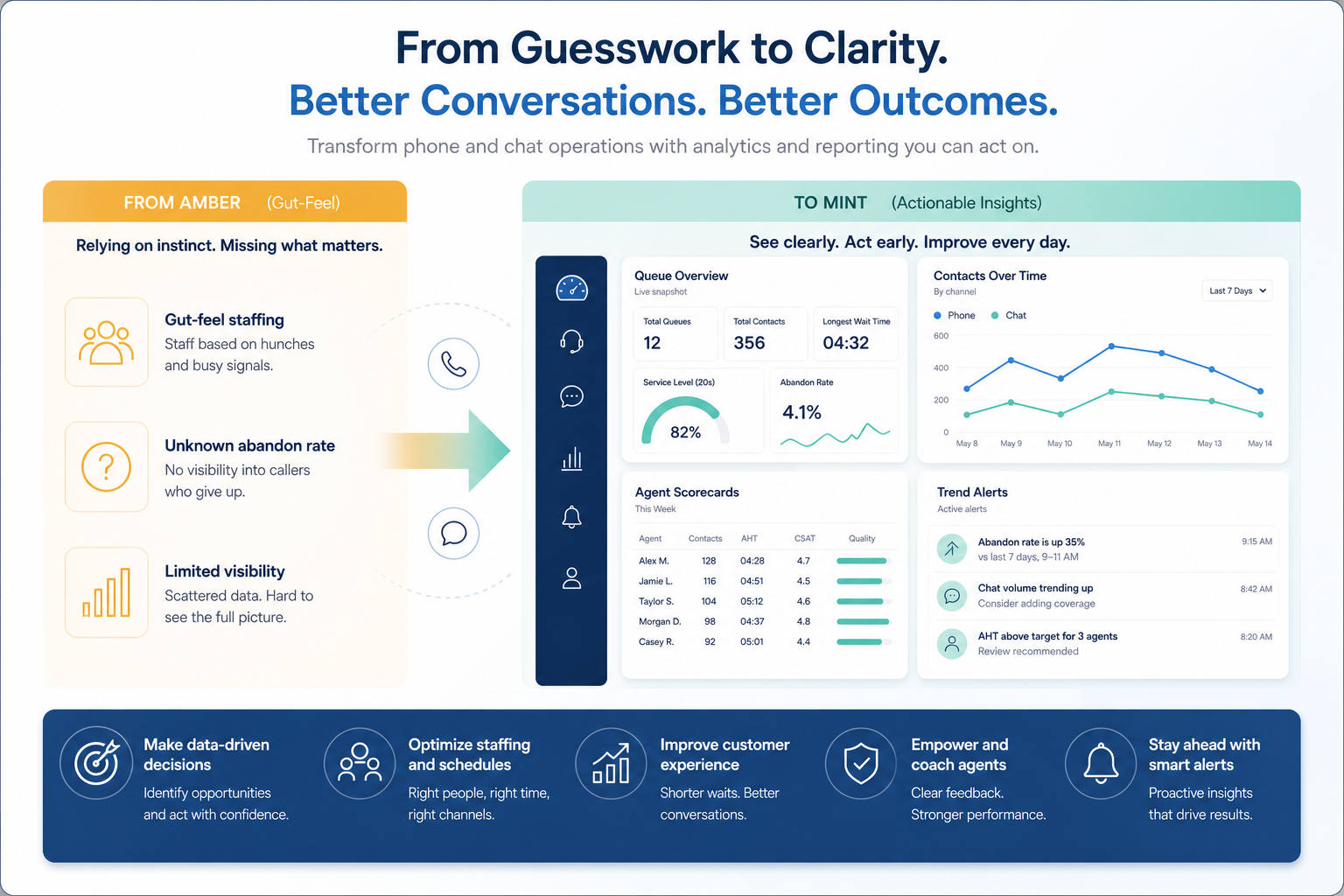
Trusted operational metrics that change staffing and coaching
Ops, support, sales, and SMB operators running business voice or messaging
Wait / miss metrics · Queue & agent views · Disposition summaries · Export / share
9 products to explore
Fit snapshot
Communications analytics and reporting covers volume, missed calls, wait times, handle time, and agent or queue performance views used in weekly operations reviews. It is operational reporting for voice and messaging — not a general BI suite.
Support and sales managers who currently reconstruct performance from anecdotes and export spreadsheets.
How teams put CRM to work for analytics
Example 1
a support lead reviews wait time by queue each Monday and adjusts staffing for the known Tuesday peak instead of guessing.
Example 2
an SDR manager looks at connect rate and dispositions by rep to coach list quality, not just raw dial counts.
These are the operating problems that usually push teams toward CRM for analytics — not feature wish lists.
Without CRM discipline: Staffing is guesswork.
Without CRM discipline: License waste.
Without CRM discipline: Finance and ops cannot reuse data.
Without CRM discipline: Fixes miss the peak.
A CRM only helps when the team keeps owners, history, and next steps current. Here is what “good” looks like for analytics.
With CRM discipline: Queue and volume reports create a baseline.
With CRM discipline: Buy for the three metrics of the weekly ritual.
With CRM discipline: Exports and scheduled shares matter.
With CRM discipline: Near-real-time or daily freshness for ops metrics.
Shared performance visibility
The team argues from the same charts.
Better staffing decisions
Peaks show up before they hurt.
Coachable agent views
1:1s use real activity.
A weekly review habit
Reporting becomes operational, not decorative.
Evaluate the weekly metrics you will open every Monday, export needs, and queue vs agent views — not unused dashboard galleries.
Wait / miss metrics as a buying lens for this capability.
Queue & agent views as a buying lens for this capability.
Disposition summaries as a buying lens for this capability.
Start with must-haves your team will use weekly. Treat nice-to-haves as later upgrades — not day-one blockers.
Must-have
Nice-to-have
A simple operating loop beats a complex board nobody updates.
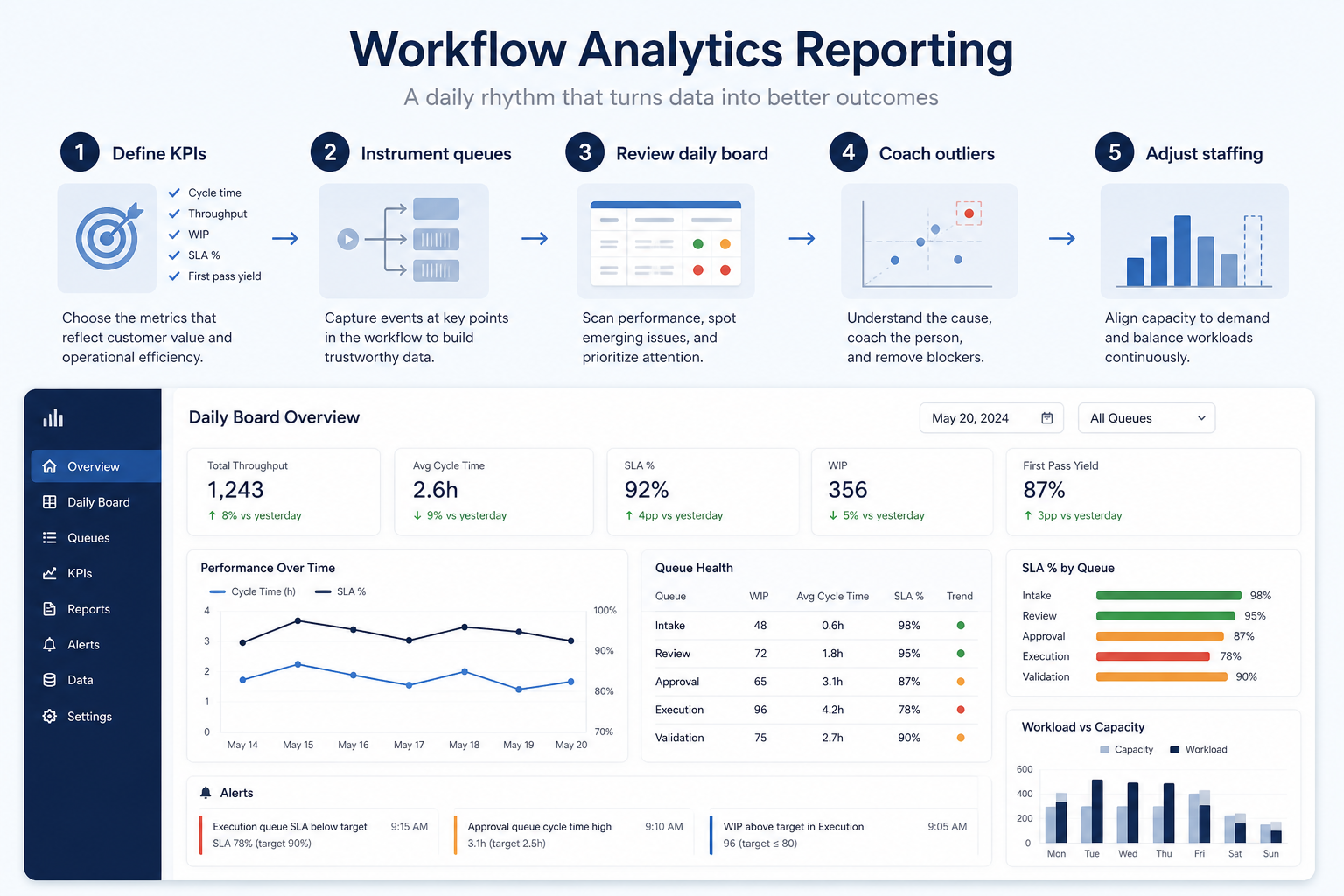
Three Monday-review numbers.
Queue and agent cuts.
Who sees what weekly.
Staffing or coaching changes.
Delete unused charts.
Best when
You need this capability without enterprise complexity.
Best when
Volume or multi-agent coverage makes this capability blocking.
Catalogue products tagged to related use cases for analytics & reporting. Inclusion here is not a ranking.
Voip Business Phone
AI-powered sales dialer and business phone platform for CRM-connected outbound calling, SMS, and coaching.

Voip Business Phone
Mid-market cloud phone and customer-conversation platform with deep CRM/helpdesk CTI, IVR, power dialer on Professional, and paid AI add-ons — 3-licence minimum.

Voip Business Phone
SMB cloud phone system with a $0 starter rung, Starter from $18/user/month annual (2-user minimum), call recording and IVR from Professional, plus a separate call-centre plan ladder.

Voip Business Phone
Budget global cloud telephony with virtual numbers across 100+ countries and a unified callbox — Essential from $12/user/month annual (up to 5 users); calls and SMS are pay-as-you-go.

Voip Business Phone
Freshworks cloud PBX for inbound voice support: a $0 agent plan plus pay-per-minute, Growth from $15/agent/month annual with 2,000 included incoming minutes, and routing automation higher up.

Business Communications
Enterprise-grade UCaaS / cloud phone platform (RingEX) with deep call routing, video, team messaging and contact-centre options — Core from ~$20/user/month annual.

Business Communications
AI-first cloud phone (Dialpad Connect) with included transcription/summaries — Standard from $15/user/month annual; Sell and Support are separate product ladders.

Business Communications
Meetings-first Workplace suite plus Zoom Phone UCaaS — Phone US/CA Unlimited research floor ~$15–16/user/month; free meetings/chat exist but Phone is paid.

Business Communications
SMB-friendly unified business communications — Core $15, Engage $25, Scale $75 per user/month annual, with messaging apps including WhatsApp and a Contact Center ladder from $75/agent.
No. Fit depends on your primary communications job (phone, dialing, messaging, WhatsApp, or contact center), seat count, and which requirements are must-haves. Use the Best Business Communications shortlist and requirements guide rather than starting from a single ranking.
CRM capabilities store relationships and pipeline on records. Business communications capabilities place and route calls or messages — often writing activity back into CRM via CTI. Many teams need both connected; buy for the communications job that is blocking first.
Menus, queues, and business-hours rules that decide who answers each call.
Business numbers, inbound and outbound calling, and softphone apps delivered over the internet.
Automated dialing that removes manual number entry from outbound calling days.
One queue several agents can work with assignment, tags, and internal notes.
Part of CRM capabilities · CRM Software hub
Want clearer software shortlists? Get buying guides and comparisons by email.
Newsletter coming soon.