
Voip Business Phone
Mid-market cloud phone and customer-conversation platform with deep CRM/helpdesk CTI, IVR, power dialer on Professional, and paid AI add-ons — 3-licence minimum.
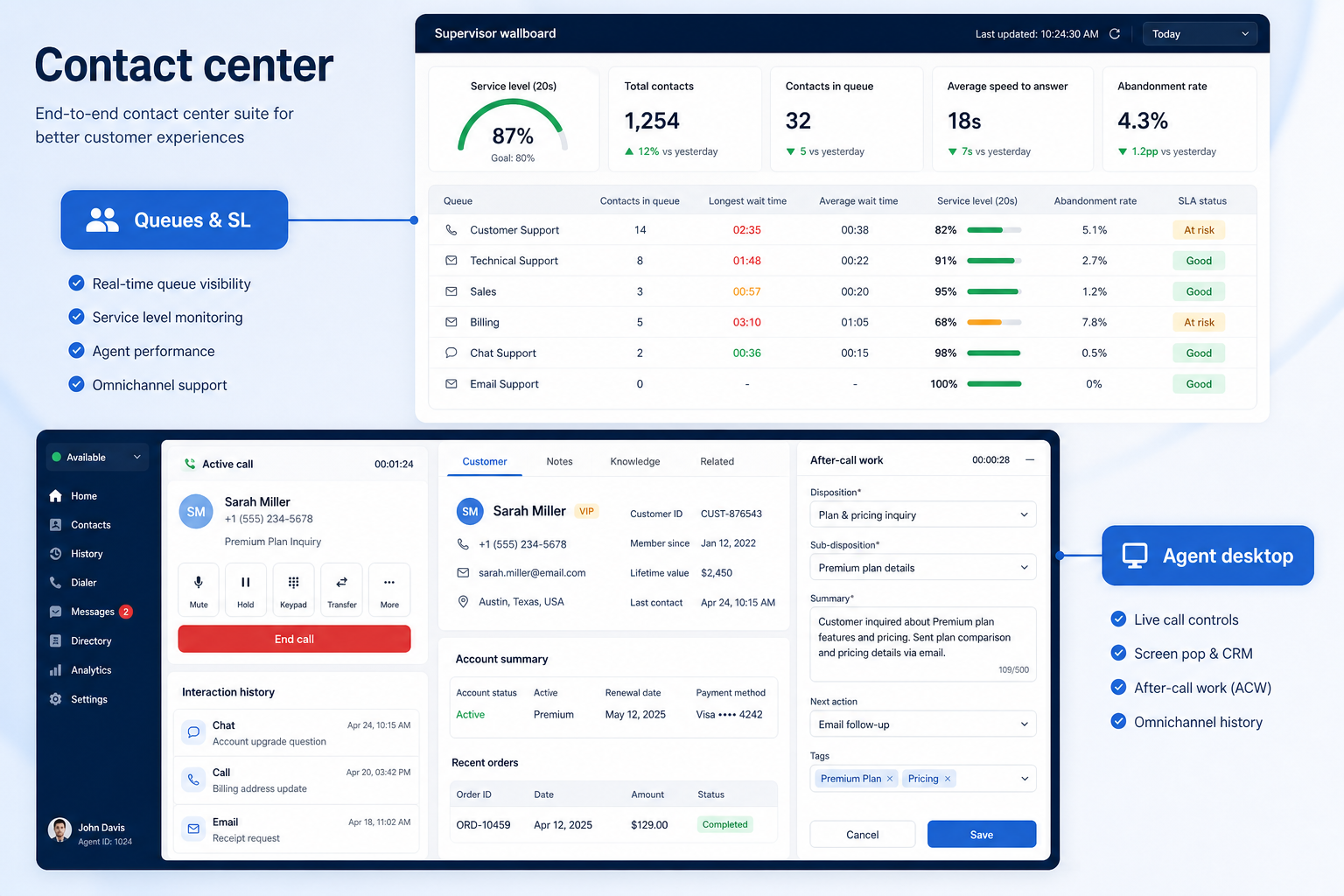
Route inbound volume through menus and queues, and give managers numbers they can act on.
At a glance
Inbound calls routed correctly with measurable answer performance
Support teams, service desks, multi-site operations
IVR & queue depth · After-hours rules · Agent availability · Queue reporting
9 products to explore
Fit snapshot
Contact center is the inbound-at-scale job: IVR menus that send callers to the right team, queues with overflow and wait handling, business-hours and holiday rules, agent availability, and reporting a supervisor reviews weekly. It is where a phone system stops being a shared line and becomes an operation.
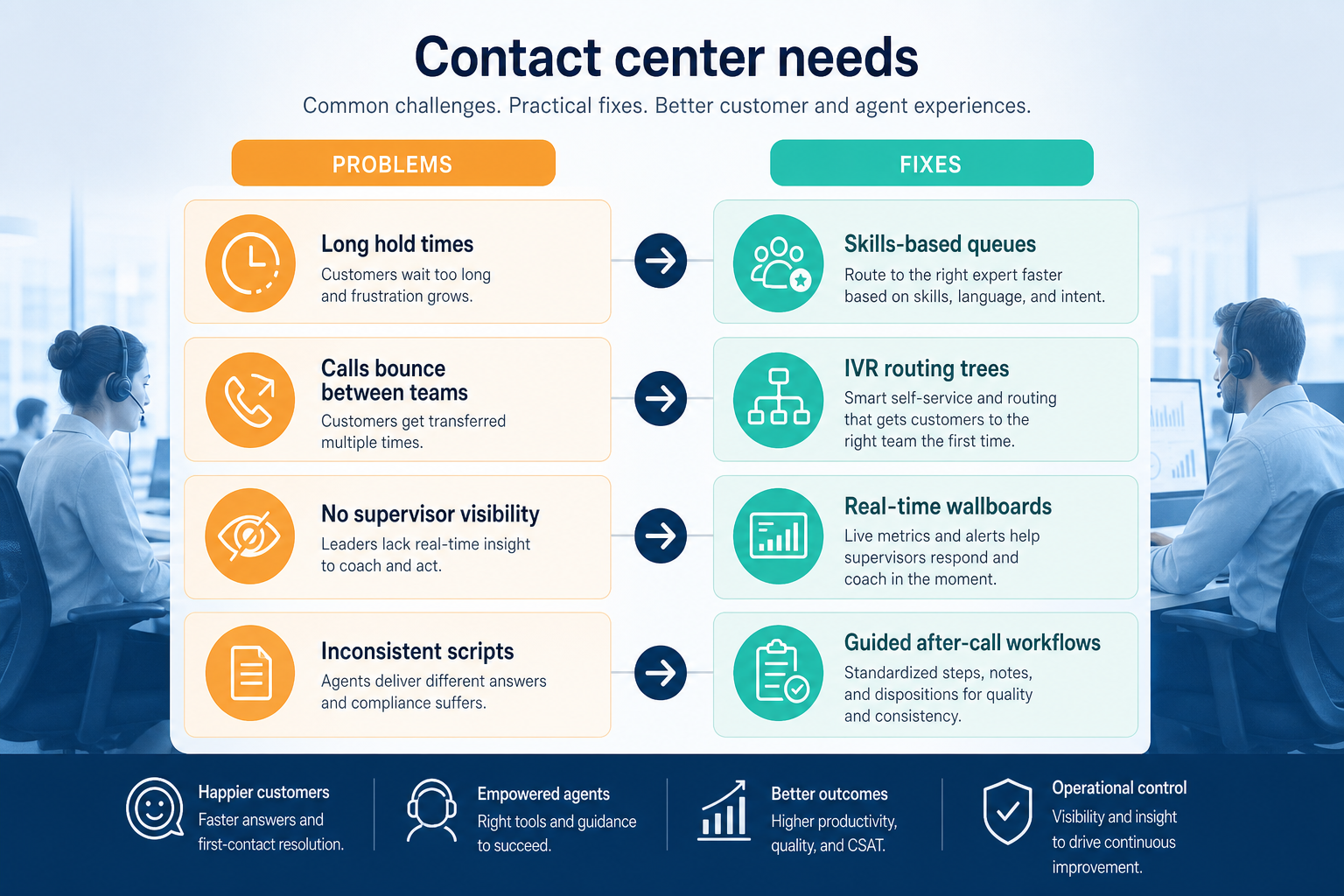
Support and service teams with enough inbound volume that a simple ring group no longer works — typically several agents, defined hours, and an expectation about how quickly calls are answered.
How teams put business communications software to work for contact center
Example 1
Harbor Clinic across four sites. Before, one number rang a single handset and busy periods sent callers to voicemail. After building an IVR with site options, a queue per site, and an after-hours message, the supervisor can see wait times and abandoned calls per site — and staff the phones from evidence rather than complaints.
Example 2
a support team with a service expectation of answering within a minute. Queue reporting is what makes that expectation measurable rather than aspirational.
These are the operating problems that usually push teams toward business communications software for contact center — not feature wish lists.
Without communications discipline: Callers wait for someone who cannot help them anyway.
Without communications discipline: Abandoned calls are invisible until customers complain.
Without communications discipline: Nobody knows what was missed overnight.
Without communications discipline: Rotas are set by impression rather than call volume.
Fit depends on operating the business communications software with clear owners and hygiene. Here is what “good” looks like for contact center.
With the right communications setup: IVR menus route by need before anyone picks up.
With the right communications setup: Queues with overflow rules keep callers in a managed path.
With the right communications setup: Business-hours rules and voicemail routing create a morning list.
With the right communications setup: Queue analytics show when volume actually peaks.
Calls reach the right team first time
Fewer transfers and repeated explanations.
Measurable answer performance
Wait time and abandon rate become weekly numbers.
Predictable after-hours handling
Out-of-hours callers get a consistent experience.
Evidence-based staffing
Rotas match the volume curve.
Evaluate routing depth on the tier you would buy, how queues behave at overflow and after hours, whether reporting answers a supervisor's weekly questions, and how agent licences scale as the team grows.
IVR builders are often gated above the entry plan.
Without it, service expectations are unmeasurable.
Seasonal peaks change the cost of the deployment.
Start with must-haves your team will use weekly. Treat nice-to-haves as later upgrades — not day-one blockers.
Must-have
Nice-to-have
Understand what needs to happen before comparing how products implement each step. Support overlays use structured research — never video inference.
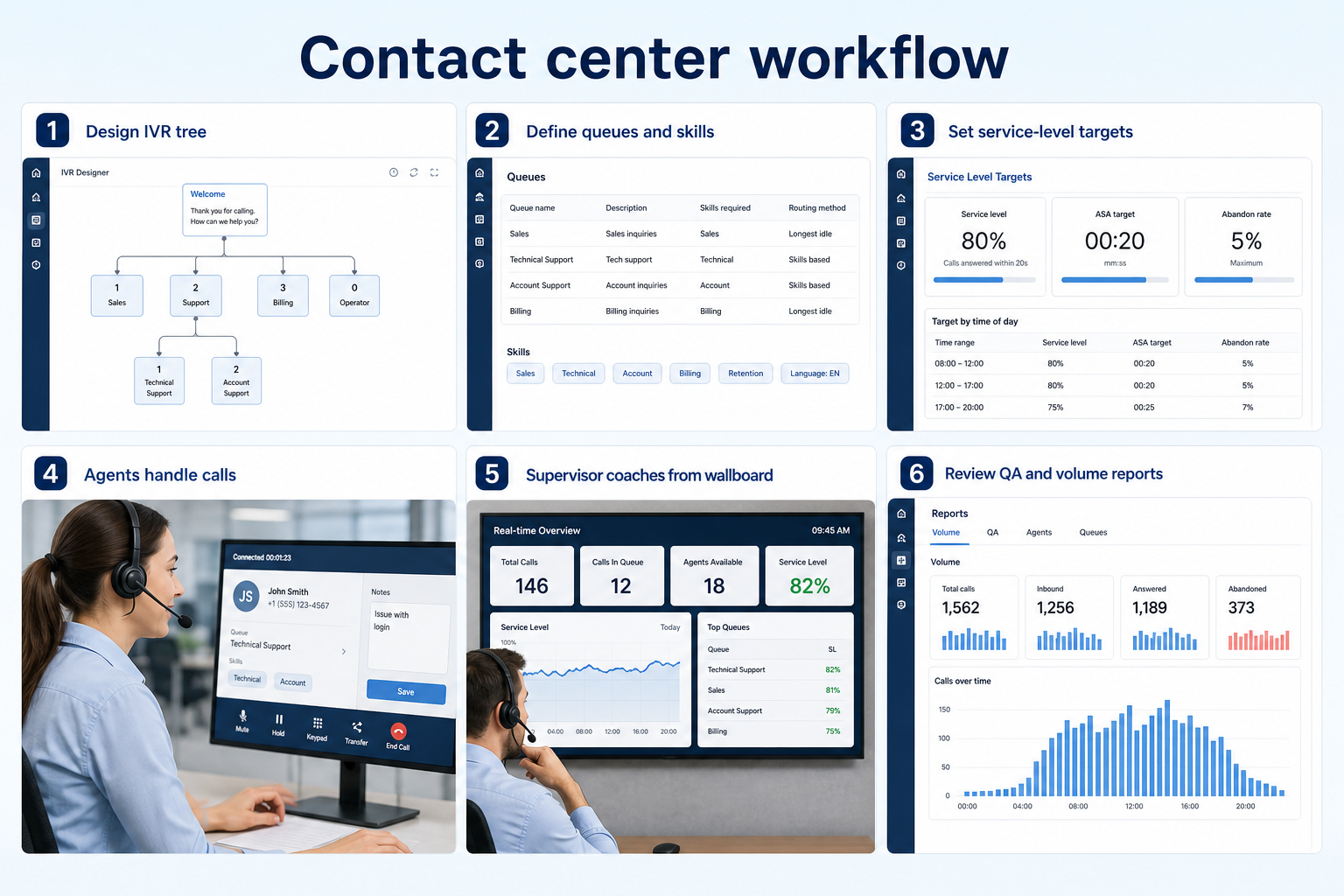
Support labels come from structured feature research — not from videos.
Objective
An IVR based on demand, not org chart.
Next step
Next step
Next step
Next step
Compare two products against the same workflow using researched assessments. Official demos help you see the workflow — they do not change support status.

HubSpot
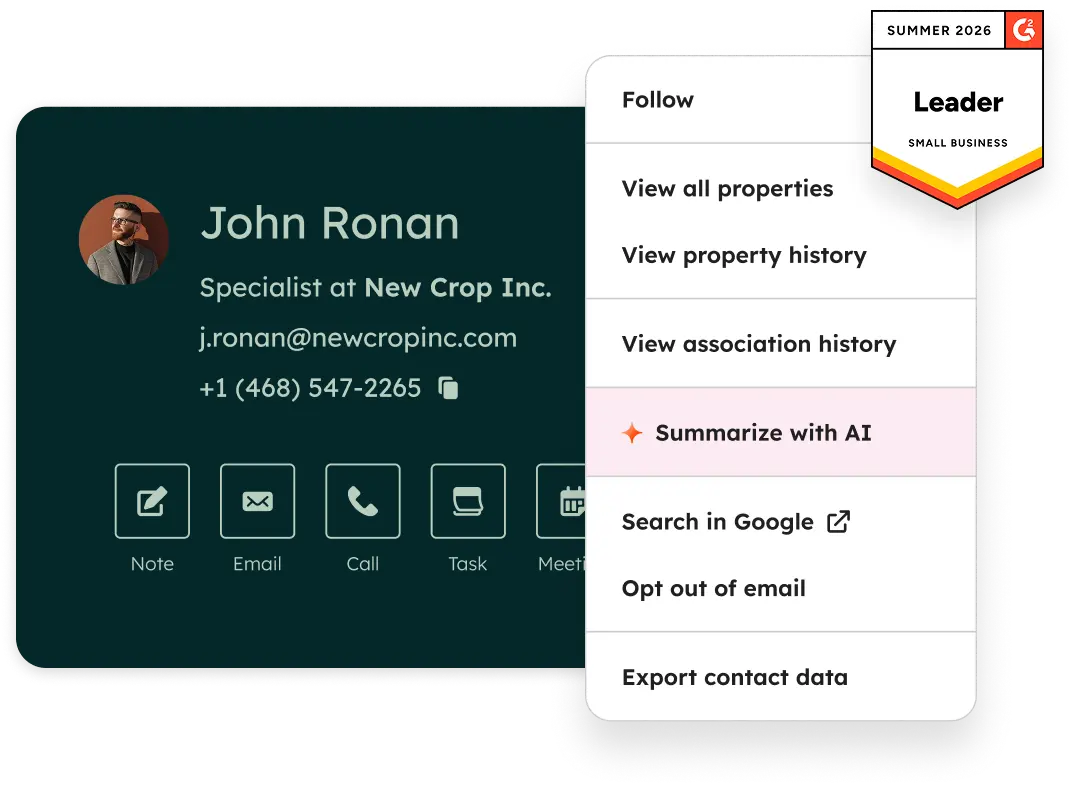
Official Free CRM hero product visualization.
What to notice
Not shown in this demo

Pipedrive

Pipedrive’s sales CRM product view as shown on the official site.
What to notice
Not shown in this demo
Canonical feature assessments for this workflow — not inferred from demos.
| Step | HubSpot | Pipedrive |
|---|---|---|
| Map the call types | Unknown | Unknown |
| Build menus and queues | Unknown | Unknown |
| Set hours and overflow | Unknown | Unknown |
| Staff to the volume curve | Unknown | Unknown |
| Review queue reports weekly | Unknown | Unknown |
Based on the contact center workflow, buyers commonly evaluate the checklist below. Nothing is written to your decision profile until you confirm in the tool.
Context: useCase=contact-center — tools apply this only after your confirmation.
Best when
Several agents share inbound volume with answer expectations.
Best when
One published number must reach the correct location.
Best when
Volume swings mean queues and overflow rules earn their cost.
Catalogue products that list contact center & queues as a supported use case. Inclusion here is not a ranking. Official demo counts never change ranking.
Voip Business Phone
Mid-market cloud phone and customer-conversation platform with deep CRM/helpdesk CTI, IVR, power dialer on Professional, and paid AI add-ons — 3-licence minimum.

Voip Business Phone
SMB cloud phone system with a $0 starter rung, Starter from $18/user/month annual (2-user minimum), call recording and IVR from Professional, plus a separate call-centre plan ladder.

Voip Business Phone
Freshworks cloud PBX for inbound voice support: a $0 agent plan plus pay-per-minute, Growth from $15/agent/month annual with 2,000 included incoming minutes, and routing automation higher up.

Business Communications
Enterprise-grade UCaaS / cloud phone platform (RingEX) with deep call routing, video, team messaging and contact-centre options — Core from ~$20/user/month annual.

Business Communications
SMB-friendly unified business communications — Core $15, Engage $25, Scale $75 per user/month annual, with messaging apps including WhatsApp and a Contact Center ladder from $75/agent.
Business Communications
Global UCaaS + contact-centre platform (8x8 Work / X Series) — Work X2 research floor ~$24/user/month annual; CC tiers custom/higher.

Business Communications
Remote-team UCaaS phone system with meetings and messaging — Phone System / CX / Contact Center ladders are custom-quote (no public seat dollars).

Business Communications
Enterprise UC suite (meetings, messaging, Webex Calling) — Meet/Suite published floors; Calling and Contact Center often quote-layered.

Business Communications
Cloud contact center (CCaaS) — Digital Essentials from $85/user/mo; Voice $105; Elite $165; Industry Clouds from $225.
When routing decisions stop being obvious. Below a few agents, a ring group and voicemail usually work. Once you need queues, overflow rules, and an answer-time expectation you report on, contact-centre capability earns its cost.
Shallow. Menus built around what callers actually want, with a small number of options and a clear route to a person, outperform deep trees mapped to the org chart. Review the menu against real call reasons after a month.
At minimum: how many calls arrived, how long callers waited, how many abandoned, and when volume peaks. That is enough to make staffing decisions from evidence rather than impression.
Give the business real phone numbers, shared answering, and call logging instead of personal mobiles.
Answer customer SMS and chat as a team, with assignment and history instead of one person's phone.
Run outbound call volume with dialing tools and automatic CRM logging instead of hand-typed numbers.
Run WhatsApp as a business channel with a shared inbox, approved templates, and broadcast rules.
Use Finder for a fit-based shortlist, compare products, or build a requirements checklist before demos.
How we review
Evaluation, verification, and refresh — no fake testing claims.
Editorial methodology
Category criteria and scores grounded in evidence.
Editorial policy
Authorship, evidence levels, scoring, and disclosures.
Corrections
Spot something outdated? Tell us.
Want clearer software shortlists? Get buying guides and comparisons by email.
Newsletter coming soon.