
Business Communications
Official WhatsApp Business API platform with a shared team inbox, broadcasts, chatbots and AI co-pilot — platform subscription (Growth/Pro/Business) plus Meta per-message charges.
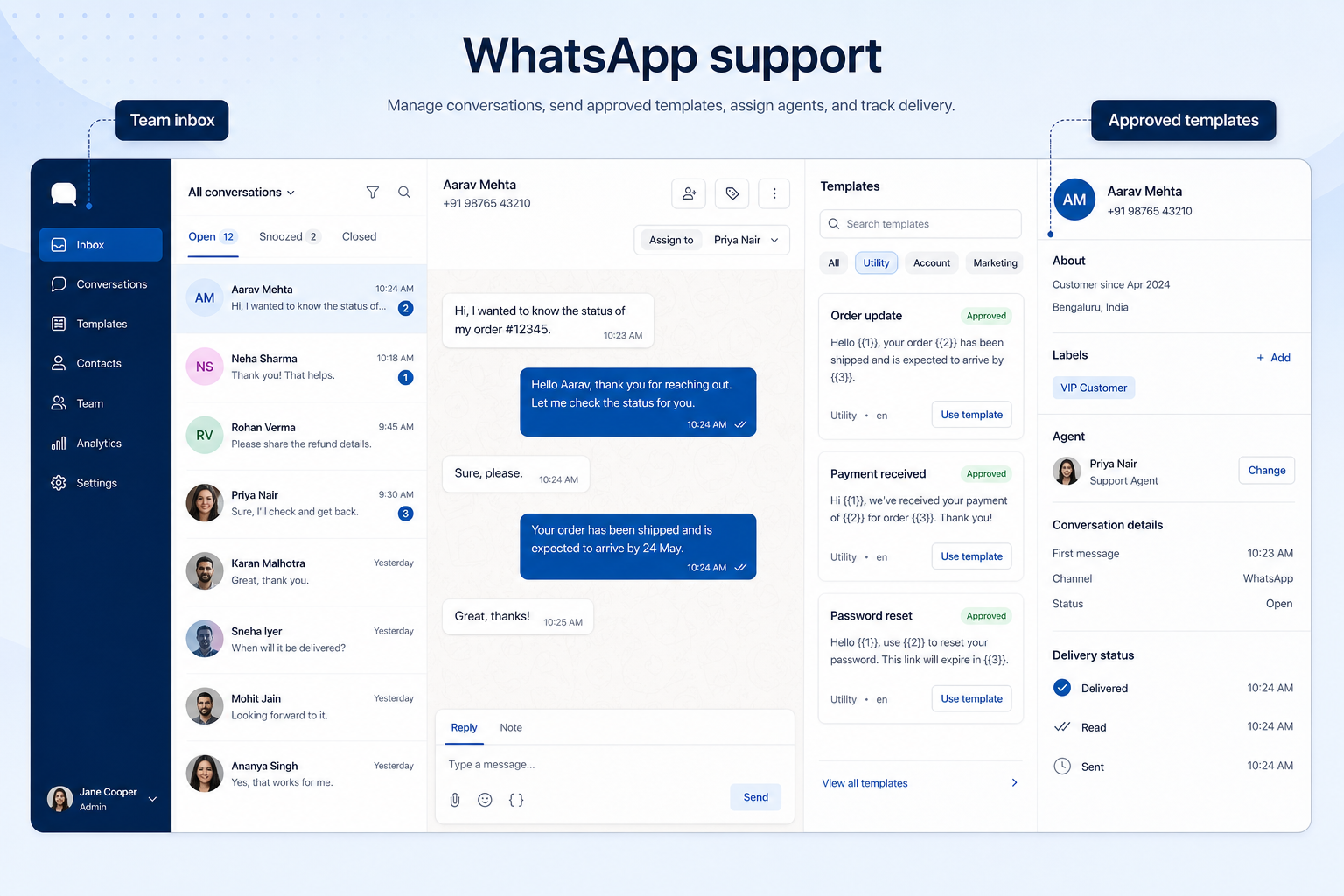
Run WhatsApp as a business channel — shared inbox, approved templates, and broadcast rules — not a personal account with the team's password.
At a glance
A shared, compliant WhatsApp channel with predictable conversation costs
Support and sales teams in WhatsApp-first markets
Official API access · Shared inbox seats · Template approval · Conversation fees
4 products to explore
Fit snapshot
WhatsApp support and sales means operating the official WhatsApp Business API through a provider: a shared team inbox for replies, message templates approved by Meta for outbound contact, broadcasts within the platform's rules, and chatbots or automations for repetitive questions. It is a distinct purchase from a phone system.
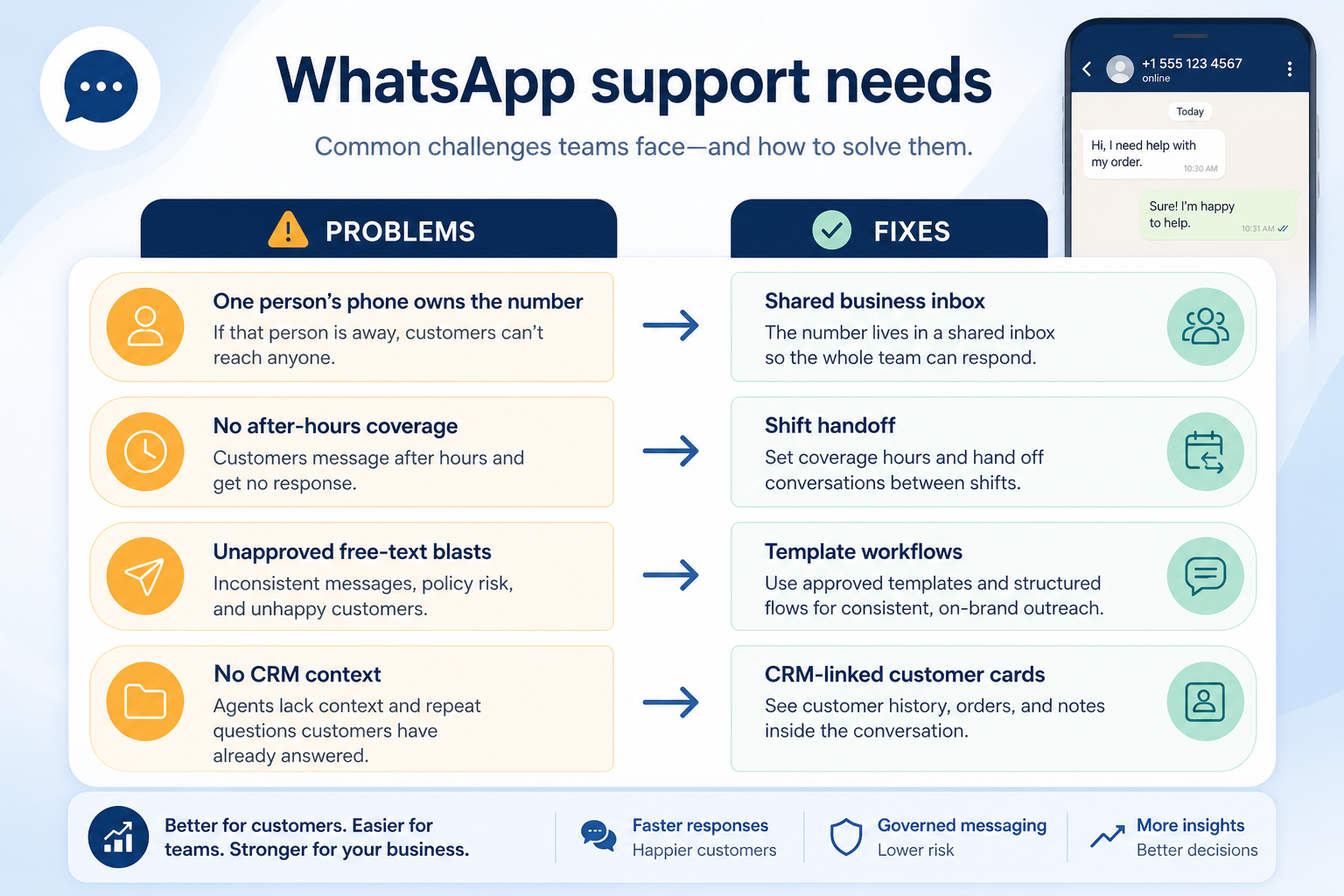
Businesses in markets where customers default to WhatsApp — common across parts of Asia, Latin America, Africa, and southern Europe — and teams currently running the channel from a personal or Business App account that cannot be shared safely.
How teams put business communications software to work for whatsapp
Example 1
a clinic taking appointment requests on WhatsApp. Before, one receptionist's phone held the account and evenings went unanswered. After moving to a Business API platform, the number is shared, templates handle appointment confirmations, and unanswered chats are visible to a supervisor rather than trapped on a handset.
Example 2
a retailer sending order updates. Outbound messages outside the customer service window require approved templates, and each conversation carries a Meta charge — so the message plan is a cost decision, not only a marketing one.
These are the operating problems that usually push teams toward business communications software for whatsapp — not feature wish lists.
Without communications discipline: It cannot be shared, audited, or handed over safely.
Without communications discipline: Meta's rules restrict unsolicited outbound outside the service window.
Without communications discipline: Meta conversation charges are not in the platform's subscription price.
Without communications discipline: Agents spend the day answering hours and prices.
Fit depends on operating the business communications software with clear owners and hygiene. Here is what “good” looks like for whatsapp.
With the right communications setup: Business API access moves the number to a company-owned platform.
With the right communications setup: Template management handles approval and correct usage.
With the right communications setup: Understanding both parts makes volume forecasting possible.
With the right communications setup: Chatbots and saved replies absorb repetitive traffic.
A channel the business owns
Access survives staff changes and can be audited.
Outbound that follows the rules
Approved templates used in the right window.
Forecastable messaging cost
Conversation volume modelled rather than discovered.
Fewer repetitive replies
Automation covers the questions that repeat.
Understand the two-part cost model (platform subscription plus Meta conversation fees), the template approval workflow, how many agents can share the inbox on your tier, and what automation is included versus gated.
The compliance foundation for sharing the channel.
Platform subscription plus Meta conversation charges.
Approval turnaround shapes what you can send and when.
Start with must-haves your team will use weekly. Treat nice-to-haves as later upgrades — not day-one blockers.
Must-have
Nice-to-have
Understand what needs to happen before comparing how products implement each step. Support overlays use structured research — never video inference.
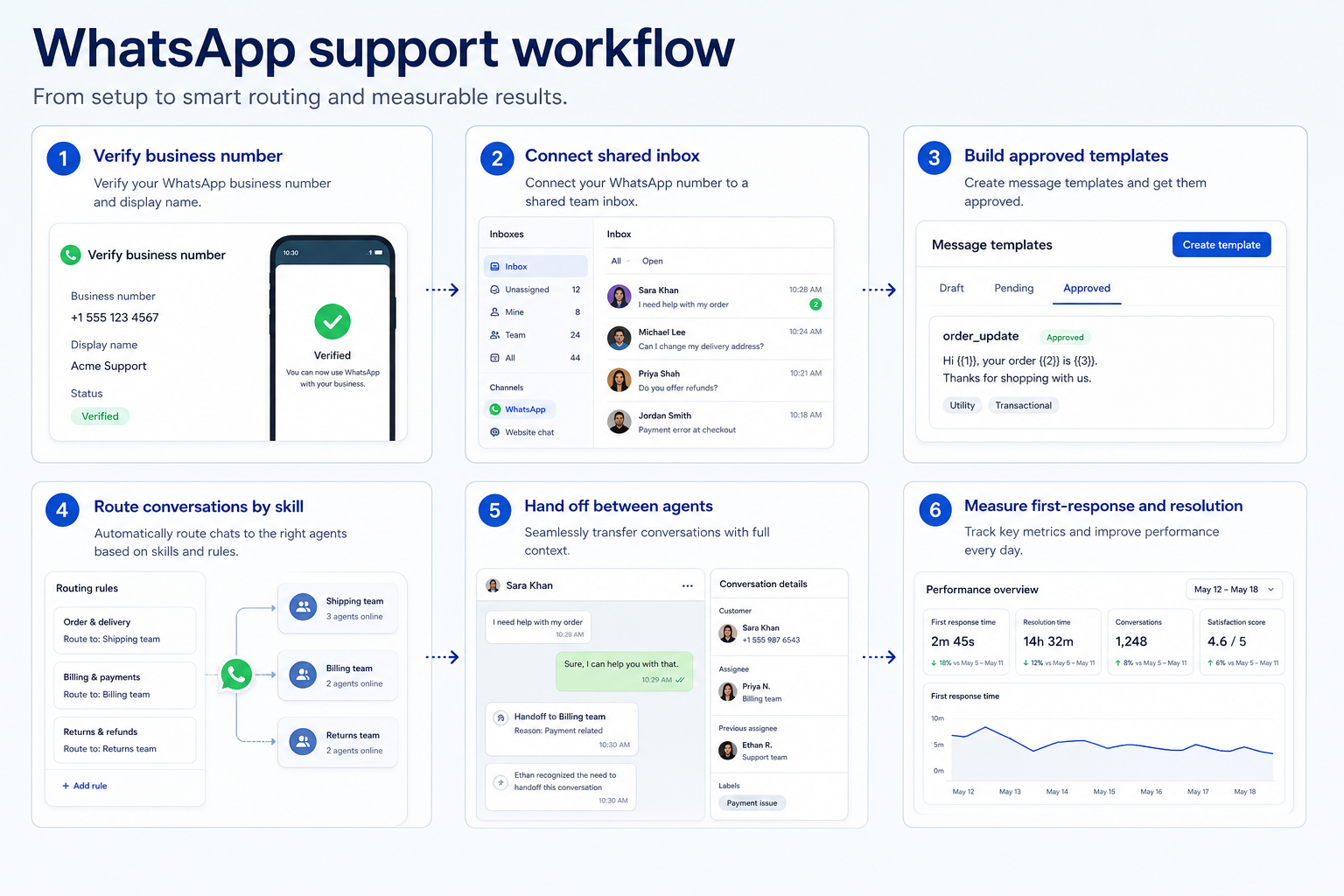
Support labels come from structured feature research — not from videos.
Objective
A company-owned WhatsApp number.
Next step
Next step
Next step
Next step
Compare two products against the same workflow using researched assessments. Official demos help you see the workflow — they do not change support status.

HubSpot
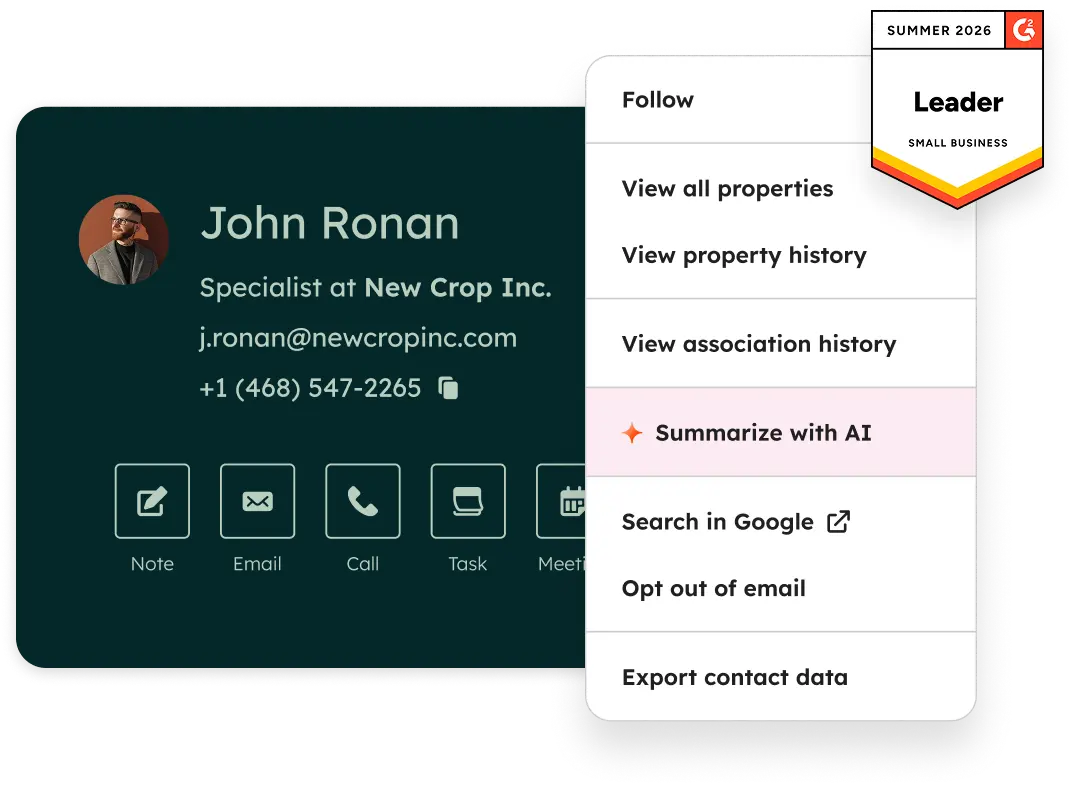
Official Free CRM hero product visualization.
What to notice
Not shown in this demo

Pipedrive

Pipedrive’s sales CRM product view as shown on the official site.
What to notice
Not shown in this demo
Canonical feature assessments for this workflow — not inferred from demos.
| Step | HubSpot | Pipedrive |
|---|---|---|
| Onboard the number | Unknown | Unknown |
| Submit templates | Unknown | Unknown |
| Set up the shared inbox | Unknown | Unknown |
| Automate the repeats | Unknown | Unknown |
| Measure volume and cost | Unknown | Unknown |
Based on the whatsapp workflow, buyers commonly evaluate the checklist below. Nothing is written to your decision profile until you confirm in the tool.
Context: useCase=whatsapp-support — tools apply this only after your confirmation.
Best when
Customers expect to message rather than call or email.
Best when
Confirmations and reminders are the bulk of outbound messaging.
Best when
Order updates and pre-sales questions arrive on WhatsApp.
If customers mostly call, a phone system is the first purchase.
Learn more →Which outbound messages you need approved, and how many agents.
Learn more →Catalogue products that list whatsapp support & sales as a supported use case. Inclusion here is not a ranking. Official demo counts never change ranking.
Business Communications
Official WhatsApp Business API platform with a shared team inbox, broadcasts, chatbots and AI co-pilot — platform subscription (Growth/Pro/Business) plus Meta per-message charges.

Business Communications
Omnichannel customer messaging platform (WhatsApp + other channels) with shared inbox and AI — Starter from $79/month annual-equivalent.

Business Communications
Messenger / Instagram / WhatsApp marketing chatbot — Free 25 Active Contacts; Essential from $14/mo annual; Pro $29/mo annual.
Live Chat
Customer messaging / shared inbox with Fin AI — Essential from $29/seat/mo + Fin from $0.99/outcome. Primary live-chat; BC + CS secondary.
The free app works for a single operator on a single device. It cannot be shared safely across a team, has limited automation, and gives you no assignment or audit trail. The Business API through a provider is what makes the channel a team asset.
In two parts: the platform's subscription for the inbox, automation, and broadcast tooling, plus Meta's own per-conversation or per-message charges. The platform passes the second part through and does not set the rate, so model both against your expected volume.
Within Meta's rules, using approved templates and respecting opt-in requirements and the customer service window. Treat it as a permission-based channel with its own compliance requirements rather than an unlimited broadcast list.
Answer customer SMS and chat as a team, with assignment and history instead of one person's phone.
Give the business real phone numbers, shared answering, and call logging instead of personal mobiles.
Route inbound volume through IVR menus and queues with reporting managers can act on.
Move internal coordination out of personal messaging apps into channels the business controls.
Use Finder for a fit-based shortlist, compare products, or build a requirements checklist before demos.
How we review
Evaluation, verification, and refresh — no fake testing claims.
Editorial methodology
Category criteria and scores grounded in evidence.
Editorial policy
Authorship, evidence levels, scoring, and disclosures.
Corrections
Spot something outdated? Tell us.
Want clearer software shortlists? Get buying guides and comparisons by email.
Newsletter coming soon.