
Voip Business Phone
Mid-market cloud phone and customer-conversation platform with deep CRM/helpdesk CTI, IVR, power dialer on Professional, and paid AI add-ons — 3-licence minimum.
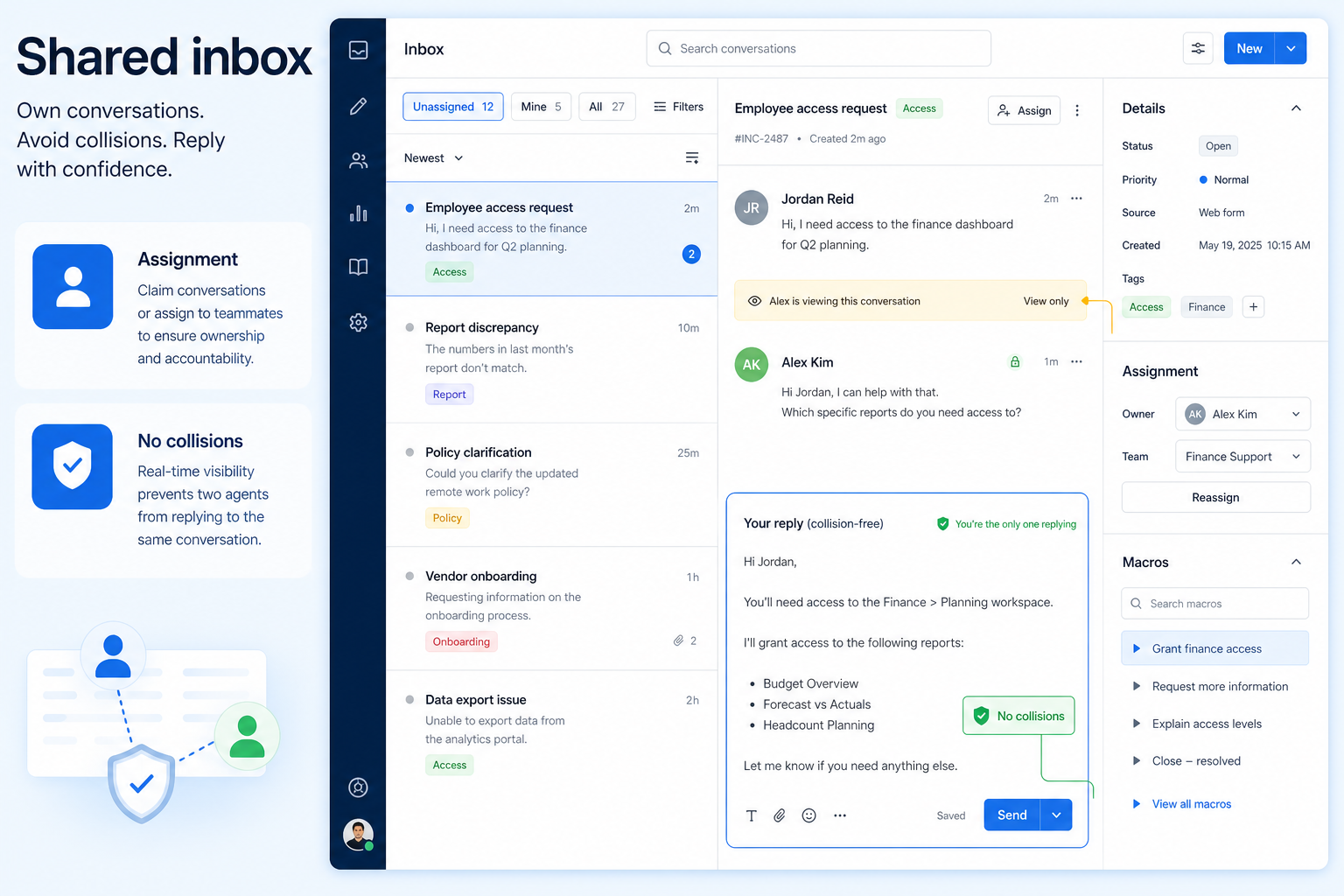
One conversation queue several agents can work — with assignment, tags, and internal notes.
At a glance
Company-owned conversations with explicit ownership
Ops, support, sales, and SMB operators running business voice or messaging
Assignment & ownership · Internal notes · Tags / topics · Collision prevention
9 products to explore
Fit snapshot
Shared inbox capability covers multi-agent ownership of customer conversations across email, SMS, chat, or WhatsApp: assignment, tagging, internal notes, and an audit trail so replies do not disappear into personal accounts.
Support pairs and front-desk teams answering the same customer channel who need ownership and history — not a personal inbox each.
How teams put CRM to work for shared inbox
Example 1
two support agents share SMS. Assignment and status stop double replies; internal notes keep context when a third person covers lunch.
Example 2
a WhatsApp queue uses tags for order vs returns so specialists pull the right conversations without scrolling a shared phone.
These are the operating problems that usually push teams toward CRM for shared inbox — not feature wish lists.
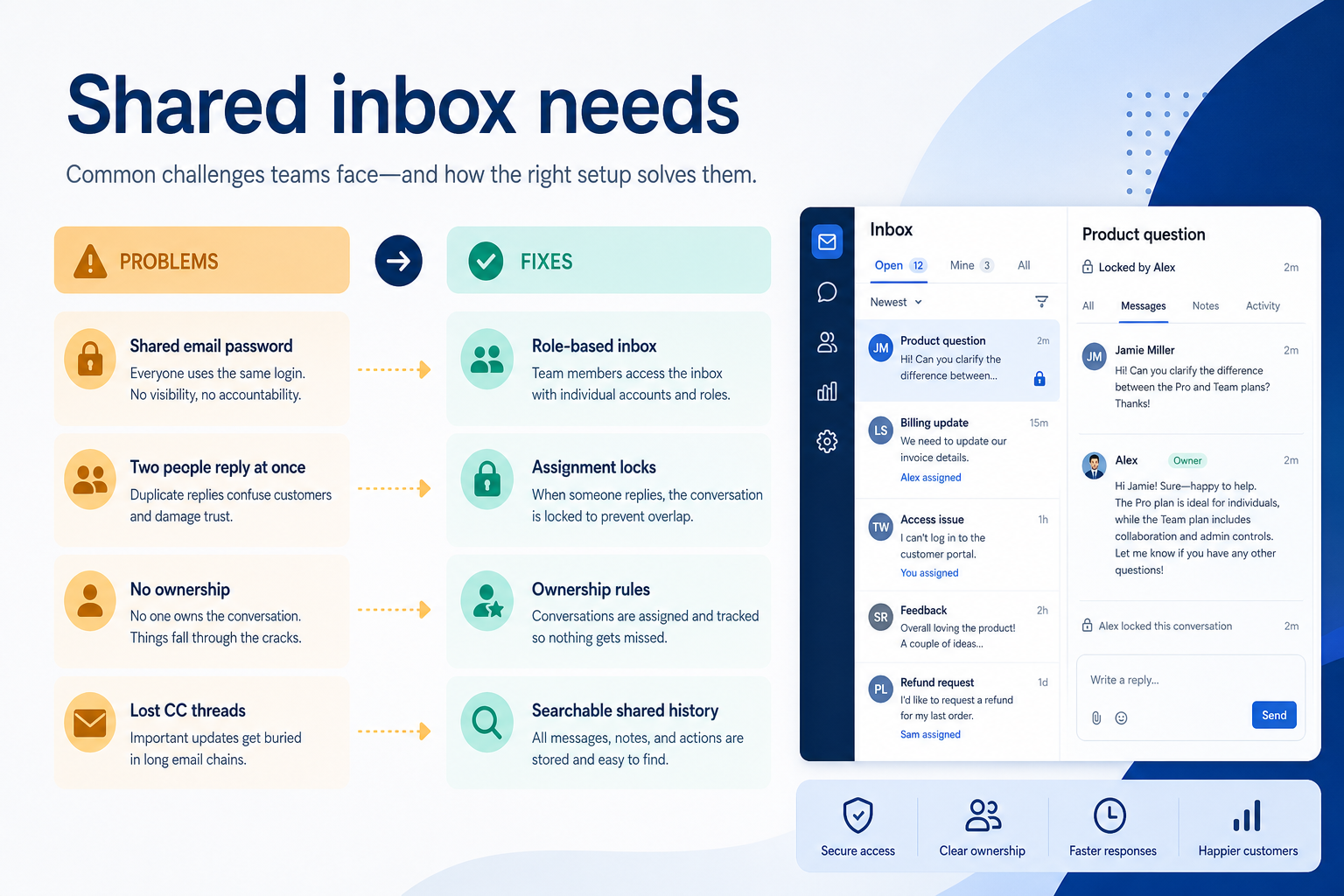
Without CRM discipline: Coverage dies on days off.
Without CRM discipline: Customers get conflicting answers.
Without CRM discipline: Sensitive detail hits the customer thread.
Without CRM discipline: Customers wait silently.
A CRM only helps when the team keeps owners, history, and next steps current. Here is what “good” looks like for shared inbox.
With CRM discipline: Shared queues keep threads company-owned.
With CRM discipline: Assignment and locking prevent collisions.
With CRM discipline: Internal notes keep side context off-channel.
With CRM discipline: Open-queue views drive weekly hygiene.
Shift-proof coverage
Any trained agent can continue.
Clear owners
Assignment stops silent drops.
Fewer collisions
Customers hear one voice.
Visible backlog
Managers see what is open.
Evaluate assignment rules, collision prevention, notes, and reporting on open threads — not how many channel logos appear on a homepage.
Assignment & ownership as a buying lens for this capability.
Internal notes as a buying lens for this capability.
Tags / topics as a buying lens for this capability.
Start with must-haves your team will use weekly. Treat nice-to-haves as later upgrades — not day-one blockers.
Must-have
Nice-to-have
A simple operating loop beats a complex board nobody updates.
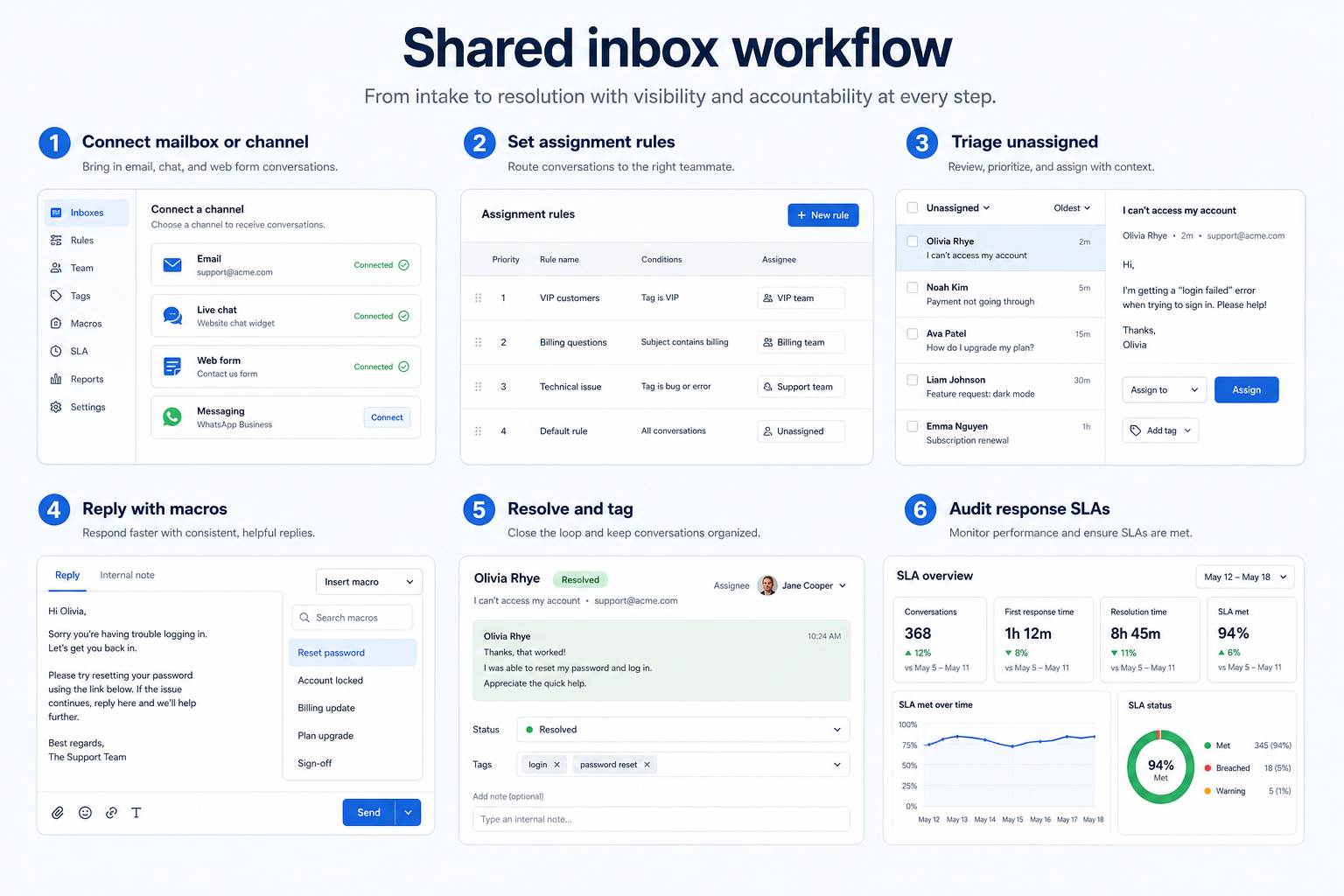
By channel or topic.
Manual or rules-based owners.
Short taxonomy agents will use.
Assign, note, resolve.
Weekly open-thread scrub.
Best when
You need this capability without enterprise complexity.
Best when
Volume or multi-agent coverage makes this capability blocking.
Catalogue products tagged to related use cases for shared inbox. Inclusion here is not a ranking.
Voip Business Phone
Mid-market cloud phone and customer-conversation platform with deep CRM/helpdesk CTI, IVR, power dialer on Professional, and paid AI add-ons — 3-licence minimum.

Voip Business Phone
SMB cloud phone system with a $0 starter rung, Starter from $18/user/month annual (2-user minimum), call recording and IVR from Professional, plus a separate call-centre plan ladder.

Voip Business Phone
Freshworks cloud PBX for inbound voice support: a $0 agent plan plus pay-per-minute, Growth from $15/agent/month annual with 2,000 included incoming minutes, and routing automation higher up.

Business Communications
Official WhatsApp Business API platform with a shared team inbox, broadcasts, chatbots and AI co-pilot — platform subscription (Growth/Pro/Business) plus Meta per-message charges.

Business Communications
Enterprise-grade UCaaS / cloud phone platform (RingEX) with deep call routing, video, team messaging and contact-centre options — Core from ~$20/user/month annual.

Business Communications
SMB-friendly unified business communications — Core $15, Engage $25, Scale $75 per user/month annual, with messaging apps including WhatsApp and a Contact Center ladder from $75/agent.
Business Communications
Global UCaaS + contact-centre platform (8x8 Work / X Series) — Work X2 research floor ~$24/user/month annual; CC tiers custom/higher.

Business Communications
Remote-team UCaaS phone system with meetings and messaging — Phone System / CX / Contact Center ladders are custom-quote (no public seat dollars).

Business Communications
Omnichannel customer messaging platform (WhatsApp + other channels) with shared inbox and AI — Starter from $79/month annual-equivalent.
No. Fit depends on your primary communications job (phone, dialing, messaging, WhatsApp, or contact center), seat count, and which requirements are must-haves. Use the Best Business Communications shortlist and requirements guide rather than starting from a single ranking.
CRM capabilities store relationships and pipeline on records. Business communications capabilities place and route calls or messages — often writing activity back into CRM via CTI. Many teams need both connected; buy for the communications job that is blocking first.
Send and receive business SMS from the same numbers your team calls from.
Official WhatsApp Business API messaging with a shared inbox, templates, and broadcasts.
Calls, SMS, and chat in one agent workspace instead of three separate tools.
Internal channels and chat the business controls, instead of personal messaging groups.
Part of CRM capabilities · CRM Software hub
Want clearer software shortlists? Get buying guides and comparisons by email.
Newsletter coming soon.