

This video is hosted on YouTube
This content is hosted by YouTube. The player loads only after you allow marketing cookies.
Construction CRM capability
Evaluate CRM platforms on how well they support contact management for construction teams — the requirements that matter, the trade-offs involved, and researched product evidence.
Contact management
What we evaluate
Capability at a glance
High importanceContact management is the foundation of every other CRM capability. For construction teams it decides whether anyone can answer basic questions — who owns this relationship, what was last discussed, and what happens next.
When contact data lives in inboxes, spreadsheets, and individual memory, construction teams duplicate work and lose context at handovers. A shared record makes relationship history a team asset rather than a personal one.
Products differ less in whether they store contacts and more in how they model accounts, relationships, custom data, and interaction history. Compare those specifics against your own record structure.
Use these requirements to evaluate products against your workflow — not popularity alone.
Store people alongside the organizations and accounts they belong to.
Explore feature →See emails, calls, meetings, and notes on a single timeline.
Explore requirement →Capture correspondence automatically instead of relying on manual logging.
Explore requirement →Record the attributes your team actually uses to segment and qualify.
Explore requirement →Filter and group contacts for outreach, reviews, and reporting.
Explore feature →Limit who can see or edit sensitive relationship data where required.
Explore requirement →Essential
Advanced
See which official demonstrations and screenshots support each requirement. Support labels come from feature assessments — not from media counts.
Requirement
Store people alongside the organizations and accounts they belong to.
Explore requirement →
ACT!
Evidence:

Affinity
Evidence:

Agile CRM
Evidence:
Requirement
See emails, calls, meetings, and notes on a single timeline.
Explore requirement →ACT!
Evidence:
Affinity
Evidence:
Agile CRM
Evidence:
Requirement
Capture correspondence automatically instead of relying on manual logging.
Explore requirement →ACT!
Evidence:
Affinity
Evidence:
Agile CRM
Evidence:
Requirement
Record the attributes your team actually uses to segment and qualify.
Explore requirement →ACT!
Evidence:
Affinity
Evidence:
Agile CRM
Evidence:
Requirement
Filter and group contacts for outreach, reviews, and reporting.
Explore requirement →ACT!
Evidence:
Affinity
Evidence:
Agile CRM
Evidence:
Overall labels use approved criterion assessments when available; otherwise they reflect feature-support coverage — not an industry ranking.
| Product | Overall | Contact management | Lead management | Email sync | Custom fields | Email tracking | Best suited to |
|---|---|---|---|---|---|---|---|
Strong Evidence: 7 sources · 0 screenshots · 2 official videos | Established SMBs already familiar with ACT! | ||||||
Strong Evidence: 7 sources · 0 screenshots · 2 official videos | Venture capital and private equity relationship teams | ||||||
Strong Evidence: 7 sources · 0 screenshots · 1 official videos | Budget-conscious SMBs wanting freemium CRM | ||||||
Strong Evidence: 7 sources · 0 screenshots · 2 official videos | SMBs wanting CRM plus adjacent business apps | ||||||
Strong Evidence: 7 sources · 3 screenshots · 5 official videos | Inside sales and outbound teams that live on phone/email/SMS | ||||||
Strong Evidence: 7 sources · 0 screenshots · 1 official videos | Real-estate professionals needing relationship CRM | ||||||
Strong Evidence: 7 sources · 0 screenshots · 1 official videos | SMB teams wanting relationship/social CRM with Gmail or Outlook | ||||||
Strong Evidence: 7 sources · 0 screenshots · 2 official videos | SMB sales teams wanting pipeline-first CRM |
Select two products for a side-by-side comparison.
ACT!
Established SMBs already familiar with ACT!
Evidence confidence: High
Affinity
$166.67/user/month
Venture capital and private equity relationship teams
Evidence confidence: High
Agile CRM
$8.99/user/month
Budget-conscious SMBs wanting freemium CRM
Evidence confidence: High
Need help choosing?
Answer a few questions about team size, requirements, integrations and budget for a personalized CRM shortlist.
Find My CRM →✓ Supported · ~ Partial / plan dependent · — Not evidenced. Unknown is never shown as “No”.
Official vendor demonstrations help show how different CRM platforms approach the workflows, features and interactions that make up contact management. Absence of a video does not mean a product lacks the capability.

Close
Getting Started with Email in Close | How to Send and Manage Emails from Your CRM
Focus: Close CRM email setup and usage
This video is hosted on YouTube
This content is hosted by YouTube. The player loads only after you allow marketing cookies.
What this shows
What this does not establish
Features visible in this demo
Source: Close · Verified 15 Aug 2026
Nimble
AI-Powered Email Writing in Nimble
Focus: Nimble AI email template generator workflow

This video is hosted on YouTube
This content is hosted by YouTube. The player loads only after you allow marketing cookies.
What this shows
What this does not establish
Features visible in this demo
Source: Nimble · Verified 16 Aug 2026
ACT!
Act! CRM Training | Fundamentals: Mastering the Basics
Focus: Act! fundamentals for contacts, companies, and activities

This video is hosted on YouTube
This content is hosted by YouTube. The player loads only after you allow marketing cookies.
What this shows
What this does not establish
Features visible in this demo
Source: ACT! · Verified 16 Aug 2026
Affinity
How to Use Relationship Intelligence in your CRM
Focus: Automatic email and calendar capture into Affinity profiles

This video is hosted on YouTube
This content is hosted by YouTube. The player loads only after you allow marketing cookies.
What this shows
What this does not establish
Features visible in this demo
Source: Affinity · Verified 16 Aug 2026
Evidence-backed workflow comparison using official vendor demos and screenshots — not a ranking or entertainment gallery. Absence of media does not mean a product lacks the capability.
Close
Getting Started with Email in Close | How to Send and Manage Emails from Your CRM
Open source ↗Close emphasizes
Nimble
Nimble emphasizes
SoftwareGlimpse take
Close evidence emphasizes Close CRM email setup and usage; Nimble evidence emphasizes Nimble AI email template generator workflow. These are observations from official sources, not inferred brand philosophy.
One best official workflow demonstration per product when available — not a gallery of every video.
Key strengths
Limitations
See it in action
This video is hosted on YouTube
This content is hosted by YouTube. The player loads only after you allow marketing cookies.
Official vendor tutorial
Key strengths
Limitations
See it in action
This video is hosted on YouTube
This content is hosted by YouTube. The player loads only after you allow marketing cookies.
Official vendor tutorial
Key strengths
Limitations
See it in action

This video is hosted on YouTube
This content is hosted by YouTube. The player loads only after you allow marketing cookies.
Official vendor video
Verified product captures only — never stock imagery or mockups.
Loading evidence explorer…
Your exact requirements depend on your sales or advisory process.
Simple records vs rich data model
Flexible data models capture more nuance but need someone to own field definitions and data quality.
Automatic capture vs control
Automatic email and calendar sync keeps history complete but pulls in more data than some teams want stored.
Open access vs restricted visibility
Broad visibility helps collaboration; restricted records protect sensitive relationships but add administration.
Relationship-led teams
Very highHold accounts, contacts, and full interaction history in one shared record.
Explore use case →Pipeline-led sales teams
Medium–HighKeep buyer and account context next to each deal.
Explore use case →High-volume lead handling
Very highCapture leads cleanly and keep duplicates under control at volume.
Explore use case →Complex sales processes
HighTrack multiple stakeholders and their roles on each opportunity.
Explore use case →Growing teams
Very highOne shared record so knowledge does not sit with individuals.
Explore use case →Ask the vendor to demonstrate this with your workflow, plans, and data requirements — and request documentation where relevant.
Ask the vendor to demonstrate this with your workflow, plans, and data requirements — and request documentation where relevant.
Ask the vendor to demonstrate this with your workflow, plans, and data requirements — and request documentation where relevant.
Ask the vendor to demonstrate this with your workflow, plans, and data requirements — and request documentation where relevant.
Ask the vendor to demonstrate this with your workflow, plans, and data requirements — and request documentation where relevant.
Ask the vendor to demonstrate this with your workflow, plans, and data requirements — and request documentation where relevant.
Ask the vendor to demonstrate this with your workflow, plans, and data requirements — and request documentation where relevant.
Ask the vendor to demonstrate this with your workflow, plans, and data requirements — and request documentation where relevant.
Agree the record model
Decide how contacts, companies, and accounts relate before importing.
Define required fields
Keep the required set small enough that people fill it in.
Clean before you migrate
Deduplicate existing data rather than importing the mess.
Set up email sync early
Automatic capture drives adoption more than training does.
Assign data ownership
Name who maintains fields, lists, and duplicate rules.
Pipeline management
Evaluate CRM platforms on how well they support pipeline management for construction teams — the requirements that matter, the trade-offs involved, and researched product evidence.
Explore →Workflow automation
Evaluate CRM platforms on how well they support workflow automation for construction teams — the requirements that matter, the trade-offs involved, and researched product evidence.
Explore →Reporting and forecasting
Evaluate CRM platforms on how well they support reporting and forecasting for construction teams — the requirements that matter, the trade-offs involved, and researched product evidence.
Explore →Integrations
Evaluate CRM platforms on how well they support integrations for construction teams — the requirements that matter, the trade-offs involved, and researched product evidence.
Explore →Security and administration
Evaluate CRM platforms on how well they support security and administration for construction teams — the requirements that matter, the trade-offs involved, and researched product evidence.
Explore →See the category-wide capability hub: Contact management CRM capability.
Tell us your team size, requirements, integrations and budget. We will use structured answers — not affiliate incentives — to build your shortlist.
Find My CRM →Contact management is how a CRM stores people, the accounts they belong to, and the history of interactions with them — so the record, not an individual inbox, is the source of truth.
It determines whether anyone can pick up a relationship without re-learning it. For construction teams that share accounts across roles, a complete shared history is usually the difference between a smooth handover and a lost thread.
A database stores names and details. Contact management adds relationships, ownership, interaction history, and the workflows that keep those records current.
You need them once your qualification or segmentation depends on attributes the default record does not capture. If standard fields already describe your contacts, custom fields can wait.
No. Fit depends on how your team works, which requirements are must-haves, and what the CRM has to integrate with. Use the requirement matrix and CRM Finder to build a shortlist rather than starting from a ranking.
Choose products based on the contact management capabilities your team actually needs.
Explore the official documentation, screenshots and product demonstrations used to understand how each CRM implements contact management.
18 items
Official video · Attio
Supports
Demonstrates

This video is hosted on YouTube
This content is hosted by YouTube. The player loads only after you allow marketing cookies.
Official vendor tutorial
Verified: 15 Aug 2026
Open source ↗Official video · Bitrix24
Supports
Demonstrates

This video is hosted on YouTube
This content is hosted by YouTube. The player loads only after you allow marketing cookies.
Official vendor tutorial
Verified: 15 Aug 2026
Open source ↗Official video · Close
Supports
Demonstrates
This video is hosted on YouTube
This content is hosted by YouTube. The player loads only after you allow marketing cookies.
Official vendor tutorial
Verified: 15 Aug 2026
Open source ↗Official video · Close
Supports
Demonstrates

This video is hosted on YouTube
This content is hosted by YouTube. The player loads only after you allow marketing cookies.
Official vendor tutorial
Verified: 15 Aug 2026
Open source ↗Official video · Copper
Supports
Demonstrates

This video is hosted on YouTube
This content is hosted by YouTube. The player loads only after you allow marketing cookies.
Official vendor tutorial
Verified: 15 Aug 2026
Open source ↗Official video · Insightly CRM by Unbounce
Supports
Demonstrates

This video is hosted on YouTube
This content is hosted by YouTube. The player loads only after you allow marketing cookies.
Official vendor tutorial
Verified: 15 Aug 2026
Open source ↗Official video · monday.com
Supports
Demonstrates

This video is hosted on YouTube
This content is hosted by YouTube. The player loads only after you allow marketing cookies.
Official vendor tutorial
Verified: 15 Aug 2026
Open source ↗Official video · monday.com
Supports
Demonstrates

This video is hosted on YouTube
This content is hosted by YouTube. The player loads only after you allow marketing cookies.
Official vendor tutorial
Verified: 15 Aug 2026
Open source ↗Official video · Nimble
Supports
Demonstrates
This video is hosted on YouTube
This content is hosted by YouTube. The player loads only after you allow marketing cookies.
Official vendor tutorial
Verified: 16 Aug 2026
Open source ↗Official video · Salesforce
Supports
Demonstrates

This video is hosted on YouTube
This content is hosted by YouTube. The player loads only after you allow marketing cookies.
Official vendor video
Financial Services Cloud overview — client/account relationships and advisor workflows
Verified: 14 Aug 2026
Open source ↗Official video · Streak
Supports
Demonstrates

This video is hosted on YouTube
This content is hosted by YouTube. The player loads only after you allow marketing cookies.
Official vendor tutorial
Verified: 15 Aug 2026
Open source ↗Official video · Zoho CRM
Supports
Demonstrates

This video is hosted on YouTube
This content is hosted by YouTube. The player loads only after you allow marketing cookies.
Official vendor tutorial
Verified: 15 Aug 2026
Open source ↗Screenshot · Attio
Supports
Demonstrates
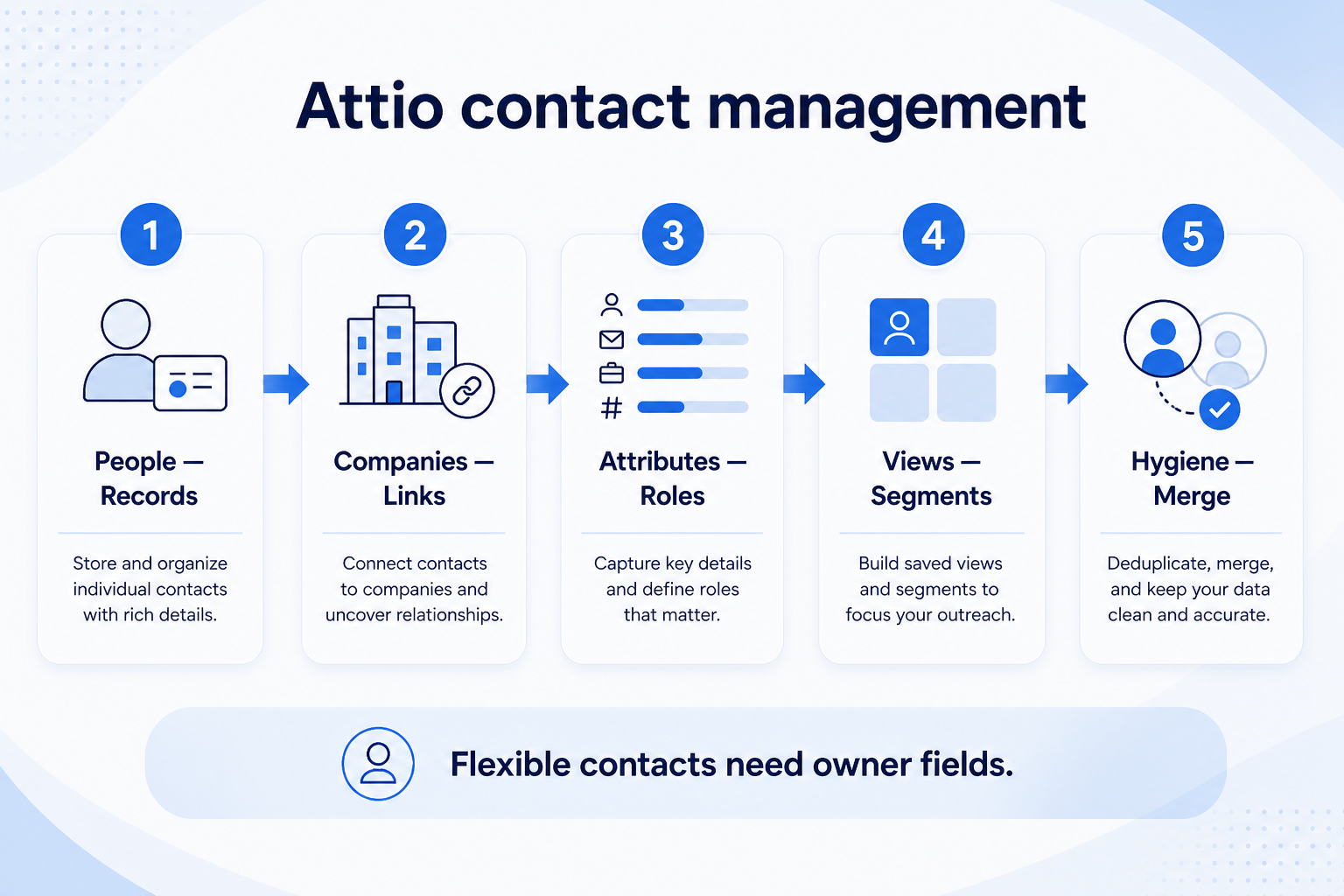
Verified: 15 Aug 2026
Open source ↗Screenshot · Attio
Supports
Demonstrates
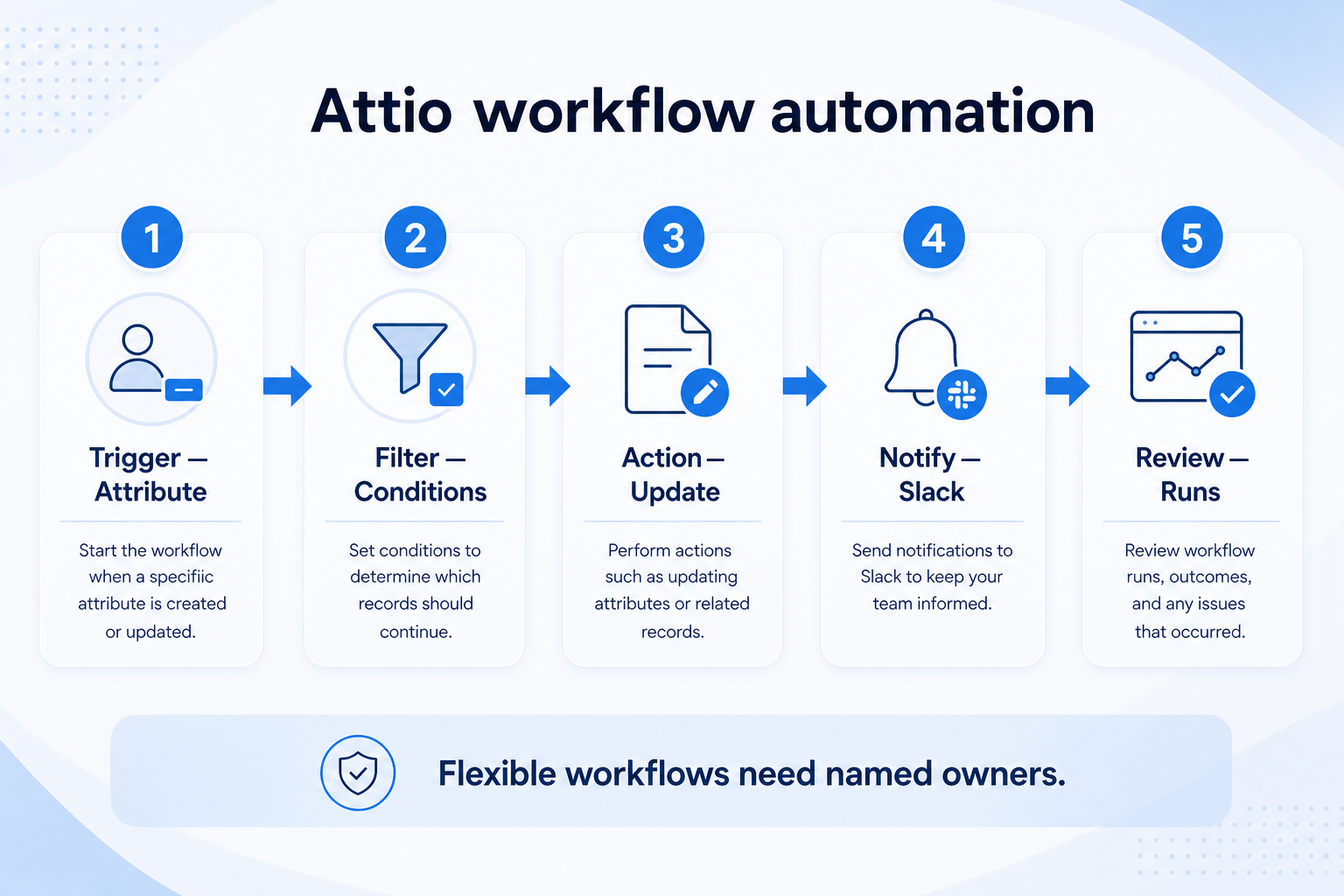
Verified: 15 Aug 2026
Open source ↗Screenshot · Bitrix24
Supports
Demonstrates
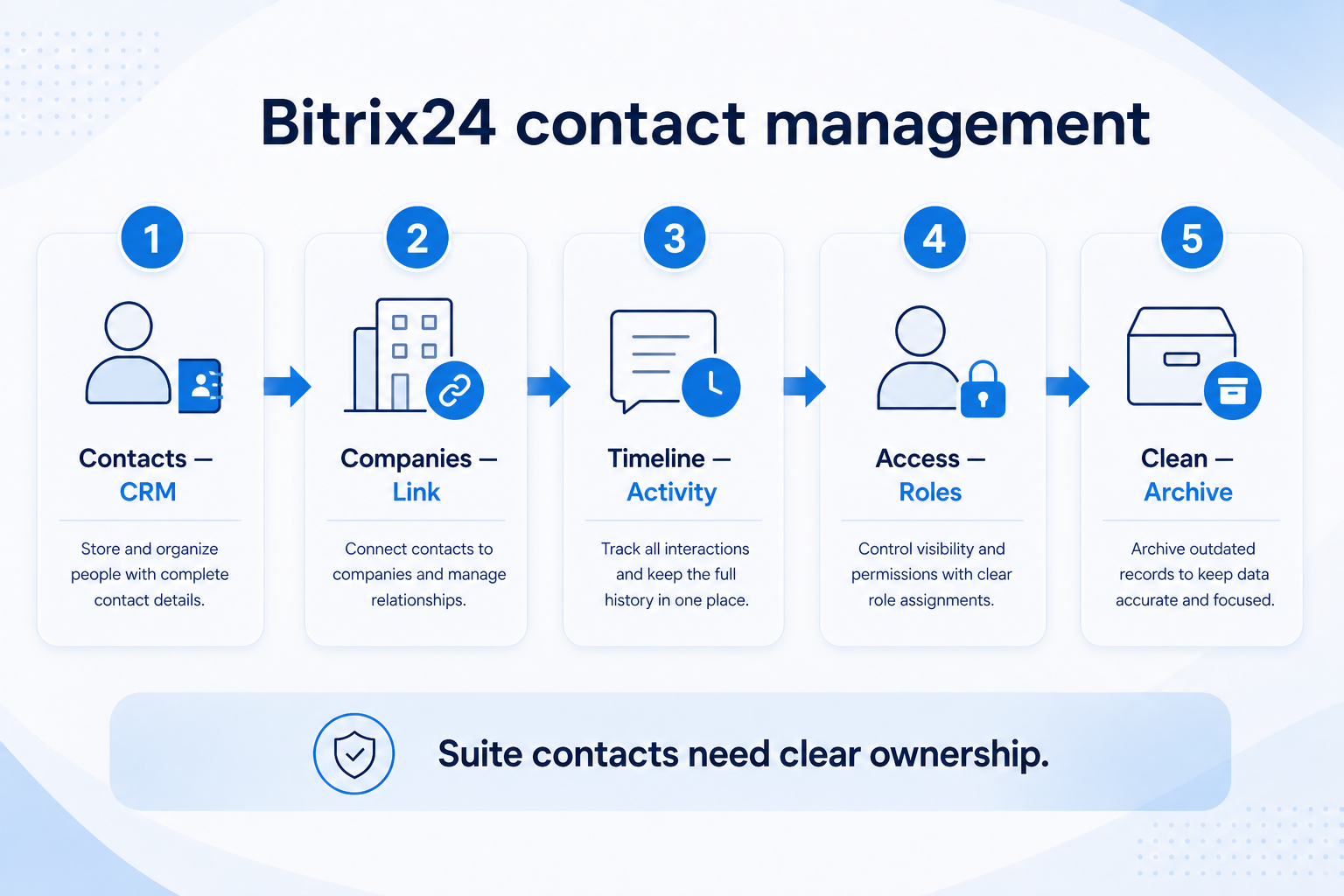
Verified: 15 Aug 2026
Open source ↗Screenshot · Capsule
Supports
Demonstrates
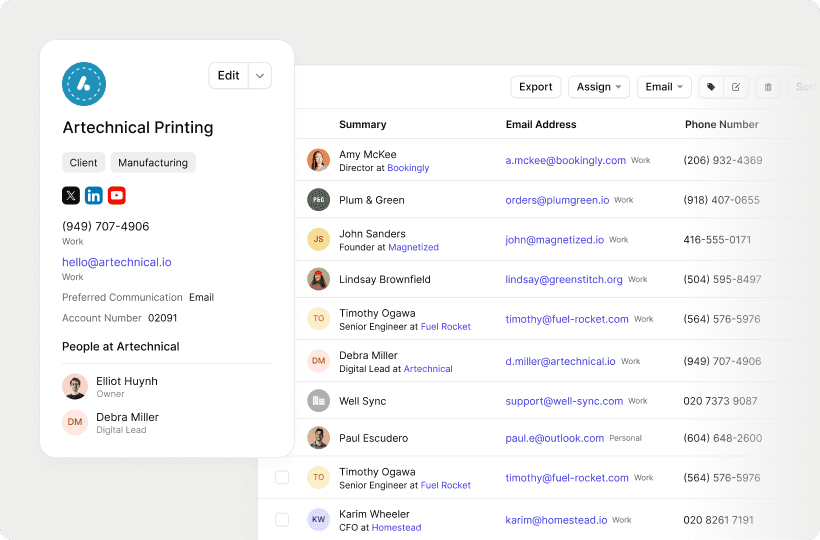
Verified: 13 Aug 2026
Open source ↗Screenshot · Capsule
Supports
Demonstrates
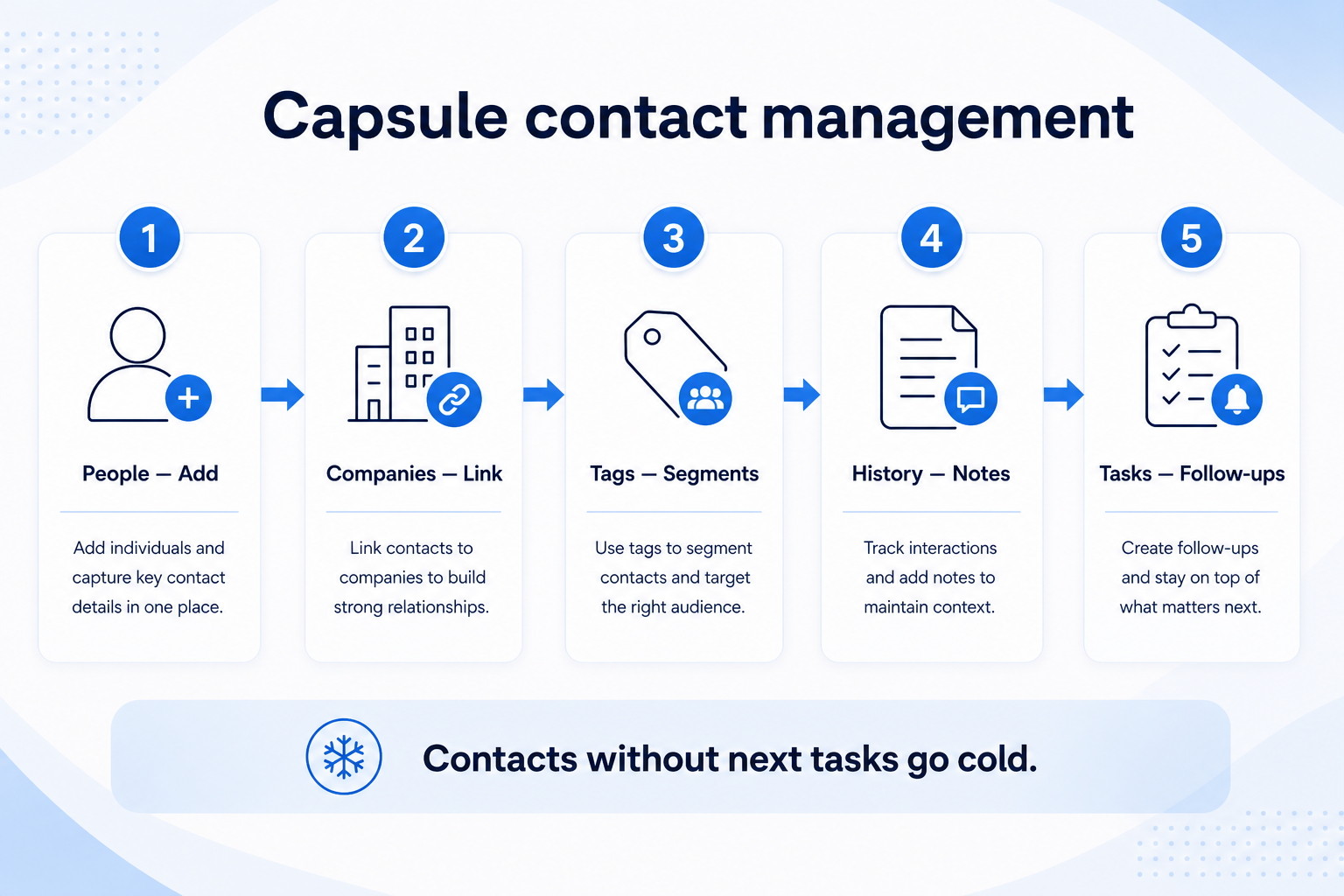
Verified: 15 Aug 2026
Open source ↗Screenshot · Close
Supports
Demonstrates
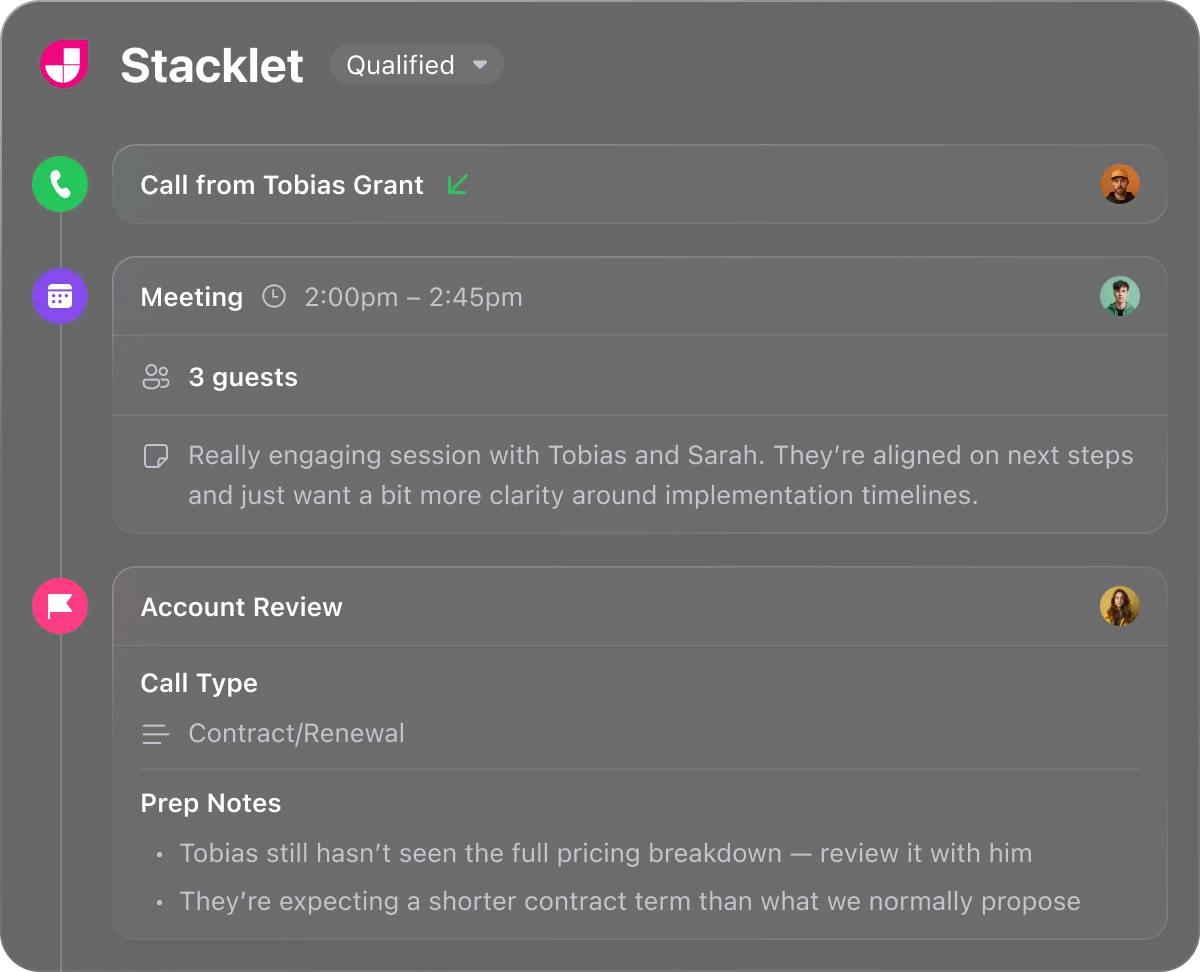
Verified: 13 Aug 2026
Open source ↗

