CRM Automation Best Practices: Automate After Trust
Decide when to automate CRM work — hygiene gates, clear triggers, anti-spam design, owners, and kill criteria — so workflows do not amplify dirty data.
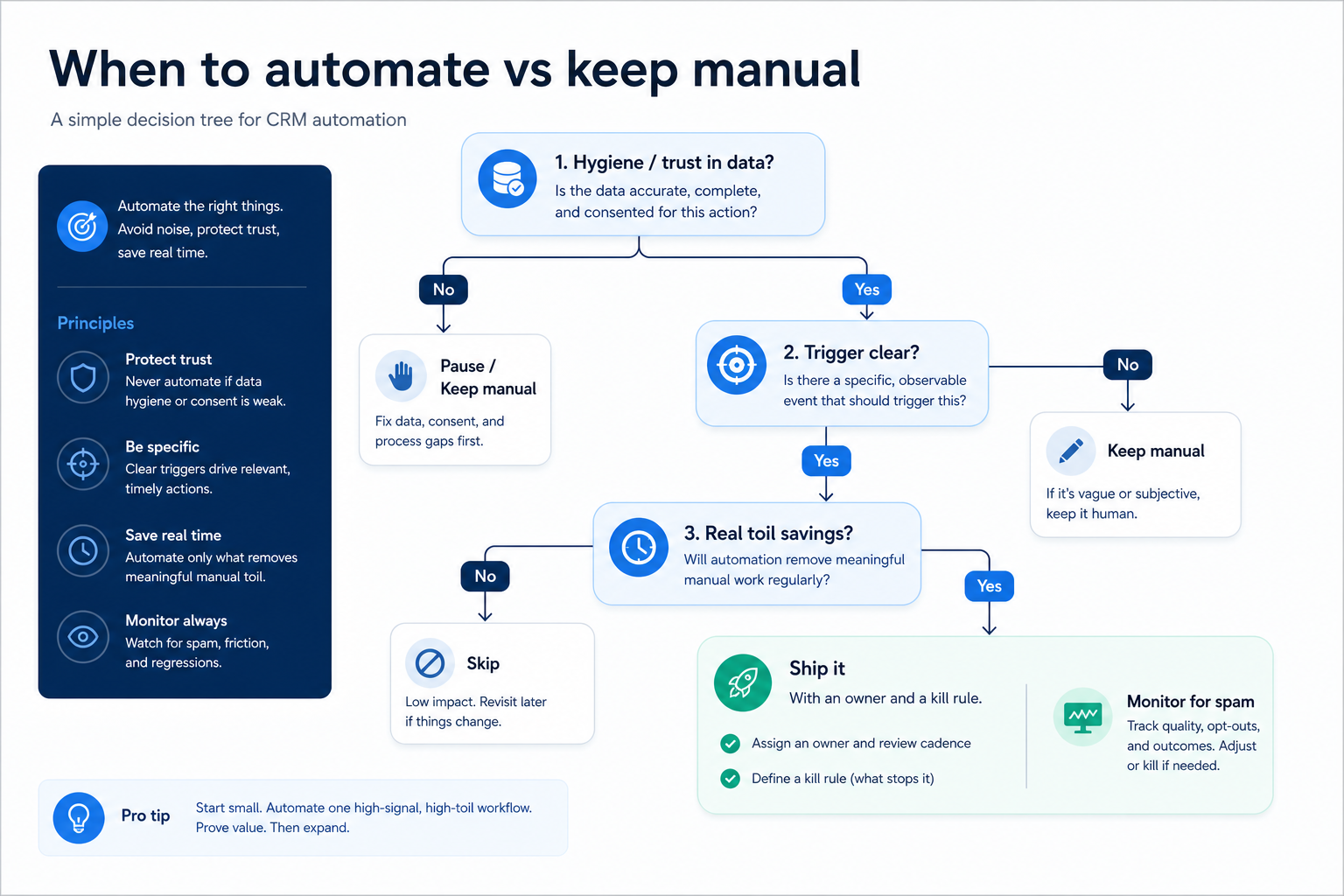
CRM automation pays off only after hygiene and stage honesty are trusted — and only for repeatable decisions with clear owners. Decision rule: automate when a trigger is unambiguous, the action reduces real toil, and failure is visible; do not automate reminders that create task spam, stage moves without evidence, or workflows on dirty queues. If Friday trust or next-step fill is failing, pause new automations first.
Hygiene first
Clear triggers
Avoid task spam
Visible failure
Owner per flow
Pause if dirty
Key takeaways
Automation amplifies process — Dirty data and dishonest stages become noisy tasks and false moves at scale.
Not every click deserves a workflow — If a human judgment is required, keep the step manual and coachable.
One owner per automation — Orphan flows become silent debt nobody dares to edit.
Kill criteria matter — Every automation needs a retire rule when it creates spam or distrust.
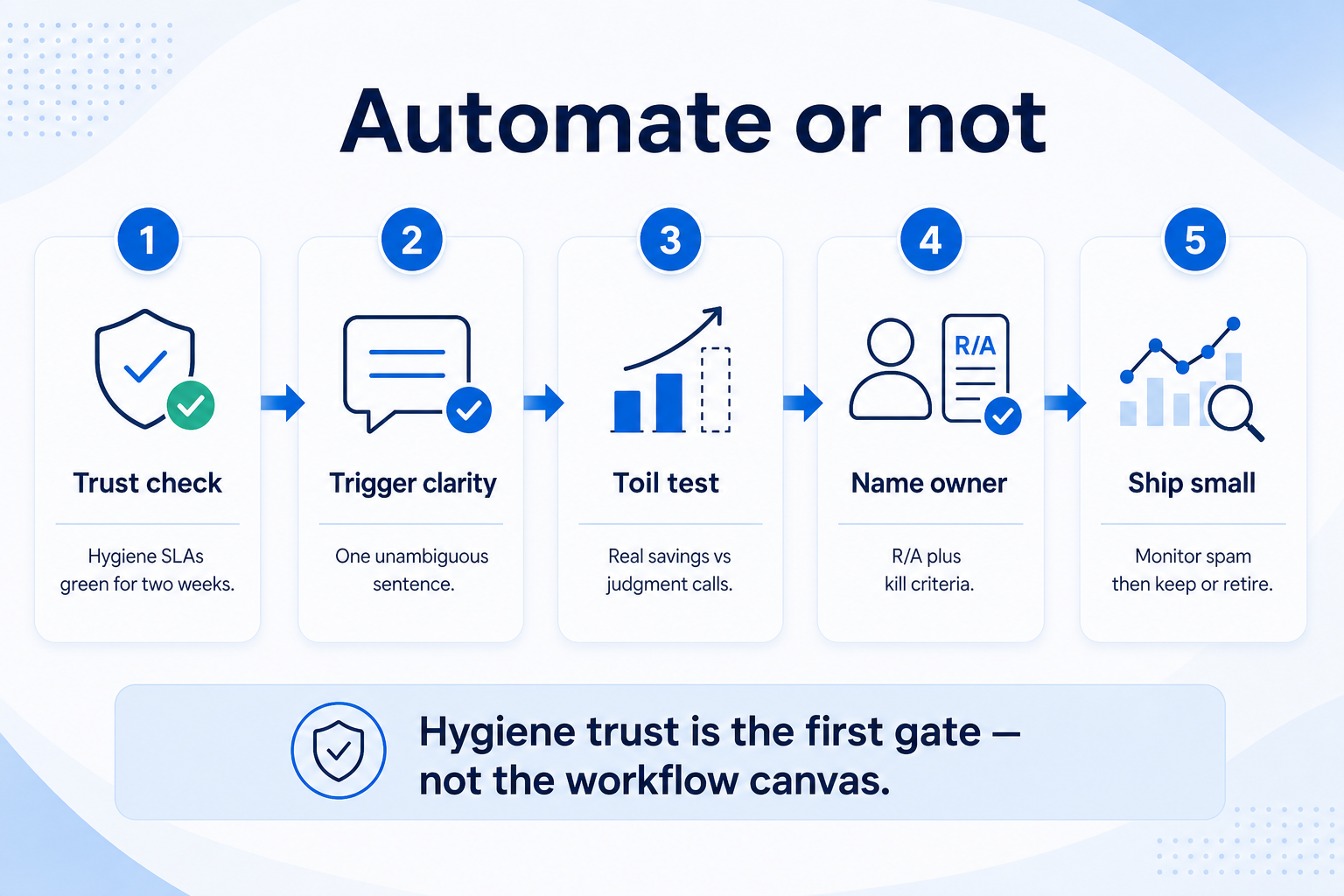
Trust and trigger clarity before the workflow builder — then owner, kill rule, and a small ship.
When to automate vs keep manual
Hygiene trust is the first gate — workflow builders come after, not before.
Automation go / no-go checklist
Bring these questions to every demo
Ask vendors to show the workflow live, not just describe it.
1Confirm two green hygiene weeksOwners, next steps, and duplicate age meet team SLAs.
2Write the trigger in one sentenceIf you need “sometimes,” keep it manual.
3Scope a single actionOne clear outcome — not a multi-branch novel.
4Name owner + kill criteriaWho maintains it; when spam or errors force retire.
5Pilot on one pod and monitorWatch task volume and false positives for two weeks.
1. Pass the hygiene gate before you automate
Good automation starts with a trust gate — not a blank workflow canvas.
Dirty queue
Pause flows; run hygiene ritual; retry later.
Adoption stall
Restart coaching before any new automation.
Import spike
Hold workflows until match/merge catches up.
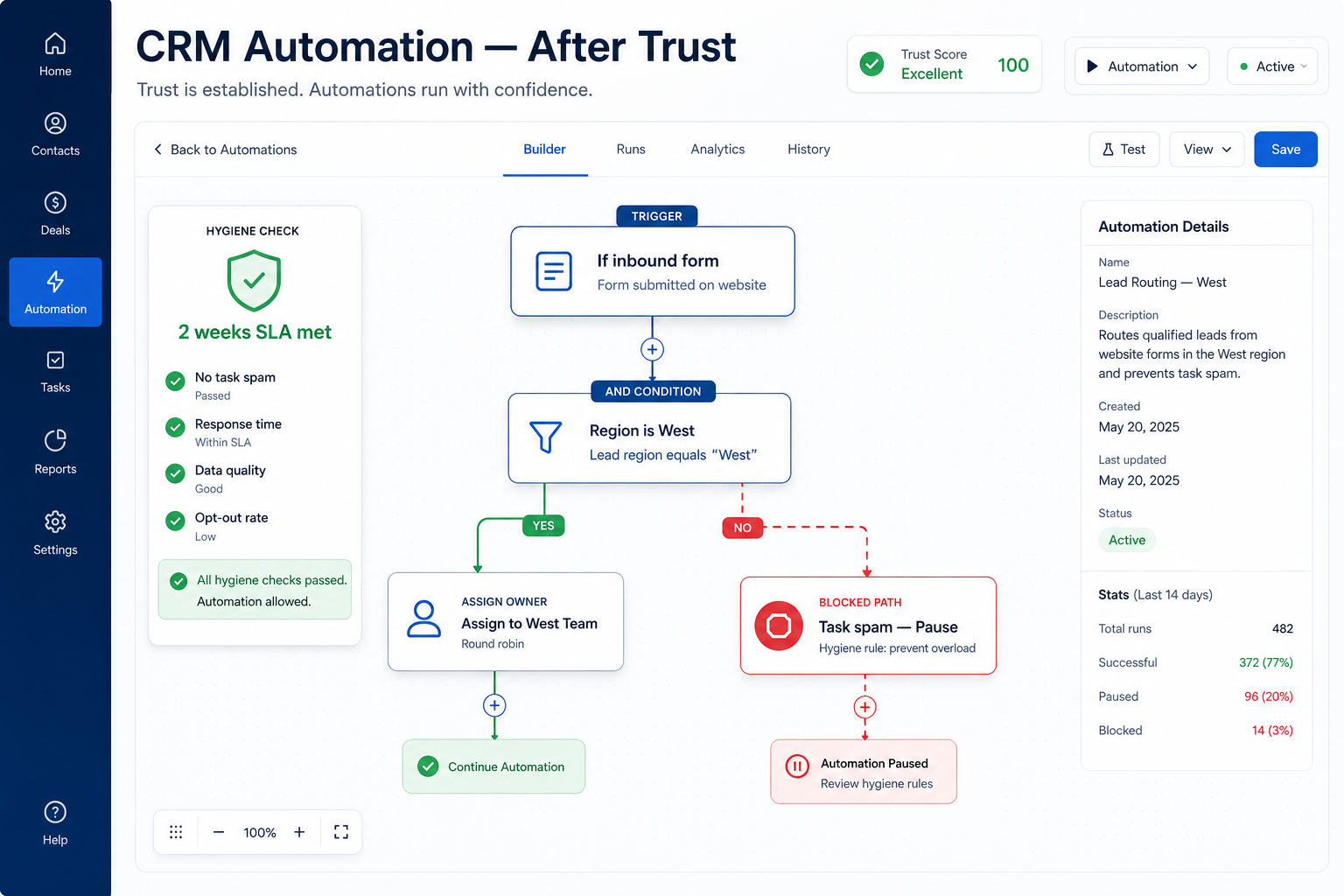
Automations on empty next steps, missing owners, or aged duplicates create task spam and false stage moves. Require team hygiene SLAs to hold for two consecutive weeks before enabling new workflows. Pause existing noisy automations during intervene weeks.
Example: Meridian Specialty Finance disabled three “nudge” workflows after Friday still needed a Sheet. Ops lead Ana restored owner + next-step fill for two weeks, then reintroduced a single assignment rule with a clear trigger. Task volume dropped and trust returned.
2. Automate unambiguous, high-toil steps
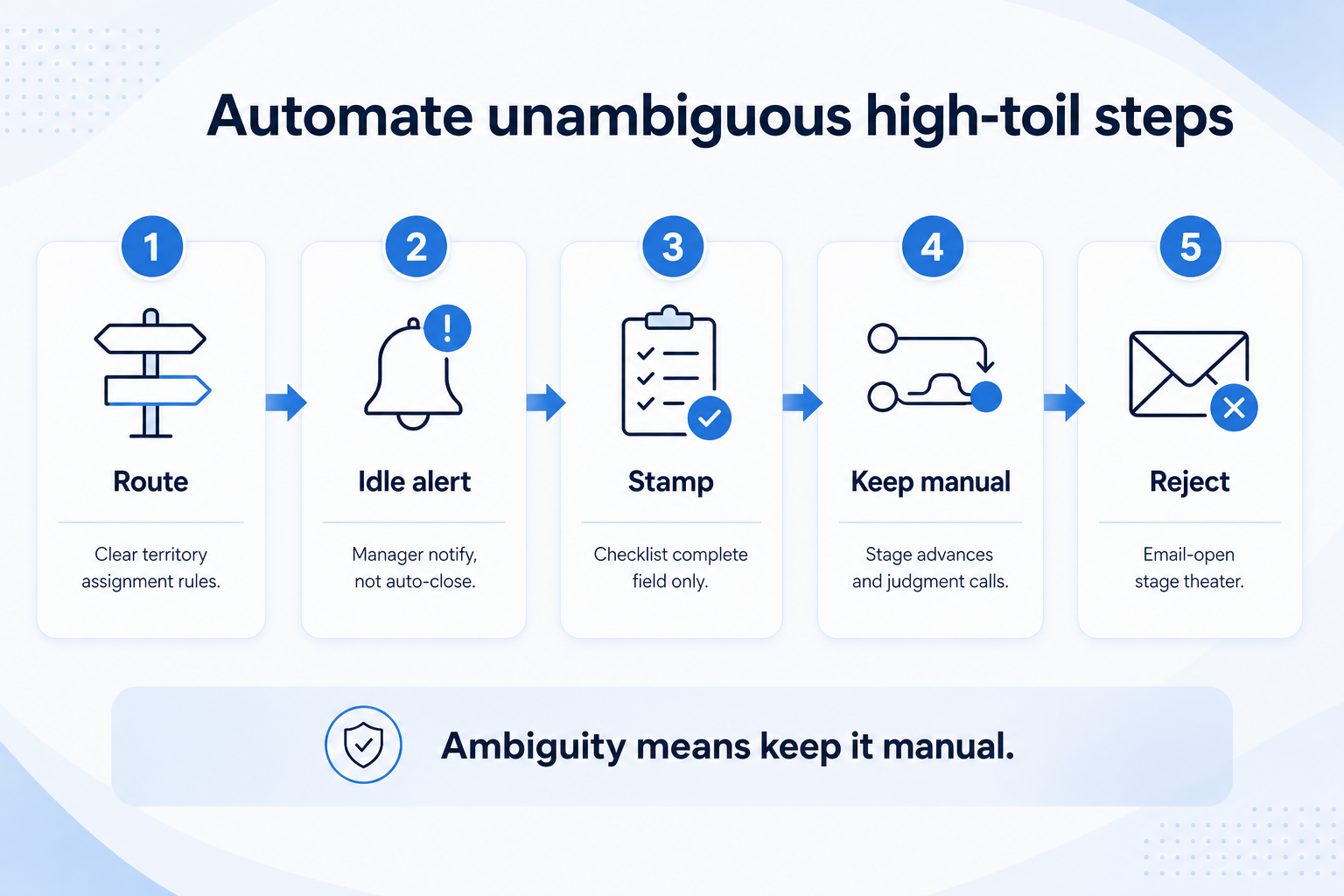
High-toil and unambiguous wins — judgment calls and stage theater stay manual.
Good candidates: assign owner on create from a clear routing rule, create a follow-up task when a dated next step expires, notify a manager when a deal sits idle past a team-defined window, or stamp a field when a stage exit checklist is complete. Bad candidates: auto-advancing stages on email opens, mass reminder tasks without context, or “AI” field fills nobody reviews.
Example: Harborline Advisory automated only “if new inbound form + region = West → assign Jordan.” They kept stage moves manual. False assignments were visible and fixable; stage theater never got encoded.
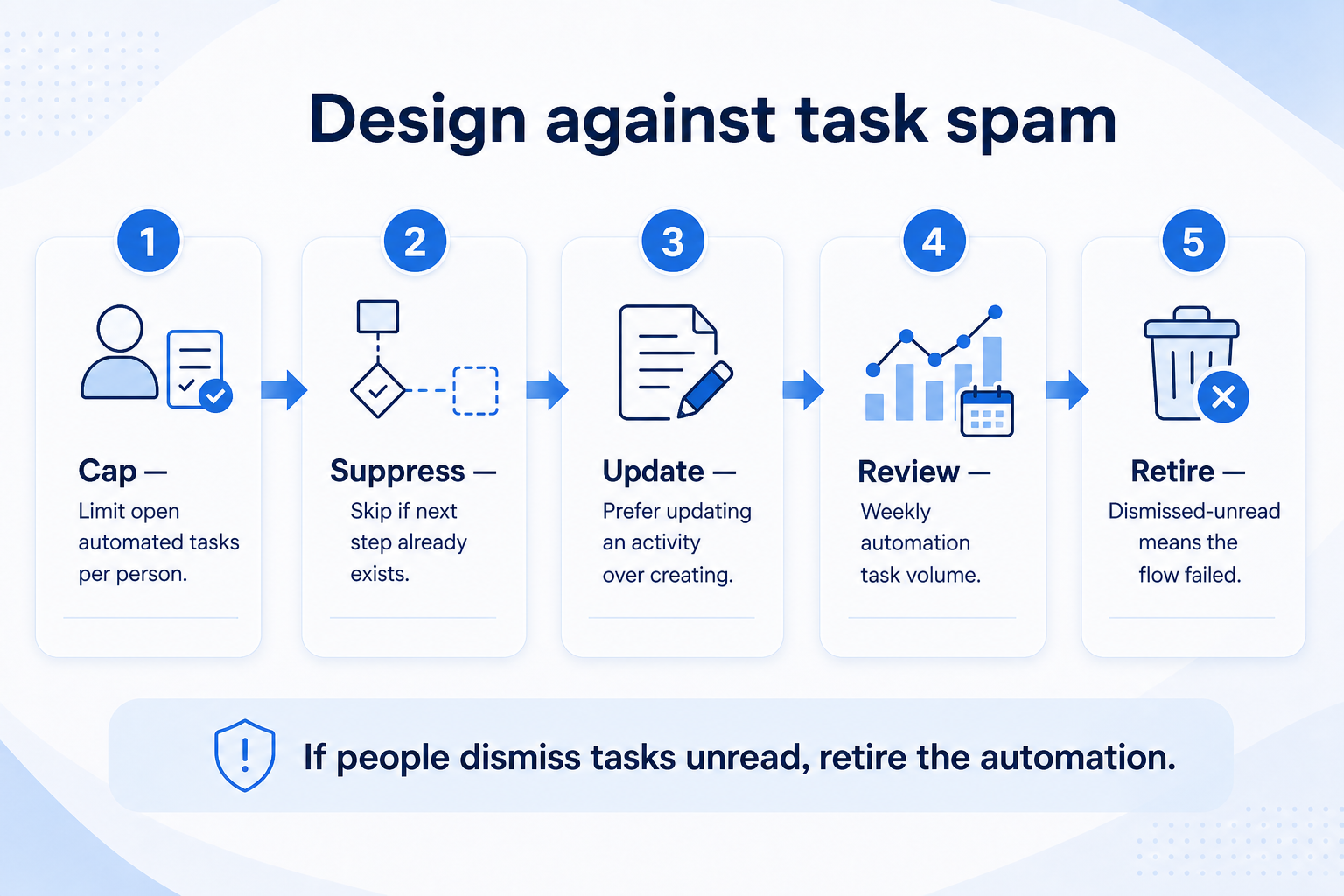
3. Design against task spam
Dismissed-unread automation tasks mean the flow already failed — retire it.
Reminder storms
Retire; coach from a stuck view instead.
Duplicate creates
Add suppression when open task/next step exists.
Multi-flow overlap
Inventory flows; one action per trigger family.
Task spam kills adoption. Cap concurrent open automated tasks per person, suppress duplicates when a next step already exists, and prefer updating an existing activity over creating a new one. Review automation-created task volume weekly in the hygiene or ops huddle.
Example: Crestview Wealth’s “daily reminder if no activity” flooded partners with dozens of identical tasks. Maya replaced it with a single stuck-deal view and a Monday coaching list. Completion rates on real next steps rose because noise fell.
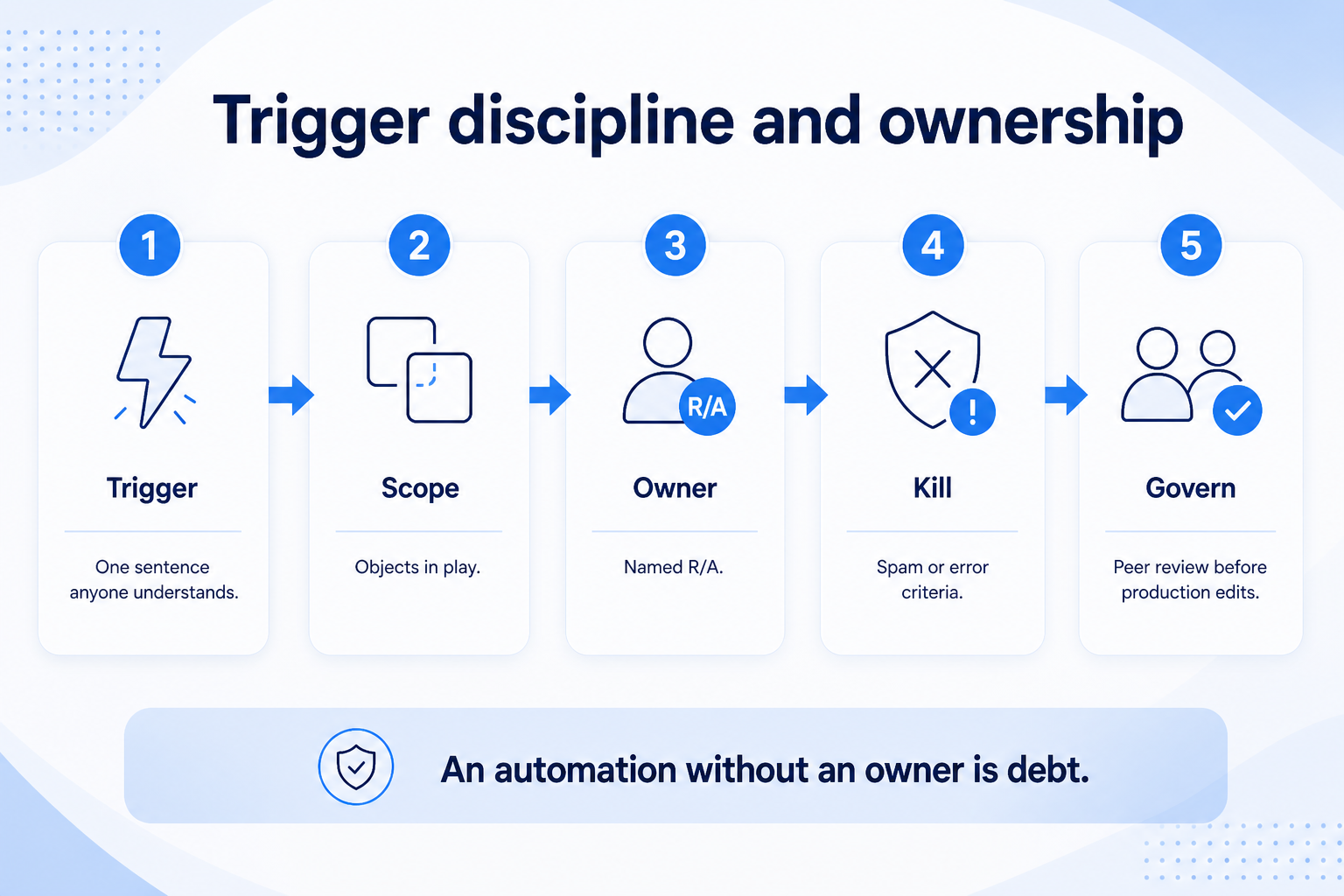
4. Enforce trigger discipline and ownership
Trigger sentence, owner, and kill criteria before production — orphan flows are debt.
Orphan flows
Inventory → assign owners or disable.
Silent edits
Require change notes + peer review for production.
Vendor template packs
Enable only what passes the go/no-go checklist.
Every automation needs: trigger sentence, objects in scope, action, owner, last reviewed date, and kill criteria. Prefer fewer flows with clear names over a web of undocumented branches. Change control belongs with governance — no self-serve production edits without a peer check.
Example: Lakeside B2B keeps an automation register in the same place as field ownership. Jordan owns “Inbound West assign.” Kill criteria: more than a team-defined false-assign count in two weeks, or hygiene intervene weeks. Two flows were retired in one quarter without drama.
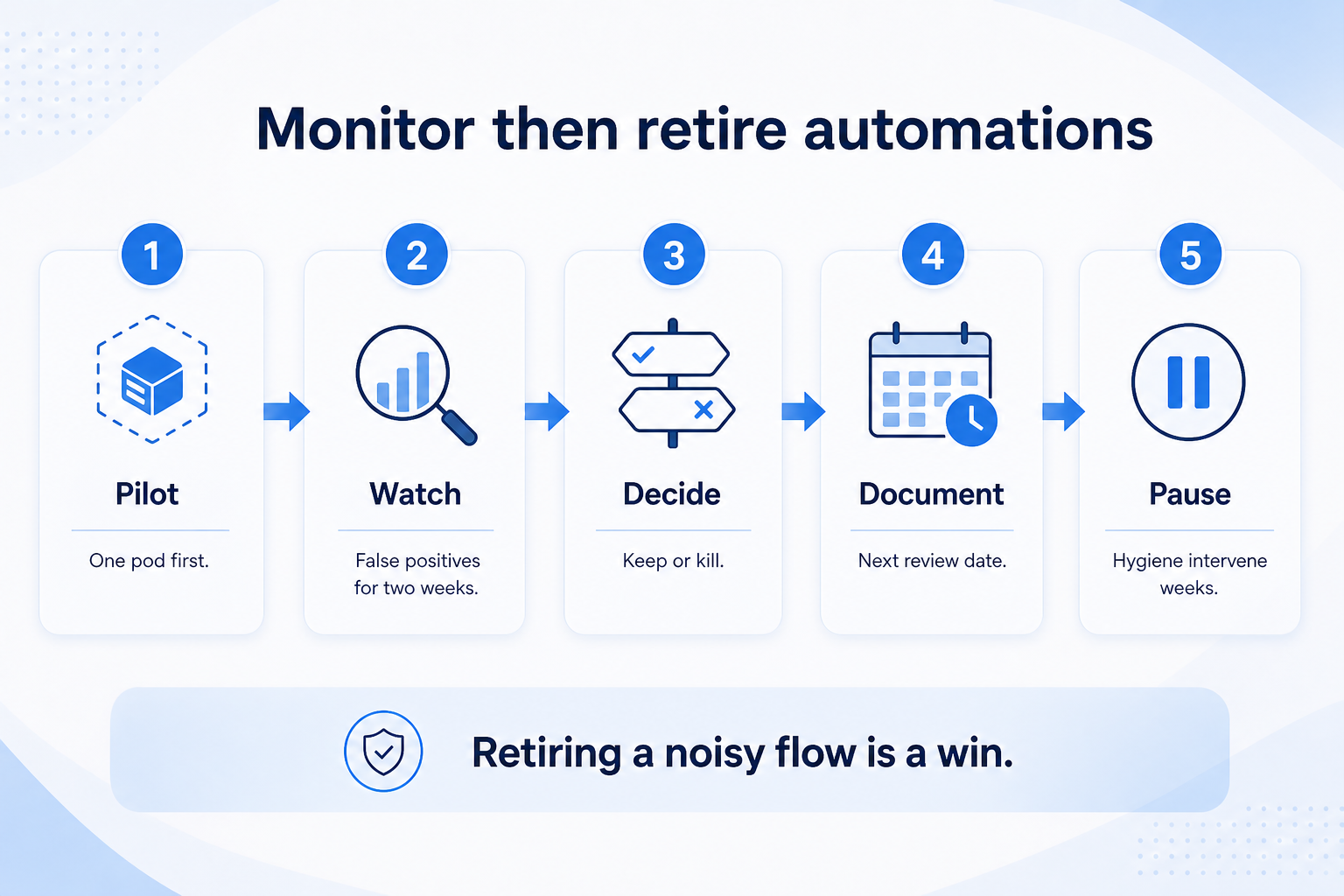
5. Monitor, then retire without guilt
Ship small, watch two weeks, then keep or kill — retiring noise is a win.
Healthy flow
Keep; document; set next review date.
Noisy flow
Tighten trigger or retire; tell the team why.
Hygiene intervene
Pause nonessential automations until two green weeks.
Ship small, watch false positives and task volume for two weeks, then keep or kill. Tie automation health to Friday trust and hygiene intervene rules. Retiring a noisy flow is a win — not a failure of ambition.
Example: Northwind Estimators piloted an idle-deal notify on six sellers. Week one looked fine; week two showed alerts on deals that already had dated next steps. They added suppression, then kept the flow. A second “auto-stage on quote send” pilot was retired after stage honesty complaints.
Automate vs keep manual
Must-have
✓Territory / inbound assignment with clear rules
✓Idle / stuck notify to manager
✓Field stamp after completed checklist
Nice-to-have
Automation mistakes
Automating before hygiene trust
You scale junk tasks and false stage moves.
Task spam as “engagement”
Dismissed tasks train people to ignore the CRM.
Auto-advancing stages
Without evidence rules, reporting becomes theater.
Orphan workflows
Nobody owns fixes; debt compounds until an outage.
Template pack enable-all
Vendor recipes still need your go/no-go checklist.
No kill criteria
Noisy flows live forever because “someone might use it.”
Example official CRM product videos
Optional · 2 examples · collapse if you don’t need them
Verified vendor product videos from the CRM catalogue for context while you read. They are examples only — not a ranked shortlist — and they do not replace SoftwareGlimpse recommendations on this page.
Official vendor video · example
Attio — Attio | How to build your sales pipelines
This video is hosted on YouTube
This content is hosted by YouTube. The player loads only after you allow marketing cookies.
After hygiene and stage honesty are trusted, and only when the trigger is unambiguous and the action cuts real toil. Decision rule: if you need judgment or “sometimes,” keep it manual and coachable.
Why do automations create so many tasks?
Usually overlapping flows, missing suppression when a next step exists, or reminders used as a substitute for coaching. Cap volume, suppress duplicates, and retire noisy flows.
Should stage changes be automated?
Rarely. Prefer manual stage moves with written exit criteria. Automate supporting stamps or tasks after a checklist completes — not silent advances on weak signals.
What if leadership wants automation to force adoption?
Automation cannot replace manager coaching. Restart adoption and hygiene first (see Improve CRM Adoption). Workflows on a stalled loop create spam, not habits.
How do we govern automations?
Register each flow with owner, trigger, kill criteria, and review date. Pair with field governance so silent edits do not break Friday reports.
When should we pause automations?
During hygiene intervene weeks, after go-live stall diagnosis, during import spikes, or when task spam / false positives exceed kill criteria.
What should I do next?
Inventory live flows, pause noisy ones, confirm two green hygiene weeks, then ship one clear automation with an owner. Cross-read Data Hygiene, Reporting Best Practices, and Governance; schedule reviews in the Implementation Planner.