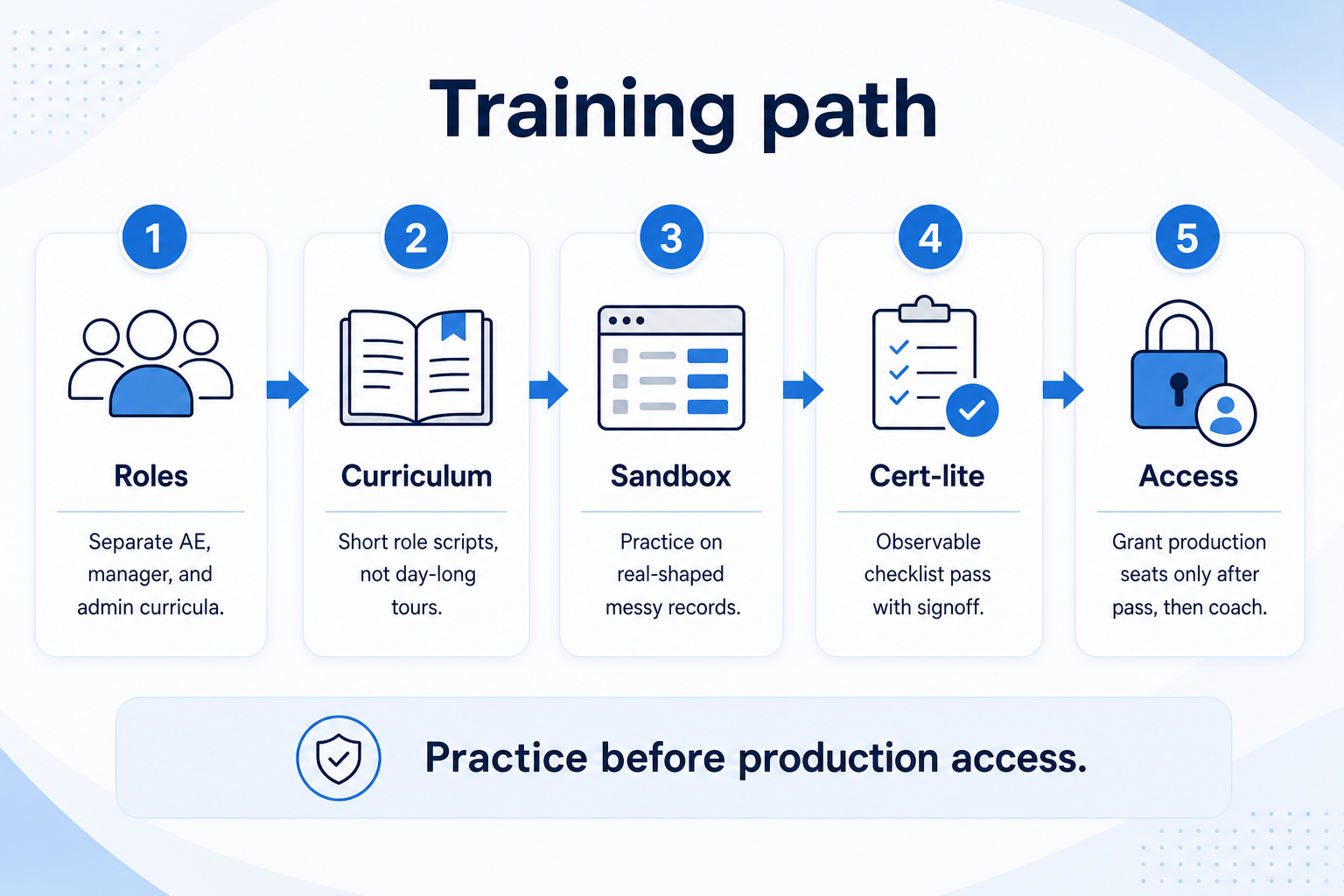
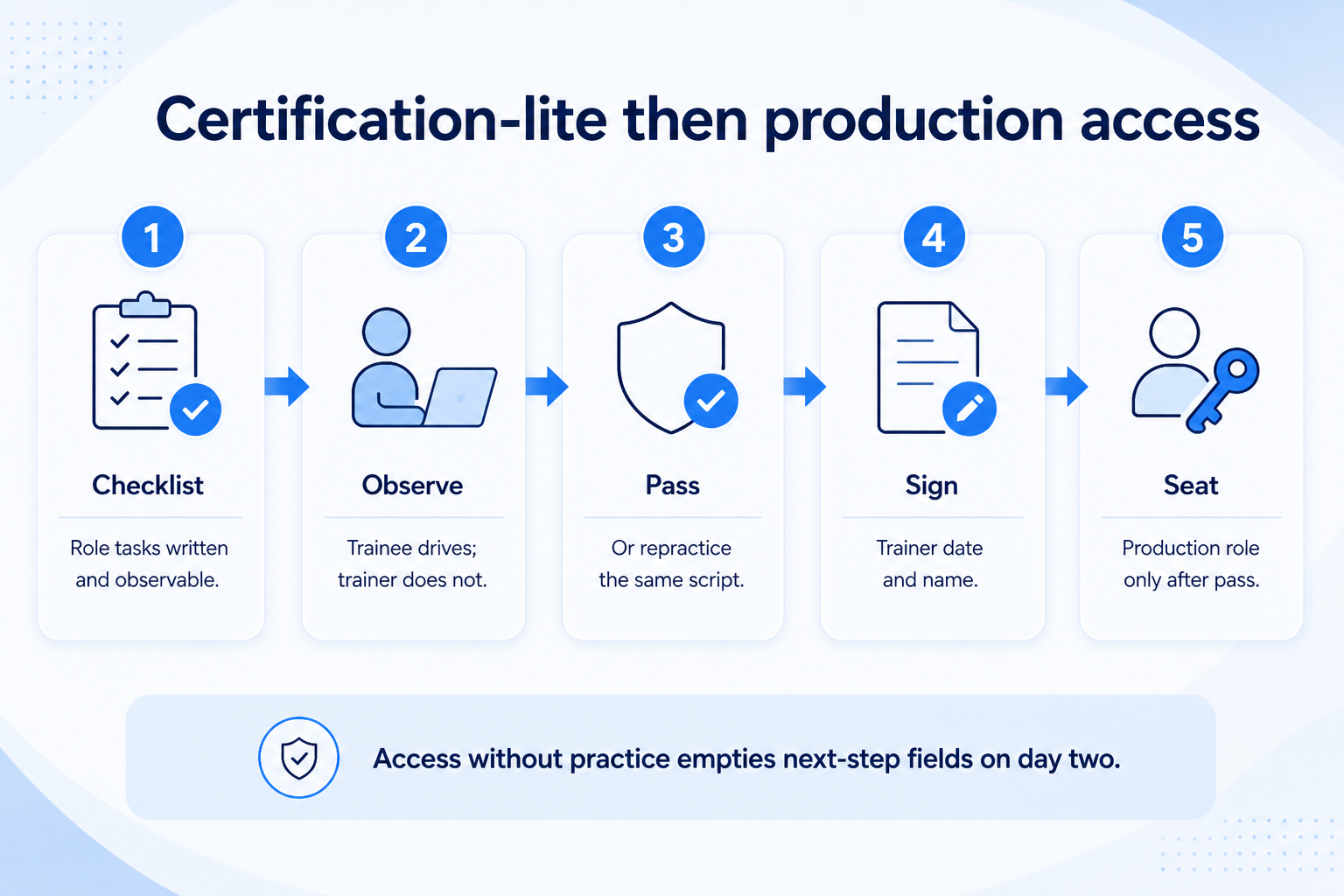
Train CRM by role — AE, manager, admin — with short curricula practiced in sandbox on real-shaped records, then a certification-lite checklist before production access. Decision rule: do not grant broad production seats until each role completes its sandbox script (create/update core records for AEs, coach from the board for managers, hygiene and users for admins) and a named owner confirms the checklist.
Role curricula
Sandbox practice
AE / manager / admin
Certification-lite
Then production
Link adoption
Key takeaways
One webinar is not training — Roles need different scripts and different pass criteria.
Sandbox before seats — Practice on safe data; production is for real work.
Certification-lite is a checklist — Observable tasks — not a quiz score or vendor badge.
Adoption is the sequel — Training unlocks access; adoption keeps the board honest.
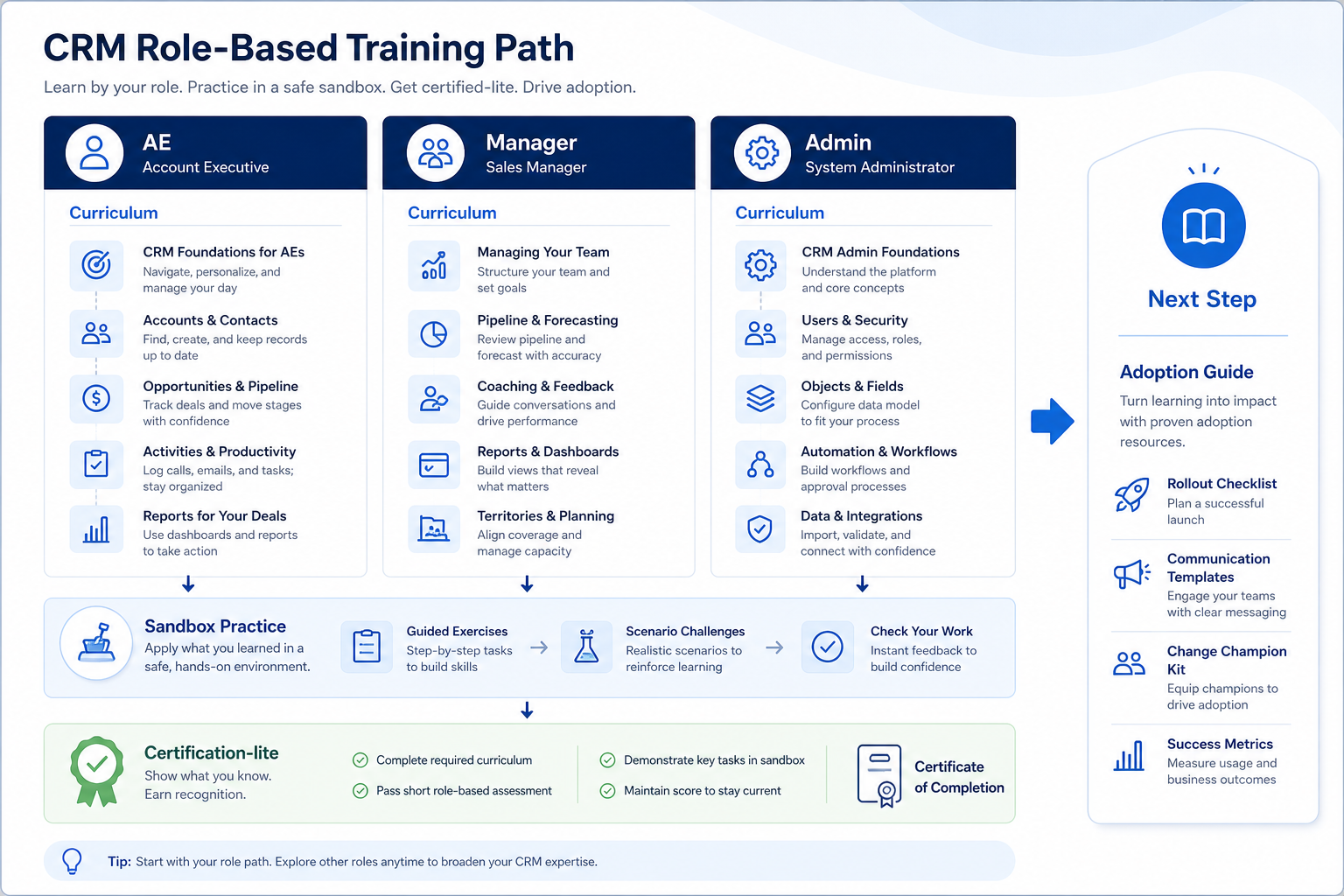
Three curricula, one sandbox lane, then certification-lite — before broad production access.
Role-based curricula
Three curricula, one sandbox lane, then certification-lite — before broad production access.
Certification-lite checklist
Bring these questions to every demo
Ask vendors to show the workflow live, not just describe it.
1AE: create contact + company linkRequired fields complete without admin help.
2AE: create deal with owner + next stepStage set honestly; next date filled.
3AE: connect email/calendar (if in scope)One activity visible on a record.
4Manager: run a board review in sandboxFind stuck deals; coach without a side sheet.
5Manager: open forecast/pipeline view used weeklyKnows filters and owner breakdown.
6Admin: invite user + assign roleMatches access matrix; no over-permission.
7Admin: run duplicate or missing-next-step viewKnows the weekly hygiene cadence.
8Trainer/owner signs checklistDate + name; then production seat granted.
1. Build short role-based curricula
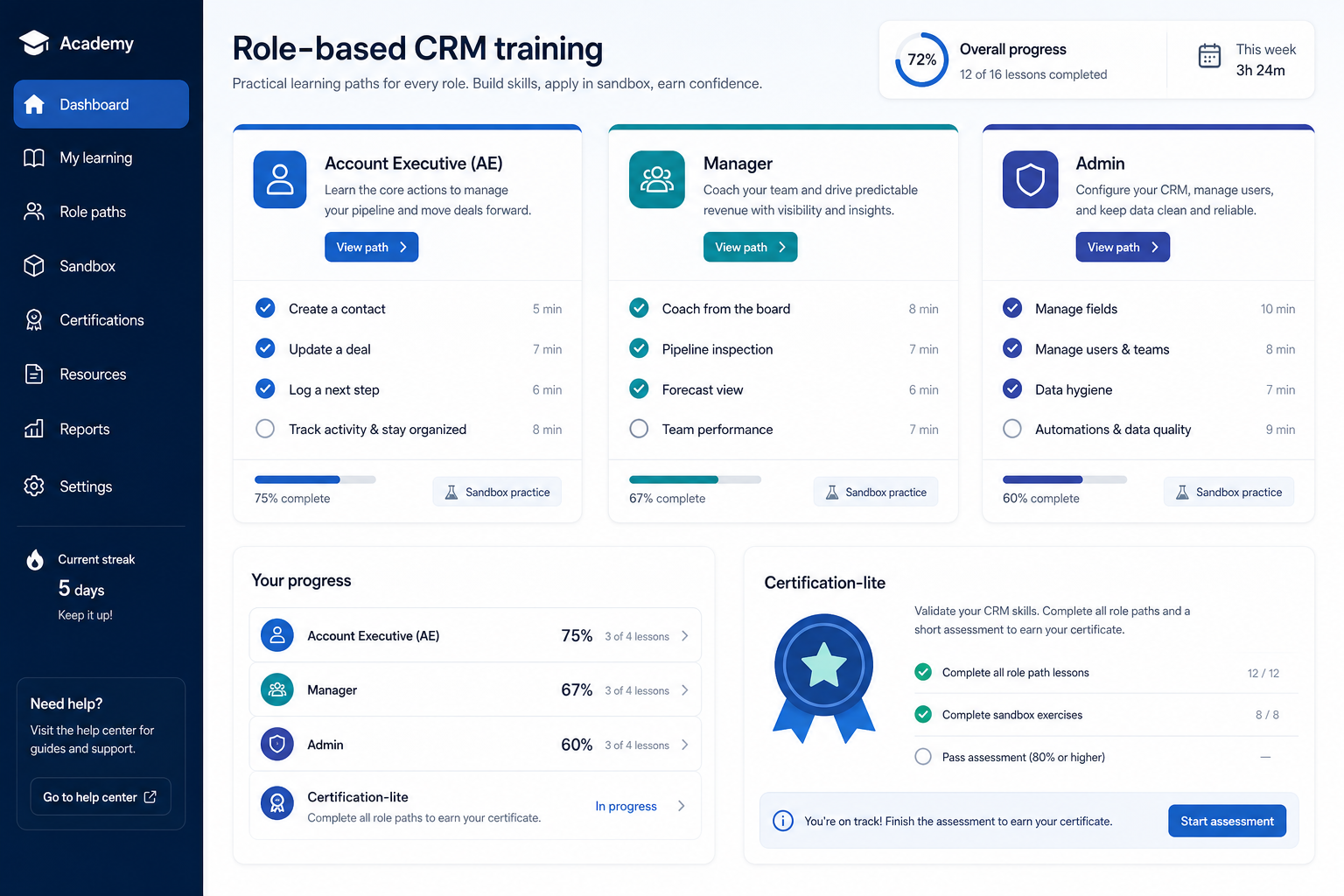
Role panels and a certification-lite checklist — training as observable practice, not a single webinar.
AE track
Contact, deal, next step, activity, sync.
Manager track
Board coaching, filters, stage honesty.
Admin track
Users, fields, hygiene, access exceptions.
AE curriculum: find/create contacts, create and update deals, fill owner + next step, log activity, use mobile or inbox sync if required. Manager curriculum: board filters, coaching stuck deals, stage honesty, lightweight forecast view. Admin curriculum: users/roles, field requests triage, duplicates, permission exceptions, weekly hygiene. Keep each under a focused session plus practice — not a day-long feature tour.
Example: Harborline Sales designs three one-hour live sessions. AE Maya’s track ignores admin settings entirely. Manager Priya’s track never covers custom field creation. Admin Keisha’s track skips AE prospecting tips. Shared slide: “what good looks like on Friday.”
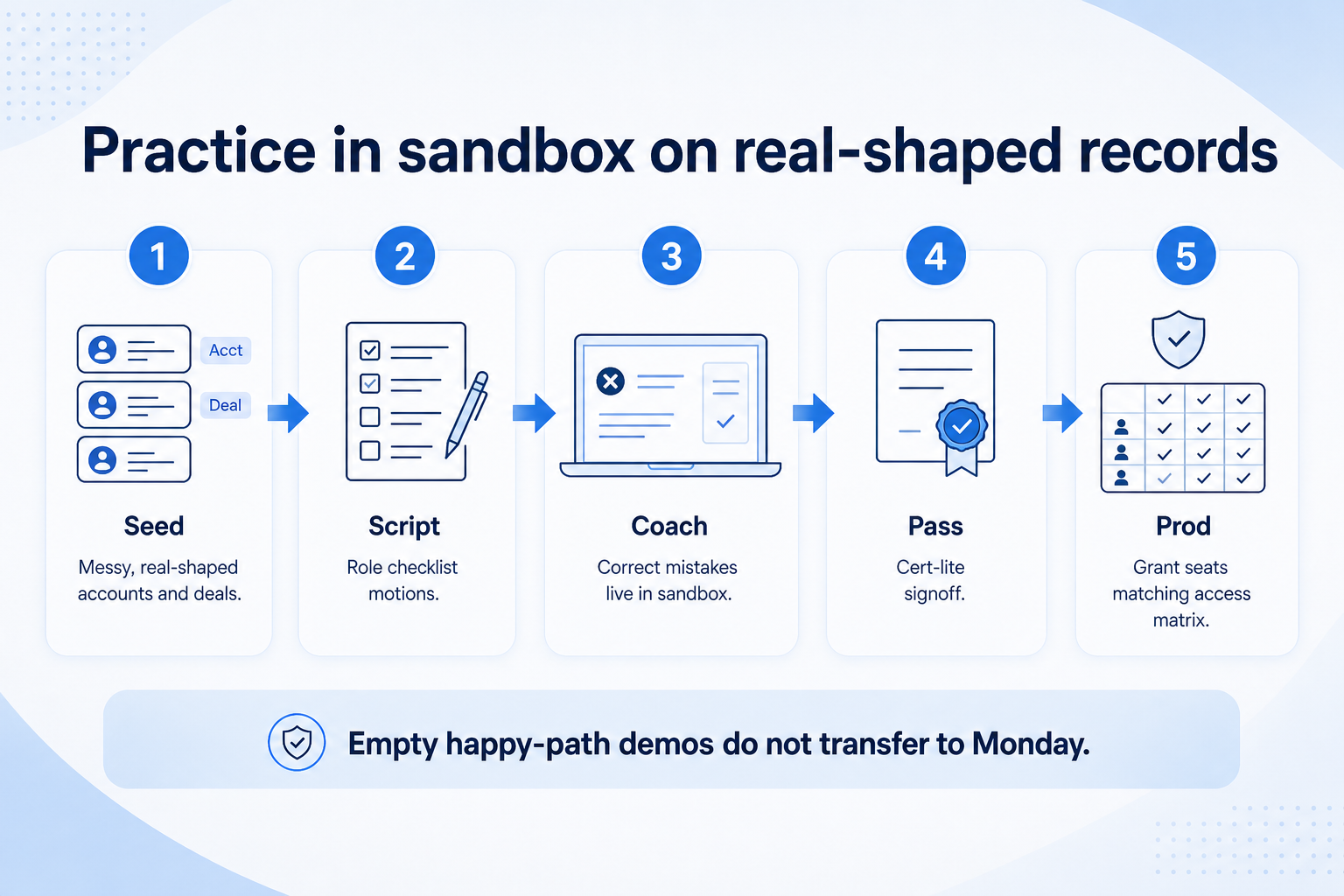
2. Practice in sandbox on real-shaped records
Sandbox practice on empty happy-path demos does not transfer — seed messy, real-shaped work.
Scrubbed pilot data
Best: real shapes without sensitive secrets.
Synthetic but honest
Invented names OK if stages and owners behave like yours.
Pair practice
AE + manager complete a mini review together.
Give each trainee sandbox data that looks like their book: a few accounts, open deals in mixed stages, one messy duplicate. Run the same motions as UAT scripts so training and testing reinforce each other. Record a pass only when the person completes the motion without the trainer driving the mouse.
Example: Harborline clones a scrubbed slice of Maya’s open pipeline into sandbox. Maya must move two deals and set next steps while Priya watches the board update. Keisha practices inviting a new AE with the correct role. Vendor webinar videos are optional homework — not a substitute for sandbox reps.
3. Run certification-lite, then grant production access
Access without practice is how empty next-step fields return on day two.
Pass → seat
Checklist signed; production role assigned.
Fail → repractice
Same script again; no shame, no skip.
Late hire
Same cert-lite before seat — no permanent exceptions.
Certification-lite is the copyable checklist above: observable tasks per role, signed by a trainer or admin owner. Failures get a repractice slot — not a lecture. Only after pass do you grant production seats matching the access matrix. Holdouts stay on legacy or read-only until they complete the checklist.
Example: Harborline blocks production login until the cert-lite row is green in the tracker. One AE skips sandbox; Priya delays their seat by two days. After repractice, they pass create-deal + next-step and join go-live with everyone else.
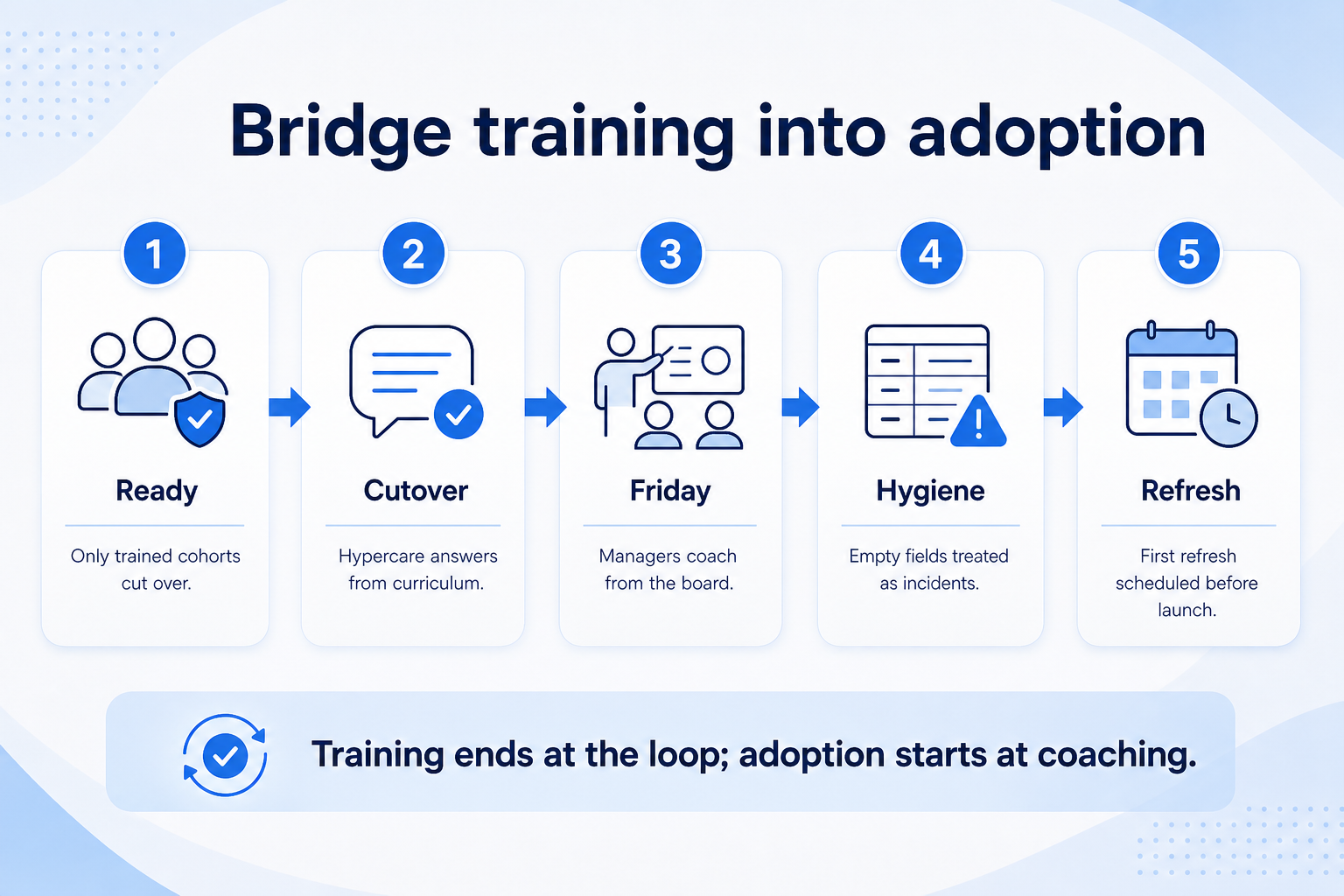
4. Bridge training into adoption and go-live
Training ends at the core loop; adoption begins when managers coach from the board weekly.
Launch week
Hypercare answers “how do I…” from the curriculum.
Week three refresh
Short session on the one process that slipped.
New hire path
Same cert-lite; buddy from a trained AE.
Training ends when people can execute the core loop; adoption begins when managers coach from the board weekly and empty fields are treated as incidents. Tie training completion to go-live readiness: untrained cohorts do not cut over. Point teams to the adoption guide for hygiene SLAs, reinforcement, and what to do when usage slips.
Example: After Harborline’s go-live, Priya’s first Friday review uses only CRM. Keisha posts a weekly “missing next step” count. Maya’s pod gets a 15-minute refresh when a new stage is added — not a full re-onboarding. Adoption metrics stay qualitative and operational — no invented ROI numbers.
CRM training mistakes
One webinar for all roles
Admins learn prospecting tips; AEs drown in permission settings.
Training only after go-live
Week one becomes discovery under fire.
No sandbox practice
People watch slides and freeze on the real board.
Certificate without observed tasks
A quiz score does not prove a next step was set.
Granting seats to skippers
Exceptions become the culture; data quality collapses.
Never linking to adoption
Training is a launch event; behavior needs ongoing coaching.
Example official vendor setup videos
Optional · 2 examples · collapse if you don’t need them
These are verified vendor tutorials and product demos from the CRM catalogue — examples of how vendors present setup and workflows. They are not SoftwareGlimpse rankings, and they do not replace the independent guidance on this page.
Official vendor tutorial · example
Attio — Attio | How to build your sales pipelines
This video is hosted on YouTube
This content is hosted by YouTube. The player loads only after you allow marketing cookies.
Separate short curricula for AE (core loop records), manager (board coaching and views), and admin (users, fields, hygiene). Share only the “what good looks like” definition across roles.
What is certification-lite?
An observed checklist of role tasks in sandbox — create contact/deal, run a board review, invite a user — signed by a trainer. It is not a vendor badge or a multiple-choice score.
Should training happen before or after go-live?
Before production access and before cutover for that cohort. Use hypercare for questions, not for first-time learning of the core loop.
How do we train remote or hybrid teams?
Live virtual sessions plus recorded sandbox walkthroughs, with the same cert-lite checklist. Require screen-share proof of tasks — attendance alone is not a pass.
What if managers refuse to leave their spreadsheet?
Make the manager curriculum and Friday review the adoption gate: training is incomplete until they coach from the CRM board once in sandbox and once in production hypercare.
How does training relate to UAT?
Reuse the same motions (create contact, move deal, sync, permissions). UAT proves the system; training proves people can operate it. See the CRM Testing Guide.
What should I do next?
After cert-lite and go-live, follow the CRM Adoption Guide for ongoing hygiene and coaching. Use the Go-Live Guide to align training completion with the freeze window.