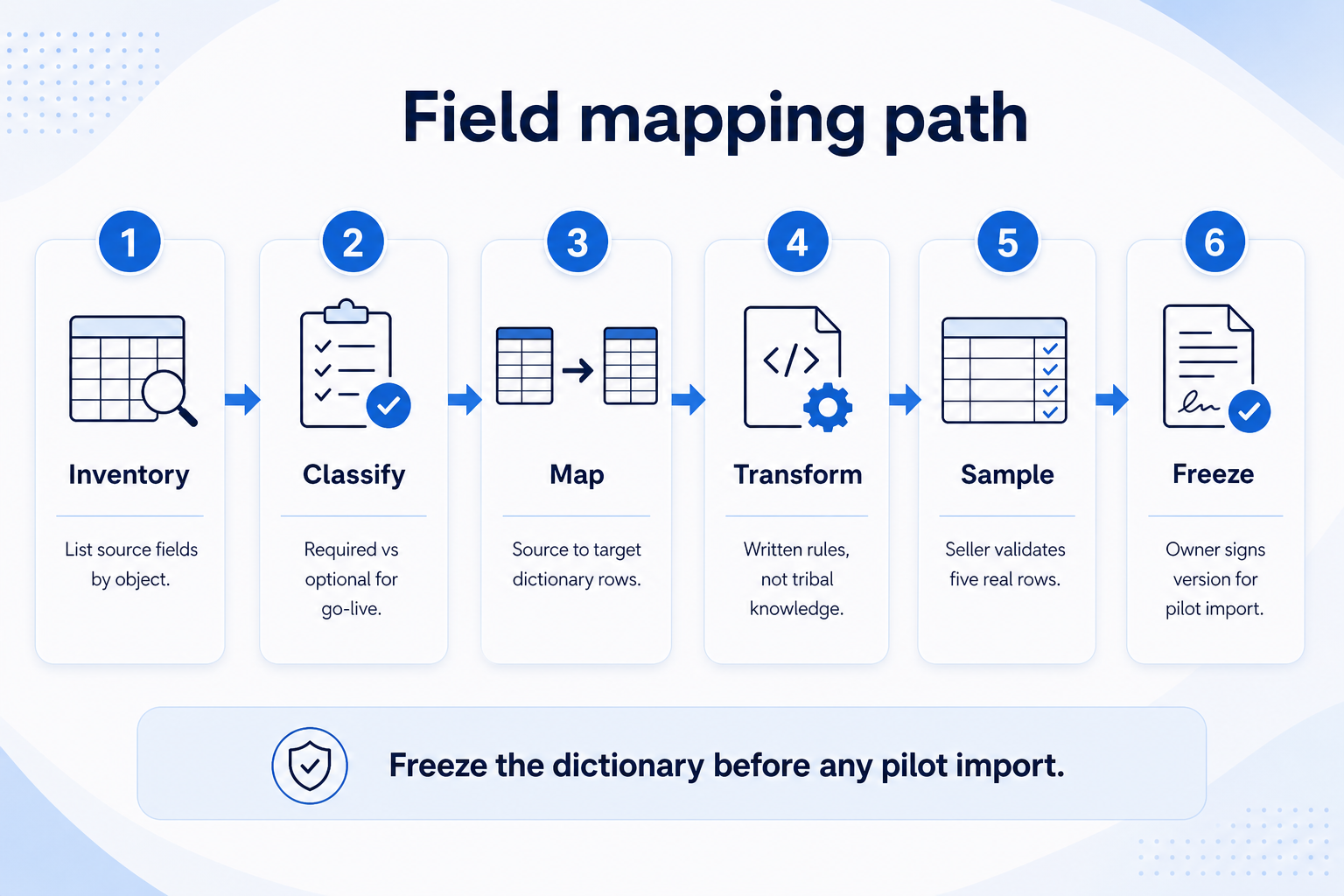
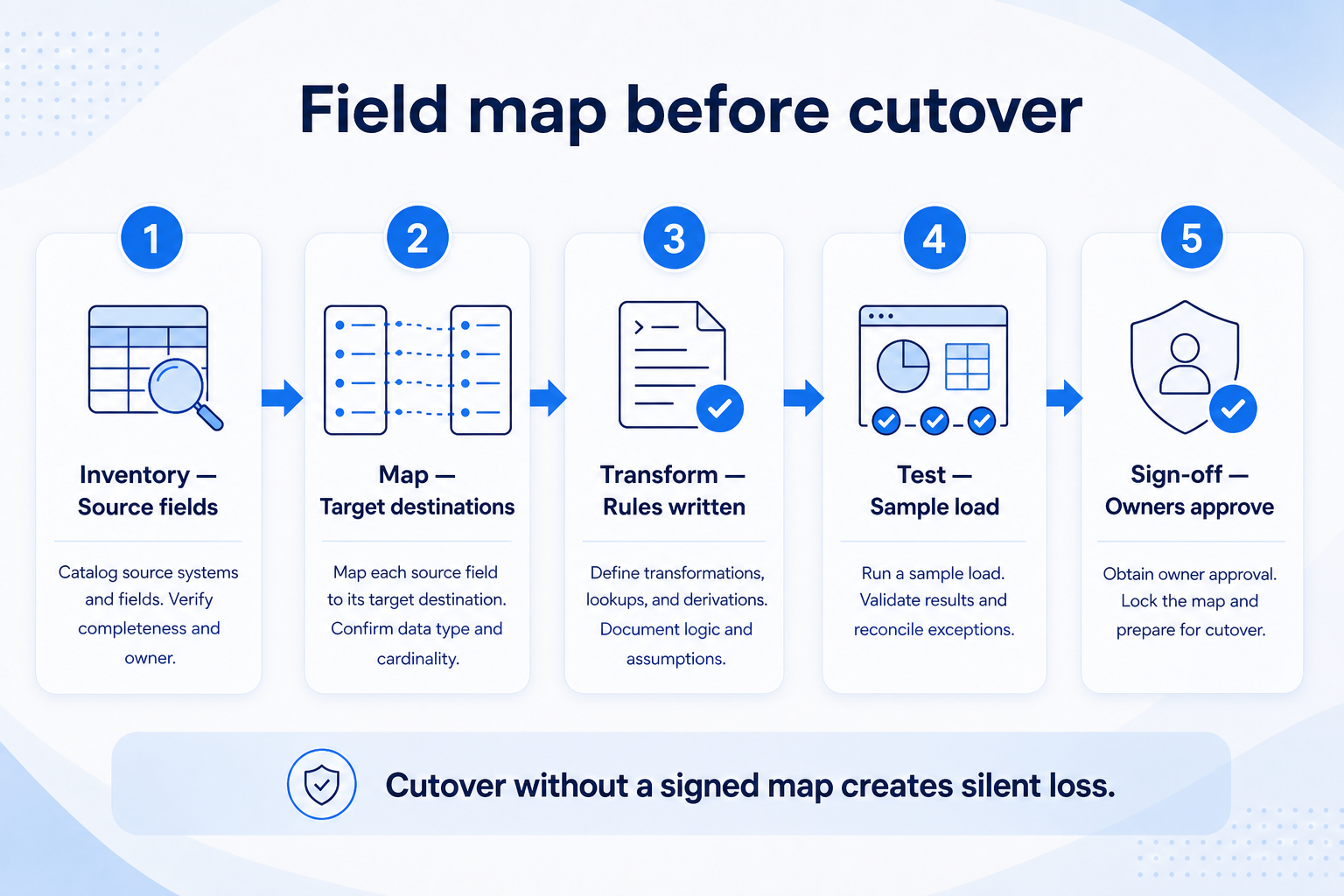
Field mapping is the approved source→target dictionary that tells migration what lands where, what is required vs optional, and which transforms run before import. Decision rule: do not run a pilot import until one named owner freezes the mapping sheet — including sample rows — and every required target field has a source, a transform, or an explicit “leave blank + fill in CRM” rule.
One owner
Source→target
Required vs optional
Transforms written
Sample rows
Then pilot import
Key takeaways
Mapping is a product artifact — Treat the sheet like config: versioned, owned, and change-controlled.
Required fields need a plan — Source, transform, or deliberate blank-with-owner — never hope.
Transforms belong in writing — Trim, case, stage renames, and owner email lookups fail silently if undocumented.
Sample rows catch lies early — Five real rows beat a perfect header row with empty evidence.
Freeze the dictionary before any pilot import — silent renames after freeze are drift.
Source→target dictionary
Field mapping is the Map stage of the shared migration kit — freeze the dictionary before any pilot import.
Mapping sheet readiness
Bring these questions to every demo
Ask vendors to show the workflow live, not just describe it.
1Mapping sheet owner namedOps or admin who can approve changes — one person.
2Objects in scope listedContacts, accounts/companies, deals/opportunities, and any extras.
3Required target fields flaggedEvery required field has source, transform, or blank rule.
4Transforms documentedEmail normalize, stage rename, owner lookup, date format.
5Sample rows attachedAt least five real rows per object, reviewed by a seller.
6Cleaning rules linkedDuplicates and junk handled before or during map (see cleaning guide).
7Version frozen for pilotNo silent column renames after pilot import starts.
1. Name one owner and freeze the sheet format
Source→target with required flags and transforms is the artifact that unlocks a safe pilot import.
Ops-owned sheet
Best default: ops owns; sales validates sample rows.
Vendor-assisted map
Vendor drafts; your owner still freezes and signs off.
Multi-source map
Legacy CRM + sheet tabs get separate source columns, same target.
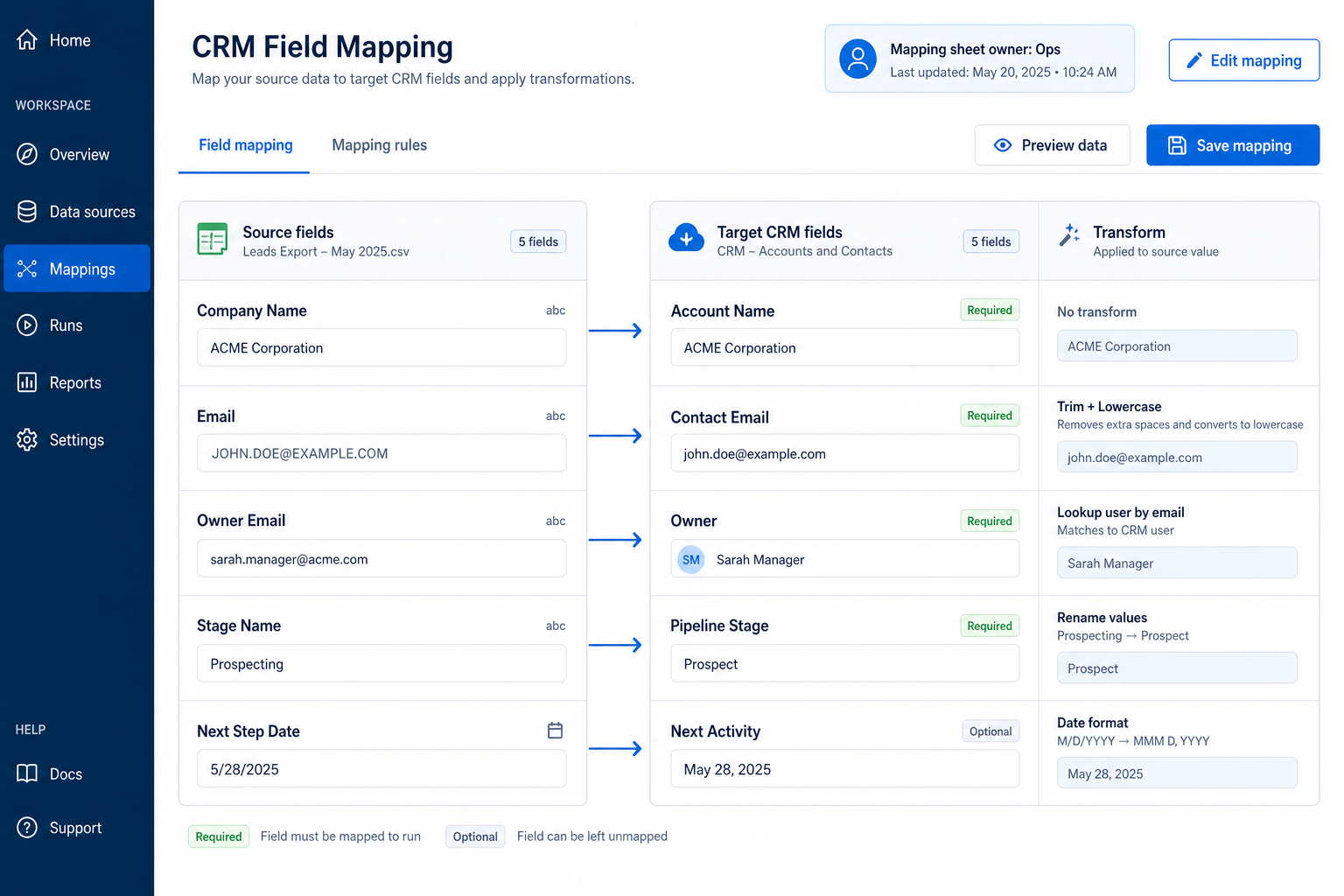
Pick a single mapping-sheet owner (usually ops/admin) who controls columns, versions, and approvals. Sellers and managers propose changes; the owner decides. Use one shared spreadsheet or doc with fixed columns: object, source field, source sample, target field, required/optional, transform, notes, status.
Example: Northline B2B (12-person SaaS sales) assigns Mara in ops as mapping owner. AEs may request fields, but Mara rejects anything not on the 90-day outcomes list. Version NLB-MAP-v3 is the only sheet the migration contractor may use.
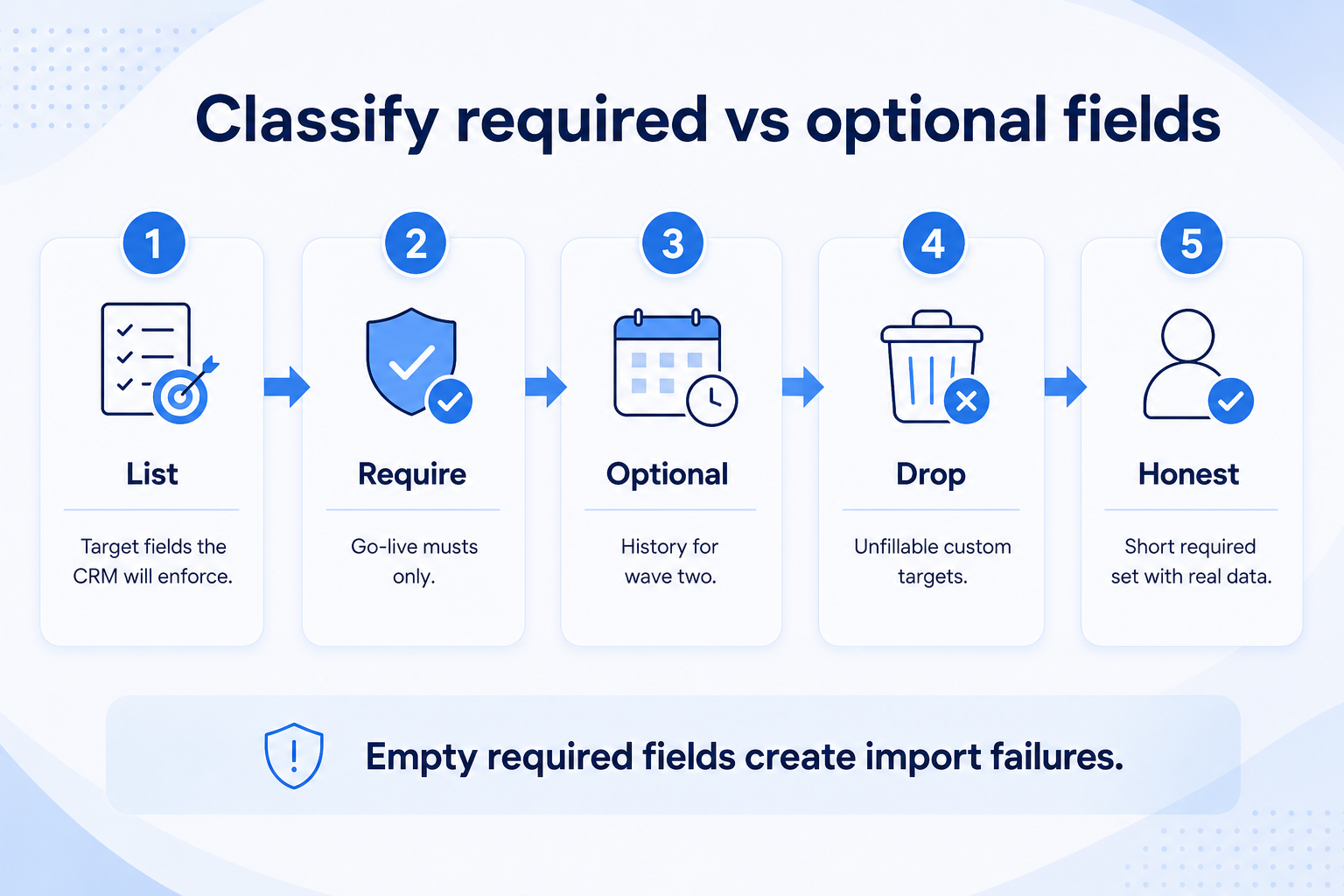
2. Classify required vs optional before you map everything
Required empty fields create import failures — keep the go-live set short and honest.
Identity fields
Email, company name, external ID — usually required for match/merge.
Pipeline fields
Stage, amount, close date, owner — required for open deals you will manage.
Nice history
Old tags and free-text dumps — optional or archive-only.
List target fields the CRM will enforce (owner, stage, next-step date, email, company name). Mark each required or optional for go-live. Optional historical fields can wait; required empty fields create import failures or dishonest blanks.
Example: Northline marks Owner, Pipeline Stage, Contact Email, and Next Activity Date as required for open deals. “Lead source detail” and “competitor notes” stay optional for wave two. Mara deletes three custom targets that nobody could fill from the export.
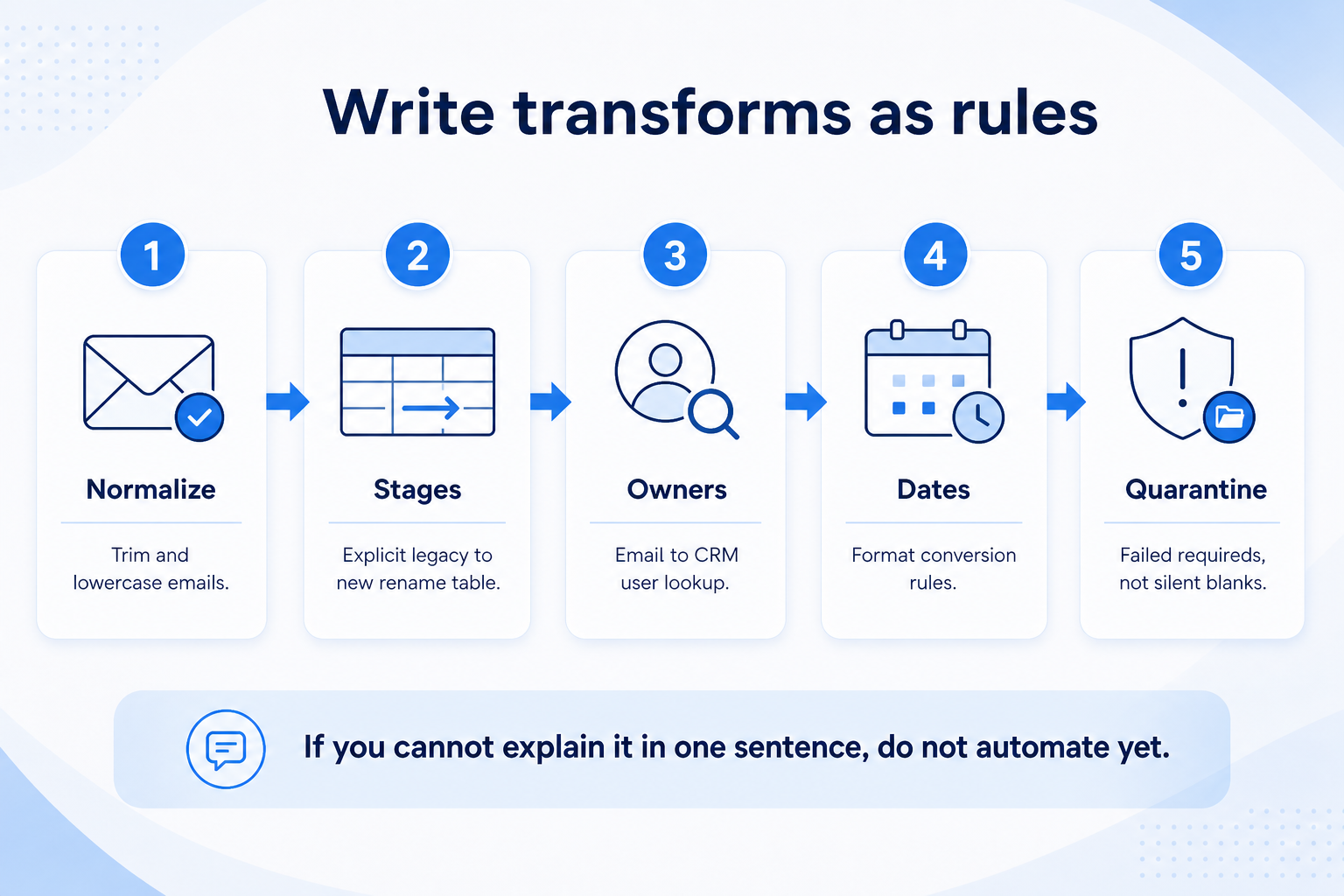
3. Write transforms as rules, not tribal knowledge
Document every transform on the sheet — tribal knowledge is not a mapping rule.
Stage rename
Explicit legacy→new table; never fuzzy string match in production.
Owner lookup
Email or employee ID → active CRM user; unmatched = quarantine.
Blank required
Written rule: set default stage or block import until filled.
For every mapped row, document the transform: trim whitespace, lowercase emails, map stage labels (Prospecting→Qualified), resolve owner by email to CRM user ID, convert date formats, and drop rows that fail a required rule. If the transform is “manual fill after import,” name who fills it and by when.
Example: Northline’s stage map collapses five legacy labels into four CRM stages. Owner Email → CRM user uses a lookup table; unmatched owners fail the row into a quarantine tab. Emails run trim + lowercase. Mara attaches five sample deal rows showing before/after values so sellers can spot wrong stage collapses.
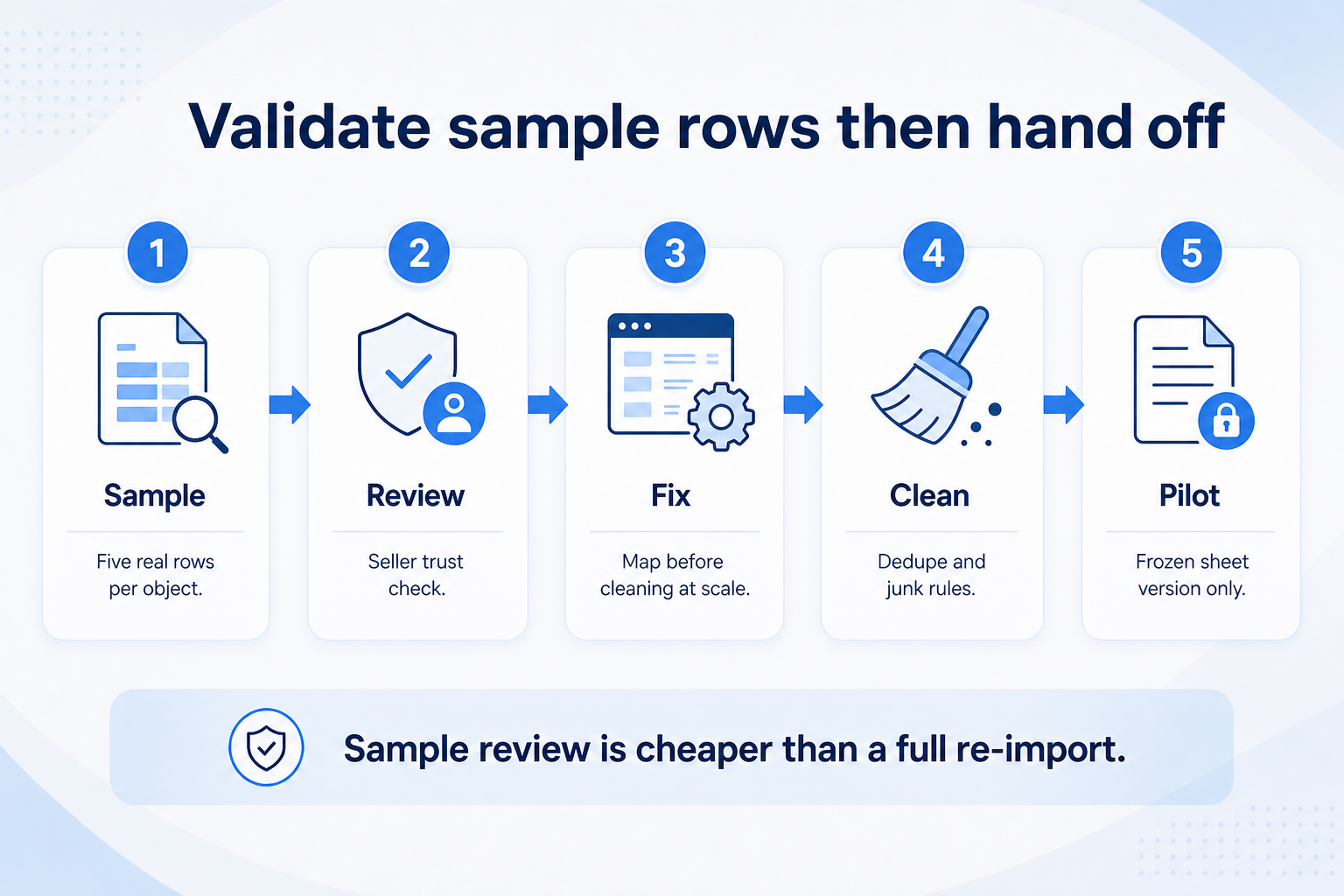
4. Validate sample rows, then link cleaning and migration
Seller-trusted samples unlock cleaning and migration — not the other way around.
Seller review
One AE signs that samples look like real work.
Cleaning handoff
Duplicate and junk rules reference the same field names.
Migration handoff
Pilot import uses frozen sheet version only.
Have a seller and the mapping owner walk five real rows per object: does the target look like something they would trust on Monday? Fix the map before cleaning at scale. Then hand the frozen sheet to data cleaning (duplicates, junk) and data migration (pilot import → cutover).
Example: AE Jordan reviews five Northline deals. One “Verbal Yes” stage had been mapped to Closed Won — caught on the sample pass. Mara revises the map, cleaning removes duplicate contacts for those accounts, and only then does migration run the pilot import for Jordan’s book.
Field mapping mistakes
Mapping in a chat thread
Decisions disappear; imports follow the last loud voice.
Header-only maps with no sample values
Transforms look fine until real data breaks them.
Treating every legacy column as required
You import noise and teach the team the CRM is untrustworthy.
Silent stage collapses
Forecast and coaching break when labels are “close enough.”
No owner for unmatched users
Deals land without owners and die in the board.
Changing the map mid-pilot without versioning
You cannot tell whether the import or the sheet is wrong.
Example official vendor setup videos
Optional · 2 examples · collapse if you don’t need them
These are verified vendor tutorials and product demos from the CRM catalogue — examples of how vendors present setup and workflows. They are not SoftwareGlimpse rankings, and they do not replace the independent guidance on this page.
Official vendor tutorial · example
Attio — Attio | How to build your sales pipelines
This video is hosted on YouTube
This content is hosted by YouTube. The player loads only after you allow marketing cookies.
Object, source field, sample value, target field, required vs optional, transform rule, notes, and status. Plus a named owner and a version ID frozen for each import run.
Who should own the mapping sheet?
One ops/admin owner who can say no. Sellers validate samples; vendors may draft; the owner freezes the version used for pilot and cutover.
How do we handle required fields with no source?
Write an explicit rule: default value, post-import fill with owner and deadline, or block those rows. Do not leave required targets silently empty.
When should we map historical custom fields?
Only if someone will maintain them after go-live. Otherwise archive the export and keep the CRM schema short for the core loop.
How does field mapping relate to data cleaning?
Mapping defines field names and transforms; cleaning removes duplicates and junk using those same names. Clean after the map is stable enough that you are not renaming columns every day — see the Clean CRM Data guide.
How many sample rows do we need?
At least five real rows per in-scope object, reviewed by someone who works those records. Edge cases (blank email, unmatched owner) deserve their own sample rows.
What should I do next?
Freeze the sheet, run cleaning on the mapped export, then follow the CRM Data Migration Guide for pilot import. Use CRM Testing before go-live to prove mapped fields behave in the product.