Post-go-live CRM adoption stalls when the core loop, manager coaching, or Friday review drifts after launch — not when seats fail to log in. Decision rule: diagnose stall signals first (side sheets, empty next steps, Slack-only coaching), pause expansion and new automation, then run a 30/60/90 restart with manager coaching loops until two consecutive CRM-native reviews pass.
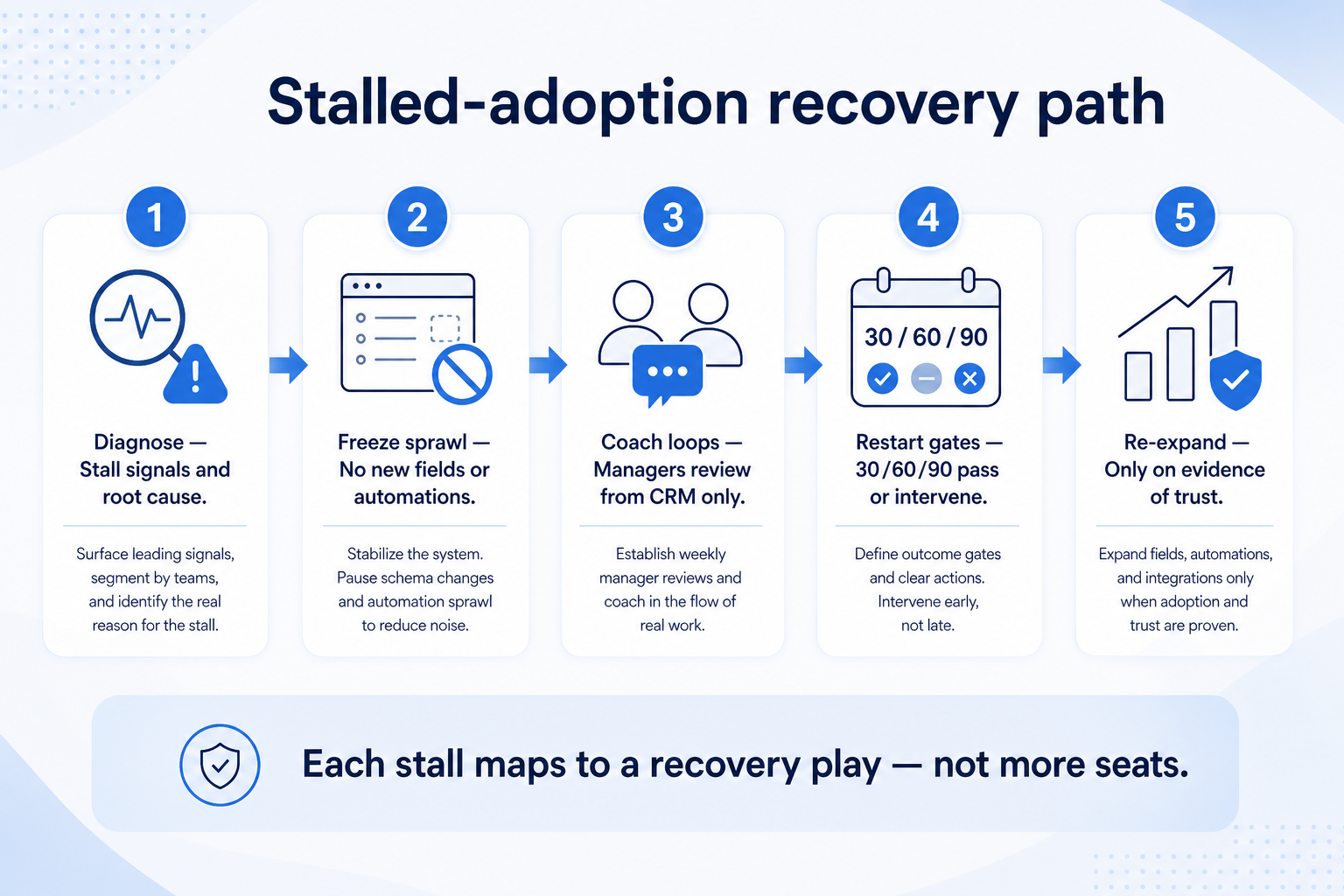
Diagnose stall
Pause expand
Coach loops
30/60/90 restart
Not login KPIs
Fix before add
Key takeaways
Stalled ≠ never adopted — Many teams passed go-live and then drifted — recovery is a restart, not a second buy.
Managers restart adoption — Coaching loops from CRM views beat reminder emails and login dashboards.
30/60/90 works after launch too — Treat recovery as a new gated cycle with freeze rules and exit criteria.
Implementation playbook still applies — Use /guides/crm-adoption/ for loop design; this guide is for diagnosing and restarting after drift.
Each stall signal maps to a recovery play — not more seats or more fields.
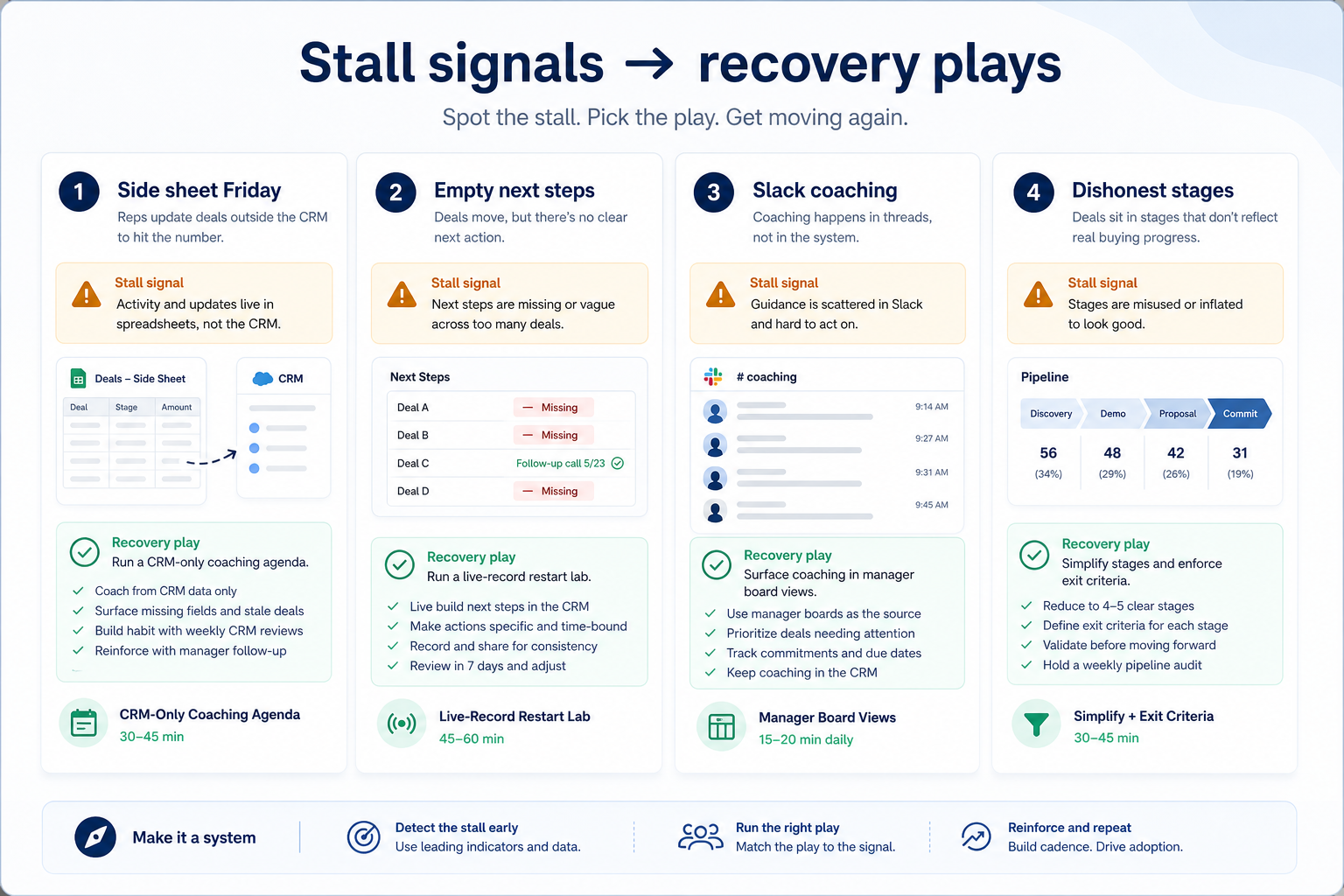
Stall signals → recovery plays
Each stall signal maps to a recovery play — not a feature request or more seats.
Diagnose stalled adoption in one hour
Bring these questions to every demo
Ask vendors to show the workflow live, not just describe it.
1Name the Friday review surfaceCRM board, Sheet, Slack thread, or mix — write what actually happens.
2Sample open work for next stepsPull 20 open deals/jobs; count empty or stale next-step dates.
3Map where managers coachCRM view, 1:1 notes, chat, or hallway — list the real channel.
4List dual-running artifactsSheets, personal trackers, email folders used as pipeline.
5Label the primary rootProcess, coaching, field sprawl, training decay, or product fit — pick one primary.
1. Diagnose the stall — do not celebrate logins
Logins can stay green while adoption stalls — recovery starts with stall diagnosis.
High login, Sheet Friday
Ritual decay — restart manager reviews from CRM only.
Low update, high Slack coaching
Manager bypass — change coaching channel before training more UI.
Honest use, wrong product
Must-have gap after honest recovery — reopen evaluation, do not fake adoption.
After go-live, teams often look “active” while the system of record quietly loses authority. Separate seat activity from stall signals: Friday rebuilds outside CRM, empty or stale next steps on open work, managers accepting verbal updates, dishonest stage jumps, and dual-running Sheets that still drive coaching.
Example: Meridian Field Ops went live nine months ago. Ops lead Priya saw healthy weekly logins, but partners still rebuilt a household coverage Sheet every Monday. A twenty-deal sample showed fourteen without dated next steps. Priya labeled the stall as coaching + ritual decay — not “people hate the product” — and froze new custom fields before any recovery sprint.
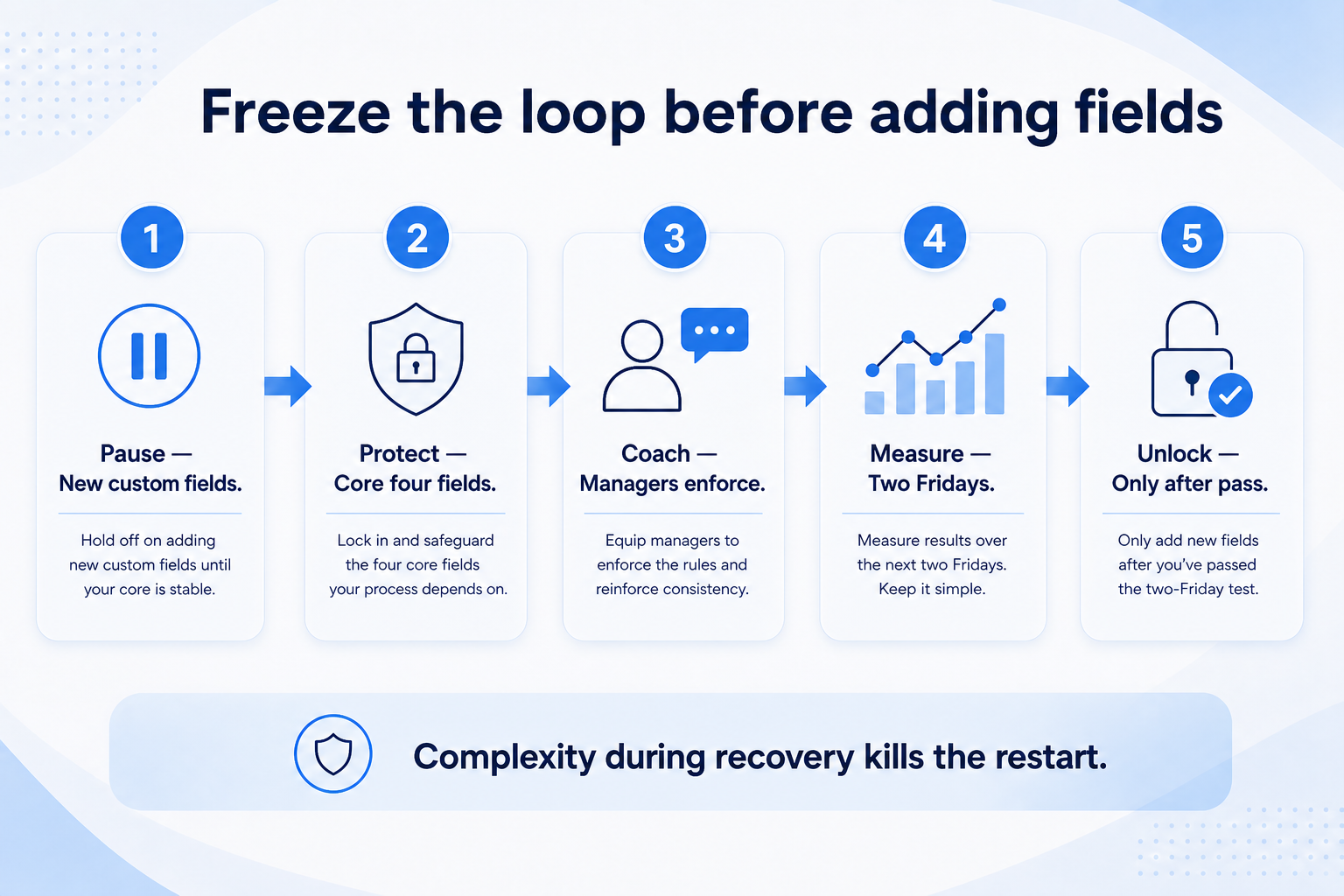
2. Freeze sprawl and simplify the loop
Freeze before you “improve” — restore the minimum trusted loop first.
Field sprawl stall
Cut unused fields; keep owner + next step mandatory.
Automation noise
Disable noisy tasks; restore hygiene trust first.
Too many stages
Collapse dishonest stages; redefine exit criteria per stage.
Stalled teams often try to “fix adoption” by adding stages, fields, and marketplace apps. That usually deepens dual-running. Freeze new fields and automations for the restart window. Rewrite the one-sentence core loop (own → update → honest stage → dated next step) and remove unused layout clutter that blocks weekly updates.
Example: Harborline Advisory paused three pending automation requests and cut six unused opportunity fields. Sellers practiced the shortened loop on live stuck deals in a ninety-minute lab. Empty next-step counts dropped before any new feature shipped.
3. Install manager coaching loops
Manager behavior is enforcement — tooling alone will not restart adoption.
New manager mid-stall
Shadow one CRM-native review, then lead with the same agenda.
Founder-led bypass
Founder models the rule: no Slack-only pipeline answers in exec reviews.
Multi-pod drift
Same agenda template per pod; ops audits empty next steps weekly.
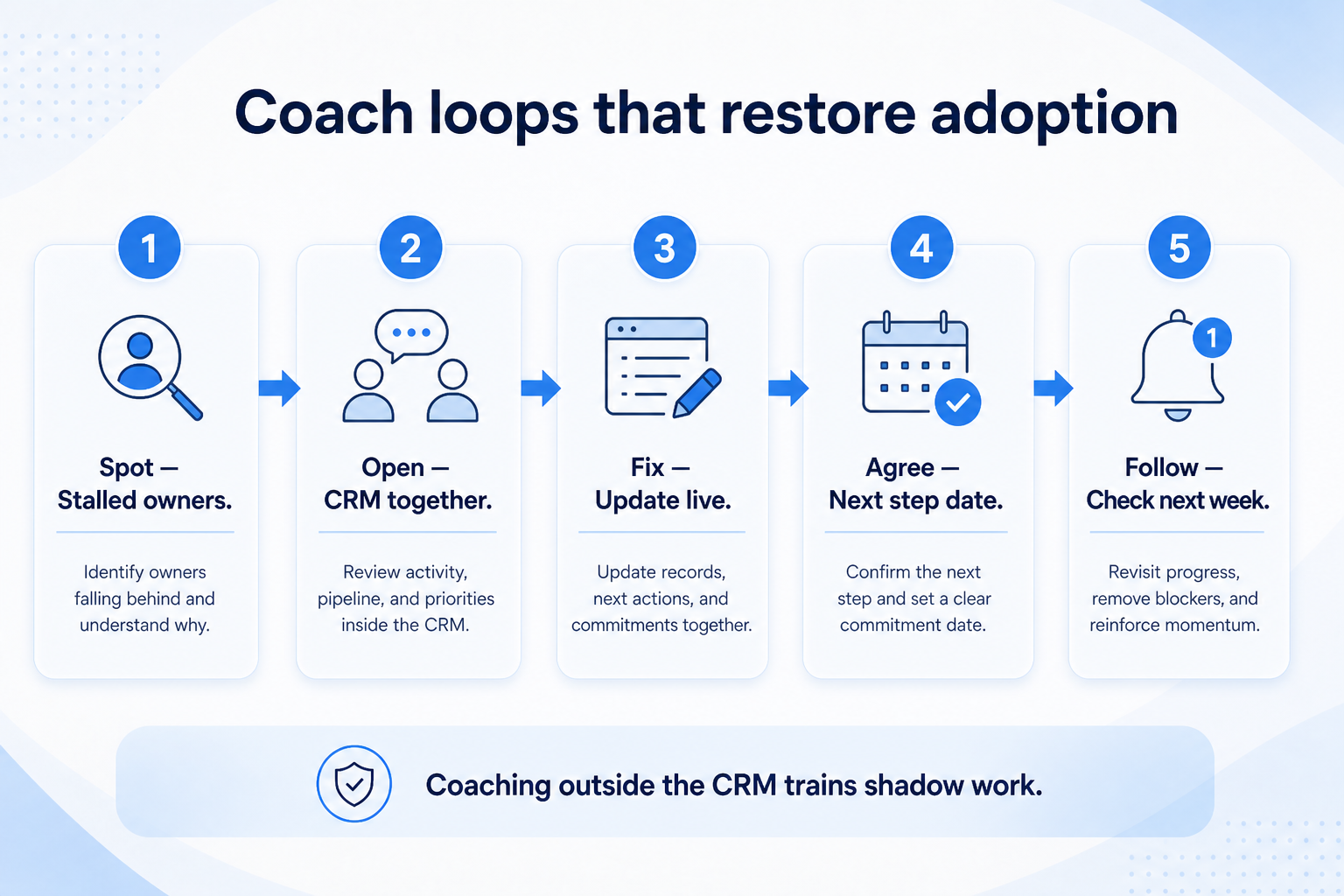
Recovery fails when managers keep coaching from Slack or personal notes. Publish one coaching agenda: stuck items, empty next steps, stage jumps without evidence, and coverage gaps. Managers prepare from a saved CRM view before the meeting. Refuse status that is not on the board.
Example: Crestview Wealth’s practice lead Maya runs a fifteen-minute Monday huddle from a filtered board only. After two weeks, partners stop bringing printed lists because they no longer change coaching outcomes. Ops tracks empty next steps as the leading recovery signal — not seat logins.
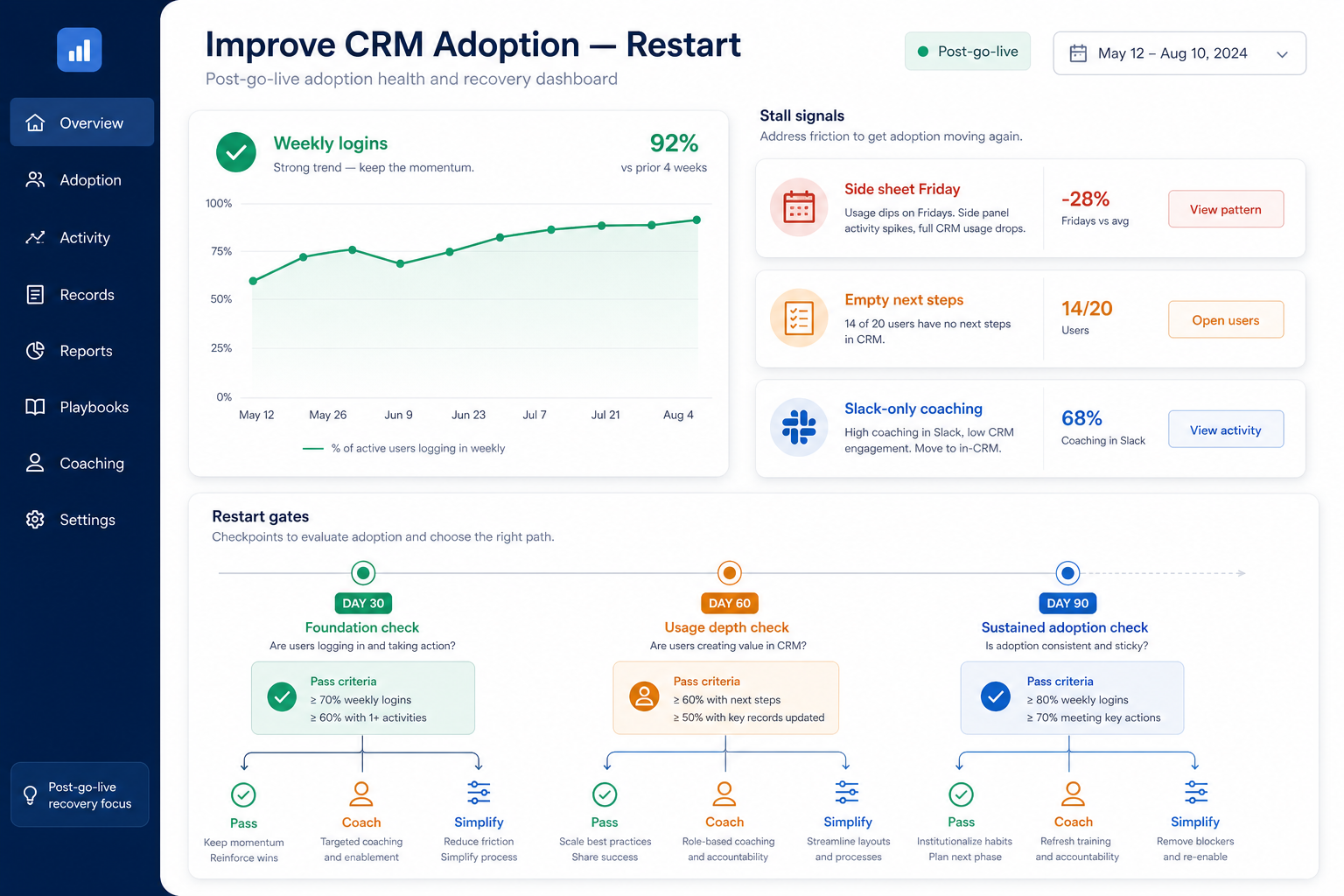
4. Run a 30 / 60 / 90 restart
Missing a restart gate is information — not a reason to add configuration.
Pass
Re-expand with the same simplified config and coaching agenda.
Coach
Hold seats; intensify hygiene huddles and manager practice.
Simplify again
Remove more stages/fields; rewrite the one-sentence loop.
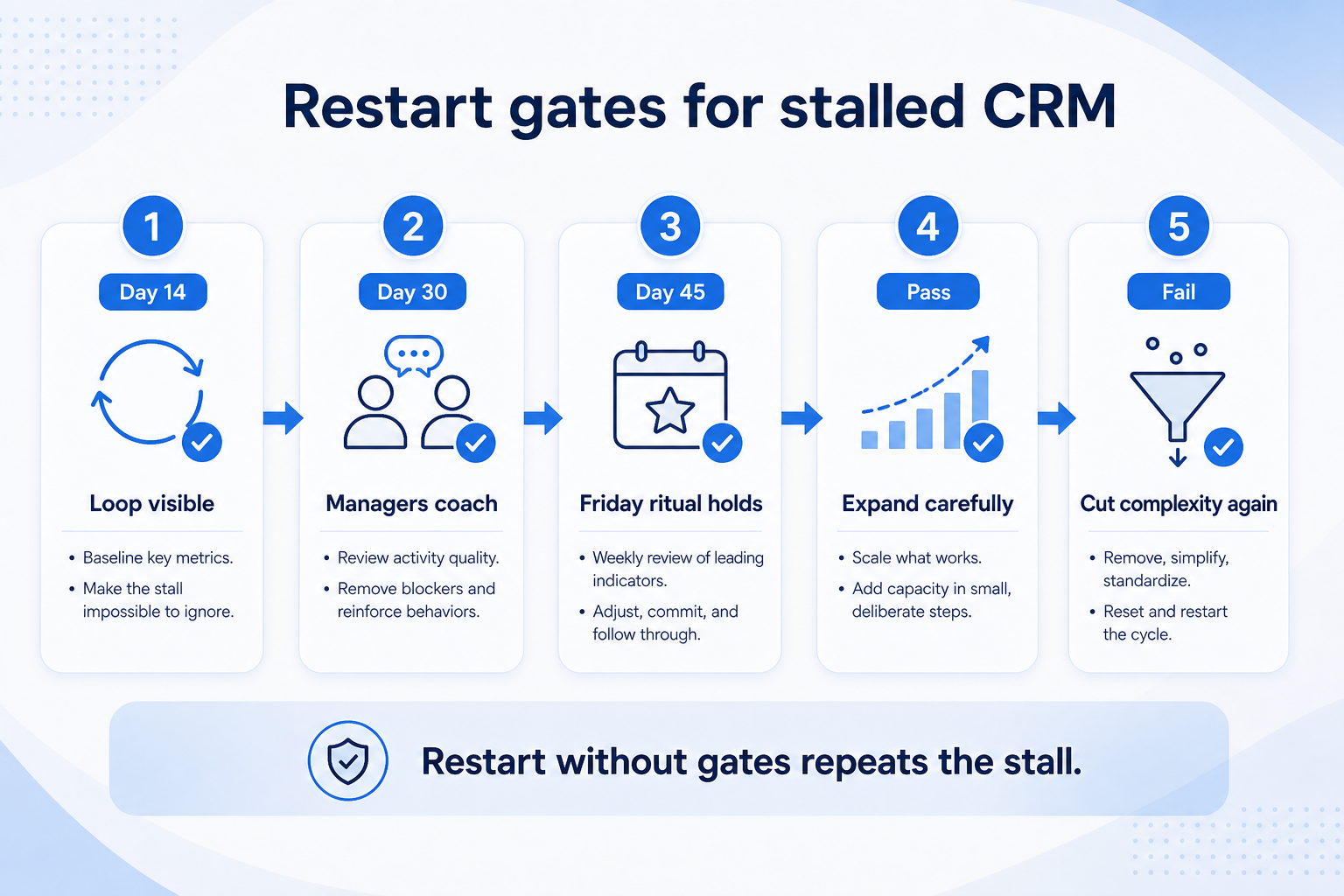
Treat recovery like a fresh gated cycle. Day 30: stall diagnosed, freeze in place, core loop retrained on live records, coaching agenda live. Day 60: two consecutive CRM-native Friday/Monday reviews; next-step fill and open-item ownership meet team-defined targets; side sheets retired from coaching. Day 90: re-expand seats or segments only if gates passed — otherwise intervene (simplify, retrain, or reset ownership).
Example: Northwind Estimators failed a soft Day 60 because Friday still opened with a Sheet. They held seats steady, cut two more unused stages, and retrained the board ritual for three weeks before retrying the gate — then expanded the second pod.
5. Link retraining to KPIs and failure modes
Retrain on empty next-steps and stage lies — not another vendor feature tour.
Role-based refresh
Seller, manager, admin paths — not one generic webinar.
Gate-fail refresh
Retrain the ritual on live records within one week of a miss.
Champion office hours
Pilot champions run hours using the stall checklist.
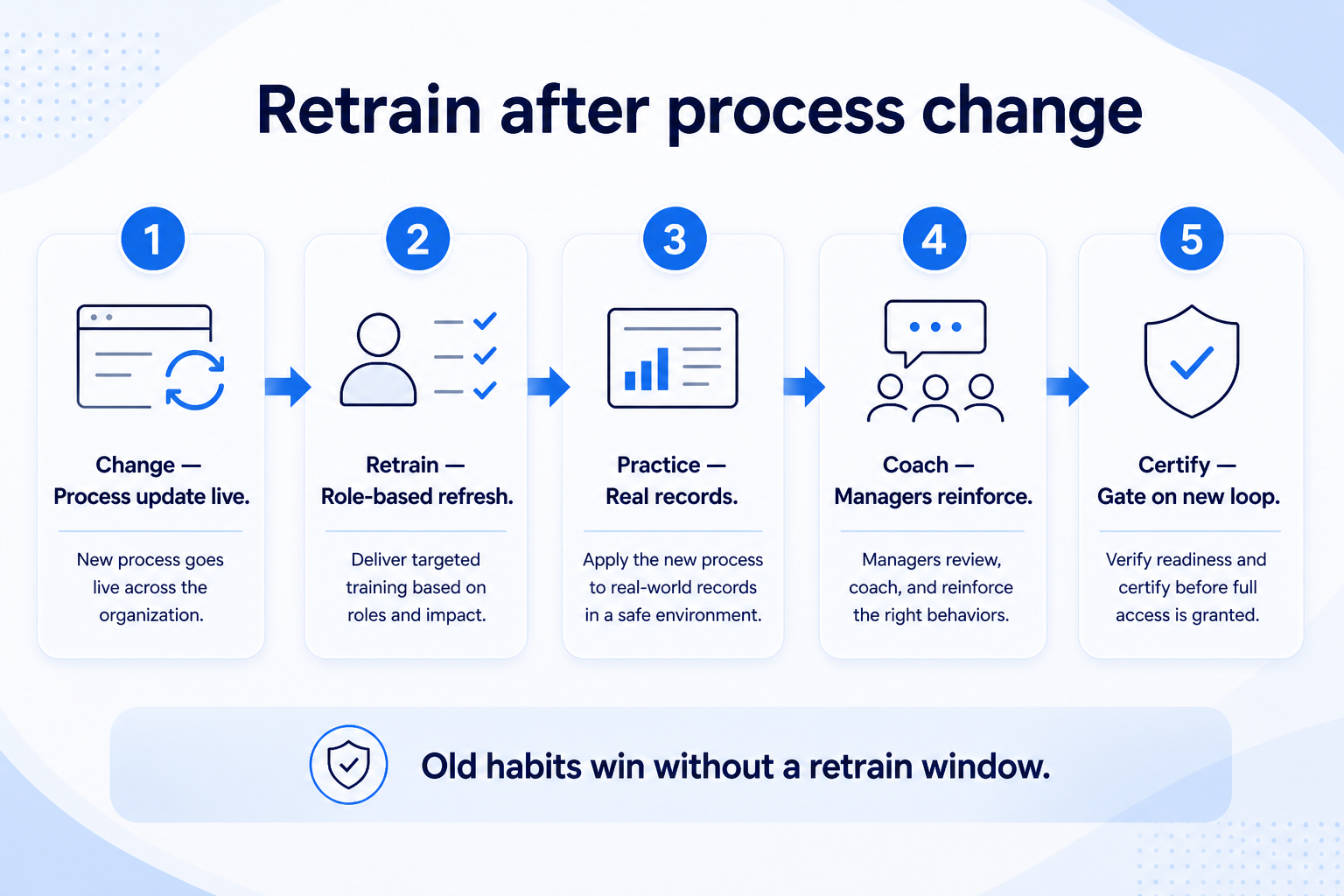
Feature tours do not restart stalled adoption. Retrain the loop and the mistakes you will coach against: empty next steps, dishonest stages, duplicate creation, and dual-running Sheets. Pair each failure with a coaching response. Use implementation KPI intervene rules so leadership sees leading signals, not vanity activity.
Example: Meridian’s Day-30 restart lab uses three real stuck jobs from last week. Reps update them live while Maya scores the board afterward — training, mistakes, and the recovery gate become one conversation.
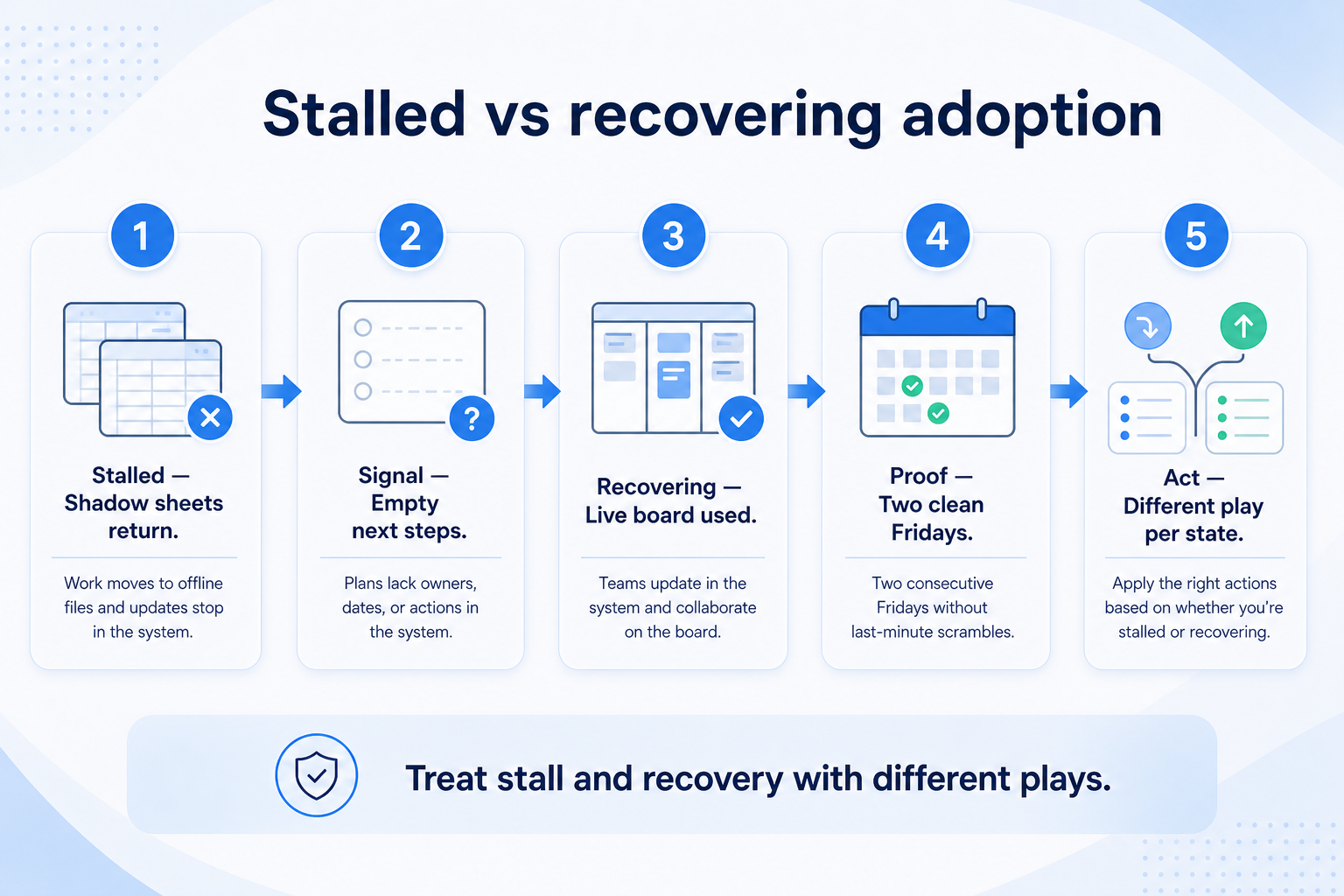
Stalled vs recovering signals
Recovering teams coach from CRM and freeze complexity — stalled teams accept Sheets and Slack updates.
Must-have
✓Friday / weekly review surface
✓Open work next-step dates
✓Manager coaching channel
Nice-to-have
Recovery mistakes
Treating stall as a buying problem
Switching vendors without an honest recovery pass usually moves the Sheet to a new UI.
Celebrating login recovery
Activity without core-loop completion trains leadership to ignore the real risk.
Expanding seats mid-stall
More seats amplify Slack coaching and dual-running.
Adding fields to drive usage
Complexity usually reduces updates; simplify the loop first.
Skipping manager behavior change
Without CRM-native coaching, reminder campaigns fail.
No restart gate owners
Without R/A for 30/60/90, recovery drifts into permanent dual-running.
Example official CRM product videos
Optional · 2 examples · collapse if you don’t need them
Verified vendor product videos from the CRM catalogue for context while you read. They are examples only — not a ranked shortlist — and they do not replace SoftwareGlimpse recommendations on this page.
Official vendor video · example
Attio — Attio | How to build your sales pipelines
This video is hosted on YouTube
This content is hosted by YouTube. The player loads only after you allow marketing cookies.
How is this different from the CRM Adoption Guide?
The Adoption Guide defines the loop, coaching ritual, and first 30/60/90 rollout. This guide is for teams already live who stalled: diagnose drift, freeze sprawl, restart coaching loops, and re-gate expand. Use both — fundamentals first, then recovery plays.
How do we know adoption is stalled?
Look for side-sheet Fridays, empty/stale next steps on open work, managers accepting Slack-only updates, and dishonest stages. Decision rule: if reviews do not start from a CRM view, adoption is incomplete regardless of login charts.
Should we switch CRMs if adoption stalled?
Not until you run an honest recovery pass (freeze, simplify, coach, restart gates). Reopen evaluation only if must-haves remain structurally missing after that pass — do not blame the product for coaching bypass.
What belongs in a 30-day restart gate?
Stall diagnosis written, freeze on new fields/automations, core loop retrained on live records, and a scheduled manager review that uses a CRM view. Pass only if dual-running is shrinking.
How do managers restart adoption without nagging?
Change the coaching channel: prepare from saved CRM views, refuse off-board status, and coach empty next steps and stuck stages. Pair with role-based labs — not generic reminder emails.
What metrics should leadership see?
Team-defined leading signals: open-item ownership, next-step fill, CRM-native review adherence. Avoid invented industry adoption percentages. See Implementation KPIs for intervene rules.
What should I do next?
Run the stall diagnosis checklist, schedule the first CRM-only coaching review, and set Day 30/60/90 restart owners. Cross-read CRM Adoption, Training, and Implementation KPIs; use the Implementation Planner to put gates on a calendar.