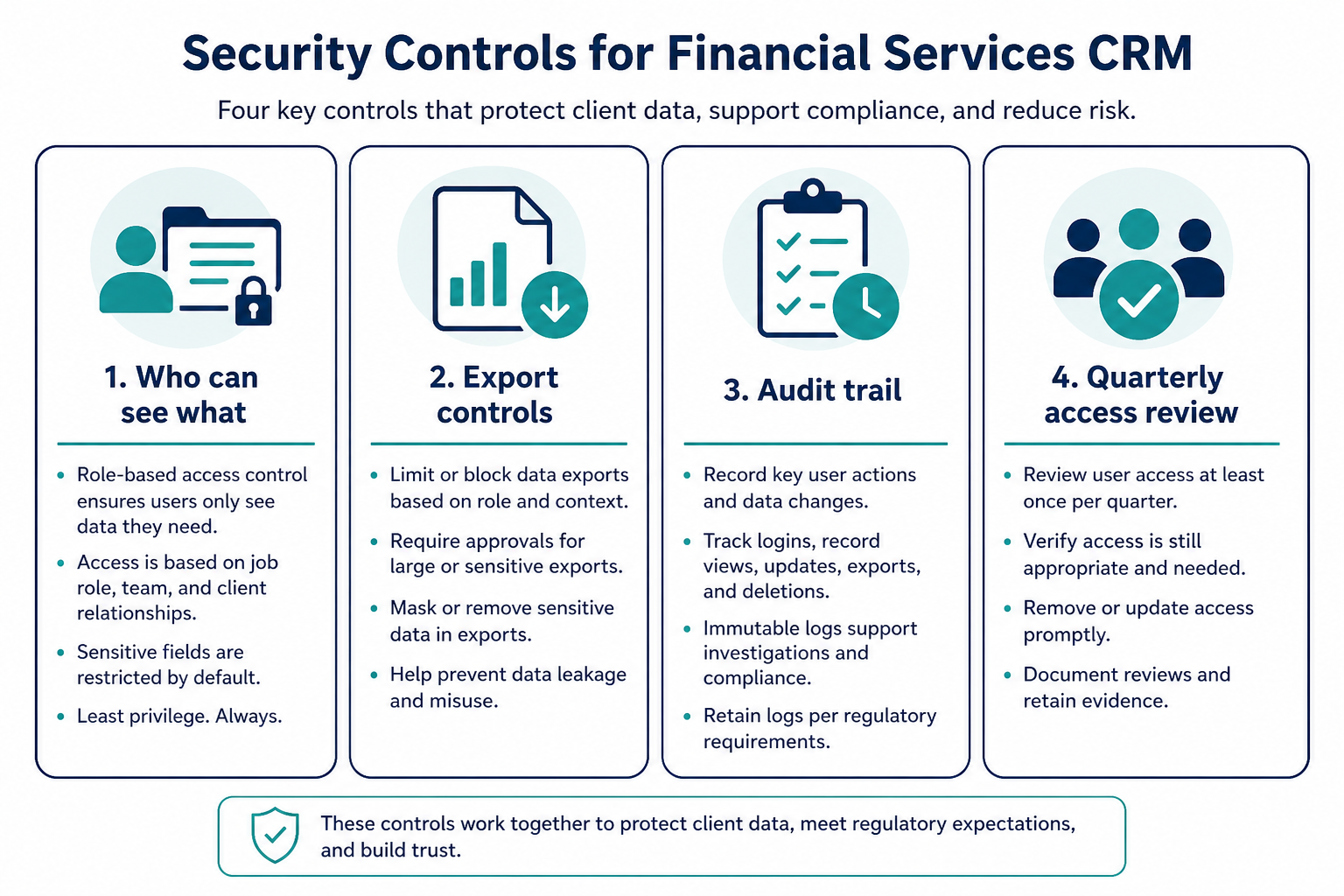
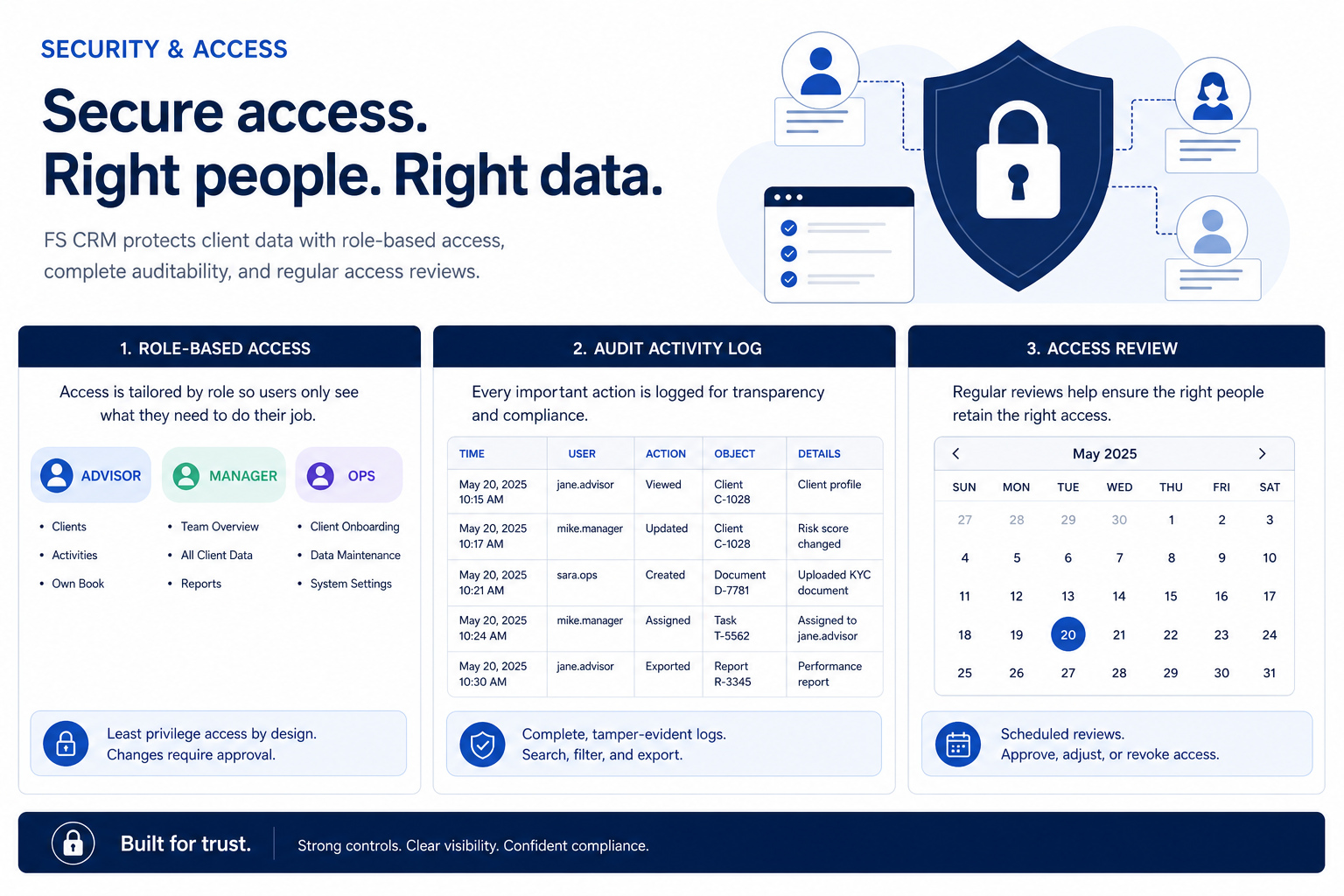
Evaluate financial-services CRM security as an access model — roles, sensitive fields, audit logs, and access reviews — without relying on marketing certification claims.
Financial-services CRM security is an access model first: decide who sees which client records, map that to roles, then prove it with audit logs and recurring access reviews. Decision rule: do not buy or go live until you can name every role that needs client data, what each role can do, and how you will review who still has that access after the first quarter.
Who needs access
Role boundaries
Sensitive fields
Audit logs
Access reviews
Vendor questions
Key takeaways
Permissions before polish — A clean pipeline board is worthless if every seat can export every household.
Roles are operational, not ceremonial — Advisor, ops, sales, and leadership rarely need the same view of the same account.
Auditability is a workflow — Logs only help when someone owns how exports, permission changes, and bulk edits get reviewed.
Ask vendors for controls, not slogans — Request how roles, field-level limits, SSO options, and audit exports work on the plan you would buy — without treating marketing badges as proof.
Treat CRM security as stacked operational controls — not a single checkbox on a vendor slide.
1. Map who needs access to client data
Start from who needs client data — then design roles and reviews around that map.
Advisor / RM
Needs deep history on owned clients; rarely needs firm-wide export.
Client service
Needs assigned books and task queues without rewriting ownership.
Ops / admin
Needs configuration rights; client read should be deliberate, not default.
Leadership
Needs aggregated pipeline and activity views more than note-level browsing.
List every seat type that will open accounts, contacts, notes, or exports. Separate daily relationship work from reporting, ops administration, and external contractors. For each seat, write whether they need all clients, only owned clients, or team-shared books.
Example: an 18-person RIA (12 advisors, 3 client-service associates, 2 ops admins, 1 managing partner) maps advisors to owned households only, CSAs to assigned books, ops to configuration plus limited client read for cleanup, and the partner to firm-wide pipeline reports without bulk export of every note field.
2. Design roles before inviting the whole firm
Owned vs team vs firm
Visibility scopes should match how books are actually shared.
Export rights
Treat export as a distinct privilege from on-screen read.
Permission changers
Only named admins alter roles; changes should be reviewable later.
Translate the access map into a small role set with clear create/read/update/delete and export boundaries. Prefer fewer well-named roles over one-off exceptions. Document who can change permissions and who approves exceptions.
Example: the same RIA ships four roles — Advisor, Client Service, Ops Admin, Leadership View — and refuses a fifth “power user” until a written exception names the data risk and review date. Field-level limits hide tax-ID style custom fields from Leadership View and Client Service create rights.
3. Define audit needs and access-review cadence
Joiners / movers / leavers
Seat changes should trigger the same day as role or book changes.
Export sampling
Spot-check large exports; ask why before assuming malice.
Admin change log
Keep a short trail of who altered roles or sharing rules.
Decide what events matter operationally: permission changes, bulk edits, exports, login anomalies your vendor surfaces, and who can restore deleted records. Assign an owner for quarterly access reviews — compare active seats to the HR roster and remove leavers the same week they exit.
Example: the RIA ops lead runs a 30-minute access review on the first Monday of each quarter: export user list, tick seats against the headcount sheet, revoke contractor access that outlived the project, and file the dated checklist in the admin drive. Export events are sampled monthly for unexpected full-book downloads.
4. Ask vendors the same security questions in writing
Plan gates
Confirm the proposed tier includes the controls you mapped.
Trial proof
Create a non-admin seat and verify it cannot export the full book.
Exit path
Ask how exports and deletion work before you depend on the system.
Send every finalist an identical bank: which plans include role-based access and field-level limits; how sharing rules work for multi-advisor households; whether SSO is available on the proposed plan; what audit events export and in what format; how long logs are retained on that plan; how you remove a leavers’ access; and what happens to data on cancellation. Record answers next to your access map — do not accept slide claims alone.
Example: after demos, the RIA emails three finalists the same six questions. One clarifies field-level limits sit on a higher tier than demoed; another provides a sample audit export during trial. The team scores controls against the access map, not against who sounded most “enterprise.”
Security mistakes
Everyone gets admin “just for setup”
Temporary admin rights become permanent. Seed a temporary admin list with a removal date.
Confusing marketing badges with your access model
Vendor security pages do not replace your role map, field limits, or review cadence.
Ignoring exports and integrations
A locked UI still leaks if CSV export or connected tools bypass your intended boundaries.
No owner for access reviews
Without a named ops owner and calendar, leavers and contractors linger indefinitely.
Example official CRM product videos
Optional · 2 examples · collapse if you don’t need them
Verified vendor product videos from the CRM catalogue for context while you read. They are examples only — not a ranked shortlist — and they do not replace SoftwareGlimpse recommendations on this page.
Official vendor video · example
Attio — Attio | How to build your sales pipelines
This video is hosted on YouTube
This content is hosted by YouTube. The player loads only after you allow marketing cookies.
What does CRM security mean for financial-services teams?
In practice it means who can see and change client records, which fields are limited, how exports work, and how you review access over time. Treat it as an operational model you can test in a trial — this guide is educational, not legal or compliance advice.
Do we need an industry-specific CRM for security?
Not automatically. Many firms meet their needs with a general CRM that supports roles, sharing rules, and auditability — plus disciplined process. Choose purpose-built options only when your access or workflow requirements cannot be modeled; verify with vendors and your internal owners.
What should we ask vendors about audit logs?
Ask which events are logged, who can view or export them, retention on the proposed plan, and whether you can evidence permission changes and bulk exports. Request a sample export during evaluation when possible.
How often should we run access reviews?
A common operational pattern is at least quarterly, plus same-week reviews for joiners, movers, and leavers. Increase frequency if contractors or seasonal staff rotate often.
Where does this fit in the buying journey?
Use the access map during requirements and demos, prove roles in trial, and keep review ownership on the go-live checklist. Cross-link the FS requirements, checklist, and implementation guides so security is not bolted on after launch.