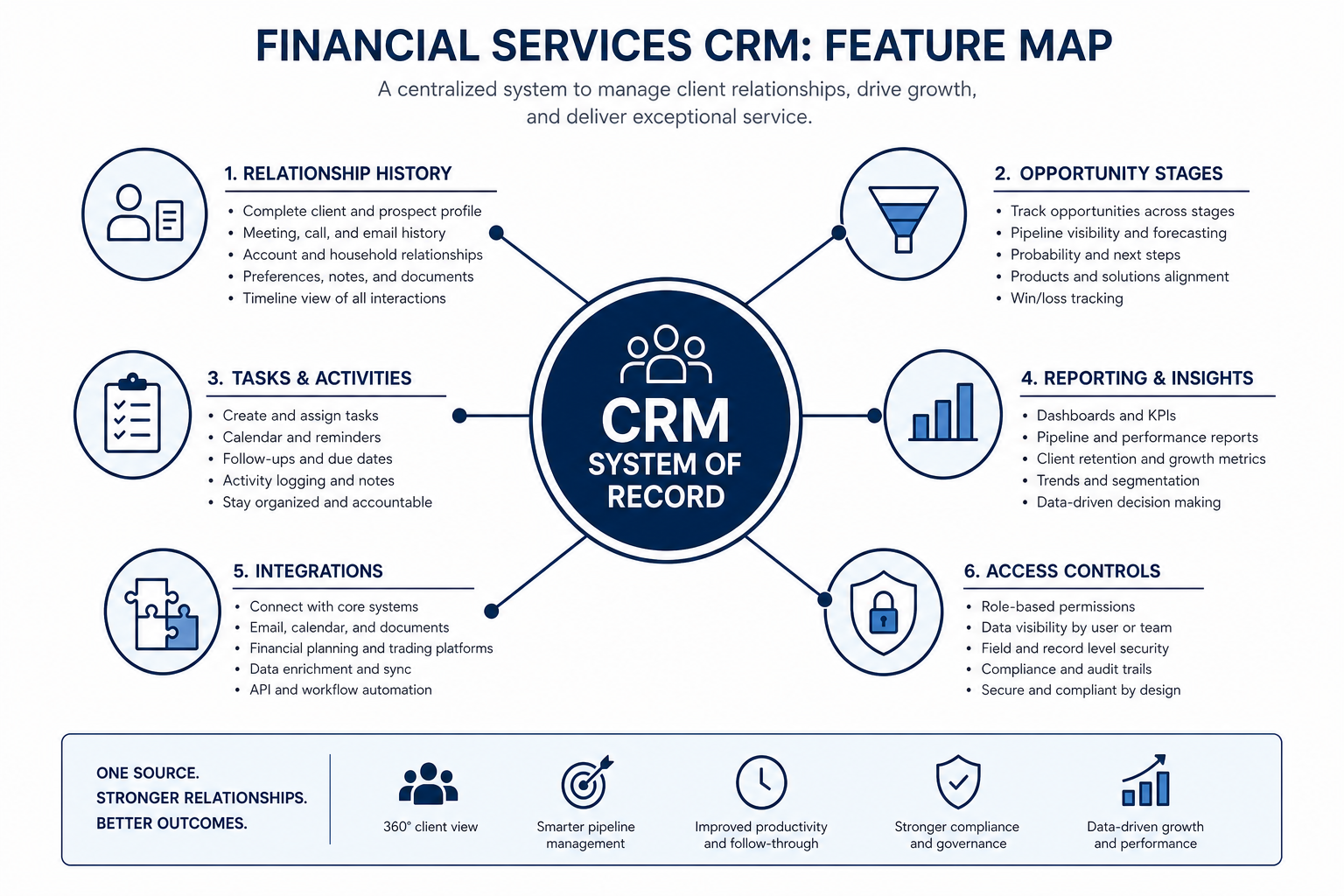
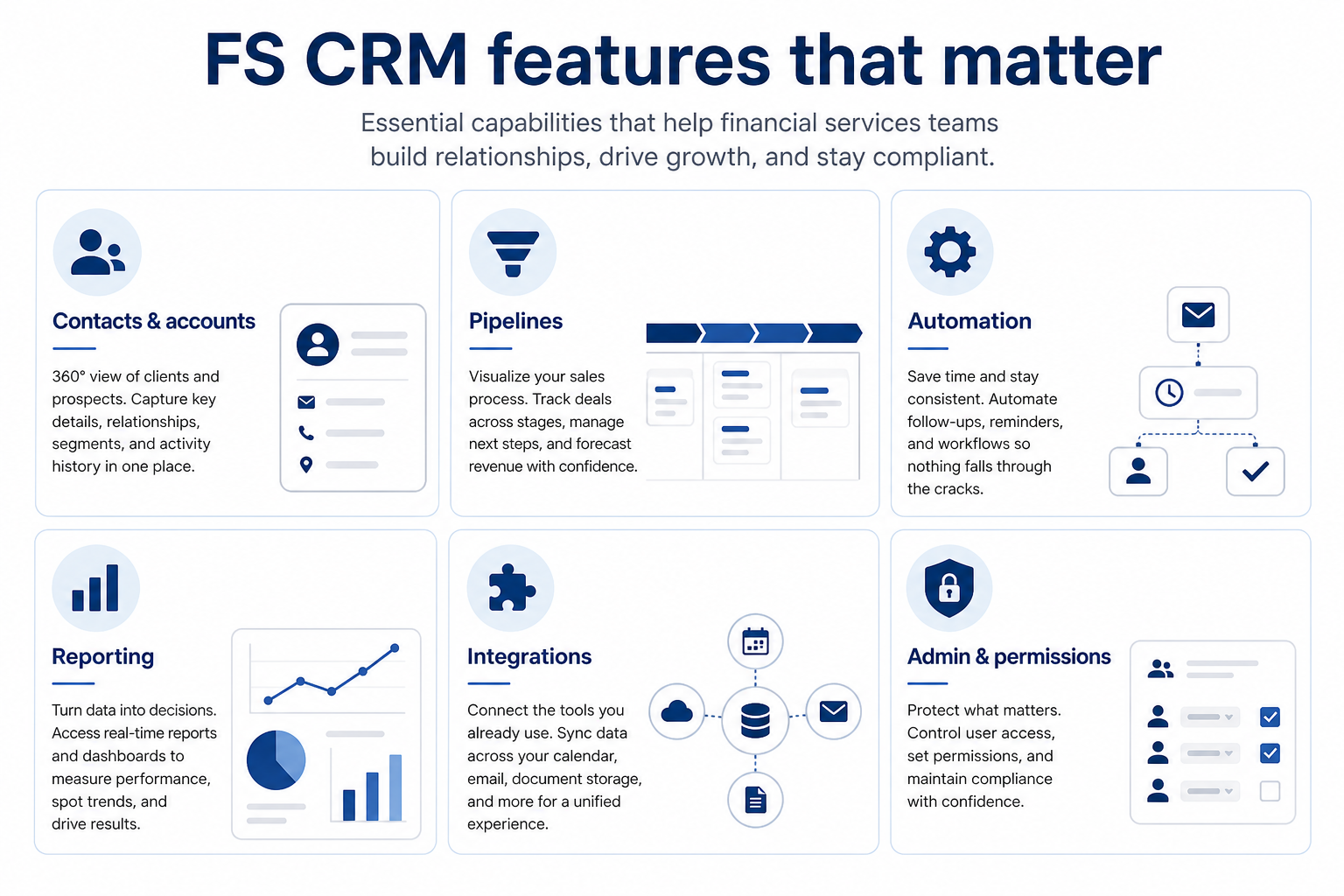
Financial-services CRM features matter when they support shared client accounts, multi-pipeline work, activity history, permissions, reporting, and the integrations your stack already uses. Decision rule: evaluate a capability only if it maps to a written must-have with a demo test — ignore feature-count marketing that does not change Harborline’s Friday review or Meridian’s stage honesty.
Contacts & accounts
Pipelines & deals
Automation
Reporting
Integrations
Admin & permissions
Key takeaways
Objects before feature lists — Accounts, contacts, deals, and activities are the model; features are ways to create and update them reliably.
Multi-pipeline is often the FS differentiator — Advisory boards and sales boards sharing one account beat two disconnected tools.
Admin is a capability — Roles, field access, and hygiene tooling decide whether FS teams trust the system.
Automation waits on hygiene — Workflows amplify whatever is in the record — clean owners and stages first.
Judge each capability by whether it strengthens the shared client loop — not by brochure length.
1. Contacts, accounts, and relationship context
Relationship context is a capability — not a nice-to-have note field.
Account hierarchy
Households or firms group related people with clear roles.
Timeline on the record
Meetings and notes attach where coverage looks first.
Duplicate control
Merge/prevent rules protect trust when imports grow.
FS teams need durable account/household structures with related contacts, roles, and a timeline of notes and meetings. Flat contact lists without account context recreate notebook silos.
Example: Crestview Wealth’s Priya links spouse and adult child under Chen Family, tags roles, and keeps quarterly review notes on the account. When associate Devon covers, the relationship map and timeline are already there — no “who is who?” call to the client.
2. Pipelines and stage design for FS work
Separate boards
Relationship work and opportunity work stay readable.
Exit criteria
Required fields or checklists mirror real approvals.
Owner clarity
Every open deal has an owner and dated next step.
Multiple pipelines (or carefully separated stage models) let advisory/service work and new-business sales share accounts without forcing one fake funnel. Stages should encode checkpoints your firm already runs.
Example: Meridian Specialty Finance uses New Business stages Discovery → Credit Review → Proposal → Docs → Funded. Harborline keeps a separate Advisory Reviews board for next-meeting cadence. Both boards hang off the same accounts.
3. Automation that helps without creating noise
Useful FS automation assigns owners, creates follow-up tasks on stage changes, and notifies managers when items go stale. Complex multi-branch workflows wait until stages and logging habits are trusted.
Example: When Meridian moves a deal to Credit Review, automation assigns the credit liaison a task and notifies the sales manager. Harborline only automates “no next-review date” reminders after two weeks of manual hygiene prove the board is accurate.
4. Reporting for pipeline and relationship health
Day-one reporting should answer: what is open, what is stuck, who owns it, and what is overdue. Leadership snapshots come after sellers trust the board. Do not invent forecast accuracy claims in evaluation — ask how filters and exports work for your Friday review.
Example: Harborline’s practice lead runs a saved view of accounts missing next-review dates and a second view of new-business deals idle more than 14 days. That replaces the weekly rebuild in Sheets.
5. Integrations that feed the record
Prioritize email and calendar sync you already use so activity lands on accounts and deals. Add core ops systems only when ownership of the integration is clear. Integration count is not a score.
Example: Meridian’s must-have is Microsoft 365 sync that logs seller email to the deal. A “200+ integrations” marketplace page does not replace that pass/fail test.
6. Admin, permissions, and field discipline
FS evaluation should include who can see which books, which fields are restricted, how permission changes are reviewed, and who owns ongoing hygiene. Soft operational language beats invented certification claims — map needs to your policy and verify vendor documentation.
Example: Harborline’s ops admin Keisha demos a role where BD sees opportunity fields but not planner-only notes, then shows how she audits who changed a permission last month.
FS capability priority (starter)
Must-have
✓Accounts + related contacts + timeline
✓Multiple pipelines / stage models
✓Role/team permissions & field access
✓Email/calendar activity on records
✓Saved pipeline / overdue views
Nice-to-have
•Simple stage/task automation
•Advanced forecasting modules
•AI writing / summary aids
How capability depth scales with team shape
01
Small advisory practice
Account/household context, one advisory board, light permissions, email sync.
Named admin hours
Coverage views
02
Advisory + BD together
Shared accounts, two pipelines, clearer role boundaries, weekly dual-board review.
Stronger admin ownership, access reviews, and integration governance before feature sprawl.
Audit questions
Named RevOps/ops owner
Feature evaluation mistakes
Scoring by feature count
A longer grid rarely fixes unclear ownership, dishonest stages, or missing access controls.
Assuming “industry CRM” means fit
Category labels are not pass/fail tests — run your household and multi-pipeline scripts.
Buying automation before hygiene
Automating noisy stages creates more noise and erodes trust faster.
Skipping admin in the demo
If permissions and field rules are not shown, you have not evaluated an FS-critical capability.
Example official CRM product videos
Optional · 2 examples · collapse if you don’t need them
Verified vendor product videos from the CRM catalogue for context while you read. They are examples only — not a ranked shortlist — and they do not replace SoftwareGlimpse recommendations on this page.
Official vendor video · example
Attio — Attio | How to build your sales pipelines
This video is hosted on YouTube
This content is hosted by YouTube. The player loads only after you allow marketing cookies.
Which CRM features matter most for financial services?
Accounts/contacts with relationship history, multi-pipeline or clear stage separation, permissions, activity logging, basic reporting, and email/calendar sync. Rank others only after those map to your must-haves.
Do we need industry-specific CRM features?
Only when a written must-have cannot be modeled in a general CRM (for example, a household structure or permission pattern you cannot demo). Verify with scripts — do not assume from marketing labels.
How should we evaluate reporting?
Bring the Friday questions you already ask and build saved views live. Prefer honest filters and exports over claims about forecast accuracy you cannot validate.
When does automation become a must-have?
When the board is trusted and the same manual follow-up repeats weekly. Until then, keep automation as nice-to-have.
What about security features?
Treat roles, field access, audit/export needs, and access-review ownership as evaluation criteria. Confirm with vendor documentation and your policy owners — do not invent certification claims in the guide or sheet.
What should I do next?
Lock must-haves in FS CRM Requirements, review FS CRM Security for access questions, then shortlist with CRM Finder.