Financial Services CRM Implementation: Pilot to Expand
Roll out financial-services CRM in gated phases — pilot one book, lock hygiene, then expand seats and light automation — without big-bang risk or invented compliance claims.
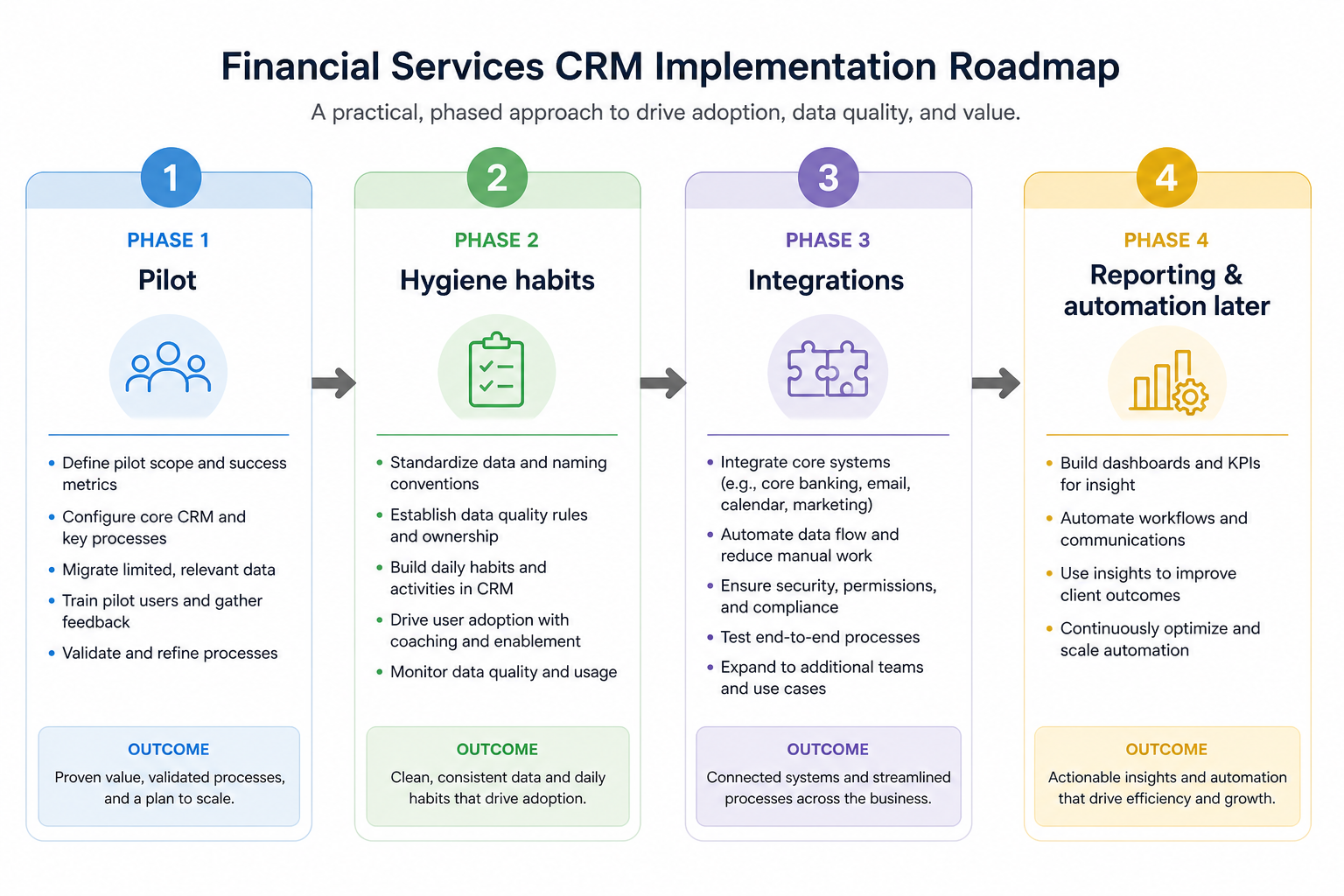
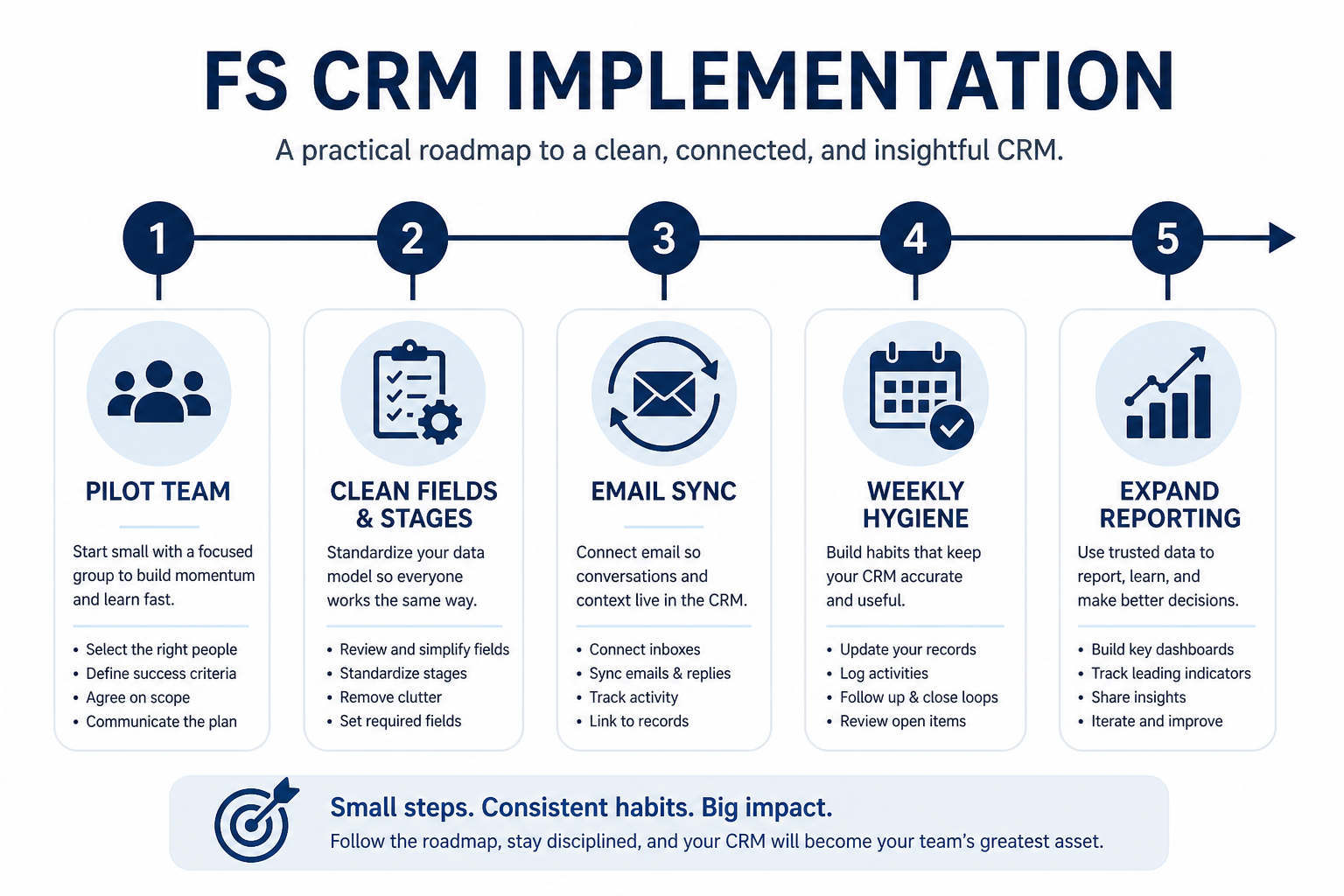
Implement financial-services CRM in gated phases: pilot one book or territory, lock hygiene (owners, stages, next steps, permissions), then expand seats and light automation. Decision rule: do not add teams or complex workflows until Friday reviews run from the board for two consecutive weeks without a side spreadsheet — if Harborline still rebuilds status in Sheets, you are still in pilot.
Pilot scope
Admin owner
Core loop live
Hygiene gates
Expand seats
Automate last
Key takeaways
Pilot beats big-bang — One planner pod or one sales territory proves the loop before firm-wide risk.
Name an admin owner — Fields, roles, and duplicates need a responsible person with hours on the calendar.
Hygiene before automation — Automating unclean stages and empty next steps amplifies noise.
Expand on evidence — Two clean Friday reviews are a better go signal than a feature checklist.
Gate expansion on trusted weekly use — not on configuration completeness.
Before the pilot starts
Bring these questions to every demo
Ask vendors to show the workflow live, not just describe it.
1Three 90-day outcomes frozenFrom the FS requirements sheet.
2Admin owner named with hoursFields, users, permissions, duplicates.
3Pilot segment chosenOne book, pod, or territory — not the whole firm.
4Access matrix sketchedWho sees which accounts and sensitive fields.
5Pilot success criteria writtenTwo Friday reviews from the board without a side sheet.
1. Pilot one book or territory
Prove coverage and pipeline truth on one segment before you scale seats.
Advisory pilot
One planner’s book with coverage partner and admin support.
Sales pilot
One territory with manager coaching from the board.
Mixed pilot
Shared accounts where BD and planning already collide.
Pick a segment large enough to feel real and small enough to fix quickly. Import or enter only that segment’s accounts, contacts, and open items.
Example: Harborline Advisory pilots Maya’s book (≈80 households) plus BD opportunities tied to those accounts. Ops admin Keisha configures accounts, one advisory board, one new-business pipeline, and roles for planner vs BD. The rest of the firm stays on existing tools until Maya’s Friday reviews run clean for two weeks.
2. Configure the core loop only
Roles first
Permissions match the access matrix before data entry.
Stages match reality
Rename or remove vendor defaults that your process never uses.
Sync that feeds records
Prove one logged email/meeting on a deal before inviting more users.
Day-zero setup: users/roles, account+contact fields you will actually fill, pipelines that match pilot work, email/calendar sync, and required owner + next-step fields. Defer marketplace apps, AI add-ons, and deep automation.
Example: Meridian Specialty Finance configures New Business stages with Credit Review as a real checkpoint, invites six pilot sellers + manager, syncs Microsoft 365, and bans custom fields that are not on the requirements sheet. Ana the ops lead owns field requests with a weekly triage — not instant yes.
3. Lock hygiene before you expand
Owner + next step
No open deal or review item without both.
Stage honesty
Managers reject stage jumps that skip real checkpoints.
Access exceptions
Temporary broader access has an expiry and a named approver.
Hygiene means: every open item has an owner and next-step date, stages only move when exit criteria are met, duplicates are merged on a schedule, and permission exceptions are rare and reviewed.
Example: Crestview Wealth’s pilot fails week one because next-review dates are empty. Priya and Devon run a 30-minute hygiene huddle twice a week until the overdue view is empty. Only then does the practice lead schedule the second pod’s onboarding.
4. Expand seats, then light automation
After two consecutive Friday reviews run from CRM without a side sheet, invite the next segment with the same core configuration. Add only automations that remove proven repetitive work (stale-deal alerts, missing next-step reminders).
Example: Harborline expands to a second planner after Maya’s board stays clean. Keisha clones the role set, imports the next book carefully, and adds one automation: notify owner when next-review date is blank for seven days. AI features and complex multi-branch flows stay parked.
FS implementation mistakes
Firm-wide go-live on week one
You inherit every messy process at once and lose the ability to fix the loop quickly.
Configuring everything before anyone sells or advises
Empty decorated workspaces do not create trust; one complete core loop does.
Automating before hygiene
Task spam on dishonest stages trains people to ignore the CRM.
No admin hours
Without a named owner, permissions and fields drift and FS teams quietly return to sheets.
Example official vendor setup videos
Optional · 2 examples · collapse if you don’t need them
These are verified vendor tutorials and product demos from the CRM catalogue — examples of how vendors present setup and workflows. They are not SoftwareGlimpse rankings, and they do not replace the independent guidance on this page.
Official vendor tutorial · example
Attio — Attio | How to build your sales pipelines
This video is hosted on YouTube
This content is hosted by YouTube. The player loads only after you allow marketing cookies.
How should financial services teams implement CRM?
Pilot one book or territory, configure only the core loop (records, pipelines, permissions, sync), lock hygiene until Friday reviews run from the board, then expand seats and add light automation. Gate expansion on evidence, not on a feature checklist.
How long should the pilot run?
Long enough to complete two consecutive clean weekly reviews — often a few weeks for a focused pod. Do not calendar a firm-wide date until that gate passes.
What belongs in day-zero configuration?
Users/roles, account and contact essentials, pipelines that match real work, owner + next-step fields, and email/calendar sync. Defer marketplace apps and heavy automation.
When should we migrate historical data?
Import what the pilot needs to trust coverage and open opportunities; use the migration guide for bulk history. Prefer a clean pilot over dumping years of unowned notes on day one.
How do we handle permissions during rollout?
Start from the access matrix, grant least needed access for the pilot roles, and review exceptions on a schedule. Confirm audit/export needs with your policy owners and vendor documentation — do not invent certification claims as go-live proof.
What should I do next?
If data is moving from another system, follow FS CRM Migration. Use FS CRM Checklist for copyable gates, and CRM Finder if you still need to finalize the product choice.