Run a CRM health check scorecard across hygiene, adoption, reporting trust, automation noise, and admin capacity — with Watch vs Intervene rules that link to audit, adoption recovery, governance ops, or replace.
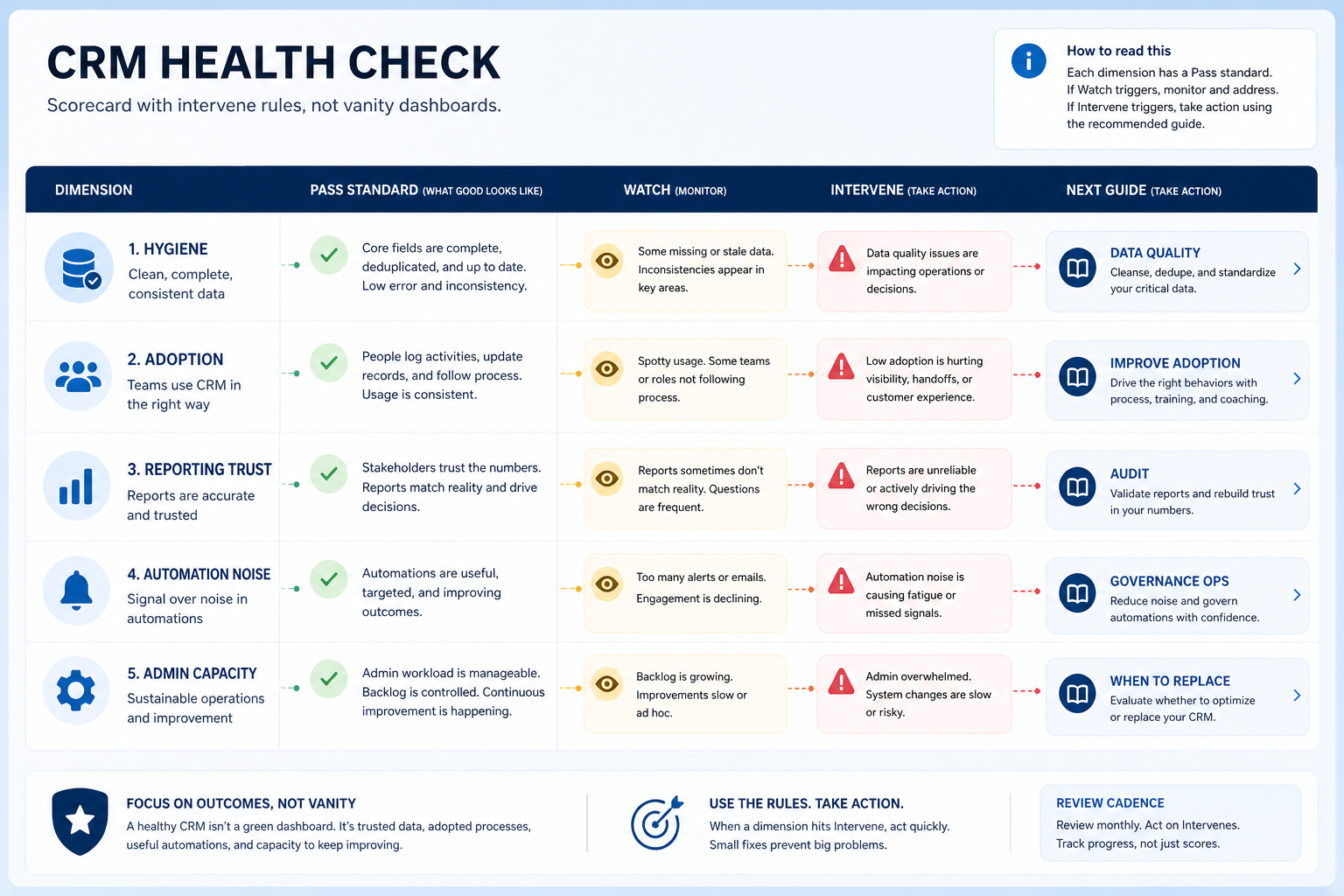
A CRM health check is a scorecard pass across hygiene, adoption, reporting trust, automation noise, and admin capacity — each with Watch vs Intervene rules. Decision rule: if any dimension hits Intervene for two consecutive reviews, stop expanding config and run the linked play (audit, improve adoption, governance ops, or replace decision) — green vanity tiles without intervene rules are not a health check.
Five dimensions
Watch vs Intervene
Two-review rule
Link to plays
No fake %
Freeze on intervene
Health scorecard with intervene paths
Each dimension needs an intervene rule that names the next play — not just a color.
CRM health check scorecard (copyable)
Bring these questions to every demo
Ask vendors to show the workflow live, not just describe it.
1Hygiene band scoredDuplicates, empty requireds, stale owners — Healthy / Watch / Intervene.
2Adoption band scoredCore-loop usage and CRM-native manager reviews — not login vanity.
3Reporting trust band scoredLeaders use CRM views; side sheets retired or explained.
4Automation noise band scoredOwned automations; muted noisy rules; no silent spam.
5Admin capacity band scoredNamed hours, finite WIP, change tickets moving.
6Intervene rules written per dimensionTwo consecutive Intervene → named play + freeze expansion.
7Review owner + cadence setSame scorecard each cycle; decisions posted.
8Open next-play linksAudit / improve adoption / governance ops / when to replace.
Key takeaways
Health is five dimensions — Hygiene, adoption, reporting trust, automation noise, admin capacity.
Intervene must name a play — Audit, improve adoption, governance ops, or replace — not “try harder.”
Two consecutive misses matter — One bad week is noise; two reviews at Intervene demand action.
Freeze expansion on Intervene — New fields and automations wait until the dimension recovers.
Scorecard first — intervene rules decide audit, coach, or replace forks.
1. Score the five health dimensions
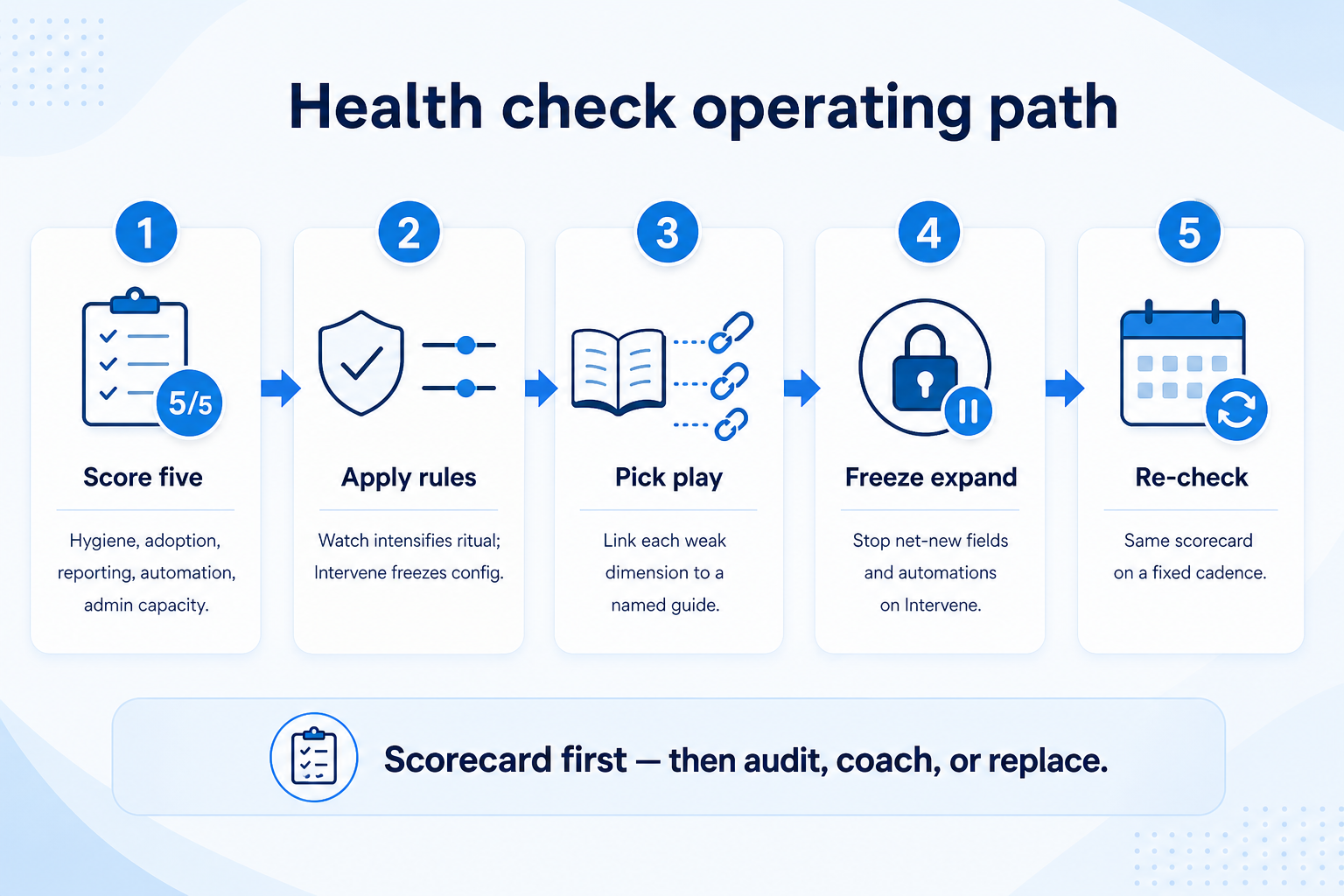
Scorecard first — intervene rules decide whether you audit, coach, or consider replace.
Mostly Healthy
Keep light cadence; expand config only via governance tickets.
Mixed Watch
Tighten hygiene/adoption rituals; re-score next cycle.
Any Intervene
Freeze expansion; open the linked play immediately.
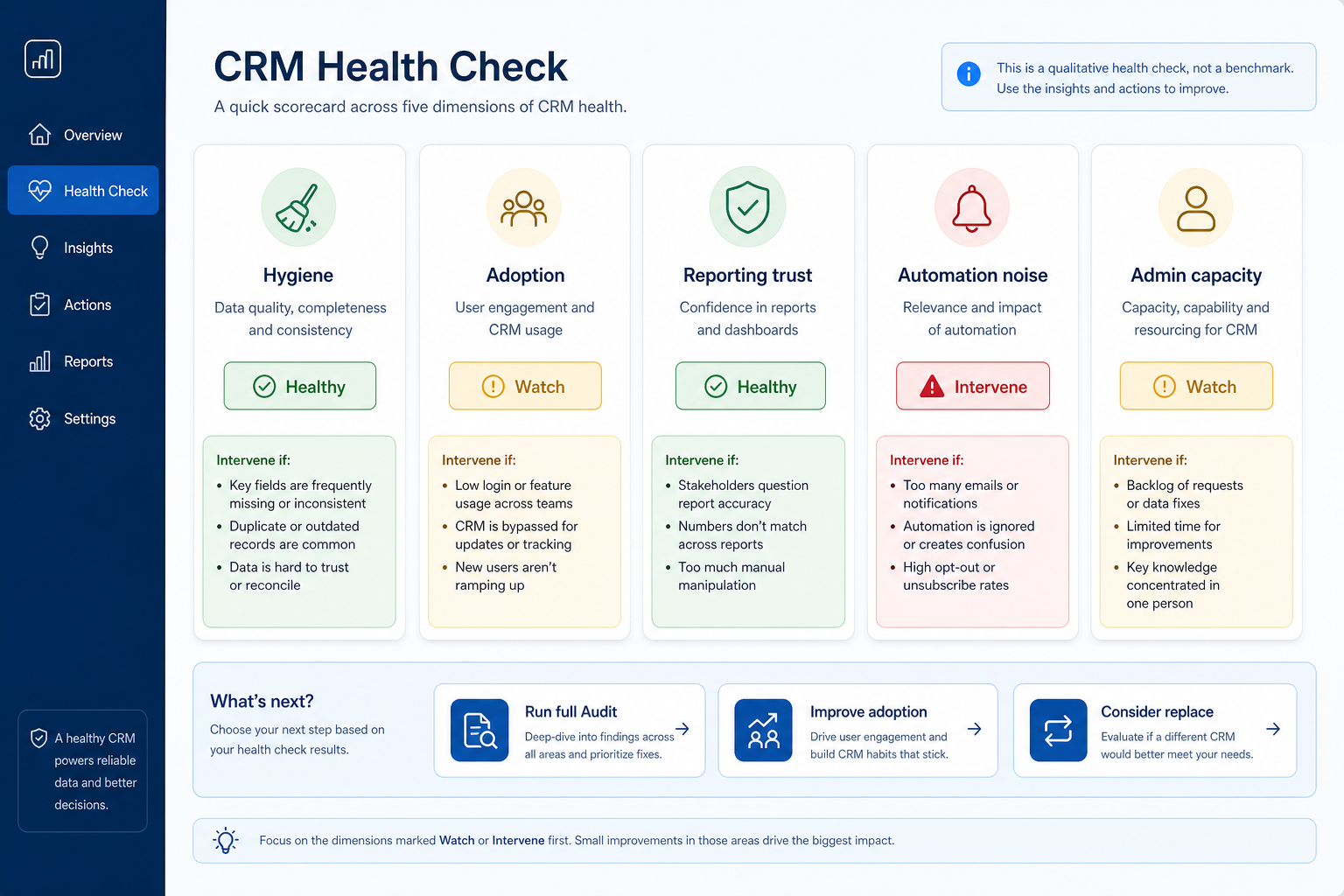
Use one shared scorecard. Hygiene: duplicates, empty requireds, stale owners. Adoption: core-loop fill and manager reviews in CRM. Reporting trust: leaders use native views. Automation noise: owned rules without alert spam. Admin capacity: named hours and finite WIP. Mark Healthy, Watch, or Intervene with a one-line evidence note — no invented industry %.
Example: Riverton Services scores Hygiene Watch (duplicate spike), Adoption Intervene (side-sheet coaching), Reporting Watch, Automation Healthy, Admin Watch (WIP uncapped). Evidence notes sit beside each band for the Friday ops review.
2. Apply Watch vs Intervene rules
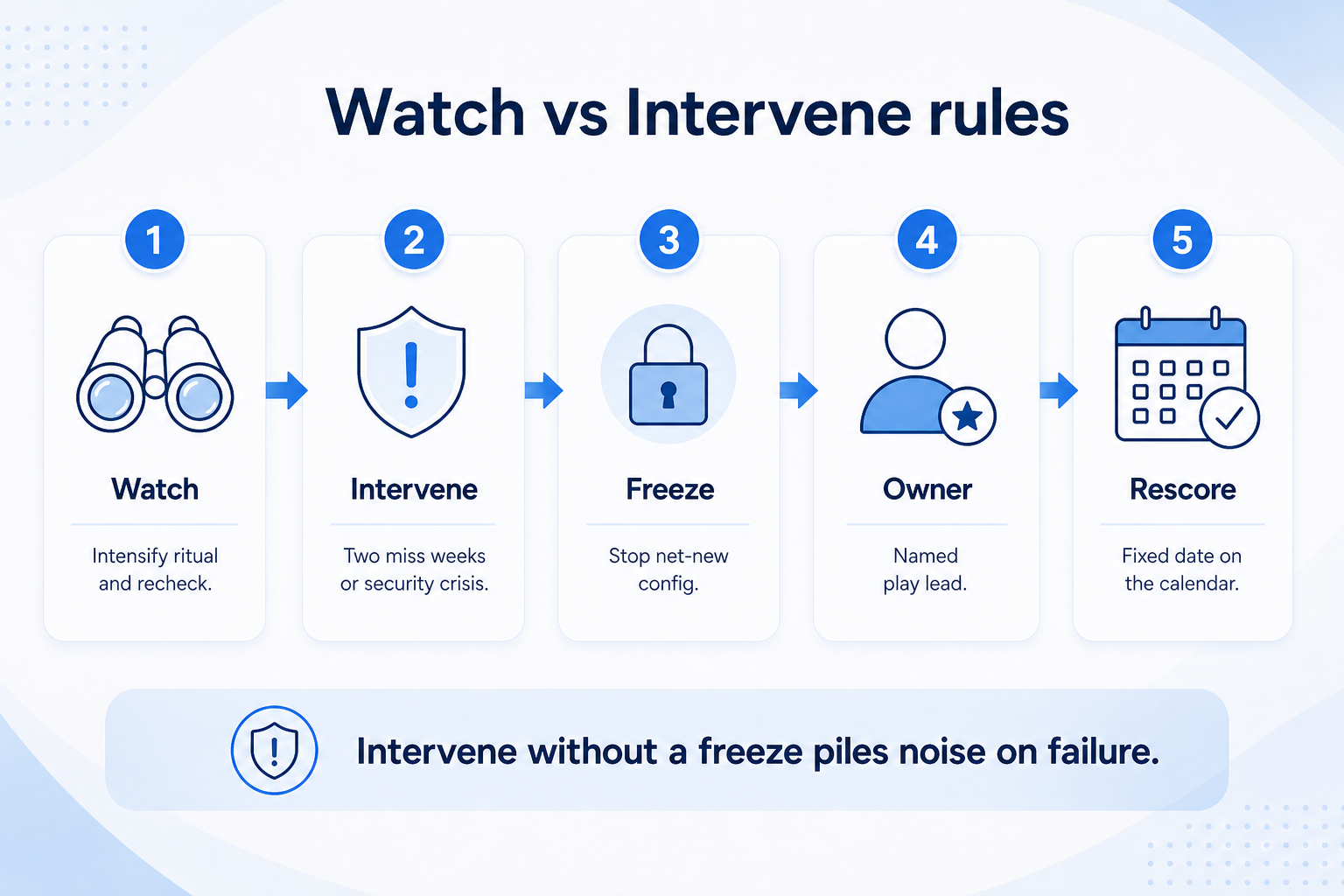
Intervene without a freeze just piles config noise onto the failure.
Hygiene Intervene
Data quality / hygiene campaign; pause field sprawl.
Watch: increase ritual intensity, coach, and re-check next cadence. Intervene (two consecutive reviews, or a single security/access crisis): stop net-new config, assign an owner, and launch the linked play. Publish the rule so debates end at the scorecard, not in Slack threads.
Example: Riverton’s Adoption hits Intervene twice. They freeze new automations, assign Jordan to Improve CRM Adoption coaching loops, and schedule a re-score in thirty days — no new pipeline fields until Adoption returns to Watch or better.
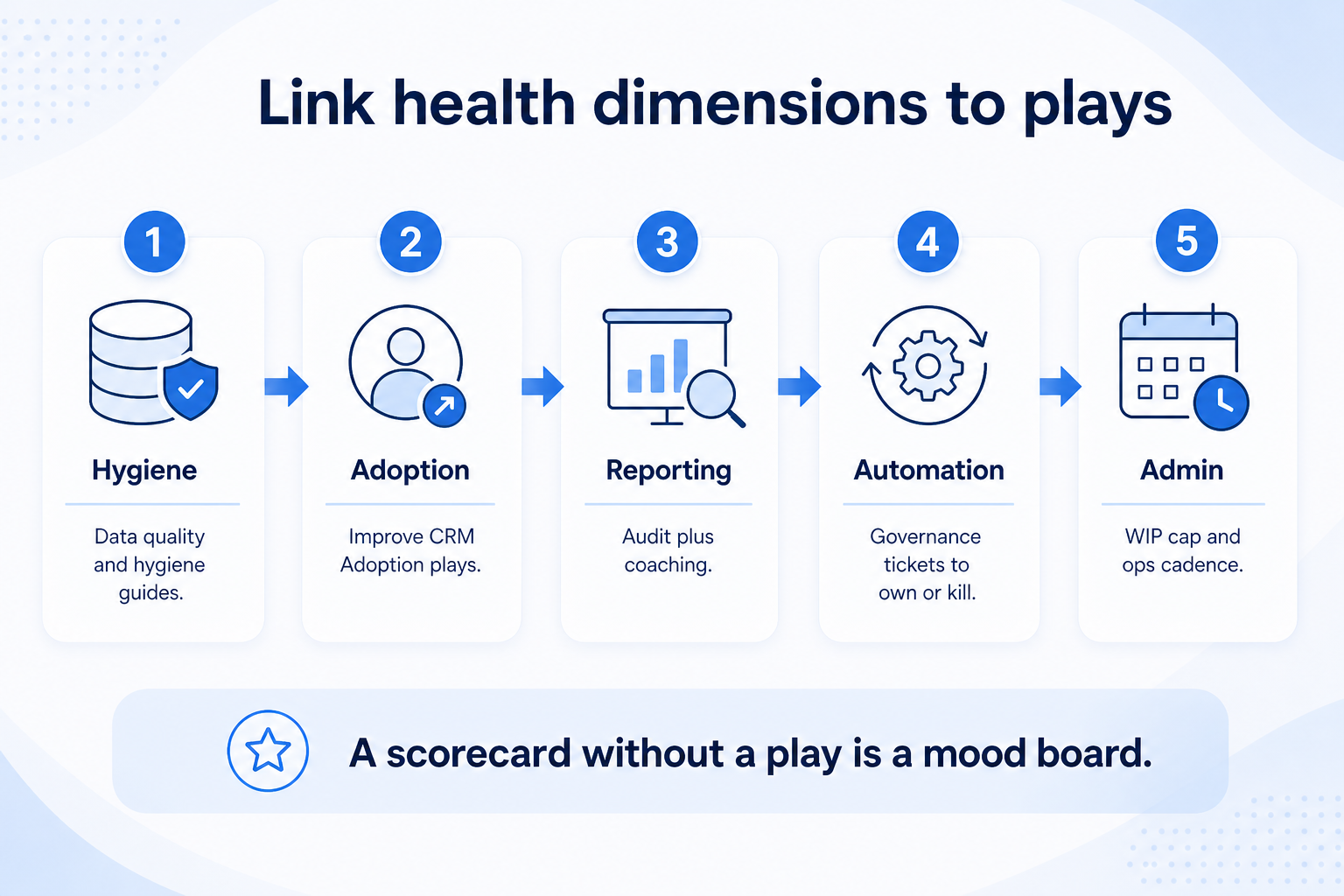
3. Link each weak dimension to a play
Each weak dimension needs a named play and owner — not a mood-board score.
Single-dimension fail
One play, one owner, one re-check date.
Multi-dimension fail
Run Audit to rank remediation; avoid parallel thrash.
Replace signal
Only after in-place plays fail — then decision guide + Finder.
Hygiene → Data Quality / hygiene work. Adoption → Improve CRM Adoption. Reporting trust → often Audit + adoption (leaders will not trust empty boards). Automation noise → governance ops tickets to disable/own rules. Admin capacity → Governance Ops cadence. Multiple Intervenes or unclear root cause → full CRM Audit. Chronic failure after remediation → When to Replace CRM.
Example: Riverton’s Admin Watch becomes Intervene when the backlog hits uncapped WIP. Mira stands up governance ops tickets and a weekly standup before any replace conversation.
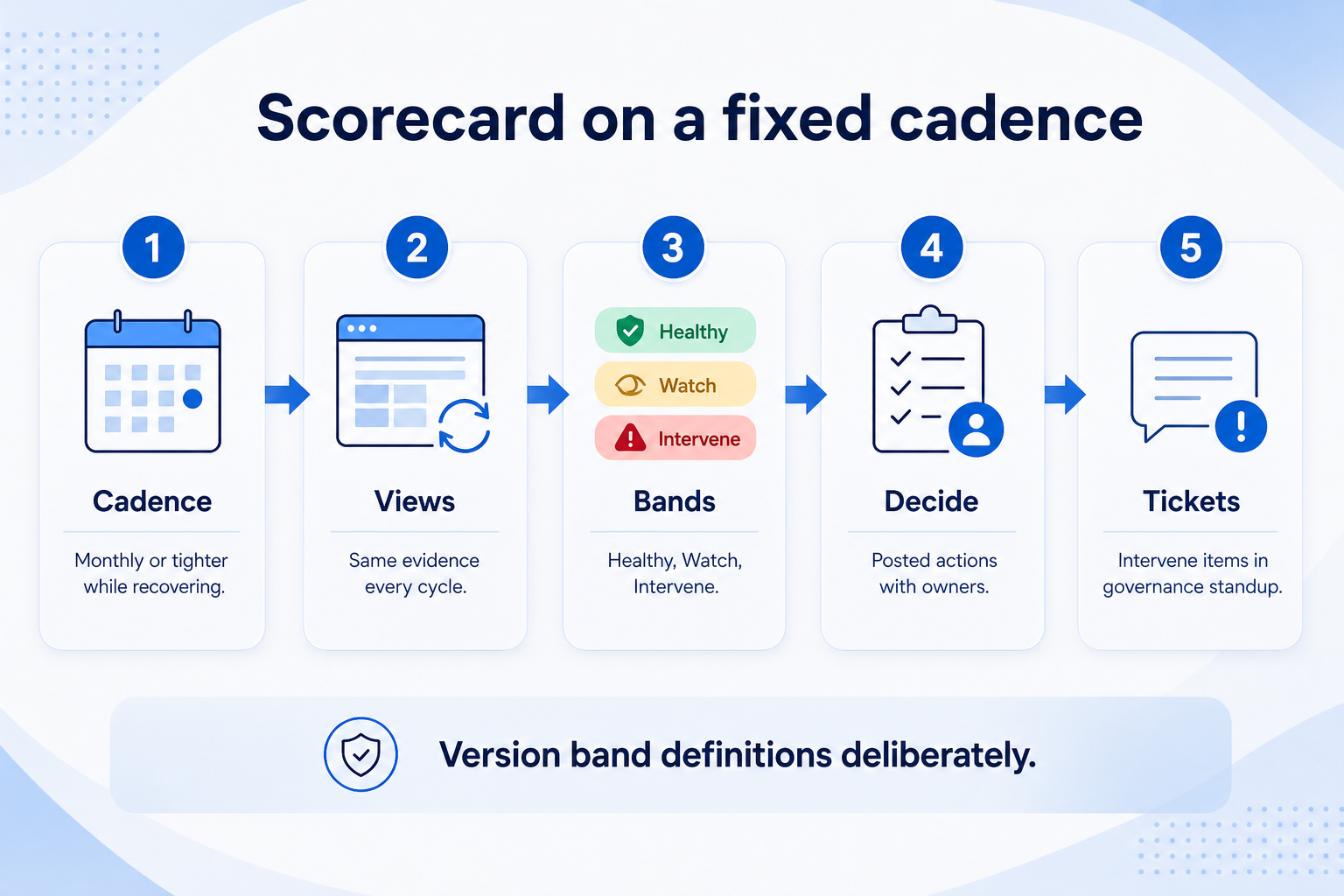
4. Run the scorecard on a fixed cadence
Same views and bands each cycle — version band definitions deliberately.
Stable system
Monthly scorecard + weekly light ops glance.
Recovery mode
Biweekly scorecard until Intervene clears.
Pre-replace diligence
Scorecard evidence feeds the replace decision memo.
Pick a recurring review (often monthly for optimize teams, tighter while recovering). Same views, same bands, decisions posted. Tie to governance standup so Intervene items become tickets. Use Implementation KPIs for leading signals between scorecard cycles.
Example: Riverton reviews the first Monday each month. After two Improve Adoption sprints, Adoption moves to Watch; they lift the automation freeze partially and keep Hygiene on Watch with a cleanup owner.
Health check mistakes
Login vanity as health
Seats logged in do not equal core-loop adoption.
Colors without intervene rules
Red tiles that never change work are decoration.
Fake industry benchmark %
Team-defined bands beat invented percentages presented as facts.
Expanding while on Intervene
New fields and automations deepen the hole.
Skipping admin capacity
No owner hours means every other dimension will decay.
Jumping to replace from one red tile
Run audit and optimize plays before vendor tours.
Example official CRM product videos
Optional · 2 examples · collapse if you don’t need them
Verified vendor product videos from the CRM catalogue for context while you read. They are examples only — not a ranked shortlist — and they do not replace SoftwareGlimpse recommendations on this page.
Official vendor video · example
Attio — Attio | How to build your sales pipelines
This video is hosted on YouTube
This content is hosted by YouTube. The player loads only after you allow marketing cookies.
A recurring scorecard across hygiene, adoption, reporting trust, automation noise, and admin capacity with explicit Watch vs Intervene rules and linked recovery plays.
How is it different from a CRM audit?
A health check is a fast banded pass with intervene rules. An audit is a deeper evidence review that produces a ranked remediation backlog. Intervene often triggers an audit.
How often should we run it?
On a fixed cadence you can sustain — commonly monthly when stable, tighter during recovery. Consistency beats perfect frequency.
What counts as Intervene?
Your written rule — typically two consecutive reviews at Intervene for a dimension, or an immediate security/access crisis. Publish the rule so it is not renegotiated weekly.
Do we need benchmark percentages?
No. Use qualitative Healthy / Watch / Intervene bands with team evidence. Do not invent industry benchmark percentages as verified facts.
When should a health check lead to replacing the CRM?
When Intervene plays and remediation fail repeatedly, or constraints (plan gates, admin debt, exit pain) make in-place recovery unrealistic — use When to Replace CRM, then Finder/Compare.
What should I do next?
Score the five dimensions, write intervene rules, freeze expansion on Intervene, and open the linked play. Schedule the next re-check on the Implementation Planner.