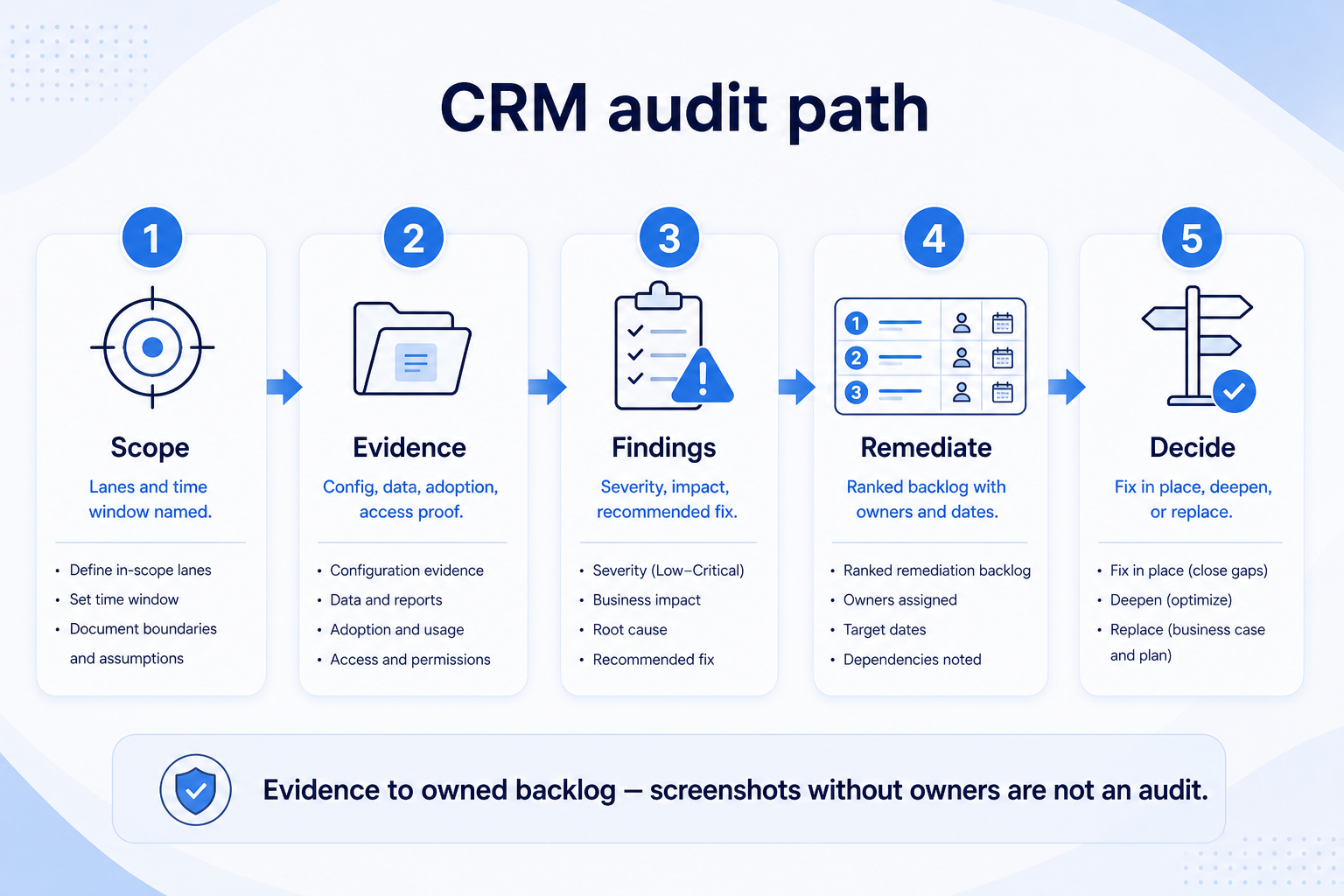
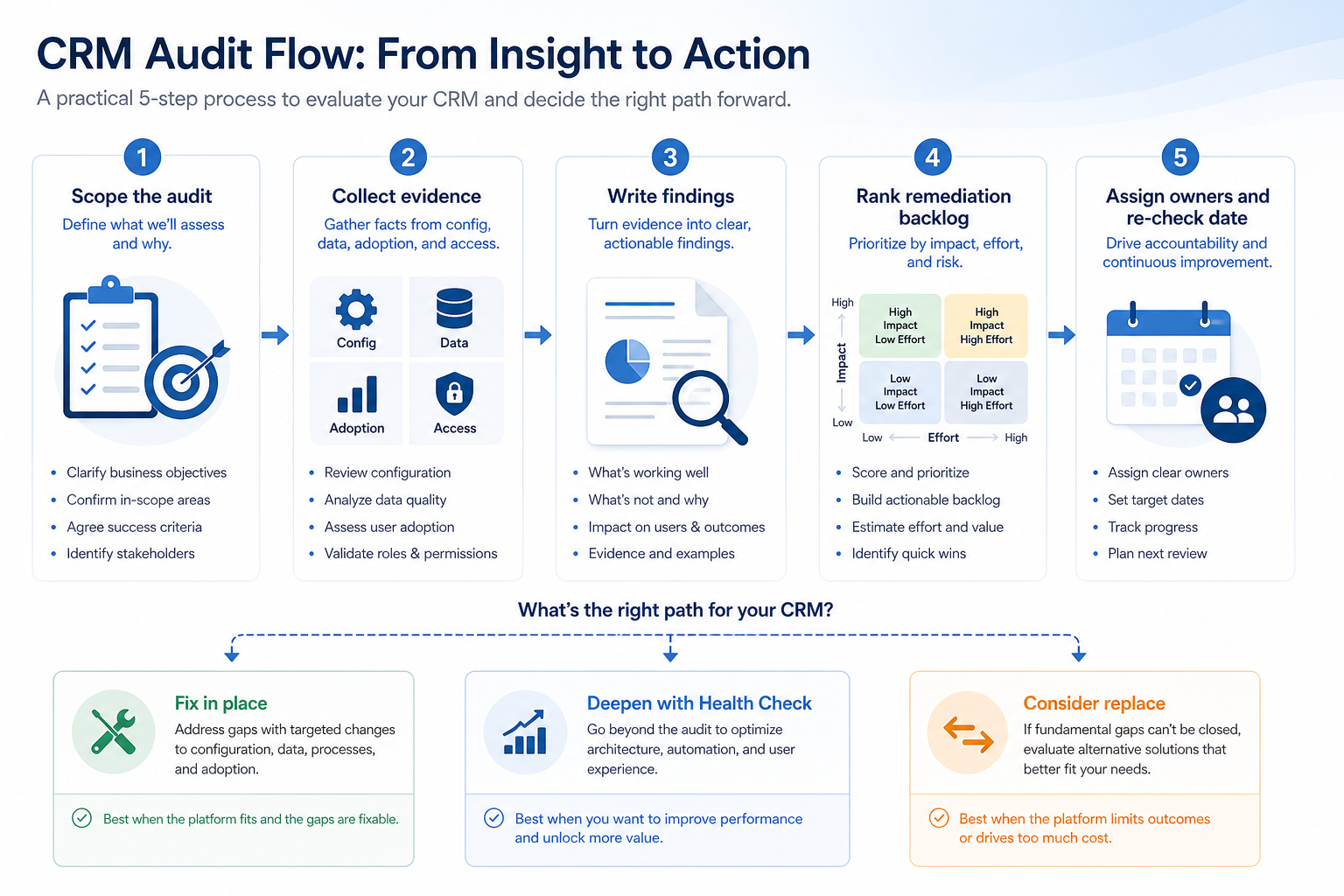
Run a structured CRM audit across config, data, adoption, and security access — then publish evidence-backed findings and a ranked remediation backlog with owners and re-check dates.
A CRM audit is a time-boxed review of configuration, data hygiene, adoption behavior, and security access that produces written findings and a ranked remediation backlog — not a vanity dashboard screenshot. Decision rule: if you cannot name evidence, severity, owner, and re-check date for each finding, you are still exploring — do not claim the system is “fine” or jump to replace.
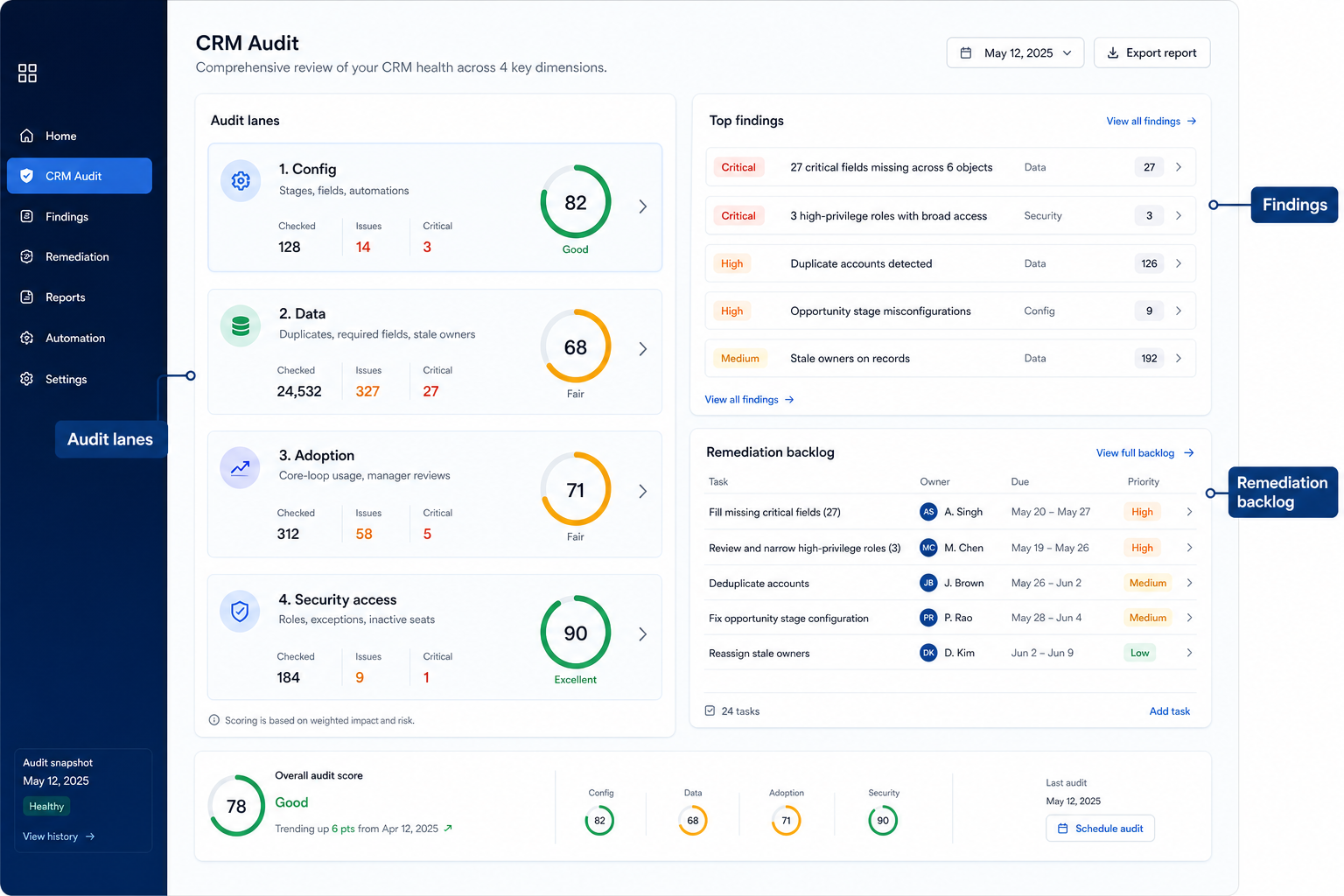
Four audit lanes
Evidence-backed findings
Remediation backlog
Owners + re-check
Fix before replace
No fake benchmarks
Key takeaways
Audit produces a backlog, not a vibe — Findings without owners and dates become slideware.
Four lanes prevent blind spots — Config, data, adoption, and access each fail differently.
Severity ranks the work — Security and trust blockers beat cosmetic field tidy-ups.
Replace is a last fork — Exhaust remediation and health-check intervene rules first.
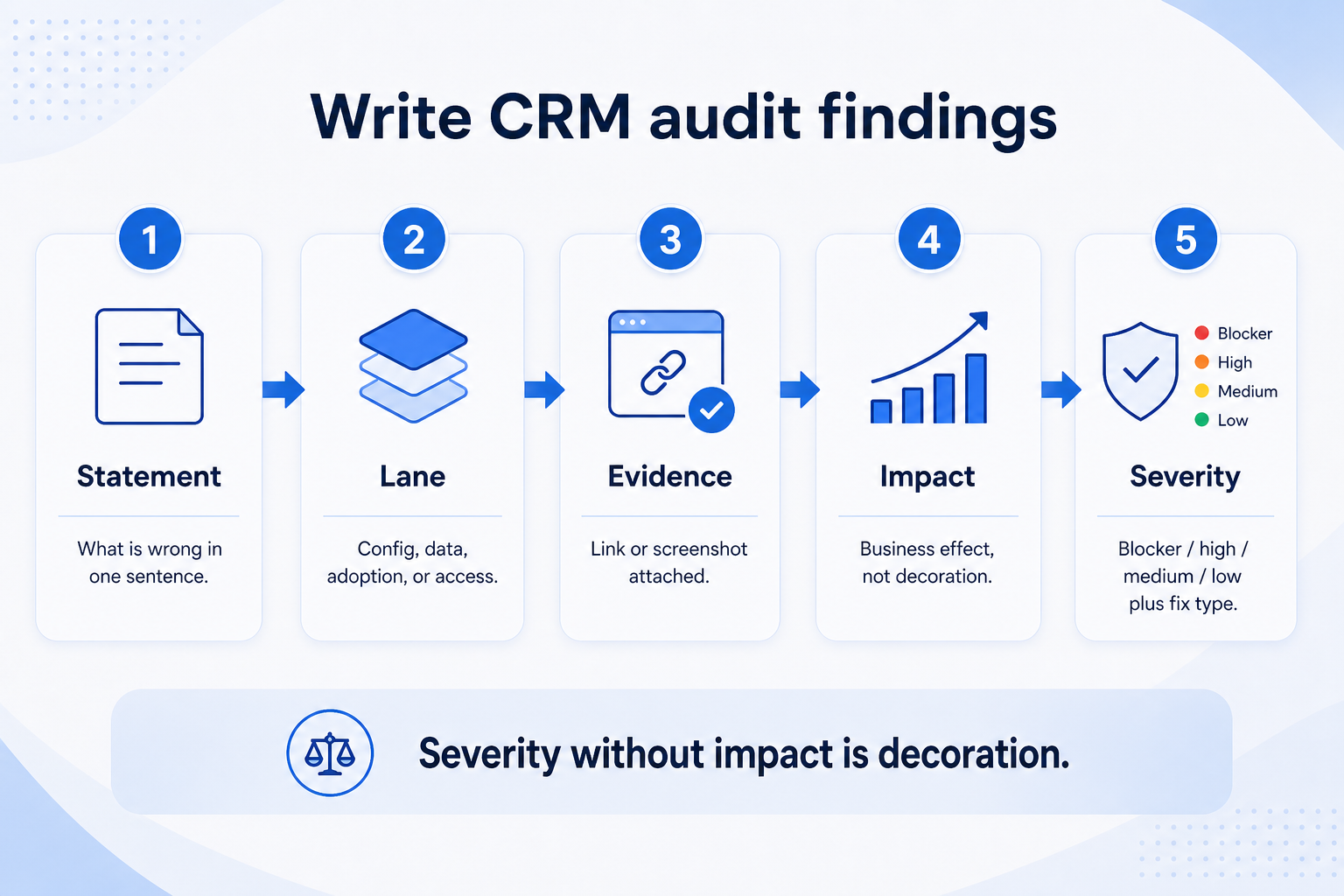
6Write findings with evidenceSeverity, impact, proof link/screenshot, recommended fix.
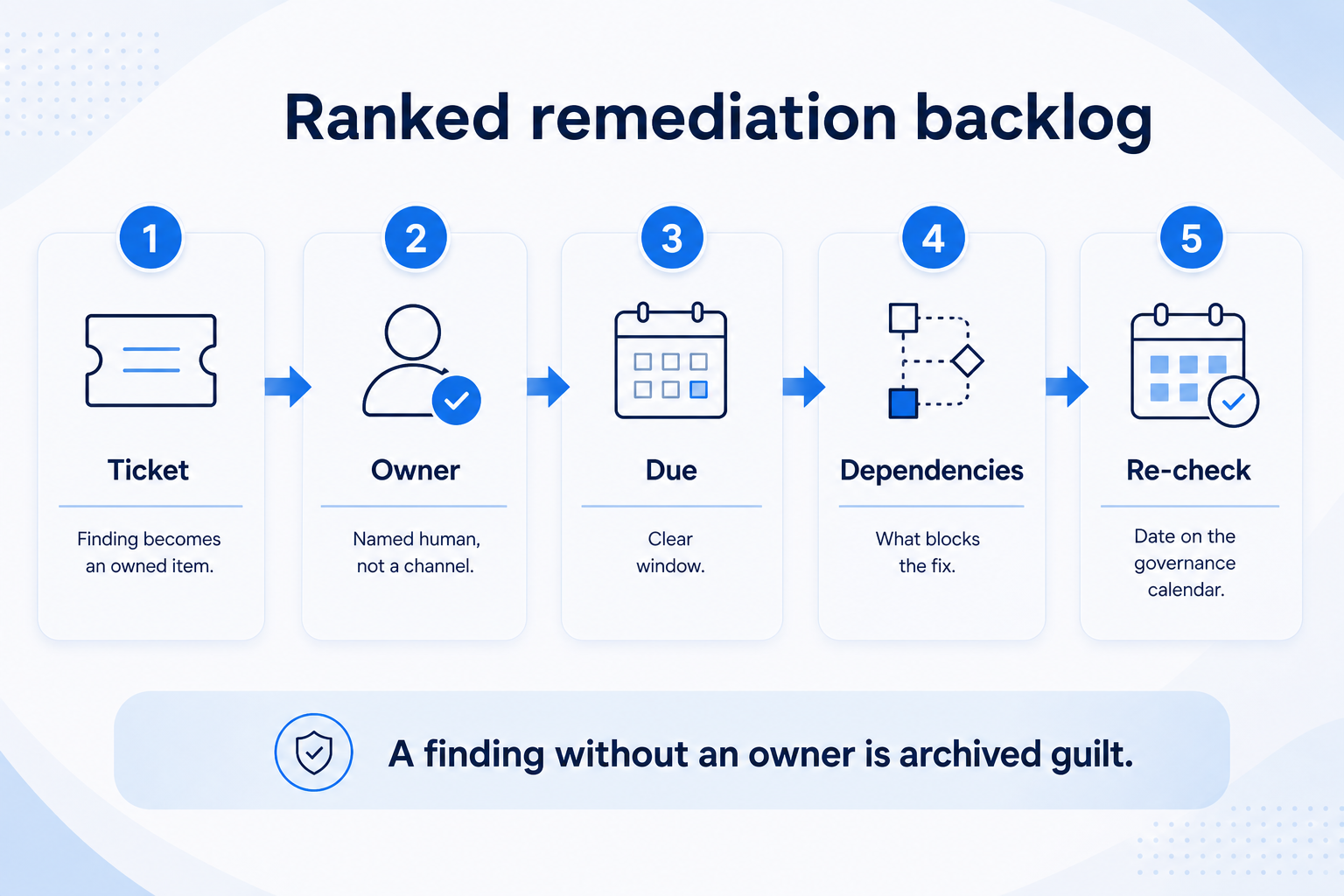
7Publish ranked remediation backlogOwner, due window, re-check date per item.
1. Scope the audit before you sample
Four lanes into one findings list — then a ranked remediation backlog.
First post-go-live audit
Narrow to core objects and one pipeline; expand next cycle.
Regulated context
Align access lane with your policy owners; do not invent certification claims.
Multi-pod
Sample each pod; do not assume HQ hygiene equals field hygiene.
Name the business units, pipelines, and time window. Declare what is out of scope (legacy archives, sandbox) so findings stay actionable. Assign an audit lead and a business counter-signer who can accept severity rankings.
Example: Lakeside B2B scopes Q2 audit to the mid-market pipeline and shared marketing-sourced leads. They exclude the 2019 archive. Ops lead Dana and sales VP Jordan agree the window is two weeks of evidence collection plus one week to publish the backlog.
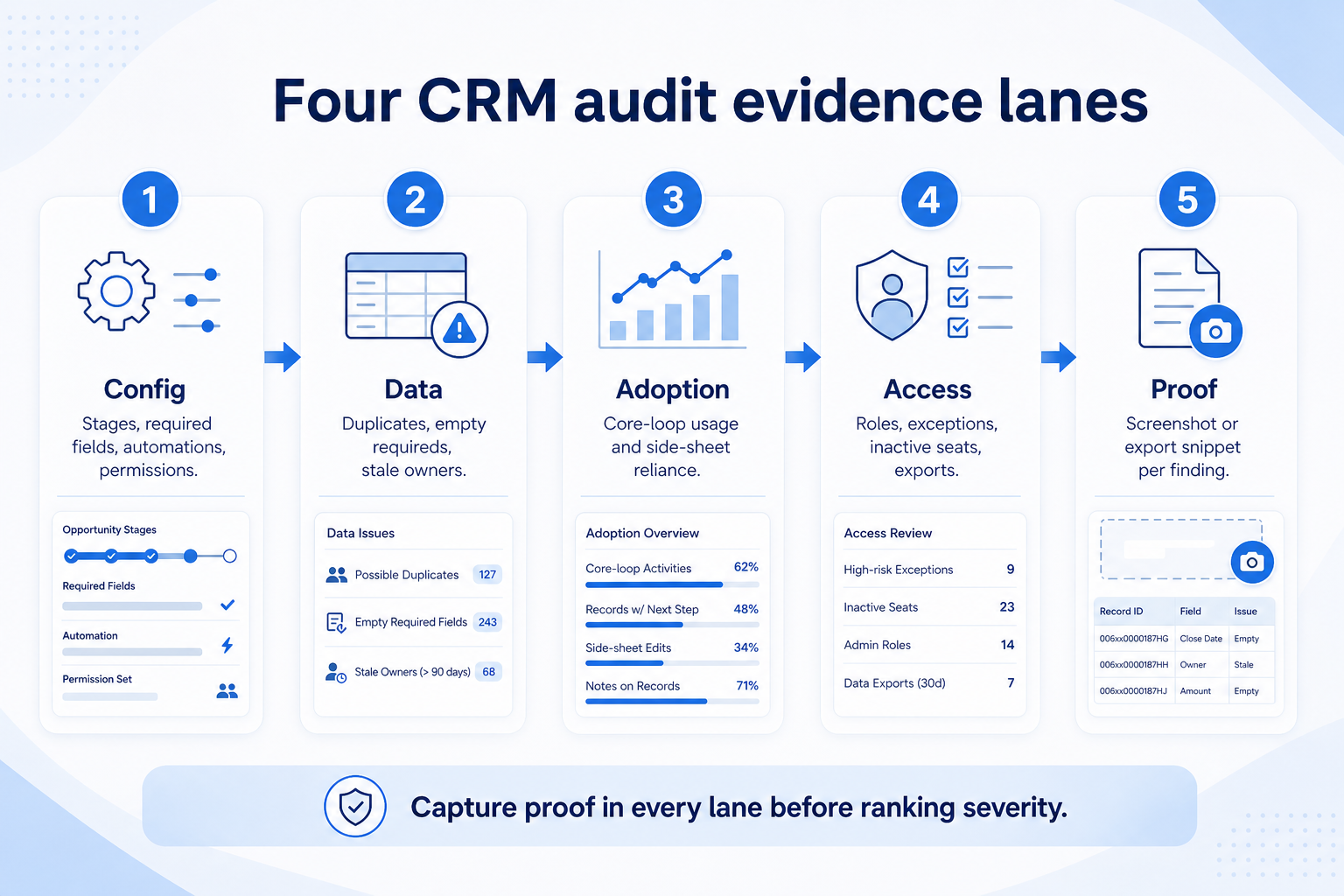
2. Collect evidence across four lanes
Config, data, adoption, access — capture proof in every lane before you rank severity.
Config drift
Stages nobody can define; automations firing without owners.
Data decay
Duplicates and empty next steps break reporting trust.
Access creep
Broad roles and eternal temporary exceptions.
Config: stage definitions vs actual usage, required fields without owners, noisy automations. Data: duplicate clusters, empty requireds, stale owners. Adoption: core-loop fill, manager coaching from CRM vs side sheets. Access: role drift, exception grants, inactive seats, export rights. Capture proof — not opinions.
Example: Dana’s team finds twelve unused required fields, a duplicate cluster on company name, managers coaching from a spreadsheet, and two contractor accounts still active. Each item gets a screenshot or export snippet attached to the finding draft.
3. Write findings with severity and impact
Every finding needs evidence and impact — severity alone is decoration.
Blocker
Security exposure or board reporting that leadership no longer trusts.
High
Core-loop broken for a whole pod; hygiene SLAs missed repeatedly.
Medium/low
Cosmetic fields, unused views — park behind blockers.
Each finding needs: statement, lane, evidence, business impact, severity (blocker / high / medium / low), and recommended fix type (config change, hygiene campaign, coaching, access revoke). Group duplicates. Avoid invented industry benchmark percentages — use your team-defined thresholds or qualitative bands.
Example: Finding F-07 — “Managers coach from a side sheet while CRM next-step fill is empty on active deals” — severity high, impact forecast distrust, fix: improve-adoption coaching loop + enforce next-step on stage moves.
4. Publish a ranked remediation backlog
Findings become tickets — owner, due window, and re-check date, or they are not remediations.
Quick wins
Revoke access, disable dead automations, archive unused fields.
Multi-week plays
Adoption coaching loops and data cleanup campaigns.
Structural
Stage model rewrite via governance ops tickets.
Turn findings into tickets: owner, due window, dependencies, and re-check date. Cap WIP so remediation does not become another infinite admin queue. Link blockers to governance ops change tickets when config must change under control.
Example: Lakeside publishes twelve remediation items. Top three: revoke contractor access (Keisha, this week), merge duplicate companies (hygiene owner, two weeks), kill side-sheet coaching (Jordan + pod leads, 30 days). Re-check on the monthly governance calendar.
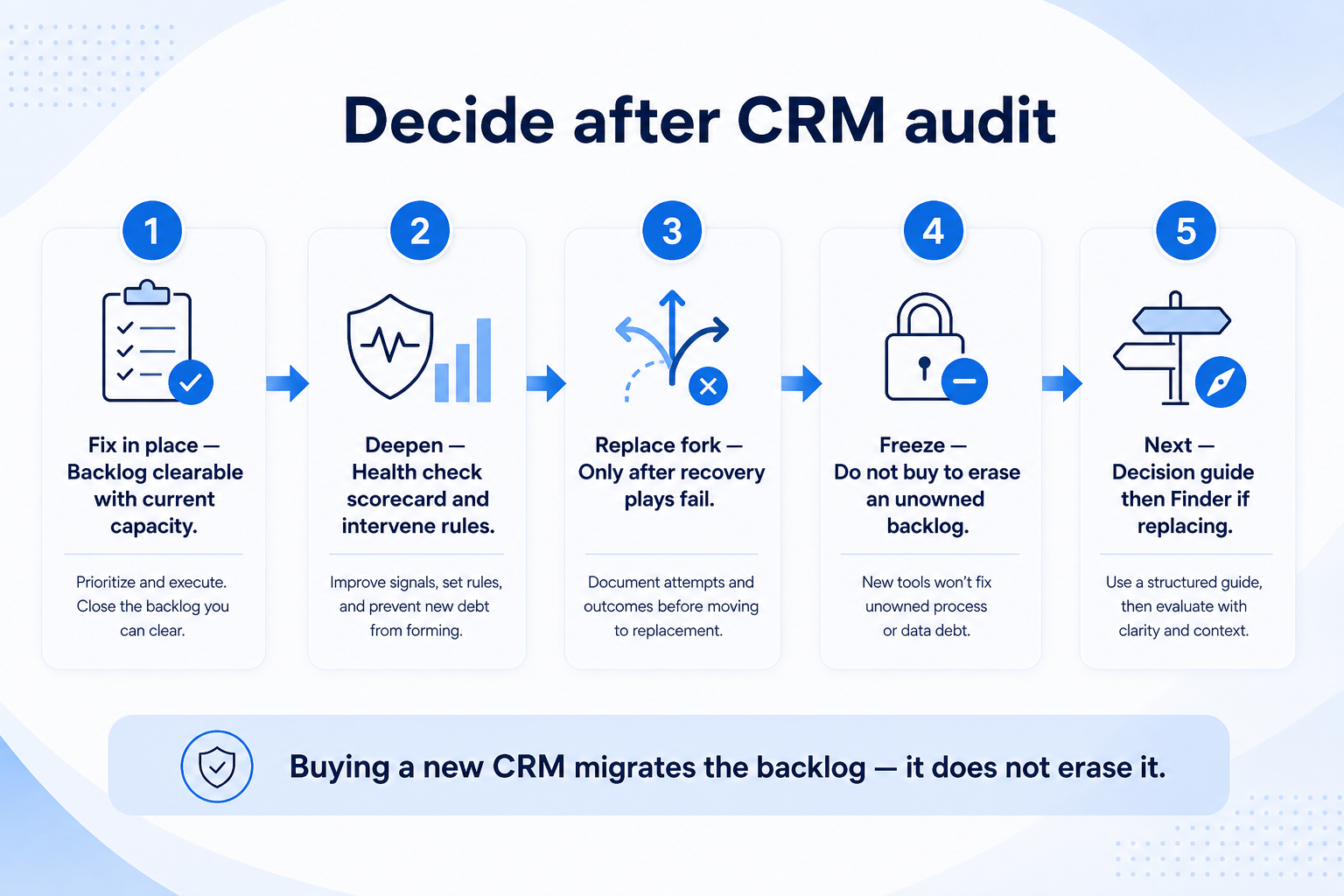
5. Decide: fix in place, deepen, or consider replace
Replace is a last fork — exhaust remediation and health-check intervene rules first.
Fix in place
Backlog clearable with current admin capacity.
Deepen
Health Check + governance ops cadence after audit.
Replace fork
Chronic gates + exit pain — decision guide, then Finder.
After the backlog is owned: fix in place when remediation can restore trust; deepen with a Health Check scorecard if you need ongoing intervene rules; consider replace only when plan gates, admin debt, or exit pain make in-place recovery unrealistic — then use When to Replace CRM, not a feature tour.
Example: Lakeside clears access and hygiene blockers in four weeks. Adoption remains weak, so they run Improve CRM Adoption plays and a Health Check — replace stays off the table until those intervene rules fail.
CRM audit mistakes
Dashboard tourism
Pretty charts without findings, owners, or re-check dates.
Config-only audits
Ignoring adoption and access leaves the real failure modes untouched.
Invented benchmark % as facts
Use team-defined thresholds or qualitative bands — not fake industry numbers.
Findings with no backlog
A PDF that never becomes tickets changes nothing.
Immediate rip-and-replace
Skipping remediation turns vendor demos into avoidance.
One-and-done audit
Without a re-check date, drift returns quietly.
Example official CRM product videos
Optional · 2 examples · collapse if you don’t need them
Verified vendor product videos from the CRM catalogue for context while you read. They are examples only — not a ranked shortlist — and they do not replace SoftwareGlimpse recommendations on this page.
Official vendor video · example
Attio — Attio | How to build your sales pipelines
This video is hosted on YouTube
This content is hosted by YouTube. The player loads only after you allow marketing cookies.
A structured, time-boxed review of configuration, data, adoption, and security access that produces evidence-backed findings and a ranked remediation backlog with owners and re-check dates.
How is an audit different from a health check?
An audit goes deep on evidence and produces a remediation backlog. A health check is a faster scorecard pass with intervene rules that may trigger an audit, adoption work, or replace consideration.
How long should an audit take?
Size it to your scope — many teams use a short evidence window plus a publish week. Prefer a finished backlog over an endless investigation.
Who should run the audit?
An ops/admin lead with a business counter-signer. External help is optional; ownership of remediation stays internal.
Do we need industry benchmark percentages?
No. Use qualitative severity, internal targets, or team-defined thresholds. Do not invent industry benchmark percentages as verified facts.
When should audit findings trigger replace?
Only after remediation and optimize-in-place plays fail, or when plan/admin/exit constraints make recovery unrealistic — follow When to Replace CRM.
What should I do next?
Scope the four lanes, collect evidence, publish findings with owners, and schedule re-checks. Pair with Governance Ops for change tickets and Health Check for ongoing intervene rules.