
Keap Review
CRM SOFTWAREKeap fits SMBs that want automation and marketing tools bundled with CRM. Max Ignite at $249/mo annual is the entry point for two users. Scores reflect first-party research, not hands-on lab testing.
Starting price
$249.00/user/month
Free plan
No
Free trial
Yes
Best for
Small businesses needing CRM + marketing automation in one platform
Some links may be affiliate links — we may earn a commission at no extra cost to you. Rankings and scores are never based on commission. Affiliate disclosure
SoftwareGlimpse review
7/10
Good
- Ease of use7
- Pipeline management7
- Sales automation9
- Email capabilities8
- Reporting7
- Customization7
How Keap fits different sales scenarios
Use cases pair SoftwareGlimpse fit analysis with official workflow demos when ResearchMedia is linked — not brand promo videos from Overview.
- 1Use case
Lead management
Capture, qualify, and route leads before they become pipeline deals.
- Capture, qualify, and route leads before they become pipeline deals.
- Small businesses needing CRM + marketing automation in one platform
- Automation-first SMB packaging
Explore use case →SoftwareGlimpse fit analysis
Use forms and lead capture to bring prospects into Keap and trigger automations.
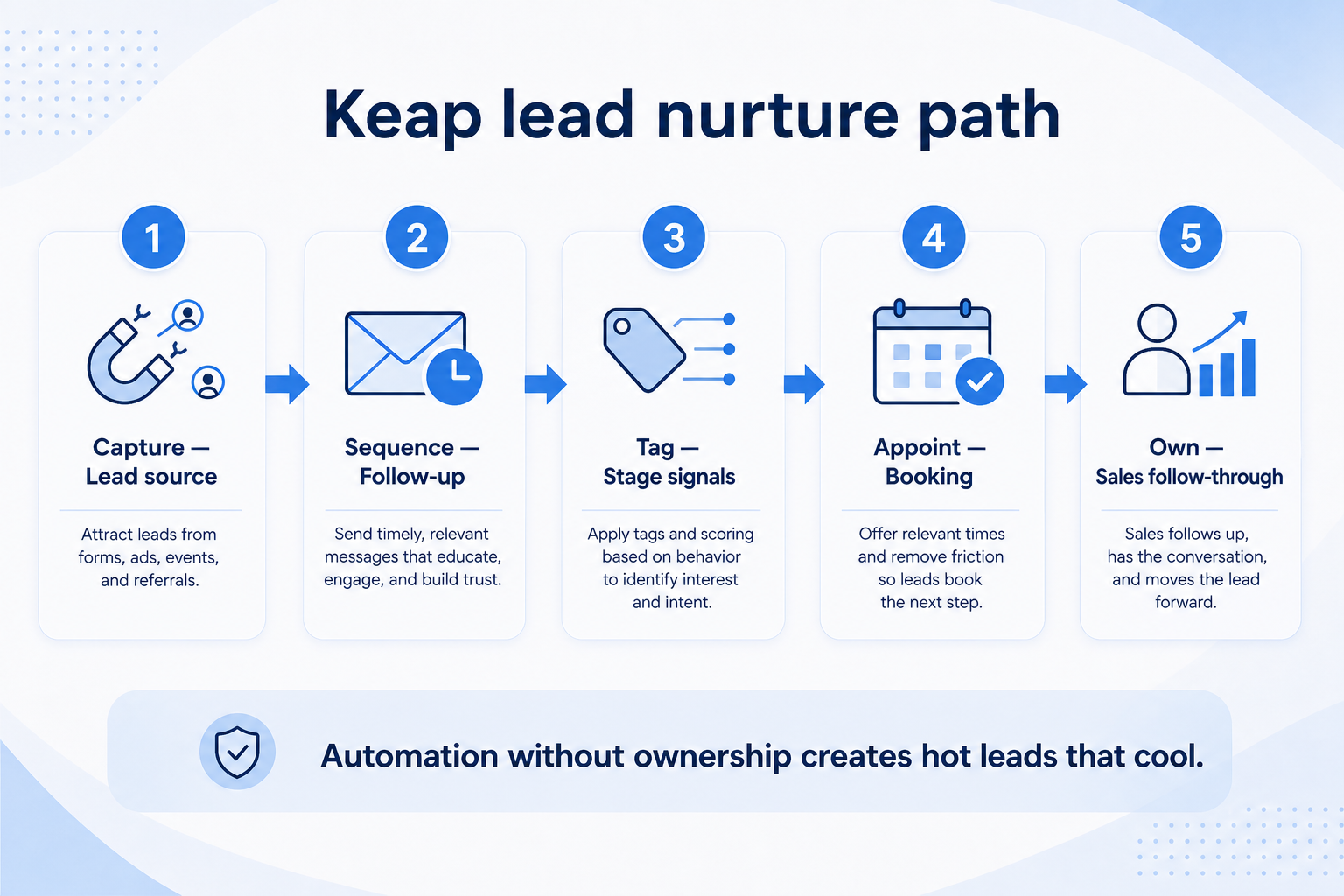
SoftwareGlimpse original workflow: how Keap supports lead management. - 2Use case
Sales automation
Reduce repetitive follow-ups with workflows that still need human judgment.
- Reduce repetitive follow-ups with workflows that still need human judgment.
- Service businesses that invoice/take payments in-CRM
- AI assistants tied to real campaign workflows
Explore use case →SoftwareGlimpse fit analysis
Email/SMS campaigns and AI content/automation assistants
- 3Use case
Email outreach
Connect sales email sequences and tracking to CRM records.
- Connect sales email sequences and tracking to CRM records.
- Teams ready to adopt campaign automations rather than pipeline-only tools
- Payments included in the CRM story
Explore use case →SoftwareGlimpse fit analysis
Native payments/checkout alongside CRM records
- 4Use case
Reporting
Forecast and pipeline reporting managers can trust without spreadsheet rebuilds.
- Forecast and pipeline reporting managers can trust without spreadsheet rebuilds.
Explore use case →SoftwareGlimpse fit analysis
Use reporting hubs to understand ROI and campaign outcomes.
- 5Use case
Outbound sales
Run targeted outbound sequences with ownership, logging, and clear next steps in CRM.
- Run targeted outbound sequences with ownership, logging, and clear next steps in CRM.
Explore use case →SoftwareGlimpse fit analysis
Documented mobile app and appointment/scheduling workflows
- 6Use case
Inbound sales
Capture inbound demand, assign owners fast, and qualify into pipeline without inbox chaos.
- Capture inbound demand, assign owners fast, and qualify into pipeline without inbox chaos.
- 7Use case
High-volume lead management
Route and work large inbound or outbound lead volumes without losing ownership or SLAs.
- Route and work large inbound or outbound lead volumes without losing ownership or SLAs.
- 8Use case
Customer follow-up
Never drop promised next steps — tasks, reminders, and history attached to the right record.
- Never drop promised next steps — tasks, reminders, and history attached to the right record.
More ways to use Keap
View all use cases →Use case information is based on product evidence and common customer workflows. Official demos illustrate vendor workflows; they are not SoftwareGlimpse testing claims.