CRM RFP Template
Issue a structured CRM request for proposal so every vendor answers the same requirements, pricing model, and implementation assumptions.
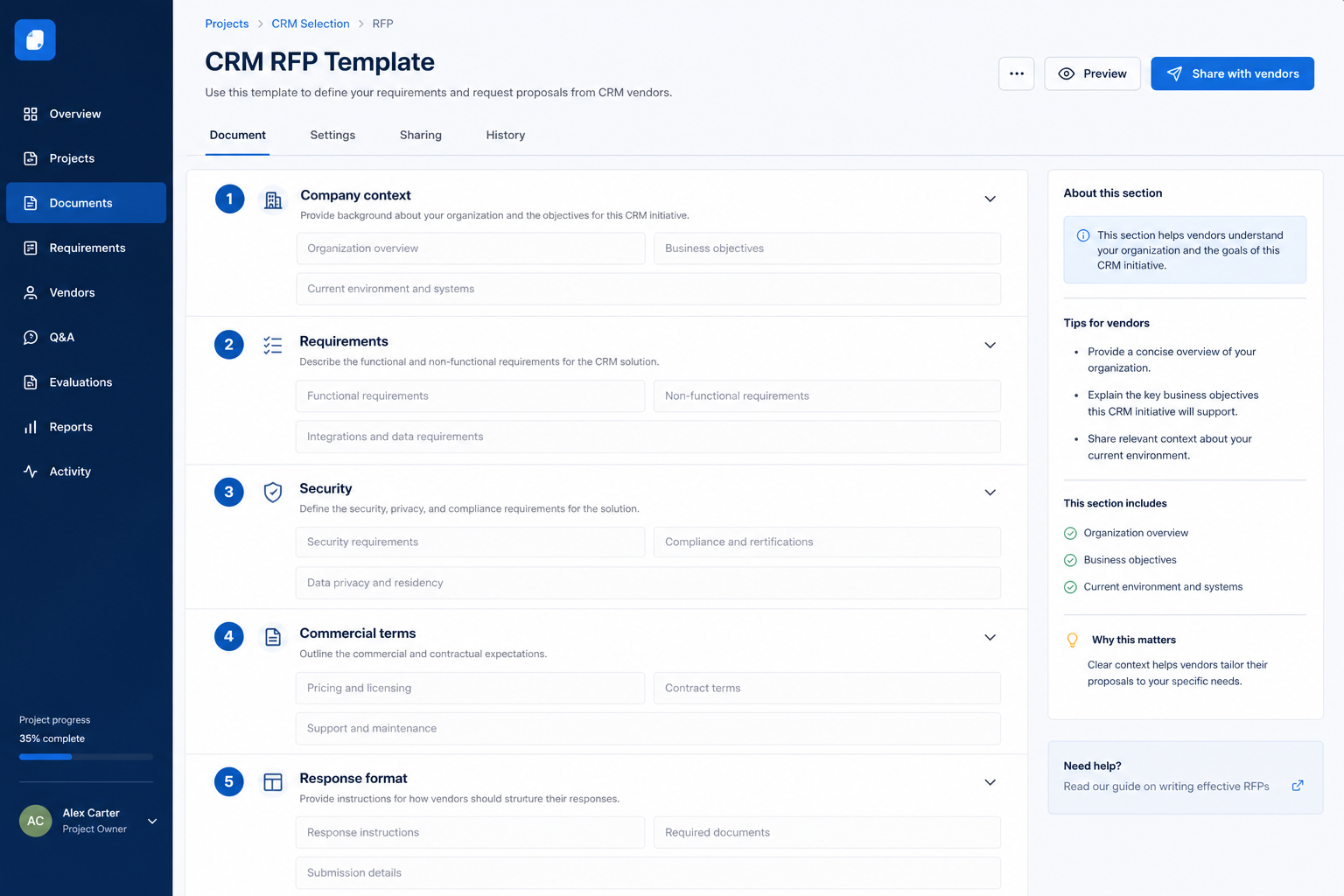
This is not a Pass / Fail checklist. It is a buyer-created document you send to CRM vendors: context, stable requirement IDs, delivery-method responses (Native / Config / Custom / Partner / Roadmap / Not supported), pricing, and a declaration — with an INTERNAL evaluation page you keep.
Free to use · No email required · Updated 15 Aug 2026
- Best for
- Procurement
- Stage
- Validate
- Time
- Half-day to customise; vendor response window separate
- Format
- XLSX + PDF + MD
14
PDF RFP pages
18
Excel response sheets
CRM-REQ-*
stable requirement IDs
Delivery
Native · Config · Custom · Roadmap…
What's inside
Instructions to vendors
Response rules and Native / Config / Custom / Partner / Roadmap / Unsupported legend.
Buyer context & objectives
Company, current environment, why you are evaluating, OBJ table, scope and phases.
Requirements response tables
CRM-REQ-* and REQ-* IDs with vendor response, delivery method, edition, evidence.
Technical, migration & security
Integrations matrix, migration scope, security/privacy response questions.
Implementation & pricing
Timeline, training, support/SLA asks, and blank 3-year TCO structure.
Declaration + internal page
Vendor sign-off; INTERNAL evaluation page not sent to vendors.
What this tool helps you do
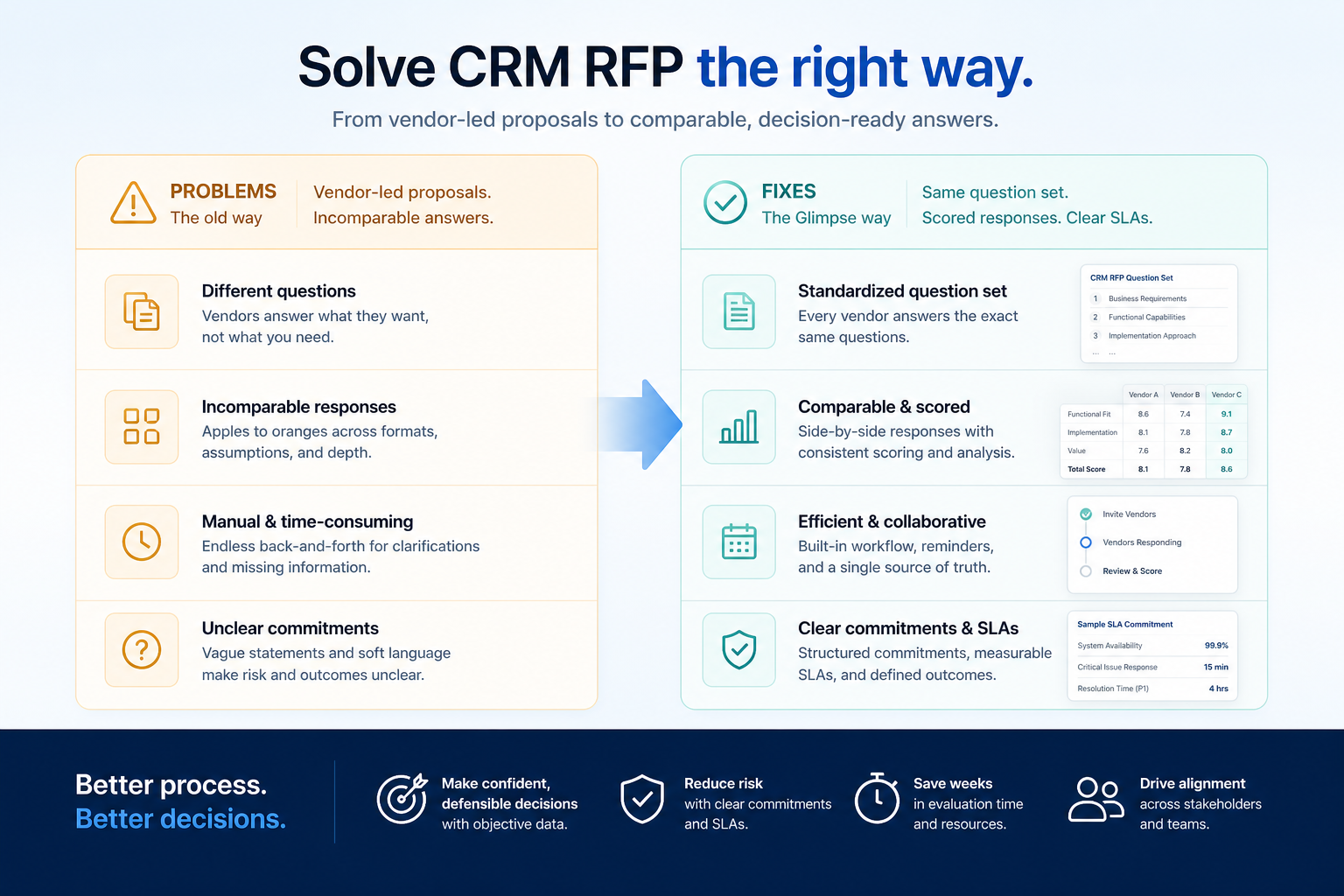
Collect comparable vendor answers
Same IDs, same delivery legend, same pricing shape.
Expose unsupported must-haves early
Not supported and Roadmap are explicit before demos.
Feed the Vendor Scorecard
Transfer responses by requirement ID into weighted scoring.
Know when an RFP is overkill
Tiny self-serve buys can skip formal RFP and use checklist + scorecard.
How to use this template
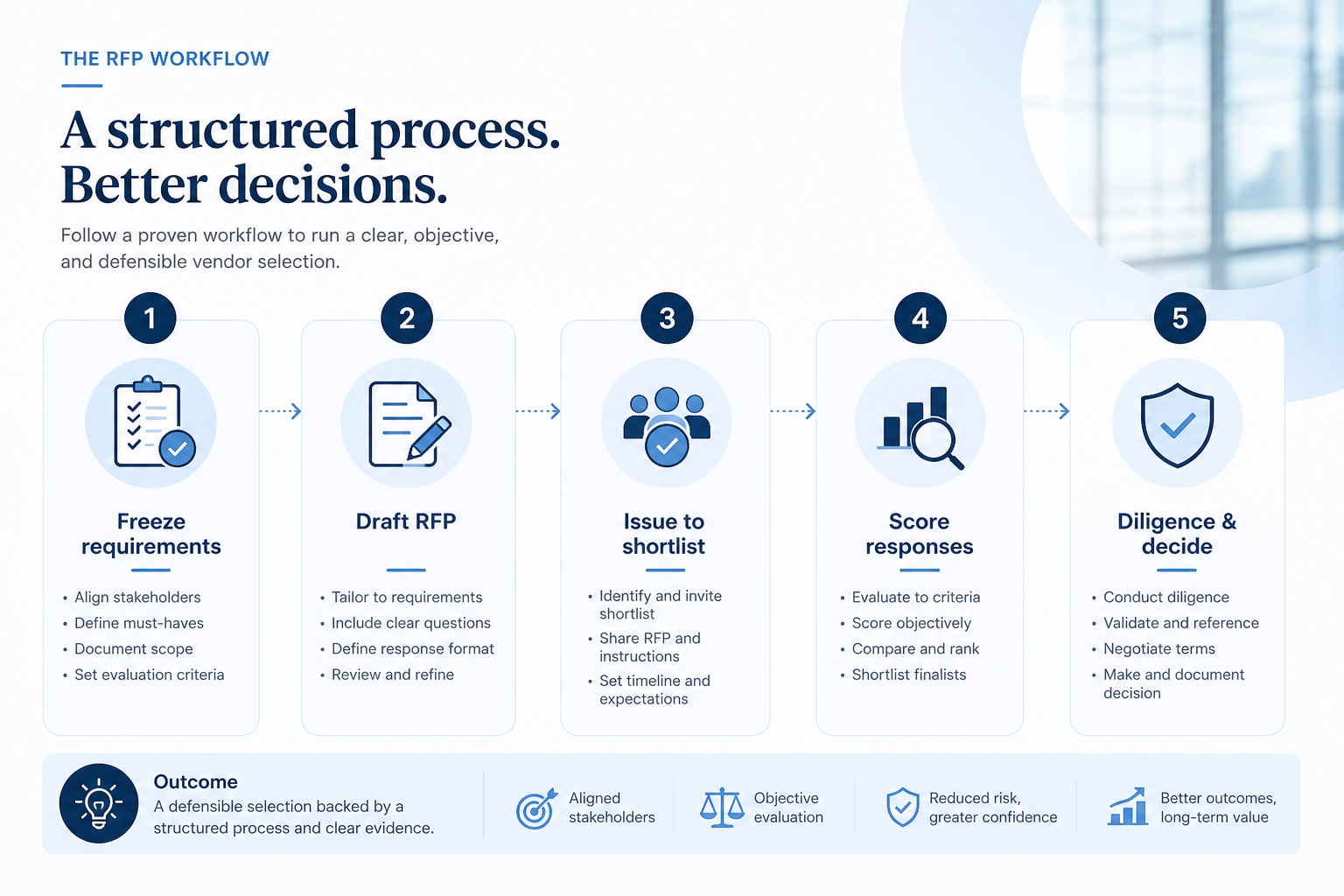
- 1
Freeze requirements
Signed must-haves with stable IDs before issuing.
- 2
Customise the RFP
Context, objectives, scope, users, SAMPLE rows replaced.
- 3
Issue to vendors
Same Excel package to every invited finalist; omit INTERNAL page.
- 4
Clarify exceptions
Use INTERNAL page; request written clarifications.
- 5
Demo / POC survivors
Buyer-led scripts against remaining gaps.
- 6
Score & decide
Vendor Scorecard → Decision Matrix → Business Case.
Example RFP structure
Download ExcelRepresentative sections from the vendor-facing RFP. Full pack includes instructions, requirements with stable IDs, pricing sheets, declaration, and an INTERNAL evaluation page.
Step 1
1. Cover & instructions
Buyer fields, deadline, response rules, delivery legend.
- Vendor response deadline — Same date for every invited vendor.
- Delivery method legend — Native through Not supported — not Pass/Fail.
Step 2
2. Context, objectives & users
Why the project exists and who will use the CRM.
- Business objectives (OBJ-*) — Outcomes — not feature wishlists.
- Scope and phases — What is in Phase 1 vs later.
Step 3
3. Requirements response
Functional, technical, migration, and security tables.
- Stable IDs (CRM-REQ-* / REQ-*) — Traceable into Scorecard evidence.
- Vendor response + delivery + evidence — Edition/tier named per row.
Step 4
4. Implementation & pricing
Timeline, training, support, normalised commercial sheets.
- 3-year TCO structure — Blank until vendors quote — no invented prices.
Step 5
5. Declaration & internal review
Vendor sign-off; buyer-only next steps.
- INTERNAL — do not send to vendor — Completeness, gaps, demo invite / scorecard.
- Flow: Requirements → RFP → Vendor responses → Demo → Scorecard → Decision
Worked example (illustrative)
Hypothetical vendor answers for teaching the artifact — not a SoftwareGlimpse case study.
Requirement
Response row CRM-REQ-012: Export contacts, deals, and activities in a documented format.
Vendor A
PASSDelivery Native; cited export documentation; named which roles can run a full export.
Vendor B
PARTIALDelivery Configuration; contacts only — activities need a support request; raised for demo.
Vendor C
FAILDelivery Not supported on quoted edition — must-have gap on INTERNAL page.
Evidence: Written RFP Excel responses and documentation URLs — EXAMPLE teaching only.
What counts as evidence?
Counts
- • Requirement IDs that match your signed requirements / scorecard criteria
- • Delivery method stated per row with edition/tier named
- • Documentation URL, demo reference, or written confirmation as evidence
- • Explicit roadmap, partner, and exception callouts
Does not count
- • Marketing decks substituted for the response tables
- • Removing or renumbering requirement IDs
- • Treating roadmap items as currently available
- • Invented list prices or TCO figures in the template
Related resource journey
Use with
Use next
FAQ
Do we need an RFP for every CRM buy?
No. A small team running one or two self-serve trials usually needs requirements, an evaluation checklist, and a scorecard. Use an RFP when procurement, security review, material integrations, or several vendors require written parallel answers.
How is this different from the Evaluation Checklist?
The checklist is an internal buyer test script (Pass / Partial / Fail). The RFP is an external document vendors fill using delivery methods and evidence columns.
How do answers reach the Vendor Scorecard?
Keep stable requirement IDs. Transfer each vendor’s delivery method, edition, and evidence notes onto matching scorecard criteria — then apply weights and gates.
Why is Excel the primary download?
Vendors need editable response tables, dropdowns, and pricing rows. The PDF is the readable brief and print pack; omit the INTERNAL page when sending.
Can roadmap features count as Must Have?
No. Mark Roadmap explicitly. Score only currently available capability on the quoted edition unless you consciously accept roadmap risk.
Ready to issue a CRM RFP to vendors?
Download the Excel response workbook for vendors, use the PDF as the readable brief, and keep the INTERNAL page off the vendor package.
Part of CRM resources · CRM Software hub
SoftwareGlimpse Updates
Want clearer software shortlists? Get buying guides and comparisons by email.
Newsletter coming soon.