
This video is hosted on YouTube
This content is hosted by YouTube. The player loads only after you allow marketing cookies.
Official vendor video
ZoomInfo Copilot AI Demo
What this shows
- ZoomInfo Copilot account planning UI
ZoomInfo cost guide: researched plan structure, who each tier suits, cost scenarios, and value tradeoffs — no invented prices.
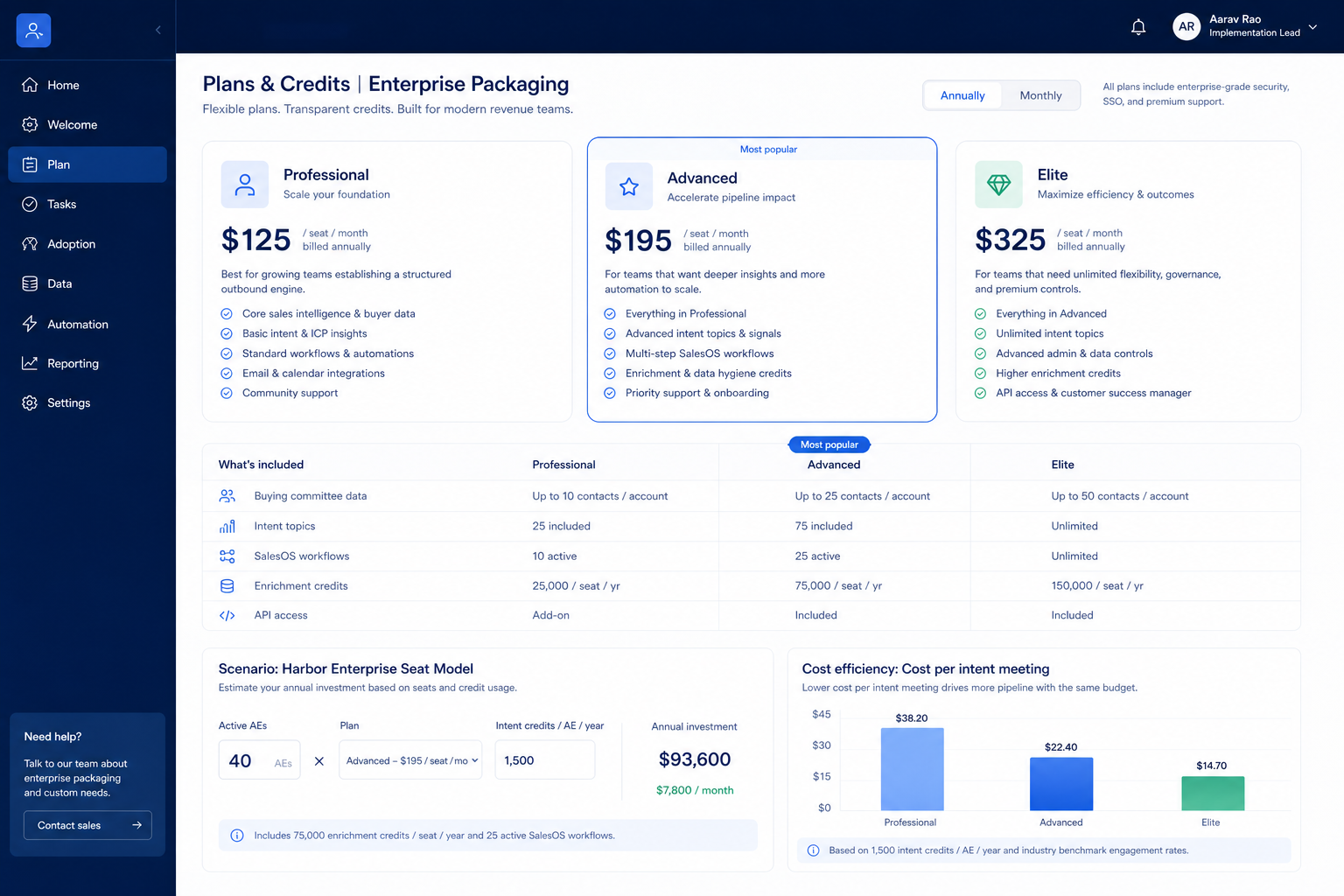
ZoomInfo pricing is plan-gated across 3 researched tiers. No free plan confirmed in SoftwareGlimpse research. No free/trial flag confirmed in SG data — budget a paid pilot. Compare seat/capacity gates and unlocks — not list-price folklore.
Pricing/plan surfaces and vendor plan explainers for ZoomInfo when research has them — general product demos stay on the research page.
Vendor plan/pricing explainer when available. Confirm current seats and limits on the vendor site.
This video is hosted on YouTube
This content is hosted by YouTube. The player loads only after you allow marketing cookies.
Official vendor video
Full product screenshots and evidence live on the ZoomInfo research page.
Bring these questions to every demo
Ask vendors to show the workflow live, not just describe it.
Never invent list prices here — confirm seats, credits, and quote terms on /pricing/zoominfo/.
Common for sales intelligence. Compare with a written must-have sheet and quote diligence — not blog “starting at” figures.
Whichever your day-one jobs consume. Many teams under-buy credits and over-buy spectator seats — reverse that.
Structure and trial/free flags come from SoftwareGlimpse pricing research. Dollar amounts appear only when verified — never invent list prices.
ZoomInfo Professional
Trial available · Contact sales · Unlocks: contact data, prospecting, data enrichment · Suits: teams that need custom procurement
Copilot Advanced
Trial available · Contact sales · Suits: teams that need custom procurement
Copilot Enterprise
Trial available · Contact sales · Suits: teams that need custom procurement
Lean team / free-or-trial first
Scope a time-boxed pilot; No free/trial flag confirmed in SG data — budget a paid pilot.
Growing team with gated workflows
Map must-have workflows (prospecting, data enrichment, email sequences) to plan unlocks before expanding seats.
Hidden / extra cost watch
Budget risk: Main platform seat prices are not published — packaging is custom quote. Also check add-ons, overages, and admin time outside the sticker plan.
Price ZoomInfo against how you actually buy seats and unlocks — not against a competitor's homepage headline.
Cost trap 1
Main platform seat prices are not published — packaging is custom quote
Cost trap 2
Credit consumption on export (CSV/CRM/API) requires ongoing governance
Cost trap 3
Native sequencing depth is tier/partner dependent (Engage now partner-led with Salesloft)
Cost trap 4
Database size claims conflict across ZoomInfo pages — do not treat a single count as settled
Cost trap 5
Enterprise implementation and admin overhead are material vs SMB tools
Compare total cost of ownership vs ZoomInfo on identical constraints.

CRM catalogue profile for use in your evaluation shortlist.

Compliance-first B2B sales intelligence with phone-verified Diamond Data® mobiles, strong EMEA coverage, and CRM enrichment — quote-led Sales Prospecting plans.

LinkedIn’s AI-powered B2B sales tool for network prospecting, Buyer Intent, and InMail — Core from US$119.99/mo; Advanced Plus for CRM sync.

B2B data intelligence platform for verified contact/company data, enrichment, signals, and Engage outreach sequences.
Catalogue peers only — not commission-ranked.
0/3 dimensions noted — saved in this browser only.
Plan gates you must unlock
Trial / free proof
TCO extras
Have more questions? Contact our support team.
Part of ZoomInfo review · Sales Intelligence hub
Supporting reading in this topic — not a generic related-posts dump.
Want clearer software shortlists? Get buying guides and comparisons by email.
Newsletter coming soon.