SoftwareGlimpse
CRM Software

Salesflare Plans: Free vs Paid and Qualifying Tiers

Choose your Salesflare plan by mapping must-haves to qualifying tiers — not homepage “from” tiles — then estimate with the Cost Calculator.

By Lee M.Updated Aug 14, 20269 min readFact-checked

Quick answer

Pick the cheapest Salesflare plan that covers every day-one must-have, then estimate seats with the Cost Calculator. Confirm email sequences (Pro+) and workflow automation (Pro+) are on the plan you will actually buy. Your highest gated need sets the plan — not the homepage starting price.

  • List must-haves first
  • Find the highest gate
  • Cheapest plan that clears it
  • Count seats honestly
  • 30-day trial
  • Estimate, then verify

Salesflare plans media

Pricing/plan surfaces and vendor plan explainers for Salesflare when research has them — general product demos stay on the research page.

Official Salesflare plans walkthrough

Vendor plan/pricing explainer when available. Confirm current seats and limits on the vendor site.

This video is hosted on YouTube

This content is hosted by YouTube. The player loads only after you allow marketing cookies.

Official vendor tutorial

How to get started - Subscribing to Salesflare

What this shows

  • Salesflare subscription getting started
  • plan/subscribe orientation as presented by Salesflare
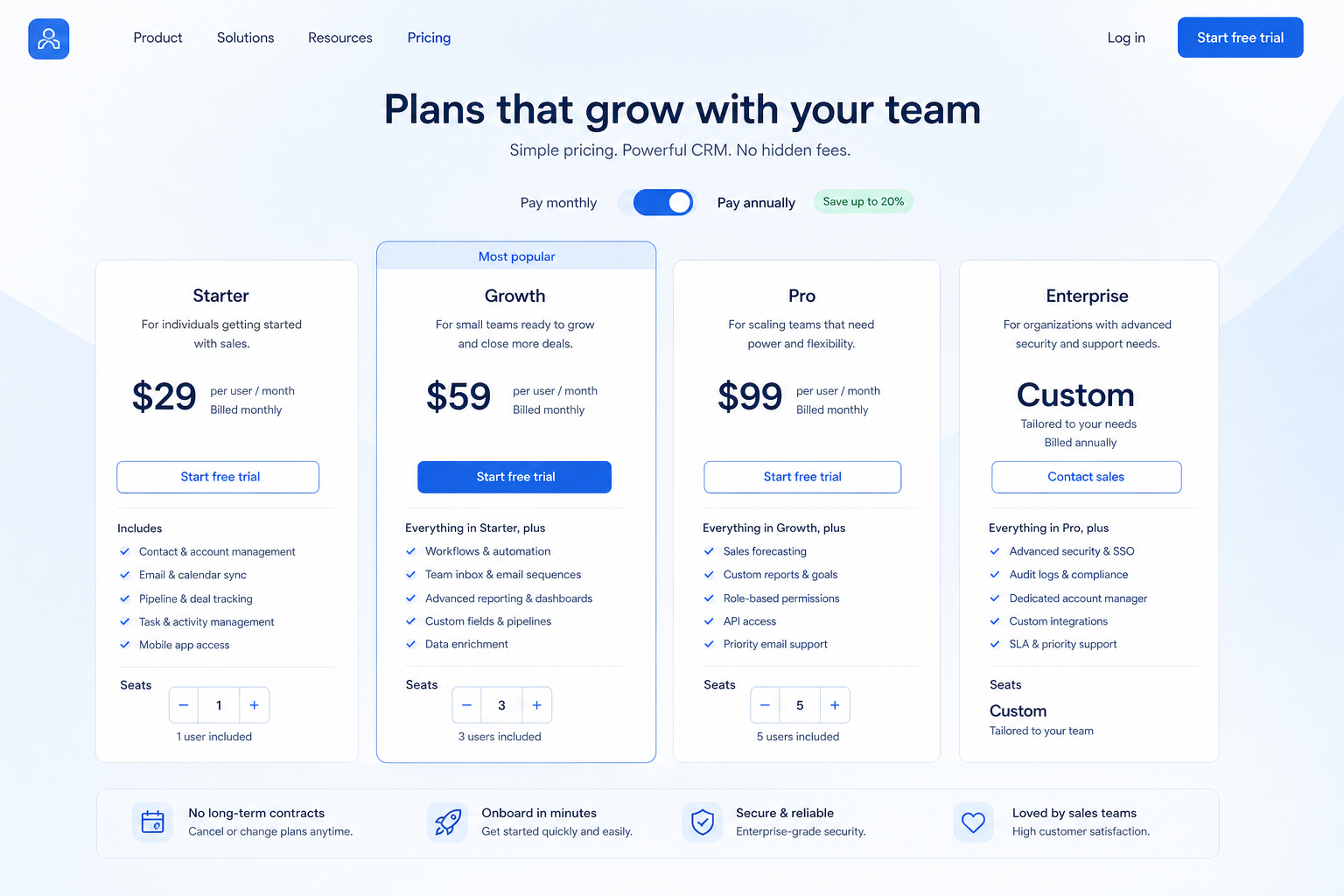
Full product screenshots and evidence live on the Salesflare research page.

Salesflare plan takeaways

  • Starting tier ≠ buying tier Plan-gated in research: email sequences (Pro, Enterprise); workflow automation (Pro, Enterprise); role permissions (Pro, Enterprise).
  • What each Salesflare plan is for Growth, Pro, and Enterprise — the vendor highlights Pro, which is a marketing choice, not your requirement.
  • Free vs paid is a capability decision Our snapshot lists no free Salesflare plan — verify on the pricing page rather than assuming one.
  • Capacity limits bite before features do Our snapshot does not publish Salesflare seat or record caps — confirm them before you commit a team size.
  • Trial before term Our pricing snapshot records a 30-day trial on Growth, Pro, and Enterprise — confirm current terms on the Salesflare pricing page before you build a schedule around it.
  • Numbers live on pricing tools Use /pricing/salesflare/ and the Cost Calculator for amounts. This guide deliberately carries no prices, so nothing here goes stale or gets quoted wrongly.

Salesflare plan choice path

  1. 1Sheet
  2. 2Tier map
  3. 3Cheapest fit
  4. 4Count + caps
  5. 5Calculator
  6. 6Stay/step/walk

Salesflare plan anatomy

Salesflare plan anatomy diagram.
Qualify your Salesflare plan from must-have gates, then estimate with researched prices.

Salesflare checklist

Bring these questions to every demo

Ask vendors to show the workflow live, not just describe it.

  • 1List day-one must-havesOutcome language, not feature tours.
  • 2Map each must to a researched planLowest tier that clears every gate.
  • 3Confirm seats and capacity notesLimits are part of the plan decision.
  • 4Estimate with Cost CalculatorThen confirm on the pricing page.

1. Map every must-have to a researched plan name

Salesflare plans diagram 1.
Must-haves decide the tier; seats scale the estimate.
  • On the entry tier

    contact management, lead management, and pipeline management — researched on Growth.

  • Gated higher

    email sequences (Pro, Enterprise); workflow automation (Pro, Enterprise)

  • Add-on or unclear

    Treat as a separate cost line and confirm before you sign.

Map must-haves to Salesflare plan names before you compare starting tiles.

  1. Write your day-one must-haves as a list, in outcome language.
  2. Beside each one, write the lowest Salesflare plan that research shows carries it. Plan-gated in research: email sequences (Pro, Enterprise); workflow automation (Pro, Enterprise); role permissions (Pro, Enterprise).
  3. Highlight anything unclear and check it on /pricing/salesflare/ or in the trial.
  4. Note add-ons separately.
  5. Ask which plan any demo runs on before you use it as evidence.

Worked example: a 12-person B2B advisory team needs contact management and lead management, email sync, and weekly reporting from Salesflare. Two of those sit on the entry tier in research; the highest-gated one sets the plan, so they stop comparing anything cheaper.

2. What each Salesflare plan is actually for

Salesflare plans diagram 2.
Read each Salesflare plan as a capability tier, not a marketing ladder.
  • Growth

    Unlocks contact management, lead management, and pipeline management in research.

  • Pro

    Unlocks email sequences, workflow automation, and role permissions in research.

  • Enterprise

    No new researched capability versus the tier below — check scale, governance, and support.

Read these as capability tiers — not good / better / best marketing.

  1. Growth — Entry tier. Research shows it carries contact management, lead management, pipeline management, and deal management. Choose it only when every must-have on your sheet appears here — otherwise its price is irrelevant to you. Snapshot records a 30-day trial.
  2. Pro — Adds email sequences, workflow automation, and role permissions in our research on top of Growth. Choose it when at least one of those is a day-one must-have — not because it sits comfortably in the middle. Snapshot records a 30-day trial.
  3. Enterprise — Research shows the same capability list as Pro in our snapshot, so step up only for a reason you can name: seats, scale, governance, or support. Snapshot records a 30-day trial. Confirm what changes on the pricing page.

Worked example: a 12-person B2B advisory team drops Growth once must-haves sit higher, and compares only the Salesflare plans that clear every gate.

3. Trial vs paid entry: the Salesflare decision tree

Salesflare plans diagram 3.
Decide trial vs paid entry for Salesflare from must-haves and proof — not the landing tile.
  • Free works

    Not applicable — no free Salesflare plan in our snapshot.

  • Free as sandbox

    Use it to evaluate, then upgrade on a named date with a named trigger.

  • Paid from day one

    A gated must-have or a seat cap decides it.

  1. No free Salesflare plan in our snapshot — the question is trial vs Growth. Our pricing snapshot records a 30-day trial on Growth, Pro, and Enterprise — confirm current terms on the Salesflare pricing page before you build a schedule around it.
  2. Do must-haves sit on Growth? If no, entry price is irrelevant.
  3. Can you prove the loop in the trial window with real deals? If no, ask for an extension in writing.
  4. Prefer monthly while fit is unproven over a long annual term.

Worked example: a 12-person B2B advisory team runs a scoped trial with two sellers, then buys the qualifying plan — not Growth — for 12 seats.

4. Run the qualifying-plan algorithm

Salesflare plans diagram 4.
Run the Salesflare qualifying-plan algorithm before you open the Cost Calculator.
  • Seat count

    Include managers, ops, and viewers who consume paid seats.

  • Add-ons

    Ask which capabilities are separate SKUs and price them as recurring lines.

  • Evidence

    Keep /pricing/salesflare/ open beside the Calculator while you work.

Hand this five-line algorithm to anyone on the buying team.

  1. List must-haves (M1…Mn).
  2. For each Mi, find the lowest Salesflare plan that carries it.
  3. Take the highest of those — that is the qualifying plan.
  4. Check capacity. Confirm Salesflare seat/record caps on the pricing page. If you do not fit, move up one tier.
  5. Count seats honestly (sellers, managers, ops, paid viewers).

Then estimate that plan in the Cost Calculator; add admin / migration / training as categories, not invented totals.

Worked example: a 12-person B2B advisory team lands on a Salesflare qualifying plan set by their highest-gated must-have, counts 12 seats plus ops, and prices only that combination.

5. Decide: stay, step up, or walk away

Salesflare stay / step up / walk decision paths.
Stay, step up, or walk from the Salesflare qualifying plan — not the entry tile.
  • Stay

    Qualifying plan fits budget posture and trial evidence.

  • Step up

    Buy the tier that includes the must-have; skip the workaround.

  • Walk

    Must-haves only on an unacceptable tier — compare Pipedrive and Folk instead.

  1. Stay on the cheapest qualifying plan when must-haves and seats fit.
  2. Step up when one must-have sits higher — buy the tier, skip the forever workaround.
  3. Walk when the qualifying Salesflare plan breaks a written constraint. Research: stronger for Small B2B sales teams that hate CRM data entry and Founders needing pipeline + email follow-up in one simple tool; weaker for Phone-first outbound teams needing native dialers and Large enterprises needing deep customization without seat minimums.
  4. Write plan name, must-have that set it, and re-check date.
  5. Use the worth-it guide for fit — not invented payback maths.

Worked example: when the cheap Salesflare tier missed a must-have, a 12-person B2B advisory team bought the qualifying plan or shortlisted Pipedrive and Folk — they did not pretend the workaround was free.

Salesflare plan mistakes

  • Comparing homepage “from” tiles

    Your must-haves often sit above the cheapest Salesflare tile. Compare qualifying plans only.

  • Pasting invented totals into a memo

    Use the Cost Calculator and /pricing/salesflare/. Numbers you made up will be the first thing challenged in the approval meeting.

  • Ignoring which plan the demo ran on

    Demo tenants are often richer than what you buy — ask, and write the answer down.

  • Buying free when must-haves are paid

    Our snapshot lists no free Salesflare plan — verify on the pricing page rather than assuming one. Free is only a win when the sheet actually fits.

  • Missing capacity caps

    Confirm Salesflare seat and record caps before committing. Caps stop rollouts more often than missing features do.

  • Discounting a documented tradeoff

    Research flags: Email workflows, permissions, and custom dashboards require Pro. Price that in before you sign an annual term.

Frequently asked questions

  • What Salesflare plans exist?

    Our researched snapshot lists Growth, Pro, Enterprise. Pro is highlighted by the vendor — treat that as marketing, not as your requirement. Re-check /pricing/salesflare/ for current packaging.

  • Is there a free Salesflare plan?

    No free plan appears in our Salesflare snapshot, so the researched 30-day trial is how you evaluate before paying. Confirm current packaging on /pricing/salesflare/.

  • Which Salesflare plan should a small team choose?

    Run the algorithm: lowest plan per must-have, take the highest, check capacity, then count seats. Plan-gated in research: email sequences (Pro, Enterprise); workflow automation (Pro, Enterprise); role permissions (Pro, Enterprise).

  • What is plan-gated in Salesflare?

    Plan-gated in research: email sequences (Pro, Enterprise); workflow automation (Pro, Enterprise); role permissions (Pro, Enterprise).

  • How do I estimate cost safely?

    Must-haves → qualifying plan name → Cost Calculator seats → TCO categories for admin, migration, and training. Do not invent implementation fees or ROI percentages.

  • Does Salesflare offer a free trial?

    Our pricing snapshot records a 30-day trial on Growth, Pro, and Enterprise — confirm current terms on the Salesflare pricing page before you build a schedule around it.

  • Is annual billing worth it?

    Annual versus monthly is a term and cash-flow choice, not a capability one. While you are still proving adoption, the ability to fail cheaply for one quarter is often worth more than the annual discount.

  • What should I do next?

    Open /pricing/salesflare/, run the Cost Calculator on your qualifying plan, and read the Salesflare worth-it guide before signature.

Was this article helpful?

Have more questions? Contact our support team.

SoftwareGlimpse Updates

Want clearer software shortlists? Get buying guides and comparisons by email.

Newsletter coming soon.


