Sales Intelligence Benefits: What Teams Actually Gain
See the practical benefits of sales intelligence for SDRs, RevOps, AEs, and managers — faster lists, higher match rates, cleaner CRM data, and fewer wasted touches — without invented ROI percentages.
Quick answer
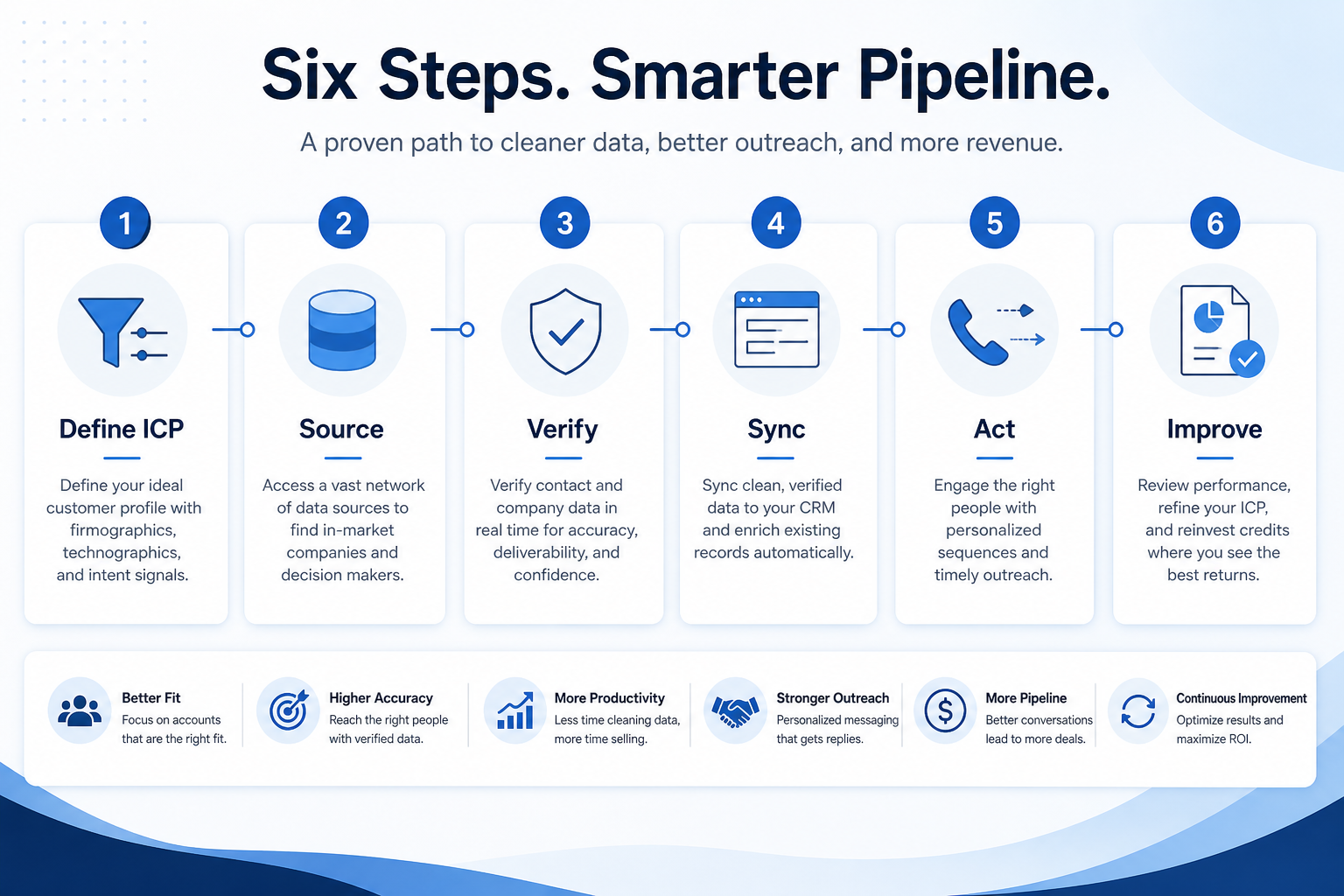
Sales intelligence benefits show up as operational results: faster list building, higher match rates on known accounts, fewer wasted dials and bounces, cleaner CRM records, and outreach that uses current contact data. Decision rule: if the team will not define ICP, manage credits, and keep CRM sync rules honest, those benefits will not appear — buy process discipline first, then the tool.
- Faster list building
- Higher match / fill rates
- Fewer bad contacts
- Cleaner CRM fields
- Prioritized outreach
- Less spreadsheet rebuild
Key takeaways
- Benefits are team outcomes — SI value shows up as fewer dead emails, faster weekly lists, and less manual research — not as a magic feature list.
- Shape decides which benefits you get — Data tools improve discovery; enrichment improves completeness; engagement improves follow-through; dialers improve connect volume.
- Credits and hygiene unlock benefits — An unused seat or a burned credit pool delivers no benefit. Match rate checks and overwrite rules matter as much as the vendor.
- No invented ROI theater — Ignore vague “increase pipeline by X%” claims without a measurement method tied to your ICP and process.
Where sales intelligence benefits come from
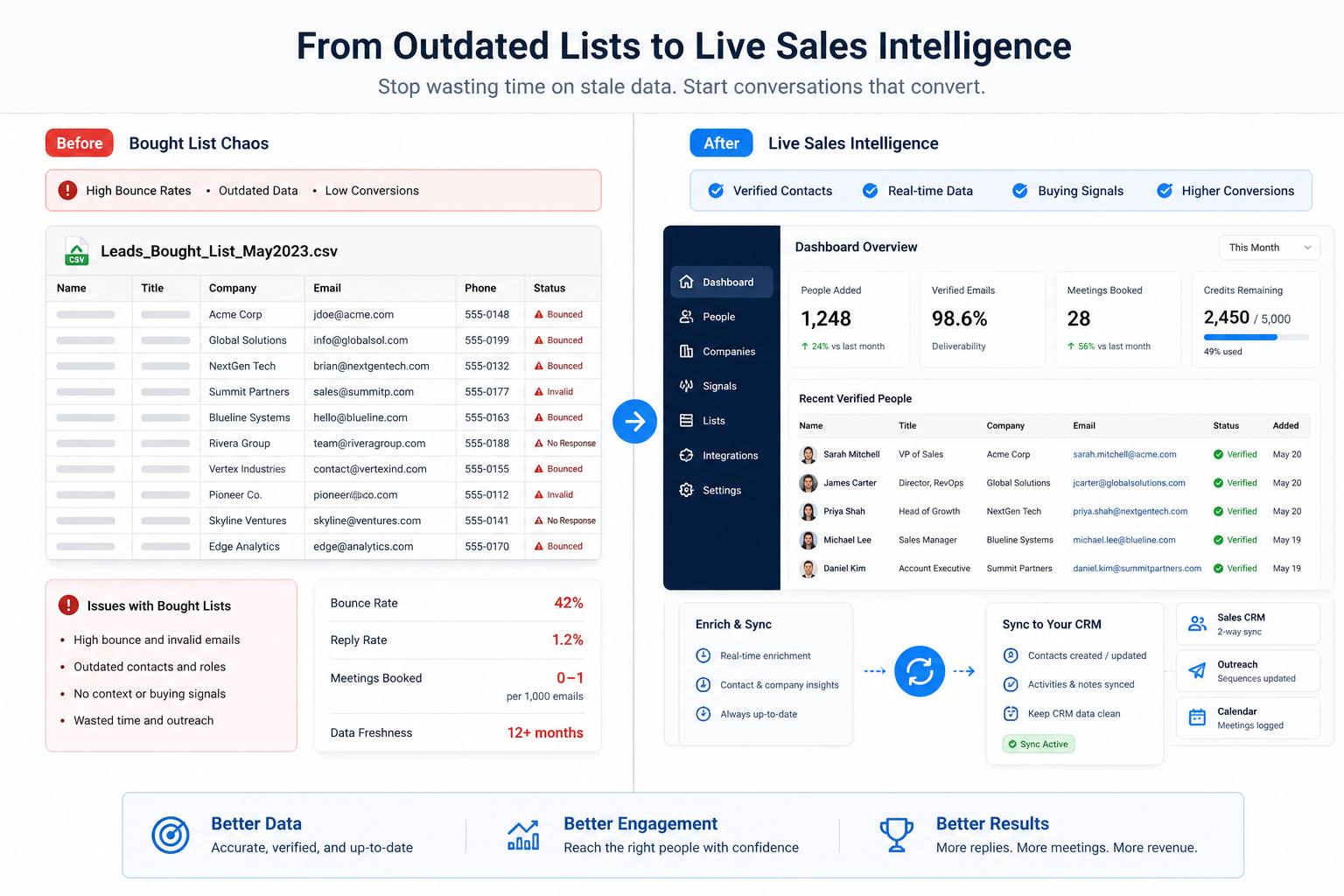
Before vs after working sales intelligence
1. Sales intelligence benefits by role
SDRs / BDRs
Faster list builds, clearer seniorities and titles, fewer bounces on first touch.
RevOps / data owners
Enrichment and field rules keep CRM records complete without manual CSV merges.
AEs / phone teams
Better numbers and dispositions mean less time chasing dead lines.
Managers
Coverage and activity reviews use live data instead of last week’s exported sheet.
A useful SI stack helps different jobs without forcing everyone into the same workflow. The shared layer is trustworthy contact data; the benefit is less reconstruction work.
Example: on a 5-person outbound team, SDR Maya builds a weekly IT-buyer list in 40 minutes instead of half a day; RevOps Priya refreshes 2,000 CRM mobiles with a match-rate report; AE Jordan dials with local presence and sees dispositions on the deal. Same category — different quiet wins.
2. Common pains sales intelligence is meant to remove
Slow list building
Searchable ICP filters reduce half-day research rituals into a repeatable weekly job.
Stale CRM fields
Enrichment + overwrite rules refresh emails and phones without wiping owner notes.
Wasted outreach
Verification and deliverability hygiene cut bounces and dead dials before sequences run hot.
Most teams buy SI after a pattern of operational failures — not because a brochure promised transformation. Mapping pain → outcome keeps evaluation honest.
Example: before SI, that outbound team lost two days each week to LinkedIn scraping and a stale bought list. After a data tool with ICP filters and credit tracking, weekly list time dropped and bounce rate fell — the pain (manual research + dead contacts) maps to a concrete outcome (faster lists + verified emails).
When benefits usually show up
- 01
Founder-led
Benefits are modest until volume rises — a light data or engagement tool may be enough.
- Small ICP
- Personal discipline
- 02
2–8 person outbound pod
List speed and bounce reduction are usually the first clear wins.
- Weekly lists
- Credit owner
- 03
Scaling RevOps
Enrichment, field governance, and match-rate reporting become the high-value benefits.
- Overwrite rules
- CRM sync
- 04
Phone-led org
Connect rates, local presence, and disposition logging dominate the benefit case.
- Dialer + data
- Call logging
Benefit vs feature checklist
- Faster weekly ICP lists
- Higher email/phone fill rates
- CRM stays system of record
- AI “insights” demos
- Biggest global database claim
Benefit traps
Buying for aspirational benefits
If nobody owns credits or ICP filters, coverage benefits will not appear.
Confusing vendor ROI claims with your reality
Percent-lift marketing is not evidence for your niche, region, or data quality.
Ignoring deliverability cost
Fast sequences on unverified data can burn domains — a reverse benefit.
Measuring only seat cost
Credit overages and wasted dials cost more than a slightly higher plan the team uses well.
3. Name the job this category should own
Describe the weekly output this category must improve before comparing vendors.
4. Next: freeze requirements and compare fairly
Move to /guides/types-of-sales-intelligence/ once the job cluster is clear. Compare finalists with the same assumptions — not affiliate-ordered lists.
5. Use a one-page checklist before demos
For Sales Intelligence Benefits: What Teams Actually Gain, list must-haves, owners, integrations, and the weekly ritual this purchase must improve. Share the sheet with finance and IT before you schedule a second demo.
- Name the primary job in one sentence.
- List must-have gates (plans, SSO, data residency, usage caps).
- Name integrations that must work on day one.
- Assign an admin owner and a weekly user champion.
- Define non-admin proof — what a sceptic completes without rescue.
Worked example: Harbor Ops refuses demos until the checklist is signed — cutting evaluation time in half.
6. Avoid the usual buying mistakes
Common failures in sales-intelligence: buying for brand familiarity, comparing entry tiles across different usage units, skipping a fair trial script, and adding scope before adoption proves out.
Run one trial script on every finalist the same week. Score on the same card. Write a one-paragraph decision memo that names what you are not buying yet.
7. Hand off to the category shortlist
When assumptions are frozen, continue on /best/sales-intelligence-software/ with the same headcount, usage band, and must-have gates on every quote.
Frequently asked questions
What are the main benefits of sales intelligence software?
Operational ones: faster ICP list building, higher match and fill rates on known accounts, fewer bounces and dead dials, cleaner CRM fields via governed sync, and outreach that uses current contact data. Those only appear when credits, ICP filters, and CRM rules are maintained.
What is the biggest benefit of sales intelligence?
For most outbound teams: trustworthy, current contact data on the accounts they actually sell to — so research and outreach stop reconstructing the same list every week.
Will sales intelligence automatically increase revenue?
Not by itself. It can reduce wasted touches and speed list building — pipeline impact depends on ICP fit, messaging, and process. Treat vague “X% revenue lift” claims without a measurement method as marketing, not evidence.
How soon should we see benefits?
List speed and bounce reduction can appear within weeks if coverage matches your ICP. CRM trust and deliverability hygiene usually take longer — after sync rules and sending setup stick.
What should I read next?
Review Sales Intelligence Examples for concrete scenarios, then How to Choose Sales Intelligence — or compare researched options on Best Sales Intelligence Software.
Was this article helpful?
Have more questions? Contact our support team.
Part of Software buying guides · Types of Sales Intelligence: Data, Enrichment, Engagement & Dialers
Related guides
Supporting reading in this topic — not a generic related-posts dump.
- Sales Intelligence Examples: SDR, RevOps, Phone & Founder ScenariosConcrete sales intelligence examples for SDR pods, RevOps enrichment, phone teams, and founder-led outbound — illustrative scenarios that clarify fit without invented case-study metrics.
- Sales Intelligence Glossary: Credits, Match Rate, Intent & MoreA plain-language sales intelligence glossary covering credits, match rate, waterfall enrichment, intent data, deliverability, CRM sync, and compliance terms buyers actually need.
- Sales Intelligence vs Spreadsheet & Bought Lists: When to SwitchLearn when a spreadsheet or bought CSV is enough for contacts — and when live sales intelligence becomes the better source for current emails, phones, verification, and CRM sync.
- Lusha Plans: Seats, Credits, and Qualifying TiersChoose your Lusha plan by mapping must-haves to seats, credits, and qualifying tiers — not homepage “from” tiles — then confirm on the pricing page.
- Is Lusha Worth It? Fit Scenarios Before You BuyDecide if Lusha is worth it for your outbound pod — fit scenarios, credit economics, and when to keep looking — without invented ROI percentages.
- Amplemarket Plans: Seats, Credits, and Qualifying TiersChoose your Amplemarket plan by mapping must-haves to seats, credits, and qualifying tiers — not homepage “from” tiles — then confirm on the pricing page.
- Closely Plans: Seats, Credits, and Qualifying TiersChoose your Closely plan by mapping must-haves to seats, credits, and qualifying tiers — not homepage “from” tiles — then confirm on the pricing page.
SoftwareGlimpse Updates
Want clearer software shortlists? Get buying guides and comparisons by email.
Newsletter coming soon.