
This video is hosted on YouTube
This content is hosted by YouTube. The player loads only after you allow marketing cookies.
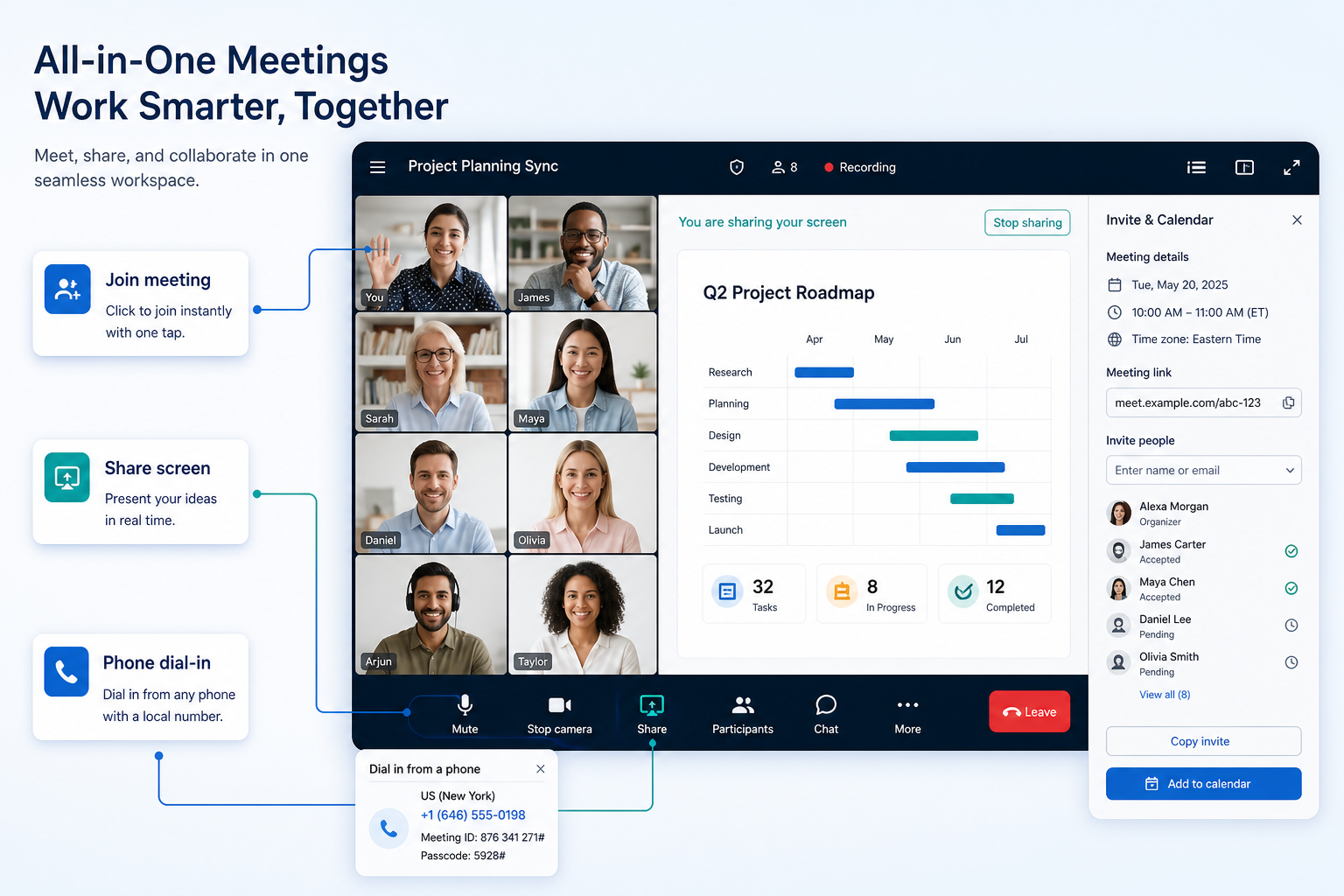
Host and join business video meetings with screen share, recording, and calendar join — often beside cloud phone in a UCaaS stack.
At a glance
Reliable video meetings with clear boundary vs cloud phone
Hybrid SMBs, sales demos, and multi-site all-hands
Host controls & waiting rooms · Screen share & recording · Calendar / join reliability · Phone vs meetings SKU clarity
9 products to explore
Fit snapshot
Video meetings capability covers scheduled and ad-hoc meetings, host controls, screen sharing, recording, and calendar integration. In business communications it is a collaboration surface that frequently ships with UCaaS platforms (Zoom Workplace + Zoom Phone, Microsoft Teams meetings with optional Teams Phone, RingCentral video) — it does not replace a phone-cluster shortlist when the blocking job is numbers and routing.
Teams whose week runs on client demos, all-hands, and hybrid standups — and buyers evaluating whether meetings and phone should live in one vendor or two.
How teams put CRM to work for video meetings
Example 1
a sales team already lives in Zoom for demos. They add Zoom Phone so softphone and meetings stay in one account — but they still score number coverage and CRM CTI as phone requirements, not meeting features.
Example 2
an M365 shop uses Teams meetings daily. Teams Phone is a separate SKU decision with PSTN plans — meetings success does not prove the phone path is ready.
These are the operating problems that usually push teams toward CRM for video meetings — not feature wish lists.
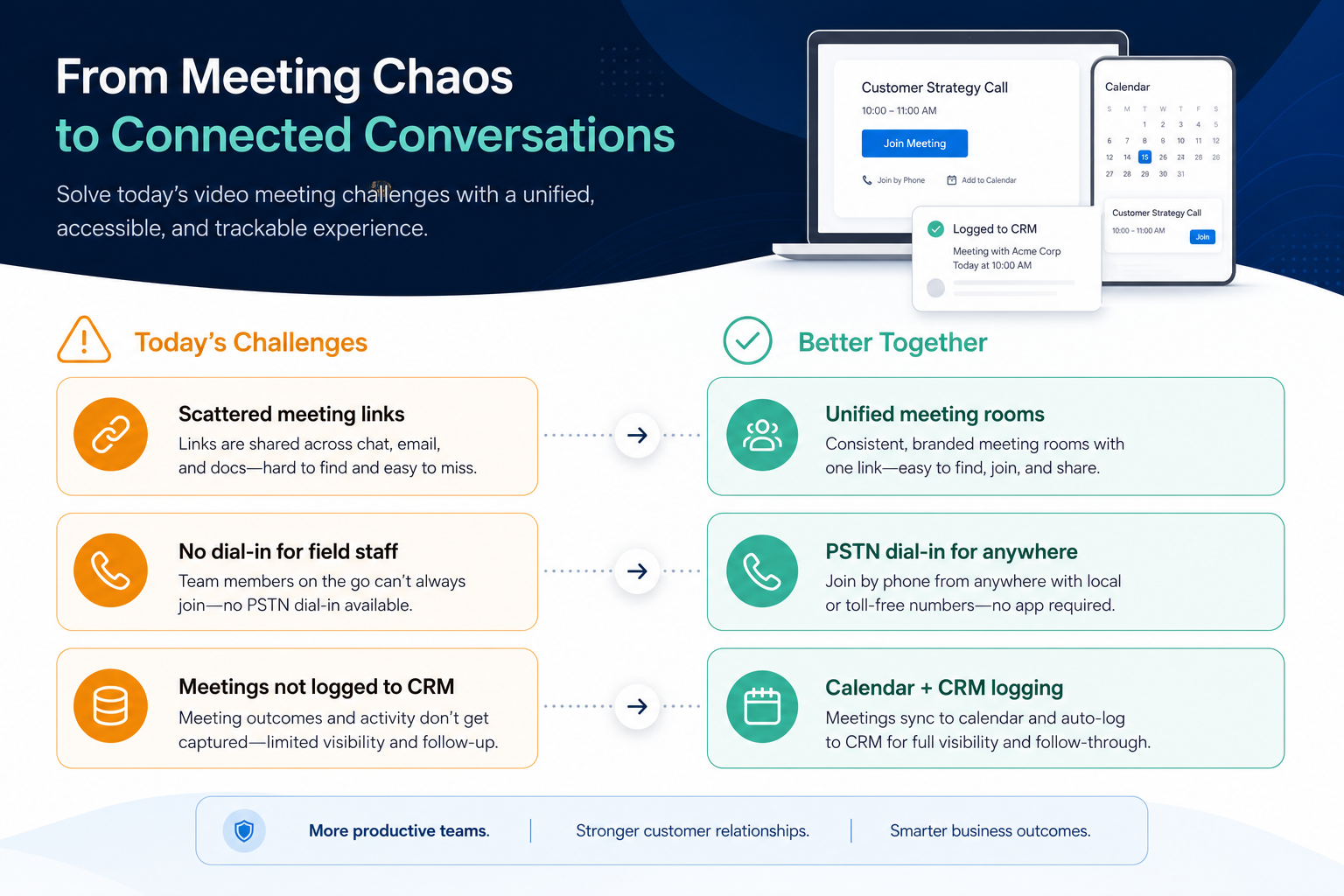
Without CRM discipline: Buyers assume free or meetings SKUs include PSTN business lines.
Without CRM discipline: Demos look fine; weekly meetings do not.
Without CRM discipline: Compliance or coaching needs appear mid-trial.
Without CRM discipline: Identity and admin sprawl.
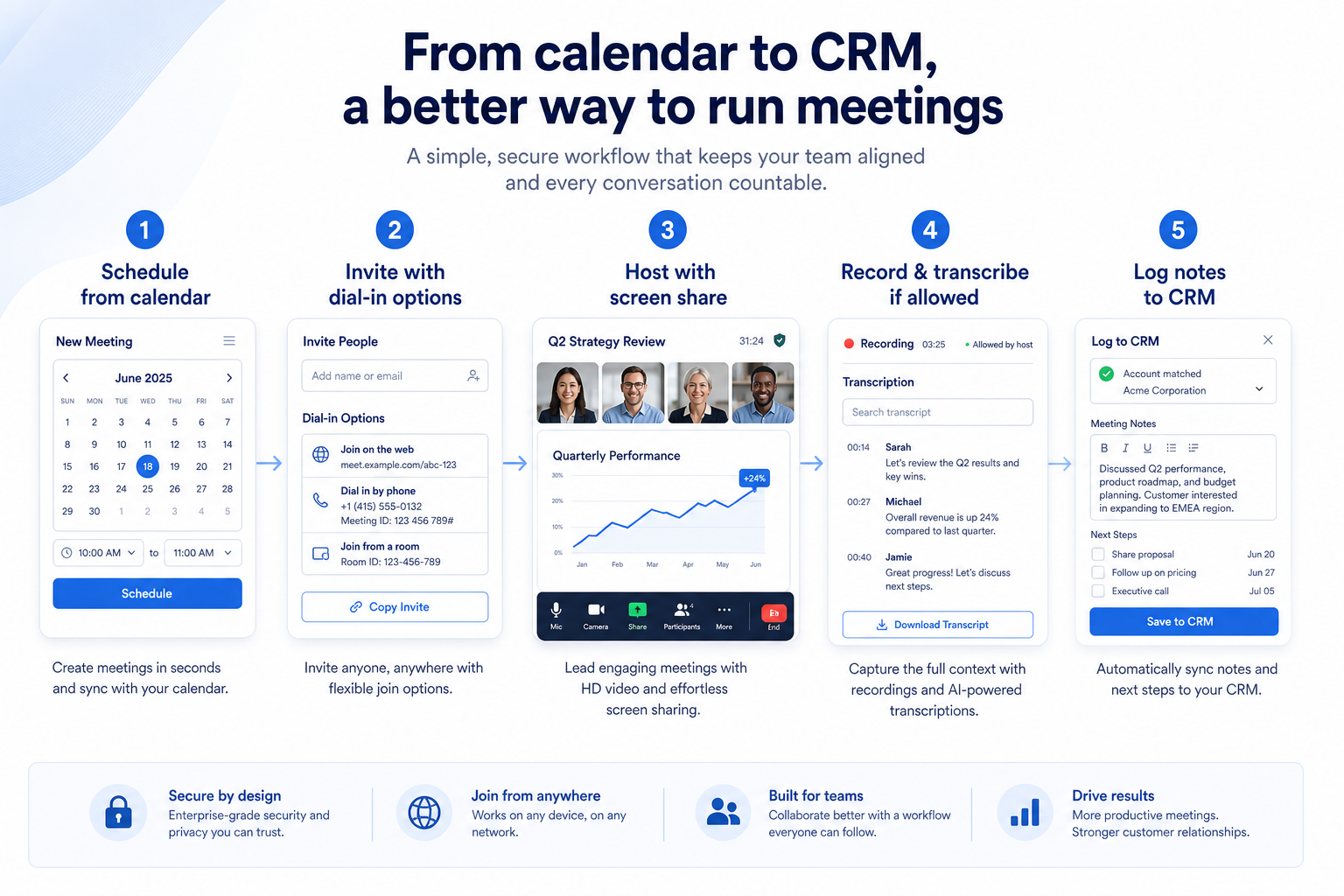
A CRM only helps when the team keeps owners, history, and next steps current. Here is what “good” looks like for video meetings.
With CRM discipline: Treat Zoom Phone / Teams Phone as separate must-have tests.
With CRM discipline: Trial calendar join from the devices people actually use.
With CRM discipline: Map recording to the tier you will buy before demos.
With CRM discipline: Decide deliberately: one UCaaS stack vs best-of-breed — score both paths.
Predictable meeting presence
Clients and staff join without friction.
Usable screen share & recording
Demos and coaching leave an artifact.
Clear phone vs meetings boundary
PSTN jobs stay on the phone requirements sheet.
Admin-controlled meetings
Hosts, guests, and retention follow company policy.
Separate free meeting SKUs from paid phone add-ons, check recording and host controls on the plan you will buy, and confirm calendar join reliability — do not treat a meetings brand as automatic phone coverage.
Host controls & waiting rooms as a buying lens for this capability.
Screen share & recording as a buying lens for this capability.
Calendar / join reliability as a buying lens for this capability.
Start with must-haves your team will use weekly. Treat nice-to-haves as later upgrades — not day-one blockers.
Must-have
Nice-to-have
A simple operating loop beats a complex board nobody updates.
Meetings vs phone vs dialer add-ons.
Waiting room, mute, recording.
Real devices and networks.
On the plan you will buy.
One UCaaS vs split meetings/phone.
Broader capability workflow demos for video meetings — distinct from narrow feature walkthroughs.
Official vendor demonstrations help show how different CRM platforms approach the workflows, features and interactions that make up video meetings. Absence of a video does not mean a product lacks the capability.

Fastmail
Fastmail Masked Email: Protect Your Privacy | Introduction
Focus: How Fastmail presents the product in an official vendor video.
This video is hosted on YouTube
This content is hosted by YouTube. The player loads only after you allow marketing cookies.
What this shows
What to notice
What this does not establish
Particularly relevant to
Source: Fastmail · Verified 17 Aug 2026

SaneBox
How to Organize Your Email Inbox & Save 2+ Hours Every Week (SaneBox)
Focus: How SaneBox presents the product in an official vendor video.

This video is hosted on YouTube
This content is hosted by YouTube. The player loads only after you allow marketing cookies.
What this shows
What to notice
What this does not establish
Features visible in this demo
Particularly relevant to
Source: SaneBox · Verified 17 Aug 2026
Evidence-backed workflow comparison using official vendor demos and screenshots — not a ranking or entertainment gallery. Absence of media does not mean a product lacks the capability.
Fastmail
Fastmail emphasizes
SaneBox
SaneBox emphasizes
SoftwareGlimpse take
Fastmail evidence emphasizes Fastmail product surfaces as shown in the official vendor video; SaneBox evidence emphasizes SaneBox product surfaces as shown in the official vendor video. These are observations from official sources, not inferred brand philosophy.
Best when
You need this capability without enterprise complexity.
Best when
Volume or multi-agent coverage makes this capability blocking.
Catalogue products tagged to related use cases for video meetings. Inclusion here is not a ranking.

Voip Business Phone
AI-powered sales dialer and business phone platform for CRM-connected outbound calling, SMS, and coaching.

Voip Business Phone
Mid-market cloud phone and customer-conversation platform with deep CRM/helpdesk CTI, IVR, power dialer on Professional, and paid AI add-ons — 3-licence minimum.

Voip Business Phone
SMB cloud phone system with a $0 starter rung, Starter from $18/user/month annual (2-user minimum), call recording and IVR from Professional, plus a separate call-centre plan ladder.

Voip Business Phone
Budget global cloud telephony with virtual numbers across 100+ countries and a unified callbox — Essential from $12/user/month annual (up to 5 users); calls and SMS are pay-as-you-go.

Voip Business Phone
Freshworks cloud PBX for inbound voice support: a $0 agent plan plus pay-per-minute, Growth from $15/agent/month annual with 2,000 included incoming minutes, and routing automation higher up.

Business Communications
Professional work-chat app for frontline and multi-site teams replacing WhatsApp groups — free tier, Pro $3/user/month yearly, Business+ $8 with HIPAA, integrations and AI agents.
Business Communications
Privacy-focused business email, calendar and contacts with custom domains and shared addresses — Business Basic from $3/user/month annual; adjacent to business communications, not a phone system.
Business Communications
SaneBox is inbox-productivity tooling that layers onto an existing mailbox — Gmail, Outlook, Yahoo, iCloud or any IMAP account — and triages incoming mail into folders such as SaneLater, SaneBlackHole and SaneAttachments, with follow-up reminders on higher tiers. Plans are per pe

Business Communications
Enterprise-grade UCaaS / cloud phone platform (RingEX) with deep call routing, video, team messaging and contact-centre options — Core from ~$20/user/month annual.
Loading evidence explorer…
No. Fit depends on your primary communications job (phone, dialing, messaging, WhatsApp, or contact center), seat count, and which requirements are must-haves. Use the Best Business Communications shortlist and requirements guide rather than starting from a single ranking.
CRM capabilities store relationships and pipeline on records. Business communications capabilities place and route calls or messages — often writing activity back into CRM via CTI. Many teams need both connected; buy for the communications job that is blocking first.
Business numbers, inbound and outbound calling, and softphone apps delivered over the internet.
Internal channels and chat the business controls, instead of personal messaging groups.
Click-to-dial, screen pops, and automatic call logging in the system your team already uses.
Call and message volume, wait times, and agent activity in reports managers act on.
Part of CRM capabilities · CRM Software hub
Want clearer software shortlists? Get buying guides and comparisons by email.
Newsletter coming soon.
Explore the official documentation, screenshots and product demonstrations used to understand how each CRM implements video meetings.
2 items
Official video · Fastmail
Supports
Demonstrates
This video is hosted on YouTube
This content is hosted by YouTube. The player loads only after you allow marketing cookies.
Official vendor tutorial
How Fastmail presents the product in an official vendor video.
Verified: 17 Aug 2026
Open source ↗Official video · SaneBox
Supports
Demonstrates
This video is hosted on YouTube
This content is hosted by YouTube. The player loads only after you allow marketing cookies.
Official vendor tutorial
How SaneBox presents the product in an official vendor video.
Verified: 17 Aug 2026
Open source ↗