Microsoft Project vs Motion
Thesis: Overlapping use cases, different tradeoffs — Microsoft Project and Motion share buyer workflows; choose based on documented strengths and limits. Frame: Overlapping use cases, different tradeoffs — Microsoft Project and Motion share buyer workflows; choose based on documented strengths and limits.. Choose Microsoft Project only if your buying job matches “Microsoft 365 project / Planner ladder for Gantt, resources and portfolios — Planner Plan ” rather than Motion's shape. Choose Motion only if your buying job matches “AI calendar + task auto-scheduling (projects, docs, meetings) — Pro AI from $19/seat/mo an” rather than Microsoft Project's shape. Workflow advantage: Microsoft Project leans resource-planning, timeline-reporting; Motion leans shared coverage. Trade-off: you gain focus on one product's motion at the cost of the other's adjacent coverage — no universal winner. Major differences: - Buyer thesis: Overlapping use cases, different tradeoffs — Microsoft Project and Motion share buyer workflows; choose based on documented strengths and limits. - Positioning: Microsoft Project is Microsoft 365 project / Planner ladder for Gantt, resources and portfolios — Planner Plan 1 from ~$10/user/mo.; Motion is AI calendar + task auto-scheduling (projects, docs, meetings) — Pro AI from $19/seat/mo annual.. - Company-size focus: Microsoft Project (mid-market, enterprise) vs Motion (micro, small-business, mid-market). - Workflow coverage skew: Microsoft Project-leaning resource-planning, timeline-reporting vs Motion-leaning —. - Researched limits: Microsoft Project — SKU and licensing complexity across Planner/Project plans; Motion — Premium $19+ seats vs broader Work OS floors. Limitations — Microsoft Project: SKU and licensing complexity across Planner/Project plans; Best value assumes Microsoft 365 standardisation; Motion: Premium $19+ seats vs broader Work OS floors; AI credit caps and top-ups affect TCO. Poor-fit cases: Microsoft Project is a poor fit when that limitation bites: SKU and licensing complexity across Planner/Project plans · Motion is a poor fit when that limitation bites: Premium $19+ seats vs broader Work OS floors · Avoid Microsoft Project if you actually need Motion's motion (AI calendar + task auto-scheduling (projects, docs, meetings) — Pro AI from $19/) Neither product has a completed hands-on product test on SoftwareGlimpse — this comparison is research/data-based only.

Microsoft Project
Microsoft 365 project / Planner ladder for Gantt, resources and portfolios — Planner Plan 1 from ~$10/user/mo.
Best for
- • your buying job matches “Microsoft 365 project / Planner ladder for Gantt, resources and portfolios — Planner Plan ” rather than Motion's shape
- • use-case priority is work-management and Motion is secondary for that motion
Starting from $10.00/user/mo
No free plan
VS
Our verdict
Frame: Overlapping use cases, different tradeoffs — Microsoft Project and Motion share buyer workflows; choose based on documented strengths and limits.. Choose Microsoft Project only if your buying job matches “Microsoft 365 project / Planner ladder for Gantt, resources and portfolios — Planner Plan ” rather than Motion's shape. Choose Motion only if your buying job matches “AI calendar + task auto-scheduling (projects, docs, meetings) — Pro AI from $19/seat/mo an” rather than Microsoft Project's shape. Workflow advantage: Microsoft Project leans resource-planning, timeline-reporting; Motion leans shared coverage. Trade-off: you gain focus on one product's motion at the cost of the other's adjacent coverage — no universal winner. Microsoft Project is a poor fit when that limitation bites: SKU and licensing complexity across Planner/Project plans Motion is a poor fit when that limitation bites: Premium $19+ seats vs broader Work OS floors Hard limitation for Microsoft Project when it matters: SKU and licensing complexity across Planner/Project plans. Hard limitation for Motion when it matters: Premium $19+ seats vs broader Work OS floors. Neither product has a completed hands-on product test on SoftwareGlimpse — this comparison is research/data-based only. Pricing threshold: estimate spend with the cost calculator before shortlisting.
Microsoft Project is better for
- ✓ Timeline / Gantt
- ✓ Collaboration
- ✓ Integrations
- ✓ Reporting
Motion is better for
- ✓ Ease of use
- ✓ Automations
- ✓ AI features
Choose Microsoft Project if: your buying job matches “Microsoft 365 project / Planner ladder for Gantt, resources and portfolios — Planner Plan ” rather than Motion's shape
Choose Motion if: your buying job matches “AI calendar + task auto-scheduling (projects, docs, meetings) — Pro AI from $19/seat/mo an” rather than Microsoft Project's shape

Motion
AI calendar + task auto-scheduling (projects, docs, meetings) — Pro AI from $19/seat/mo annual.
Best for
- • your buying job matches “AI calendar + task auto-scheduling (projects, docs, meetings) — Pro AI from $19/seat/mo an” rather than Microsoft Project's shape
- • use-case priority is work-management and Microsoft Project is secondary for that motion
Starting from $19.00/user/mo
No free plan
Quick verdict
Start here — then dig into the evidence below.
Choose Microsoft Project if…
- your buying job matches “Microsoft 365 project / Planner ladder for Gantt, resources and portfolios — Planner Plan ” rather than Motion's shape
- use-case priority is work-management and Motion is secondary for that motion
- You prioritize timeline / gantt
- You prioritize collaboration
Choose Motion if…
- your buying job matches “AI calendar + task auto-scheduling (projects, docs, meetings) — Pro AI from $19/seat/mo an” rather than Microsoft Project's shape
- use-case priority is work-management and Microsoft Project is secondary for that motion
- You prioritize ease of use
- You prioritize automations
Overall recommendation
Frame: Overlapping use cases, different tradeoffs — Microsoft Project and Motion share buyer workflows; choose based on documented strengths and limits.. Choose Microsoft Project only if your buying job matches “Microsoft 365 project / Planner ladder for Gantt, resources and portfolios — Planner Plan ” rather than Motion's shape. Choose Motion only if your buying job matches “AI calendar + task auto-scheduling (projects, docs, meetings) — Pro AI from $19/seat/mo an” rather than Microsoft Project's shape. Workflow advantage: Microsoft Project leans resource-planning, timeline-reporting; Motion leans shared coverage. Trade-off: you gain focus on one product's motion at the cost of the other's adjacent coverage — no universal winner. Microsoft Project is a poor fit when that limitation bites: SKU and licensing complexity across Planner/Project plans Motion is a poor fit when that limitation bites: Premium $19+ seats vs broader Work OS floors Hard limitation for Microsoft Project when it matters: SKU and licensing complexity across Planner/Project plans. Hard limitation for Motion when it matters: Premium $19+ seats vs broader Work OS floors. Neither product has a completed hands-on product test on SoftwareGlimpse — this comparison is research/data-based only. Pricing threshold: estimate spend with the cost calculator before shortlisting.
Key trade-off
Microsoft Project trades toward timeline / gantt; Motion trades toward ease of use.
Winner by category
Only dimensions with researched evidence for this pair.
| Dimension | Winner | Why |
|---|---|---|
| Ease of use | Motion wins | Microsoft Project vs Motion on ease of use: Microsoft Project and Motion share buyer workflows; choose based on documented strengths and limits. Decision edge to Motion on this criterion for this pair — unlike a generic feature matrix, the hinge is the buyer job above. |
| Timeline / Gantt | Microsoft Project wins | Microsoft Project vs Motion on timeline gantt: Microsoft Project and Motion share buyer workflows; choose based on documented strengths and limits. Decision edge to Microsoft Project on this criterion for this pair — unlike a generic feature matrix, the hinge is the buyer job above. |
| Automations | Motion wins | Microsoft Project vs Motion on automations: Microsoft Project and Motion share buyer workflows; choose based on documented strengths and limits. Decision edge to Motion on this criterion for this pair — unlike a generic feature matrix, the hinge is the buyer job above. |
| Collaboration | Microsoft Project wins | Microsoft Project vs Motion on collaboration: Microsoft Project and Motion share buyer workflows; choose based on documented strengths and limits. Decision edge to Microsoft Project on this criterion for this pair — unlike a generic feature matrix, the hinge is the buyer job above. |
| Integrations | Microsoft Project wins | Microsoft Project vs Motion on integrations: Microsoft Project and Motion share buyer workflows; choose based on documented strengths and limits. Decision edge to Microsoft Project on this criterion for this pair — unlike a generic feature matrix, the hinge is the buyer job above. |
| AI features | Motion wins | Microsoft Project vs Motion on ai features: Microsoft Project and Motion share buyer workflows; choose based on documented strengths and limits. Decision edge to Motion on this criterion for this pair — unlike a generic feature matrix, the hinge is the buyer job above. |
| Reporting | Microsoft Project wins | Microsoft Project vs Motion on reporting: Microsoft Project and Motion share buyer workflows; choose based on documented strengths and limits. Decision edge to Microsoft Project on this criterion for this pair — unlike a generic feature matrix, the hinge is the buyer job above. |
| Value | Microsoft Project wins | Microsoft Project vs Motion on value for money: Microsoft Project and Motion share buyer workflows; choose based on documented strengths and limits. Decision edge to Microsoft Project on this criterion for this pair — unlike a generic feature matrix, the hinge is the buyer job above. |
Side-by-side feature matrix
Normalized availability from product research — empty rows are not shown.
Work planning
| Feature | Microsoft Project | Motion |
|---|---|---|
| Task boards & work views | Strong | Strong |
| Timeline / Gantt | Strong | Moderate |
| Workload & resource management | Moderate | Moderate |
| Time tracking | Moderate | Moderate |
Execution
| Feature | Microsoft Project | Motion |
|---|---|---|
| Automations & workflows | Moderate | Strong |
| Docs & collaboration | Moderate | Strong |
| AI assistance | Moderate | Strong |
Platform
| Feature | Microsoft Project | Motion |
|---|---|---|
| Integrations ecosystem | Strong | Strong |
| Reporting & dashboards | Strong | Moderate |
Adjacent productivity
| Feature | Microsoft Project | Motion |
|---|---|---|
| Document / PDF productivity | Limited | Limited |
| Remote access / screen share | Limited | Limited |
| Desktop workspace organizer | Limited | Limited |
Pricing comparison
Pricing evidence last checked Aug 17, 2026.
Microsoft Project
From $10.00/user/mo
- Planner Plan 1$10.00/user/mo
- Planner and Project Plan 3$30.00/user/mo
- Planner and Project Plan 5$55.00/user/mo
Motion
From $19.00/user/mo
- Pro AI$19.00/user/mo
- Business AI$29.00/user/mo
Seat-count estimates
Labeled estimates from verified starting per-seat pricing — not invoices.
| Seats | Microsoft Project | Motion |
|---|---|---|
| 5 | ~$50.00/mo (5 × starting seat) | ~$95.00/mo (5 × starting seat) |
| 10 | ~$100.00/mo (10 × starting seat) | ~$190.00/mo (10 × starting seat) |
| 25 | ~$250.00/mo (25 × starting seat) | ~$475.00/mo (25 × starting seat) |
| 50 | ~$500.00/mo (50 × starting seat) | ~$950.00/mo (50 × starting seat) |
Estimate from verified starting per-seat pricing — actual total depends on plan, annual discounts, and add-ons.
Starting prices not verified for either product Model team cost scenarios in the project-management cost calculator Cost calculator: /tools/project-management-cost-calculator/
Best for
Scenario picks from researched strengths — not a universal ranking.
- → Depends
Prefer Microsoft Project when your buying job matches “Microsoft 365 project / Planner ladder for Gantt, resources and portfolios — Planner Plan ” rather than Motion's shape
Prefer Microsoft Project when your buying job matches “Microsoft 365 project / Planner ladder for Gantt, resources and portfolios — Planner Plan ” rather than Motion's shape
- → Depends
Prefer Microsoft Project when use-case priority is work-management and Motion is secondary for that motion
Prefer Microsoft Project when use-case priority is work-management and Motion is secondary for that motion
- → Depends
Prefer Motion when your buying job matches “AI calendar + task auto-scheduling (projects, docs, meetings) — Pro AI from $19/seat/mo an” rather than Microsoft Project's shape
Prefer Motion when your buying job matches “AI calendar + task auto-scheduling (projects, docs, meetings) — Pro AI from $19/seat/mo an” rather than Microsoft Project's shape
- → Depends
Prefer Motion when use-case priority is work-management and Microsoft Project is secondary for that motion
Prefer Motion when use-case priority is work-management and Microsoft Project is secondary for that motion
- → Microsoft Project
Best for timeline / gantt
Microsoft Project vs Motion on timeline gantt: Microsoft Project and Motion share buyer workflows; choose based on documented strengths and limits. Decision edge to Microsoft Project on this criterion for this pair — unlike a generic feature matrix, the hinge is the buyer job above.
- → Microsoft Project
Best for collaboration
Microsoft Project vs Motion on collaboration: Microsoft Project and Motion share buyer workflows; choose based on documented strengths and limits. Decision edge to Microsoft Project on this criterion for this pair — unlike a generic feature matrix, the hinge is the buyer job above.
The differences that actually matter
Pair-specific analysis for Microsoft Project vs Motion — not generic category copy.
Timeline / Gantt
Microsoft Project aheadOn timeline / gantt, Microsoft Project is ahead. Microsoft Project: Microsoft Project vs Motion on timeline gantt: Microsoft Project and Motion share buyer workflows; choose based on documented strengths and limits. Decision edge to Microsoft Project on this criterion for this pair — unlike a generic feature matrix, the hinge is the buyer job above.. Motion: Trails Microsoft Project on this criterion. Feature evidence also diverges on Timeline / Gantt (Microsoft Project: Strong; Motion: Moderate); Time tracking (Microsoft Project: Moderate; Motion: Moderate); Automations & workflows (Microsoft Project: Moderate; Motion: Strong).
Automations
Motion aheadOn automations, Motion is ahead. Microsoft Project: Trails Motion on this criterion. Motion: Microsoft Project vs Motion on automations: Microsoft Project and Motion share buyer workflows; choose based on documented strengths and limits. Decision edge to Motion on this criterion for this pair — unlike a generic feature matrix, the hinge is the buyer job above..
Integrations
Microsoft Project aheadOn integrations, Microsoft Project is ahead. Microsoft Project: Microsoft Project vs Motion on integrations: Microsoft Project and Motion share buyer workflows; choose based on documented strengths and limits. Decision edge to Microsoft Project on this criterion for this pair — unlike a generic feature matrix, the hinge is the buyer job above.. Motion: Trails Microsoft Project on this criterion.
Reporting
Microsoft Project aheadOn reporting, Microsoft Project is ahead. Microsoft Project: Microsoft Project vs Motion on reporting: Microsoft Project and Motion share buyer workflows; choose based on documented strengths and limits. Decision edge to Microsoft Project on this criterion for this pair — unlike a generic feature matrix, the hinge is the buyer job above.. Motion: Trails Microsoft Project on this criterion.
Pros and cons
Product-specific for this pair — derived from researched outcomes and editorial notes.
Microsoft Project
Pros
- Stronger on timeline / gantt
- Stronger on collaboration
- Stronger on integrations
- Stronger on reporting
Cons
- Trails on ease of use
- Trails on automations
- Trails on ai features
Motion
Pros
- Stronger on ease of use
- Stronger on automations
- Stronger on ai features
Cons
- Trails on timeline / gantt
- Trails on collaboration
- Trails on integrations
Implementation & learning curve
Based on researched setup / ease criteria for this pair.
Microsoft Project
- Trails on ease of use relative to Motion
Motion
- Stronger on ease of use: Microsoft Project vs Motion on ease of use: Microsoft Project and Motion share buyer workflows; choose based on documented strengths and limits. Decision edge to Motion on this criterion for this pair — unlike a generic feature matrix, the hinge is the buyer job above.
Integrations
Overlaps and exclusives from product integration data when available.
Microsoft Project: Strong. Motion: Strong.
Who should not choose each product
Decision quality improves when we say who should walk away.
Don't choose Microsoft Project if…
- You need Motion's stronger ease of use more than Microsoft Project's strengths
- You need Motion's stronger automations more than Microsoft Project's strengths
- You need Motion's stronger ai features more than Microsoft Project's strengths
- Your primary fit looks closer to: your buying job matches “AI calendar + task auto-scheduling (projects, docs, meetings) — Pro AI from $19/seat/mo an” rather than Microsoft Project's shape
Don't choose Motion if…
- You need Microsoft Project's stronger timeline / gantt more than Motion's strengths
- You need Microsoft Project's stronger collaboration more than Motion's strengths
- You need Microsoft Project's stronger integrations more than Motion's strengths
- Your primary fit looks closer to: your buying job matches “Microsoft 365 project / Planner ladder for Gantt, resources and portfolios — Planner Plan ” rather than Motion's shape
Alternatives worth considering
When neither product is the right fit.
Spreadsheet-style work management with Gantt, portfolios and automation — Pro from $9/member/mo annual.
Work OS / work management platform with boards, timelines, automations and AI credits — Basic from $9/seat/mo annual (3-seat minimum).
Cross-functional work management with goals, workflows and AI Studio — Starter from $10.99/user/mo annual.
All-in-one configurable Work OS (tasks, docs, dashboards, ClickUp Brain) — Unlimited from $7/user/mo annual.
Final verdict
Scenario-level close — not a repeat of the intro.
Microsoft Project wins when…
your buying job matches “Microsoft 365 project / Planner ladder for Gantt, resources and portfolios — Planner Plan ” rather than Motion's shape
Motion wins when…
your buying job matches “AI calendar + task auto-scheduling (projects, docs, meetings) — Pro AI from $19/seat/mo an” rather than Microsoft Project's shape
- Prefer Microsoft Project when your buying job matches “Microsoft 365 project / Planner ladder for Gantt, resources and portfolios — Planner Plan ” rather than Motion's shapeDepends
- Prefer Microsoft Project when use-case priority is work-management and Motion is secondary for that motionDepends
- Prefer Motion when your buying job matches “AI calendar + task auto-scheduling (projects, docs, meetings) — Pro AI from $19/seat/mo an” rather than Microsoft Project's shapeDepends
- Prefer Motion when use-case priority is work-management and Microsoft Project is secondary for that motionDepends
Which one should you choose?
Choose Microsoft Project if:
- your buying job matches “Microsoft 365 project / Planner ladder for Gantt, resources and portfolios — Planner Plan ” rather than Motion's shape
- use-case priority is work-management and Motion is secondary for that motion
Choose Motion if:
- your buying job matches “AI calendar + task auto-scheduling (projects, docs, meetings) — Pro AI from $19/seat/mo an” rather than Microsoft Project's shape
- use-case priority is work-management and Microsoft Project is secondary for that motion
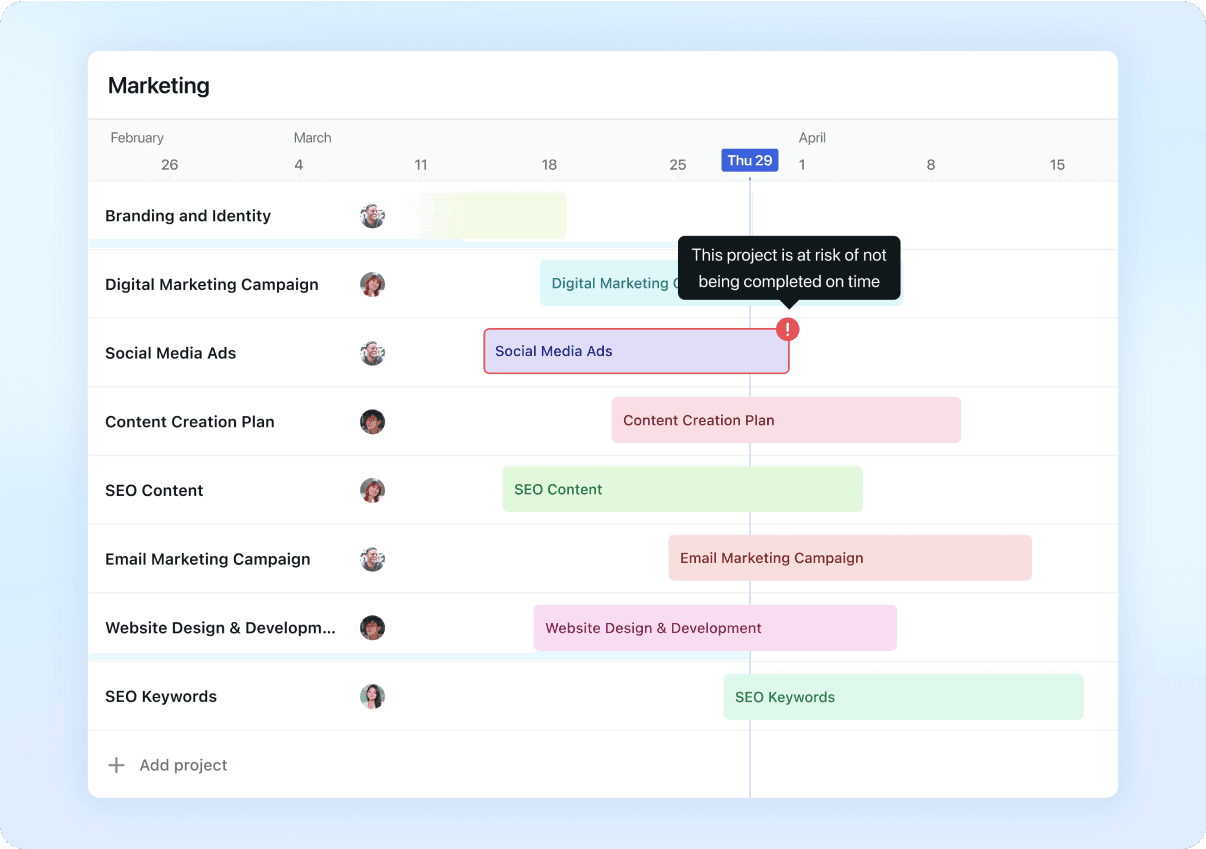
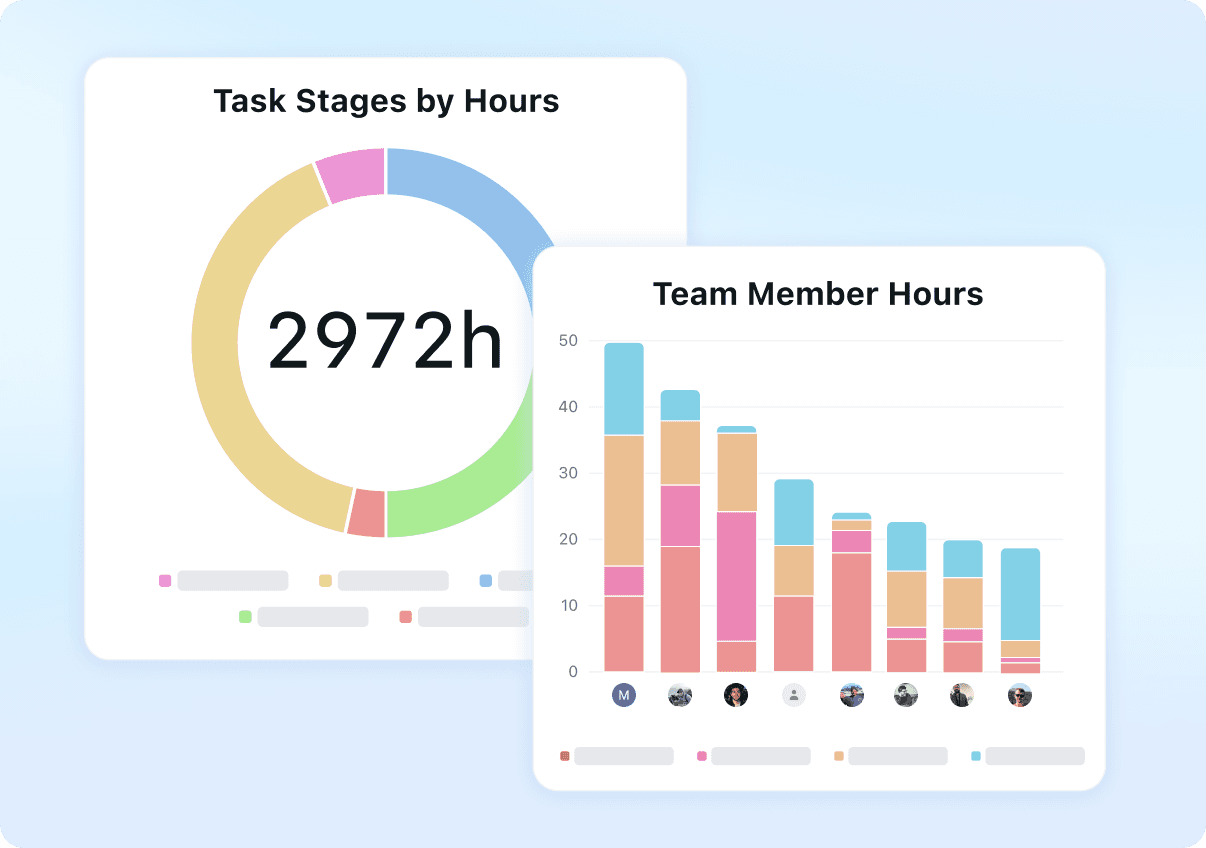
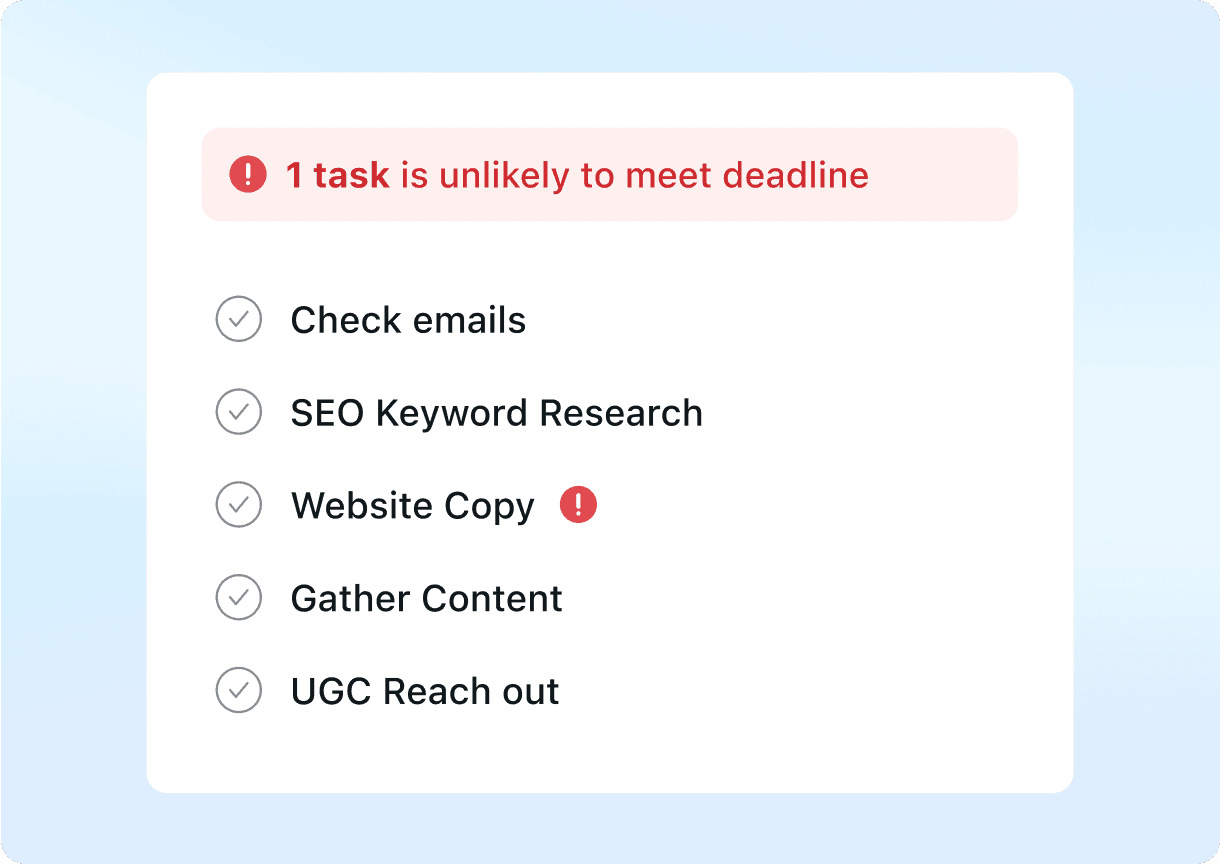
Product screenshots
Real product UI from our media library — no placeholders.
Microsoft Project

Motion
FAQ
- Is Microsoft Project better than Motion?
- Frame: Overlapping use cases, different tradeoffs — Microsoft Project and Motion share buyer workflows; choose based on documented strengths and limits.. Choose Microsoft Project only if your buying job matches “Microsoft 365 project / Planner ladder for Gantt, resources and portfolios — Planner Plan ” rather than Motion's shape. Choose Motion only if your buying job matches “AI calendar + task auto-scheduling (projects, docs, meetings) — Pro AI from $19/seat/mo an” rather than Microsoft Project's shape. Workflow advantage: Microsoft Project leans resource-planning, timeline-reporting; Motion leans shared coverage. Trade-off: you gain focus on one product's motion at the cost of the other's adjacent coverage — no universal winner. Microsoft Project is a poor fit when that limitation bites: SKU and licensing complexity across Planner/Project plans Motion is a poor fit when that limitation bites: Premium $19+ seats vs broader Work OS floors Hard limitation for Microsoft Project when it matters: SKU and licensing complexity across Planner/Project plans. Hard limitation for Motion when it matters: Premium $19+ seats vs broader Work OS floors. Neither product has a completed hands-on product test on SoftwareGlimpse — this comparison is research/data-based only. Pricing threshold: estimate spend with the cost calculator before shortlisting.
- Which is easier to use?
- Microsoft Project vs Motion on ease of use: Microsoft Project and Motion share buyer workflows; choose based on documented strengths and limits. Decision edge to Motion on this criterion for this pair — unlike a generic feature matrix, the hinge is the buyer job above.
- Which project management fits which team?
- Microsoft Project: your buying job matches “Microsoft 365 project / Planner ladder for Gantt, resources and portfolios — Planner Plan ” rather than Motion's shape Motion: your buying job matches “AI calendar + task auto-scheduling (projects, docs, meetings) — Pro AI from $19/seat/mo an” rather than Microsoft Project's shape
- Does Microsoft Project or Motion have a free plan?
- Microsoft Project: No free plan. Motion: No free plan.
- How does Microsoft Project vs Motion pricing compare?
- Microsoft Project starts from $10.00/user/mo. Motion starts from $19.00/user/mo. Confirm live vendor pricing before purchasing.
- How did SoftwareGlimpse compare these products?
- We map both products to the same category criteria, then evaluate trade-offs using verified product, pricing and feature evidence. Affiliate relationships never change outcomes.
- reviewMicrosoft Project review
- reviewMotion review
- pricingMicrosoft Project pricing
- pricingMotion pricing
- alternativeSmartsheet alternative
- alternativemonday.com alternative
- alternativeAsana alternative
- guideWhat Is Project Management Software?
- guideHow to Choose Project Management Software
- guideProject Management Pricing Guide
- categoryproject management hub
- finderBest project management software
- calculatorCost calculator
Related comparisons
- Microsoft Projectvs
 Smartsheet
Microsoft Project vs Smartsheet
 AirtablevsMicrosoft Project
Airtable vs Microsoft Project
 AsanavsMicrosoft Project
Asana vs Microsoft Project
 BasecampvsMicrosoft Project
Basecamp vs Microsoft Project
 ClickUpvsMicrosoft Project
ClickUp vs Microsoft Project
 HivevsMicrosoft Project
Hive vs Microsoft Project
Alternatives to consider
Smartsheet
Spreadsheet-style work management with Gantt, portfolios and automation — Pro from $9/member/mo annual.

monday.com
Work OS / work management platform with boards, timelines, automations and AI credits — Basic from $9/seat/mo annual (3-seat minimum).
Asana
Cross-functional work management with goals, workflows and AI Studio — Starter from $10.99/user/mo annual.
ClickUp
All-in-one configurable Work OS (tasks, docs, dashboards, ClickUp Brain) — Unlimited from $7/user/mo annual.
Still deciding between Microsoft Project and Motion?
Use Best project management software for a shortlist matched to your priorities, or build another side-by-side comparison.
- Independent criterion outcomes
- No invented scores or prices
- Affiliate links never change winners
Some visit links may be affiliate links — we may earn a commission at no extra cost to you. Comparison outcomes are never based on commission.
Part of Software comparisons · Project Management Software hub
Try a decision tool
Interactive helpers use recommendation criteria — affiliate status never changes outcomes.