CRM Security Checklist
Prove CRM access controls on the plan you would actually buy.
Work through identity, object visibility, contact and deal exports, email-sync privacy, audit evidence, and access reviews — asking each vendor the same questions and confirming answers against the quoted plan, not the demo tier.
Free to use · No email required · Updated 15 Aug 2026
- Best for
- IT / security
- Stage
- Validate
- Time
- 2–6 hours
- Format
- XLSX + PDF + MD
44
checklist items
7
categories
1
consistent process across vendors
Better decisions
with less risk and more proof
What's inside
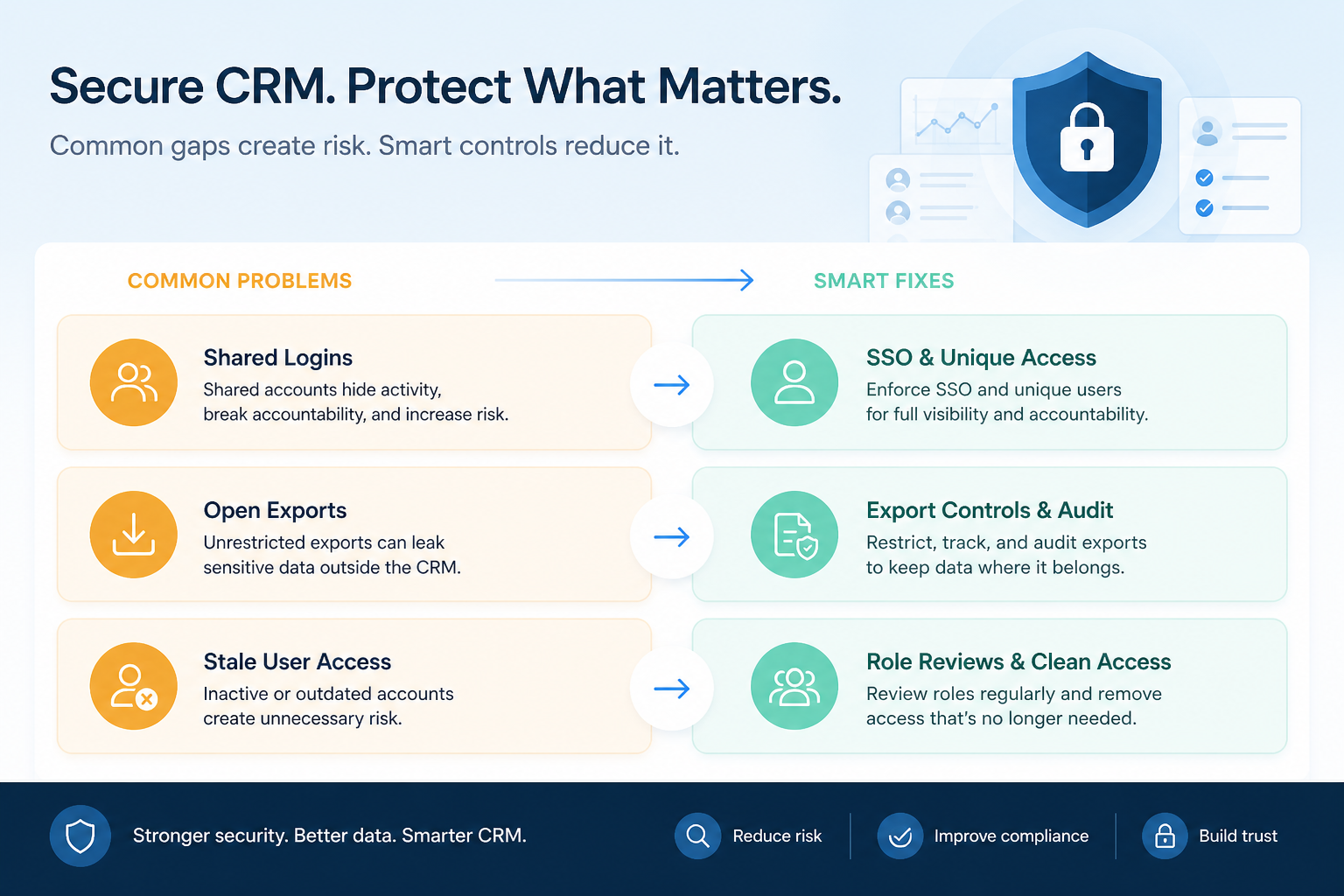
Identity: SSO & MFA
Plan-scoped SSO, MFA expectations, joiner-leaver paths, and break-glass accounts.
Roles & object visibility
An access map for accounts, contacts, deals, and activities — tested per persona.
Export controls
Who can extract contacts and deals via CSV, reports, or connected apps.
Email sync privacy
What syncs from mailboxes, who can read it on records, and how to disconnect.
Audit logs & evidence
Events you need, retention on your plan, and an export you pulled yourself.
Access reviews
Cadence, inputs, signer, and remediation tracked to closure.
Client-book reviews (FS)
Optional rows for advisor books, export attestations, and leaver reassignment.
What this tool helps you do
A written CRM access model
Roles, object visibility, and sensitive fields are documented rather than assumed.
Plan-true identity and export controls
Every control is confirmed on the commercial plan you would actually buy.
Export discipline on contacts and deals
Who can extract customer and pipeline data is limited, named, and preferably auditable.
A review cadence that outlives go-live
Access reviews have inputs, an owner, a signer, and remediation tracked to closure.
How to use this checklist
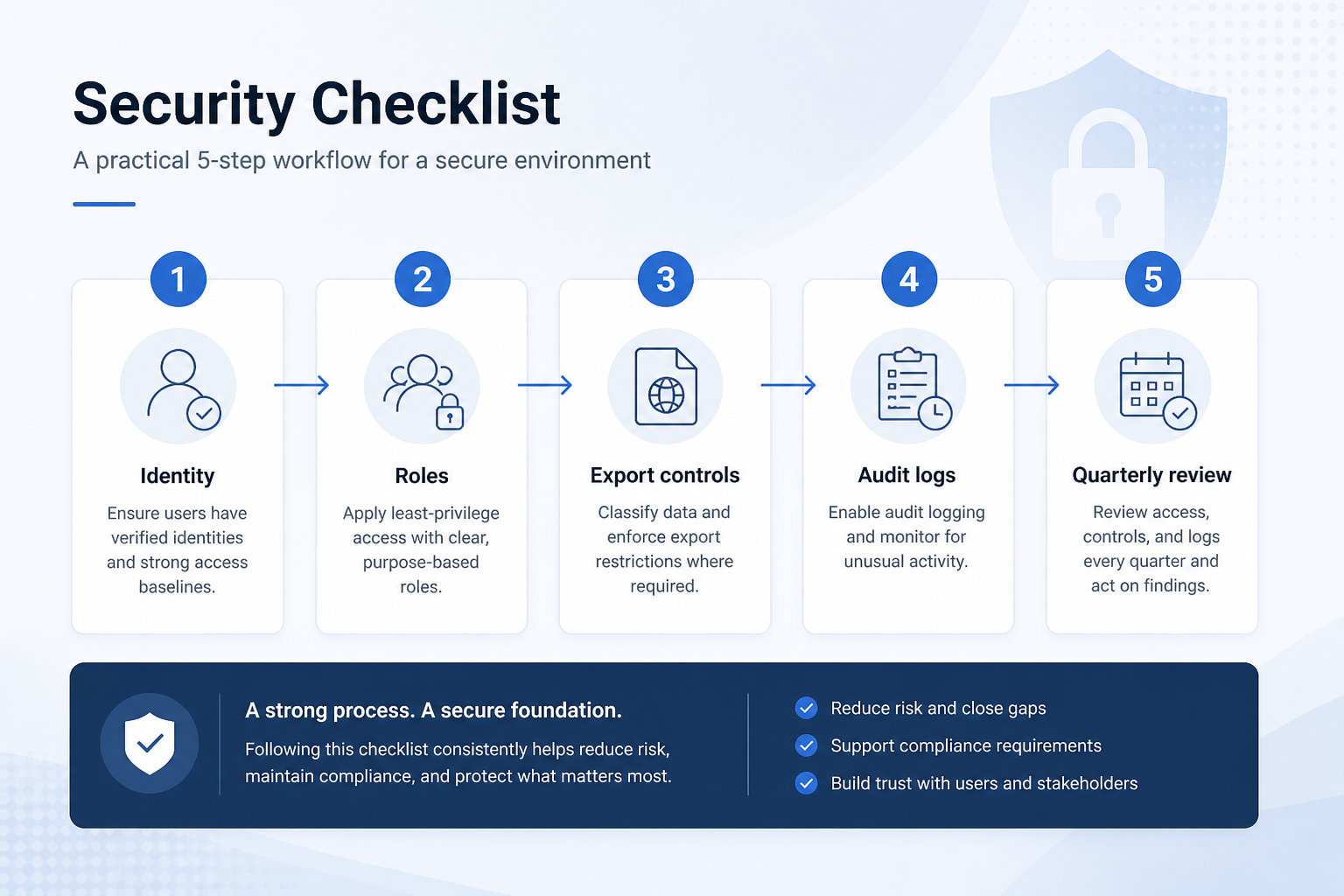
- 1
Draft the access map
Roles against view, edit, export, and admin on accounts, contacts, deals, and activities.
- 2
Identity
Confirm SSO and MFA on the quoted plan, plus joiner and leaver paths.
- 3
Roles
Configure least privilege in trial and test visibility as each persona.
- 4
Export controls
Limit contact and deal extraction, inventory connected apps, and document sync privacy.
- 5
Audit logs
List the events you need and pull a sample evidence export yourself.
- 6
Access reviews
Schedule the recurring review with defined inputs, an owner, and a signer.
Preview the checklist
Download ExcelRepresentative rows from the downloadable artifact. Full workbook includes Test / Scenario, Evidence, and Result columns.
| # | Check item | Why it matters | Required? | Evidence | Result |
|---|---|---|---|---|---|
| 1. Identity: SSO & MFA on the quoted plan | |||||
| 1.1 | SSO availability confirmed on the quoted plan | Identity features shown in demos are frequently sold on a higher tier than the quote. | Must-have | — | Not tested |
| 1.2 | MFA expectation written | “SSO handles it” is not a policy until you name where MFA is enforced. | Must-have | — | Not tested |
| 1.3 | Joiner and leaver paths defined | Most stale CRM access starts with a manual joiner-leaver process nobody owns. | Must-have | — | Not tested |
| 1.4 | Same-day leaver disablement tested | A leaver keeping access to the customer book is the sharpest risk CRM carries. | Must-have | — | Not tested |
| 2. Roles & object visibility | |||||
| 2.1 | Access map drafted: roles against objects | Everything else in this checklist is guesswork until visibility is written down. | Must-have | — | Not tested |
| 2.2 | Production role list matches the map | Roles that exist only in production drift away from the design immediately. | Must-have | — | Not tested |
| 2.3 | Contact visibility tested per persona | Broad contact visibility is the most common oversharing default. | Must-have | — | Not tested |
| 2.4 | Deal visibility tested per persona | Pipeline amounts are visible to more people than most teams intend. | Must-have | — | Not tested |
Worked example
Hypothetical Vendor A / Vendor B scenario for teaching the artifact — not a SoftwareGlimpse case study.
Requirement
Only named roles can export contacts and deals, and exports leave an audit record we can pull on the quoted plan.
Vendor A
PASSExport permission was role-scoped in trial, and export events appeared in an audit extract the buyer pulled themselves.
Vendor B
PARTIALExport restriction works, but export audit events are only available on a tier above the quoted plan.
Evidence: Persona test in trial plus a written vendor answer naming the plan on the quote.
What counts as evidence?
Counts
- • Written vendor answer naming the plan on your quote
- • Official documentation for that plan or edition
- • Configuration observed in trial or sandbox (persona test)
- • A sample audit export you pulled yourself
- • A runbook that has been tested at least once
Does not count
- • Compliance badge or trust-page logo
- • Sales assurance with no plan scope
- • A control demonstrated on a higher tier than you would buy
- • Roadmap commitment
- • “Your data is stored securely” with no control named
Related resource journey
Use before
Use with
FAQ
How is this different from the evaluation checklist?
The evaluation checklist keeps light gates — can a seller do admin actions, is SSO needed, how much admin effort is there. This checklist is the deeper pass: a written access map, plan-scoped identity answers, export controls on contacts and deals, sync privacy, audit evidence you pulled yourself, and a review cadence.
Is this legal or compliance advice?
No. It is an operational checklist for evaluating and running CRM access controls. Bring in your security, legal, or compliance partners for regulatory interpretation, particularly for the client-book section.
When should we run it?
During validation, sending identical questions to every finalist, and again as a pre-go-live gate. Re-run it after changes to SSO, the role model, email sync, or integrations.
What if a vendor cannot audit contact and deal exports?
Record it as a gap with an owner and a compensating control, or treat it as a disqualifier based on your access map. Note the answer next to the plan on your quote — unread storage is not a control.
Do we need a financial-services-specific CRM?
Not automatically. Many teams meet their needs with a general CRM that supports roles, sharing rules, export controls, and auditability, plus disciplined process. Use the client-book section when advisor visibility and export attestations matter, and verify each answer with the vendor and your own owners.
How does this relate to the training plan?
Training teaches people how to work contacts and deals; this checklist decides what they can see, export, and reveal through mailbox sync. Keep role names identical across both so the curriculum matches least privilege.
Ready to use the CRM Security Checklist?
Download the artifact, or continue with a related tool or guide.
Part of CRM resources · CRM Software hub
SoftwareGlimpse Updates
Want clearer software shortlists? Get buying guides and comparisons by email.
Newsletter coming soon.