CRM Migration Checklist
Gate the data move: inventory, mapping, dry run, cutover, rollback.
Use this for the records themselves — what moves, what it becomes, what a rehearsal proved, and what would make you stop the cutover and go back.
Free to use · No email required · Updated 15 Aug 2026
- Best for
- Data owners
- Stage
- Implement
- Time
- Per migration wave
- Format
- XLSX + PDF + MD
26
checklist items
5
categories
Implement
buying stage
XLSX + PDF + MD
download formats
What's inside
Source inventory
Every system holding accounts, contacts, or deals — with an owner and a move decision.
Field & value mapping
Source to target per object, plus stage, forecast, and owner translations.
Duplicate survivorship
Match keys, which record wins, and how deals and activities follow the survivor.
Dry runs
A timed rehearsal in staging with an error report and named sample checks.
Cutover runbook
Freeze, extract, load, smoke, open — in order, with times logged per object.
Rollback triggers
What stops the migration, who calls it, and where the previous state still lives.
What this tool helps you do
A known, owned inventory
Every dataset has an owner and an explicit decision to migrate, archive, or leave.
Mapping the business signed
Stage, forecast, and owner translations are agreed before any transform runs.
A boring cutover
The rehearsal tells you the timings, the errors, and what would make you roll back.
How to use this checklist
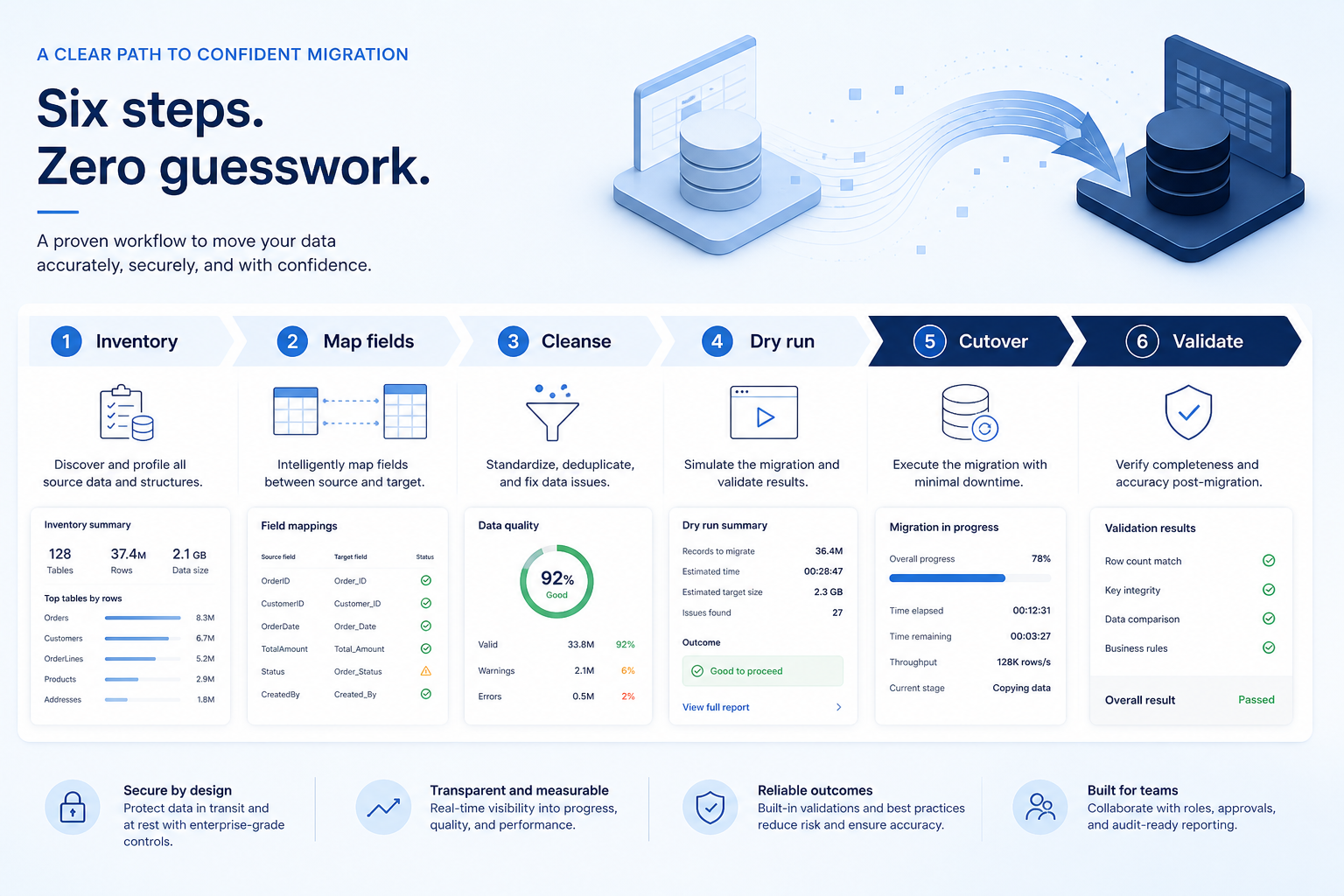
- 1
Inventory the sources
List every system holding CRM records, with volumes, history depth, and an owner.
- 2
Map fields and values
Source to target per object, plus stage, forecast, and owner translations signed by the business.
- 3
Cleanse and dedupe
Set match keys, survivorship, defaults for required fields, and the exclusion list.
- 4
Dry run and fix
Load into staging, time it, fix the defects, and have owners check named records.
- 5
Freeze and cut over
Follow the runbook: freeze writes, extract, load, smoke, then decide whether to open.
- 6
Validate and watch
Reconcile pipeline totals, staff a merge queue, and keep rollback available.
Preview the checklist
Download ExcelRepresentative rows from the downloadable artifact. Full workbook includes Test / Scenario, Evidence, and Result columns.
| # | Check item | Why it matters | Required? | Evidence | Result |
|---|---|---|---|---|---|
| 1. Inventory gate | |||||
| 1.1 | Every source system listed with an owner | Shadow spreadsheets appear after cutover as “missing data” with no route back. | Must-have | — | Not tested |
| 1.2 | Objects in and out of scope written down | Unstated scope turns into an argument during the freeze window. | Must-have | — | Not tested |
| 1.3 | Open pipeline deals scoped explicitly | Open deals are the first records the business checks and the most expensive to get wrong. | Must-have | — | Not tested |
| 1.4 | History depth decided | Activity and email history usually drives volume and effort more than contacts do. | Must-have | — | Not tested |
| 2. Mapping gate | |||||
| 2.1 | Field mapping workbook complete and reviewed | Similar field names routinely hide different meanings and different types. | Must-have | — | Not tested |
| 2.2 | Stage and forecast translations signed | A wrong stage map poisons every pipeline and forecast report from day one. | Must-have | — | Not tested |
| 2.3 | Owner mapping resolved, including leavers | Deals owned by inactive users become invisible work nobody chases. | Must-have | — | Not tested |
| 2.4 | Account, contact, and deal relationships preserved | Records that arrive unlinked are often worse than records that did not arrive. | Must-have | — | Not tested |
Worked example
Hypothetical dry-run scenario for teaching the artifact — not a SoftwareGlimpse case study.
Requirement
Every open deal arrives with the correct stage, amount, and owner after load.
Dry run 1
FAILLegacy stage names fell through to the default, so a large share of open deals landed in the first stage.
Dry run 2
PASSAfter a signed stage translation table, business owners matched a sample of known deals end to end.
Evidence: Staging load reports plus business-owner checks on named accounts and open deals.
What counts as evidence?
Counts
- • A staging load report with error counts and timings
- • Business-owner sign-off on named sample records
- • Pipeline totals reconciled against the source within an agreed tolerance
- • A rollback plan with named triggers and a decision owner
Does not count
- • Matching row counts on their own
- • A mapping workbook nobody outside the data team reviewed
- • “The import tool handles that”
- • A cutover plan that has never been rehearsed
Related resource journey
Use before
Use next
FAQ
What does this checklist deliberately leave out?
Configuration and pilot gates belong in the CRM Implementation Checklist, and launch day belongs in the CRM Go-Live Checklist. Detailed source-to-target rows belong in a field mapping template. This checklist gates the move itself.
Do we migrate all historical activity?
Often not. Many teams migrate recent activities and leave older history in a read-only archive. Decide explicitly, because activity and email volume usually drives complexity more than contact counts do.
How many dry runs do we need?
At least one full rehearsal covering accounts, contacts, and deals. Add a second when volumes are large, the stage or owner maps are complex, or the first run revealed mapping defects. Timing the dry run is how you learn the real cutover window.
What counts as validation beyond row counts?
Business owners opening named accounts and open deals and confirming stage, amount, owner, next step, and linked contacts — plus a pipeline and forecast comparison against the source within an agreed tolerance, with variance explained.
When is rollback the right call?
When smoke checks fail, open pipeline data is wrong at scale, sync is down, or an operationally critical integration has failed — and the freeze window still allows returning to the source system. Write the triggers before cutover night, not during it.
Who signs the mapping?
The business owner for each dataset signs the field map, and sales leadership signs the stage and forecast translations. The data team owns the workbook, but it should never be the only party that has read it.
Ready to use the CRM Migration Checklist?
Download the artifact, or continue with a related tool or guide.
Part of CRM resources · CRM Software hub
SoftwareGlimpse Updates
Want clearer software shortlists? Get buying guides and comparisons by email.
Newsletter coming soon.