CRM Data Migration Template
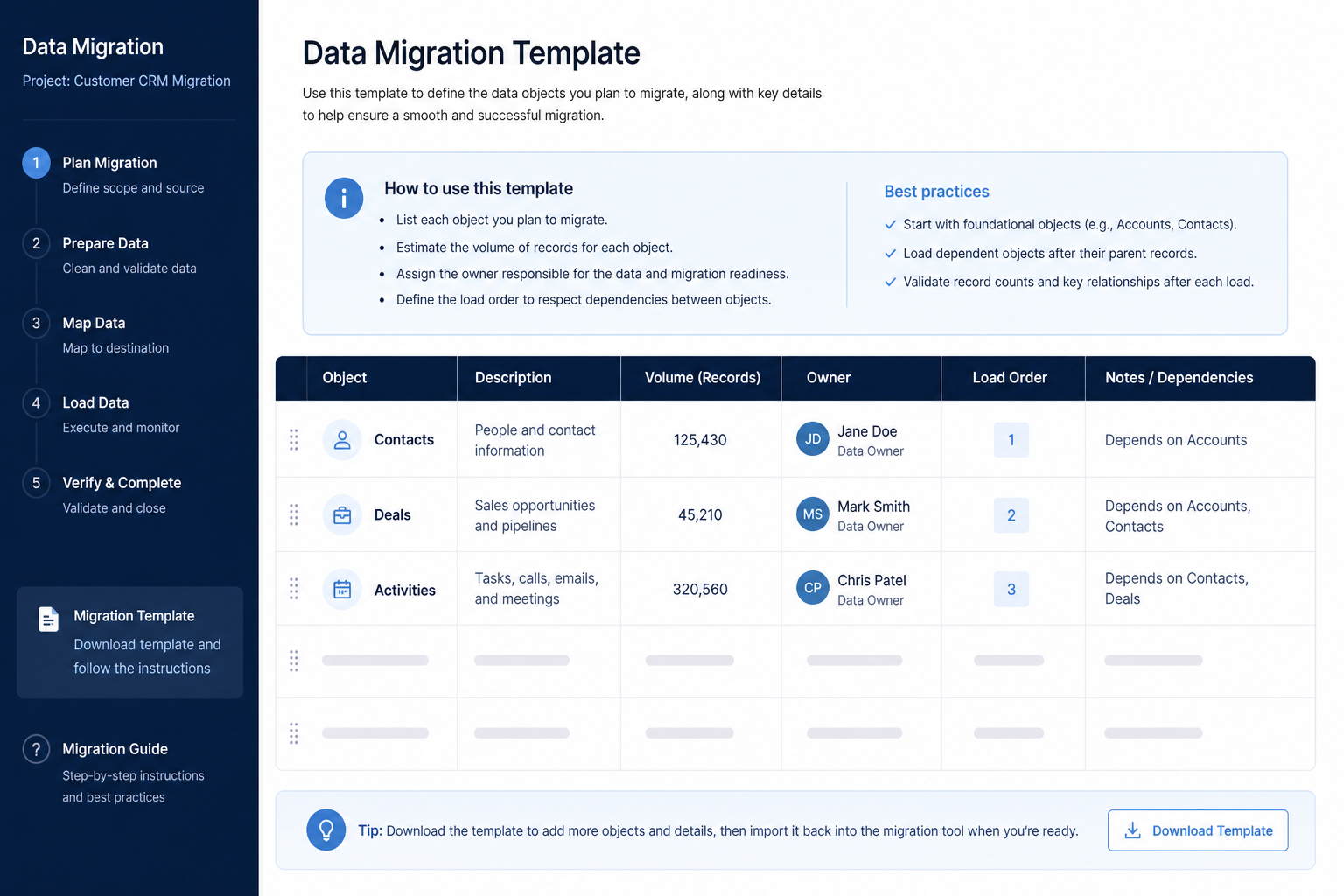
Inventory CRM objects, volumes, owners, and load order.
One row per CRM object — accounts, contacts, deals, activities, leads — with its source, record count, data owner, dependencies, and load-order number, agreed before anyone maps a field.
Free to use · No email required · Updated 15 Aug 2026
- Best for
- Migration leads
- Stage
- Implement
- Time
- 2–8 hours
- Format
- XLSX + PDF + MD + CSV
32
template sections
6
categories
Implement
buying stage
XLSX + PDF + MD + CSV
download formats
What's inside
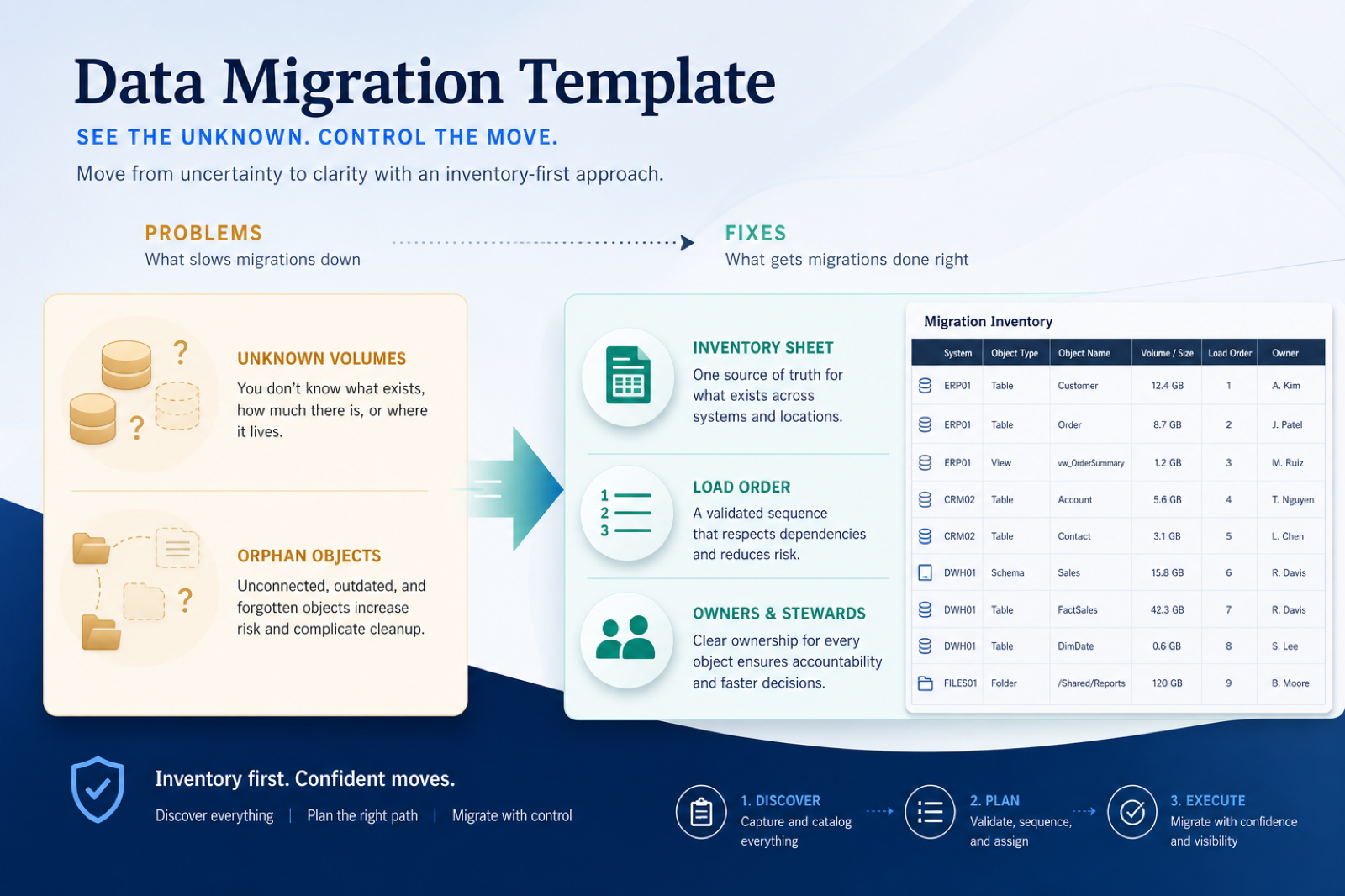
Source systems
Legacy CRM, spreadsheets, and tools — with the primary source per object.
Object inventory rows
Accounts, contacts, deals, activities, leads, users, and customs.
Volumes & open vs archive
Record counts and the rule that separates working records from history.
Owners per object
A business owner for quality and a technical owner for the load.
Dependencies & load order
Parent–child links and a numbered sequence that keeps records connected.
Sign-off & handoff
A dated version, plus what passes to the field map and migration checklist.
What this tool helps you do
Explicit scope per CRM object
Everyone knows which accounts, contacts, deals, activities, and leads move in wave one.
A load order that keeps links intact
Parents land before children, so account–contact–deal relationships and owners survive.
Owned data quality
Each included object has a business owner for quality and a technical owner for the load.
A plannable migration
Honest counts and dependencies let the migration checklist set real dates and gates.
How to use this template
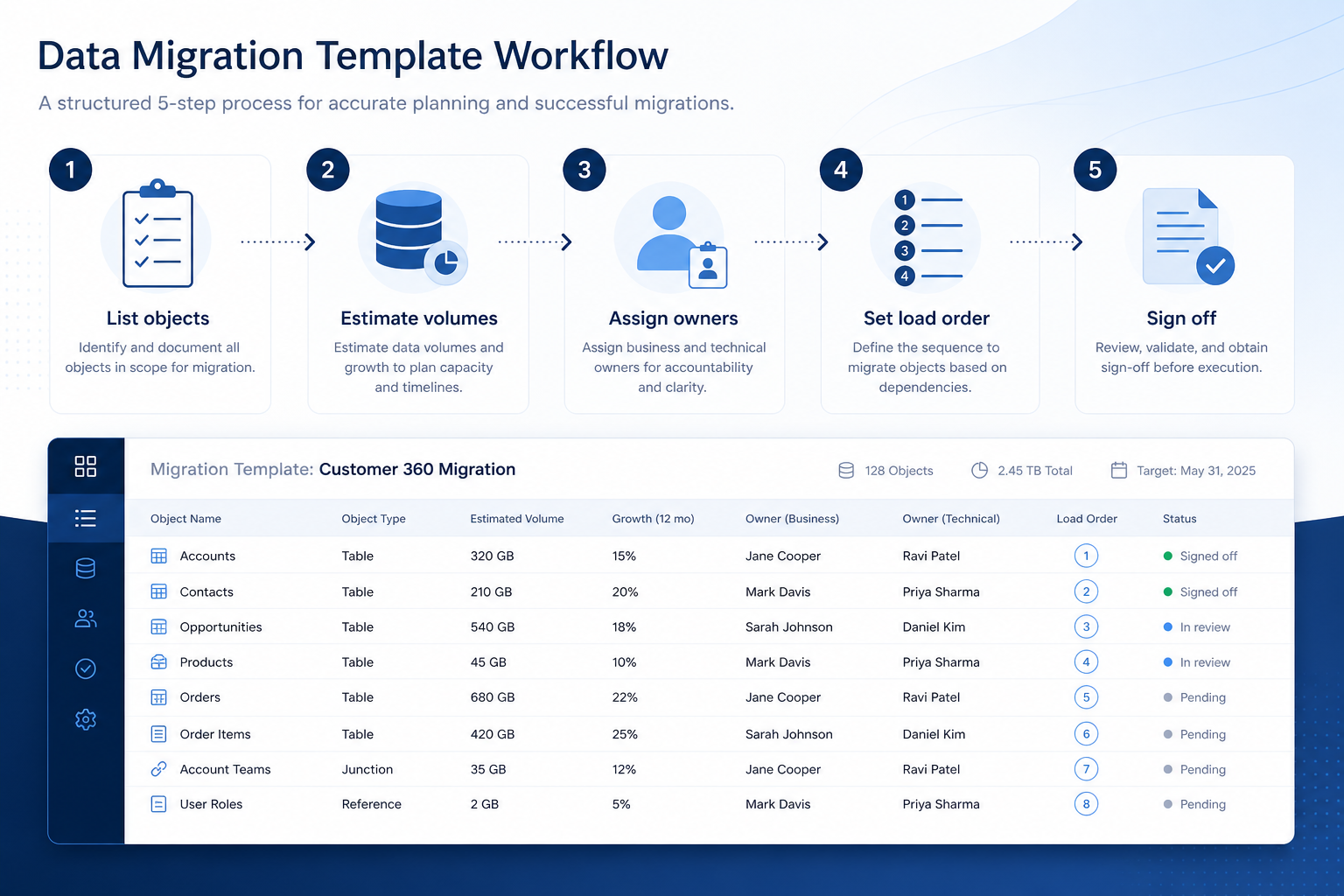
- 1
List objects
One row per CRM object per source, with an explicit wave-one include or exclude.
- 2
Estimate volumes
Pull record counts from real exports and split working records from archive.
- 3
Assign owners
Name a business owner for quality and a technical owner for the export and load.
- 4
Set load order
Write parent–child dependencies, then number the sequence without conflicts.
- 5
Sign off
Date the version, then hand field rules to the field map and gates to the migration checklist.
Preview the template
Download ExcelRepresentative rows from the downloadable artifact. Full workbook includes Test / Scenario, Evidence, and Result columns.
| # | Check item | Why it matters | Required? | Evidence | Result |
|---|---|---|---|---|---|
| 1. Source systems | |||||
| 1.1 | Every candidate source listed | The source you forget is the spreadsheet someone keeps using after go-live. | Must-have | — | Not tested |
| 1.2 | Primary source named per object | Two systems claiming the same open deals guarantees duplicates. | Must-have | — | Not tested |
| 1.3 | Export method and access recorded | Nobody should discover during cutover that an export needs vendor support. | Must-have | — | Not tested |
| 1.4 | Excluded sources written down with a reason | Silent exclusions get re-litigated in the middle of cutover week. | Nice-to-have | — | Not tested |
| 2. Object inventory | |||||
| 2.1 | Accounts / companies row filled | Accounts are the parent nearly every other object hangs from. | Must-have | — | Not tested |
| 2.2 | Contacts row filled with a match key | Contacts are where duplicates bite hardest, and the key decides the outcome. | Must-have | — | Not tested |
| 2.3 | Deals / opportunities row split open vs closed | Open pipeline is the object the business notices immediately if it is wrong. | Must-have | — | Not tested |
| 2.4 | Activities row decided (include, exclude, later wave) | Activity history is usually the largest object and the easiest to underestimate. | Must-have | — | Not tested |
Worked example
Hypothetical object rows for teaching the artifact — not a SoftwareGlimpse case study.
Requirement
Every included object has a record count, a named owner, and a load-order number before mapping starts.
Accounts
PASSCount pulled from the legacy export, business and technical owners named, load order 2 behind the user load.
Deals
PARTIALCount and owner are set, but the load-order number is provisional until the user and seat map is confirmed.
Activities
NOT TESTEDVolume unknown and no owner has accepted the row, so activities are deferred to a later wave in writing.
Evidence: Record counts from a real export, plus a named owner who accepted each row.
What counts as evidence?
Counts
- • Record count from a real export or report
- • A named person who accepted the owner role
- • Dependency confirmed against the target CRM data model
- • Written wave-one include or exclude decision
Does not count
- • Counts recalled from memory
- • An object row with a “TBD” owner
- • Load order implied by spreadsheet tab order
- • Assuming the importer will resolve links for you
Related resource journey
Use before
Use with
FAQ
Is this the same as field mapping?
No. This sheet inventories objects, volumes, owners, and load order. The CRM Field Mapping Template defines source→target fields and transforms such as stage values, owner email lookups, amounts, and close dates. Fill the inventory first so the map knows which objects exist.
How is it different from the migration checklist?
The checklist owns the gates — dry run, freeze window, validation, cutover, rollback. This template owns the scope those gates run against. Keeping them separate stops the checklist from turning into a scoping argument mid-cutover.
Should we migrate all historical activities?
Only if someone will use them and someone will own them. Many teams move open accounts, contacts, and deals first and record activities as a later wave — the decision belongs on the activities row, not in a hallway conversation.
How accurate do record counts need to be?
Accurate enough to plan load windows and cleanup effort, and pulled from a real export rather than memory. Re-count fast-growing objects closer to the move.
What if two systems claim the same records?
Name one primary source per object on the source row and record how conflicts resolve. Without that, both systems load and the team inherits duplicates on day one.
Ready to use the CRM Data Migration Template?
Download the artifact, or continue with a related tool or guide.
Part of CRM resources · CRM Software hub
SoftwareGlimpse Updates
Want clearer software shortlists? Get buying guides and comparisons by email.
Newsletter coming soon.