CRM Field Mapping Template
Plan exactly how fields, values and relationships move from your existing CRM into the new system.
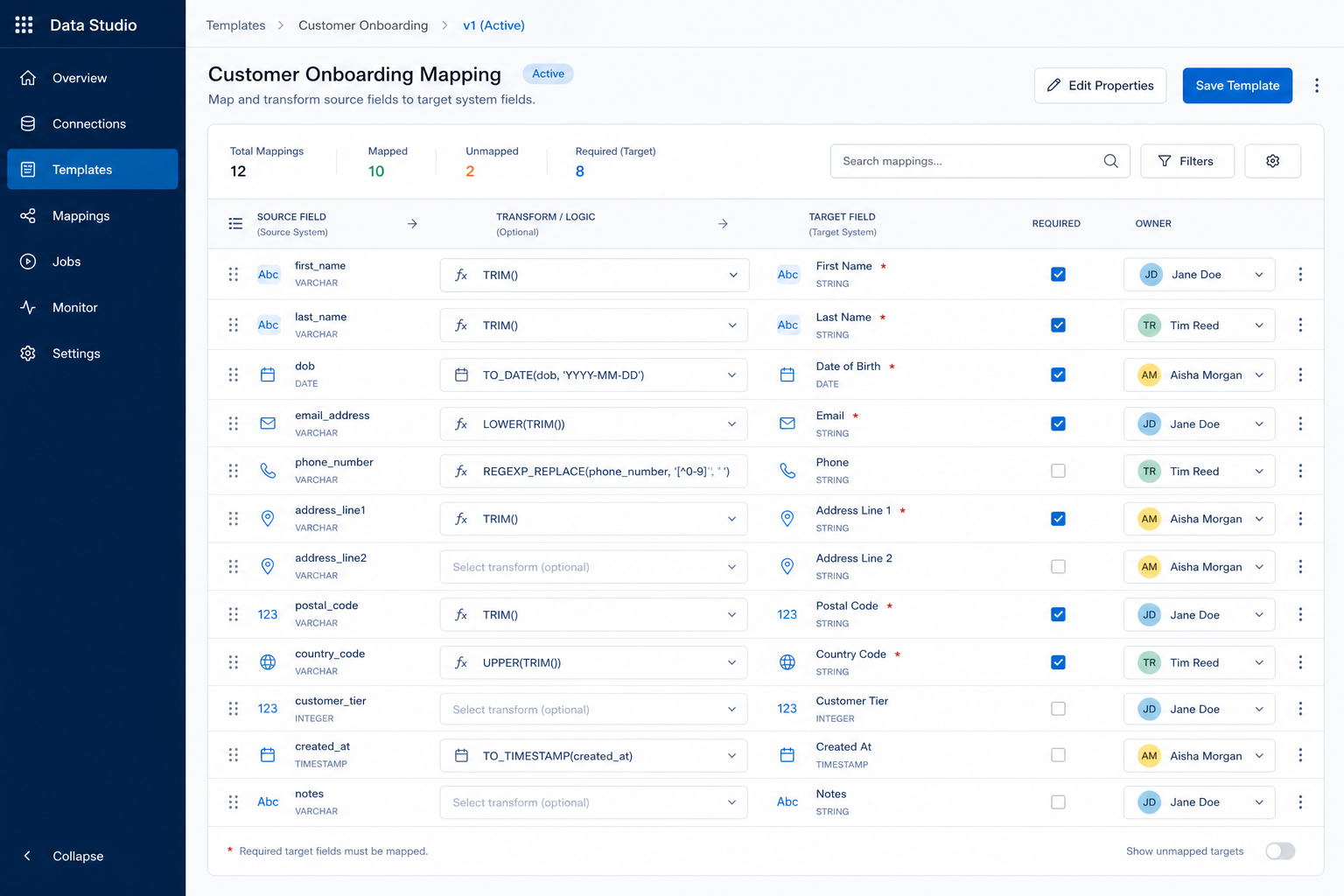
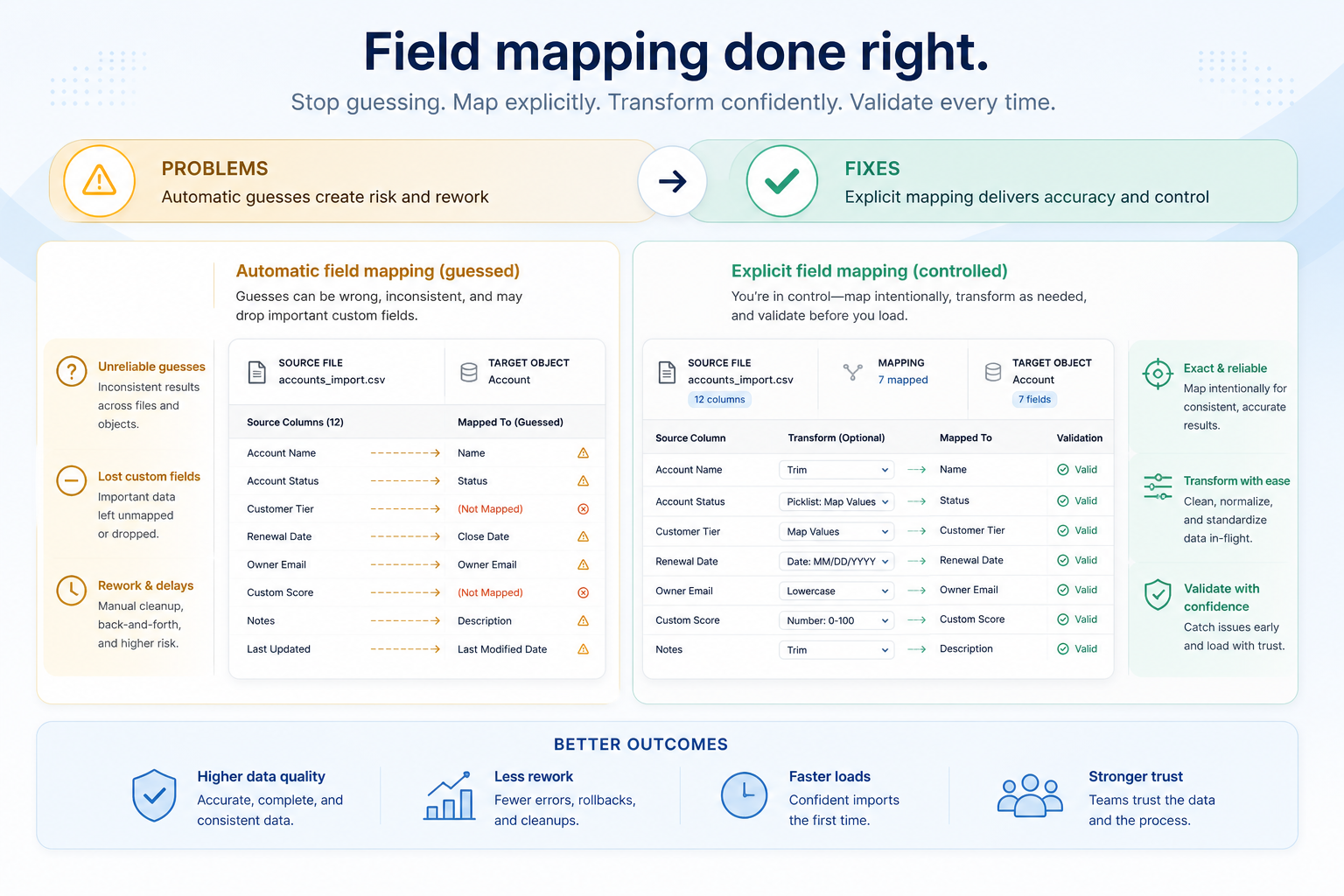
This is not a CRM evaluation checklist. It is a working data-mapping artifact used to specify exactly how source CRM data becomes target CRM data — objects, fields, transforms, picklists, lookups, ownership, validation, and migration readiness.
Free to use · No email required · Updated 15 Aug 2026
- Best for
- Migration leads
- Stage
- Implement
- Time
- Per object set — workshop to multi-day
- Format
- XLSX + PDF + MD + CSV
8
PDF guide pages
10
Excel workbook sheets
Field matrix
primary working artifact
Readiness
BLOCKED · NOT READY · TEST · PRODUCTION
What's inside
Object mapping
Source→target objects, migrate yes/no, volumes, owners, and status.
Field mapping matrix
Source and target fields, types, mapping type, transforms, owners, status.
Picklist & value maps
Source value → target value with approval and unknown-value handling.
Transformations & lookups
Rule IDs, examples, expected outputs, and reference resolution.
Validation & readiness
Test log plus dashboard counts — BLOCKED through PRODUCTION READY.
Decisions & sign-off
Issues, exceptions, and formal approval for test or production load.
What this tool helps you do
Inventory source fields
Know what exists before deciding what moves.
Map objects and fields
Explicit source→target with mapping type on every included row.
Define transforms and value maps
Testable rules with examples — not tribal knowledge.
Assign ownership
Business and technical owners for required and complex rows.
Surface unmapped fields and risks
Excluded, blocked, and open issues stay visible.
Decide migration readiness
Deterministic readiness from workbook state — not a decorative score.
How to use this template
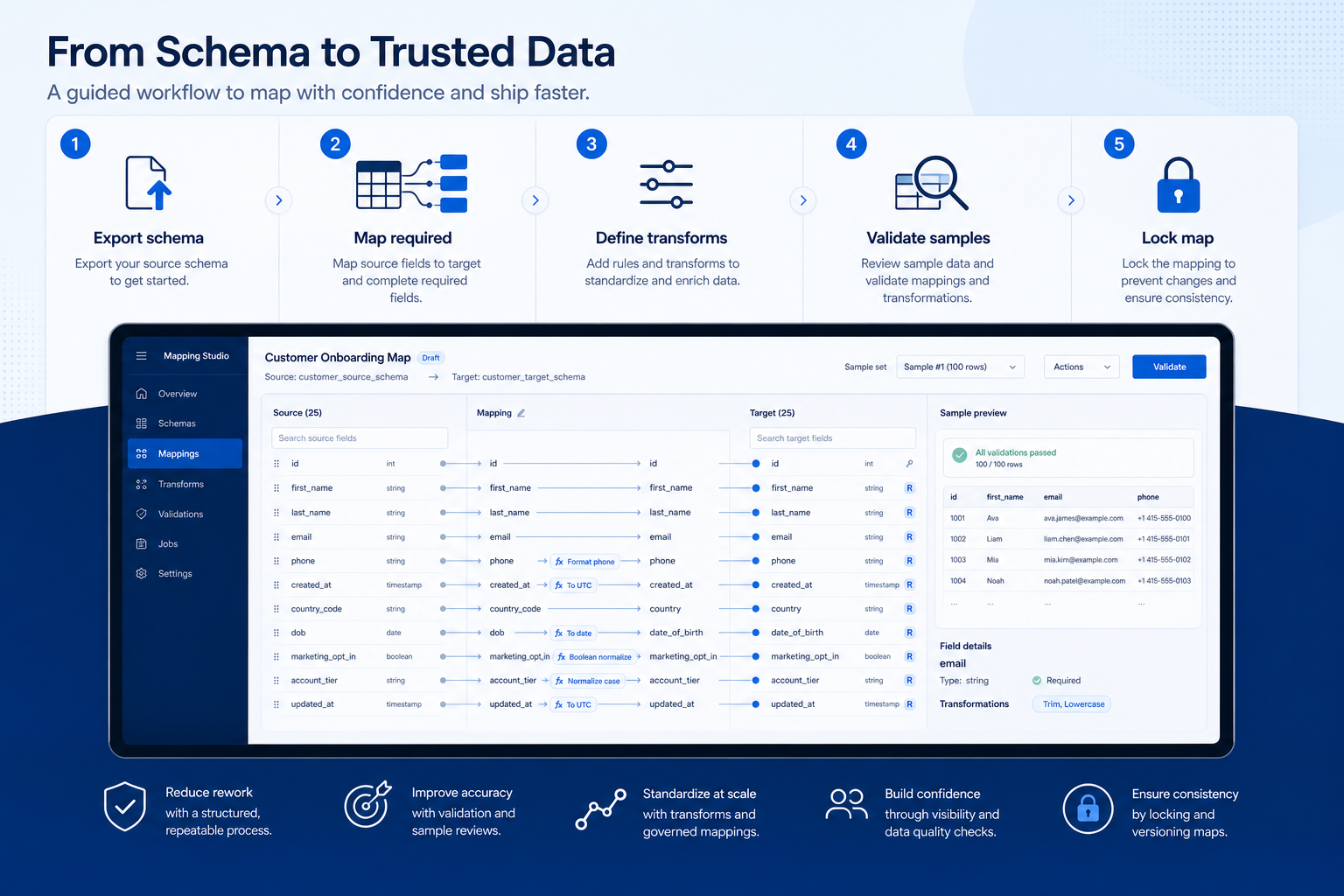
- 1
Inventory source objects
Export real schema and volumes — do not invent headers.
- 2
Map target objects
Decide Full / Reference / None per object with an owner.
- 3
Map fields
Fill the field matrix — required targets first.
- 4
Define transformations
Value maps, lookups, parses, concatenations, defaults.
- 5
Validate sample records
Run sample tests; log pass/fail and issues.
- 6
Sign off mapping
Freeze for test or production only when readiness allows.
Example field mapping structure
Download ExcelRepresentative modules from the Excel mapping workbook and PDF guide. Full pack includes object map, field matrix, value maps, transforms, lookups, validation, and readiness.
Step 1
1. Project setup
Source and target CRM, owners, and migration date.
- Source CRM / Target CRM named — Edition and environment matter for field availability.
- Migration and business owners named — Who freezes the map and who accepts exceptions.
Step 2
2. Object mapping
Which objects move, which are reference-only, which are excluded.
- Source object → target object — Keep names identical to the Data Migration Template.
- Migration scope and status — Full / Reference / None — Blocked needs a decision.
Step 3
3. Field mapping matrix
The core artifact — one row per field mapping decision.
- Source and target field + types — Copied from schema, not recalled from memory.
- Mapping type and transformation — Direct, Rename, Transform, Value mapping, Lookup, Do not migrate…
Step 4
4. Value maps & transforms
Picklists, rule IDs, and lookup keys that break loads when skipped.
- Picklist / value mapping sheet — Including unknown-value handling.
- Transformation and lookup sheets — Example input → expected output before pilot.
Step 5
5. Validation & sign-off
Tests, issues, readiness, and formal approval.
- Dashboard readiness — BLOCKED → NOT READY → TEST READY → PRODUCTION READY.
- Sign-off and remaining blockers — Then hand off to Migration Checklist / cutover.
- Flow: Source CRM → Object mapping → Field mapping → Transform → Validation → Target CRM
Worked example (illustrative)
Hypothetical Pipedrive → HubSpot teaching scenario — not a SoftwareGlimpse vendor endorsement or migration case study.
Requirement
Show how source objects and a mix of mapping types become a freeze-ready field map — teaching only, not product research.
Person → Contact (email Direct; owner Lookup)
PASSIllustrative Pipedrive → HubSpot teaching row — email Direct; owner email Lookup with fallback queue.
Organization → Company (Rename / Transform)
PARTIALcompany_name → name ready; annual_revenue_text parse still needs sample validation.
Deal stage Value mapping
PARTIAL“Contract Sent” mapped; remaining source stages still need approval.
Legacy Note excluded
PASSExplicit Do not migrate so tribal notes are not imported by accident.
Evidence: EXAMPLE rows in Excel/PDF labelled ILLUSTRATIVE — replace with fields copied from a real export and the configured target CRM.
What counts as evidence?
Counts
- • Field names copied from a real source export or API schema
- • Target field confirmed in the configured CRM org / portal
- • Sample source value with expected output for non-trivial transforms
- • Named business and technical owners on required rows
Does not count
- • Field names recalled from memory or a sales deck
- • “The importer will figure it out”
- • Transforms described only in chat
- • Silent defaults added only to silence load errors
Related resource journey
FAQ
Is this a CRM evaluation checklist?
No. Pass / Partial / Fail belongs on evaluation and migration gate checklists. This workbook specifies how source data becomes target data.
Why is Excel the primary download?
Field mapping is interactive: hundreds of rows, filters, formulas, and readiness counts. The PDF is the workshop guide and sign-off record.
Do we map every source column?
No. Map what the team will operate and report on. Explicitly mark Do not migrate / Archive for the rest so legacy noise is not imported by accident.
What if a required target field has no source?
Record the decision on the row: derive it, use an approved default, leave blank with a named post-load owner, or remediate before load. Do not leave it to the importer.
How does this relate to the Data Migration Template?
That template inventories objects, volumes, owners, and load order. This one defines field-level transforms inside those objects. Keep object names identical across both.
When is the map PRODUCTION READY?
Only when required target mappings are approved, required validation tests pass, and blocker issues are closed — per the Excel Dashboard formula. Decorative percentage scores are not used.
Ready to map source fields to your target CRM?
Download the Excel mapping workbook first, then use the PDF as the workshop and sign-off guide — replace EXAMPLE rows with your schema.
Part of CRM resources · CRM Software hub
SoftwareGlimpse Updates
Want clearer software shortlists? Get buying guides and comparisons by email.
Newsletter coming soon.