Microsoft Teams vs Slack
Microsoft Teams fits organisations standardised on microsoft 365; Slack fits tech and product orgs standardising on channel-based team messaging.

Microsoft Teams
M365 collaboration hub (chat, meetings, files) with optional Teams Phone telephony add-on — free Teams tier exists; Phone Standard ~$10/user/month annual plus PSTN.
Best for
- • Organisations standardised on Microsoft 365
- • Buyers who need chat + meetings + files under one identity plane
Starting from $0.00/user/mo
Free plan available
VS
Our verdict
Depends — no universal winner. This is a collaboration comparison, not a phone shootout. Slack wins for channel-first tech/product team messaging culture; Microsoft Teams wins as the M365 collaboration hub (chat, meetings, files, identity). Buy phone separately (or Teams Phone) if PSTN is required.
Microsoft Teams is better for
- ✓ Number / country coverage
- ✓ Routing & IVR
Tie
- • Power dialer
- • WhatsApp Business
- • CRM / CTI integrations
Choose Microsoft Teams if: Organisations standardised on Microsoft 365
Choose Slack if: Tech and product orgs standardising on channel-based team messaging

Slack
Channel-based team messaging platform — Free $0, Pro $7.25/user/month annual, Business+ $15, Enterprise+ contact sales; huddles for light video, not a phone system.
Best for
- • Tech and product orgs standardising on channel-based team messaging
- • Teams that want Slack Connect and a deep app directory
Starting from $7.25/user/mo
Free plan available
Quick verdict
Start here — then dig into the evidence below.
Choose Microsoft Teams if…
- Organisations standardised on Microsoft 365
- Buyers who need chat + meetings + files under one identity plane
- You prioritize number / country coverage
- You prioritize routing & ivr
Choose Slack if…
- Tech and product orgs standardising on channel-based team messaging
- Teams that want Slack Connect and a deep app directory
Overall recommendation
Depends — no universal winner. This is a collaboration comparison, not a phone shootout. Slack wins for channel-first tech/product team messaging culture; Microsoft Teams wins as the M365 collaboration hub (chat, meetings, files, identity). Buy phone separately (or Teams Phone) if PSTN is required.
Key trade-off
Microsoft Teams's clearest edge is number / country coverage.
Winner by category
Only dimensions with researched evidence for this pair.
| Dimension | Winner | Why |
|---|---|---|
| Number / country coverage | Microsoft Teams wins | Stronger cloud phone availability |
| Power dialer | Tie | Microsoft Teams and Slack have the same researched availability on power dialer (Microsoft Teams: not-supported; Slack: not-supported). |
| WhatsApp Business | Tie | Microsoft Teams and Slack have the same researched availability on whatsapp business (Microsoft Teams: not-supported; Slack: not-supported). |
| CRM / CTI integrations | Tie | Microsoft Teams and Slack are close on crm-integrations (10/10 vs 10/10) from SoftwareGlimpse business-communications editorial judgments grounded in vendor documentation — not hands-on lab testing. |
| Routing & IVR | Microsoft Teams wins | Microsoft Teams leads on routing (5/10 vs 4/10) from SoftwareGlimpse business-communications editorial judgments grounded in vendor documentation — not hands-on lab testing. |
| Reporting | Tie | Microsoft Teams and Slack are close on analytics (6/10 vs 6/10) from SoftwareGlimpse business-communications editorial judgments grounded in vendor documentation — not hands-on lab testing. |
| AI features | Tie | Microsoft Teams and Slack are close on ai-features (8/10 vs 8/10) from SoftwareGlimpse business-communications editorial judgments grounded in vendor documentation — not hands-on lab testing. |
Side-by-side feature matrix
Normalized availability from product research — empty rows are not shown.
Voice
| Feature | Microsoft Teams | Slack |
|---|---|---|
| Cloud phone / VoIP | Moderate | Limited |
| Call routing & IVR | Moderate | Limited |
| Call recording | Moderate | Limited |
| Power dialer | Limited | Limited |
Messaging
| Feature | Microsoft Teams | Slack |
|---|---|---|
| SMS messaging | Moderate | Limited |
| WhatsApp Business | Limited | Limited |
| Shared inbox | Moderate | Moderate |
| Team messaging | Strong | Strong |
| Unified multichannel inbox | Moderate | Moderate |
| Video meetings | Strong | Moderate |
Platform
| Feature | Microsoft Teams | Slack |
|---|---|---|
| CRM / CTI integrations | Moderate | Moderate |
| Analytics & reporting | Moderate | Moderate |
| AI assistance | Moderate | Moderate |
Pricing comparison
Pricing evidence last checked Aug 17, 2026.
Microsoft Teams
From $0.00/user/mo
- Microsoft Teams Free$0.00/user/mo
- Teams Phone Standard$10.00/user/mo
- Teams Calling Plan$17.00/user/mo
- Microsoft 365 EnterpriseCustom
Slack
From $7.25/user/mo
- Free$0.00/user/mo
- Pro$7.25/user/mo
- Business+$15.00/user/mo
- Enterprise+Custom
Seat-count estimates
Labeled estimates from verified starting per-seat pricing — not invoices.
| Seats | Microsoft Teams | Slack |
|---|---|---|
| 5 | — | ~$36.25/mo (5 × starting seat) |
| 10 | — | ~$72.50/mo (10 × starting seat) |
| 25 | — | ~$181.25/mo (25 × starting seat) |
| 50 | — | ~$362.50/mo (50 × starting seat) |
Estimate from verified starting per-seat pricing — actual total depends on plan, annual discounts, and add-ons.
Slack: Free $0, Pro $7.25, Business+ $15 per user/month annual; Enterprise+ contact sales. Microsoft Teams: free tier + M365 bundling; Teams Phone Standard ~$10/user/month annual plus Calling Plan ~$17 or Domestic+International ~$34 research floors. Research 2026-08-17.
Best for
Scenario picks from researched strengths — not a universal ranking.
- → Microsoft Teams
Best for number / country coverage
Stronger cloud phone availability
- → Microsoft Teams
Best for routing & ivr
Microsoft Teams leads on routing (5/10 vs 4/10) from SoftwareGlimpse business-communications editorial judgments grounded in vendor documentation — not hands-on lab testing.
The differences that actually matter
Pair-specific analysis for Microsoft Teams vs Slack — not generic category copy.
Starting pricing
DependsStarting pricing: Microsoft Teams — Both offer free tiers. Slack Pro $7.25 and Business+ $15 per user/month annual; Teams is often licensed via Microsoft 365 with a free Teams tier, while Teams Phone Standard ~$10/user/month annual plus PSTN calling plans (~$17–$34 research floors) when telephony is required.. Slack — Both offer free tiers. Slack Pro $7.25 and Business+ $15 per user/month annual; Teams is often licensed via Microsoft 365 with a free Teams tier, while Teams Phone Standard ~$10/user/month annual plus PSTN calling plans (~$17–$34 research floors) when telephony is required.. Feature evidence also diverges on Cloud phone / VoIP (Microsoft Teams: Moderate; Slack: Limited); Call routing & IVR (Microsoft Teams: Moderate; Slack: Limited); Call recording (Microsoft Teams: Moderate; Slack: Limited).
WhatsApp Business
TieMicrosoft Teams and Slack are close on whatsapp business. Microsoft Teams and Slack have the same researched availability on whatsapp business (Microsoft Teams: not-supported; Slack: not-supported).
Power dialer
TieMicrosoft Teams and Slack are close on power dialer. Microsoft Teams and Slack have the same researched availability on power dialer (Microsoft Teams: not-supported; Slack: not-supported).
Routing & IVR
Microsoft Teams aheadOn routing & ivr, Microsoft Teams is ahead. Microsoft Teams: Microsoft Teams leads on routing (5/10 vs 4/10) from SoftwareGlimpse business-communications editorial judgments grounded in vendor documentation — not hands-on lab testing.. Slack: Trails Microsoft Teams on this criterion.
CRM / CTI integrations
TieMicrosoft Teams and Slack are close on crm / cti integrations. Microsoft Teams and Slack are close on crm-integrations (10/10 vs 10/10) from SoftwareGlimpse business-communications editorial judgments grounded in vendor documentation — not hands-on lab testing.
Pros and cons
Product-specific for this pair — derived from researched outcomes and editorial notes.
Microsoft Teams
Pros
- Stronger on number / country coverage
- Stronger on routing & ivr
Slack
Cons
- Trails on number / country coverage
- Trails on routing & ivr
Who should not choose each product
Decision quality improves when we say who should walk away.
Don't choose Microsoft Teams if…
- Your primary fit looks closer to: Tech and product orgs standardising on channel-based team messaging
- Your primary fit looks closer to: Teams that want Slack Connect and a deep app directory
Don't choose Slack if…
- You need Microsoft Teams's stronger number / country coverage more than Slack's strengths
- You need Microsoft Teams's stronger routing & ivr more than Slack's strengths
- Your primary fit looks closer to: Organisations standardised on Microsoft 365
- Your primary fit looks closer to: Buyers who need chat + meetings + files under one identity plane
Alternatives worth considering
When neither product is the right fit.
Professional work-chat app for frontline and multi-site teams replacing WhatsApp groups — free tier, Pro $3/user/month yearly, Business+ $8 with HIPAA, integrations and AI agents.
Meetings-first Workplace suite plus Zoom Phone UCaaS — Phone US/CA Unlimited research floor ~$15–16/user/month; free meetings/chat exist but Phone is paid.
Final verdict
Scenario-level close — not a repeat of the intro.
Microsoft Teams wins when…
Organisations standardised on Microsoft 365
Slack wins when…
Tech and product orgs standardising on channel-based team messaging
- Best for number / country coverageMicrosoft Teams
- Best for routing & ivrMicrosoft Teams
Which one should you choose?
Choose Microsoft Teams if:
- Organisations standardised on Microsoft 365
- Buyers who need chat + meetings + files under one identity plane
Choose Slack if:
- Tech and product orgs standardising on channel-based team messaging
- Teams that want Slack Connect and a deep app directory
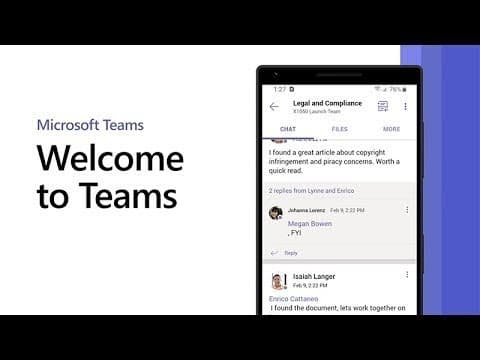
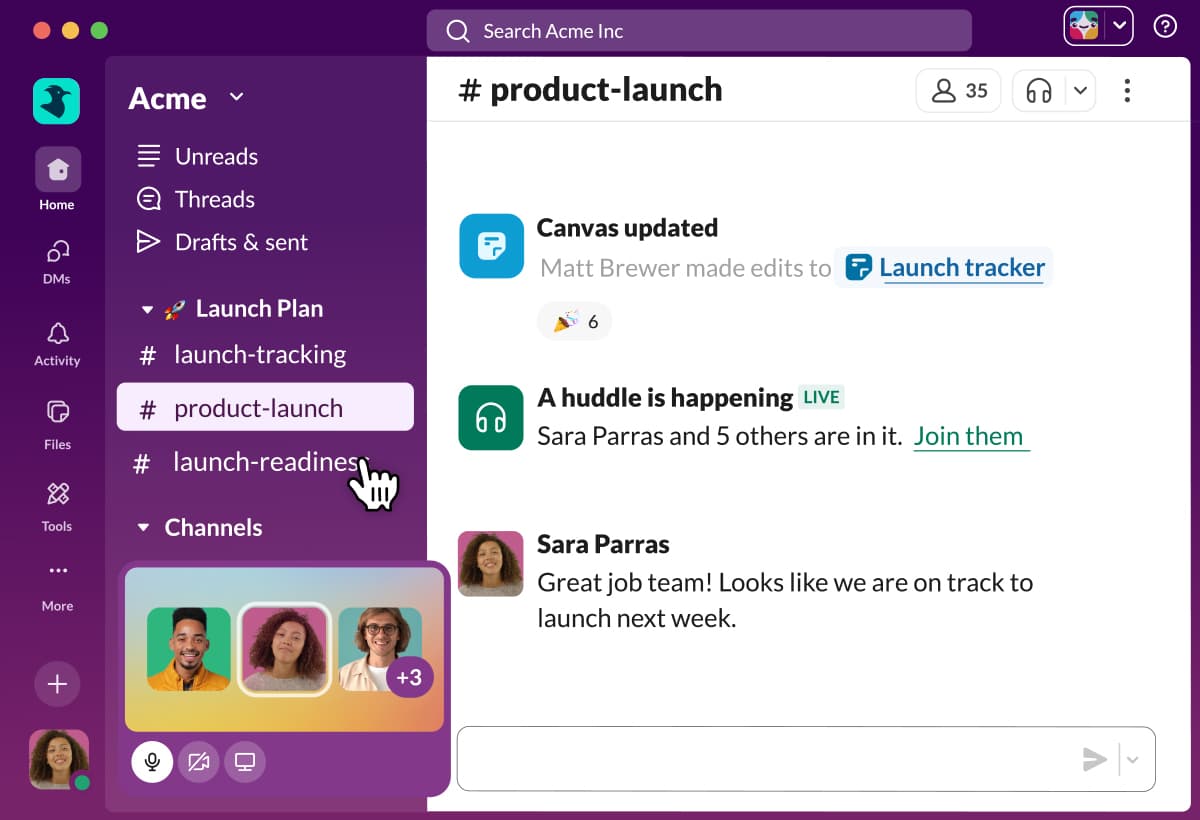
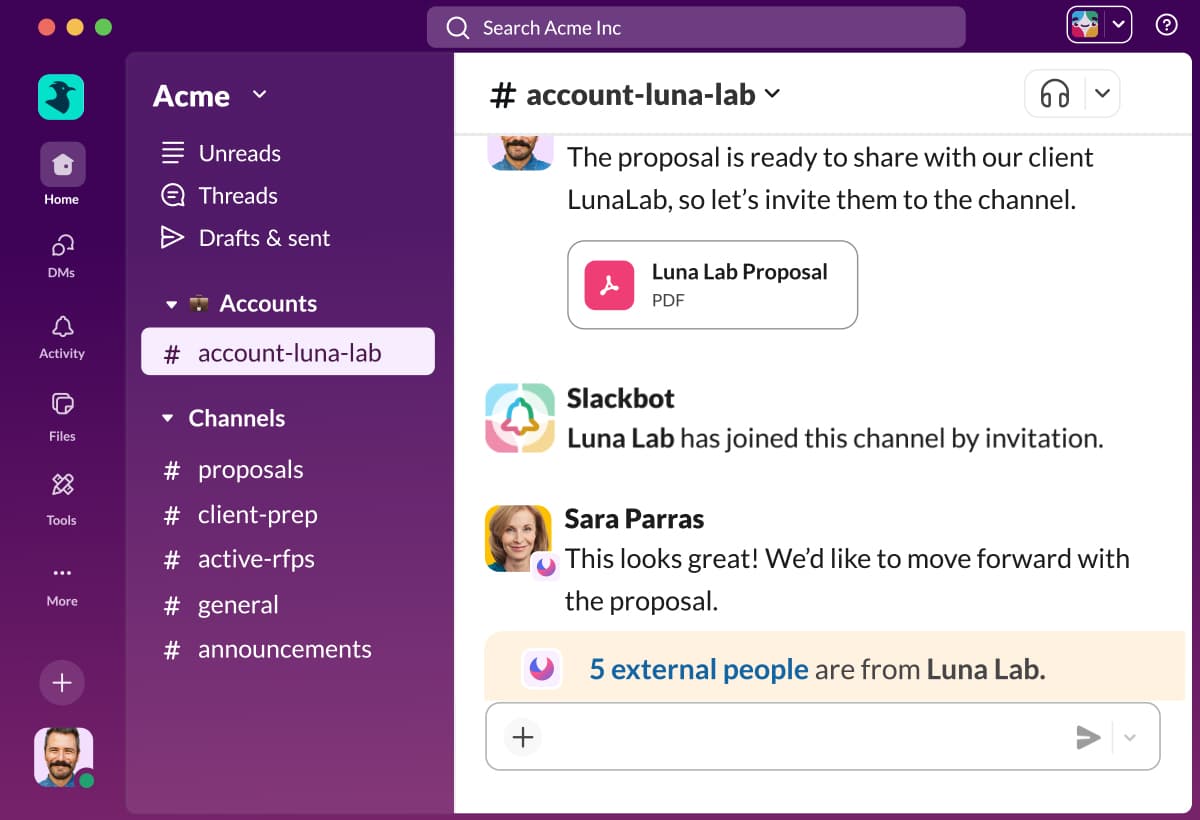
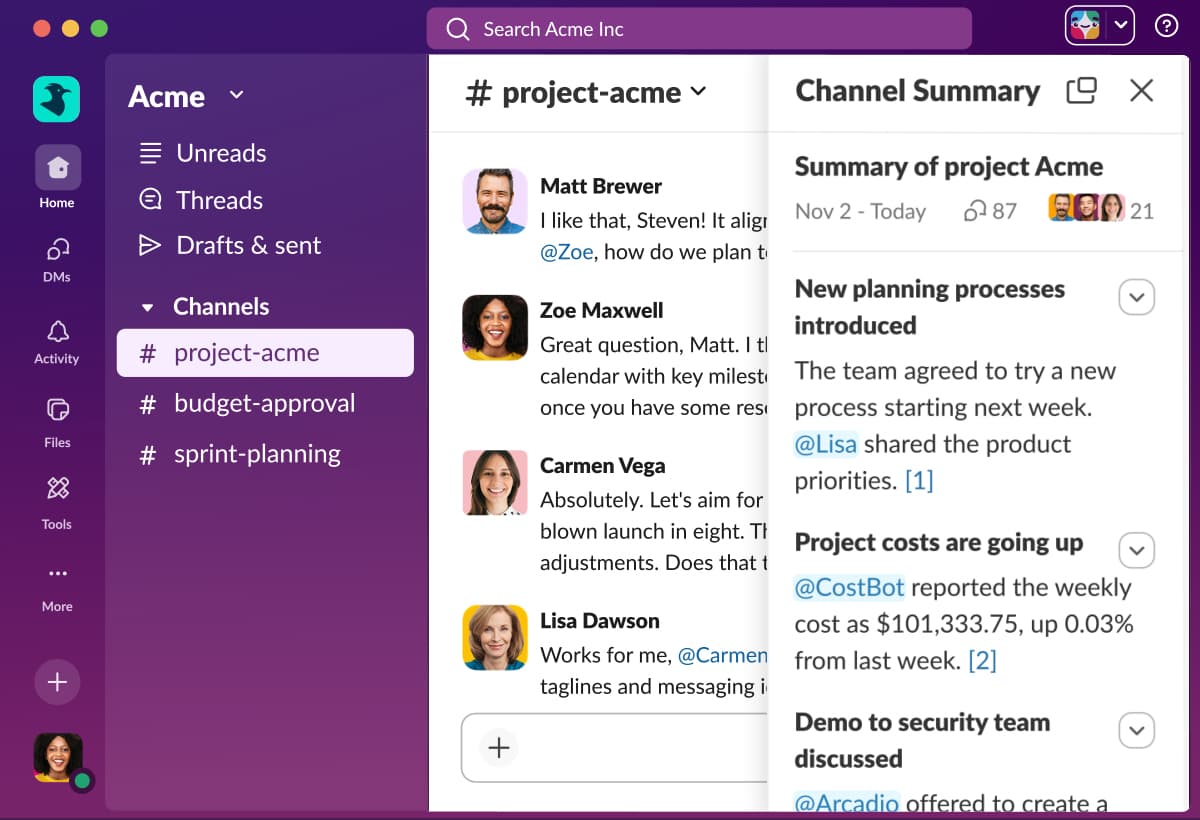
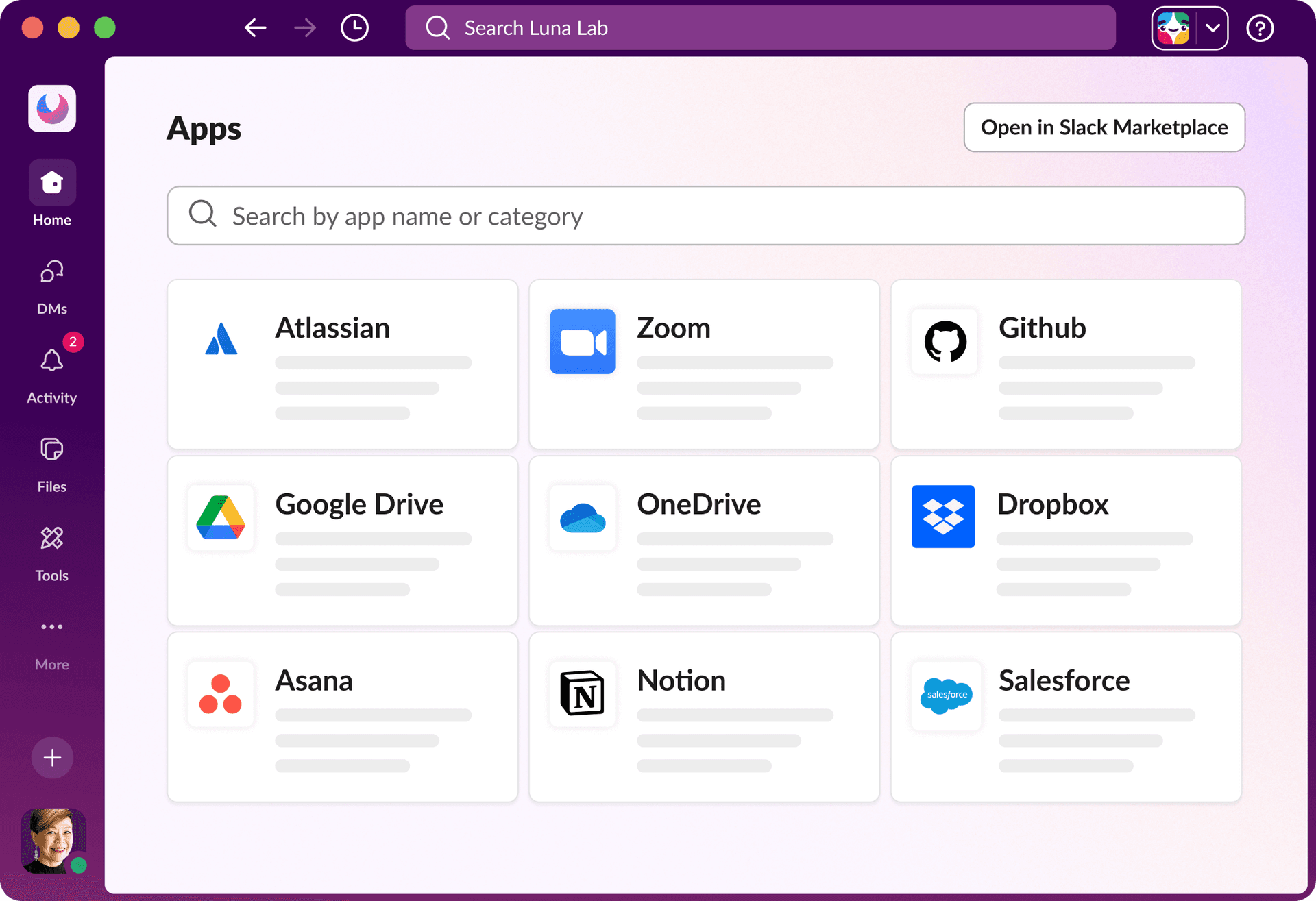
Product screenshots
Real product UI from our media library — no placeholders.
Microsoft Teams


Slack
FAQ
- Is Microsoft Teams better than Slack?
- Microsoft Teams is the stronger overall fit. Depends — no universal winner. This is a collaboration comparison, not a phone shootout. Slack wins for channel-first tech/product team messaging culture; Microsoft Teams wins as the M365 collaboration hub (chat, meetings, files, identity). Buy phone separately (or Teams Phone) if PSTN is required.
- Which business communications fits which team?
- Microsoft Teams: Organisations standardised on Microsoft 365 Slack: Tech and product orgs standardising on channel-based team messaging
- Does Microsoft Teams or Slack have a free plan?
- Microsoft Teams: Free plan available. Slack: Free plan available.
- How does Microsoft Teams vs Slack pricing compare?
- Microsoft Teams starts from $0.00/user/mo. Slack starts from $7.25/user/mo. Confirm live vendor pricing before purchasing.
- How did SoftwareGlimpse compare these products?
- We map both products to the same category criteria, then evaluate trade-offs using verified product, pricing and feature evidence. Affiliate relationships never change outcomes.
- reviewMicrosoft Teams review
- reviewSlack review
- pricingMicrosoft Teams pricing
- pricingSlack pricing
- alternativeZenzap alternative
- alternativeZoom alternative
- guideWhat Is Business Communications Software? Beginner's Guide
- guideHow to Choose Business Communications Software: Job-First Framework
- guideBusiness Communications Pricing Guide: Seats, Minutes & Message Fees
- categorybusiness communications hub
- finderBest communications software
- calculatorCost calculator
Related comparisons





Alternatives to consider

Zenzap
Professional work-chat app for frontline and multi-site teams replacing WhatsApp groups — free tier, Pro $3/user/month yearly, Business+ $8 with HIPAA, integrations and AI agents.

Zoom
Meetings-first Workplace suite plus Zoom Phone UCaaS — Phone US/CA Unlimited research floor ~$15–16/user/month; free meetings/chat exist but Phone is paid.
Still deciding between Microsoft Teams and Slack?
Use Best communications software for a shortlist matched to your priorities, or build another side-by-side comparison.
- Independent criterion outcomes
- No invented scores or prices
- Affiliate links never change winners
Some visit links may be affiliate links — we may earn a commission at no extra cost to you. Comparison outcomes are never based on commission.
Part of Software comparisons · Business Communications Software hub
Try a decision tool
Interactive helpers use recommendation criteria — affiliate status never changes outcomes.