
This video is hosted on YouTube
This content is hosted by YouTube. The player loads only after you allow marketing cookies.
Run IT incidents, changes, and assets as an employee service desk — instead of a customer helpdesk pretending to be ITIL.
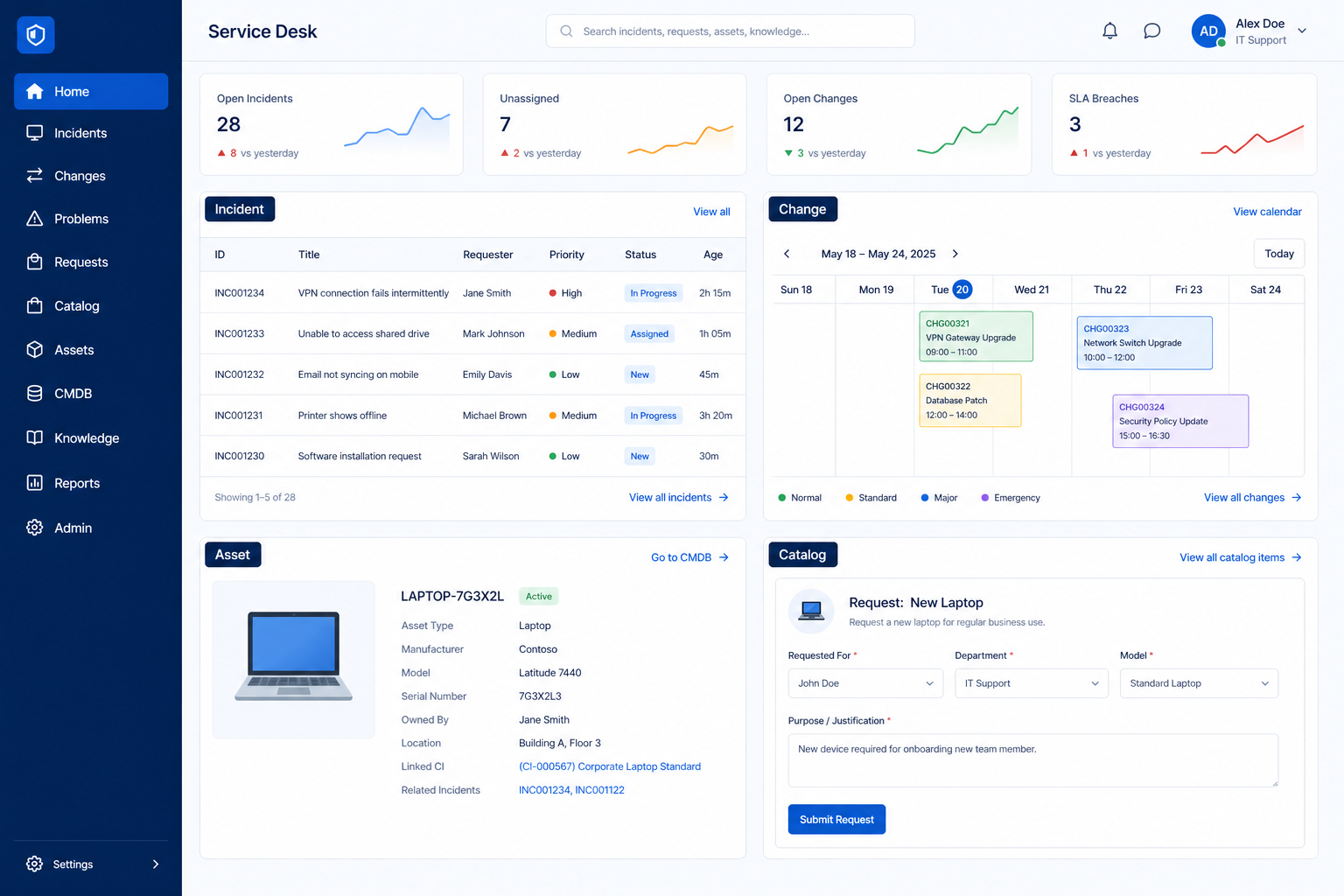
At a glance
Owned IT incidents and changes
Support agents, team leads, and CX ops
Incidents · Changes · Assets · Employee portal
9 products to explore
Fit snapshot
ITSM / service desk is the job of internal IT: incidents, problems, changes, and assets. It is a different purchase from SMB live chat or Shopify helpdesk even when the vendor family shares a brand.
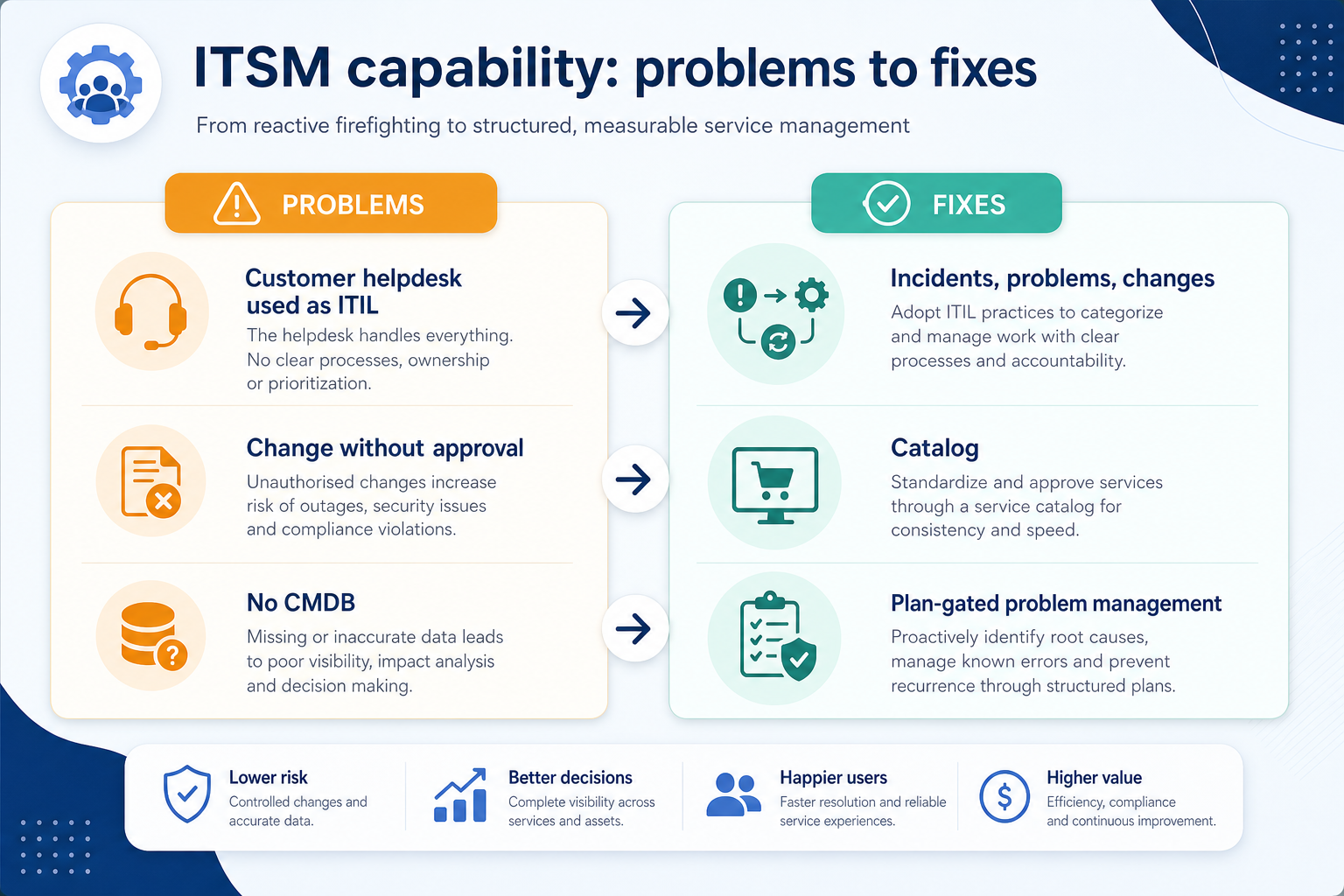
IT managers and internal support teams that need change control and CMDB-style asset context — not ecommerce refunds.
How teams put CRM to work for itsm
Example 1
Northline IT replaces a shared mailbox with an employee portal. Incidents have owners; changes need approval before Friday deploys.
Example 2
a 40-person company separates Freshservice (employees) from Freshdesk (customers) so SLAs and catalogues stay honest.
These are the operating problems that usually push teams toward CRM for itsm — not feature wish lists.
Without CRM discipline: Leads reconstruct status every week from email and Slack.
Without CRM discipline: A live-chat widget is forced to act like ITSM (or the reverse).
Without CRM discipline: Teams discover channel or macro limits after buying.
Without CRM discipline: Seat tiles hide ticket-cap or AI-outcome overage.
A CRM only helps when the team keeps owners, history, and next steps current. Here is what “good” looks like for itsm.
With CRM discipline: A shared queue keeps owners, SLAs, and next steps visible.
With CRM discipline: Shortlist only tools whose primary job matches.
With CRM discipline: Map must-haves to the qualifying plan before purchase.
With CRM discipline: Model agents, conversations, and credits on one worksheet.
Owned conversations
Every open ticket or chat has a person and a next step.
Visible status
Reviews start from the queue, not from Slack archaeology.
Fewer repeat contacts
Docs, macros, and bots deflect the questions you already solved.
Cleaner handoffs
Context stays attached to the ticket, order, or incident.
Prioritise incident/problem/change workflows on the qualifying ITSM plan. Do not shortlist customer-chat tools as cheaper ITSM.
Incidents as a buying lens for this use case.
Changes as a buying lens for this use case.
Assets as a buying lens for this use case.
Start with must-haves your team will use weekly. Treat nice-to-haves as later upgrades — not day-one blockers.
Must-have
Nice-to-have
Understand what needs to happen before comparing how products implement each step. Support overlays use structured research — never video inference.
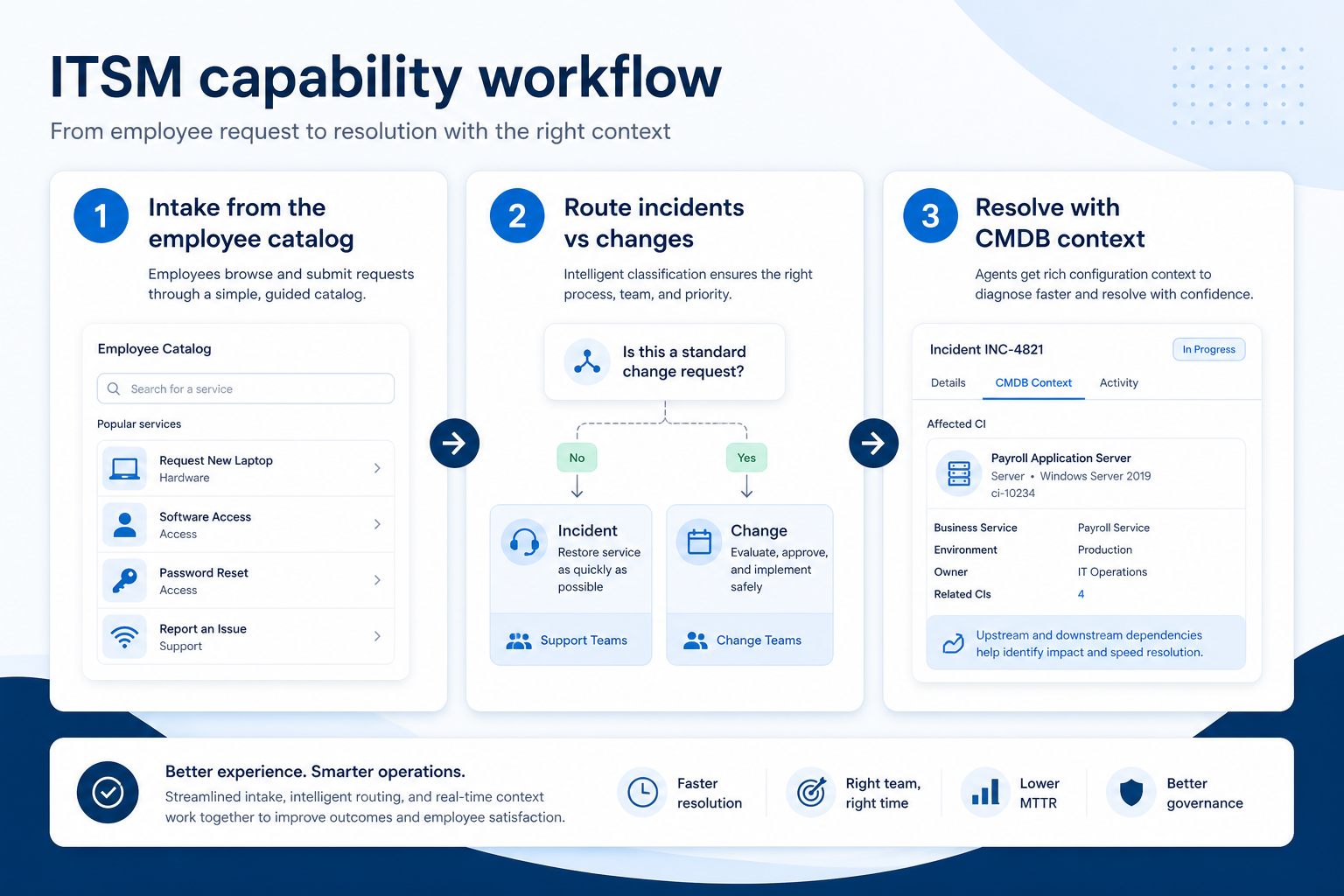
Support labels come from structured feature research — not from videos.
Objective
Intake is structured.
Next step
Next step
Next step
Official product demonstrations can help show how different CRMs handle the itsm workflow. Absence of a video does not mean a product lacks support for this use case.

Freshservice
Write cleaner responses with AI assistance
How Freshservice presents the product in an official vendor video.
This video is hosted on YouTube
This content is hosted by YouTube. The player loads only after you allow marketing cookies.
What this demonstrates
Workflow coverage
Coverage describes what the demo shows — not product support status.
What to notice
This demonstration does not establish
Features visible in this demo
Source: Freshworks Inc. · Verified 18 Aug 2026

Jira Service Management
Jira Service Management and Confluence are better together | Confluence | Atlassian
How Jira Service Management presents the product in an official vendor video.

This video is hosted on YouTube
This content is hosted by YouTube. The player loads only after you allow marketing cookies.
What this demonstrates
Workflow coverage
Coverage describes what the demo shows — not product support status.
What to notice
This demonstration does not establish
Features visible in this demo
Source: Atlassian · Verified 18 Aug 2026

ServiceNow
Meet ServiceNow Otto, your AI assistant for work
How ServiceNow presents the product in an official vendor video.

This video is hosted on YouTube
This content is hosted by YouTube. The player loads only after you allow marketing cookies.
What this demonstrates
Workflow coverage
Coverage describes what the demo shows — not product support status.
What to notice
This demonstration does not establish
Features visible in this demo
Source: ServiceNow, Inc. · Verified 18 Aug 2026
Compare two products against the same workflow using researched assessments. Official demos help you see the workflow — they do not change support status.

HubSpot
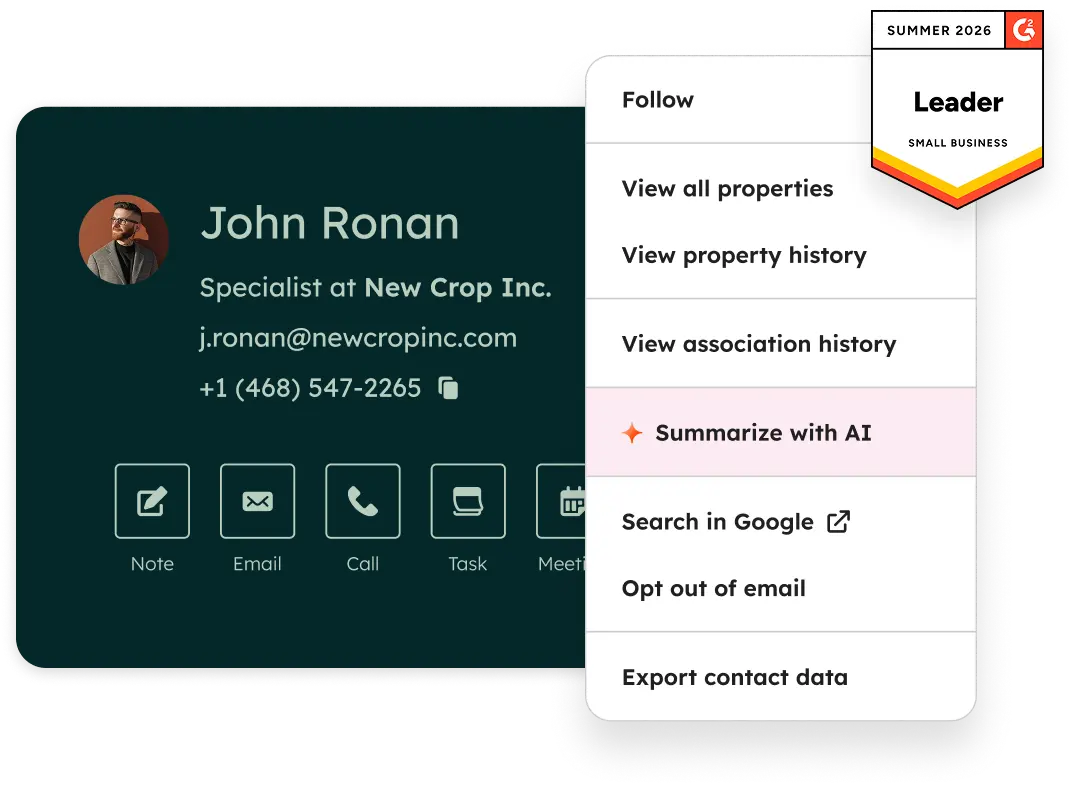
Official Free CRM hero product visualization.
What to notice
Not shown in this demo

Pipedrive

Pipedrive’s sales CRM product view as shown on the official site.
What to notice
Not shown in this demo
Canonical feature assessments for this workflow — not inferred from demos.
| Step | HubSpot | Pipedrive |
|---|---|---|
| Publish the catalogue | Unknown | Unknown |
| Run incidents | Unknown | Unknown |
| Control change | Unknown | Unknown |
| Track assets | Unknown | Unknown |
Based on the itsm workflow, buyers commonly evaluate the checklist below. Nothing is written to your decision profile until you confirm in the tool.
Context: useCase=itsm-service-desk — tools apply this only after your confirmation.
Best when
This use case is the blocking weekly ritual.
Best when
Another customer-service cluster is primary — keep this tool on a separate shortlist.
Catalogue products that list itsm / service desk as a supported use case. Inclusion here is not a ranking. Official demo counts never change ranking.
Itsm
Freshworks ITSM service desk — Starter $19, Growth $49, Pro $99 agent/mo annual. ITSM landscape; no cross-cluster comparisons.
It Development
Enterprise ITSM / Now Platform — contact sales. 2026 ITSM tiers Foundation / Advanced / Prime with bundled Now Assist; no public list price.
It Development
Atlassian ITSM on Jira Cloud — Free ≤3 agents; Standard from $20/agent/mo; Premium ~$51.42/agent/mo; Enterprise contact.

It Development
SMB/mid-market ITSM — Cloud Standard from $13/technician/mo; free up to 5 techs Standard; Professional $27; Enterprise $67; 30-day trial. Does not outrank ServiceNow 8.7 / Freshservice 8.4.

It Development
ITSM / service desk — Professional published ~$89/agent/mo (medium confidence; quote-led page); Enterprise custom min 20 agents; free trial. Does not outrank ServiceNow 8.7 / Freshservice 8.4.

It Development
All-in-one ITSM — first-party UK calculator ~£66/agent/mo annual; onboarding packages extra. Does not outrank ServiceNow 8.7 / Freshservice 8.4.

It Development
ITSM / service management — Essential £51/agent/mo; Engaged £72; Excellent £101 (GBP). Does not outrank ServiceNow 8.7 / Freshservice 8.4.

It Development
Enterprise ITSM (Ivanti Neurons / Service Manager) — contact sales. No public list. Does not outrank ServiceNow 8.7 / Freshservice 8.4.

It Development
Enterprise ITSM (Helix / Remedy lineage) — no BMC.com list; AppExchange signal ~$114.75/named user/mo. Always RFP. Does not outrank ServiceNow 8.7.
In the current customer-service catalogue wave, explore: freshservice. Related products appear when those soft entries are seeded and tagged.
No. Fit depends on job cluster, agent count, and plan gates. Use the Best customer service software page for methodology-based editor’s picks inside clusters — not one undifferentiated ranking.
Queue, assign, and resolve customer tickets with SLAs and macros.
Deflect or resolve support conversations with an AI agent, plus copilot for humans.
Use Finder for a fit-based shortlist, compare products, or build a requirements checklist before demos.
How we review
Evaluation, verification, and refresh — no fake testing claims.
Editorial methodology
Category criteria and scores grounded in evidence.
Editorial policy
Authorship, evidence levels, scoring, and disclosures.
Corrections
Spot something outdated? Tell us.
Want clearer software shortlists? Get buying guides and comparisons by email.
Newsletter coming soon.