Sales Intelligence Credits Explained
Decode what one credit unlocks, email vs phone pricing, failed reveals, rollover, caps, and export rights — without inventing dollar models.
Quick answer
A credit is whatever the vendor defines as one billable unlock — often an email reveal, phone reveal, enrichment row, or export — and those definitions are not interchangeable across products. Decision rule: do not compare “credits included” until you know what one credit buys, whether email and phone cost the same, if failed reveals still consume credits, and how rollover, monthly caps, and top-ups work for your first-90-day volume.
- Unit definition
- Email vs phone
- Failed reveals
- Rollover & caps
- Export rights
- Top-ups
Key takeaways
- Credits ≠ seats — Seat price can look fine while credit burn decides the bill.
- Definitions differ by vendor — One “credit” in Tool A may unlock less than one in Tool B.
- Failed unlocks still cost — Ask whether empty or wrong numbers consume the unit.
- Export is often gated — In-app view without bulk/API export changes how you use the data.
Credit diligence path
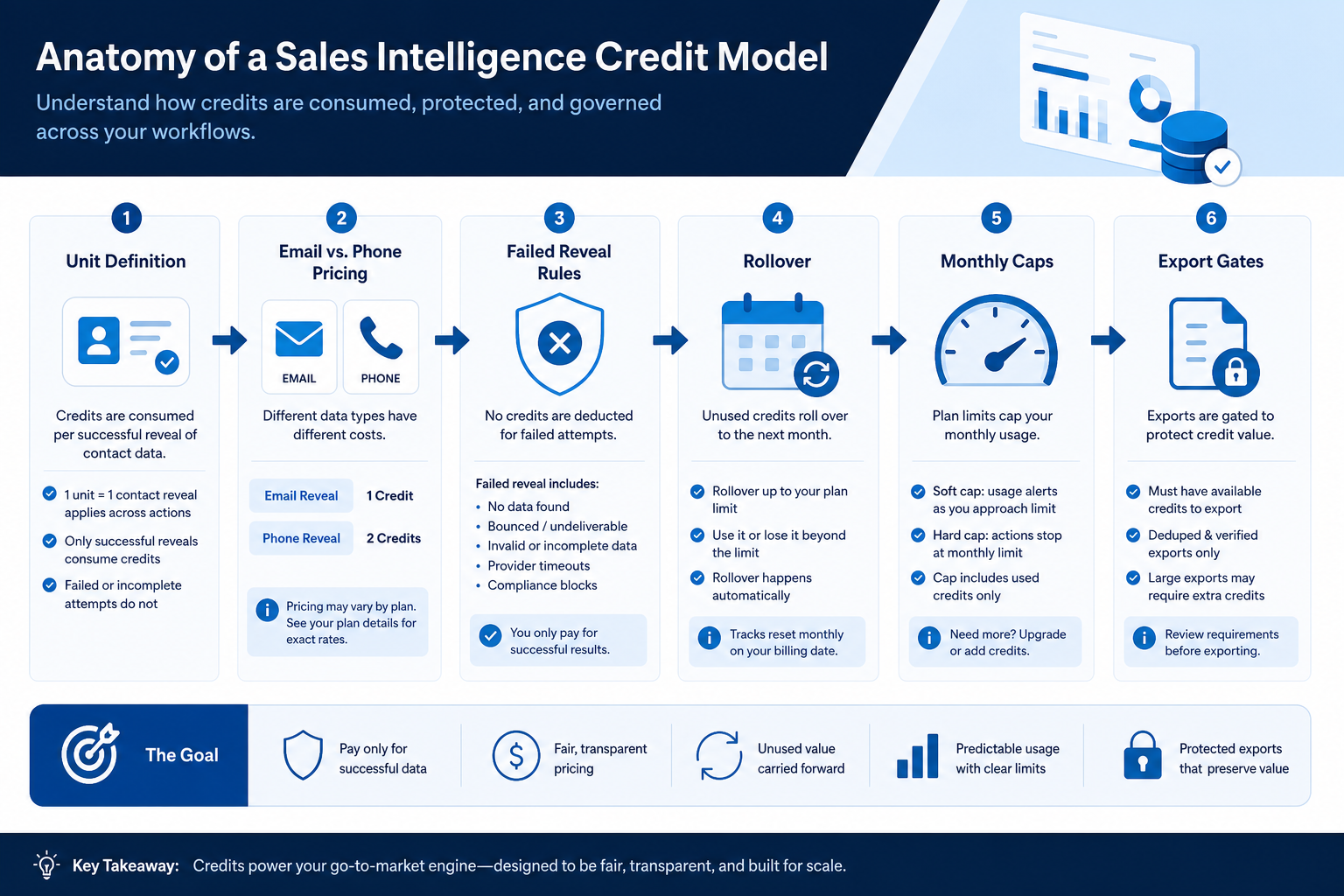
Anatomy of a credit model
1. Decode what one credit unlocks
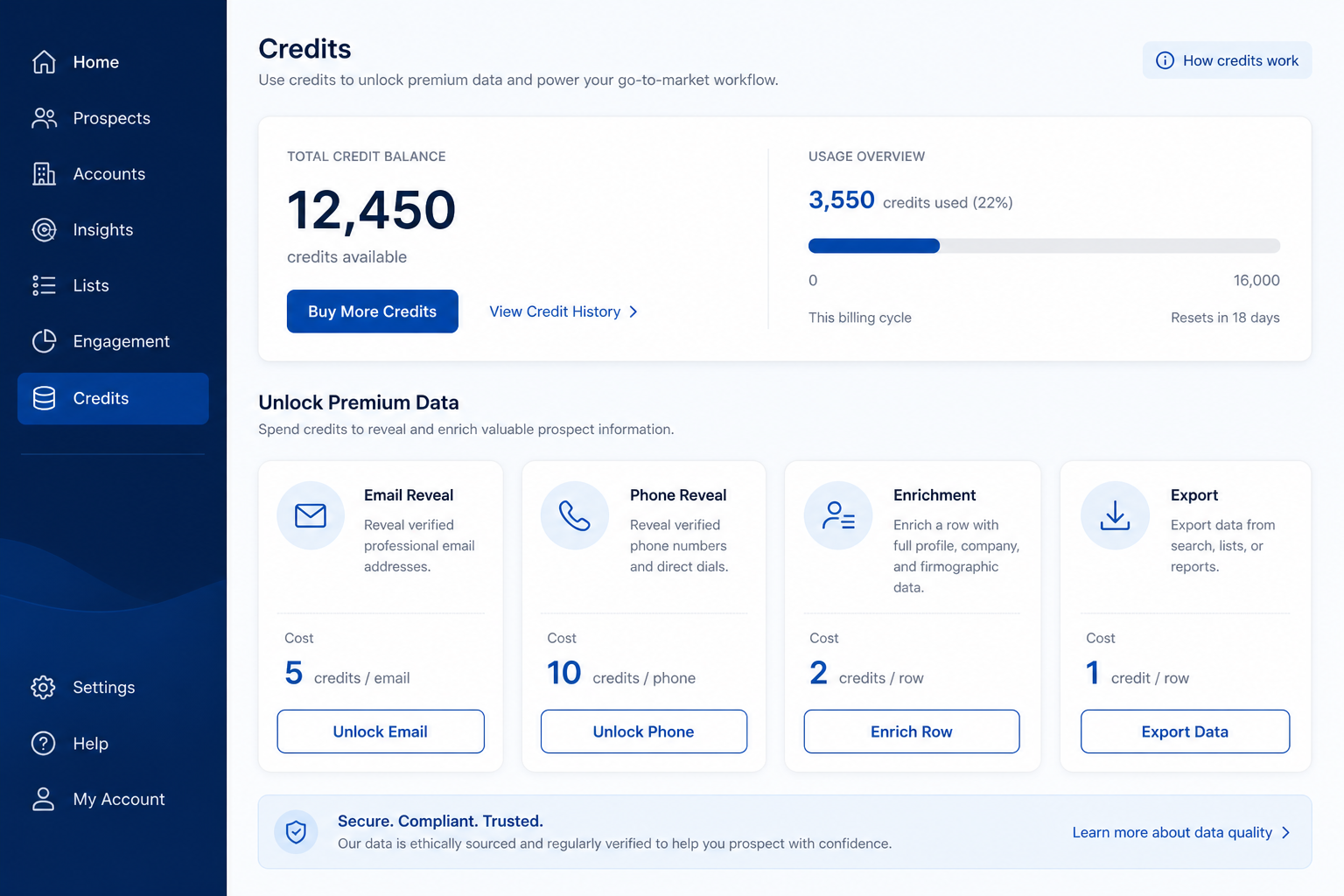
Search & reveal
Net-new contacts from database search.
Enrichment
Fill fields on CRM records you already own.
Export / API
Bulk pull may burn credits differently than UI view.
Ask in writing: Does one credit reveal an email, a phone, both, or a full person record? Are mobile and direct dial priced differently? Does enrichment of a record you already own use the same pool as net-new search? Do sequence sends or dialer minutes use a separate meter?
Example: Meridian SDR pod finds Vendor A charges one credit per email and two per mobile, while Vendor B charges one credit per “contact unlock” that includes email only — phones are add-on. Comparing “5,000 credits” without that map would have favored the wrong plan.
2. Model first-90-day volume as inputs — not a fake total
Backfill-heavy
Large one-time enrichment, then small monthly top-up.
Always-on outbound
Steady monthly net-new unlocks + sequence volume.
Burst launches
Quarterly list builds — rollover and top-ups matter most.
List inputs: ICP accounts to cover, contacts per account you will unlock, email vs phone mix, enrichment backfill size, and expected wasted reveals (bad data). Ask each vendor to price that scenario. Do not invent a monthly dollar spend — attach their quote to the inputs.
Example: Harborline models 200 target accounts × ~8 contacts, 70% email / 30% phone intent, plus a one-time 12k-record enrichment. Vendors return written credit estimates; Harborline compares shapes, not homepage “from” prices.
Copyable credit diligence checklist
Bring these questions to every demo
Ask vendors to show the workflow live, not just describe it.
- 1What does one credit unlock?Email / phone / person / enrichment row — in writing.
- 2Do failed or empty reveals consume credits?Get the refund / retry policy.
- 3Do unused credits roll over?Window length and expiration.
- 4Monthly export or API caps?Separate from in-app view limits.
- 5How do mid-cycle top-ups work?Price, minimums, plan upgrade pressure.
- 6Written quote for our 90-day volume inputsNo modeling from marketing “from $X” alone.
Credit mistakes
Comparing included credit counts raw
Different unit definitions make the counts non-comparable.
Ignoring failed-reveal burn
Bad numbers can empty the pool before usable coverage arrives.
Assuming export is free
Bulk/API rights may sit on a higher tier or separate meter.
No top-up plan
Campaign pause mid-month is an adoption failure, not just a billing issue.
3. Compare written quotes on the same assumptions
Same headcount
Every quote uses the same people who need access — not a pilot subset.
Same usage band
Credits, tokens, GPU hours, or send caps modeled at realistic volume.
Same gates
SSO, agents, stealth modes, or automation depth unlock on named tiers.
For every finalist in this category, fill one sheet: headcount or list size, must-have gates, usage units you will actually hit, and integrations that must work on day one. Ask each vendor which plan qualifies — then compare those plans only, not homepage tiles.
Worked example: Harbor Ops models the same seat count and credit band for three AI assistants. Vendor A’s personal tier looks cheaper until Business unlocks connectors; Vendor B’s team pack looks expensive until overage on Vendor A is included. The honest compare is qualifying configuration × usage — documented in writing.
4. Budget the first quarter, not the teaser month
Starter tiles optimize for sign-up, not your first 90 days at real scale. Include list or seat growth, seasonal spikes, overage triggers, and add-on SKUs (Copilot layers, credit packs, dedicated IP) before you ask finance to approve spend.
Worked example: Northline Studio adds 20% buffer to image-credit usage for a campaign launch and keeps annual vs monthly side by side when GPU spikes are likely.
5. Hand off to selection with frozen assumptions
When quotes are comparable, move to the selection framework with must-haves frozen. Rank finalists on fit for the weekly job, governance, and the total you modeled — not affiliate availability or brand familiarity.
Next: /guides/sales-intelligence-total-cost-guide/
6. Use a one-page checklist before demos
For Sales Intelligence Credits Explained, list must-haves, owners, integrations, and the weekly ritual this purchase must improve. Share the sheet with finance and IT before you schedule a second demo.
- Name the primary job in one sentence.
- List must-have gates (plans, SSO, data residency, usage caps).
- Name integrations that must work on day one.
- Assign an admin owner and a weekly user champion.
- Define non-admin proof — what a sceptic completes without rescue.
Worked example: Harbor Ops refuses demos until the checklist is signed — cutting evaluation time in half.
7. Avoid the usual buying mistakes
Common failures in sales-intelligence: buying for brand familiarity, comparing entry tiles across different usage units, skipping a fair trial script, and adding scope before adoption proves out.
Run one trial script on every finalist the same week. Score on the same card. Write a one-paragraph decision memo that names what you are not buying yet.
8. Hand off to the category shortlist
When assumptions are frozen, continue on /best/sales-intelligence-software/ with the same headcount, usage band, and must-have gates on every quote.
Frequently asked questions
What is a sales intelligence credit?
A vendor-defined billable unlock — commonly an email, phone, enrichment, or export action. Decision rule: get the unit definition in writing before comparing plans.
Why can’t I convert credits to a dollar total here?
Unit prices and bundles change by vendor and quote. Teach the inputs and attach their pricing — do not invent a SoftwareGlimpse dollar model.
Do credits replace seat pricing?
Sometimes (pay-as-you-go data). Often both apply. Map seats and credits as separate TCO lines.
What should I do next?
Run the checklist with every finalist, fold answers into Total Cost and Vendor Questions, then prove burn rate in Trial Evaluation.
Was this article helpful?
Have more questions? Contact our support team.
Part of Software buying guides · Sales Intelligence Total Cost Guide: Beyond Seat Price
Related guides
Supporting reading in this topic — not a generic related-posts dump.
- How to Choose Sales Intelligence SoftwareA decision framework for picking sales intelligence software by primary job — contact data, enrichment, engagement, or dialer — then testing coverage, credits, CRM sync, compliance, and rep workflow before you commit.
- Sales Intelligence Trial EvaluationRun a scripted SI trial with a frozen ICP sample, non-admin testers, credit logging, and the same scorecard — so hands-on evidence replaces last-demo bias.
- Sales Intelligence Vendor QuestionsCopyable SI vendor questions for demos, trials, and diligence — credits, coverage, CRM sync, export, sourcing docs, and exit — without product score claims.
- Sales Intelligence ROI Guide: Value Without Fake NumbersFrame SI return as observable operational gains tied to 90-day outcomes — using formulas and your inputs only, never invented ROI percentages or dollar totals.
- Sales Intelligence Selection MistakesAvoid regretted SI buys: missing primary job, opaque credits, skipped ICP trials, blind CRM sync, and unproven export — each with a fix artifact.
SoftwareGlimpse Updates
Want clearer software shortlists? Get buying guides and comparisons by email.
Newsletter coming soon.