
This video is hosted on YouTube
This content is hosted by YouTube. The player loads only after you allow marketing cookies.
Official vendor video
Build a Sample List - Bookyourdata
What this shows
- Prospector filters and sample list build
BookYourData migration guide: inventory → rehearse → freeze → validate integrations — grounded in researched limitations and catalogue peers.
Migrate to BookYourData by inventorying legacy sales-intelligence fields, mapping them to BookYourData objects, rehearsing a freeze window, and validating critical integrations before reopening writes.
Import/data-move surfaces and vendor migration walkthroughs for BookYourData when available — unrelated product tour footage is omitted.
Vendor walkthrough of data move / UI migration surfaces. Validate against your own export and mapping checklist.
This video is hosted on YouTube
This content is hosted by YouTube. The player loads only after you allow marketing cookies.
Official vendor video
Verified captures from BookYourData's product interface.
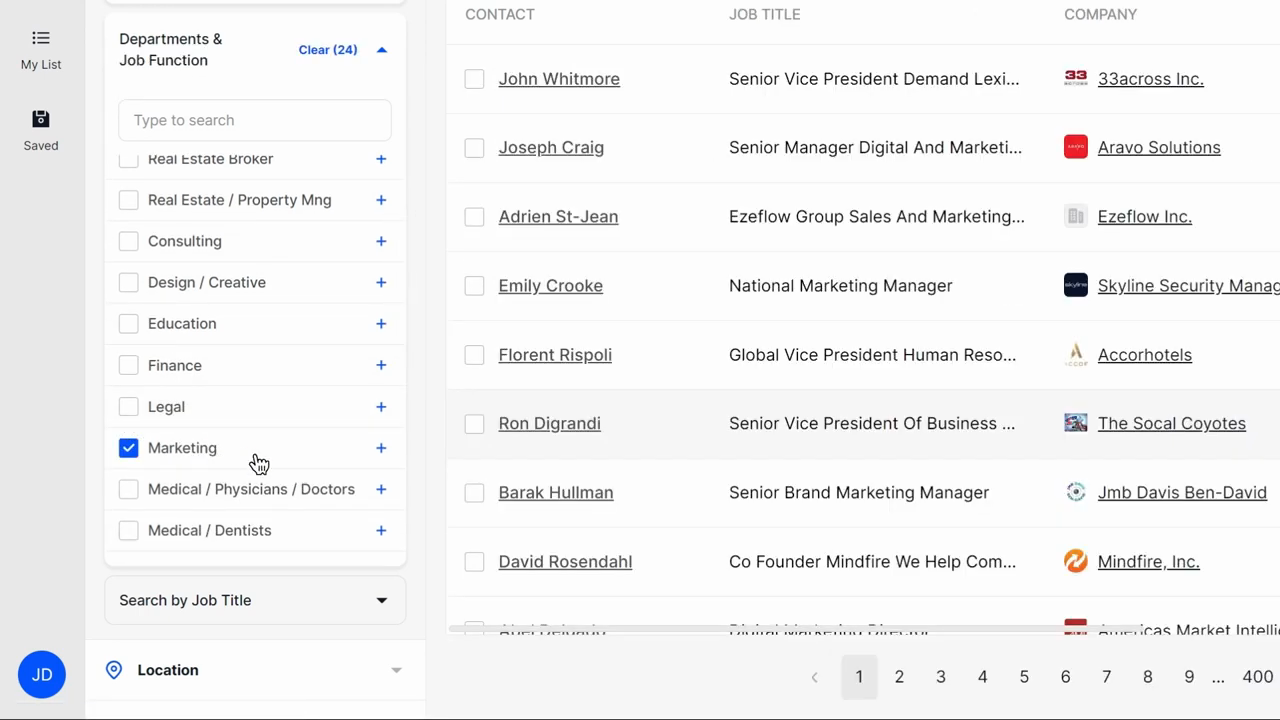
Official BookYourData UI: filter by department/job function and preview contacts before unlock.
Full product screenshots and evidence live on the BookYourData research page.
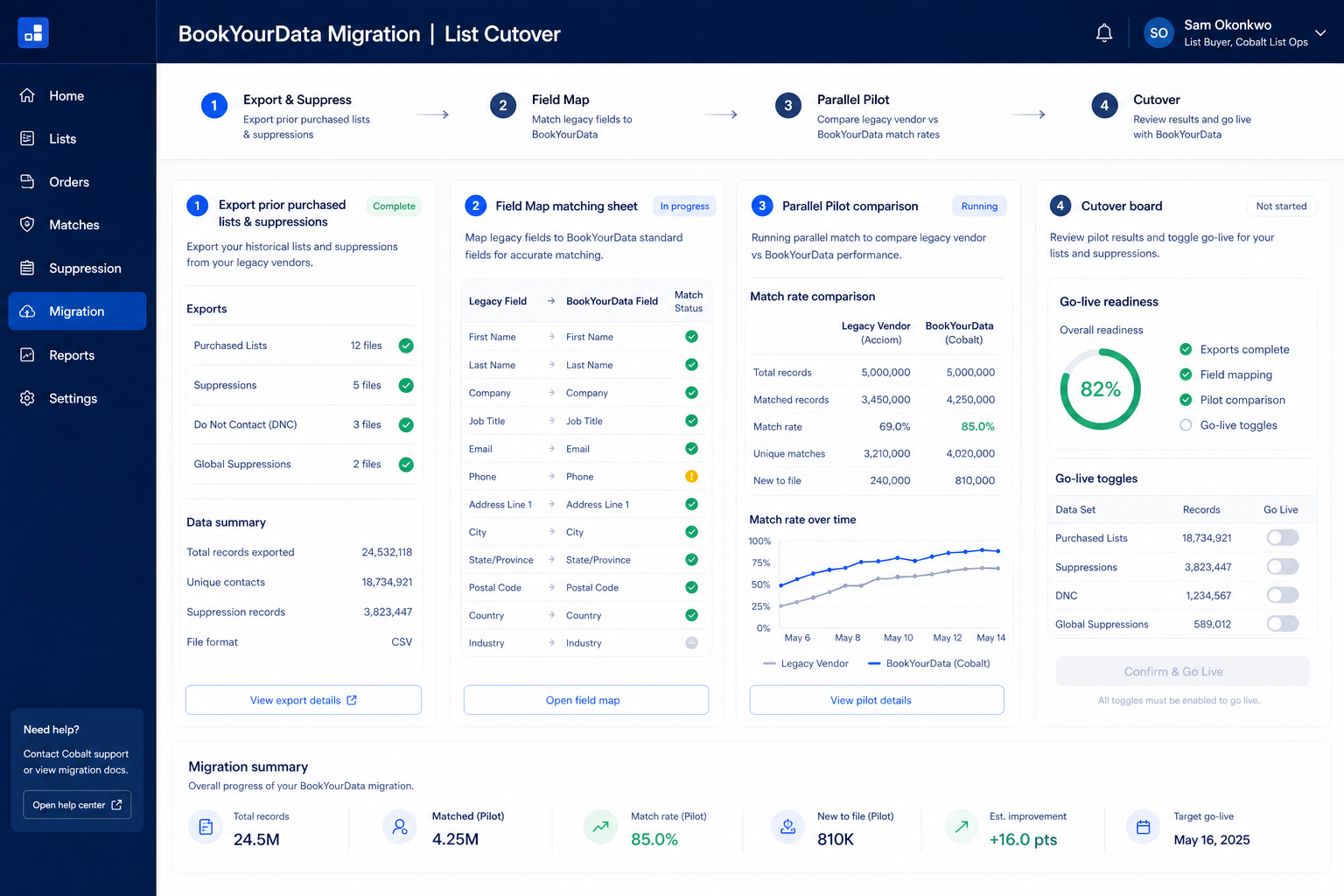
Bring these questions to every demo
Ask vendors to show the workflow live, not just describe it.
Usually no. Migrate active sequences and suppressions first. Archive cold history unless a compliance need says otherwise.
Owner remaps, phone/email field meanings, and CRM sync direction. Pilot those three before bulk.
Bulk enrichment during migration can burn a month of credits in a day. Cap enrichment on the pilot, then confirm pack limits on the pricing page.
Field inventory
Export legacy fields that power contact management, lead scoring and mark must-map vs archive.
Rehearsal load
Run a non-prod load into BookYourData; measure match rates before the freeze.
Production freeze
Freeze legacy writes; cut over; validate primary integrations; then reopen.
Migrations fail from optimistic timelines — not from missing motivation.
No freeze window
Dual-writing without a freeze creates irrevocable duplicates.
Integrations last
Wire systems of record in rehearsal — not on Monday morning after cutover.
Data risk 1
No native email sequencing or multichannel engagement — outreach has to run in a separate tool
Data risk 2
Reporting is limited to credit and list operations, with no campaign or conversion analytics
Data risk 3
Dollar credit-pack tiers were not confirmed from live first-party pricing HTML in this research pass
0/3 dimensions noted — saved in this browser only.
Mapping
Rehearsal
Cutover
Have more questions? Contact our support team.
Part of BookYourData review · Sales Intelligence hub
Supporting reading in this topic — not a generic related-posts dump.
Want clearer software shortlists? Get buying guides and comparisons by email.
Newsletter coming soon.