
This video is hosted on YouTube
This content is hosted by YouTube. The player loads only after you allow marketing cookies.
Official vendor video
BookYourData Getting Started Demo
What this shows
- Prospector search refine verify export workflow
lead management; contact management; reporting; lead scoring. Credit packs | BeSpoke. Outbound and recruiting teams that buy verified contacts in bursts rather than on a monthly data subscription; Founders and small SDR teams testing a new ICP before committing to a seat-based data platform; Buyers who want deliverability risk priced in via guarantee-backed credit refunds. Real-time B2B contact database for building verified prospect lists with pay-as-you-go credits and a 97% deliverability guarantee. Buyer question: should you pay for BookYourData when Outbound and recruiting teams that buy verified contacts in bursts rather than on a monthly data subscription is the job — and skip when Teams that want prospecting, sequencing, and reply handling inside a single sales-engagement suite? Evaluator rule: BookYourData is best for Outbound and recruiting teams that buy verified contacts in bursts rather than on a monthly data subscription; Founders and small SDR teams testing a new ICP before committing to a seat-based data platform; Buyers who want deliverability risk priced in via guarantee-backed credit refunds. Poor fit when Teams that want prospecting, sequencing, and reply handling inside a single sales-engagement suite; RevOps needing scheduled, automatic CRM record enrichment rather than manual export cycles; Buyers who require published dollar price cards before any evaluation purchase. Pricing threshold: move off trial when lead management blocks contact management.
lead management decides whether BookYourData implementation is a one-team pilot or a specialist project — confirm unlocks for must-have capabilities before invites.
Official setup walkthroughs and product surfaces that matter while you roll out BookYourData — not a full product gallery.
Vendor tutorial for onboarding and configuration. It is not a SoftwareGlimpse rollout plan — use this guide for judgment.
This video is hosted on YouTube
This content is hosted by YouTube. The player loads only after you allow marketing cookies.
Official vendor video
Verified captures from BookYourData's product interface.
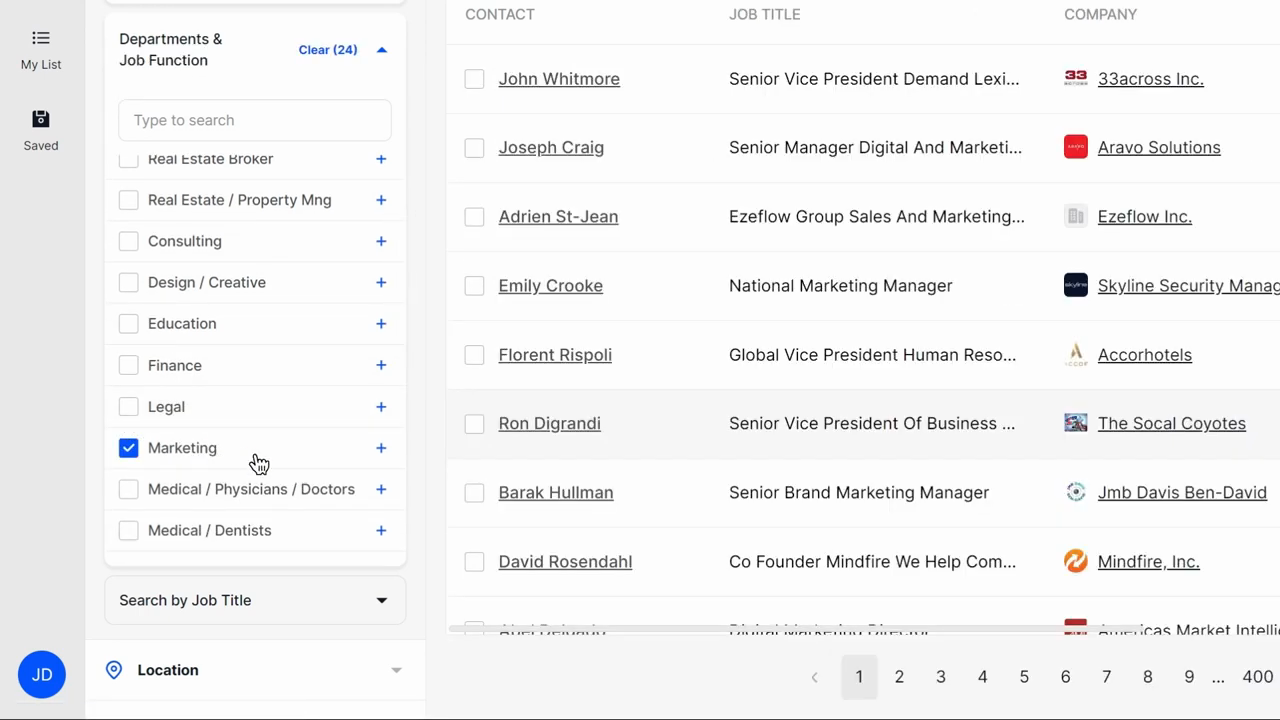
Official BookYourData UI: filter by department/job function and preview contacts before unlock.
Full product screenshots and evidence live on the BookYourData research page.
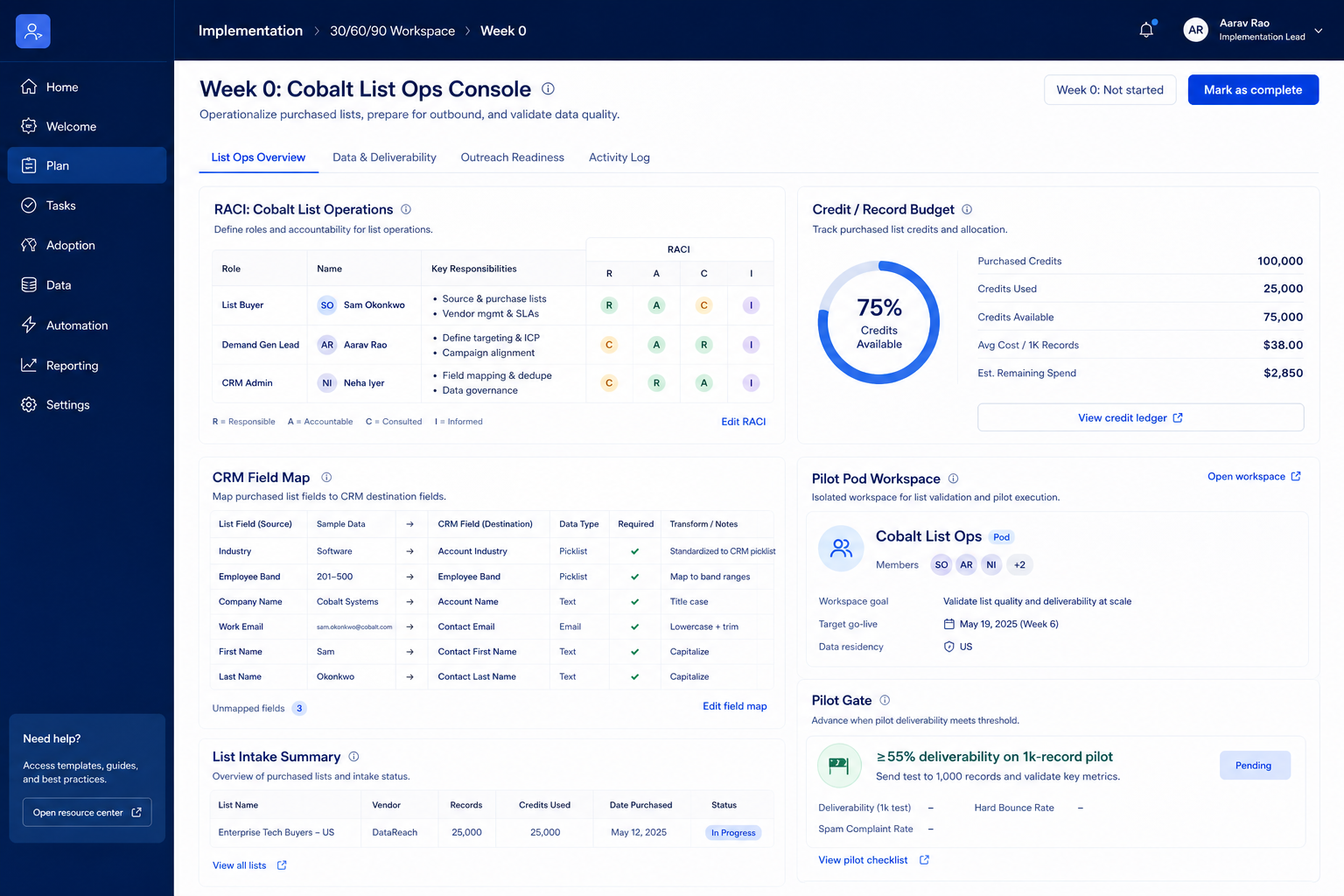
Bring these questions to every demo
Ask vendors to show the workflow live, not just describe it.
Pause new list builds, tighten ICP filters, and review who is exporting vs outreaching. Do not buy a larger pack until the stack owner can explain credit-per-meeting for the last two weeks. Confirm pack options on the pricing page.
After the first channel produces CRM-logged activity and a weekly review rhythm. Parallel channels on day one usually double noise without doubling meetings.
One stack owner with calendar time — usually RevOps or sales ops — not a rotating AE committee.
Day zero — objects and owners
Define owners for contact management, lead scoring before inviting the whole org.
SMB pilot
One pipeline / one team proves Outbound and recruiting teams that buy verified contacts in bursts rather than on a monthly data subscription before company-wide seats.
Cutover
Freeze legacy writes briefly; validate priority integrations before reopen.
Treat BookYourData setup as a controlled rollout — not a weekend dump of CSV files.
Mistake 1
No native email sequencing or multichannel engagement — outreach has to run in a separate tool
Mistake 2
Reporting is limited to credit and list operations, with no campaign or conversion analytics
Mistake 3
Dollar credit-pack tiers were not confirmed from live first-party pricing HTML in this research pass
Mistake 4
BeSpoke list building sits outside the self-serve packs and requires a custom sales quote
Big-bang invite
Inviting every user before object design creates junk data that is expensive to unwind.
Implementation fails when unlocks needed for go-live sit on a higher tier than budgeted.
Credit packs
Contact sales · Suits: teams that need custom procurement
BeSpoke
Contact sales · Suits: teams that need custom procurement
0/3 dimensions noted — saved in this browser only.
Prep
Pilot
Scale
Have more questions? Contact our support team.
Part of BookYourData review · Sales Intelligence hub
Supporting reading in this topic — not a generic related-posts dump.
Want clearer software shortlists? Get buying guides and comparisons by email.
Newsletter coming soon.