Copper vs HubSpot
Copper's entire argument is that reps never leave Gmail: the CRM lives inside Workspace, so relationship and pipeline updates happen where the conversation already is. HubSpot's argument is that the CRM should be the place everything else plugs into, Gmail included. If your team's day is email and Google Docs and adoption has failed before, Copper's workflow advantage is real and hard to replicate; if you need forms, campaigns and reporting to live with the deals, that is not what Copper is for. Neither product has a completed hands-on product test on SoftwareGlimpse — this comparison is research/data-based only.

Copper
Google Workspace-native CRM for pipeline and relationship management inside Gmail and Google apps.
Best for
- • Agencies and services firms running entirely on Google Workspace
- • Teams whose CRM adoption has failed because reps stay in Gmail
- • Relationship-led sales where email history is the pipeline record
Starting from $23.00/user/mo
No free plan
VS
Our verdict
Choose Copper when adoption is the risk and Workspace is the workplace — a CRM that appears inside Gmail collects data that a separate tab does not. Choose HubSpot when the requirement extends past pipeline into marketing, service or reporting depth, or when you need a free CRM of record right now, since Copper has no free plan and starts on a paid Basic tier after its trial. The limitation to weigh on Copper is scope: it is a relationship-and-pipeline CRM rather than a demand-generation platform, and our record notes packaging can change, so confirm current plan contents on the live checkout. On HubSpot, the tradeoff is that platform depth arrives with packaging complexity across Smart CRM and hub seats plus $1,500 onboarding on Sales Hub Professional. Poor fit for Copper: teams running on Microsoft 365, where the native-inside-Gmail premise disappears. Poor fit for HubSpot: small Workspace-native teams who would use a fraction of the platform.
Copper is better for
- ✓ Ease of use
HubSpot is better for
- ✓ Sales automation
- ✓ Email capabilities
- ✓ Reporting
- ✓ Customization
Tie
- • Pipeline management
Choose Copper if: Agencies and services firms running entirely on Google Workspace
Choose HubSpot if: Teams needing forms, campaigns and reporting alongside deals

HubSpot
AI-powered customer platform with free forever CRM, plus paid Smart CRM seats and Sales/Marketing/Service hubs for growing teams.
Best for
- • Teams needing forms, campaigns and reporting alongside deals
- • Businesses that want a CRM of record at no cost first
- • Companies on Microsoft 365 or mixed email environments
Starting from $15.00/user/mo
Free plan available
Quick verdict
Start here — then dig into the evidence below.
Choose Copper if…
- Agencies and services firms running entirely on Google Workspace
- Teams whose CRM adoption has failed because reps stay in Gmail
- Relationship-led sales where email history is the pipeline record
- You prioritize ease of use
Choose HubSpot if…
- Teams needing forms, campaigns and reporting alongside deals
- Businesses that want a CRM of record at no cost first
- Companies on Microsoft 365 or mixed email environments
- You prioritize sales automation
Overall recommendation
Choose Copper when adoption is the risk and Workspace is the workplace — a CRM that appears inside Gmail collects data that a separate tab does not. Choose HubSpot when the requirement extends past pipeline into marketing, service or reporting depth, or when you need a free CRM of record right now, since Copper has no free plan and starts on a paid Basic tier after its trial. The limitation to weigh on Copper is scope: it is a relationship-and-pipeline CRM rather than a demand-generation platform, and our record notes packaging can change, so confirm current plan contents on the live checkout. On HubSpot, the tradeoff is that platform depth arrives with packaging complexity across Smart CRM and hub seats plus $1,500 onboarding on Sales Hub Professional. Poor fit for Copper: teams running on Microsoft 365, where the native-inside-Gmail premise disappears. Poor fit for HubSpot: small Workspace-native teams who would use a fraction of the platform.
Key trade-off
Copper trades toward ease of use; HubSpot trades toward sales automation.
Winner by category
Only dimensions with researched evidence for this pair.
| Dimension | Winner | Why |
|---|---|---|
| Ease of use | Copper wins | Copper leads on ease of use (8/10 vs 7/10) from approved SoftwareGlimpse editorial assessments — not hands-on lab testing. Working inside Gmail removes the context switch that kills CRM adoption — a workflow advantage no feature matrix captures. |
| Sales | Tie | Copper and HubSpot are close on pipeline management (8/10 vs 8/10) from approved product scores grounded in vendor documentation. |
| Automation | HubSpot wins | HubSpot leads on sales automation (7/10 vs 8/10) from approved product scores grounded in vendor documentation. |
| Email capabilities | HubSpot wins | Stronger coverage across email sync, email tracking, email sequences, call functionality. editorial scores are close (8/10 vs 8/10). inbox side relationship history against campaign tooling on the crm record — only one of those is demand generation. |
| Reporting | HubSpot wins | HubSpot leads on reporting (6/10 vs 8/10) from approved SoftwareGlimpse editorial assessments — not hands-on lab testing. Pipeline and relationship reporting against platform reporting that spans campaigns, deals and service tickets. |
| Customization | HubSpot wins | HubSpot leads on customization (6/10 vs 8/10) from approved product scores grounded in vendor documentation. |
| Integrations | HubSpot wins | HubSpot leads on integrations (8/10 vs 9/10) from approved SoftwareGlimpse editorial assessments — not hands-on lab testing. Workspace-native depth against breadth across marketing and service tooling; the right answer depends on where your team already spends the day. |
| Enterprise suitability | HubSpot wins | HubSpot leads on scalability (6/10 vs 9/10) from approved product scores grounded in vendor documentation. |
| Value | HubSpot wins | Better for value for money |
Side-by-side feature matrix
Normalized availability from product research — empty rows are not shown.
Core CRM
| Feature | Copper | HubSpot |
|---|---|---|
| Contact management | Strong | Strong |
| Lead management | Strong | Strong |
| Pipeline management | Strong | Strong |
| Deal management | Strong | Strong |
Sales engagement
| Feature | Copper | HubSpot |
|---|---|---|
| Email sync | Strong | Strong |
| Email sequences | Not evidenced | Strong |
| Workflow automation | Strong | Strong |
| Sales automation | Strong | Strong |
| Lead scoring | Not evidenced | Moderate |
Reporting
| Feature | Copper | HubSpot |
|---|---|---|
| Reporting | Strong | Strong |
| Forecasting | Moderate | Moderate |
Platform
| Feature | Copper | HubSpot |
|---|---|---|
| Integrations | Strong | Strong |
| Custom fields | Strong | Strong |
| Custom pipelines | Strong | Strong |
| Mobile app | Strong | Not evidenced |
| AI assistance | Moderate | Strong |
Additional capabilities
| Feature | Copper | HubSpot |
|---|---|---|
| Single sign-on | Not evidenced | Moderate |
| Role permissions | Not evidenced | Moderate |
Pricing comparison
Pricing evidence last checked Sep 7, 2026.
Copper
From $23.00/user/mo
- Basic$23.00/user/mo
- Professional$59.00/user/mo
- Business$99.00/user/mo
HubSpot
From $15.00/user/mo
- Free CRM$0.00/user/mo
- Starter (Smart CRM / Customer Platform)$15.00/user/mo
- Professional (Smart CRM / Customer Platform)$50.00/user/mo
- Enterprise (Smart CRM / Customer Platform)$75.00/user/mo
Seat-count estimates
Labeled estimates from verified starting per-seat pricing — not invoices.
| Seats | Copper | HubSpot |
|---|---|---|
| 5 | ~$115.00/mo (Basic × 5) | ~$75.00/mo (Starter (Smart CRM / Customer Platform) × 5) |
| 10 | ~$230.00/mo (Basic × 10) | ~$150.00/mo (Starter (Smart CRM / Customer Platform) × 10) |
| 25 | ~$575.00/mo (Basic × 25) | ~$375.00/mo (Starter (Smart CRM / Customer Platform) × 25) |
| 50 | ~$1,150.00/mo (Basic × 50) | ~$750.00/mo (Starter (Smart CRM / Customer Platform) × 50) |
Estimate from verified starting per-seat pricing — actual total depends on plan, annual discounts, and add-ons.
Copper has no free plan and runs Basic, Professional and Business with a trial, documented at $29 monthly / $23 annual, $69 / $59 and $134 / $99 per seat per month respectively from the vendor's August 2026 pricing page. HubSpot documents a $0 Free CRM plus Smart CRM tiers from $15 per month, with Sales Hub Professional at $100 per seat/month ($90 annual) and $1,500 required onboarding. Copper's annual discount is the meaningful lever on its side; HubSpot's is the free tier at the bottom of the ladder.
Best for
Scenario picks from researched strengths — not a universal ranking.
- → Copper
Workspace-only agency whose reps refuse to leave Gmail
Working inside Gmail is the documented advantage, and it is the difference between a CRM that gets updated and one that does not.
- → HubSpot
Team needs lead capture forms and email campaigns too
Demand generation on the CRM record is native; Copper is scoped to pipeline and relationships, so you would add a second platform.
- → HubSpot
Zero budget until the CRM proves itself
Free CRM is documented at $0 while Copper's cheapest rung is a paid Basic seat after the trial ends.
- → Copper
Best for ease of use
Copper leads on ease of use (8/10 vs 7/10) from approved SoftwareGlimpse editorial assessments — not hands-on lab testing. Working inside Gmail removes the context switch that kills CRM adoption — a workflow advantage no feature matrix captures.
- → HubSpot
Best for sales automation
HubSpot leads on sales automation (7/10 vs 8/10) from approved product scores grounded in vendor documentation.
- → HubSpot
Best for email capabilities
Stronger coverage across email sync, email tracking, email sequences, call functionality. editorial scores are close (8/10 vs 8/10). inbox side relationship history against campaign tooling on the crm record — only one of those is demand generation.
The differences that actually matter
Pair-specific analysis for Copper vs HubSpot — not generic category copy.
Pipeline management
TieCopper and HubSpot are close on pipeline management. Copper and HubSpot are close on pipeline management (8/10 vs 8/10) from approved product scores grounded in vendor documentation. Feature evidence also diverges on AI assistance (Copper: Moderate; HubSpot: Strong).
Email capabilities
HubSpot aheadOn email capabilities, HubSpot is ahead. Copper: Trails HubSpot on this criterion. HubSpot: Stronger coverage across email sync, email tracking, email sequences, call functionality. editorial scores are close (8/10 vs 8/10). inbox side relationship history against campaign tooling on the crm record — only one of those is demand generation..
Sales automation
HubSpot aheadOn sales automation, HubSpot is ahead. Copper: Trails HubSpot on this criterion. HubSpot: HubSpot leads on sales automation (7/10 vs 8/10) from approved product scores grounded in vendor documentation..
Reporting
HubSpot aheadOn reporting, HubSpot is ahead. Copper: Trails HubSpot on this criterion. HubSpot: HubSpot leads on reporting (6/10 vs 8/10) from approved SoftwareGlimpse editorial assessments — not hands-on lab testing. Pipeline and relationship reporting against platform reporting that spans campaigns, deals and service tickets..
Value for money
HubSpot aheadOn value for money, HubSpot is ahead. Copper: Trails HubSpot on this criterion. HubSpot: Better for value for money.
Pros and cons
Product-specific for this pair — derived from researched outcomes and editorial notes.
Copper
Pros
- Stronger on ease of use
Cons
- Trails on sales automation
- Trails on email capabilities
- Trails on reporting
HubSpot
Pros
- Stronger on sales automation
- Stronger on email capabilities
- Stronger on reporting
- Stronger on customization
Cons
- Trails on ease of use
Implementation & learning curve
Based on researched setup / ease criteria for this pair.
Copper
- Stronger on ease of use: Copper leads on ease of use (8/10 vs 7/10) from approved SoftwareGlimpse editorial assessments — not hands-on lab testing. Working inside Gmail removes the context switch that kills CRM adoption — a workflow advantage no feature matrix captures.
HubSpot
- Trails on ease of use relative to Copper
Integrations
Overlaps and exclusives from product integration data when available.
Copper: Strong. HubSpot: Strong.
Who should not choose each product
Decision quality improves when we say who should walk away.
Don't choose Copper if…
- You need HubSpot's stronger sales automation more than Copper's strengths
- You need HubSpot's stronger email capabilities more than Copper's strengths
- You need HubSpot's stronger reporting more than Copper's strengths
- Your primary fit looks closer to: Teams needing forms, campaigns and reporting alongside deals
Don't choose HubSpot if…
- You need Copper's stronger ease of use more than HubSpot's strengths
- Your primary fit looks closer to: Agencies and services firms running entirely on Google Workspace
- Your primary fit looks closer to: Teams whose CRM adoption has failed because reps stay in Gmail
Alternatives worth considering
When neither product is the right fit.
Pipeline-first sales CRM for visual deal management, activity-based selling, and growing sales teams.
Simple relationship CRM for organizing contacts and collaborative outreach.
Enterprise CRM platform for sales, service, marketing, and customer data across large and mid-market teams.
Final verdict
Scenario-level close — not a repeat of the intro.
Copper wins when…
Agencies and services firms running entirely on Google Workspace
HubSpot wins when…
Teams needing forms, campaigns and reporting alongside deals
- Workspace-only agency whose reps refuse to leave GmailCopper
- Team needs lead capture forms and email campaigns tooHubSpot
- Zero budget until the CRM proves itselfHubSpot
- Best for ease of useCopper
Which one should you choose?
Choose Copper if:
- Agencies and services firms running entirely on Google Workspace
- Teams whose CRM adoption has failed because reps stay in Gmail
- Relationship-led sales where email history is the pipeline record
Choose HubSpot if:
- Teams needing forms, campaigns and reporting alongside deals
- Businesses that want a CRM of record at no cost first
- Companies on Microsoft 365 or mixed email environments
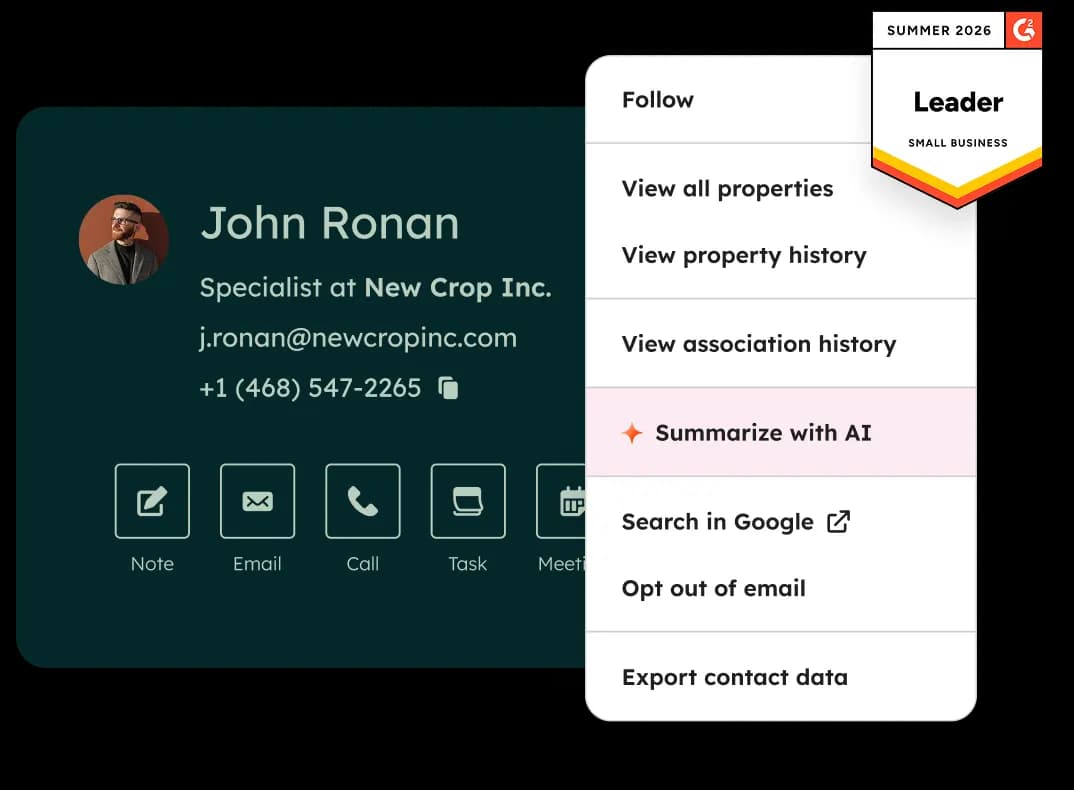
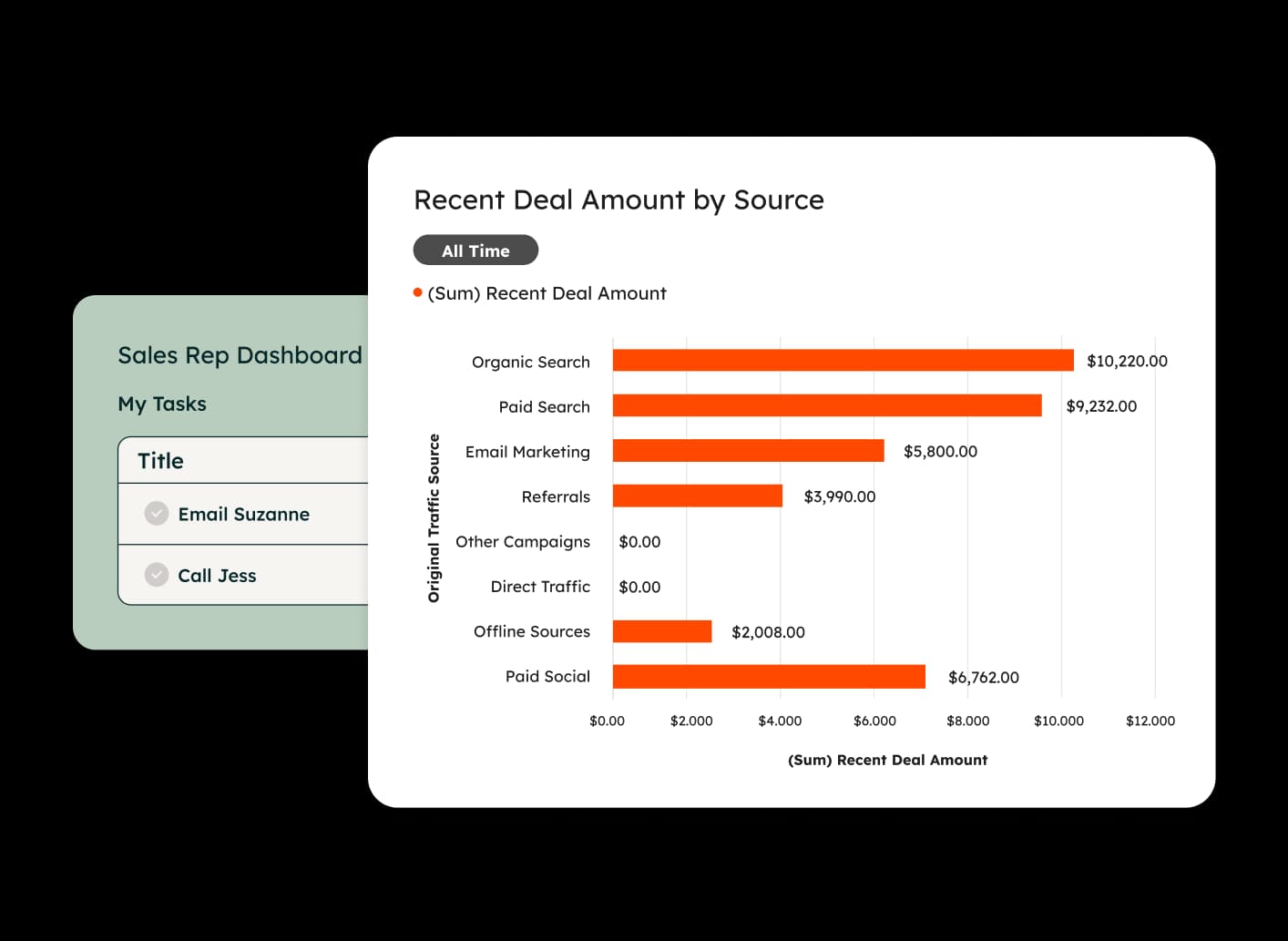
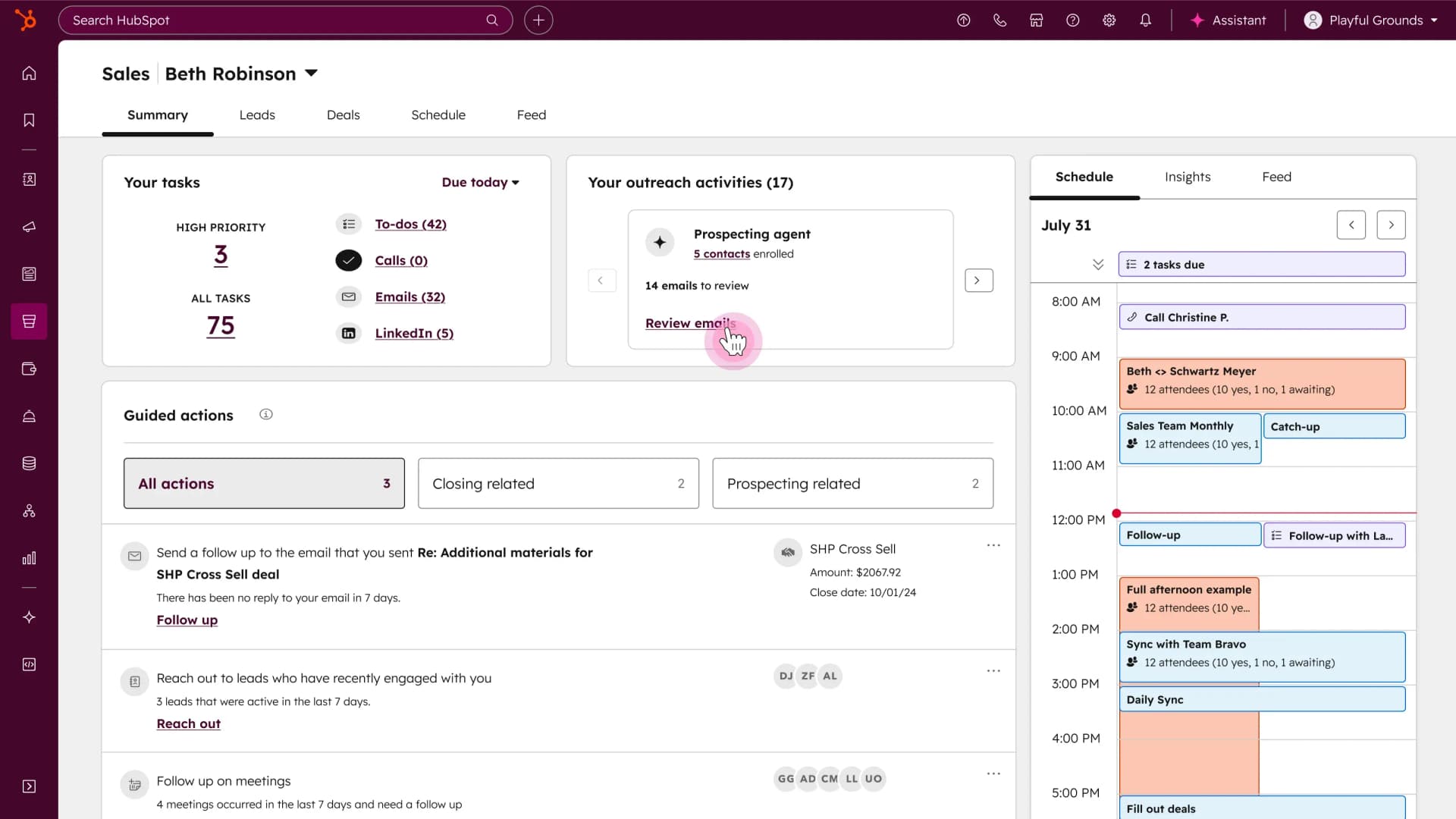
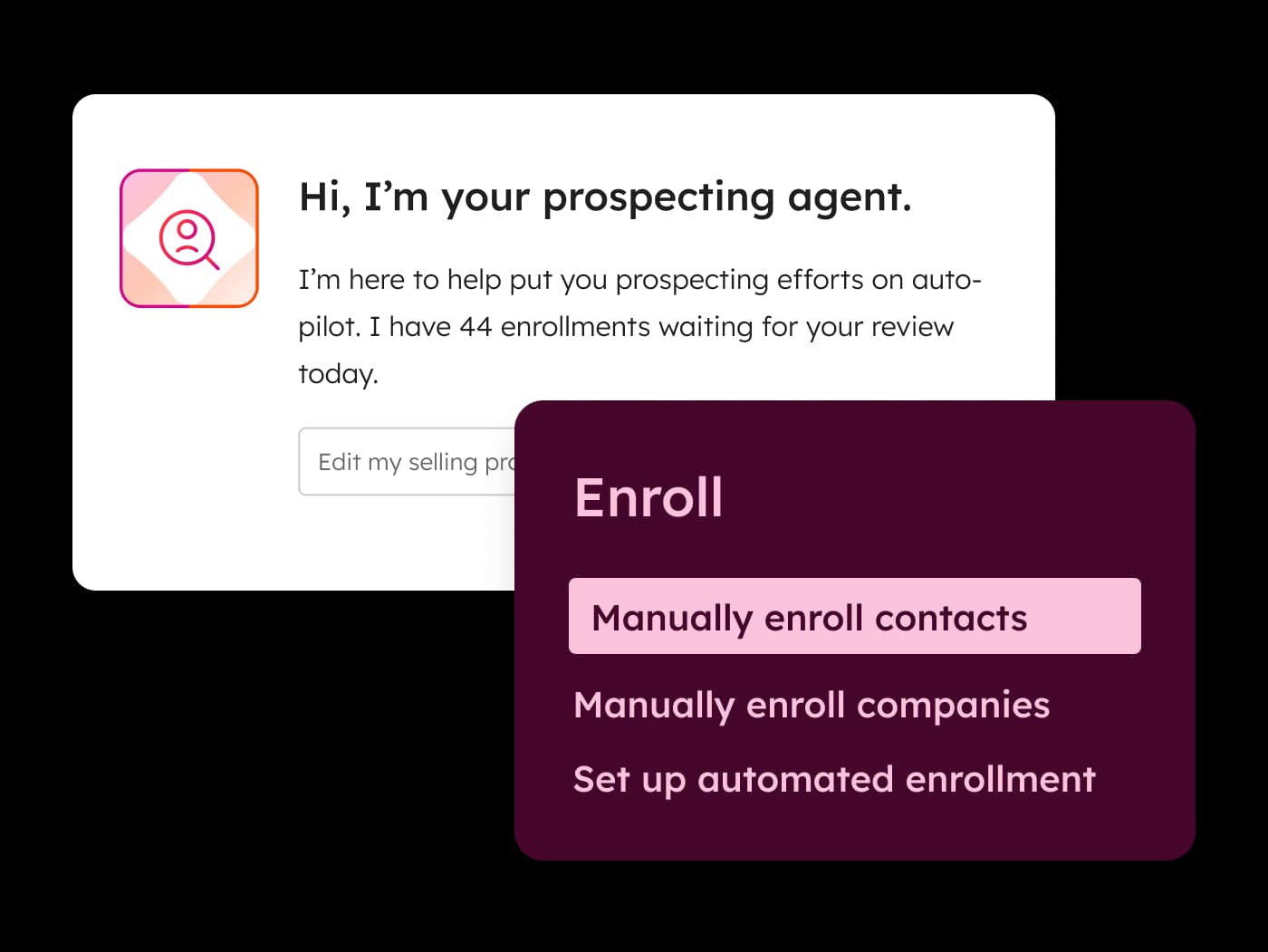
Product screenshots
Real product UI from our media library — no placeholders.
Copper




HubSpot
FAQ
- Is Copper better than HubSpot?
- Choose Copper when adoption is the risk and Workspace is the workplace — a CRM that appears inside Gmail collects data that a separate tab does not. Choose HubSpot when the requirement extends past pipeline into marketing, service or reporting depth, or when you need a free CRM of record right now, since Copper has no free plan and starts on a paid Basic tier after its trial. The limitation to weigh on Copper is scope: it is a relationship-and-pipeline CRM rather than a demand-generation platform, and our record notes packaging can change, so confirm current plan contents on the live checkout. On HubSpot, the tradeoff is that platform depth arrives with packaging complexity across Smart CRM and hub seats plus $1,500 onboarding on Sales Hub Professional. Poor fit for Copper: teams running on Microsoft 365, where the native-inside-Gmail premise disappears. Poor fit for HubSpot: small Workspace-native teams who would use a fraction of the platform.
- Which is easier to use?
- Copper leads on ease of use (8/10 vs 7/10) from approved SoftwareGlimpse editorial assessments — not hands-on lab testing. Working inside Gmail removes the context switch that kills CRM adoption — a workflow advantage no feature matrix captures.
- Which CRM fits which team?
- Copper: Agencies and services firms running entirely on Google Workspace HubSpot: Teams needing forms, campaigns and reporting alongside deals
- Which is stronger for sales automation?
- HubSpot leads on sales automation (7/10 vs 8/10) from approved product scores grounded in vendor documentation.
- Does Copper or HubSpot have a free plan?
- Copper: No free plan. HubSpot: Free plan available.
- How does Copper vs HubSpot pricing compare?
- Copper starts from $23.00/user/mo. HubSpot starts from $15.00/user/mo. Confirm live vendor pricing before purchasing.
- How did SoftwareGlimpse compare these products?
- We map both products to the same category criteria, then evaluate trade-offs using verified product, pricing and feature evidence. Affiliate relationships never change outcomes.
- reviewCopper review
- reviewHubSpot review
- pricingCopper pricing
- pricingHubSpot pricing
- alternativeStreak alternative
- alternativePipedrive alternative
- alternativefolk alternative
- guideWhat Is CRM Software? A Complete Beginner’s Guide
- guideHow CRM Software Works: Records, Pipelines & Activity
- guideTypes of CRM Software: Operational, Suites & Sales CRM Shapes
- categoryCRM hub
- finderFind My CRM
- calculatorCost calculator
Related comparisons






Alternatives to consider

Streak

Pipedrive
Pipeline-first sales CRM for visual deal management, activity-based selling, and growing sales teams.

folk
Simple relationship CRM for organizing contacts and collaborative outreach.

Salesforce
Enterprise CRM platform for sales, service, marketing, and customer data across large and mid-market teams.
Still deciding between Copper and HubSpot?
Use Find My CRM for a shortlist matched to your priorities, or build another side-by-side comparison.
- Independent criterion outcomes
- No invented scores or prices
- Affiliate links never change winners
Some visit links may be affiliate links — we may earn a commission at no extra cost to you. Comparison outcomes are never based on commission.
Part of CRM Software hub · Software comparisons
Try a decision tool
Interactive helpers use recommendation criteria — affiliate status never changes outcomes.