SoftwareGlimpse
Pipeline CRM logo

Pipeline CRM Review

CRM SOFTWARE

Pipeline CRM overall score 7/10 from equal-weight CRM criteria. Start $25/$29, Develop $33/$39, Grow $49/$59 annual/monthly per user.

Last updated 2026-08-16Independent editorial review
  • Starting price

    $25.00/user/month

  • Free plan

    No

  • Free trial

    Yes

  • Best for

    SMB sales teams wanting pipeline-first CRM

SoftwareGlimpse review

7/10

Good

  • Ease of use8
  • Pipeline management8
  • Sales automation7
  • Email capabilities7
  • Reporting7
  • Customization6
How we score →

How Pipeline CRM fits different sales scenarios

Use cases pair SoftwareGlimpse fit analysis with official workflow demos when ResearchMedia is linked — not brand promo videos from Overview.

  • 1Use case

    Pipeline management

    Track deals through stages, keep ownership clear, and see where opportunities stall.

    • Track deals through stages, keep ownership clear, and see where opportunities stall.
    • SMB sales teams wanting pipeline-first CRM
    • Pipeline CRM is positioned around Straightforward sales CRM centered on pipeline visibility, deal tracking, and sales team execution. That focus is useful when buyers want a clear primary job rather than an everything-platform.

    SoftwareGlimpse fit analysis

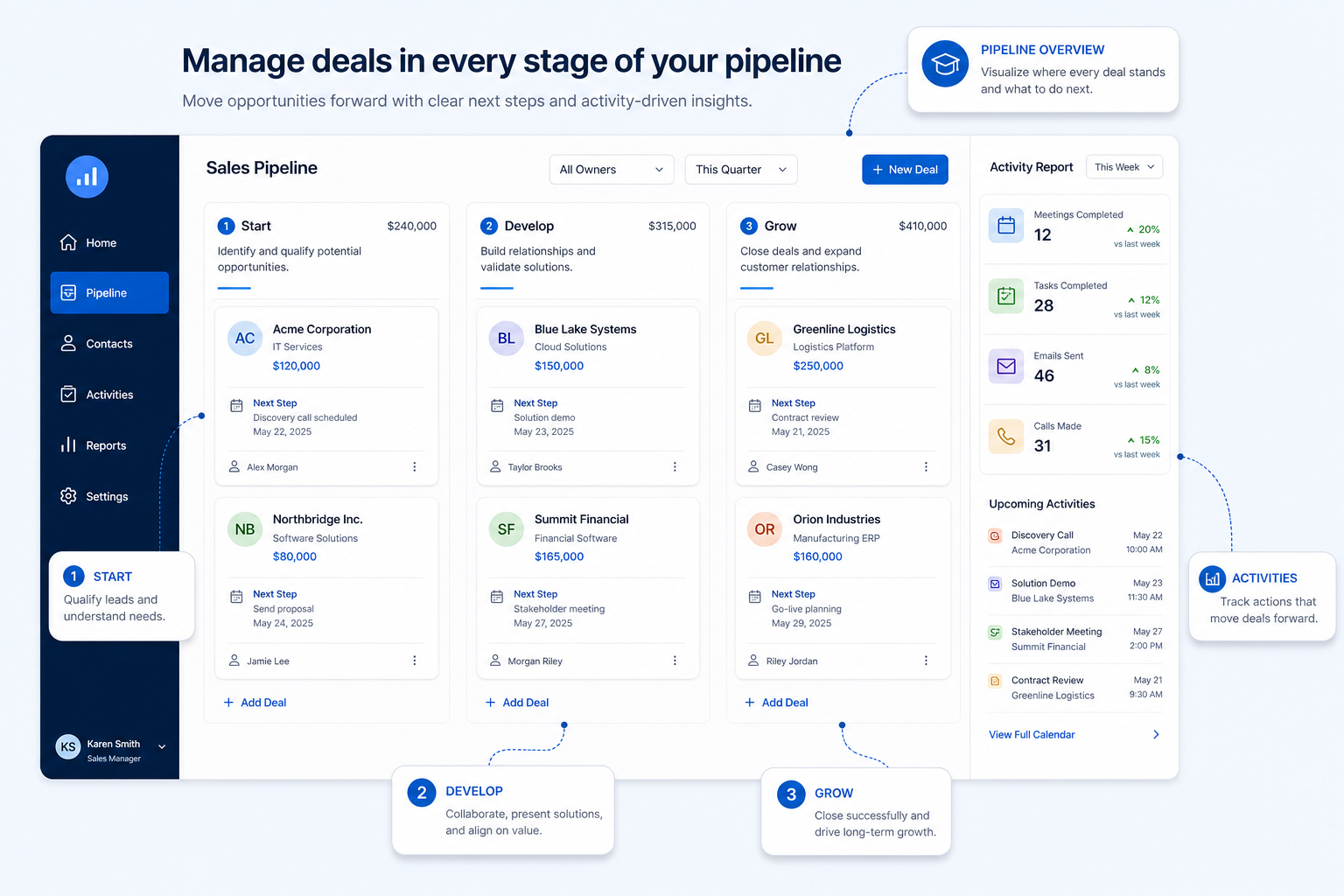
    Advance deals visually across customizable stages.

    Explore use case →
    Pipeline CRM pipeline teaching visual
    SoftwareGlimpse teaching placeholder for Pipeline CRM pipeline concepts.

    Official vendor workflow demo

    This video is hosted on YouTube

    This content is hosted by YouTube. The player loads only after you allow marketing cookies.

    Official vendor video

    Pipeline CRM Full Demo: Automate Your Sales Process in 10 Minutes

    What this shows

    • Pipeline CRM deals, people, and companies list views
    • Automation and sales process walkthrough from Pipeline CRM

    What this workflow demonstrates

    • Pipeline CRM deals, people, and companies list views
    • Automation and sales process walkthrough from Pipeline CRM

    Source: Official Pipeline CRM. This is vendor training/demo content — not SoftwareGlimpse instruction.

  • 2Use case

    Sales automation

    Reduce repetitive follow-ups with workflows that still need human judgment.

    • Reduce repetitive follow-ups with workflows that still need human judgment.
    • Buyers comparing Start/Develop/Grow seat ladders
    • Clear sales pipeline focus

    SoftwareGlimpse fit analysis

    Published Start/Develop/Grow pricing

    Explore use case →
  • 3Use case

    Reporting

    Forecast and pipeline reporting managers can trust without spreadsheet rebuilds.

    • Forecast and pipeline reporting managers can trust without spreadsheet rebuilds.
    • Teams migrating from PipelineDeals/Pipeline Pro branding
    • Published Start/Develop/Grow pricing

    SoftwareGlimpse fit analysis

    Review pipeline health and outcomes in reporting views.

    Explore use case →
  • 4Use case

    Outbound sales

    Run targeted outbound sequences with ownership, logging, and clear next steps in CRM.

    • Run targeted outbound sequences with ownership, logging, and clear next steps in CRM.
    • Annual discounts

    SoftwareGlimpse fit analysis

    Straightforward SMB CRM UX positioning

    Explore use case →
  • 5Use case

    Customer follow-up

    Never drop promised next steps — tasks, reminders, and history attached to the right record.

    • Never drop promised next steps — tasks, reminders, and history attached to the right record.
    Explore use case →
  • 6Use case

    Sales forecasting

    Build forecasts from pipeline truth — stages, categories, and hygiene — not optimistic storytelling.

    • Build forecasts from pipeline truth — stages, categories, and hygiene — not optimistic storytelling.
    Explore use case →
  • 7Use case

    Deal management

    Advance and close opportunities with clear ownership, next steps, and stage hygiene.

    • Advance and close opportunities with clear ownership, next steps, and stage hygiene.

    SoftwareGlimpse fit analysis

    Open opportunities and track deal value through stages.

    Explore use case →

Use case information is based on product evidence and common customer workflows. Official demos illustrate vendor workflows; they are not SoftwareGlimpse testing claims.