ActiveCampaign Plans: Contacts, Sends, and Qualifying Tiers
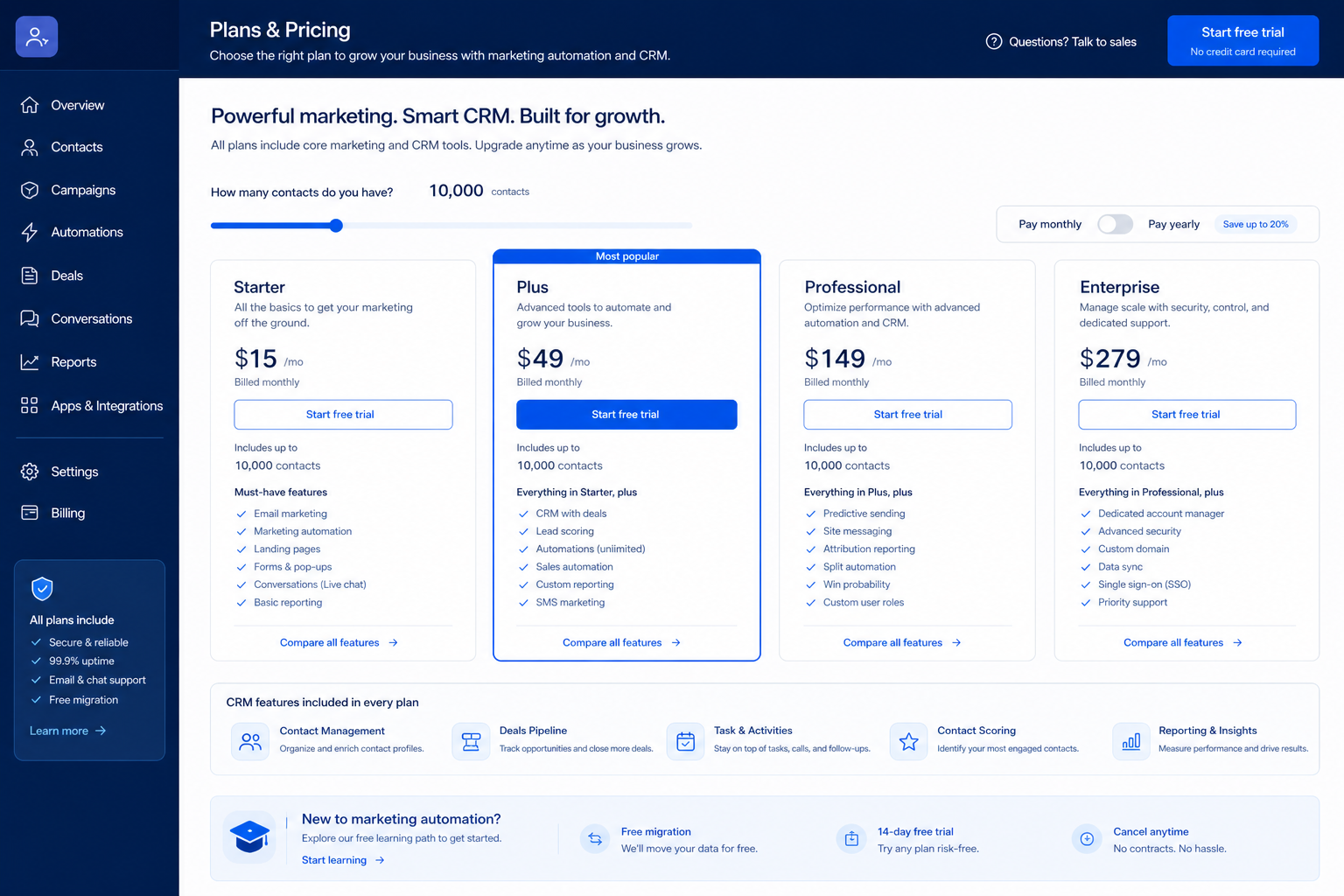
ActiveCampaign does not bill you for people who log in — it bills you for people on your list, which reverses the usual budgeting exercise. Email marketing automation ESP with multi-step journeys; CRM pipelines strongest on Plus+; contact-based pricing. Published entry-band floors: Starter ($15/mo billed annually) · Plus ($49/mo billed annually) · Professional ($79/mo billed annually) · Enterprise ($145/mo billed annually) — each of those figures is a floor at a small list size, not a seat price. So the two questions that set your invoice are how many contacts you are willing to keep, and whether your automation ambitions clear the tier where multi-step journeys and pipelines actually get useful. Confirm live ActiveCampaign checkout; packaging can change.
Quick answer
Price ActiveCampaign from a pruned contact count and the number of multi-step journeys you will genuinely maintain — the tier where CRM pipelines get useful is a deliberate step up, not an incidental extra.
- Built for teams whose growth engine is lifecycle email and automation
- Contact-band billing means list hygiene is a direct cost lever
- Weak fit if you wanted a free deal board with light email attached
ActiveCampaign plans takeaways
- Packaging is often usage-shaped — Researched plans: Starter, Plus, Professional, Enterprise. Confirm credit and seat limits in writing.
- Must-haves set the tier — Plan-gated in research: pipeline management (Plus, Professional, Enterprise); deal management (Plus, Professional, Enterprise); sales automation (Plus, Professional, Enterprise); forecasting (Professional, Enterprise).
- No invented totals — Never invent list prices here — confirm seats, sends/contacts, and quote terms on /pricing/activecampaign/.
- Seat discipline still matters — Count who prospects or dials weekly — not the whole org chart — before you compare ActiveCampaign packages.
ActiveCampaign plan anatomy
ActiveCampaign must vs nice
- Campaigns + ESP ↔ CRM sync
- Campaigns or automations
- Extra optional add-ons
- AI assistance
Frequently asked questions
Why don’t you list dollar prices here?
Never invent list prices here — confirm seats, sends/contacts, and quote terms on /pricing/activecampaign/.
What if there is no public plan matrix?
Common for email marketing. Compare with a written must-have sheet and quote diligence — not blog “starting at” figures.
Seats or sends/contacts — which matters more?
Whichever your day-one jobs consume. Many teams under-buy sends/contacts and over-buy spectator seats — reverse that.
Contact-band budgeting
Budgeting mistakes on contact-based pricing
Quoting against an unpruned list
The band you enter on becomes the band you renew on, and unengaged contacts cost twice — in price and in deliverability.
Buying automation depth for journeys nobody has drafted
Count drafted journeys, not intended ones. Intentions do not survive a busy quarter.
Treating the trial as a look-around
With no free tier, the trial is your only pre-purchase evidence. Build one real journey end to end.
Before you decide
Bring these questions to every demo
Ask vendors to show the workflow live, not just describe it.
- 1Contact list pruned and the surviving count exportedPrice the band against the pruned number, not the historical total.
- 2Journeys drafted on one page with triggers and exitsDrafted journeys justify automation depth; intentions do not.
- 3Decision recorded on where the deal record livesOne system of record. The halfway house is the expensive option.
1. Prune the list, then count what is left
Segment by last engagement and be honest about the tail. Contacts who have not opened anything in a year are costing you band space and sender reputation simultaneously. Export the pruned count — that number, not your CRM's total contact count, is the one to price against.
2. Draft your journeys on one page before the trial
Sketch each journey as trigger, branches, and exit. Three drafted journeys is a real automation requirement; a vague plan to "do more nurture" is not. This page also tells you whether you need the pipeline-capable tier, because journeys that change deal state are exactly what pulls you up the ladder.
3. Decide where the deal record lives — here or elsewhere
If pipelines will live here, commit to it and use the tier that supports them properly. If your deals already live in a dedicated CRM, keep them there and buy this purely as the lifecycle engine. The expensive outcome is the halfway house, where deals exist in both places and neither is trusted; that is a data mapping problem you inflict on yourself.
Was this article helpful?
Have more questions? Contact our support team.
Part of ActiveCampaign review · Email Marketing hub
Related guides
Supporting reading in this topic — not a generic related-posts dump.
- Email Marketing Pricing Guide: Contact Tiers & First 90 DaysLearn how email marketing pricing works — contact tiers, send caps, feature gates, and how to compare written quotes for the first 90 days — without invented price tables.
- How to Choose Email Marketing Software: Job-First FrameworkChoose email marketing software by primary job — newsletters, automation, ecommerce, or all-in-one — then map contact tiers, feature gates, and a shared trial script.
- Is ActiveCampaign Worth It? Fit Scenarios Before You BuyDecide if ActiveCampaign is worth it for your marketing team — fit scenarios, contact economics, and when to keep looking — without invented ROI percentages.
Related products
Related comparisons
SoftwareGlimpse Updates
Want clearer software shortlists? Get buying guides and comparisons by email.
Newsletter coming soon.