CRM Cleanup Checklist
Clean the data without breaking the reports.
Work through duplicates, inactive owners, unused fields, and orphan automations in a safe order — snapshot first, batch second, validate after every batch.
Free to use · No email required · Updated 15 Aug 2026
- Best for
- CRM admins
- Stage
- Optimize
- Time
- Ongoing sprints
- Format
- XLSX + PDF + MD
36
checklist items
6
categories
Optimize
buying stage
XLSX + PDF + MD
download formats
What's inside
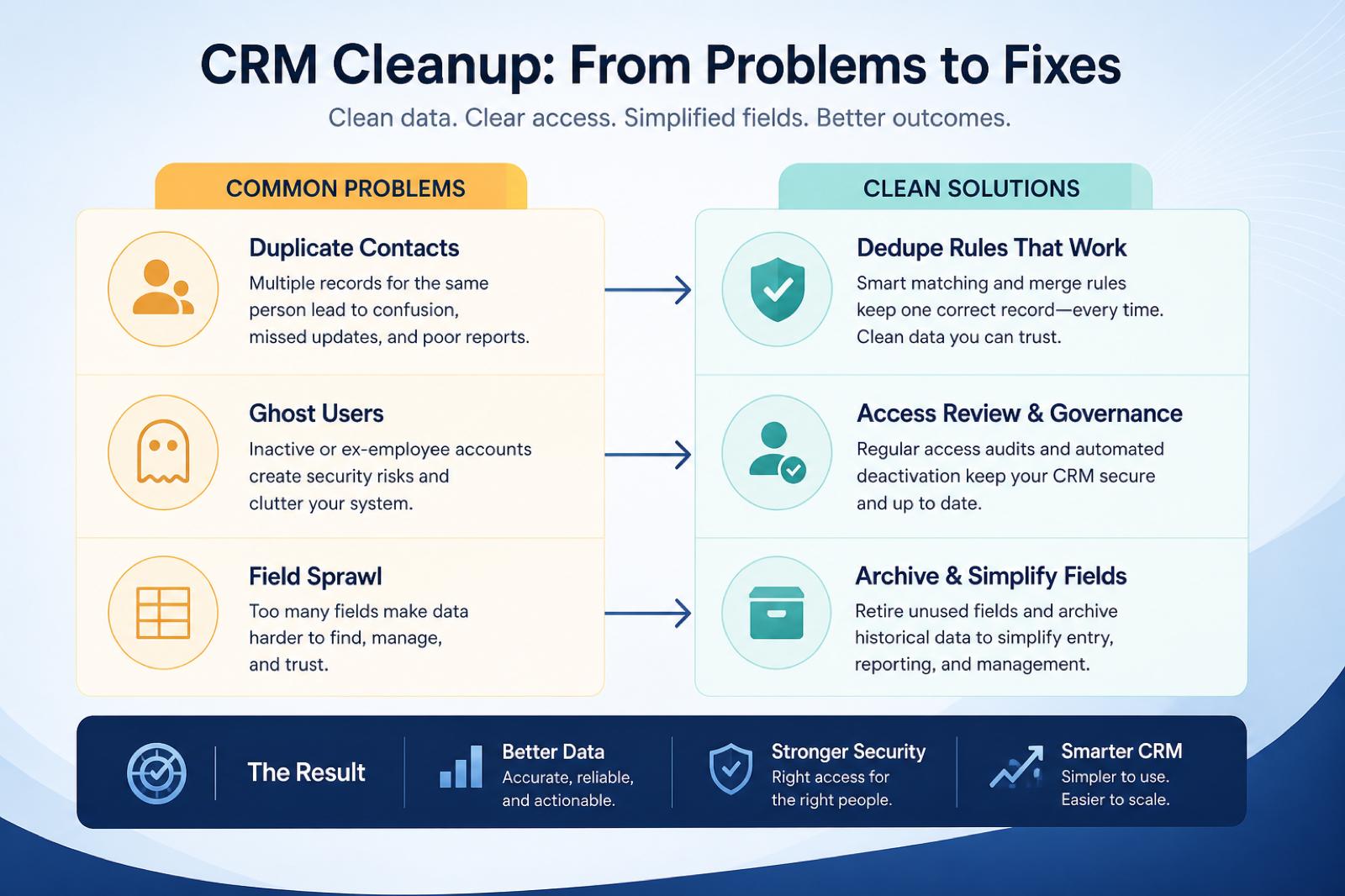
Safety gate
Exports, dependency mapping, survivorship rules, and a freeze window before batch one.
Users & ownership batch
Deactivate departed users and get live pipeline onto living owners.
Duplicate batch
Email and domain matching rules, small merge batches, and a human queue for ambiguity.
Fields & views batch
Remove from layout, wait, then archive — with report dependencies checked first.
Automation batch
Disable orphan rules and retire obsolete templates with a changelog entry each.
Validation & recurrence
A fixed sample re-checked after every batch, then a scheduled next pass.
What this tool helps you do
Search becomes trustworthy
Fewer duplicate contacts and accounts, so sellers open the existing record instead of creating another.
Live pipeline has living owners
No open deal sits under a departed or inactive user.
Reports survive the cleanup
Dependency checks and per-batch validation catch breakage before anyone notices it in a meeting.
Hygiene becomes recurring
A scheduled light pass with a named owner stops the debt rebuilding silently.
How to use this checklist
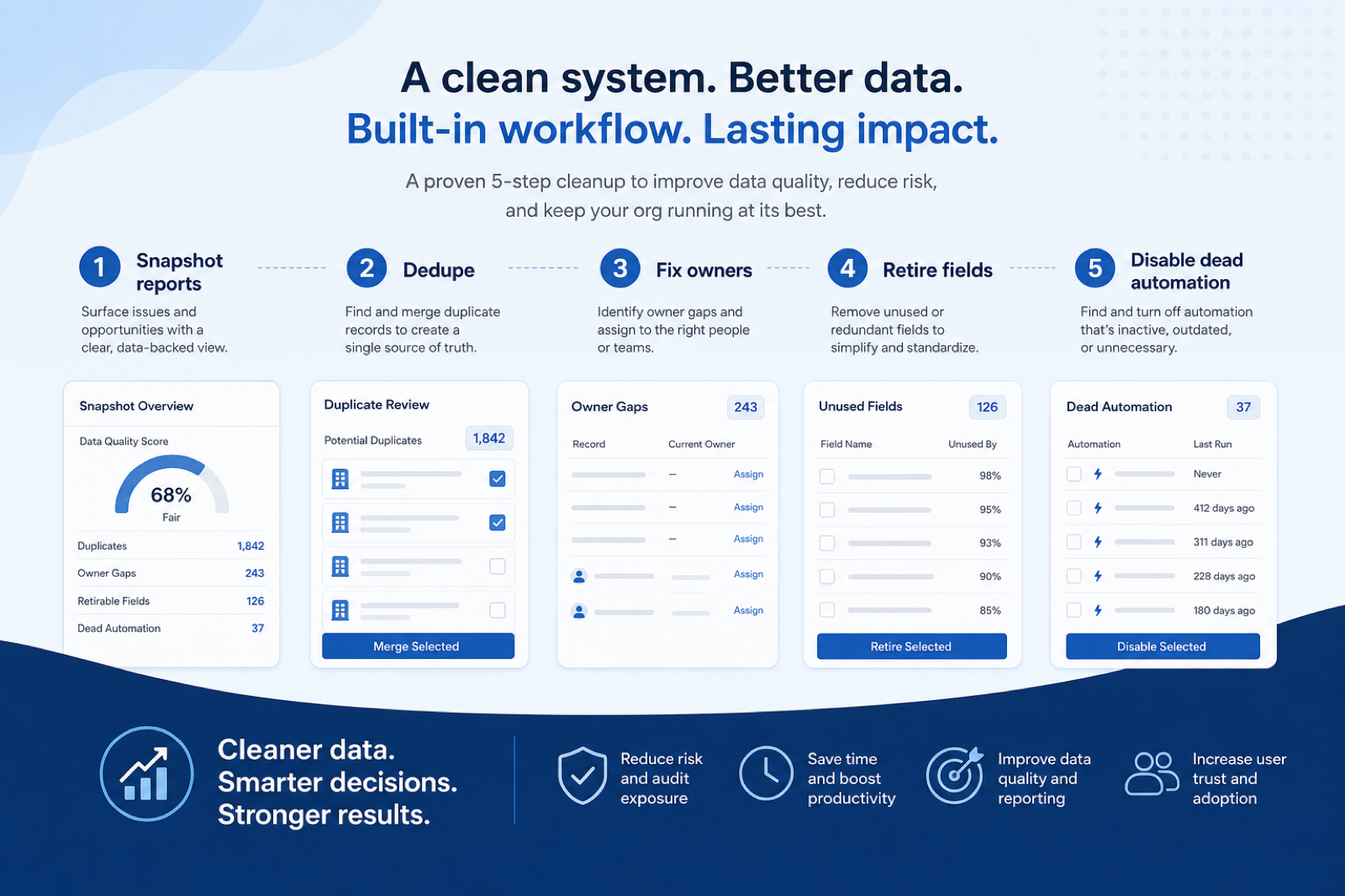
- 1
Clear the safety gate
Exports, dependency list, survivorship rules, freeze window — all four before batch one.
- 2
Batch one — users & ownership
Deactivate departed users after reassigning their live work.
- 3
Batch two — duplicates
High-confidence email and domain merges only; ambiguity goes to a human queue.
- 4
Batch three — fields & views
Remove from layouts, observe a quiet period, then archive.
- 5
Batch four — automations
Disable orphan rules and retire obsolete templates, logging each one.
- 6
Validate & schedule the next pass
Re-check the fixed sample, publish the changelog, put the next pass in the calendar.
Preview the checklist
Download ExcelRepresentative rows from the downloadable artifact. Full workbook includes Test / Scenario, Evidence, and Result columns.
| # | Check item | Why it matters | Required? | Evidence | Result |
|---|---|---|---|---|---|
| 1. Before you touch anything | |||||
| 1.1 | Dated export of accounts, contacts, deals, and activities | Without a snapshot, a bad merge batch is unrecoverable and the cleanup becomes the incident. | Must-have | — | Not tested |
| 1.2 | Dependency list for every field and rule you may remove | A field feeding a report or an integration payload will break something invisible when it disappears. | Must-have | — | Not tested |
| 1.3 | Merge survivorship rules written and agreed | Deciding survivorship mid-merge produces inconsistent records that are harder to fix than the duplicates were. | Must-have | — | Not tested |
| 1.4 | Fixed validation sample chosen | Validating different records after each batch tells you nothing about what the batch actually changed. | Must-have | — | Not tested |
| 2. Batch one — users & ownership | |||||
| 2.1 | Open deals reassigned before their owner is deactivated | Deactivating first can orphan live pipeline in ways some systems make awkward to undo. | Must-have | — | Not tested |
| 2.2 | Departed and unused user accounts deactivated | Dormant accounts are both a paid seat and an open access path nobody is monitoring. | Must-have | — | Not tested |
| 2.3 | Accounts and contacts reassigned from inactive owners | Unowned accounts get no coverage, and coverage gaps are invisible until a renewal is missed. | Must-have | — | Not tested |
| 2.4 | Ownerless records found and resolved | Records with no owner at all never appear in an owner-filtered view, so they are invisible to every routine. | Must-have | — | Not tested |
Worked example
Hypothetical safety-gate scenario for teaching the artifact — not a SoftwareGlimpse case study.
Requirement
Safety gate before batch one: could we recover if a merge batch went wrong?
Check 1 — Dated export of accounts, contacts, deals, activities
PASSA full export was taken the morning of the cleanup and stored where the whole ops team can reach it, so a bad batch can be reconstructed.
Check 2 — Dependency list for fields marked for removal
PARTIALReports were mapped but integration payloads were not, so field deletion is deferred until the connector fields are confirmed.
Check 3 — Merge survivorship rules written down
FAILNo rule existed for which record wins on conflicting emails, so merging is blocked until the rule is agreed and written.
Evidence: Export timestamp, the dependency worksheet, and the survivorship rules document — reviewed together before any batch starts.
What counts as evidence?
Counts
- • A dated export stored where the team can reach it
- • A field-to-report dependency list built before deletion
- • Written survivorship rules agreed before the first merge
- • A fixed validation sample re-checked after each batch
Does not count
- • “Nobody uses that field” without a dependency check
- • An automated merge run at low match confidence
- • A data-quality percentage with no counting method
- • Deleting during a freeze without a changelog entry
Related resource journey
Use before
Use next
FAQ
Why clean ownership before duplicates?
Ownership fixes are the safest change with the fastest trust return, and they make the duplicate work cleaner — merging records whose owners are already correct avoids a second reassignment pass afterwards.
Should we hard-delete old records?
Usually archive or filter instead. History you may need for audits or coaching is expensive to lose and cheap to keep. Confirm retention with your sponsor before deleting anything, and prefer merging duplicates and fixing owners on live records first.
Can we automate all the duplicate merges?
Only the high-confidence rules you have tested against a sample — typically exact email for contacts and domain for accounts. Everything below that threshold belongs in a human review queue. A silent bad merge destroys trust faster than the duplicates did.
How do we avoid breaking reports?
Build the field-to-report dependency list before touching anything, remove fields from layouts before deleting them, and re-run your fixed validation sample plus the forecast views after every batch. Investigate any unexplained difference before starting the next batch.
How is this different from the Optimization Checklist?
Optimization diagnoses which problem is worth fixing and in what order across adoption, reporting, and automation. Cleanup is the execution artifact for the batch data work itself. Run the health pass first, then bring the data items here.
How large should a merge batch be?
Small enough to inspect. Twenty-five to fifty records with a five-record spot check works for most teams; a part-time admin should go smaller. Batch size should be set by how much you can validate, not by how much the tool can process.
Ready to use the CRM Cleanup Checklist?
Download the artifact, or continue with a related tool or guide.
Part of CRM resources · CRM Software hub
SoftwareGlimpse Updates
Want clearer software shortlists? Get buying guides and comparisons by email.
Newsletter coming soon.