
This video is hosted on YouTube
This content is hosted by YouTube. The player loads only after you allow marketing cookies.
Pick, pack, ship, and track orders from one operations queue — instead of reconstructing status from inboxes and carrier sites.
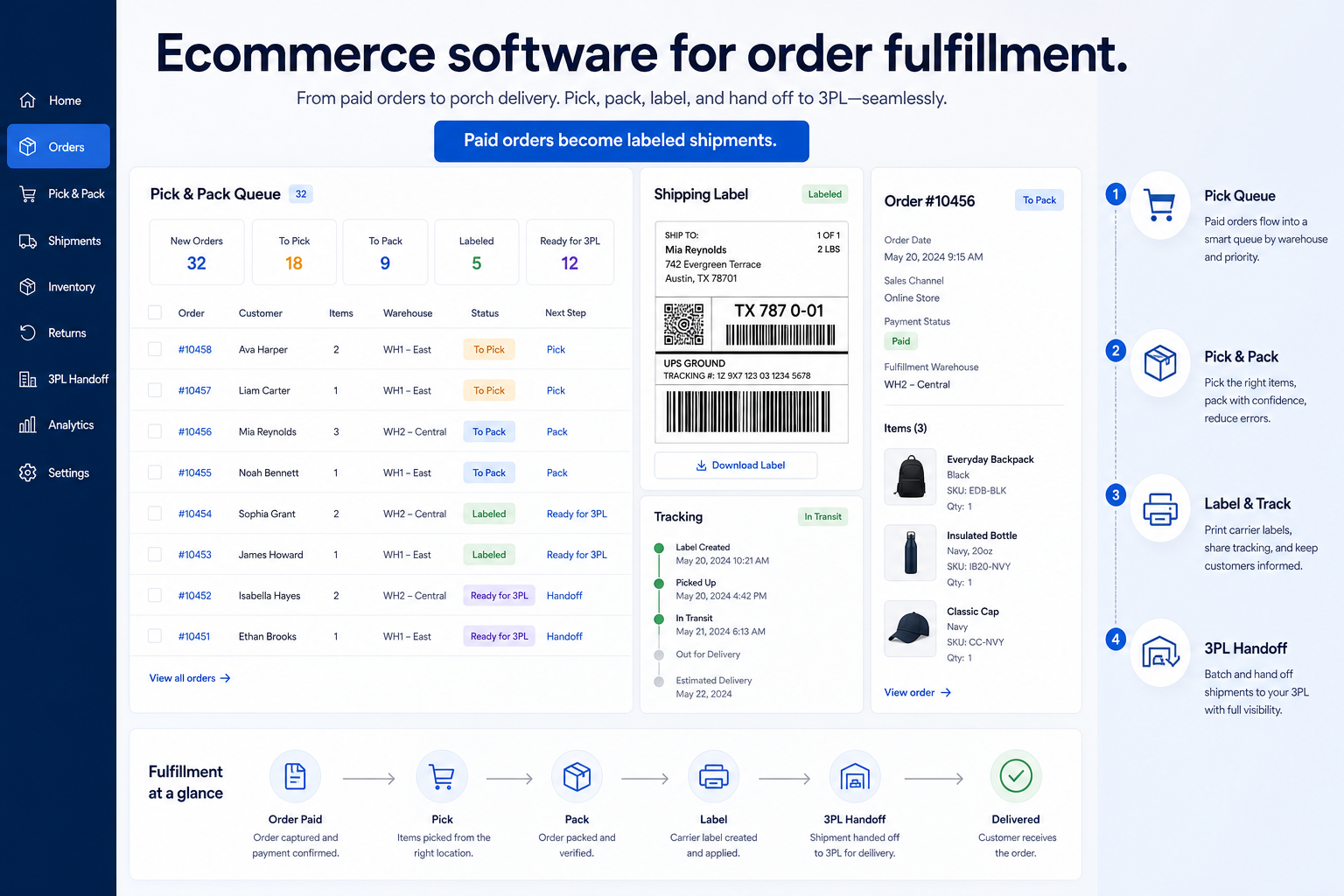
At a glance
Paid orders that ship with tracking ops can trust
Ecommerce ops, warehouse leads, and multi-channel merchants
Order queue and statuses · Labels and tracking write-back · Inventory decrement on ship · 3PL / app handoff gates
3 products to explore
Fit snapshot
Order fulfillment is the job of moving a paid order to a delivered one: labels, tracking, 3PL handoffs, and returns. It sits beside catalog and checkout; it is not a sourcing-app substitute for a store.
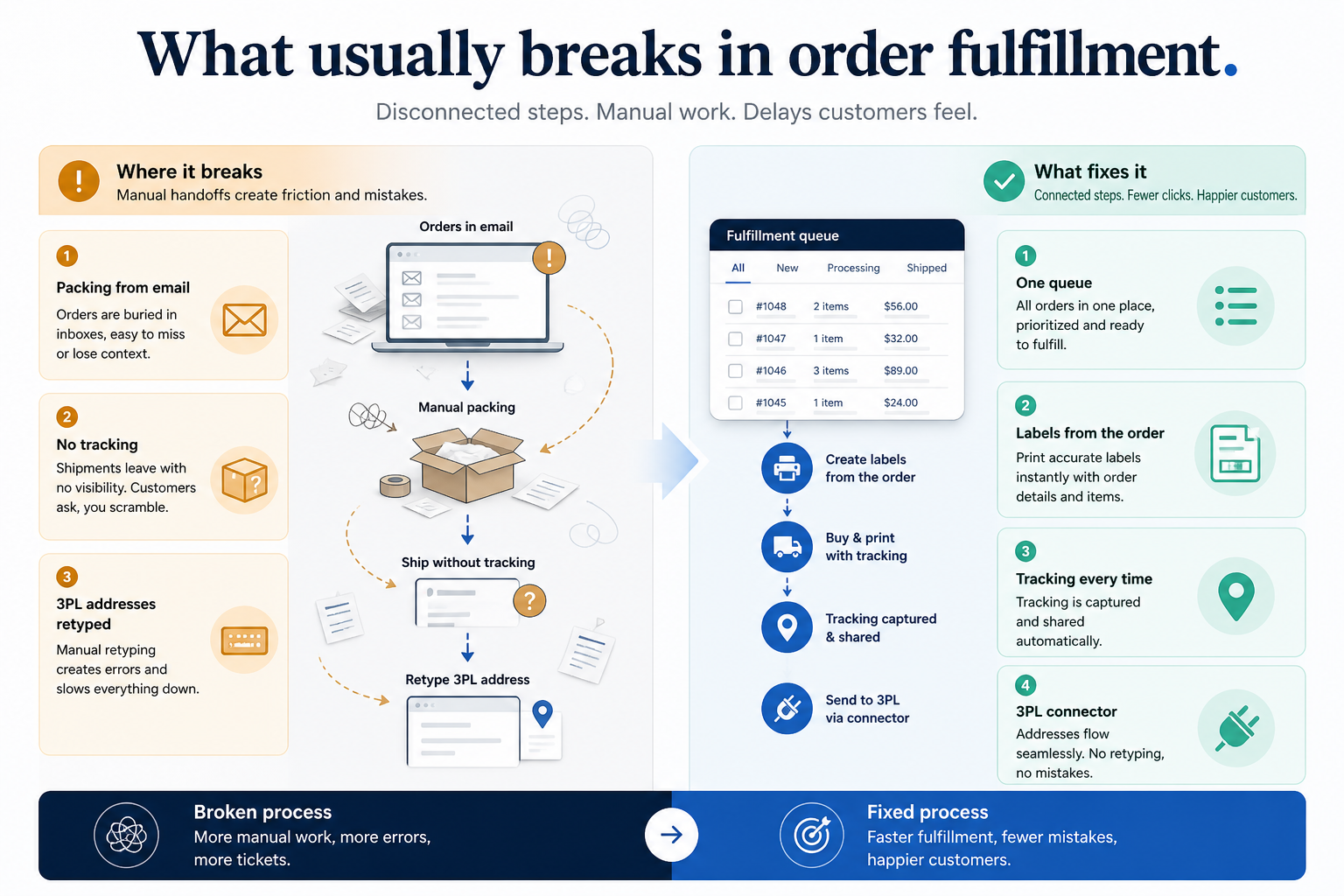
Ops and warehouse-adjacent merchants whose weekly ritual is shipping paid orders — including teams evaluating 3PL handoffs as software, not as a logistics contract alone.
How teams put CRM to work for order fulfillment
Example 1
Northline Ops prints labels from the order queue instead of copying addresses into a carrier site. Tracking writes back so support stops asking “did it ship?” in chat.
Example 2
a merchant routes overflow SKUs to a 3PL while keeping high-velocity items in-house — after confirming the handoff is supported on the quoted stack.
These are the operating problems that usually push teams toward CRM for order fulfillment — not feature wish lists.
Without CRM discipline: Nobody knows which paid orders still need a label.
Without CRM discipline: The store still sells what left the building.
Without CRM discipline: Support re-asks the carrier because the order record is blank.
Without CRM discipline: Overflow routing is tribal knowledge.
A CRM only helps when the team keeps owners, history, and next steps current. Here is what “good” looks like for order fulfillment.
With CRM discipline: An order queue with statuses and owners replaces carrier-tab archaeology.
With CRM discipline: Fulfillment that updates inventory keeps sellable quantity honest.
With CRM discipline: Label and tracking fields on the order give support a single place to look.
With CRM discipline: Confirm 3PL or app handoffs on the qualifying plan before you split inventory.
An owned order queue
Every unshipped paid order has a next action.
Shipped-as-truth inventory
Stock follows fulfillment, not a nightly guess.
Visible tracking
Support reads the order, not a second portal.
A clear returns path
Refunds and restocks attach to the original order.
Prioritise order queues, shipping labels, and inventory decrement on the plan you will buy. Confirm whether 3PL and returns are native, an app, or a separate service.
Order queue and statuses as a buying lens for this use case.
Labels and tracking write-back as a buying lens for this use case.
Inventory decrement on ship as a buying lens for this use case.
3PL / app handoff gates as a buying lens for this use case.
Returns path as a buying lens for this use case.
Start with must-haves your team will use weekly. Treat nice-to-haves as later upgrades — not day-one blockers.
Must-have
Labels, rates, and tracking must exist on the quoted configuration.
Learn more →Nice-to-have
Multi-channel orders should land in the same queue when that is the job.
Learn more →Understand what needs to happen before comparing how products implement each step. Support overlays use structured research — never video inference.
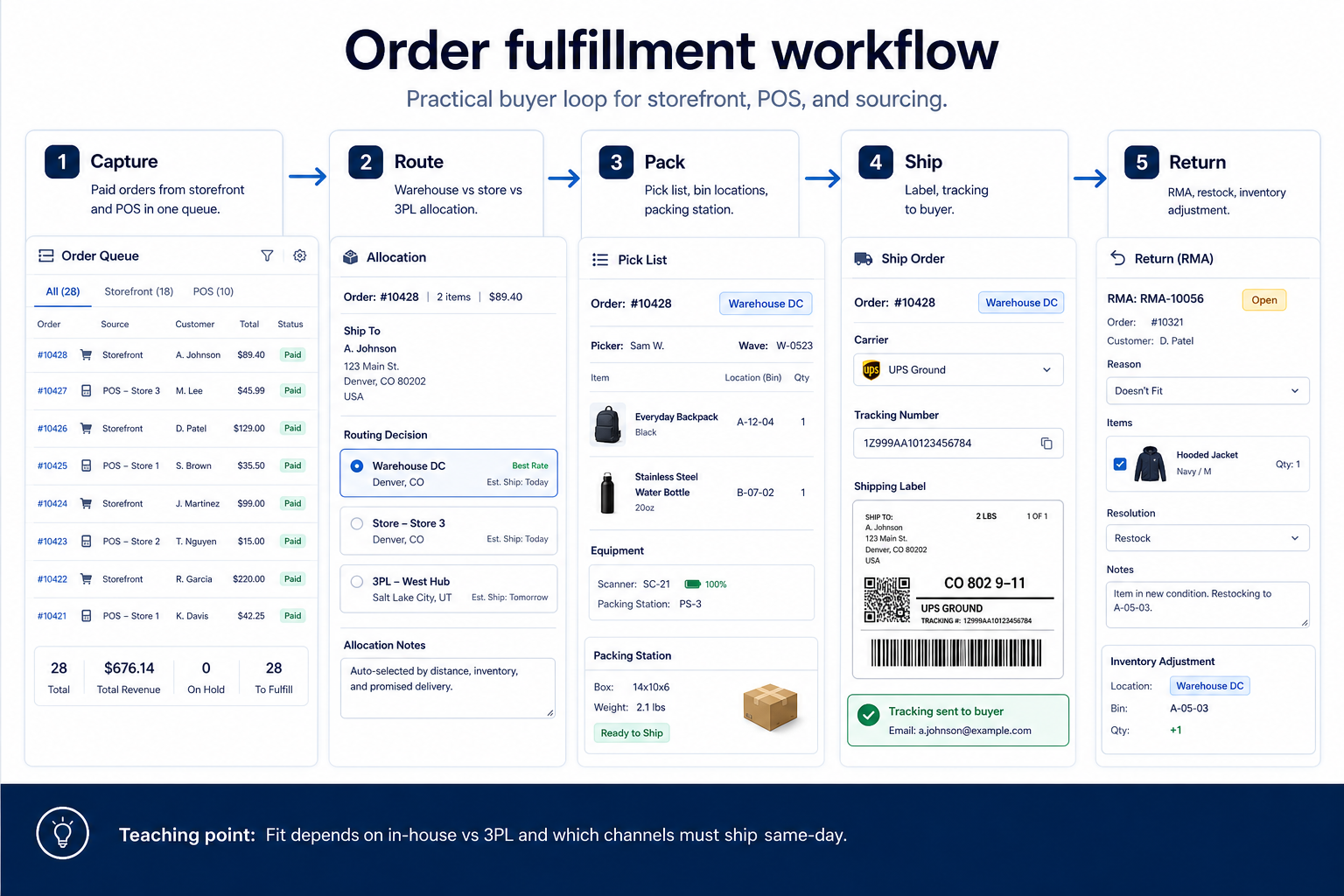
Support labels come from structured feature research — not from videos.
Next step
Next step
Next step
Official product demonstrations can help show how different CRMs handle the order fulfillment workflow. Absence of a video does not mean a product lacks support for this use case.

ShipBob
Meet ShipBob AI: The Action Layer for Fulfillment
How ShipBob presents the product in an official vendor video.
This video is hosted on YouTube
This content is hosted by YouTube. The player loads only after you allow marketing cookies.
What this demonstrates
Workflow coverage
Coverage describes what the demo shows — not product support status.
What to notice
This demonstration does not establish
Features visible in this demo
Source: ShipBob · Verified 19 Aug 2026

HubSpot
The Official HubSpot Sales Hub Tutorial
Lead management workflow — capture through assignment and follow-up

This video is hosted on YouTube
This content is hosted by YouTube. The player loads only after you allow marketing cookies.
What this demonstrates
Workflow coverage
Coverage describes what the demo shows — not product support status.
What to notice
This demonstration does not establish
Related capabilities
Features visible in this demo
Source: HubSpot · Verified 14 Aug 2026
Compare two products against the same workflow using researched assessments. Official demos help you see the workflow — they do not change support status.
HubSpot
This video is hosted on YouTube
This content is hosted by YouTube. The player loads only after you allow marketing cookies.
What to notice
Not shown in this demo

Pipedrive

Pipedrive’s sales CRM product view as shown on the official site.
What to notice
Not shown in this demo
Canonical feature assessments for this workflow — not inferred from demos.
| Step | HubSpot | Pipedrive |
|---|---|---|
| Capture the order | Unknown | Unknown |
| Pick & pack | Unknown | Unknown |
| Ship & track | Unknown | Unknown |
| Handle exceptions | Unknown | Unknown |
Based on the order fulfillment workflow, buyers commonly evaluate the checklist below. Nothing is written to your decision profile until you confirm in the tool.
Context: useCase=order-fulfillment — tools apply this only after your confirmation.
Best when
The team prints labels from the order queue and needs tracking write-back.
Best when
Some SKUs ship from a partner and the handoff must stay on the order record.
Catalogue products that list order fulfillment as a supported use case. Inclusion here is not a ranking. Official demo counts never change ranking.
Fulfillment Shipping
Ecommerce shipping and returns software for label creation, carrier integrations, and post-purchase tracking.

Ecommerce
Open-source Magento core (free) plus Adobe Commerce enterprise licenses (GMV quote) — deep catalog/B2B with high hosting and agency TCO.
Fulfillment Shipping
Ecommerce fulfillment and logistics platform — affiliate partner in ecommerce.
In the current ecommerce catalogue wave, explore: shopify, bigcommerce, woocommerce. Related products appear when those soft entries are seeded and tagged.
No. Fit depends on job cluster, channels, and plan gates. Use the Best ecommerce software page for methodology-based editor’s picks inside clusters — not one undifferentiated ranking across storefront platforms and sourcing apps.
A 3PL is a logistics service. Ecommerce software is the order queue, labels, and inventory updates. Shortlist software for the operating loop; treat 3PL contracts as an adjacent decision unless the vendor sells a self-serve software SKU.
Manage products, variants, collections, and merchandising at scale.
Optimize cart, checkout, and payments to convert more orders.
Import supplier catalogs and automate order routing without holding inventory.
Supporting reading in this topic — not a generic related-posts dump.
Use Finder for a fit-based shortlist, compare products, or build a requirements checklist before demos.
How we review
Evaluation, verification, and refresh — no fake testing claims.
Editorial methodology
Category criteria and scores grounded in evidence.
Editorial policy
Authorship, evidence levels, scoring, and disclosures.
Corrections
Spot something outdated? Tell us.
Want clearer software shortlists? Get buying guides and comparisons by email.
Newsletter coming soon.