Sales Intelligence Training Guide: Role-Based Curricula
Train SI by role — SDR, manager, RevOps — with ICP practice and certification-lite before full credit access, then hand off to adoption.
Quick answer
Train sales intelligence by role — SDR, manager, RevOps — with short curricula practiced on real ICP lists in a sandbox or limited-credit lane, then a certification-lite checklist before full credit budgets. Decision rule: do not grant broad unlock/export rights until each role completes its script (search→verify→CRM for SDRs, coaching from SI+CRM views for managers, sync/credits/hygiene for RevOps) and a named owner signs the checklist.
- Role curricula
- Sandbox / limited credits
- SDR / manager / RevOps
- Certification-lite
- Then full access
- Link adoption
Key takeaways
- One webinar is not training — Roles need different scripts and pass criteria.
- Practice on your ICP — Vendor demo orgs teach UI; your lists teach judgment.
- Certification-lite is observed tasks — Not a quiz score or vendor badge.
- Adoption is the sequel — Training unlocks access; adoption keeps credits honest.
Training path
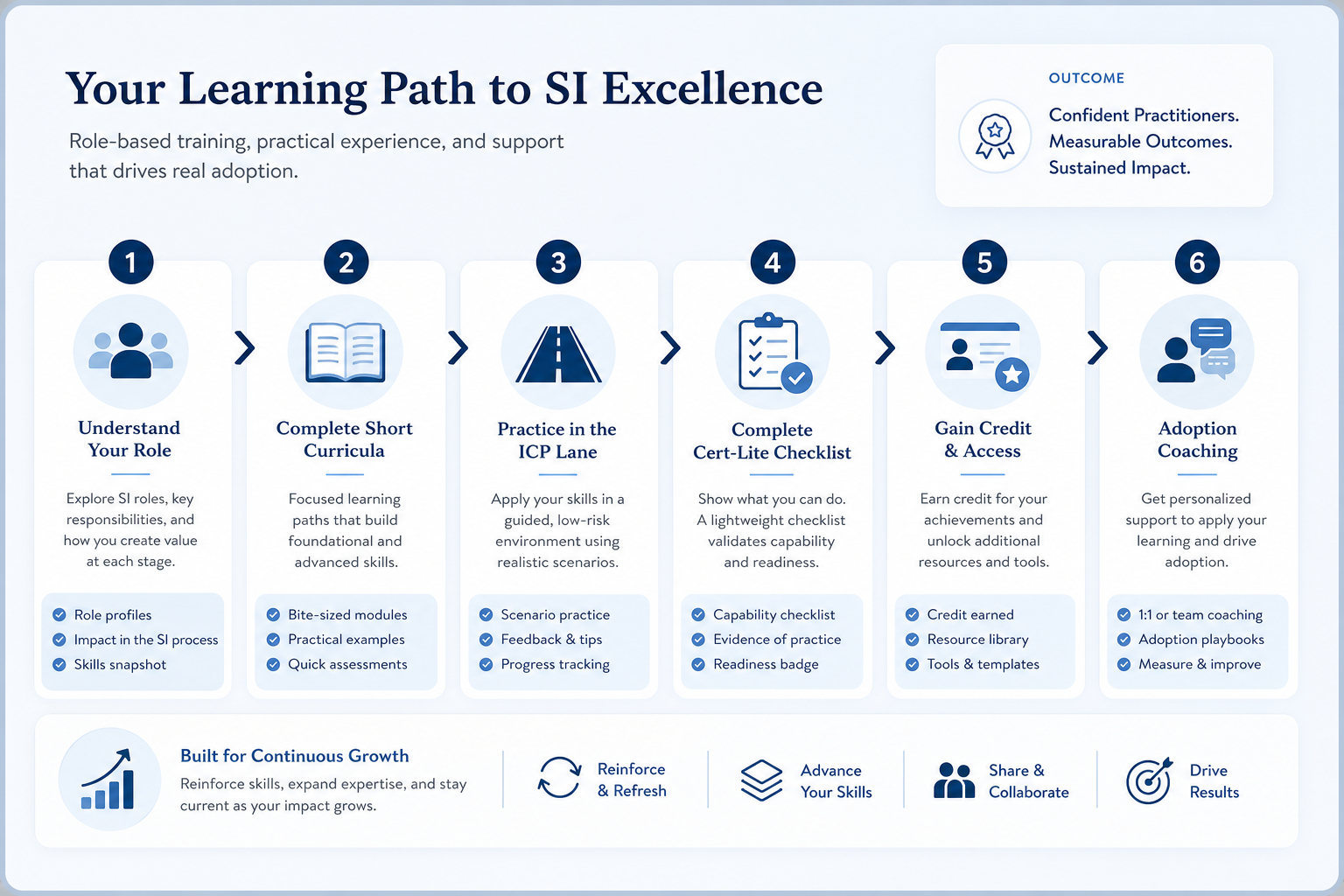
Role-based curricula
Certification-lite checklist
Bring these questions to every demo
Ask vendors to show the workflow live, not just describe it.
- 1SDR: build ICP list + verify before sequenceUses approved filters; no random spray.
- 2SDR: push/update CRM with owner + next stepMatches sync rules; no orphan exports.
- 3SDR: honor suppression / unsubscribe pathKnows where do-not-contact lives.
- 4Manager: coach from SI + CRM viewsNo private sheet as the review surface.
- 5Manager: reads weekly credit / bounce signalsKnows when to pause unlocks.
- 6RevOps: show mapping + overwrite on sampleCan explain who wins on conflict.
- 7RevOps: forecast credits for a campaign weekUses unit definition, not vibes.
- 8Trainer/owner signs checklistThen full credit seat granted.
1. Build short role-based curricula
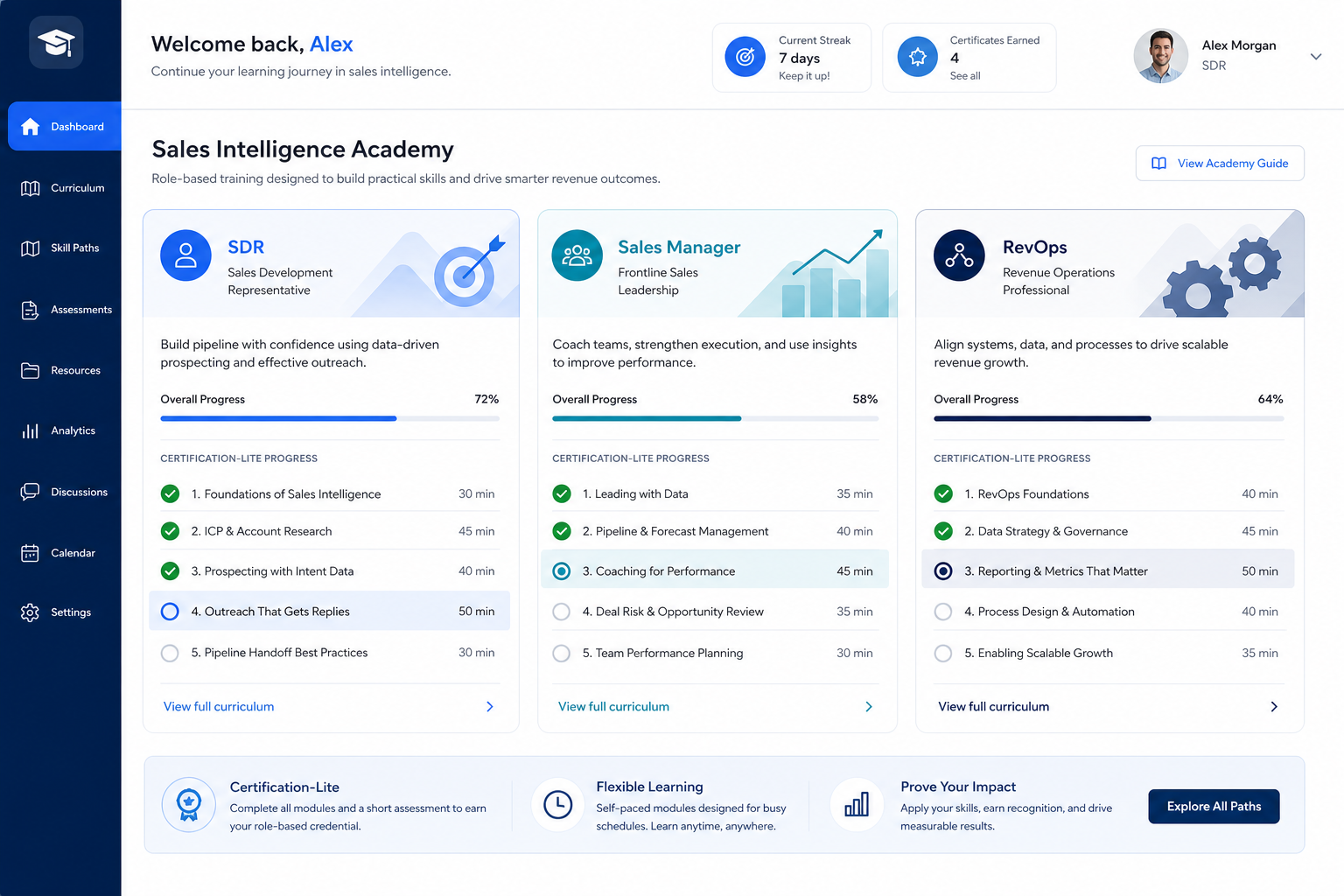
SDR track
Search, verify, CRM, suppress, disposition.
Manager track
Coach from views; watch credits and bounces.
RevOps track
Sync map, credits, duplicates, export.
SDR: search ICP, verify, sequence/dial disposition, CRM update, suppression. Manager: pipeline coaching using SI activity + CRM board, credit/bounce watchouts. RevOps: field mapping, credit forecasting, duplicate queue, export rights. Keep each under a focused session plus practice — not a day-long feature tour.
Example: Harborline designs three 60-minute tracks. SDR Maya never touches admin credit billing. Manager Priya never builds custom fields. RevOps Keisha skips cold-call tips. Shared slide: “what good unlock hygiene looks like.”
2. Practice on ICP lists, then grant credit access
Pass → budget
Checklist signed; production credit pool assigned.
Fail → repractice
Same script; no shame, no skip.
Late hire
Same cert-lite — no permanent exceptions.
Give trainees a limited-credit or sandbox lane with real-shaped target accounts. Pass only when they complete motions without the trainer driving. Failures get repractice — not a lecture. Full budgets wait for signed cert-lite.
Example: Harborline caps new SDRs at a small daily unlock limit until cert-lite is green. One AE skips verify-before-send; Priya delays their full budget two days. After repractice, they pass and join the pod cadence.
SI training mistakes
Vendor webinar as the only enablement
UI tour without ICP practice and CRM rules.
Training after credits are unlimited
Week one becomes expensive discovery under fire.
Certificate without observed tasks
Attendance is not proof of verify-before-send.
Never linking to adoption
Training is a launch event; credit discipline needs coaching.
3. Name the job this category should own
Describe the weekly output this category must improve before comparing vendors.
4. Next: freeze requirements and compare fairly
Move to /guides/sales-intelligence-adoption/ once the job cluster is clear. Compare finalists with the same assumptions — not affiliate-ordered lists.
5. Use a one-page checklist before demos
For Sales Intelligence Training Guide: Role-Based Curricula, list must-haves, owners, integrations, and the weekly ritual this purchase must improve. Share the sheet with finance and IT before you schedule a second demo.
- Name the primary job in one sentence.
- List must-have gates (plans, SSO, data residency, usage caps).
- Name integrations that must work on day one.
- Assign an admin owner and a weekly user champion.
- Define non-admin proof — what a sceptic completes without rescue.
Worked example: Harbor Ops refuses demos until the checklist is signed — cutting evaluation time in half.
6. Avoid the usual buying mistakes
Common failures in sales-intelligence: buying for brand familiarity, comparing entry tiles across different usage units, skipping a fair trial script, and adding scope before adoption proves out.
Run one trial script on every finalist the same week. Score on the same card. Write a one-paragraph decision memo that names what you are not buying yet.
7. Hand off to the category shortlist
When assumptions are frozen, continue on /best/sales-intelligence-software/ with the same headcount, usage band, and must-have gates on every quote.
8. Use a one-page checklist before demos
For Sales Intelligence Training Guide: Role-Based Curricula, list must-haves, owners, integrations, and the weekly ritual this purchase must improve. Share the sheet with finance and IT before you schedule a second demo.
- Name the primary job in one sentence.
- List must-have gates (plans, SSO, data residency, usage caps).
- Name integrations that must work on day one.
- Assign an admin owner and a weekly user champion.
- Define non-admin proof — what a sceptic completes without rescue.
Worked example: Harbor Ops refuses demos until the checklist is signed — cutting evaluation time in half.
9. Avoid the usual buying mistakes
Common failures in sales-intelligence: buying for brand familiarity, comparing entry tiles across different usage units, skipping a fair trial script, and adding scope before adoption proves out.
Run one trial script on every finalist the same week. Score on the same card. Write a one-paragraph decision memo that names what you are not buying yet.
10. Hand off to the category shortlist
When assumptions are frozen, continue on /best/sales-intelligence-software/ with the same headcount, usage band, and must-have gates on every quote.
Frequently asked questions
How should we structure SI training by role?
Separate short curricula for SDR (unlock loop), manager (coaching + signals), and RevOps (sync, credits, hygiene). Share only the definition of good hygiene across roles.
What is certification-lite?
An observed checklist on ICP-shaped work — not a vendor badge or multiple-choice score.
Should training happen before full credit access?
Yes. Use limited credits for practice; unlock full budgets after cert-lite. Hypercare answers questions — it is not first-time learning.
What should I do next?
After cert-lite, follow the Adoption Guide for 30/60/90 gates and credit coaching.
Was this article helpful?
Have more questions? Contact our support team.
Part of Software buying guides · Sales Intelligence Adoption Guide: Login ≠ Adoption
Related guides
Supporting reading in this topic — not a generic related-posts dump.
- How to Choose Sales Intelligence SoftwareA decision framework for picking sales intelligence software by primary job — contact data, enrichment, engagement, or dialer — then testing coverage, credits, CRM sync, compliance, and rep workflow before you commit.
- Sales Intelligence Credits ExplainedDecode what one credit unlocks, email vs phone pricing, failed reveals, rollover, caps, and export rights — without inventing dollar models.
- Sales Intelligence CRM Sync ExplainedSet SI ↔ CRM sync with clear direction, match keys, field mapping, overwrite rules, and ownership — proven in trial before production scale.
- Sales Intelligence Data Quality GuideRun SI data quality with verification, bounce SLAs, stale-contact rules, enrichment discipline, and weekly hygiene — not one-time list scrubs.
SoftwareGlimpse Updates
Want clearer software shortlists? Get buying guides and comparisons by email.
Newsletter coming soon.